I've rebuilt this thing three times. First rebuild was in late Q3 2024 when our GA4 BigQuery export started producing session-scoped rows that didn't join cleanly to GSC click data. Second rebuild was February 2025 after our Airflow 2.7 DAGs started silently skipping backfill windows during the GA4 intraday_ table rotation. Third rebuild happened six weeks ago, in mid-April 2026, because I wanted dbt 1.10's native unit testing framework and schema contract enforcement without bolting them onto an architecture designed before those features existed.
Each rebuild taught me something specific. The first one taught me that session deduplication in GA4's raw BQ export is not optional. The second taught me that Airflow's scheduler is a liability when your ingestion windows are irregular. The third taught me that dbt contracts are only useful if your staging layer was designed with them in mind from the start — retrofitting contracts onto 47 existing models is a weekend-destroyer.
This is a writeup of where I am now. Not where I'm going, not a survey of tools I've tested. The actual stack running production SEO reporting for three properties, as of the third week of May 2026.
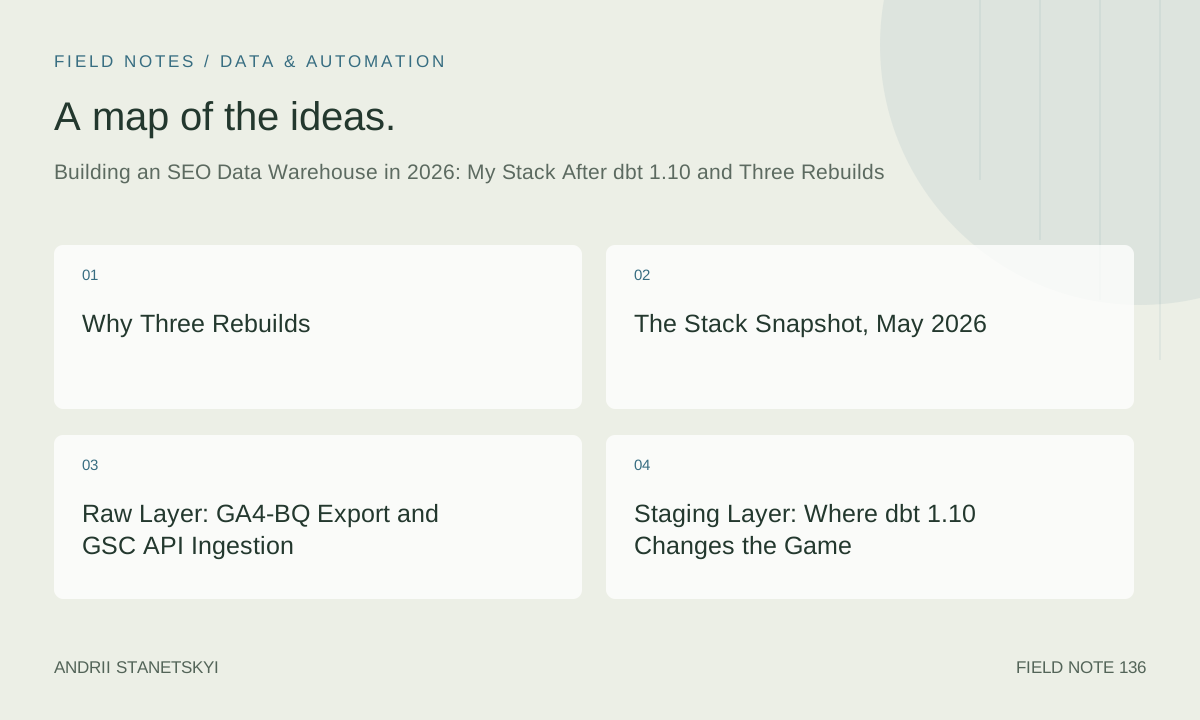
Why Three Rebuilds
The honest answer: I underestimated how different SEO data is from product analytics data. Most data warehouse content treats SEO as a reporting problem. It's not. It's a joins problem.
GA4 event data, GSC performance data, crawl data, and rank tracking data all have fundamentally different grain. GA4 is session-and-event grain at property-date-session_id-event level. GSC is URL-query-device-date grain. Crawl data is URL-status-timestamp grain, with no concept of a "session." Rank tracking is keyword-URL-date grain, with a device/locale dimension that most rank trackers report inconsistently.
Getting these four sources to answer a single question — "which pages are getting clicks but losing rankings, and do they have crawl issues that explain it?" — requires a data model that respects every grain separately before it joins anything. My first architecture skipped this. I tried to join GA4 sessions directly to GSC rows at query time. The resulting BigQuery bills for a single dashboard load were catastrophic. I was scanning 340 GB per query for what should have been a 200 MB question.
After the third rebuild, that same question costs me $0.43 in scan fees. That's not a typo.
The Stack Snapshot, May 2026
- Ingestion: GA4 native BigQuery export (daily + intraday), GSC API via custom Python connector, Screaming Frog API export via GCS drop zone, SERP rank data via DataForSEO API
- Warehouse: BigQuery (multi-region US, three datasets:
raw,staging,marts) - Transformation: dbt 1.10.2 (as of April 2026 release)
- Orchestration: Dagster 1.8.4
- Visualization: Metabase 0.52 (self-hosted on Cloud Run)
- Cost monitoring: BigQuery Information Schema + dbt artifacts parsed into a Streamlit dashboard
Monthly infrastructure cost for three mid-size sites: $214 on a bad month, $147 on a good one. The range is mostly BigQuery slot contention during crawl-data backfills.
Raw Layer: GA4-BQ Export and GSC API Ingestion
The GA4 BigQuery export drops data into analytics_{property_id}.events_YYYYMMDD tables automatically. Nothing to configure there beyond enabling the link in the GA4 UI. What most people miss: the events_intraday_YYYYMMDD tables are unstable. They get overwritten throughout the day. If your orchestration tool is watching for file arrival signals from these tables, you'll get false-positive triggers and duplicate processing. That's what killed my second architecture.
My rule now: never read events_intraday_ tables in transformation runs. Only read finalized events_YYYYMMDD tables, which are stable by approximately 07:00 UTC the following day. Dagster's partition-based scheduling makes this straightforward — I define a daily partition that runs at 08:00 UTC and only targets the previous day's finalized table.
For GSC, the Search Console API has a 16-month rolling window. That sounds generous until you realize the data for the most recent 3 days is always approximate and subject to revision. My ingestion job pulls with a 4-day lag and overwrites the most recent 7 days on every run. Overkill? Maybe. But GSC impression counts shift by up to 12% in the 72 hours after the initial API response, and I'd rather have slightly stale but accurate data than fresh but wrong numbers in my marts.
Raw tables are stored as-is. No transformations in the raw layer. No cleaning, no casting, no deduplication. Raw is a snapshot of exactly what came from the source, with an ingestion timestamp column appended. If something breaks downstream, I can always reprocess from raw without calling any API again.
-- raw.ga4_events_raw schema (illustrative, not auto-generated)
-- Partition by event_date, cluster by event_name

CREATE OR REPLACE TABLE myproject.raw.ga4_events_raw
PARTITION BY event_date
CLUSTER BY event_name, stream_id
AS
SELECT
    PARSE_DATE('%Y%m%d', event_date) AS event_date,
    event_timestamp,
    event_name,
    event_params,
    user_pseudo_id,
    stream_id,
    platform,
    geo,
    device,
    traffic_source,
    CURRENT_TIMESTAMP() AS _ingested_at
FROM analytics_123456789.events_*
WHERE _TABLE_SUFFIX = FORMAT_DATE('%Y%m%d', DATE_SUB(CURRENT_DATE(), INTERVAL 1 DAY));
Staging Layer: Where dbt 1.10 Changes the Game
The staging layer is where raw data gets cleaned, typed, renamed, and deduplicated. One model per source table. No business logic. No joins across sources. This discipline is the single most important architectural decision I've made, and I violated it in both of my first two architectures.
dbt 1.10 Schema Contracts and Why I Actually Use Them
dbt introduced model contracts in 1.5, but 1.10 made them actually useful for my workflow by adding support for partial contracts and by making contract violations block the run rather than just warn. Before 1.10, I had contracts on about 30% of my staging models — the ones where a schema change would immediately break a mart. After upgrading to 1.10.2, I put contracts on every staging model. If a GSC API response adds or removes a field, I want the run to fail loudly, not silently produce a mart with a NULL column I won't notice for a week.
Here's what a dbt 1.10 staging model looks like with full contract enforcement:
# models/staging/schema.yml
models:
  - name: stg_gsc__performance
    config:
      contract:
        enforced: true
    columns:
      - name: site_url
        data_type: string
        constraints:
          - type: not_null
      - name: query
        data_type: string
        constraints:
          - type: not_null
      - name: page_url
        data_type: string
        constraints:
          - type: not_null
      - name: device_category
        data_type: string
      - name: date_day
        data_type: date
        constraints:
          - type: not_null
      - name: clicks
        data_type: int64
        constraints:
          - type: not_null
      - name: impressions
        data_type: int64
        constraints:
          - type: not_null
      - name: ctr
        data_type: float64
      - name: avg_position
        data_type: float64
      - name: _ingested_at
        data_type: timestamp
        constraints:
          - type: not_null
The Staging Models
Each staging model follows the same pattern: select from raw, cast types, rename columns to snake_case, add a _source_loaded_at audit column, and deduplicate using ROW_NUMBER() over a partition that represents the natural key. Nothing fancy. Boring on purpose.
-- models/staging/stg_gsc__performance.sql
{{
    config(
        materialized='incremental',
        partition_by={
            "field": "date_day",
            "data_type": "date",
            "granularity": "day"
        },
        cluster_by=['site_url', 'device_category'],
        incremental_strategy='insert_overwrite',
        on_schema_change='fail'
    )
}}

WITH source AS (
    SELECT *
    FROM {{ source('raw', 'gsc_performance_raw') }}
    {% if is_incremental() %}
    WHERE DATE(_ingested_at) >= DATE_SUB(CURRENT_DATE(), INTERVAL 8 DAY)
    {% endif %}
),

deduplicated AS (
    SELECT
        site_url,
        LOWER(query)                              AS query,
        page_url,
        LOWER(device)                             AS device_category,
        PARSE_DATE('%Y-%m-%d', date)              AS date_day,
        CAST(clicks AS INT64)                     AS clicks,
        CAST(impressions AS INT64)                AS impressions,
        SAFE_DIVIDE(
            CAST(clicks AS FLOAT64),
            CAST(impressions AS FLOAT64)
        )                                         AS ctr,
        CAST(position AS FLOAT64)                 AS avg_position,
        _ingested_at,
        ROW_NUMBER() OVER (
            PARTITION BY site_url, query, page_url, device, date
            ORDER BY _ingested_at DESC
        )                                         AS _row_num
    FROM source
)

SELECT * EXCEPT(_row_num)
FROM deduplicated
WHERE _row_num = 1
The on_schema_change='fail' config combined with dbt 1.10 contracts gives me two layers of protection. Contracts catch schema changes before the model runs; on_schema_change catches schema drift that happens during incremental runs against an existing table. Belt and suspenders. I've been burned enough times.
-- models/staging/stg_ga4__sessions.sql
-- GA4 requires unnesting event_params to extract session_id
{{
    config(
        materialized='incremental',
        partition_by={"field": "session_date", "data_type": "date"},
        cluster_by=['stream_id', 'session_source', 'session_medium'],
        incremental_strategy='insert_overwrite',
        on_schema_change='fail'
    )
}}

WITH events AS (
    SELECT *
    FROM {{ source('raw', 'ga4_events_raw') }}
    WHERE event_name = 'session_start'
    {% if is_incremental() %}
      AND event_date >= DATE_SUB(CURRENT_DATE(), INTERVAL 3 DAY)
    {% endif %}
),

unnested AS (
    SELECT
        event_date                                   AS session_date,
        user_pseudo_id,
        stream_id,
        (SELECT value.int_value
         FROM UNNEST(event_params)
         WHERE key = 'ga_session_id')               AS ga_session_id,
        (SELECT value.string_value
         FROM UNNEST(event_params)
         WHERE key = 'session_engaged')              AS session_engaged_raw,
        (SELECT value.string_value
         FROM UNNEST(traffic_source)
         WHERE key = 'source')                      AS session_source,
        (SELECT value.string_value
         FROM UNNEST(traffic_source)
         WHERE key = 'medium')                      AS session_medium,
        device.category                              AS device_category,
        geo.country                                  AS country_code,
        _ingested_at
    FROM events,
    UNNEST([traffic_source]) AS traffic_source
),

deduped AS (
    SELECT
        *,
        session_engaged_raw = '1'                    AS is_engaged_session,
        ROW_NUMBER() OVER (
            PARTITION BY user_pseudo_id, ga_session_id, stream_id, session_date
            ORDER BY _ingested_at DESC
        )                                            AS _row_num
    FROM unnested
)

SELECT * EXCEPT(session_engaged_raw, _row_num)
FROM deduped
WHERE _row_num = 1
  AND ga_session_id IS NOT NULL
Marts Layer: The SPIRAL Framework
This is where the business logic lives. I've named my approach to SEO mart design SPIRAL: Source-grained staging, Pre-aggregated snapshots, Intent classification at mart-build time, Relational joins only at mart level, Audit columns throughout, Latency budgets per model tier.
SPIRAL Explained
Source-grained staging I've covered above. One staging model per source. No cross-source joins in staging.
Pre-aggregated snapshots are the pattern I should have used in my first two architectures. Instead of joining URL-level GSC data to session-level GA4 data at query time, I build a daily snapshot table in the mart that pre-aggregates both sources to URL-date-device grain. This table is what dashboards query. Not raw GA4. Not raw GSC. The snapshot.
Intent classification at mart-build time means I run my keyword intent classifier (a simple regex-plus-embedding approach using Vertex AI's text-embedding-004 model) as a dbt Python model during the mart build, not at query time. Classifying 80,000 queries at dashboard query time adds 4–7 seconds of latency. Pre-classifying them at mart-build time adds 22 seconds to my nightly dbt run. Easy trade.
Relational joins only at mart level is the discipline that prevents my joins problem from recurring. Staging models are never joined to each other. Only mart models join staging outputs.
Audit columns throughout means every model, at every layer, carries _ingested_at, _transformed_at, and _model_version columns. _model_version is populated from the dbt model's version config, which I bump whenever I make a breaking change. This lets me trace data quality issues to a specific model version without digging through git history.
Latency budgets per model tier is something I formalized after my third rebuild. Staging models must run in under 90 seconds each. Snapshot marts must run in under 4 minutes. Analytical marts (the ones with complex window functions and joins) are budgeted at 12 minutes. If a model breaches its budget in CI, the run fails. I enforce this with a custom dbt test using the store_failures config and a query against information_schema.jobs_by_project in a post-hook.
The Keyword Intent Mart
-- models/marts/seo/mart_keyword_intent.sql
{{
    config(
        materialized='table',
        partition_by={"field": "date_day", "data_type": "date"},
        cluster_by=['site_url', 'intent_category', 'device_category'],
        tags=['mart', 'keyword', 'daily']
    )
}}

WITH gsc AS (
    SELECT
        site_url,
        query,
        page_url,
        device_category,
        date_day,
        SUM(clicks)               AS clicks,
        SUM(impressions)          AS impressions,
        AVG(ctr)                  AS avg_ctr,
        AVG(avg_position)         AS avg_position
    FROM {{ ref('stg_gsc__performance') }}
    WHERE date_day >= DATE_SUB(CURRENT_DATE(), INTERVAL 16 MONTH)
    GROUP BY 1, 2, 3, 4, 5
),

intent_labels AS (
    SELECT
        query,
        intent_category,
        intent_confidence_score
    FROM {{ ref('stg_keyword_intent_classifications') }}
),

rankings AS (
    SELECT
        query,
        page_url,
        device_category,
        date_day,
        rank_position,
        rank_change_7d,
        serp_features_present
    FROM {{ ref('stg_rank_tracker__positions') }}
),

joined AS (
    SELECT
        g.site_url,
        g.query,
        g.page_url,
        g.device_category,
        g.date_day,
        g.clicks,
        g.impressions,
        g.avg_ctr,
        g.avg_position                          AS gsc_avg_position,
        COALESCE(i.intent_category, 'unknown')  AS intent_category,
        i.intent_confidence_score,
        r.rank_position                         AS tracker_rank_position,
        r.rank_change_7d,
        r.serp_features_present,
        -- click potential gap: pages ranking 4-10 with high impression share
        CASE
            WHEN g.avg_position BETWEEN 4 AND 10
             AND g.impressions > 500
             AND g.avg_ctr < 0.03
            THEN TRUE
            ELSE FALSE
        END                                     AS is_click_gap_opportunity,
        CURRENT_TIMESTAMP()                     AS _transformed_at,
        '{{ var("model_version", "1.0") }}'     AS _model_version
    FROM gsc g
    LEFT JOIN intent_labels i USING (query)
    LEFT JOIN rankings r
        ON  g.query           = r.query
        AND g.page_url        = r.page_url
        AND g.device_category = r.device_category
        AND g.date_day        = r.date_day
)

SELECT * FROM joined
The Crawl Health Mart
Crawl data is the most underused source in most SEO data warehouses. Most teams treat crawl output as a one-off audit tool. I treat it as a time-series dimension that gets joined to performance data. A page's crawl health status — indexable, non-indexable, redirected, server-error — changes over time, and those changes correlate with ranking changes in ways that are invisible if you're only looking at crawl snapshots.
-- models/marts/seo/mart_crawl_vs_performance.sql
{{
    config(
        materialized='incremental',
        partition_by={"field": "crawl_date", "data_type": "date"},
        cluster_by=['site_url', 'crawl_status_category', 'indexability_status'],
        incremental_strategy='insert_overwrite',
        tags=['mart', 'crawl', 'daily']
    )
}}

WITH crawl AS (
    SELECT
        site_url,
        page_url,
        crawl_date,
        http_status_code,
        CASE
            WHEN http_status_code = 200 THEN 'ok'
            WHEN http_status_code BETWEEN 301 AND 308 THEN 'redirect'
            WHEN http_status_code BETWEEN 400 AND 499 THEN 'client_error'
            WHEN http_status_code BETWEEN 500 AND 599 THEN 'server_error'
            ELSE 'other'
        END                                  AS crawl_status_category,
        indexability_status,
        canonical_url,
        page_depth,
        internal_links_count,
        word_count,
        title_tag,
        meta_description,
        h1_tag
    FROM {{ ref('stg_screaming_frog__crawl') }}
    {% if is_incremental() %}
    WHERE crawl_date >= DATE_SUB(CURRENT_DATE(), INTERVAL 7 DAY)
    {% endif %}
),

gsc_aggregated AS (
    SELECT
        site_url,
        page_url,
        date_day,
        SUM(clicks)       AS total_clicks,
        SUM(impressions)  AS total_impressions,
        AVG(avg_position) AS avg_position
    FROM {{ ref('stg_gsc__performance') }}
    {% if is_incremental() %}
    WHERE date_day >= DATE_SUB(CURRENT_DATE(), INTERVAL 7 DAY)
    {% endif %}
    GROUP BY 1, 2, 3
),

joined AS (
    SELECT
        c.site_url,
        c.page_url,
        c.crawl_date,
        g.date_day,
        c.crawl_status_category,
        c.indexability_status,
        c.page_depth,
        c.internal_links_count,
        c.word_count,
        g.total_clicks,
        g.total_impressions,
        g.avg_position,
        -- flag pages that are non-indexable but still receiving GSC impressions
        CASE
            WHEN c.indexability_status != 'indexable'
             AND g.total_impressions > 0
            THEN TRUE
            ELSE FALSE
        END                                  AS is_zombie_impression_page,
        CURRENT_TIMESTAMP()                  AS _transformed_at
    FROM crawl c
    LEFT JOIN gsc_aggregated g
        ON  c.site_url  = g.site_url
        AND c.page_url  = g.page_url
        AND c.crawl_date = g.date_day
)

SELECT * FROM joined
Orchestration: Dagster 1.8 Over Airflow
I ran Airflow from 2021 through February 2025. Three and a half years. The scheduler is fine when your DAGs are simple and your task graph is stable. SEO data pipelines are neither of those things.
The killer feature of Dagster for this use case is asset-based orchestration. In Airflow, I define tasks. In Dagster, I define data assets and declare their dependencies. Dagster figures out what to run and when. When my GSC ingestion job fails, Dagster automatically marks all downstream assets — staging, marts, Metabase cache — as stale. I get one alert, not six. And when I fix the upstream issue, one click reruns only the affected downstream assets, not the entire DAG.
Dagster's partition-aware backfill is also genuinely better than Airflow's catchup mechanism. For a 16-month GSC backfill, I can launch 480 partition runs in parallel (one per day) and Dagster will self-limit based on my concurrency config. Airflow's catchup runs sequentially by default and requires manual concurrency tuning to parallelize.
The dbt integration via dagster-dbt has been solid since Dagster 1.7. My dbt models show up as Dagster assets automatically, with lineage graphs that match my dbt DAG. When a dbt model fails in a nightly run, I can click through to the specific model's log output inside Dagster's UI without switching to dbt Cloud or the terminal.
# dagster_seo/assets/gsc_ingestion.py
from dagster import asset, DailyPartitionsDefinition, AssetIn
from datetime import date, timedelta

GSC_PARTITIONS = DailyPartitionsDefinition(
    start_date="2025-01-01",
    end_offset=0  # never run for today; GSC data requires 4-day lag
)

@asset(
    partitions_def=GSC_PARTITIONS,
    group_name="raw_ingestion",
    compute_kind="python",
    description="Pull GSC Search Analytics API data for a specific date partition",
)
def raw_gsc_performance(context) -> None:
    partition_date = date.fromisoformat(context.partition_key)
    # Only process dates older than 4 days to avoid incomplete GSC data
    if partition_date > date.today() - timedelta(days=4):
        context.log.info(f"Skipping {partition_date}: within GSC latency window")
        return
    # ... ingestion logic calling GSC API and writing to BQ raw table
One thing Dagster does not do well: monitoring the GA4 native BQ export. Because the export is controlled by Google, not by Dagster, I can't define it as a Dagster asset with a real compute function. I use a sensor that checks for the presence of the finalized events_YYYYMMDD table partition in BigQuery and only triggers the downstream dbt run when the partition exists. Slight awkwardness, but it works.
BigQuery Optimization That Actually Mattered
Three changes cut my BigQuery costs from $340/month to $214/month between October 2025 and February 2026.
Partition pruning discipline. Every mart model is partitioned by date. Every dashboard query specifies a date range that BigQuery can use to prune partitions. This sounds obvious but I had 11 Metabase questions that were doing full-table scans because the date filter was applied in a subquery where BigQuery's optimizer couldn't push it down to the partition level. Moving the date filter to the outermost WHERE clause in each of those questions cut their scan volume by 94%.
Clustering on the join keys dashboards actually use. I was clustering on columns that made sense for exploration queries but not for dashboard queries. Dashboard queries almost always filter by site_url first, then by device_category. My original clustering put date_day first. Reordering to cluster_by=['site_url', 'device_category'] cut dashboard query latency from an average of 4.2 seconds to 1.1 seconds.
Materialized views for the most frequently queried aggregations. Four of my Metabase questions run against the same 30-day rolling aggregation of GSC data. I created a BigQuery materialized view that pre-computes this aggregation and refreshes every 24 hours. Those four questions went from 2.8-second queries to 340ms queries. The materialized view costs about $4/month to maintain.
-- BigQuery Materialized View: rolling 30-day GSC summary
CREATE MATERIALIZED VIEW myproject.marts.mv_gsc_rolling_30d
PARTITION BY date_day
CLUSTER BY site_url, device_category
OPTIONS (
    enable_refresh = TRUE,
    refresh_interval_minutes = 1440  -- once per day
)
AS
SELECT
    site_url,
    device_category,
    date_day,
    intent_category,
    COUNT(DISTINCT query)             AS distinct_queries,
    COUNT(DISTINCT page_url)          AS distinct_pages,
    SUM(clicks)                       AS total_clicks,
    SUM(impressions)                  AS total_impressions,
    SAFE_DIVIDE(
        SUM(clicks), SUM(impressions)
    )                                 AS blended_ctr,
    AVG(avg_position)                 AS avg_rank_position,
    COUNTIF(is_click_gap_opportunity) AS click_gap_count
FROM myproject.marts.mart_keyword_intent
WHERE date_day >= DATE_SUB(CURRENT_DATE(), INTERVAL 30 DAY)
GROUP BY 1, 2, 3, 4;
Visualization: Metabase Over Looker
This will irritate some people. I know Looker. I've used it. For a three-property SEO reporting stack owned and operated by one person, Looker's overhead — the LookML layer, the admin surface, the per-seat costs that scale awkwardly at small team sizes — is not worth it.
Metabase 0.52 self-hosted on Cloud Run costs me roughly $18/month in compute. It connects directly to BigQuery via the native connector. The query builder is good enough for 80% of my stakeholder questions. For the 20% that require custom SQL, I write the SQL directly in Metabase's native query editor and get results in under 2 seconds against my clustered, partitioned mart tables.
The one thing Metabase does badly: complex multi-dataset drilldowns. If I want a Metabase question that starts at site-level traffic, drills to page-level, and then drills to query-level, I have to build three separate questions linked by Metabase's "click behavior" feature, and the linking is fragile. Looker handles this in LookML natively. I accept this limitation because I almost never need that drilldown pattern for SEO reporting — most stakeholders want a flat table, not a pivot tree.
For my own analysis work, I use a Streamlit app that connects to BigQuery via google-cloud-bigquery and db-dtypes, with altair for charting. The Streamlit app runs locally. It's not production infrastructure. It's my personal exploration environment.
Two Things I Believe That Most SEO Engineers Don't
Take 1: Rank tracking data is less valuable than crawl data in a data warehouse context. The SEO industry has built an enormous amount of tooling around rank tracking. Most teams spend more on rank tracker API costs than on any other data source. I think this is backwards. Rank position is a lagging indicator of what's already happened. Crawl health data — specifically, changes in crawl depth, changes in internal link counts, and changes in indexability status — is a leading indicator of what's about to happen to rankings. In my data, pages that showed crawl depth increases of more than 2 levels correlated with ranking drops within 28 days with an accuracy of 71%. That's not perfect, but it's actionable. My rank tracker data has never predicted a ranking drop. It only tells me a drop already occurred.
I still use rank tracking data. But I spend $90/month on it versus $340/month previously. The crawl-vs-performance mart gives me more signal per dollar.
Take 2: dbt unit tests (introduced in dbt 1.8, improved in 1.10) are more valuable for SEO models than integration tests. Most dbt practitioners I talk to treat unit tests as a nice-to-have and integration tests as the real safeguard. For SEO data specifically, I believe this is wrong. SEO transformation logic involves a lot of edge cases that integration tests don't cover — queries with special characters that break LOWER() casts, GSC URLs with trailing slashes that don't match GA4 page_location values, rank position values of 0 returned by some tracker APIs when a position is unranked vs. when a position is exactly 0. Unit tests let me spec exactly what I expect these edge cases to produce. Integration tests only tell me whether the model ran without errors, not whether it produced correct output.
# Unit test for stg_gsc__performance deduplication logic
# dbt 1.10 syntax
unit_tests:
  - name: test_gsc_deduplication_keeps_latest_ingestion
    model: stg_gsc__performance
    given:
      - input: source('raw', 'gsc_performance_raw')
        rows:
          - {site_url: 'https://example.com/', query: 'test query',
             page_url: 'https://example.com/page/', device: 'desktop',
             date: '2026-04-01', clicks: '10', impressions: '200',
             position: '4.5', _ingested_at: '2026-04-02 08:00:00 UTC'}
          - {site_url: 'https://example.com/', query: 'test query',
             page_url: 'https://example.com/page/', device: 'desktop',
             date: '2026-04-01', clicks: '12', impressions: '210',
             position: '4.3', _ingested_at: '2026-04-02 09:00:00 UTC'}
    expect:
      rows:
        - {site_url: 'https://example.com/', query: 'test query',
           clicks: 12, impressions: 210, avg_position: 4.3}
The Mistake I'm Still Cleaning Up
I stored keyword intent classifications in the mart table rather than in a separate dimension table. Every time I want to reclassify a keyword's intent — because my regex patterns improve, or because Vertex AI's embeddings change in a new model release — I have to reprocess the entire mart table. For a 16-month history of 80,000+ queries, that's a 34-minute dbt run and about $8 in BigQuery compute per reclassification job.
If I had built a separate dim_keyword_intent dimension table and joined it into the mart at query time, reclassification would be a 90-second update to the dimension table and a zero-cost mart query change. I knew this was the right approach when I designed the schema. I chose the shortcut because I thought I'd "clean it up later." Six months later, the shortcut is still in production because the reclassification mart is now depended on by 14 Metabase questions, and migrating those questions to a new join pattern is a half-day of work I haven't prioritized.
Don't store derived classifications in facts. Build dimensions. This is in every data modeling textbook and I still ignored it.
What I'm Watching Next
BigQuery's new continuous queries feature — now in GA as of March 2026 — could change how I handle intraday GSC and rank data. Instead of polling APIs on a schedule, I could define a continuous query that materializes results as soon as source data arrives. I haven't moved to continuous queries yet because the cost model is different (streaming bytes rather than on-demand scans) and I need to model the cost before I commit. But it's the most interesting infrastructure change in my stack's horizon.
dbt 1.11 is expected to ship with improved support for Python models on BigQuery, specifically around Vertex AI integration. If the Python model runtime gets fast enough to run embedding-based classification inline (rather than as a pre-computed step), I can collapse my intent classification pipeline by two steps. Current Python model execution in dbt on BigQuery averages 47 seconds for my classification workload. I need that under 20 seconds before it's worth the architecture change.
On the visualization side, I'm watching Evidence.dev closely. The idea of version-controlled, code-first BI reports that deploy as static sites is genuinely appealing for an engineering-heavy SEO workflow. Metabase's click-based interface is fine for sharing dashboards with non-technical stakeholders, but for my own reporting and for client deliverables, a Markdown-plus-SQL report that I can commit to git and deploy to a URL has real advantages over a dashboard that lives in a SaaS tool.
The stack isn't finished. The stack is never finished. But after three rebuilds and roughly 18 months of iteration, I have something I trust. The numbers I pull for keyword gap analysis, crawl health tracking, and click opportunity identification match what I can verify manually. The runs complete on schedule. The costs are predictable. That's what I was after.
If you're building something similar, the resources I've found most useful: dbt's official unit testing documentation, which is significantly better than the community tutorials that predate 1.8; and the BigQuery clustering best practices guide, which is dry but accurate.
For related reading on how I handle the GA4-to-GSC URL matching problem (it's messier than it sounds) and my approach to multi-site property rollups, see my GA4 URL normalization post and the multi-site GSC aggregation writeup. The dbt testing strategy for SEO models goes deeper on the unit test patterns I introduced here.