Published: April 2026 | Reading time: ~18 min | Level: Senior Technical SEO
Every enterprise site I've audited in the last three years has had the same schema problem: not too little structured data, but too much wrong structured data. Teams implement JSON-LD in a sprint, ship it, and never look back. Meanwhile, Google's crawlers silently disqualify thousands of pages from rich result eligibility because a @type is misspelled, a required property is missing, or — my personal favourite — a Product entity is missing offers entirely and nobody noticed because the Rich Results Test was only run on the homepage.
This article is a practitioner's playbook for auditing schema markup across sites with hundreds of thousands of URLs. I'll walk through tooling, extraction pipelines, validation logic, BigQuery analysis, and triage frameworks — the kind of methodology that belongs in a technical SEO director's toolkit, not a beginner's checklist.
Table of Contents
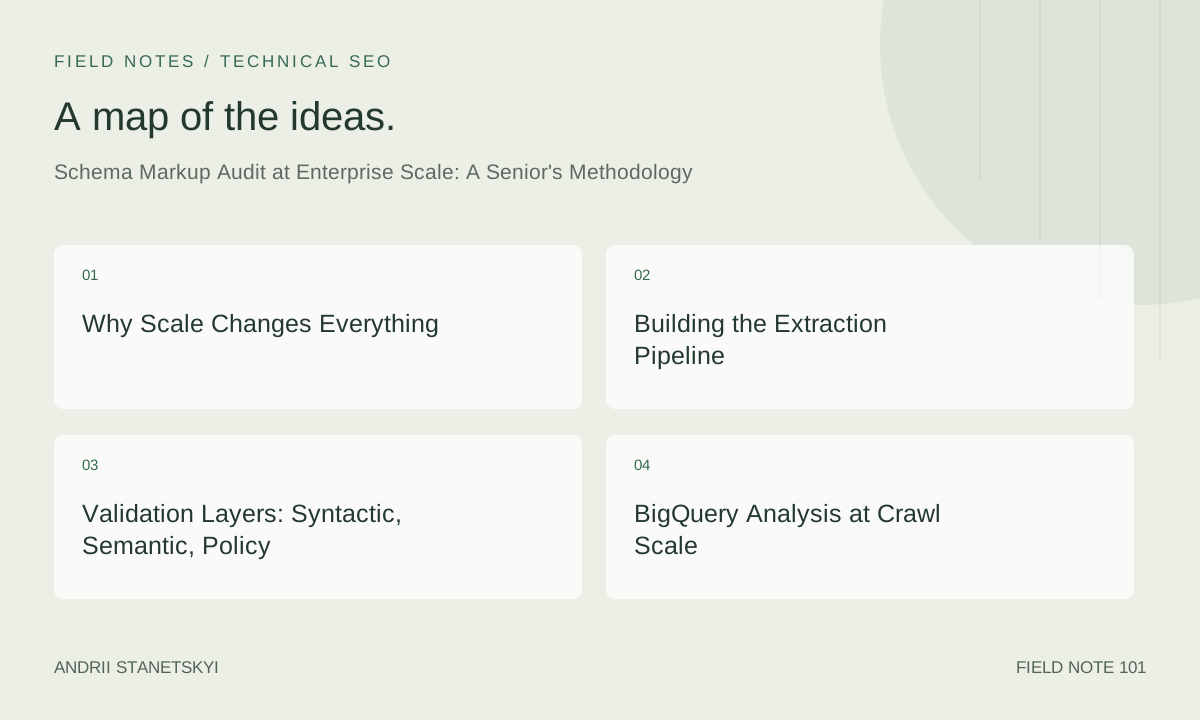
- Why Scale Changes Everything
- Building the Extraction Pipeline
- Validation Layers: Syntactic, Semantic, Policy
- BigQuery Analysis at Crawl Scale
- Diagnostic Triage & Prioritisation
- Continuous Monitoring & Regression Prevention
- FAQ
- Key Takeaways
- Conclusion
Why Scale Changes Everything
On a 50-page brochure site, you can open Google Rich Results Test on every URL in an afternoon. On a 2-million-URL e-commerce platform, that approach fails on every dimension: rate limits, time, and human cognition. You need a programmatic pipeline that can ingest a full crawl, extract all structured data, validate it against the current Schema.org vocabulary, cross-reference Google's documented requirements, and surface actionable issues — all without a human touching individual URLs.
The other reason scale matters: template debt. Enterprise sites are almost always template-driven. A single broken Jinja2 or Handlebars template can corrupt schema on 80,000 product pages simultaneously. A manual audit catches none of this. A programmatic audit catches it in minutes and tells you the template ID responsible.
In 2026, with Google's increasing reliance on entity understanding and AI-driven search features, schema accuracy is no longer a "nice-to-have" for rich results. It directly influences how Google resolves entity ambiguity, connects Knowledge Graph nodes, and surfaces your content in AI-generated answers. Getting this wrong at enterprise scale is a significant business risk.
Building the Extraction Pipeline
Step 1: Crawl with Schema-Aware Tools
Start with a full site crawl using a tool that natively extracts structured data. Sitebulb and Botify both do this well, though with different trade-offs. Sitebulb exports raw JSON-LD per URL into a crawl database; Botify exposes it via API and their QL query language. For maximum flexibility, I run a custom Python crawler using extruct alongside the platform crawl for cross-validation.
extruct is the workhorse here. It extracts JSON-LD, Microdata, RDFa, OpenGraph, and Dublin Core from raw HTML in a single pass:
pip install extruct requests w3lib
import requests
import extruct
from w3lib.html import get_base_url

def extract_structured_data(url: str) -> dict:
    """
    Fetches a URL and extracts all structured data formats.
    Returns a dict keyed by format (json-ld, microdata, rdfa, etc.)
    """
    headers = {
        "User-Agent": "Mozilla/5.0 (compatible; SchemaAuditBot/2.0; +https://yoursite.com/bot)"
    }
    resp = requests.get(url, headers=headers, timeout=15)
    resp.raise_for_status()

    base_url = get_base_url(resp.text, resp.url)
    data = extruct.extract(
        resp.text,
        base_url=base_url,
        syntaxes=["json-ld", "microdata", "rdfa", "opengraph"],
        uniform=True  # normalises all outputs to a common structure
    )
    return {
        "url": url,
        "status_code": resp.status_code,
        "structured_data": data
    }
Run this at scale with concurrent.futures.ThreadPoolExecutor or, for true enterprise scale, distribute it across a Celery queue backed by Redis. Respect crawl-delay in robots.txt and implement exponential backoff.
Step 2: Normalise and Store Raw Extracts
Write every extraction result to newline-delimited JSON (NDJSON) for cheap BigQuery ingestion. Each line should be a flat record:
import json

def write_ndjson(results: list[dict], filepath: str):
    with open(filepath, "w", encoding="utf-8") as f:
        for record in results:
            # Flatten: one row per JSON-LD block per URL
            url = record["url"]
            for block in record["structured_data"].get("json-ld", []):
                row = {
                    "url": url,
                    "schema_type": block.get("@type", "Unknown"),
                    "raw_json": json.dumps(block),
                    "crawl_date": "2026-04-29"
                }
                f.write(json.dumps(row) + "\n")
Load this into BigQuery with a schema that includes a JSON column for raw_json so you can query individual properties later with JSON_VALUE().
Step 3: Sitebulb and Botify as Ground Truth
Don't rely solely on your custom crawler. Use Sitebulb's "Structured Data" report as a sanity check — it surfaces issues the crawler found during JavaScript rendering (if you've enabled the Chromium agent). Botify's schema extraction is particularly useful for comparing rendered vs. non-rendered states, which matters enormously for SPAs and Next.js sites where schema injection happens client-side.
Cross-reference: if extruct finds JSON-LD that Botify doesn't, you have a JavaScript-dependency issue. Fix that first — Googlebot's rendering queue delays mean server-side JSON-LD is almost always preferable.
Validation Layers: Syntactic, Semantic, Policy
A mature schema audit applies three distinct validation layers. Most teams only do layer one. That's why they miss most problems.
Layer 1: Syntactic Validation
Is the JSON-LD valid JSON? Does it parse without errors? Use Python's built-in json module to catch malformed output, then validate the RDF structure with rdflib:
import json
import rdflib

def validate_json_ld_syntax(raw: str) -> tuple[bool, str]:
    """Returns (is_valid, error_message)"""
    try:
        parsed = json.loads(raw)
    except json.JSONDecodeError as e:
        return False, f"JSON parse error: {e}"

    # Parse as RDF graph to check JSON-LD conformance
    g = rdflib.Graph()
    try:
        g.parse(data=raw, format="json-ld")
        return True, ""
    except Exception as e:
        return False, f"JSON-LD RDF parse error: {e}"
Common syntactic failures I see at enterprise scale: unclosed brackets from CMS templating engines, invalid Unicode from product description copy-paste, and double-escaped quotes in description fields.
Layer 2: Semantic Validation Against Schema.org Vocabulary
This is where most audits fail. Teams check "does schema exist?" but not "is the schema semantically correct per the Schema.org vocabulary?" For this, hit Validator.Schema.org programmatically via their API, or maintain a local copy of the Schema.org vocabulary JSON-LD definition and validate against it:
# Validate a page's schema via Schema.org validator API (unofficial, use carefully)
curl -s "https://validator.schema.org/validate" \
  -X POST \
  -H "Content-Type: application/x-www-form-urlencoded" \
  --data-urlencode "url=https://example.com/product/widget-pro" \
  | jq '.tripleCount, .errors, .warnings'
For batch validation at scale, download the Schema.org vocabulary as a JSON-LD context file and build a local validator. The vocabulary lists all valid types and their expected properties. Flag any property used that isn't in the vocabulary for that type — these are silently ignored by Google but indicate template drift or outdated implementations.
Layer 3: Google Policy Compliance
Schema.org says what's valid. Google says what's required for rich results. These are different specs and you must validate against both. Google's Rich Results documentation specifies required, recommended, and optional properties per type. Encode these as rules in your validator:
GOOGLE_REQUIRED_PROPERTIES = {
    "Product": ["name", "offers"],
    "Review": ["itemReviewed", "reviewRating", "author"],
    "Recipe": ["name", "image", "author", "datePublished"],
    "FAQPage": ["mainEntity"],
    "Article": ["headline", "author", "datePublished", "image"],
    "BreadcrumbList": ["itemListElement"],
    "Event": ["name", "startDate", "location"],
    "JobPosting": ["title", "description", "datePosted", "hiringOrganization", "jobLocation"],
    "HowTo": ["name", "step"],
}

GOOGLE_RECOMMENDED_PROPERTIES = {
    "Product": ["description", "image", "brand", "sku", "gtin"],
    "Article": ["dateModified", "description", "publisher"],
    "Event": ["endDate", "offers", "performer", "organizer"],
}

def check_google_policy(schema_block: dict) -> dict:
    schema_type = schema_block.get("@type", "")
    if isinstance(schema_type, list):
        schema_type = schema_type[0]

    issues = {"missing_required": [], "missing_recommended": []}

    for prop in GOOGLE_REQUIRED_PROPERTIES.get(schema_type, []):
        if prop not in schema_block:
            issues["missing_required"].append(prop)

    for prop in GOOGLE_RECOMMENDED_PROPERTIES.get(schema_type, []):
        if prop not in schema_block:
            issues["missing_recommended"].append(prop)

    return issues
BigQuery Analysis at Crawl Scale
Once your NDJSON is loaded into BigQuery, the real analysis begins. Here are the core queries I run on every enterprise audit.
Distribution of Schema Types Across the Site
SELECT
  schema_type,
  COUNT(*) AS url_count,
  ROUND(COUNT(*) * 100.0 / SUM(COUNT(*)) OVER (), 2) AS pct_of_total
FROM your_project.schema_audit.crawl_20260429
WHERE crawl_date = '2026-04-29'
GROUP BY schema_type
ORDER BY url_count DESC;
Identify Missing Required Properties at Scale
SELECT
  url,
  schema_type,
  JSON_VALUE(raw_json, '$.name') AS name,
  JSON_VALUE(raw_json, '$.offers') AS has_offers,
  JSON_VALUE(raw_json, '$.brand.name') AS brand_name
FROM your_project.schema_audit.crawl_20260429
WHERE schema_type = 'Product'
  AND (
    JSON_VALUE(raw_json, '$.offers') IS NULL
    OR JSON_VALUE(raw_json, '$.name') IS NULL
  )
ORDER BY url;
Find Template-Level Failures (High-Volume Identical Errors)
-- Identify URLs sharing the same structural error pattern
-- Useful for pinpointing template IDs
SELECT
  REGEXP_EXTRACT(url, r'https?://[^/]+(/[^/]+/)') AS url_path_prefix,
  schema_type,
  COUNT(*) AS affected_urls,
  STRING_AGG(DISTINCT
    CASE WHEN JSON_VALUE(raw_json, '$.offers') IS NULL THEN 'missing_offers' END
    IGNORE NULLS
  ) AS missing_props
FROM your_project.schema_audit.crawl_20260429
WHERE schema_type = 'Product'
GROUP BY url_path_prefix, schema_type
HAVING affected_urls > 100
ORDER BY affected_urls DESC;
Detect Conflicting Schema on the Same Page
-- Pages with both Product and WebPage but no BreadcrumbList
SELECT url
FROM your_project.schema_audit.crawl_20260429
GROUP BY url
HAVING
  COUNTIF(schema_type = 'Product') > 0
  AND COUNTIF(schema_type = 'WebPage') > 0
  AND COUNTIF(schema_type = 'BreadcrumbList') = 0;
These queries are your diagnostic backbone. Export results to Looker Studio or a Notion database for stakeholder reporting. See also our crawl budget analysis framework for how schema errors correlate with crawl efficiency losses.
Diagnostic Triage & Prioritisation
Not all schema errors are equal. The table below maps error categories to their business impact and recommended response priority. Use this in stakeholder conversations to justify engineering sprint allocation.
| Error Category | Example | Rich Result Impact | Volume Risk | Priority | Owner |
|---|---|---|---|---|---|
| Missing required property (Google policy) | Product without offers |
Disqualifies entire type from rich results | Template-level = millions of URLs | P0 | Engineering |
| Invalid JSON syntax | Unclosed bracket in JSON-LD block | Google ignores entire block silently | Medium (template or CMS bug) | P0 | Engineering |
| Deprecated Schema.org type | Using DataType instead of current equivalent |
Silently ignored, entity confusion risk | Low-medium | P1 | SEO + Engineering |
| Missing recommended property | Product without image or gtin |
Reduces rich result quality/eligibility | Medium | P1 | Content + Engineering |
Wrong @context URL |
http:// instead of https://schema.org |
May cause parsing issues in some validators | Low (usually a single template fix) | P2 | Engineering |
| Thin or misleading content in schema | Schema describes content not on page | Google manual action risk; rich result removal | Usually low volume but high severity | P0 (Compliance) | Legal + SEO |
| Client-side-only schema injection | Schema in React state, not SSR | Rendering queue delay; inconsistent indexing | Can affect all pages on SPA | P1 | Engineering |
Duplicate @type blocks on same URL |
Three Product blocks on one PDP |
Confuses Google entity resolution | Template-level | P1 | Engineering |
Working with Schema App for Enterprise Governance
For organisations that need ongoing schema governance without every fix requiring an engineering ticket, Schema App provides a tag manager-style layer above the CMS. It's particularly effective for content teams managing FAQ, HowTo, and Article schema on editorial sites. The trade-off is you're adding an external dependency to your rendering pipeline — validate that it's served synchronously, not via async JavaScript injection.
In my experience, Schema App works best when combined with the BigQuery pipeline: use Schema App for rapid iteration on content-layer schema, and use BigQuery + extruct for auditing Schema App's own output against policy. Don't trust any tool's "valid" status without independent verification. See our guide to schema governance models for a full comparison of CMS-native, tag manager, and dedicated schema platforms.
Prioritisation Framework in Practice
When I present findings to a VP of Engineering, I use a simple formula: Estimated Impression Delta = (URLs affected) × (avg. monthly impressions/URL) × (rich result CTR lift estimate). For a site losing Product rich results on 200,000 PDPs at 500 impressions/month each, even a conservative 2% CTR lift from regaining rich results represents 2 million additional clicks monthly. That number ends sprint debates.
For further context on how schema errors correlate with Search Console performance, see our technical SEO measurement framework.
Continuous Monitoring & Regression Prevention
A one-time audit is almost worthless at enterprise scale. You need a monitoring system that catches regressions before Google demotes you from rich results.
Regression Detection Pipeline
import json
from datetime import datetime, timedelta
from google.cloud import bigquery

def detect_schema_regressions(project_id: str, dataset: str):
    """
    Compares today's crawl against yesterday's to surface new schema errors.
    Sends alert if regression exceeds threshold.
    """
    client = bigquery.Client(project=project_id)

    today = datetime.utcnow().date()
    yesterday = today - timedelta(days=1)

    query = f"""
    WITH today AS (
      SELECT url, schema_type,
        JSON_VALUE(raw_json, '$.offers') AS offers,
        JSON_VALUE(raw_json, '$.name') AS name
      FROM {project_id}.{dataset}.crawl_*
      WHERE _TABLE_SUFFIX = '{today.strftime("%Y%m%d")}'
        AND schema_type = 'Product'
    ),
    yesterday AS (
      SELECT url, schema_type,
        JSON_VALUE(raw_json, '$.offers') AS offers,
        JSON_VALUE(raw_json, '$.name') AS name
      FROM {project_id}.{dataset}.crawl_*
      WHERE _TABLE_SUFFIX = '{yesterday.strftime("%Y%m%d")}'
        AND schema_type = 'Product'
    )
    SELECT
      t.url,
      'lost_offers' AS regression_type,
      '{today}' AS detected_date
    FROM today t
    JOIN yesterday y ON t.url = y.url
    WHERE t.offers IS NULL AND y.offers IS NOT NULL
    """

    results = client.query(query).result()
    regressions = [dict(row) for row in results]

    if len(regressions) > 500:  # threshold: adjust per site
        send_alert(
            subject=f"SCHEMA REGRESSION: {len(regressions)} Product pages lost 'offers'",
            body=json.dumps(regressions[:20], indent=2)
        )

    return regressions
Integrating with CI/CD
For engineering teams doing continuous deployment, add a schema validation step to your staging pipeline. Before any template change ships to production, run the extruct extraction against a representative sample of staging URLs and compare the schema output against a known-good baseline. Fail the build if required properties disappear.
# In your CI pipeline (GitHub Actions, GitLab CI, etc.)
# Run schema validation against staging before deploy

python scripts/schema_validator.py \
  --urls-file tests/representative_urls.txt \
  --baseline-file tests/schema_baseline.json \
  --fail-on-regression \
  --threshold 0  # zero tolerance for new missing-required-property errors
This approach has saved multiple clients from mass rich result losses after seemingly unrelated engineering changes — a React component refactor that moved schema from SSR to CSR, a CMS migration that dropped the offers serialiser, a CDN edge caching rule that served stale schema after a product was discontinued.
Search Console Rich Results Report as the Ground Truth
Your BigQuery pipeline tells you what's in the HTML. Google's Search Console Rich Results report tells you what Google actually processed. Cross-reference both weekly. If Search Console shows rich result eligibility dropping but your pipeline shows schema intact, you likely have a rendering or indexing issue, not a markup issue. That distinction changes the diagnosis completely. The rendering pipeline audit guide covers that path in depth.
FAQ
How often should an enterprise site run a full schema audit?
Continuous monitoring (daily diff on sampled URLs) should run permanently. A full-site audit should be triggered by: major CMS migrations, template redesigns, significant traffic drops correlating with rich result loss, or any manual action in Search Console touching structured data. Beyond event-driven audits, I recommend a comprehensive quarterly review of the BigQuery dataset against the latest Schema.org vocabulary release — Google updates its supported properties and types more frequently than most teams realise.
Is Microdata worth auditing if we've moved to JSON-LD?
Yes, always. Enterprise sites accumulated Microdata over years of legacy development, and it often coexists with JSON-LD on the same page. Conflicting signals between Microdata and JSON-LD on the same entity create ambiguity that Google resolves unpredictably. Use extruct with syntaxes=["microdata"] to surface residual Microdata, then either reconcile it with the JSON-LD or remove it. Never leave contradictory structured data on a page.
What's the difference between a schema error in Validator.Schema.org versus Google Rich Results Test?
Validator.Schema.org validates against the full Schema.org vocabulary — it cares about RDF correctness and whether properties belong to the claimed type. Google Rich Results Test validates against Google's specific subset of Schema.org types that qualify for rich results, and applies Google's additional policy requirements (e.g., offers required for Product). You can be valid on Schema.org and still fail Google Rich Results Test. Always test both. They're complementary diagnostics, not alternatives.
How do I handle schema on JavaScript-heavy pages where extruct can't see the rendered DOM?
Two approaches: first, use a headless browser (Playwright or Puppeteer) to fetch the rendered HTML before passing it to extruct. This catches client-side schema injection. Second, cross-reference with Botify's rendering API, which runs Chromium at crawl scale. The more important engineering fix is to push schema injection server-side — Next.js generateMetadata, Nuxt's useSchemaOrg composable, or direct SSR serialisation. Client-side schema has a structural rendering-queue risk that no audit workaround eliminates.
Can schema markup negatively affect SEO if implemented incorrectly?
Yes, in three documented ways. First, misleading schema (claiming reviews you don't have, prices that don't match the page) triggers Google manual actions specifically targeting structured data spam — these are painful to recover from. Second, excessively duplicated or contradictory schema on a URL can confuse Google's entity resolution, effectively making your page a worse signal for the entities you care about. Third, there's a subtle crawl budget consideration: Google's structured data processing happens post-render; pages with broken schema that require multiple crawl-render-process cycles to resolve add overhead. None of this means avoid schema — it means implement it correctly.
How should we handle schema for paginated content (page 2, 3... of a product listing)?
Don't replicate the same entity schema across paginated pages. Page 2 of a category listing should not repeat the CollectionPage schema claiming the same breadcrumb as page 1 unless the breadcrumb is genuinely accurate. Use ItemList schema on page 1 of a listing — this is where Google expects to find it. For individual product pages reached via pagination, ensure each PDP has its own self-contained Product schema. The pagination relationship itself (rel=prev/next, where still supported) is separate from structured data concerns.
What's the ROI justification for investing in enterprise-scale schema tooling?
I've seen three consistent business outcomes across enterprise clients who implement rigorous schema pipelines. First, rich result recovery: sites that lost Product or Review rich results due to schema errors and then fixed them at scale see measurable CTR improvements in the 15–40% range for affected templates. Second, AI search visibility: in 2026, Google's AI Overviews and Bing Copilot pull structured data as a primary entity resolution signal — correct schema increases the probability of being cited. Third, operational cost: a CI/CD schema gate prevents the kind of mass regression that requires emergency engineering sprints; the monitoring tooling pays for itself the first time it catches a regression before it hits production.
Key Takeaways
- Programmatic extraction is non-negotiable at scale. Build an extruct-based pipeline that produces BigQuery-queryable NDJSON from every crawled URL. Manual spot-checking is a supplement, not a methodology.
- Apply three validation layers: syntactic (valid JSON/RDF), semantic (valid Schema.org vocabulary), and policy (Google's documented requirements). Most teams only do one.
- Template-level errors are your highest-leverage findings. One broken template can corrupt millions of URLs. BigQuery's
GROUP BY url_path_prefixpatterns surface these immediately. - Cross-reference Validator.Schema.org and Google Rich Results Test. They validate against different specs and surface different failure modes. Use both.
- Build regression detection into your CI/CD pipeline. A schema validation gate on staging prevents the most common cause of rich result loss: engineering changes that break schema as a side effect.
- Prioritise by business impact, not error count. Missing
offerson 10 pages matters more than a deprecated type on 10,000 pages. Use the impression delta calculation to drive sprint prioritisation. - Server-side JSON-LD is structurally superior. Client-side schema injection creates rendering dependency that no amount of auditing fully mitigates. Push back on CSR schema as an architectural choice.
Conclusion
Schema markup at enterprise scale is an infrastructure problem, not a markup problem. The JSON-LD syntax is simple. The challenge is building systems that can observe, validate, and monitor structured data across hundreds of thousands of URLs continuously, surface issues at template granularity, and translate findings into business impact language that moves engineering sprints.
The methodology I've described here — extruct extraction pipelines, three-layer validation, BigQuery analysis, regression detection in CI/CD — represents what I consider the minimum viable technical schema practice for any site over 50,000 URLs in 2026. Below that bar, you're essentially flying blind.
The payoff is real. Rich results drive measurable CTR improvements. Entity correctness increasingly influences how large language models and AI search features cite and surface your content. And operationally, a site with a healthy schema pipeline avoids the silent degradation that characterises most enterprise technical debt: the kind that nobody notices until a traffic graph turns south and nobody can explain why.
Build the pipeline. Run the queries. Gate the deploys. That's the methodology.