Most Schema.org implementations are shallow: a Product type here, a BreadcrumbList there, disconnected JSON-LD blobs that Google processes in isolation. A senior practitioner understands that Schema.org's real power is its graph model — a set of interconnected entity nodes that collectively model the semantic structure of your entire site. This article covers how to architect a site-wide knowledge graph using Schema.org, link it to external authority sources, and validate it at scale.
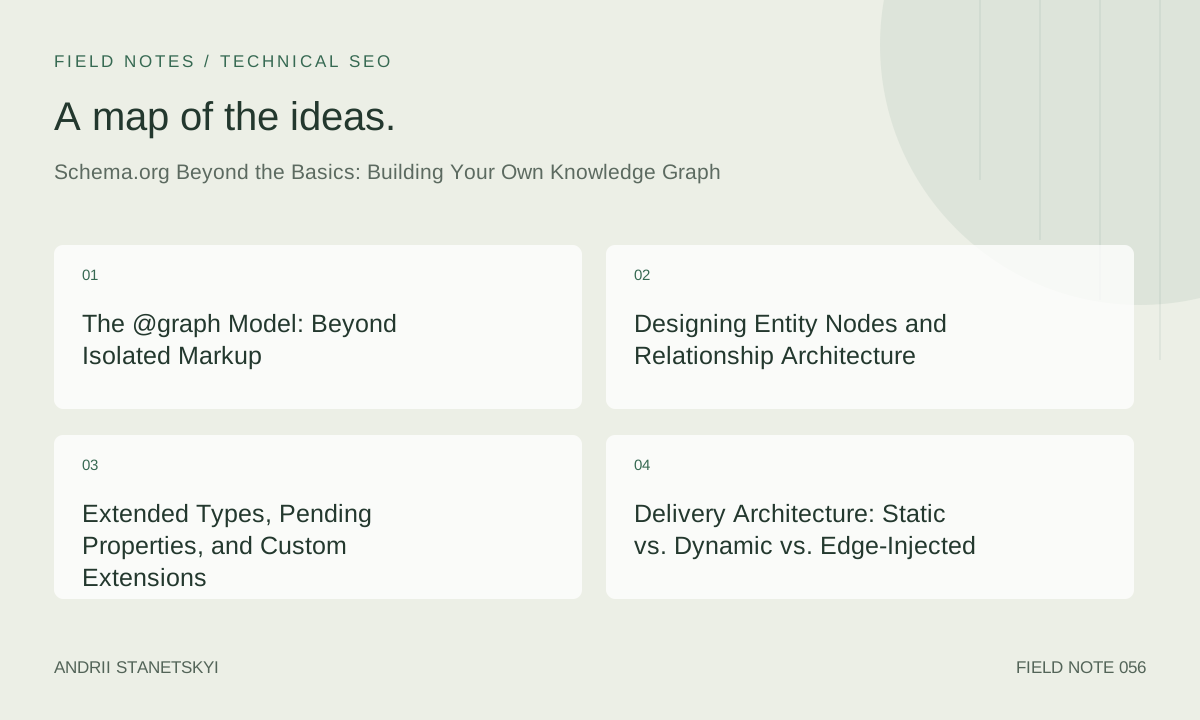
The @graph Model: Beyond Isolated Markup
Schema.org operates on JSON-LD's @graph array, which lets you define multiple interconnected entities in a single script block. The fundamental advantage is that Google's structured data parser can resolve cross-references between nodes within a document — and across documents when @id URIs are consistent. This creates an implicit site-wide knowledge graph that Google can traverse.
The critical architectural decision is choosing your entity @id namespace. These must be stable, canonical, and resolve to meaningful pages. The convention is: https://yourdomain.com/path/to/entity#EntityType. The fragment identifier prevents redirect issues and keeps the URI distinct from the page URL itself.
The Document-Level Graph Architecture
<script type="application/ld+json">
{
  "@context": "https://schema.org",
  "@graph": [
    {
      "@type": "WebSite",
      "@id": "https://yourdomain.com/#website",
      "url": "https://yourdomain.com",
      "name": "Your Site Name",
      "description": "Site description",
      "publisher": {
        "@id": "https://yourdomain.com/#organization"
      },
      "potentialAction": {
        "@type": "SearchAction",
        "target": {
          "@type": "EntryPoint",
          "urlTemplate": "https://yourdomain.com/search?q={search_term_string}"
        },
        "query-input": "required name=search_term_string"
      }
    },
    {
      "@type": ["Organization", "Brand"],
      "@id": "https://yourdomain.com/#organization",
      "name": "Your Brand",
      "url": "https://yourdomain.com",
      "logo": {
        "@type": "ImageObject",
        "@id": "https://yourdomain.com/#logo",
        "url": "https://yourdomain.com/logo.png",
        "contentUrl": "https://yourdomain.com/logo.png",
        "width": 600,
        "height": 60,
        "caption": "Your Brand Logo"
      },
      "image": { "@id": "https://yourdomain.com/#logo" },
      "sameAs": [
        "https://www.wikidata.org/entity/Q12345",
        "https://www.linkedin.com/company/yourbrand"
      ]
    },
    {
      "@type": "WebPage",
      "@id": "https://yourdomain.com/some-page/#webpage",
      "url": "https://yourdomain.com/some-page/",
      "name": "Page Title",
      "isPartOf": { "@id": "https://yourdomain.com/#website" },
      "about": { "@id": "https://yourdomain.com/#organization" },
      "primaryImageOfPage": { "@id": "https://yourdomain.com/some-page/#primaryimage" },
      "breadcrumb": { "@id": "https://yourdomain.com/some-page/#breadcrumb" },
      "inLanguage": "en-US",
      "potentialAction": {
        "@type": "ReadAction",
        "target": ["https://yourdomain.com/some-page/"]
      }
    },
    {
      "@type": "Article",
      "@id": "https://yourdomain.com/some-page/#article",
      "isPartOf": { "@id": "https://yourdomain.com/some-page/#webpage" },
      "author": { "@id": "https://yourdomain.com/author/jane-doe/#person" },
      "headline": "Page Title",
      "datePublished": "2026-01-15T09:00:00+00:00",
      "dateModified": "2026-04-29T12:00:00+00:00",
      "mainEntityOfPage": { "@id": "https://yourdomain.com/some-page/#webpage" },
      "publisher": { "@id": "https://yourdomain.com/#organization" },
      "image": { "@id": "https://yourdomain.com/some-page/#primaryimage" },
      "articleSection": "Technical SEO",
      "inLanguage": "en-US",
      "wordCount": 3200
    }
  ]
}
</script>
Designing Entity Nodes and Relationship Architecture
A site-wide knowledge graph requires a consistent entity node map — a decision document that specifies which entities exist at which URLs, what their @id URIs are, and how they relate to each other. This is fundamentally a data modeling exercise before it's a markup exercise.
| Entity | @id Pattern | Lives On | Connects To | Critical Properties |
|---|---|---|---|---|
| Organization | /domain/#organization | All pages (global) | WebSite, Person (founders) | sameAs, logo, foundingDate |
| WebSite | /domain/#website | All pages (global) | Organization (publisher) | potentialAction (SearchAction) |
| Person (Author) | /author/slug/#person | Author bio pages | Organization (worksFor), Article (author) | knowsAbout, sameAs, image |
| Article | /slug/#article | Article pages | Person (author), WebPage, Organization | datePublished, headline, image |
| Product | /product/sku/#product | Product pages | Organization (brand), Offer, Review | sku, gtin, offers, aggregateRating |
| BreadcrumbList | /slug/#breadcrumb | Every non-root page | WebPage | itemListElement (full path) |
Cross-Page Entity Resolution
The key insight is that @id references are resolved globally by Google's parser, not just within a single document. An Article on /blog/post-1/ that references { "@id": "https://yourdomain.com/author/jane-doe/#person" } will be linked to the full Person entity defined on the author bio page, even though those are separate crawls. This creates genuine cross-document entity links in Google's internal graph.
# Python: Generate consistent @id URIs across your CMS
from urllib.parse import urljoin
import re

BASE_URL = "https://yourdomain.com"

def entity_id(path: str, entity_type: str) -> str:
    """Generate canonical @id URI for an entity."""
    # Normalize path
    path = "/" + path.strip("/") + "/"
    return urljoin(BASE_URL, path + f"#{entity_type.lower()}")

def article_graph(slug: str, author_slug: str, title: str, published: str) -> dict:
    """Generate the @graph structure for an article page."""
    page_url = urljoin(BASE_URL, f"/{slug}/")
    return {
        "@context": "https://schema.org",
        "@graph": [
            {
                "@type": "WebPage",
                "@id": entity_id(slug, "webpage"),
                "url": page_url,
                "name": title,
                "isPartOf": {"@id": entity_id("", "website")},
                "breadcrumb": {"@id": entity_id(slug, "breadcrumb")},
                "inLanguage": "en-US"
            },
            {
                "@type": "Article",
                "@id": entity_id(slug, "article"),
                "headline": title,
                "author": {"@id": entity_id(f"author/{author_slug}", "person")},
                "publisher": {"@id": entity_id("", "organization")},
                "isPartOf": {"@id": entity_id(slug, "webpage")},
                "datePublished": published,
                "inLanguage": "en-US"
            }
        ]
    }
Extended Types, Pending Properties, and Custom Extensions
Schema.org ships a defined vocabulary, but it also provides a pending namespace for proposed extensions and explicitly supports custom extensions via the extension pattern. Senior practitioners need to understand which properties are stable, which are pending, and when to use additionalType versus custom vocabulary.
Pending Properties Worth Using Now
Google Rich Results often support pending properties before they're formally accepted. Empirically tested properties in the pending namespace that Google currently processes:
schema:creditText— attribution for images (useful for licensing)schema:acquireLicensePage— points to licensing information for imagesschema:colorSwatch— pending but processed for Product visual variantsschema:funding— funding information for research/academic entitiesschema:subjectOf— connects an entity to a CreativeWork about it
Custom Extension Pattern
<script type="application/ld+json">
{
  "@context": {
    "@vocab": "https://schema.org/",
    "ex": "https://yourdomain.com/vocab/",
    "seo": "https://yourdomain.com/seo-vocab/"
  },
  "@type": "Article",
  "@id": "https://yourdomain.com/article/slug/#article",
  "headline": "Article Title",
  "ex:readingLevel": "Advanced",
  "ex:targetAudience": "Senior SEO Practitioners",
  "seo:contentPillar": "Technical SEO",
  "seo:clusterTopic": "Structured Data"
}
</script>
Custom properties won't trigger rich results, but they're valid JSON-LD and may be used by Google's internal content classification systems. More importantly, they make your structured data a genuine internal knowledge graph that you can query and analyze independently of Google.
additionalType for Type Disambiguation
{
  "@type": "Person",
  "@id": "https://yourdomain.com/author/jane-doe/#person",
  "additionalType": [
    "https://www.wikidata.org/entity/Q482980",
    "https://dbpedia.org/ontology/Journalist"
  ],
  "name": "Jane Doe"
}
The additionalType property accepts URIs pointing to type definitions in external vocabularies — including Wikidata Q-items and DBpedia classes. This is the Schema.org-native way to express richer type information than Schema.org's own vocabulary allows.
Delivery Architecture: Static vs. Dynamic vs. Edge-Injected
How you deliver JSON-LD matters architecturally. The three main patterns each have distinct trade-offs for a site operating at scale.
| Delivery Method | Latency | Dynamism | Caching Friendly | Best For |
|---|---|---|---|---|
| Static (build-time generated) | Zero | None post-build | Yes | Blogs, documentation, JAMstack |
| Server-side rendered (SSR) | Server render time | Full (per request) | Varies | E-commerce, personalized content |
| Edge injection (Cloudflare Workers) | ~1ms overhead | Full (per request) | Yes (body cached) | Any site needing dynamic markup without origin changes |
| Client-side (CSR via JS) | JS parse + execute | Full | No (deferred) | Avoid for critical entity markup |
Cloudflare Worker: Edge-Injected JSON-LD
// Cloudflare Worker: inject JSON-LD into any cached HTML response
// Deploy as a route transform on *.yourdomain.com/*

export default {
  async fetch(request, env, ctx) {
    const response = await fetch(request);

    // Only transform HTML responses
    const contentType = response.headers.get("content-type") || "";
    if (!contentType.includes("text/html")) {
      return response;
    }

    // Build dynamic JSON-LD based on URL
    const url = new URL(request.url);
    const jsonLd = await buildJsonLd(url, env);

    // Use HTMLRewriter to inject before
    return new HTMLRewriter()
      .on("head", {
        element(el) {
          el.append(
            <script type="application/ld+json">${JSON.stringify(jsonLd, null, 2)}</script>,
            { html: true }
          );
        },
      })
      .transform(response);
  },
};

async function buildJsonLd(url, env) {
  const path = url.pathname;

  // Route-based entity type selection
  if (path.startsWith("/product/")) {
    const sku = path.split("/")[2];
    const product = await env.PRODUCTS_KV.get(sku, { type: "json" });
    return buildProductSchema(product, url.href);
  } else if (path.startsWith("/author/")) {
    const slug = path.split("/")[2];
    const author = await env.AUTHORS_KV.get(slug, { type: "json" });
    return buildPersonSchema(author, url.href);
  }

  return buildWebPageSchema(url.href);
}

function buildProductSchema(product, pageUrl) {
  return {
    "@context": "https://schema.org",
    "@graph": [
      {
        "@type": "Product",
        "@id": ${pageUrl}#product,
        "name": product.name,
        "sku": product.sku,
        "gtin14": product.gtin,
        "offers": {
          "@type": "Offer",
          "price": product.price,
          "priceCurrency": "USD",
          "availability": product.inStock
            ? "https://schema.org/InStock"
            : "https://schema.org/OutOfStock",
          "url": pageUrl,
          "priceValidUntil": new Date(Date.now() + 86400000 * 30)
            .toISOString()
            .split("T")[0],
        },
      },
    ],
  };
}
Validation Pipeline at Scale
At scale, you can't manually validate every page's structured data. You need a CI/CD-integrated pipeline that catches regressions before they hit production and monitors live pages continuously.
Python: Batch Schema Extraction and Validation
import asyncio
import aiohttp
import json
import re
from urllib.parse import urljoin
from typing import Optional

SCHEMA_EXTRACT_PATTERN = re.compile(
    r'<script[^>]+type=["\']application/ld\+json["\'][^>]*>(.*?)</script>',
    re.DOTALL | re.IGNORECASE
)

async def extract_jsonld(session: aiohttp.ClientSession, url: str) -> list[dict]:
    """Extract all JSON-LD blocks from a URL."""
    try:
        async with session.get(url, timeout=aiohttp.ClientTimeout(total=10)) as resp:
            html = await resp.text()
    except Exception as e:
        return [{"error": str(e), "url": url}]

    results = []
    for match in SCHEMA_EXTRACT_PATTERN.finditer(html):
        try:
            data = json.loads(match.group(1))
            results.append({"url": url, "valid_json": True, "data": data})
        except json.JSONDecodeError as e:
            results.append({"url": url, "valid_json": False, "error": str(e)})
    return results

def validate_article_graph(data: dict) -> list[str]:
    """Validate Article @graph structure. Returns list of issues."""
    issues = []

    if "@graph" not in data:
        if data.get("@type") not in ["Article", "NewsArticle", "BlogPosting"]:
            issues.append("No @graph and no recognized Article type")
        return issues

    graph = data["@graph"]
    types_present = set()
    ids_present = set()

    for node in graph:
        node_types = node.get("@type", [])
        if isinstance(node_types, str):
            node_types = [node_types]
        types_present.update(node_types)

        if "@id" in node:
            ids_present.add(node["@id"])
        else:
            issues.append(f"Node of type {node_types} missing @id")

    required_types = {"WebPage", "Article"}
    missing = required_types - types_present
    if missing:
        issues.append(f"Missing required types: {missing}")

    # Check cross-references resolve
    for node in graph:
        for key, val in node.items():
            if isinstance(val, dict) and "@id" in val and len(val) == 1:
                ref_id = val["@id"]
                if not ref_id.startswith("http") and ref_id not in ids_present:
                    issues.append(f"Dangling @id reference: {ref_id}")

    return issues

async def audit_urls(urls: list[str]) -> list[dict]:
    """Audit a list of URLs for JSON-LD quality."""
    async with aiohttp.ClientSession() as session:
        tasks = [extract_jsonld(session, url) for url in urls]
        results = await asyncio.gather(*tasks)

    report = []
    for url_results in results:
        for result in url_results:
            if "error" in result and "data" not in result:
                report.append({"url": result["url"], "status": "fetch_error"})
                continue
            issues = validate_article_graph(result["data"])
            report.append({
                "url": result["url"],
                "valid_json": result["valid_json"],
                "issues": issues,
                "status": "ok" if not issues else "issues_found"
            })
    return report

# Usage
urls = ["https://yourdomain.com/article/slug-1/", "https://yourdomain.com/article/slug-2/"]
report = asyncio.run(audit_urls(urls))
issues_found = [r for r in report if r["status"] != "ok"]
print(f"Issues found on {len(issues_found)}/{len(urls)} pages")
Advanced Type Combinations
Several Schema.org type combinations unlock rich results that most implementations miss. These require precise property coverage — missing one required property collapses the entire rich result eligibility.
HowTo with Step-level Entities
{
  "@context": "https://schema.org",
  "@type": "HowTo",
  "@id": "https://yourdomain.com/guide/slug/#howto",
  "name": "How to Audit a Knowledge Graph Entity",
  "description": "Step-by-step technical process for auditing KG entity status.",
  "totalTime": "PT30M",
  "estimatedCost": {
    "@type": "MonetaryAmount",
    "currency": "USD",
    "value": "0"
  },
  "tool": [
    {
      "@type": "HowToTool",
      "name": "Google Knowledge Graph Search API"
    },
    {
      "@type": "HowToTool",
      "name": "Python 3.10+"
    }
  ],
  "step": [
    {
      "@type": "HowToStep",
      "url": "https://yourdomain.com/guide/slug/#step1",
      "name": "Query the KG Search API",
      "itemListElement": {
        "@type": "HowToDirection",
        "text": "Call entities:search with your brand name and organization type filter."
      },
      "image": {
        "@type": "ImageObject",
        "url": "https://yourdomain.com/images/step1.png"
      }
    },
    {
      "@type": "HowToStep",
      "url": "https://yourdomain.com/guide/slug/#step2",
      "name": "Verify Wikidata Q-item completeness",
      "itemListElement": {
        "@type": "HowToDirection",
        "text": "Run the SPARQL query against query.wikidata.org to check missing properties."
      }
    }
  ]
}
FAQ
Q: Should I use one large @graph block or multiple smaller JSON-LD scripts per page?
One @graph block is architecturally superior because cross-references between nodes in the same graph are resolved deterministically. Multiple separate scripts can cause reconciliation inconsistencies when two scripts define conflicting properties for the same entity. The only exception: if performance constraints require async loading of certain types (e.g., product reviews loaded via XHR), separate scripts may be necessary.
Q: Does Google read JSON-LD in <body> or only in <head>?
Google's documentation states JSON-LD can appear anywhere in the page, and empirical evidence confirms body placement works for rich results. However, <head> placement ensures the markup is parsed before any render-blocking scripts can interfere. For Googlebot's WRS (Web Rendering Service), body placement is fine. For Googlebot's fast path (pre-render), head placement is safer.
Q: How do I handle JSON-LD for pages with multiple languages (hreflang)?
Each language version should have its own JSON-LD with "inLanguage" set to the appropriate BCP-47 tag. The @id URIs should be language-specific (e.g., /en/slug/#article vs /es/slug/#article). Do not use the same @id across language variants — they are distinct entities in the graph.
Q: What's the maximum size of a JSON-LD block before Google truncates it?
Google doesn't publicly document a hard size limit, but empirical testing shows structured data blocks exceeding ~500KB may be partially processed. The practical limit is around 100–150KB for a single script block before you should consider splitting by priority (entity markup first, review aggregations deferred). Use gzip compression — it dramatically reduces wire size for repetitive JSON structures.
Q: Can I use JSON-LD in AMP pages and does it differ from standard JSON-LD?
AMP requires structured data in the <head> and enforces additional constraints: no use of relative URLs, mandatory datePublished and dateModified on articles, and restrictions on certain property types. AMP validator errors on structured data will suppress rich results on AMP pages even if the content otherwise qualifies.
Q: Is there a way to test whether Google is actually using my @id cross-references?
Indirectly: use the Rich Results Test API on pages that only have a partial entity definition (e.g., an article page that references an author @id defined elsewhere). If the test returns author information not present in the page's own markup, Google is resolving the cross-page reference. Also monitor the Index Coverage report for entity-type enhancements.
Key Takeaways
- The
@graphmodel is not optional at scale — it's the only way to create a coherent internal knowledge graph that Google can traverse. - Consistent
@idURIs across all pages and all markup instances is the single most important implementation discipline — inconsistency breaks cross-document entity linking. - Edge injection via Cloudflare Workers solves the dynamic JSON-LD problem without touching origin infrastructure.
- Validation must be automated, continuous, and regression-aware — a CI/CD hook that checks JSON-LD on every deploy prevents markup rot.
- Extended types via
additionalTypeand custom vocabularies turn your structured data into a genuinely queryable knowledge graph, independent of Google.
Conclusion
Schema.org's potential is orders of magnitude beyond what most sites implement. The gap between basic implementation and graph-model implementation is the gap between telling Google facts about isolated pages and building a machine-readable model of your entire domain's knowledge structure. The latter is what powers persistent rich results, entity panel visibility, and AI Overview citation eligibility. Build the graph. Build it consistently. Then monitor it continuously.
Next: JSON-LD Structured Data for E-commerce at Scale Schema.org Full Hierarchy and Pending Extensions