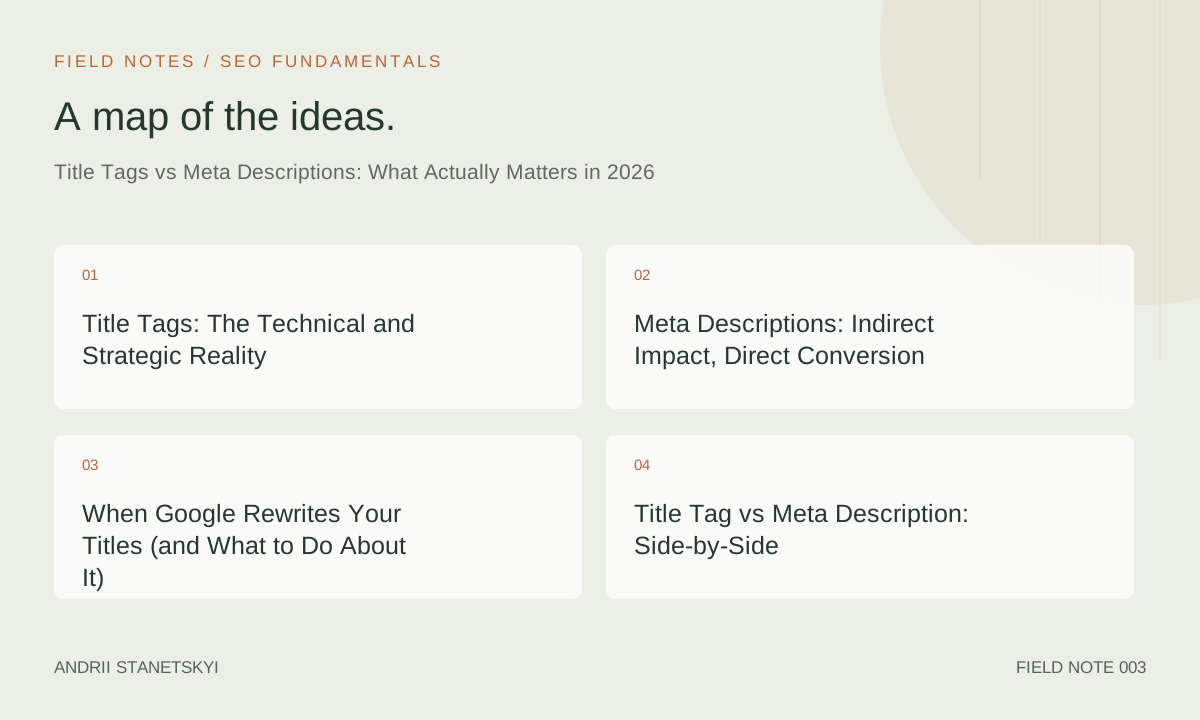
Title tags and meta descriptions are the two HTML elements that determine how your pages appear in search results. Despite being among the oldest and most documented elements in SEO, they're still routinely misused — either ignored entirely or over-engineered in ways that backfire. This article gives you the current state of the art: what each element does, how Google has changed its behavior, what you should actually write, and how to audit at scale.
One up-front reality check: Google rewrites title tags approximately 61% of the time, according to an analysis of 10,000 SERPs from early 2026. This doesn't mean title tags don't matter — it means writing them correctly matters more, not less.
Title Tags: The Technical and Strategic Reality
The title tag (<title>) sits in the <head> of an HTML document. It serves three distinct purposes: it's the clickable headline in Google search results, the tab label in a browser, and a primary on-page SEO signal Google uses to understand a page's topic.
How Google Uses Title Tags
Google reads the title tag as a strong relevance signal. When the title clearly matches a query, it reinforces that the page is relevant. When it doesn't, Google will often substitute its own version — pulling text from the H1, an internal link anchor, or prominent body copy.
Google's documentation states that it generates titles "to better indicate the nature of the page" when the provided title is "too long or short, stuffed with keywords, or doesn't represent the page well." In practice, rewrites happen when titles are:
- Boilerplate across multiple pages (e.g., "Home | Brand Name" on dozens of pages)
- Significantly misaligned with the H1 or body content
- Keyword-stuffed or formatted like a keyword list
- Too short (under 10 characters) or too long (over 75 characters)
- Identical to the meta description
The Ranking Impact
Title tags are a confirmed ranking signal, though their weight in the algorithm has decreased over time as Google's ability to understand content semantically has improved. In 2026, title tags are best thought of as a relevance hint, not a ranking lever you can pull independently. A title that accurately reflects the page's content and intent will serve you better than one that's engineered to include exact-match keywords.
Character Length and Pixel Width
Google truncates titles that exceed approximately 600 pixels wide in desktop SERPs. This equates to roughly 55–65 characters depending on character width. Wider characters (M, W, uppercase letters) consume more space; narrow characters (i, l, 1) consume less. Tools like Screaming Frog display pixel width alongside character count — use pixel width as the definitive guide.
Mobile SERPs use similar but slightly different breakpoints. A title that fits cleanly at 580px width will display fully on both desktop and mobile in most cases.
Technical Placement
<head>
  <title>Technical SEO Audit Guide: 12-Step Checklist for 2026</title>
</head>
One title tag per page. Multiple title tags cause Google to select one arbitrarily. Verify in Screaming Frog (Configuration → Spider → Advanced → Always Follow Redirects) that no pages have duplicate or missing title tags.
Meta Descriptions: Indirect Impact, Direct Conversion
The meta description is an HTML <meta> element in the <head> that provides a summary of a page's content. Google does not use it as a direct ranking signal — this has been official policy since 2009. What it does affect is click-through rate (CTR) from the SERP, which indirectly influences how Google evaluates your result's relevance to a query.
How Google Uses Meta Descriptions
Google uses your meta description as the snippet text below the title in search results — but only about 37% of the time, per Ahrefs' 2025 study across 192,000 pages. The rest of the time, Google dynamically generates snippets from the page body, selecting text it determines is most relevant to the query.
This means a query for "SEO audit" might pull different snippet text than a query for "technical SEO checklist" — even from the same page, regardless of what's in your meta description. The snippet is query-specific. Your meta description is more likely to appear for branded or navigational queries where the summary is fixed regardless of query variation.
The CTR Argument for Meta Descriptions
Even when Google doesn't use your description verbatim, a well-written description sets the expectation for what users will find on the page. Research from Search Pilot shows pages with clear, specific, benefit-oriented descriptions outperform pages with vague or missing descriptions by 5–12% on CTR, even when Google generates its own snippet. The underlying reason: a well-structured page that thinks clearly about its meta description also tends to have better content, stronger H2s for Google to pull snippets from, and a clearer intent match.
Technical Placement
<head>
  <meta name="description" content="A practical guide to technical SEO audits in 2026. Learn the 12-step process senior SEOs use to find and fix crawl, indexing, and performance issues." />
</head>
Optimal length: 140–160 characters. Google truncates at approximately 920px (desktop), which typically corresponds to 155–165 characters. Avoid exceeding 160 characters as a practical rule.
When Google Rewrites Your Titles (and What to Do About It)
This deserves its own section because the rewrite rate is high enough to be a strategic concern, not just a curiosity.
Diagnosing Rewrites at Scale
Screaming Frog 20.x+ has a built-in title rewrite checker: after crawling, export SERPs data (requires connecting a GSC account) and compare the <title> tag against the "Google Title" column. Pages with mismatches are being rewritten.
Alternatively, use Ahrefs' Site Audit or Semrush's Site Audit to flag title/H1 mismatches, which strongly correlate with rewrite likelihood.
What Google Tends to Substitute
When Google rewrites a title, it typically pulls from:
- The page's H1 tag (most common source)
- Anchor text of inbound internal links pointing to the page
- Anchor text of external links
- Prominent text in the page header or navigation
This means your H1 is arguably more important than your title tag for controlling what appears in the SERP — because Google uses it as the primary fallback. Keep your title and H1 closely aligned (same topic, similar structure) to reduce rewrite likelihood and ensure that whatever Google shows is still a strong result.
Forcing Your Title Back
If Google is rewriting your title to something worse, the standard intervention is:
- Shorten the title (rewrites often happen because the title is too long)
- Align the title more closely with the H1 and the page's actual content
- Remove keyword stuffing or pipe-separated keyword lists
- Ensure the title is specific enough to clearly differentiate the page from similar pages on the same site
"Google rewriting your title is feedback, not a bug to patch around. It means you've signaled something about the page that doesn't match what Google sees in the content."
Title Tag vs Meta Description: Side-by-Side
| Attribute | Title Tag | Meta Description |
|---|---|---|
| Ranking signal? | Yes — confirmed | No — confirmed non-signal |
| Appears in SERP? | Yes — as clickable headline | Sometimes — as snippet text |
| Google rewrite rate | ~61% (2026 data) | ~63% (Ahrefs 2025) |
| Optimal length | 55–65 characters / ~580px | 140–160 characters / ~920px |
| Primary goal | Signal relevance + earn clicks | Earn clicks + set expectations |
| Duplicates allowed? | No — must be unique per page | No — should be unique per page |
| Keyword placement priority | Front-load primary keyword | Include naturally; not a ranking signal |
| Brand name convention | Include at end: "Topic | Brand" | Optional; don't lead with brand |
Writing Guidelines for 2026
Title Tag Best Practices
- Lead with the primary keyword: Google bolds matching terms in the title. Front-loading improves perceived relevance.
- Match search intent: A transactional query ("buy running shoes") needs a different title frame than an informational one ("how to choose running shoes"). Get the format right — list, guide, tool, product, comparison — before writing the words.
- Differentiate from similar pages on your site: If you have five pages on "SEO audits," each title must uniquely signal what differentiates that specific page.
- Include brand name at the end: "Topic Keyword – Brand Name" format. Use pipe or dash as separator. Brand name adds recognition for users who know you and trust signal for Google.
- Don't write clickbait: Titles that overpromise lead to high bounce rates, which sends negative engagement signals. Match what the page actually delivers.
Example — Before and After:
Before: SEO | Technical SEO | SEO Services | SEO Agency | Best SEO
After: Technical SEO Audits for E-Commerce Sites – Acme Agency
Meta Description Best Practices
- Write a specific, honest summary: What will the user find on this page? Answer that question in 1–2 sentences.
- Include a soft call to action: "Learn how to...", "Compare the top...", "Download the checklist..." — these cues improve CTR without being misleading.
- Include the primary keyword naturally: Even though it's not a ranking signal, Google bolds it in the snippet when it matches the query, which increases visual prominence.
- Write unique descriptions for every page: Duplicate descriptions are flagged in GSC and suggest to Google that pages may be duplicates of each other.
- Avoid starting with your brand name or the page's title: The title already appears above the snippet. Use the description space for additional context.
Auditing at Scale
For sites with hundreds or thousands of pages, manual title and description work is impossible. Here's a systematic approach:
Step 1: Export from Screaming Frog
Crawl the site → Bulk Export → All Meta Data. You'll get a spreadsheet with every page's title, meta description, character lengths, pixel widths, and duplicate flags. Filter for: missing titles, missing descriptions, titles over 65 characters, descriptions over 160 characters, and duplicates.
Step 2: Prioritize by Traffic
Export organic traffic data from GA4 or GSC and VLOOKUP it against the Screaming Frog data. Fix issues on high-traffic pages first. A missing meta description on a page getting 50 visits/month is not a priority. One on a page getting 5,000 visits/month is.
Step 3: Compare vs GSC Titles
In GSC, search performance data shows the title Google is actually displaying for your pages. Compare this against your intended titles. High rewrite rates on specific page templates indicate a systematic issue — usually boilerplate or misaligned content.
For a broader audit framework, see the complete technical SEO audit checklist.
FAQ
Does including my keyword in the meta description help rankings?
No. Google has confirmed meta descriptions are not a ranking signal. However, including the keyword naturally helps because Google bolds matching terms in the snippet, which can improve visual click-through rate from the SERP.
Should I use the same title tag and H1?
They should be closely aligned but don't need to be identical. A common approach: use a slightly longer, more descriptive H1 on the page, and a tighter, more SERP-optimized version as the title tag. Both should make the page's topic immediately clear. Significant misalignment between title and H1 increases Google's rewrite likelihood.
How many keywords should I include in a title tag?
One primary keyword, potentially one closely related secondary keyword if it fits naturally without making the title read like a list. Keyword stuffing in titles is one of the primary triggers for Google rewriting your title. Write for the human reader first; the keyword placement should feel natural.
Do title tags matter for featured snippets?
Title tags influence which pages are considered for featured snippets but aren't the primary determinant. Google selects featured snippets based on the content on the page — typically a specific passage that directly answers a query. Structure your content with clear questions as headers and concise answers in the following paragraph to optimize for featured snippets.
What happens if I have no meta description?
Google generates a snippet from the page's body content, selecting text it considers most relevant to the query. This is sometimes better than a badly written description, and sometimes worse than a well-crafted one. For high-traffic pages, always write a description. For low-traffic informational pages, a generated snippet is often acceptable.
Should I include my brand name in every title tag?
Generally yes — place it at the end, separated by a pipe (|) or dash (–). The exception: very long page titles where including the brand name would push important keywords past the character limit. In that case, Google will often append your brand name automatically, especially if you've verified your site in Search Console.
Can duplicate title tags hurt my site?
Duplicate titles are a significant problem, not a minor one. They signal to Google that pages may be duplicates of each other, which can prevent both from ranking well. They also waste click potential — if two of your pages appear for the same query with identical titles, users can't differentiate them. Fix duplicates by making each title page-specific. See handling duplicate content in large-scale sites for more.
Key Takeaways
- Title tags are a confirmed ranking signal; meta descriptions are not. Both affect CTR, which matters indirectly.
- Google rewrites title tags approximately 61% of the time — most commonly because of keyword stuffing, excessive length, or misalignment with the H1.
- Google generates its own snippet from page body content about 63% of the time, regardless of your meta description.
- The H1 is often more important than the title tag for controlling what Google shows in the SERP, since it's the primary rewrite source.
- Optimal title tag length: 55–65 characters / ~580px. Optimal meta description: 140–160 characters.
- Front-load the primary keyword in title tags; include keywords naturally in meta descriptions.
- Audit at scale using Screaming Frog's bulk export + GA4 traffic data + GSC title comparison.
- Unique, page-specific titles and descriptions for every URL — no exceptions on high-traffic pages.
Conclusion
Title tags and meta descriptions are the public face of your SEO work — the thing users judge in 2 seconds before clicking or not. Getting them right means understanding what Google will actually display (which may not be what you wrote), what signals each element sends, and how to write for both humans and the algorithm simultaneously. Run the audit, fix the duplicates and the overwrites, align your titles with your H1s, and write meta descriptions that are specific enough that someone who reads them knows exactly what the page is about. That combination outperforms anything more complicated.