Small businesses make the same SEO mistakes repeatedly — not out of laziness, but because bad advice is everywhere and the feedback loop is slow. You can do something wrong for six months before you realize it's hurting you, and another six months before fixing it shows up in traffic. This article is a list of the twelve most impactful, most common errors, ordered roughly by how often I see them and how badly they cost businesses that could otherwise rank.
These aren't theoretical problems. They're patterns pulled from real audits across e-commerce stores, local service businesses, professional practices, and content sites. The companies making these mistakes often have good content and real products — they're just invisible because their technical and strategic foundation is broken.
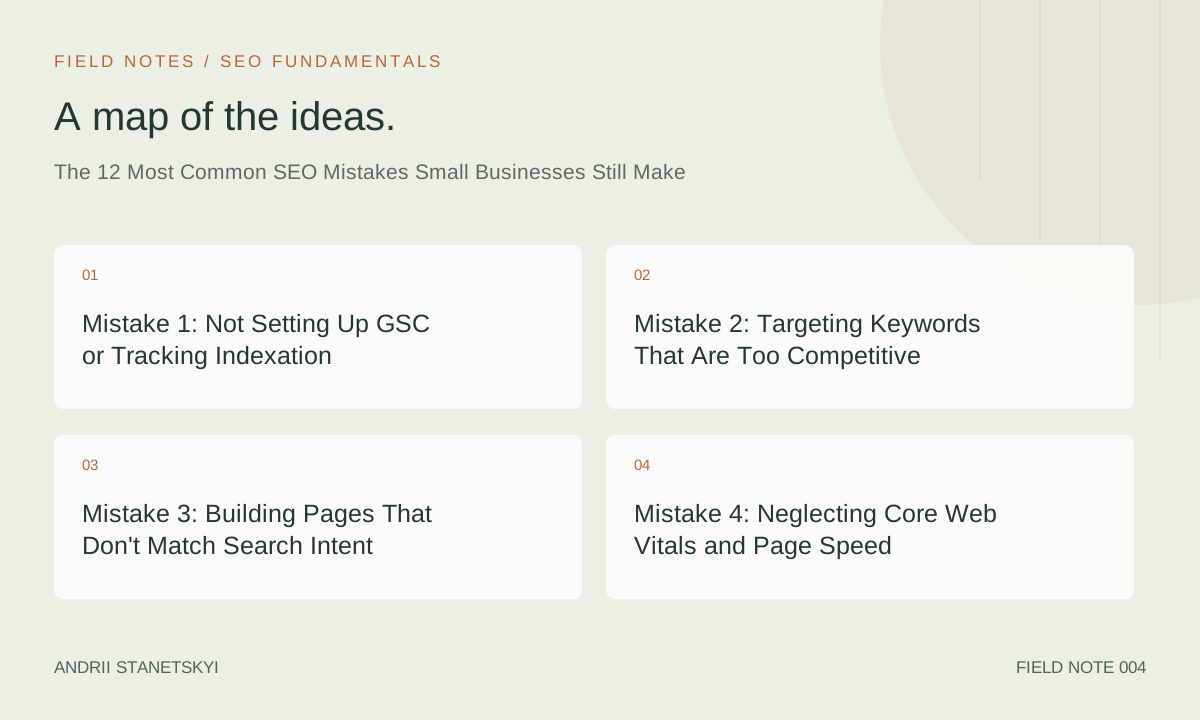
Mistake 1: Not Setting Up GSC or Tracking Indexation
The most common mistake is the most basic: not knowing what Google can see. Google Search Console is free, takes 10 minutes to set up, and provides data that no third-party tool can replicate — direct data from Google's systems about what it has crawled, indexed, and ranked for your site.
Without GSC, you're operating blind. You can't see how many of your pages are indexed, which queries you're ranking for, whether Google has flagged any manual actions or security issues, or how your Core Web Vitals compare across real user data. Every small business website should have GSC installed before any other SEO work begins.
Set it up at search.google.com/search-console, verify via DNS record or HTML tag, and submit your sitemap within the first week.
Mistake 2: Targeting Keywords That Are Too Competitive
A local personal injury law firm that tries to rank for "personal injury lawyer" nationwide will fail. A startup selling ergonomic chairs that targets "office chair" will never see page one. The gap between the keyword difficulty and the site's current authority is too large to bridge with content alone.
Keyword difficulty (KD) scores in Ahrefs or Semrush range from 0–100. Most small businesses with fewer than 100 referring domains should focus primarily on KD 0–30 keywords. These are the queries where authority gaps between you and the ranking pages are closeable with good content and even modest link building.
| Referring Domains | Recommended KD Range | Focus Query Type |
|---|---|---|
| 0–30 | KD 0–20 | Long-tail, local, specific product/service questions |
| 30–100 | KD 0–35 | Niche informational, local competitive terms |
| 100–500 | KD 0–50 | Category terms, broader informational topics |
| 500+ | KD 0–65 | Competitive category and commercial terms |
Local modifiers dramatically reduce effective keyword difficulty. "Personal injury lawyer San Diego" is vastly more achievable than "personal injury lawyer" because the competition is geographically scoped. Start local, build authority, then expand.
Mistake 3: Building Pages That Don't Match Search Intent
Intent mismatch is the reason good content doesn't rank. A page written as a blog post trying to rank for a query Google serves as a product category page will not rank — regardless of keyword optimization. Google has learned what format users expect for each query type.
Before writing a page, search the target keyword and study the top 5 results. Ask:
- What format are they using? (List? Guide? Product page? Tool?)
- How long are they? (Rough word count)
- What questions do they answer?
- What do they not cover that users likely still want?
Match the format before you differentiate on depth. A blog post can outrank a blog post. A blog post cannot outrank a product category page for a transactional query.
Mistake 4: Neglecting Core Web Vitals and Page Speed
Small business websites are disproportionately slow. Cheap shared hosting, unoptimized images, bloated WordPress themes, and no caching add up to Largest Contentful Paint times of 6–10 seconds on mobile — far outside Google's 2.5-second LCP threshold.
Check your Core Web Vitals in two places:
- GSC → Experience → Core Web Vitals: Real user data (CrUX data). Shows actual performance across all visitors' devices and connections.
- PageSpeed Insights (pagespeed.web.dev): Lab data from a single controlled test. Useful for debugging specific issues.
The most common fixes for small business sites:
- Serve images in WebP or AVIF format (typically 30–50% smaller than JPEG at equivalent quality)
- Add explicit
widthandheightattributes to all images (prevents layout shift) - Enable server-side caching (WP Super Cache or W3 Total Cache for WordPress)
- Use a CDN — Cloudflare's free tier is sufficient for most small business sites
- Defer non-critical JavaScript
- Move to a managed WordPress host (Kinsta, WP Engine) if shared hosting is the bottleneck
Mistake 5: Thin or Duplicate Content Across Multiple Pages
E-commerce sites with hundreds of near-identical product variants, local service sites with identical location pages where only the city name changes, and blogs with 300-word posts that cover a topic another of their pages also covers — all of these create the same problem: Google can't determine which page should rank for a given query, so often ranks none of them well.
The fix depends on the root cause:
- Product variants: Use canonical tags pointing variant pages to the primary product page. Only create separate, indexable pages for variants with genuinely different demand (different search volume).
- Location pages: Each location page must have unique content: local team info, local case studies, local FAQ, locally-relevant details. A template with a swapped city name is a duplicate page with extra steps.
- Thin blog posts: Consolidate short posts on related topics into a single, comprehensive page. Use 301 redirects from the old URLs to the consolidated page.
Mistake 6: Ignoring Internal Linking
Internal links pass PageRank (link equity) between your own pages. A page with no internal links pointing to it — an "orphan page" — is hard for Googlebot to discover and gets little authority from the rest of your site. A page buried three clicks from the homepage gets crawled less frequently than one accessible in two clicks.
The practical impact: businesses with good content sitting on orphan pages or poorly linked pages are leaving rankings on the table. A simple internal linking audit with Screaming Frog (crawl → Internal → filter for "Inlinks" count = 0) reveals orphan pages instantly.
Rules of thumb for internal linking:
- Every important page should be reachable in 3 or fewer clicks from the homepage
- Your highest-priority pages should have the most internal links pointing to them
- Use descriptive, keyword-informed anchor text — "our service page" is wasted; "technical SEO audit services" is useful
- Link contextually from within body content, not just navigation
See internal linking strategy for small business sites for a systematic approach.
Mistake 7: Broken Redirects and Redirect Chains
Redirect chains — where URL A redirects to URL B which redirects to URL C — bleed link equity at each hop and slow down crawling. Each additional redirect in a chain costs approximately 15% of the link equity passing through it. A five-step redirect chain delivers roughly 44% of the original equity to the final destination.
Screaming Frog flags redirect chains automatically (Reports → Redirect Chains). Common causes in small business sites:
- Multiple platform migrations without cleaning up old redirects
- HTTP → HTTPS redirect followed by a separate www → non-www redirect
- Old category structure still redirecting through intermediate URLs
Fix chains by updating redirects to point directly to the final destination URL. Broken redirects (404 responses to previously redirected URLs) are equally harmful — they destroy any equity that would have flowed through.
Mistake 8: Missing or Misconfigured Structured Data
Structured data (Schema.org markup) tells Google what your content means, not just what it says. For small businesses, the most valuable schema types are: LocalBusiness, Product, Review/AggregateRating, FAQPage, BreadcrumbList, and Article.
Missing structured data means missing SERP features: no star ratings in results, no FAQ accordions, no local knowledge panel enhancements. These features consistently improve CTR by 10–30% in split tests.
Misconfigured structured data is often worse than none: incorrect @type values, required fields left empty, or review schemas that violate Google's guidelines (e.g., reviews written by the business owner) can trigger manual actions.
Validate all structured data using Google's Rich Results Test (search.google.com/test/rich-results) before deployment.
Mistake 9: Not Building Any Backlinks
Content without backlinks is invisible in competitive niches. Many small businesses publish consistently but never actively pursue links, then wonder why they're not ranking. Links are still the primary authority signal Google uses.
Practical link building for small businesses doesn't require PR agencies or high budgets:
- Supplier and partner links: Ask vendors, distributors, and professional associations to link to your site. These are often easy to get and topically relevant.
- Local citations: Consistent NAP (Name, Address, Phone) listings in local directories build local authority. Google Business Profile, Yelp, Bing Places, and industry-specific directories.
- Guest posting on niche publications: One relevant guest post per month builds 12 quality links per year — enough to move the needle for a small site.
- Linkable assets: Original data, local resources, tools, or guides that journalists and other sites naturally want to reference.
Mistake 10: Forgetting About Mobile
Google has used mobile-first indexing since 2019 — meaning the mobile version of your site is what Google uses to determine rankings, not the desktop version. If your mobile site is missing content, has smaller images, or has nav elements that block content, you're being evaluated on an inferior version of your site.
Check mobile usability in GSC → Experience → Mobile Usability. Common issues: text too small to read, clickable elements too close together, content wider than the screen, and viewport not configured. All of these are fixable in a day on most modern CMS platforms.
Mistake 11: Treating SEO as a One-Time Project
SEO is an ongoing operational activity, not a campaign with a start and end date. Competitors publish new content. Google updates its algorithm. Your site gains and loses links. Search trends shift. A site that was well-optimized 18 months ago and left alone will gradually slip in rankings.
Minimum ongoing SEO maintenance for a small business site:
- Monthly GSC review: impressions, clicks, indexation status, Core Web Vitals
- Quarterly content refresh: update stats, examples, and internal links in top-performing pages
- Quarterly backlink audit: monitor for lost links, toxic link patterns
- Annual full crawl audit with Screaming Frog
For a systematic approach, see building your first SEO strategy framework.
Mistake 12: Chasing Tactics Instead of Building Authority
Every year there's a new SEO tactic getting disproportionate coverage: parasite SEO, AI content at scale, PBNs, link velocity gaming, FAQ schema hacks. Small business owners read about these, implement them, and often see a short-term result followed by a penalty or algorithm reversal.
The businesses that win long-term in organic search build genuine authority: a site with deep, accurate content on their topic area, a growing backlink profile from real publications and partners, good user experience metrics, and a brand that people search for by name. None of that is exciting content. All of it compounds. See white hat vs black hat SEO: a modern risk framework before implementing any tactic that promises shortcuts.
FAQ
What's the first SEO mistake to fix on a small business website?
Set up Google Search Console and check the Index Coverage report. Before spending time on any optimization, you need to know whether Google can see your pages. Surprising numbers of small business sites have accidental noindex tags or robots.txt blocks preventing indexation.
How much does it cost to fix these SEO mistakes?
Most of these mistakes can be fixed with free tools (GSC, PageSpeed Insights, Google's Rich Results Test) and time. Screaming Frog's free version handles up to 500 URLs. Paid tools like Ahrefs ($99/month) or Semrush ($139/month) help with keyword research and link analysis, but they're not required to fix the technical mistakes on this list.
How long after fixing these mistakes will rankings improve?
Technical fixes (redirects, noindex errors, structured data) can show results in 2–6 weeks after Google re-crawls the affected pages. Content-quality improvements take 2–4 months. Link building results compound over 6–12 months. There's no universal timeline — it depends on crawl frequency and competition level.
Is duplicate content a penalty from Google?
Duplicate content is not directly penalized in the traditional sense — Google doesn't issue a manual action for it. Instead, it forces Google to choose which version to rank, and it often ranks neither well. The practical effect is similar to a penalty in terms of traffic loss, but the fix is technical (canonicals, consolidation) rather than a disavow or reconsideration request.
Do small businesses need backlinks to rank locally?
For purely local queries ("plumber near me," "dentist in [city]"), Google Maps/Local Pack rankings depend primarily on proximity, review quantity and quality, and Google Business Profile completeness. Local organic rankings below the map pack do benefit from backlinks. Start with local citations and GBP optimization, then build links for more competitive queries.
Should a small business hire an SEO agency?
It depends on the competitive landscape and internal capacity. For very local, low-competition industries, a business owner who invests 5–10 hours learning SEO fundamentals can handle it internally. For competitive niches or e-commerce, professional help typically pays for itself — but vet agencies carefully. Red flags: guarantees of "#1 rankings," vague monthly reports, and agencies that don't mention any of the tools or techniques in this article.
Key Takeaways
- GSC is non-negotiable — set it up before any other SEO work.
- Target keywords proportional to your current domain authority. KD 0–30 for most small businesses starting out.
- Match page format to search intent before optimizing for keywords — format mismatch is a ranking ceiling.
- Core Web Vitals matter; LCP under 2.5 seconds is the 2026 threshold. Most small business sites fail it.
- Duplicate content splits authority — use canonicals for variants, create truly unique location pages.
- Every important page needs internal links; orphan pages don't rank.
- Redirect chains bleed link equity — update all redirects to point directly to final destinations.
- Structured data unlocks SERP features that directly improve CTR by 10–30%.
- Backlinks still matter — start with supplier links, local citations, and guest posts.
- SEO is ongoing; build a monthly and quarterly maintenance cadence.
Conclusion
None of the twelve mistakes on this list are exotic. They're all fixable with patience, free tools, and a basic understanding of how Google's pipeline works. The businesses that avoid these mistakes — or fix them systematically — consistently outperform competitors with bigger budgets who are making them. Start with GSC, run a Screaming Frog crawl, fix the technical blockers, then build content and links on a solid foundation. That sequence works every time.