You can run an SEO campaign without understanding how Google search works. You can also drive across a country without knowing how an engine works. Both are possible; neither is efficient. When something breaks — a ranking drop, a sudden traffic loss, a crawling anomaly — marketers who understand the search pipeline diagnose in hours what others spend weeks guessing at.
This article strips away the marketing mythology and explains what actually happens between a user typing a query and a page appearing in results. No hand-waving, no analogies about libraries unless they're actually useful. Just the mechanism.
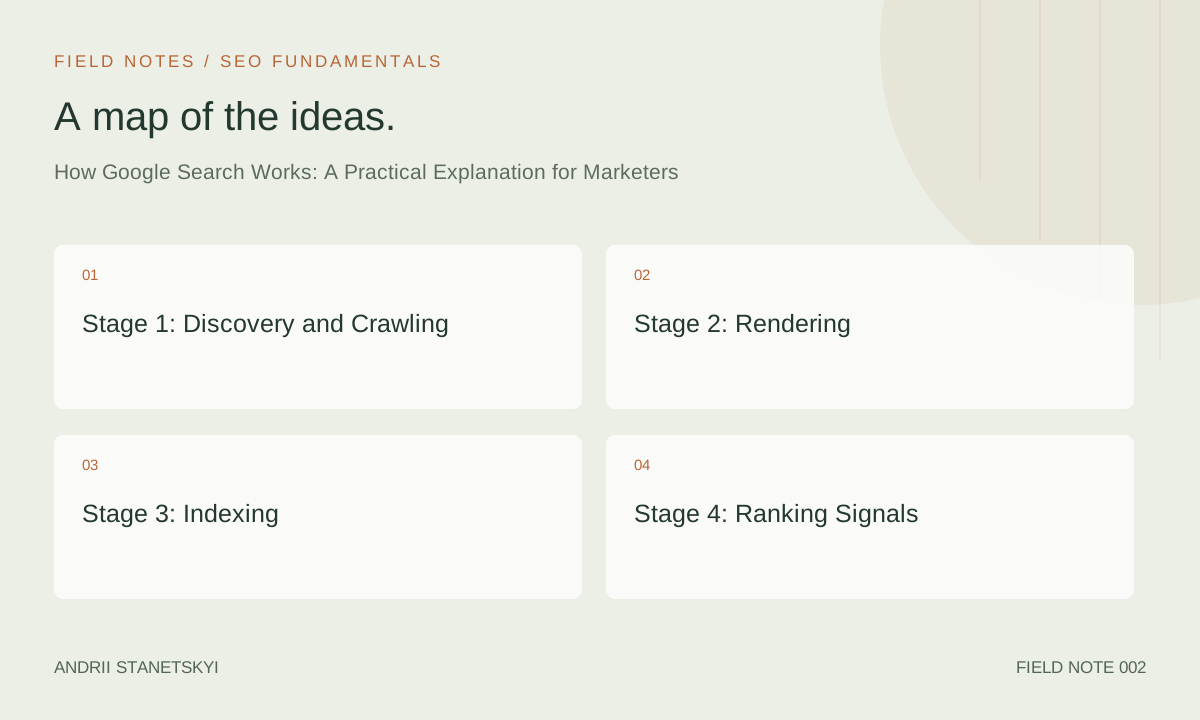
Stage 1: Discovery and Crawling
Google cannot rank what it cannot find. Discovery — the process of identifying URLs to visit — is the first gate every page must pass through.
How Googlebot Discovers URLs
Googlebot discovers new URLs through three primary channels:
- Links from already-known pages: When Googlebot crawls a page, it extracts all internal and external links and adds unvisited ones to its crawl queue.
- XML sitemaps: A
sitemap.xmlsubmitted through Google Search Console gives Googlebot a direct list of URLs you want crawled. This is especially important for large sites or new content with few inbound links. - URL Inspection and direct submission: GSC's URL Inspection tool lets you request indexing of individual URLs. Useful for urgent content — not a substitute for proper architecture.
Crawl Budget: What It Is and Why It Matters
Crawl budget is the number of URLs Googlebot will crawl on your site within a given timeframe. It's determined by two factors: crawl rate limit (how fast Googlebot can crawl without overloading your server) and crawl demand (how frequently Google thinks your pages need to be re-crawled based on popularity and freshness).
For most sites under 10,000 pages, crawl budget is not a practical concern. For sites with hundreds of thousands of URLs — e-commerce catalogs, news publishers, classified listings — it's critical. Wasting crawl budget on infinite filter combinations, duplicate session URLs, or low-value parameter pages means important content gets crawled less frequently.
Check your crawl stats in GSC under Settings → Crawl Stats. If you see a large gap between pages crawled per day and your total page count, investigate.
robots.txt
The robots.txt file sits at the root of your domain (e.g., https://example.com/robots.txt) and tells crawlers which paths they can and cannot access. It controls crawling, not indexing — a common misconception. A page blocked by robots.txt can still appear in the index if it has external links pointing to it; Google just can't read its content.
User-agent: Googlebot
Disallow: /admin/
Disallow: /checkout/
Allow: /

Sitemap: https://example.com/sitemap.xml
Stage 2: Rendering
Crawling fetches HTML. Rendering executes JavaScript and builds the final DOM — what the browser (and therefore Google) actually sees. This distinction is critical for any site using JavaScript-heavy frameworks like React, Vue, or Next.js.
The Two-Wave Rendering Model
Google processes crawled pages in two waves:
- First wave: Immediate parsing of raw HTML. Fast, happens during crawl.
- Second wave: JavaScript rendering via Chrome's headless browser (WRS — Web Rendering Service). Can be delayed by hours, days, or weeks depending on crawl queue depth and resource constraints.
If critical content — body text, internal links, structured data — only appears after JavaScript executes, there can be a significant delay before Google sees and indexes it. Server-side rendering (SSR) or static site generation (SSG) eliminates this problem because the full content is in the initial HTML response.
Common Rendering Failures
- JavaScript blocked by
robots.txt(Googlebot can't load scripts it's disallowed from accessing) - Content that depends on user interactions (scroll, click) to load
- Heavy render-blocking resources that time out before Googlebot finishes
- Lazy-loaded images without proper
loading="lazy"implementation confusing LCP calculation
Use the URL Inspection tool in GSC → "Test Live URL" → "View Tested Page" to see exactly how Google renders any page on your site. Compare the screenshot to what you see in a browser.
Stage 3: Indexing
After rendering, Google decides whether to add the page to its index. This isn't automatic — every page goes through a quality assessment.
Indexing Signals
Google evaluates multiple signals when deciding to index a page:
- Content quality: Is the page substantively different from millions of others? Does it offer unique value?
- Canonical tags: The
<link rel="canonical">tag tells Google which version of a URL is authoritative. Misconfigured canonicals can cause Google to index the wrong URL — or not index any version. - noindex directive: A
<meta name="robots" content="noindex">tag orX-Robots-Tag: noindexHTTP header explicitly excludes a page from the index. - Duplicate content: Near-identical pages compete with each other. Google typically picks one to index and ignores the rest — which may not be the one you want.
- Page experience signals: Pages failing Core Web Vitals aren't automatically excluded, but the bar for "worth indexing" is higher for poor-experience pages when content is otherwise thin.
Index Coverage in GSC
GSC's Index → Pages report is the authoritative source on what Google has decided to do with every URL it's discovered on your site. The report breaks URLs into categories: Indexed, Not Indexed (with sub-reasons), and Excluded. Common "Not Indexed" reasons include:
| GSC Status | Likely Cause | Priority |
|---|---|---|
| Crawled – currently not indexed | Thin content, duplicate of another page, low quality signal | High — review content quality |
| Discovered – currently not indexed | Crawl budget exhausted, low priority URL | Medium — check crawl budget and internal linking |
| Duplicate without user-selected canonical | Multiple URL versions of same content | High — implement canonical tags |
| Excluded by 'noindex' tag | Intentional or accidental noindex directive | Critical — verify if intentional |
| Blocked by robots.txt | robots.txt Disallow rule | Critical — verify if intentional |
Stage 4: Ranking Signals
Google has confirmed the existence of hundreds of ranking signals. Most SEOs cluster them into a smaller set of meaningful categories. Here's what actually moves the needle in 2026.
Relevance Signals
Before a page can rank, it must match the query. Google's relevance systems use TF-IDF heritage but have long since evolved into transformer-based models (BERT, MUM) that understand query intent, entity relationships, and semantic meaning. Key relevance signals include:
- Title tag and H1 alignment with the query
- Body content coverage of the topic and related subtopics
- Entity mentions (people, places, products, concepts connected to the query)
- Structured data markup providing explicit context
Authority Signals
PageRank — Google's original link-based authority metric — still underlies much of how Google measures authority, though it's evolved significantly. In 2026, authority signals include:
- Backlink quantity, quality, and topical relevance
- Internal link structure (distributing PageRank within your own site)
- Brand signals: direct traffic, branded searches, NAP consistency
- Author E-E-A-T: demonstrable expertise of the content creator
Quality and Helpfulness
Google's Helpful Content system (now integrated into the core algorithm rather than a separate signal) evaluates whether content was made primarily for people or primarily to rank. Signals include originality of information, depth of expertise, accuracy, and whether the page leaves searchers satisfied or sends them back to Google for a better answer (pogo-sticking).
Page Experience Signals
Core Web Vitals (LCP, INP, CLS), mobile usability, HTTPS, and absence of intrusive interstitials are Google's defined page experience signals. These act as tiebreakers when other signals are roughly equal — they're not strong enough to overcome major relevance or authority gaps, but they matter at the margin.
Stage 5: SERP Assembly
The Search Engine Results Page is not a simple ranked list. Google assembles each SERP dynamically based on the query type, user context, and available content formats.
SERP Features That Appear Above Organic Results
- AI Overviews: Synthesized answers for informational queries, present on ~15% of queries as of Q1 2026
- Google Ads: Paid results, typically 1–4 at the top
- Featured Snippets: A single organic result elevated to position 0 with extracted text, table, or list
- Knowledge Panels: Entity cards from the Knowledge Graph for branded/entity queries
- People Also Ask (PAA): Accordion Q&A boxes
- Shopping results, image packs, video carousels, local packs: Format-specific result types
Understanding which SERP features appear for your target queries determines your content format strategy. A query dominated by video carousels demands a different approach than one dominated by featured snippets.
The AI Layer in 2026
Google's AI Overviews are generated by a large language model trained on web content and grounded in real-time search results. They don't replace the organic results — they appear above them and typically cite 3–8 sources with links.
Being cited in an AI Overview is distinct from ranking #1 organically. Studies indicate that AI Overview citations skew toward:
- Pages with clear, factual, citable claims
- Content from sites with strong E-E-A-T signals
- Pages with structured data that makes facts machine-readable
- Content that directly answers the specific sub-question within the query
Optimizing for AI Overview inclusion is increasingly treated as a separate workflow from traditional rank-tracking. Tools like Semrush's AI Toolkit and Ahrefs' AI Overview tracking (both launched in late 2025) let you track which queries trigger AI Overviews and whether your site appears in them.
See also how AI search is changing SEO strategy in 2026 for a deeper analysis of this shift.
What This Means for Your Strategy
The pipeline above has direct strategic implications that most marketers miss:
Fix the Pipeline Before Optimizing Content
If Googlebot can't crawl your JavaScript-rendered navigation, your internal link equity isn't flowing. If your canonical tags are wrong, you're splitting authority across duplicate URLs. These pipeline problems negate content investments. Run a Screaming Frog crawl and cross-reference it with GSC's Index Coverage report before spending a dollar on content.
Indexability ≠ Rankability
Getting into the index is a minimum bar. Ranking requires relevance, authority, and quality signals that are genuinely competitive for your target queries. A page can be indexed and sitting at position 87 — technically in the index, practically invisible. Treat indexation and ranking as separate goals with separate diagnostics.
Speed Impacts the Whole Pipeline
A slow server doesn't just frustrate users — it limits how many pages Googlebot can crawl per day. A slow JavaScript framework doesn't just hurt UX — it delays rendering and can push second-wave rendering back by days. Performance optimization has upstream benefits throughout the entire search pipeline.
See Core Web Vitals optimization for technical SEOs for implementation specifics.
FAQ
How often does Googlebot crawl a website?
It varies enormously by site authority and content freshness. Major news sites are crawled within seconds of publishing. A small business site might be crawled every few days or once a week. Use GSC → Settings → Crawl Stats to see your actual crawl rate. You can't force faster crawling, but strong internal linking and frequent content updates signal to Google that your site merits more frequent visits.
Does Google use all 200+ ranking factors simultaneously?
The "200+ ranking factors" framing is outdated and somewhat misleading. Google uses machine learning systems that weigh signals dynamically based on query type and context. The same signal (say, backlink anchor text) carries different weight for a YMYL query versus a recipe query. Think in systems, not fixed factor weights.
Can Google read content inside PDFs?
Yes. Googlebot can crawl and index PDF content. PDFs can rank in Google Search. However, they don't offer the same technical control as HTML pages — no canonical tags, no structured data, limited internal linking. Use PDFs for downloadable resources; use HTML for content you want to rank.
What's the difference between crawling and indexing?
Crawling is fetching and reading a page. Indexing is adding a processed version of that page to Google's database so it can appear in results. Every indexed page has been crawled, but not every crawled page gets indexed. The decision to index happens after Google evaluates content quality and other signals.
Why is my page not appearing in Google despite being live?
First, check if it's indexed using site:yourdomain.com/your-page-slug in Google. If it's not indexed, check GSC's Index Coverage report for the URL. Common causes: noindex tag accidentally applied, blocked by robots.txt, too new (allow 1–4 weeks), thin content that Google chose not to index, or canonical pointing elsewhere.
Does Google see my page the way users do?
Not always, especially on JavaScript-heavy sites. Use GSC's URL Inspection tool → "Test Live URL" → "View Tested Page" to see Google's rendered version, including a screenshot. Compare carefully with what you see in a browser — differences indicate rendering problems.
Key Takeaways
- Google's search pipeline has five stages: Discovery, Crawling, Rendering, Indexing, and Ranking. Problems at any stage block downstream progress.
- JavaScript rendering creates a two-wave delay — server-side rendering eliminates this for critical content.
- GSC's Index Coverage report is the primary diagnostic tool for crawling and indexing issues.
- Ranking signals cluster into relevance, authority, quality/helpfulness, and page experience. All four must be competitive, not just one.
- AI Overviews are a distinct SERP feature requiring separate optimization thinking — citation signals differ from traditional ranking signals.
- SERP assembly is dynamic — the features present on a given query determine the content format strategy.
- Performance optimization affects the entire pipeline, not just user experience.
Conclusion
Google search is a system of five sequential stages, each with failure modes that are diagnosable if you know what to look for. Most SEO problems trace back to a broken step in this pipeline — not to some mysterious algorithm change. Learn the pipeline, instrument it with GSC and Screaming Frog, and you'll spend less time panicking about ranking drops and more time fixing the actual cause. The mechanism is learnable. The practitioners who learn it get better results, faster.