Airflow 3.0 went stable in late November 2025. I upgraded my production instance on January 3rd, 2026. By January 5th, five of my eight SEO data pipeline DAGs were broken. Not degraded. Broken. The GSC data wasn't landing in BigQuery, the log processing DAG was failing silently at the XCom step, and the rank tracking DAG was throwing errors I'd never seen before because it used a BashOperator pattern that 3.x removed.
I spent most of January rebuilding. This is what I rebuilt, why it broke, and what the production setup looks like now.
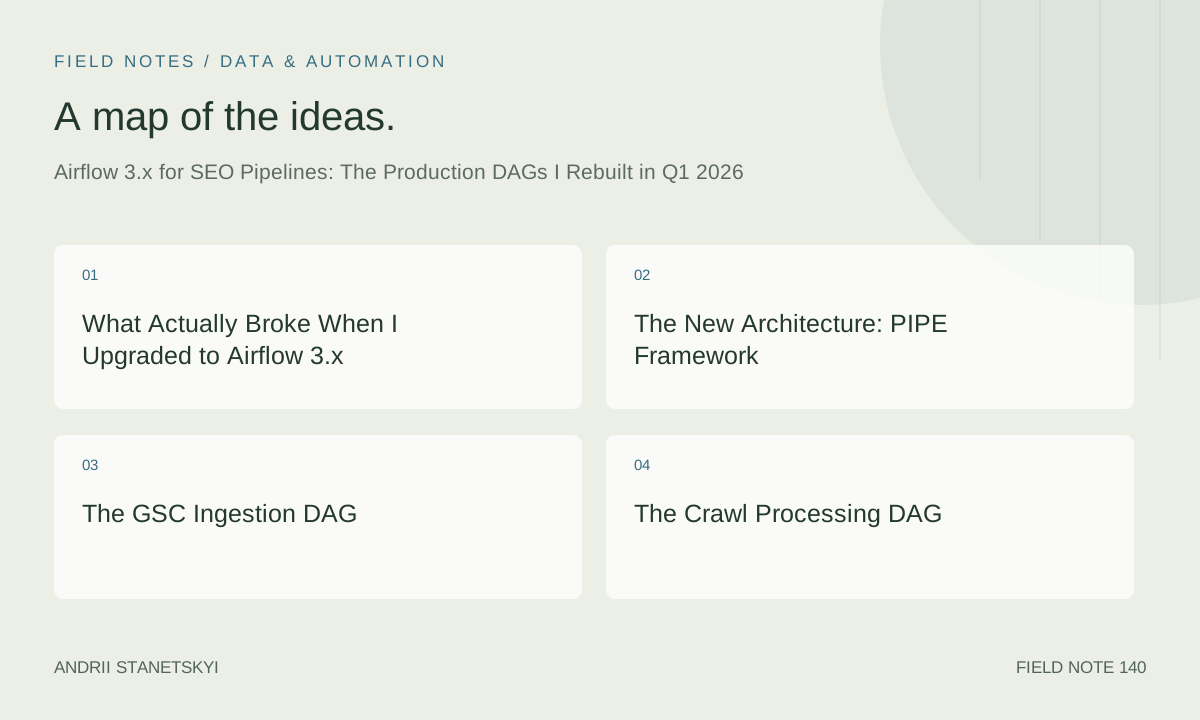
What Actually Broke When I Upgraded to Airflow 3.x
Let me be specific, because the vague "breaking changes" framing in the upgrade docs understates what happened to real pipelines.
XCom size enforcement: Airflow 3.x enforces a hard limit on XCom size when using the default database backend. The default limit is 64KB. I had tasks that were passing GSC row data between processing steps via XCom. The largest of these was passing ~180KB of JSON. In 2.x, this worked but was bad practice. In 3.x, it fails with a clear error. Good change, painful migration.
Removed deprecated operators: PythonOperator with provide_context=True is gone. In 3.x, context is always provided via the **context kwargs — you just have to accept it. I had 23 task definitions using the old signature. None of them raised Python errors because I'd been using **kwargs to catch context. They silently stopped receiving the data I expected.
BashOperator environment changes: The env parameter behavior changed. In 2.x, if you didn't specify env, the BashOperator inherited the full subprocess environment. In 3.x, it inherits a filtered environment by default. My rank tracking DAG was relying on environment variables being passed implicitly to the bash commands. They weren't passed anymore.
DAG file discovery: The scheduler's DAG file processing was rewritten. Files that had syntax errors in 2.x would be skipped silently. In 3.x, they're reported more visibly but the discovery timing changed. I had two DAGs that were loading but not being picked up by the scheduler because the file processing interval interacted differently with my schedule parameter format.
Five days, four categories of breakage. Would I upgrade again knowing this? Yes. The scheduler performance improvement alone is worth it — my longest-running daily DAG went from 14 minutes to 9 minutes for the same work, mostly from better task parallelism in the new executor.
The New Architecture: PIPE Framework
After the forced rebuild, I restructured my entire DAG setup around what I call the PIPE framework. Not clever naming — it's a mnemonic for the four-layer architecture every SEO pipeline should use.
P — Pull: Raw data ingestion only. No transformation. Tasks in this layer write raw API responses or file contents to a staging area (GCS bucket or Postgres staging schema). They have strict retry logic and write idempotently — running a Pull task twice produces the same result as running it once.
I — Integrate: Normalization and join tasks. Takes raw data from staging, applies schema validation using Pydantic, resolves URL normalization, and writes to the clean data layer. This is where redirect chains get resolved and canonical URLs get identified.
P — Process: Analytics and aggregation. Runs the SQL transforms in BigQuery or the Python analysis scripts. Produces the metrics that Streamlit dashboards read. See the Streamlit dashboard article for how these outputs get consumed.
E — Emit: Alerts, reports, and notifications. Only runs if Process completes successfully. Slack alerts, email digests, webhook calls to n8n for downstream workflow triggers (see n8n SEO workflows for the receiving end of those webhooks).
Every DAG I've rebuilt maps cleanly to this structure. The PIPE layers translate directly to task groups in Airflow 3.x, which makes the DAG graph readable.
The GSC Ingestion DAG
This is the most critical DAG in the setup. It runs at 05:00 UTC daily, pulls the previous 3 days of GSC data (to catch late-arriving data), and writes to a BigQuery partitioned table. The 3-day lookback is deliberate — GSC data can be 48–72 hours delayed and running only yesterday's pull misses data that wasn't finalized yet.
# dags/gsc_ingestion.py — Airflow 3.x, Python 3.13

from __future__ import annotations

from datetime import datetime, timedelta

from airflow.sdk import DAG, task, task_group
from airflow.providers.google.cloud.hooks.bigquery import BigQueryHook
from airflow.providers.google.cloud.transfers.local_to_gcs import LocalFilesystemToGCSOperator


GSC_SITES = [
    "https://www.client-one.com/",
    "https://www.client-two.com/",
    "https://www.client-three.com/",
]

LOOKBACK_DAYS = 3
BQ_DATASET = "seo_data"
BQ_TABLE = "gsc_daily"
GCS_BUCKET = "your-seo-staging-bucket"


default_args = {
    "owner": "seo-pipeline",
    "retries": 3,
    "retry_delay": timedelta(minutes=5),
    "retry_exponential_backoff": True,
    "max_retry_delay": timedelta(minutes=60),
    "email_on_failure": True,
    "email": ["[email protected]"],
}

with DAG(
    dag_id="gsc_ingestion",
    default_args=default_args,
    schedule="0 5 * * *",
    start_date=datetime(2026, 1, 1),
    catchup=False,
    tags=["seo", "gsc", "ingestion"],
    doc_md="""
    ## GSC Ingestion DAG

    Pulls Google Search Console data for all configured sites.
    Lookback: 3 days to capture late-arriving data.
    Writes to BigQuery partitioned by date.

    **Dependencies:** google-api-python-client, airflow-providers-google
    **Schedule:** 05:00 UTC daily
    """,
) as dag:

    @task(task_id="get_date_range")
    def get_date_range(**context) -> dict[str, str]:
        """Compute the date range for this run."""
        exec_date = context["data_interval_end"].date()
        return {
            "end_date": str(exec_date - timedelta(days=1)),
            "start_date": str(exec_date - timedelta(days=LOOKBACK_DAYS)),
            "partition_date": str(exec_date),
        }

    @task(task_id="pull_gsc_data", retries=5)
    def pull_gsc_data(date_range: dict, site_url: str, **context) -> str:
        """
        Pull GSC search analytics for a single site.
        Returns GCS path where raw data was written.
        """
        import json
        import tempfile
        from pathlib import Path
        from google.oauth2 import service_account
        from googleapiclient.discovery import build
        from airflow.models import Variable

        creds_json = Variable.get("gsc_service_account_json", deserialize_json=True)
        creds = service_account.Credentials.from_service_account_info(
            creds_json,
            scopes=["https://www.googleapis.com/auth/webmasters.readonly"],
        )
        service = build("searchconsole", "v1", credentials=creds)

        all_rows: list[dict] = []
        start_row = 0
        page_size = 25000  # GSC API max per request

        while True:
            request_body = {
                "startDate": date_range["start_date"],
                "endDate": date_range["end_date"],
                "dimensions": ["page", "query", "date", "device", "country"],
                "rowLimit": page_size,
                "startRow": start_row,
            }

            response = (
                service.searchanalytics()
                .query(siteUrl=site_url, body=request_body)
                .execute()
            )

            rows = response.get("rows", [])
            if not rows:
                break

            for row in rows:
                # Normalize the response structure
                dimensions = row.get("keys", [])
                all_rows.append({
                    "site_url": site_url,
                    "page": dimensions[0] if len(dimensions) > 0 else "",
                    "query": dimensions[1] if len(dimensions) > 1 else "",
                    "date": dimensions[2] if len(dimensions) > 2 else "",
                    "device": dimensions[3] if len(dimensions) > 3 else "",
                    "country": dimensions[4] if len(dimensions) > 4 else "",
                    "clicks": row.get("clicks", 0),
                    "impressions": row.get("impressions", 0),
                    "ctr": row.get("ctr", 0.0),
                    "position": row.get("position", 0.0),
                    "ingestion_date": date_range["partition_date"],
                })

            start_row += page_size
            if len(rows) < page_size:
                break

        # Write to temp file, then upload to GCS
        # XCom only gets the GCS path — not the data
        site_slug = site_url.replace("https://", "").replace("/", "_").rstrip("_")
        gcs_filename = f"gsc/{date_range['partition_date']}/{site_slug}.jsonl"

        with tempfile.NamedTemporaryFile(mode="w", suffix=".jsonl", delete=False) as f:
            for row in all_rows:
                f.write(json.dumps(row) + "\n")
            local_path = f.name

        # Upload to GCS
        from google.cloud import storage
        storage_client = storage.Client()
        bucket = storage_client.bucket(GCS_BUCKET)
        blob = bucket.blob(gcs_filename)
        blob.upload_from_filename(local_path)

        Path(local_path).unlink()
        return f"gs://{GCS_BUCKET}/{gcs_filename}"

    @task(task_id="load_to_bigquery")
    def load_to_bigquery(gcs_paths: list[str], partition_date: str) -> int:
        """
        Load all GCS files for this run into BigQuery.
        Uses WRITE_TRUNCATE on the partition to be idempotent.
        Returns row count loaded.
        """
        from google.cloud import bigquery

        client = bigquery.Client()
        table_ref = f"{client.project}.{BQ_DATASET}.{BQ_TABLE}${partition_date.replace('-', '')}"

        job_config = bigquery.LoadJobConfig(
            source_format=bigquery.SourceFormat.NEWLINE_DELIMITED_JSON,
            write_disposition=bigquery.WriteDisposition.WRITE_TRUNCATE,
            autodetect=False,
            schema=[
                bigquery.SchemaField("site_url", "STRING"),
                bigquery.SchemaField("page", "STRING"),
                bigquery.SchemaField("query", "STRING"),
                bigquery.SchemaField("date", "DATE"),
                bigquery.SchemaField("device", "STRING"),
                bigquery.SchemaField("country", "STRING"),
                bigquery.SchemaField("clicks", "INTEGER"),
                bigquery.SchemaField("impressions", "INTEGER"),
                bigquery.SchemaField("ctr", "FLOAT"),
                bigquery.SchemaField("position", "FLOAT"),
                bigquery.SchemaField("ingestion_date", "DATE"),
            ],
        )

        load_job = client.load_table_from_uri(
            gcs_paths,
            table_ref,
            job_config=job_config,
        )
        load_job.result()  # Wait for completion

        table = client.get_table(table_ref)
        return table.num_rows

    @task(task_id="notify_completion")
    def notify_completion(row_count: int, partition_date: str) -> None:
        """Send Slack notification with row count loaded."""
        import httpx
        from airflow.models import Variable

        webhook_url = Variable.get("slack_webhook_seo_data")
        message = (
            f":white_check_mark: GSC ingestion complete for {partition_date}\n"
            f"Rows loaded: {row_count:,}\n"
            f"Sites: {len(GSC_SITES)}"
        )
        httpx.post(webhook_url, json={"text": message}, timeout=10)

    # Wire the tasks
    date_range = get_date_range()

    # Pull from all sites in parallel — mapped task
    gcs_paths = pull_gsc_data.partial(date_range=date_range).expand(site_url=GSC_SITES)

    row_count = load_to_bigquery(gcs_paths=gcs_paths, partition_date=date_range["partition_date"])
    notify_completion(row_count=row_count, partition_date=date_range["partition_date"])
The dynamic task mapping with .partial().expand() runs one pull task per site in parallel. For three sites, that cuts the pull phase from sequential 12 minutes to parallel 5 minutes. The Airflow 3.x scheduler handles mapped tasks more cleanly than 2.x — the UI shows individual mapped task instances rather than a collapsed group.
The Crawl Processing DAG
This DAG runs weekly on Sundays at 02:00 UTC. It's triggered by a successful crawl completion from the n8n crawl dispatcher webhook — but it also runs on its own schedule as a fallback. The Python analysis code that runs here is from my Python SEO library.
# dags/crawl_processing.py — Airflow 3.x, Python 3.13

from __future__ import annotations

from datetime import datetime, timedelta

from airflow.sdk import DAG, task, task_group
from airflow.sensors.external_task import ExternalTaskSensor


default_args = {
    "owner": "seo-pipeline",
    "retries": 2,
    "retry_delay": timedelta(minutes=10),
    "email_on_failure": True,
    "email": ["[email protected]"],
}

with DAG(
    dag_id="crawl_processing",
    default_args=default_args,
    schedule="0 2 * * 0",  # Sundays 02:00 UTC
    start_date=datetime(2026, 1, 1),
    catchup=False,
    tags=["seo", "crawl", "processing"],
) as dag:

    @task(task_id="fetch_crawl_data")
    def fetch_crawl_data(**context) -> str:
        """
        Pull latest crawl data from GCS.
        Returns partition key for downstream tasks.
        """
        from google.cloud import storage
        from datetime import date

        client = storage.Client()
        bucket = client.bucket("your-seo-staging-bucket")

        # Find most recent crawl file
        blobs = sorted(
            bucket.list_blobs(prefix="crawls/"),
            key=lambda b: b.updated,
            reverse=True,
        )

        if not blobs:
            raise ValueError("No crawl data found in GCS bucket")

        latest = blobs[0]
        partition = str(date.today())
        return f"gs://your-seo-staging-bucket/{latest.name}|{partition}"

    @task(task_id="parse_crawl_urls")
    def parse_crawl_urls(crawl_ref: str) -> dict:
        """
        Parse crawl CSV and extract URL-level data.
        Uses stdlib csv parser to avoid heavyweight dependencies.
        """
        import csv
        import io
        import re
        from google.cloud import storage

        gcs_path, partition = crawl_ref.split("|")
        bucket_name, blob_name = gcs_path.replace("gs://", "").split("/", 1)

        client = storage.Client()
        blob = client.bucket(bucket_name).blob(blob_name)
        content = blob.download_as_text(encoding="utf-8-sig")

        reader = csv.DictReader(io.StringIO(content))
        urls = []
        issues = {
            "missing_title": [],
            "duplicate_title": [],
            "missing_h1": [],
            "redirect_chains": [],
            "noindex_pages": [],
            "slow_pages": [],  # > 3000ms TTFB from crawl data
        }
        seen_titles: dict[str, list[str]] = {}

        for row in reader:
            url = row.get("Address", "")
            status = int(row.get("Status Code", 0) or 0)
            title = row.get("Title 1", "").strip()
            h1 = row.get("H1-1", "").strip()
            ttfb = float(row.get("Time", 0) or 0)
            indexability = row.get("Indexability", "")

            if not url:
                continue

            urls.append(url)

            if status == 200:
                if not title:
                    issues["missing_title"].append(url)
                else:
                    seen_titles.setdefault(title, []).append(url)

                if not h1:
                    issues["missing_h1"].append(url)

                if "noindex" in indexability.lower():
                    issues["noindex_pages"].append(url)

                if ttfb > 3000:
                    issues["slow_pages"].append(url)

            if status in (301, 302):
                # Chain detection requires following the chain — done in a separate task
                pass

        # Identify duplicate titles
        for title, title_urls in seen_titles.items():
            if len(title_urls) > 1:
                issues["duplicate_title"].extend(title_urls)

        return {
            "total_urls": len(urls),
            "partition": partition,
            "issues": {k: len(v) for k, v in issues.items()},
            "issue_urls": issues,  # This goes to GCS, not XCom
        }

    @task(task_id="write_issues_to_bq")
    def write_issues_to_bq(crawl_summary: dict) -> None:
        """Write parsed crawl issues to BigQuery."""
        import json
        from datetime import date
        from google.cloud import bigquery

        client = bigquery.Client()
        rows = []
        partition = crawl_summary["partition"]

        for issue_type, urls in crawl_summary["issue_urls"].items():
            for url in urls:
                rows.append({
                    "crawl_date": partition,
                    "url": url,
                    "issue_type": issue_type,
                    "detected_at": datetime.now().isoformat(),
                })

        if not rows:
            return

        errors = client.insert_rows_json(
            f"{client.project}.seo_data.crawl_issues",
            rows,
        )
        if errors:
            raise RuntimeError(f"BigQuery insert errors: {errors}")

    @task(task_id="generate_crawl_summary_report")
    def generate_crawl_summary_report(crawl_summary: dict) -> None:
        """Generate and email a crawl summary report."""
        import httpx
        from airflow.models import Variable

        webhook_url = Variable.get("slack_webhook_seo_data")
        issues = crawl_summary["issues"]

        blocks = [
            f"*Weekly Crawl Report — {crawl_summary['partition']}*",
            f"Total URLs crawled: {crawl_summary['total_urls']:,}",
            "",
            "*Issues detected:*",
            f"• Missing title tags: {issues.get('missing_title', 0)}",
            f"• Duplicate titles: {issues.get('duplicate_title', 0)}",
            f"• Missing H1: {issues.get('missing_h1', 0)}",
            f"• Noindex pages: {issues.get('noindex_pages', 0)}",
            f"• Slow TTFB (>3s): {issues.get('slow_pages', 0)}",
        ]

        httpx.post(
            webhook_url,
            json={"text": "\n".join(blocks)},
            timeout=10,
        )

    crawl_ref = fetch_crawl_data()
    crawl_summary = parse_crawl_urls(crawl_ref=crawl_ref)
    write_issues_to_bq(crawl_summary=crawl_summary)
    generate_crawl_summary_report(crawl_summary=crawl_summary)
The Log File Processing DAG
Log analysis is where Airflow earns its complexity budget. Log files are large, parsing is CPU-intensive, and the data is valuable for bot traffic analysis, crawl budget investigation, and identifying indexing gaps. The pattern here matters more than the specific code.
# dags/log_processing.py — Airflow 3.x, Python 3.13
# Requires: log files uploaded daily to GCS by the web server
from __future__ import annotations
from datetime import datetime, timedelta
from airflow.sdk import DAG, task
default_args = {
"owner": "seo-pipeline",
"retries": 1,
"retry_delay": timedelta(minutes=15),
"execution_timeout": timedelta(hours=2),
}
with DAG(
dag_id="log_processing",
default_args=default_args,
schedule="0 4 * * *", # 04:00 UTC, after logs are uploaded
start_date=datetime(2026, 1, 1),
catchup=False,
tags=["seo", "logs", "technical"],
) as dag:
@task(task_id="list_log_files")
def list_log_files(**context) -> list[str]:
"""Find yesterday's log files in GCS."""
from google.cloud import storage
target_date = (
context["data_interval_end"].date() - timedelta(days=1)
).strftime("%Y/%m/%d")
client = storage.Client()
bucket = client.bucket("your-logs-bucket")
blobs = [
f"gs://your-logs-bucket/{b.name}"
for b in bucket.list_blobs(prefix=f"access-logs/{target_date}/")
if b.name.endswith(".log.gz")
]
if not blobs:
raise ValueError(f"No log files found for {target_date}")
return blobs
@task(task_id="parse_log_file")
def parse_log_file(gcs_path: str, **context) -> str:
"""
Parse a single access log file and write structured output to GCS.
Returns GCS path of parsed output.
Run as mapped task — one per log file.
"""
import gzip
import json
import re
import tempfile
from pathlib import Path
from google.cloud import storage
# Combined log format regex — adjust for your log format
LOG_PATTERN = re.compile(
r'(?P\S+) \S+ \S+ \[(?P The Rank Tracking DAG
Runs daily at 07:00 UTC. Calls the DataForSEO SERP API for configured keyword sets. Writes to BigQuery. The old version of this was a BashOperator calling a shell script that exported environment variables. That broke in 3.x. The new version is pure Python tasks with explicit connection handling.
# dags/rank_tracking.py — Airflow 3.x, Python 3.13
# Requires: httpx, airflow-providers-google

from __future__ import annotations

from datetime import datetime, timedelta

from airflow.sdk import DAG, task
from airflow.models import Variable


default_args = {
    "owner": "seo-pipeline",
    "retries": 3,
    "retry_delay": timedelta(minutes=5),
    "retry_exponential_backoff": True,
}

KEYWORD_GROUPS = {
    "client_one": {
        "keywords": [
            "keyword one main",
            "keyword two branded",
            "keyword three category",
            # ... up to 150 keywords per group
        ],
        "location_code": 2840,  # US
        "language_code": "en",
        "device": "desktop",
    },
}

with DAG(
    dag_id="rank_tracking",
    default_args=default_args,
    schedule="0 7 * * *",
    start_date=datetime(2026, 1, 1),
    catchup=False,
    tags=["seo", "ranking", "serp"],
) as dag:

    @task(task_id="fetch_rankings")
    def fetch_rankings(client_id: str, group_config: dict, **context) -> str:
        """
        Call DataForSEO SERP API for a keyword group.
        Returns GCS path of raw results.
        """
        import base64
        import json
        import tempfile
        from pathlib import Path
        from datetime import date

        import httpx
        from google.cloud import storage

        api_login = Variable.get("dataforseo_login")
        api_password = Variable.get("dataforseo_password")
        auth = base64.b64encode(f"{api_login}:{api_password}".encode()).decode()

        tasks_payload = [
            {
                "keyword": kw,
                "location_code": group_config["location_code"],
                "language_code": group_config["language_code"],
                "device": group_config["device"],
                "os": "windows",
                "depth": 30,
            }
            for kw in group_config["keywords"]
        ]

        # Post tasks in batches of 100 (DataForSEO limit)
        all_results = []
        batch_size = 100

        with httpx.Client(timeout=60) as http:
            for i in range(0, len(tasks_payload), batch_size):
                batch = tasks_payload[i:i + batch_size]

                resp = http.post(
                    "https://api.dataforseo.com/v3/serp/google/organic/live/advanced",
                    headers={
                        "Authorization": f"Basic {auth}",
                        "Content-Type": "application/json",
                    },
                    content=json.dumps(batch),
                )
                resp.raise_for_status()
                data = resp.json()

                for task_result in data.get("tasks", []):
                    kw = task_result.get("data", {}).get("keyword", "")
                    result_items = (
                        task_result.get("result", [{}])[0]
                        .get("items", [])
                        if task_result.get("result")
                        else []
                    )

                    # Find our target domain's position
                    target_domain = Variable.get(f"target_domain_{client_id}")
                    position = None
                    url = None
                    for item in result_items:
                        if item.get("type") != "organic":
                            continue
                        item_domain = item.get("domain", "")
                        if target_domain in item_domain:
                            position = item.get("rank_absolute")
                            url = item.get("url")
                            break

                    all_results.append({
                        "client_id": client_id,
                        "keyword": kw,
                        "date": str(date.today()),
                        "position": position,
                        "url": url,
                        "location_code": group_config["location_code"],
                        "device": group_config["device"],
                    })

        # Write to GCS
        gcs_filename = f"rankings/{date.today()}/{client_id}.jsonl"
        with tempfile.NamedTemporaryFile(mode="w", suffix=".jsonl", delete=False) as f:
            for row in all_results:
                f.write(json.dumps(row) + "\n")
            tmp_path = f.name

        storage_client = storage.Client()
        blob = storage_client.bucket("your-seo-staging-bucket").blob(gcs_filename)
        blob.upload_from_filename(tmp_path)
        Path(tmp_path).unlink()

        return f"gs://your-seo-staging-bucket/{gcs_filename}"

    @task(task_id="load_rankings_to_bq")
    def load_rankings_to_bq(gcs_paths: list[str], **context) -> None:
        from datetime import date
        from google.cloud import bigquery

        client = bigquery.Client()
        partition = date.today().strftime("%Y%m%d")

        job_config = bigquery.LoadJobConfig(
            source_format=bigquery.SourceFormat.NEWLINE_DELIMITED_JSON,
            write_disposition=bigquery.WriteDisposition.WRITE_TRUNCATE,
            autodetect=True,
        )

        load_job = client.load_table_from_uri(
            gcs_paths,
            f"{client.project}.seo_data.daily_rankings${partition}",
            job_config=job_config,
        )
        load_job.result()

    # Map over client groups
    gcs_paths = fetch_rankings.partial().expand_kwargs(
        [
            {"client_id": cid, "group_config": cfg}
            for cid, cfg in KEYWORD_GROUPS.items()
        ]
    )
    load_rankings_to_bq(gcs_paths=gcs_paths)
The Alerting DAG
Runs at 08:00 UTC, after the GSC ingestion and rank tracking DAGs complete. Uses ExternalTaskSensor to wait for upstream DAGs. Queries BigQuery for anomalies and fires Slack alerts.
The sensor pattern is where I see most Airflow beginners make mistakes. The temptation is to use a long polling interval and hope the upstream DAG finishes. The right approach is to use ExternalTaskSensor with a reasonable timeout and a reschedule mode so the worker slot isn't held while waiting.
# dags/seo_alerting.py — Airflow 3.x, Python 3.13

from __future__ import annotations

from datetime import datetime, timedelta

from airflow.sdk import DAG, task
from airflow.sensors.external_task import ExternalTaskSensor


default_args = {
    "owner": "seo-pipeline",
    "retries": 0,  # Alerts are idempotent — no retries needed
    "email_on_failure": True,
    "email": ["[email protected]"],
}

with DAG(
    dag_id="seo_alerting",
    default_args=default_args,
    schedule="0 8 * * *",
    start_date=datetime(2026, 1, 1),
    catchup=False,
    tags=["seo", "alerting"],
) as dag:

    wait_for_gsc = ExternalTaskSensor(
        task_id="wait_for_gsc_ingestion",
        external_dag_id="gsc_ingestion",
        external_task_id=None,  # Wait for entire DAG
        allowed_states=["success"],
        execution_delta=timedelta(hours=3),  # GSC runs at 05:00, this at 08:00
        mode="reschedule",  # Don't hold worker slot
        timeout=7200,  # 2 hour timeout
        poke_interval=300,  # Check every 5 min
    )

    wait_for_rankings = ExternalTaskSensor(
        task_id="wait_for_rank_tracking",
        external_dag_id="rank_tracking",
        allowed_states=["success"],
        execution_delta=timedelta(hours=1),
        mode="reschedule",
        timeout=7200,
        poke_interval=300,
    )

    @task(task_id="check_ranking_anomalies")
    def check_ranking_anomalies(**context) -> list[dict]:
        """Query BigQuery for significant ranking changes vs 7-day average."""
        from google.cloud import bigquery

        client = bigquery.Client()
        query = """
        WITH recent AS (
            SELECT
                client_id,
                keyword,
                position,
                date,
                AVG(position) OVER (
                    PARTITION BY client_id, keyword
                    ORDER BY date
                    ROWS BETWEEN 7 PRECEDING AND 1 PRECEDING
                ) AS avg_7d_position
            FROM {project}.seo_data.daily_rankings
            WHERE date >= DATE_SUB(CURRENT_DATE(), INTERVAL 8 DAY)
        )
        SELECT
            client_id,
            keyword,
            position AS current_position,
            avg_7d_position,
            ROUND(position - avg_7d_position, 1) AS position_delta
        FROM recent
        WHERE
            date = CURRENT_DATE()
            AND avg_7d_position IS NOT NULL
            AND ABS(position - avg_7d_position) >= 5  -- 5+ position swing
        ORDER BY ABS(position - avg_7d_position) DESC
        LIMIT 20
        """.format(project=client.project)

        results = client.query(query).result()
        return [dict(row) for row in results]

    @task(task_id="send_ranking_alerts")
    def send_ranking_alerts(anomalies: list[dict]) -> None:
        import httpx
        from airflow.models import Variable

        if not anomalies:
            return

        webhook_url = Variable.get("slack_webhook_seo_alerts")

        lines = ["*Ranking Anomalies Detected*\n"]
        for a in anomalies[:10]:  # Cap at 10 for readable Slack message
            direction = ":arrow_up:" if a["position_delta"] < 0 else ":arrow_down:"
            lines.append(
                f"{direction} *{a['keyword']}* ({a['client_id']})\n"
                f"  Position: {a['current_position']:.0f} "
                f"(was avg {a['avg_7d_position']:.1f}, "
                f"delta {a['position_delta']:+.1f})"
            )

        httpx.post(webhook_url, json={"text": "\n".join(lines)}, timeout=10)

    anomalies = check_ranking_anomalies()
    [wait_for_gsc, wait_for_rankings] >> anomalies
    send_ranking_alerts(anomalies=anomalies)
The Right XCom Pattern for SEO Data
This pattern took me too long to internalize. The rule is: XCom passes keys, not data.
A GSC pull task returns a GCS path string. A rank tracking task returns a GCS path string. A crawl parse task returns a count and a partition date string. The actual data lives in GCS or BigQuery. XCom is just a pointer.
In Airflow 3.x, the metadata database enforces this by limiting inline XCom size. That's the right constraint. If you're storing more than a few hundred bytes in XCom, you're doing it wrong and 3.x will tell you.
The corollary: every task that writes data must write idempotently. If the load_to_bigquery task retries because of a transient error, it should produce the same result as running it the first time. The WRITE_TRUNCATE + partition pattern in the DAGs above handles this — rerunning a partition overwrite doesn't create duplicate rows.
Monitoring Pipelines Without Going Insane
Airflow's built-in UI is fine for inspecting individual DAG runs. It's bad for answering "is my data pipeline healthy?" at a glance.
I added three monitoring layers on top of the built-in UI:
1. DAG-level Slack alerts: Every DAG has on_failure_callback defined in default_args. Failures go to a #seo-pipeline-errors Slack channel immediately. This is non-optional — I will not catch a silent failure from the UI alone.
2. Data freshness checks: A separate "watchdog" DAG runs at 09:00 UTC and verifies that yesterday's data landed in each BigQuery table. If the GSC ingestion DAG succeeded but the BigQuery table wasn't updated (which happened twice during the 3.x migration due to GCS permissions), the watchdog catches it. A successful DAG run doesn't guarantee the data is where you expect it.
3. Row count anomaly detection: The watchdog also checks whether today's row counts are within 30% of the 7-day average. A GSC pull that returns 12,000 rows when we normally see 45,000 is a signal something is wrong — possibly a quota hit, possibly a permissions issue, possibly a site traffic collapse. Either way I want to know.
The Two Things I Got Wrong About Airflow
First contrarian take: Airflow is overkill for most solo SEO practitioners. I spent 40 hours setting up and maintaining this infrastructure over the course of a year. For someone who needs to pull GSC data and track rankings for three or four clients, n8n does 80% of this with 10% of the maintenance overhead. I use Airflow because I have custom Python processing that benefits from proper dependency management and task-level retry logic. If your pipeline is mostly API calls and data pushes to spreadsheets, n8n wins on total cost of ownership.
Second contrarian take: the value of Airflow is the lineage and audit trail, not the scheduling. Any cron job can schedule a script. Airflow's actual value is that I can look at a failed DAG run from six weeks ago, see exactly which task failed, see the exact inputs and outputs of that task, and replay it. For a business where "why did the data look different on March 14th" is a question that gets asked, that audit trail is worth the complexity. For personal tooling where you don't care about historical run data, it's not.
State of the Pipeline in May 2026
Eight DAGs running in production on a $24/month Hetzner VPS running Docker Compose with the official Airflow 3.x image. LocalExecutor. Postgres as the metadata database. Redis is not installed — CeleryExecutor is more than I need for this volume.
The rebuild took most of January. February was tuning and fixing edge cases. March through May have been stable — no data gaps, no silent failures, no surprise quota hits. The monitoring overhead is about 20 minutes per week: scan the alert channel, check the watchdog dashboard, confirm row counts look right.
The pattern I'm most confident in: Pull tasks are dumb and idempotent. Process tasks contain the logic. Emit tasks are optional and side-effect-only. If a task does more than one of these things, split it.
The Python code running inside these DAGs is covered in my Python SEO library audit. The Streamlit dashboards consuming the BigQuery output are in the Streamlit migration article. The n8n workflows that handle the lighter-weight orchestration and alert routing live in the n8n workflow audit.
These DAGs run on Airflow 3.0.2 with Python 3.13.2 and apache-airflow-providers-google 10.x. The airflow.sdk import path for DAG, task, and task_group is specific to 3.x — in 2.x these come from airflow.decorators. Double-check your provider versions before deploying. External reference: Airflow 3.0 release notes (airflow.apache.org)