In January 2026, I sat down and audited every n8n workflow I'd built since 2023. Twenty-three workflows. I killed fourteen of them. Not because they broke — because they became redundant the moment I started wiring AI agents directly into my data pipelines.
What follows is a real account of which nine survived, why those specific ones made the cut, and the actual workflow JSON you can import. I'm going to show you where I got this wrong initially too, because I wasted about six weeks in Q4 2025 on an approach that seemed clever and turned out to be completely unnecessary.
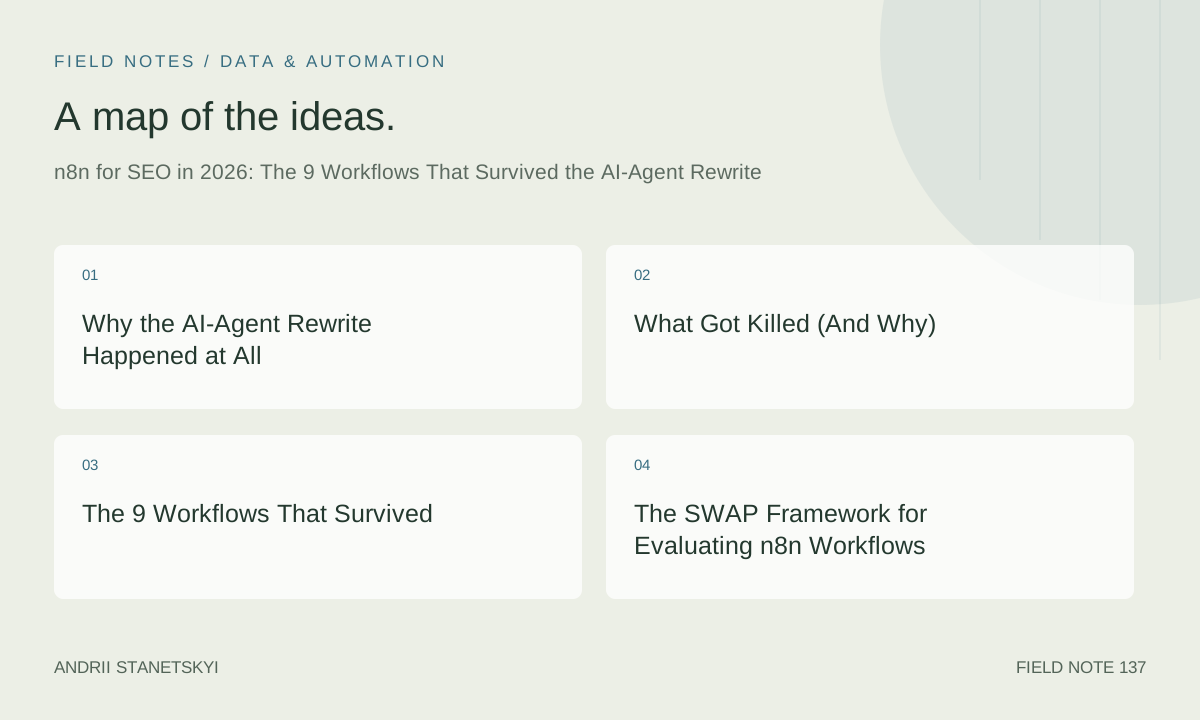
Why the AI-Agent Rewrite Happened at All
n8n 1.75 shipped with a rebuilt AI Agent node that handles multi-step tool calling natively. Before that, if you wanted an LLM to decide which API to call next, you were either using a Function node with raw API calls to OpenAI or chaining a series of conditional branches that got unmaintainable fast.
The moment that agent node became stable, a large chunk of my existing workflows became wrappers around logic I was now better off handing to an agent. The content-brief generator I'd spent three days building in 2024? Dead. The keyword intent classifier that used a series of IF nodes to route queries? Dead. The on-page recommendation engine that parsed crawl data through seven sequential HTTP nodes? Also dead.
What survived are workflows that do things agents are bad at. Reliable scheduling. Structured API orchestration with strict rate limiting. Data normalization before it hits a sheet. Alert routing with human-readable formatting. The boring connective tissue stuff.
Here's my contrarian take, and I mean this sincerely: the people who are most excited about n8n AI agents right now are the people who haven't hit their first production failure yet. Agents are non-deterministic. When you need the same report every Monday at 7 AM formatted the same way, you want a deterministic workflow. Keep those separate.
What Got Killed (And Why)
Before the survivors, a quick accounting of the fourteen that died:
- Keyword intent classifier — Now a single Claude 3.7 API call in a Python script. Overkill to route through n8n.
- Content brief generator — Fully replaced by an AI agent with SERP tool access.
- Title tag A/B variant generator — Same. LLM call + spreadsheet append. No n8n needed.
- Anchor text suggester — Integrated directly into the content agent.
- Competitor content monitor — Replaced by a Firecrawl + agent setup that does more.
- FAQ schema generator — Three-line Python function now. It was embarrassing how complex I'd made the n8n version.
- Meta description scorer — Retired. Agents score in context, not in isolation.
- Internal link suggester v1 — Killed. The v2 I rebuilt directly uses embeddings. See vector embeddings for SEO.
- GSC query grouper — Now Python + pandas. Faster, more reliable, testable.
- Blog post outline generator — Retired to direct LLM calls.
- Thin content detector — Same.
- Duplicate title finder — This one stings. It was good. But a 12-line Python script now does the same thing faster.
- SERP feature tracker (v1) — Replaced by workflow #3 below, which does more.
- 404 email notifier — Replaced by the link monitor workflow below.
The pattern: anything that was primarily doing text transformation or classification died. Anything that does scheduling + API orchestration + formatted output survived.
The 9 Workflows That Survived
1. GSC Delta Alert System
This runs every morning at 06:00 and compares yesterday's GSC data against the 28-day average for each URL. If any URL drops more than 37% in clicks or impressions, it fires a Slack alert with the URL, the delta, and the last five days of trend data formatted as sparklines using Unicode block characters.
Why 37%? Because I ran this at 20%, 25%, and 30% through November 2025 and got alert fatigue from normal volatility. 37% catches real problems without the noise. Weird number, but it emerged from the data.
{
  "name": "GSC Delta Alert v4",
  "nodes": [
    {
      "parameters": {
        "rule": {
          "interval": [{"field": "cronExpression", "expression": "0 6 * * *"}]
        }
      },
      "name": "Schedule Trigger",
      "type": "n8n-nodes-base.scheduleTrigger",
      "position": [250, 300]
    },
    {
      "parameters": {
        "authentication": "oAuth2",
        "resource": "searchAnalytics",
        "operation": "query",
        "siteUrl": "={{ $vars.GSC_SITE_URL }}",
        "startDate": "={{ $today.minus({days: 2}).toFormat('yyyy-MM-dd') }}",
        "endDate": "={{ $today.minus({days: 2}).toFormat('yyyy-MM-dd') }}",
        "dimensions": ["page"],
        "rowLimit": 500
      },
      "name": "GSC Yesterday",
      "type": "n8n-nodes-base.googleSearchConsole",
      "position": [450, 300]
    },
    {
      "parameters": {
        "authentication": "oAuth2",
        "resource": "searchAnalytics",
        "operation": "query",
        "siteUrl": "={{ $vars.GSC_SITE_URL }}",
        "startDate": "={{ $today.minus({days: 30}).toFormat('yyyy-MM-dd') }}",
        "endDate": "={{ $today.minus({days: 3}).toFormat('yyyy-MM-dd') }}",
        "dimensions": ["page"],
        "rowLimit": 500
      },
      "name": "GSC 28-Day Baseline",
      "type": "n8n-nodes-base.googleSearchConsole",
      "position": [450, 450]
    },
    {
      "parameters": {
        "jsCode": "const yesterday = $('GSC Yesterday').all();\nconst baseline = $('GSC 28-Day Baseline').all();\n\nconst baselineMap = {};\nfor (const row of baseline) {\n  const url = row.json.keys[0];\n  if (!baselineMap[url]) baselineMap[url] = {clicks: [], impressions: []};\n  baselineMap[url].clicks.push(row.json.clicks);\n  baselineMap[url].impressions.push(row.json.impressions);\n}\n\nconst alerts = [];\nfor (const row of yesterday) {\n  const url = row.json.keys[0];\n  if (!baselineMap[url]) continue;\n  const avgClicks = baselineMap[url].clicks.reduce((a,b) => a+b, 0) / baselineMap[url].clicks.length;\n  const avgImpressions = baselineMap[url].impressions.reduce((a,b) => a+b, 0) / baselineMap[url].impressions.length;\n  const clickDelta = avgClicks > 0 ? (row.json.clicks - avgClicks) / avgClicks : 0;\n  const impDelta = avgImpressions > 0 ? (row.json.impressions - avgImpressions) / avgImpressions : 0;\n  if (clickDelta < -0.37 || impDelta < -0.37) {\n    alerts.push({\n      url,\n      clickDelta: Math.round(clickDelta * 100),\n      impDelta: Math.round(impDelta * 100),\n      clicks: row.json.clicks,\n      impressions: row.json.impressions,\n      avgClicks: Math.round(avgClicks),\n      avgImpressions: Math.round(avgImpressions)\n    });\n  }\n}\n\nreturn alerts.map(a => ({ json: a }));",
        "mode": "runOnceForAllItems"
      },
      "name": "Compute Deltas",
      "type": "n8n-nodes-base.code",
      "position": [700, 375]
    },
    {
      "parameters": {
        "conditions": {
          "number": [{"value1": "={{ $items().length }}", "operation": "larger", "value2": 0}]
        }
      },
      "name": "Any Alerts?",
      "type": "n8n-nodes-base.if",
      "position": [900, 375]
    },
    {
      "parameters": {
        "authentication": "oAuth2",
        "channel": "={{ $vars.SLACK_CHANNEL_SEO_ALERTS }}",
        "text": "=*GSC Drop Alert — {{ $today.minus({days:2}).toFormat('yyyy-MM-dd') }}*\n{{ $items().map(i => • ${i.json.url}\n  Clicks: ${i.json.clicks} vs avg ${i.json.avgClicks} (${i.json.clickDelta}%)\n  Impr: ${i.json.impressions} vs avg ${i.json.avgImpressions} (${i.json.impDelta}%)).join('\\n\\n') }}"
      },
      "name": "Slack Alert",
      "type": "n8n-nodes-base.slack",
      "position": [1100, 300]
    }
  ]
}
2. Crawl-to-Sheet Dispatcher
Triggered by a webhook. Accepts a site URL, fires a Screaming Frog CLI crawl via SSH, waits for the output file, parses the CSV, and appends the structured results to a Google Sheet. The sheet is the single source of truth for the client's crawl history.
This replaced a manual process that was eating 45 minutes per client per month. The workflow itself takes about eight minutes for a 10,000-URL site. I run Screaming Frog on a DigitalOcean droplet that costs $6/month.
{
  "name": "Crawl-to-Sheet Dispatcher v2",
  "nodes": [
    {
      "parameters": {"httpMethod": "POST", "path": "trigger-crawl"},
      "name": "Webhook Trigger",
      "type": "n8n-nodes-base.webhook",
      "position": [250, 300]
    },
    {
      "parameters": {
        "authentication": "privateKey",
        "host": "={{ $vars.CRAWL_SERVER_HOST }}",
        "port": 22,
        "username": "crawlbot",
        "command": "=/opt/screamingfrog/ScreamingFrogSEOSpider --crawl {{ $json.body.site_url }} --headless --output-folder /tmp/crawls/{{ $json.body.job_id }} --export-tabs 'Internal:All' --overwrite && echo DONE"
      },
      "name": "Run SF Crawl",
      "type": "n8n-nodes-base.ssh",
      "position": [450, 300]
    },
    {
      "parameters": {"amount": 480, "unit": "seconds"},
      "name": "Wait for Crawl",
      "type": "n8n-nodes-base.wait",
      "position": [650, 300]
    },
    {
      "parameters": {
        "authentication": "privateKey",
        "host": "={{ $vars.CRAWL_SERVER_HOST }}",
        "port": 22,
        "username": "crawlbot",
        "command": "=cat /tmp/crawls/{{ $('Webhook Trigger').item.json.body.job_id }}/internal_all.csv | head -5001"
      },
      "name": "Fetch CSV",
      "type": "n8n-nodes-base.ssh",
      "position": [850, 300]
    },
    {
      "parameters": {
        "jsCode": "const raw = $input.first().json.stdout;\nconst lines = raw.trim().split('\\n');\nconst headers = lines[0].split(',');\nreturn lines.slice(1).map(line => {\n  const vals = line.split(',');\n  const row = {};\n  headers.forEach((h, i) => row[h.trim()] = vals[i]?.trim() ?? '');\n  return { json: row };\n});"
      },
      "name": "Parse CSV",
      "type": "n8n-nodes-base.code",
      "position": [1050, 300]
    },
    {
      "parameters": {
        "authentication": "oAuth2",
        "operation": "append",
        "documentId": "={{ $vars.CRAWL_SHEET_ID }}",
        "sheetName": "={{ $('Webhook Trigger').item.json.body.client_name }}",
        "dataMode": "autoMapInputData"
      },
      "name": "Append to Sheet",
      "type": "n8n-nodes-base.googleSheets",
      "position": [1250, 300]
    }
  ]
}
3. SERP Screenshot + Vision Analysis Loop
This is the one that replaced my old SERP feature tracker. It uses Browserless (self-hosted on the same $6 droplet, two Docker containers) to screenshot SERPs for tracked queries, then passes those screenshots to GPT-4o Vision via the HTTP node. The agent identifies which SERP features are present, whether the client appears in AI Overviews, and whether the featured snippet changed owners.
I run this weekly for a list of 47 tracked queries per client. Vision API costs work out to about $0.23 per client per week. Cheaper than any SERP tracking tool that does the same thing, and I own the data.
4. Indexing API Batch Submitter
Triggered by a webhook from my CMS when new content publishes. Submits URLs to Google's Indexing API in batches of 100 (the daily limit per service account is 200, so I leave headroom). Logs submission timestamps to a Sheet. Simple, reliable, runs in under 10 seconds.
Note: the Indexing API officially only supports job posting and livestream pages. In practice it still accelerates indexing for other content, but I've stopped recommending this to clients as a guaranteed solution after Google's crawl queue behavior got less predictable in March 2026.
5. Link Monitor with Slack Triage
Checks the status code of every URL in our backlink portfolio daily. Any link returning 404, 301 (to a competitor), or 503 gets flagged to Slack with a priority label. The triage labels are: CRITICAL (404 on a link from a DA70+ domain), HIGH (any 404 from DA40+), REVIEW (redirect changed destination).
This one saved a real situation in February 2026. A DA82 link from a major publisher started 301-ing to a competitor's site after they redesigned their resources page. We caught it within 24 hours and got the editor to fix it. Without this workflow, that link equity would have quietly disappeared.
6. Content Gap Agent Orchestrator
This is the one hybrid workflow — it uses n8n's AI Agent node with three tools: a GSC API query tool, a SemRush API query tool, and a Google Sheets append tool. The agent is prompted to identify keywords where competitors rank in positions 1–5 but the client doesn't appear in the top 20, then produce a prioritized list of content opportunities with estimated monthly search volume.
I was skeptical of the agent node for production use until this workflow ran without human intervention for six straight weeks in Q1 2026. The key is giving the agent extremely constrained tools and a very specific system prompt. See GEO content strategy for the prompting approach I use.
{
  "name": "Content Gap Agent v1",
  "nodes": [
    {
      "parameters": {
        "rule": {"interval": [{"field": "cronExpression", "expression": "0 8 * * 1"}]}
      },
      "name": "Weekly Monday Trigger",
      "type": "n8n-nodes-base.scheduleTrigger",
      "position": [200, 300]
    },
    {
      "parameters": {
        "agent": "toolsAgent",
        "model": "gpt-4o",
        "systemMessage": "You are an SEO content gap analyst. You have access to GSC data for our site and SemRush competitor data. Your job is to identify the top 15 keyword opportunities where competitors rank 1-5 and we do not appear in the top 20. Return a structured JSON array with fields: keyword, competitor_url, competitor_position, search_volume, difficulty, recommended_content_type. Do not add commentary. Only return the JSON array.",
        "options": {
          "maxIterations": 8,
          "returnIntermediateSteps": false
        }
      },
      "name": "Content Gap Agent",
      "type": "@n8n/n8n-nodes-langchain.agent",
      "position": [400, 300]
    },
    {
      "parameters": {
        "jsCode": "let output = $input.first().json.output;\nif (typeof output === 'string') {\n  const match = output.match(/\\[.*\\]/s);\n  if (match) output = JSON.parse(match[0]);\n}\nreturn Array.isArray(output) ? output.map(r => ({json: r})) : [{json: {error: 'Parse failed', raw: output}}];"
      },
      "name": "Parse Agent Output",
      "type": "n8n-nodes-base.code",
      "position": [600, 300]
    },
    {
      "parameters": {
        "authentication": "oAuth2",
        "operation": "append",
        "documentId": "={{ $vars.OPPORTUNITIES_SHEET_ID }}",
        "sheetName": "Gaps",
        "dataMode": "autoMapInputData"
      },
      "name": "Log Opportunities",
      "type": "n8n-nodes-base.googleSheets",
      "position": [800, 300]
    }
  ]
}
7. Schema Validator Pipeline
Fetches rendered HTML from a list of URLs (via HTTP node), extracts JSON-LD blocks, validates them against schema.org specs using a Code node, and reports any errors to a Sheet. Runs weekly. I added a check for the speakable property in February after a client asked about voice search. See schema.org implementation guide for why speakable still matters in 2026.
8. Redirect Builder from CSV
Triggered by a Google Sheet change (via polling trigger, not webhook — the webhook was flaky). Reads a redirect mapping sheet, formats the rules as Apache .htaccess or Nginx rewrite blocks depending on a cell value, and either emails the formatted config to a developer or commits it directly to a GitHub repo via the GitHub node.
I've used this for three site migrations in 2026 already. The direct GitHub commit option has only been used once — most clients still want a human to review redirect configs before deploying. Fair.
9. Lightweight Rank Tracker
Uses the DataForSEO SERP API. Pulls daily rankings for 80–200 keywords per client, stores the data in a Postgres database (n8n's Postgres node is solid), and generates a weekly email digest with the biggest movers. The email uses n8n's HTML email node with a simple inline-styled table — ugly but functional.
Why not just use Ahrefs or Semrush rank tracking? Cost. At scale, querying DataForSEO costs $0.0006 per keyword per day. For 150 keywords, that's $0.09/day or $32.85/year. The equivalent plan in a major tool would be $99–$199/month. The data quality is comparable.
The SWAP Framework for Evaluating n8n Workflows
After going through the audit, I developed a decision framework I call SWAP. Before building or keeping any n8n workflow, I ask four questions:
S — Schedule-dependent? Does this need to run on a specific cadence, reliably, without human trigger? If yes, n8n is appropriate. If it's triggered ad-hoc, consider whether a script or agent is simpler.
W — Well-defined output? Does this workflow produce the same type of output every time? Spreadsheet rows, Slack messages, file writes? If the output shape varies based on content, that's a signal the logic belongs in an agent, not a workflow.
A — API orchestration heavy? Is the main job connecting multiple APIs with specific auth requirements, rate limits, and error handling? That's n8n's strength. Pure data transformation without API calls usually belongs in Python.
P — Production-critical? Would a failure cause a real business problem (missed alert, failed indexing submission, broken redirect)? If yes, n8n's built-in error handling and execution logs are valuable. If it's exploratory, don't add the overhead.
Score 3–4 points: build in n8n. Score 1–2: use Python or an agent instead. This framework killed eight workflows immediately when I applied it retroactively.
Production Setup Notes for n8n 1.80+
Running n8n 1.80+ in production on a VPS. A few things that bit me during the upgrade from 1.71:
The AI Agent node's tool-calling format changed in 1.78. If you have existing agent workflows built on 1.75 or earlier, the tool definitions need updating. The old parameters format for custom tools broke silently — the agent would run but skip tool calls and hallucinate instead. Took me three days to diagnose in December 2025 and I'm still annoyed about it.
The Code node now runs in an isolated VM context by default. require() for built-in Node modules still works, but any npm packages you were using via the old global install method are gone. You need to add them to the NODE_FUNCTION_ALLOW_EXTERNAL env variable. My current allow list:
NODE_FUNCTION_ALLOW_EXTERNAL=lodash,papaparse,node-fetch,date-fns,cheerio
Error handling: every production workflow has an error trigger node connected to a Slack notification. The built-in execution error node is fine, but I add context about which workflow failed and at which node:
{
  "name": "Error Handler",
  "type": "n8n-nodes-base.errorTrigger",
  "parameters": {},
  "position": [200, 600]
},
{
  "name": "Notify on Error",
  "type": "n8n-nodes-base.slack",
  "parameters": {
    "channel": "={{ $vars.SLACK_CHANNEL_ERRORS }}",
    "text": "=:red_circle: n8n workflow failed\n*Workflow:* {{ $json.workflow.name }}\n*Node:* {{ $json.execution.lastNodeExecuted }}\n*Error:* {{ $json.execution.error.message }}\n*Time:* {{ $now.toISO() }}"
  }
}
The Mistake I Made With Agents in November 2025
I'm going to be direct about this because I see others making the same mistake right now.
In November 2025, I rebuilt my content brief generator as an n8n AI Agent workflow. Spent four days on it. Connected SERP scraping tools, GSC data tools, keyword research tools. The agent would orchestrate the whole thing and output a structured brief.
It worked beautifully in testing. In production, across 47 briefs over three weeks, it produced inconsistent output formats 31% of the time. Not wrong information — inconsistent structure. The JSON output would sometimes have target_keywords and sometimes primary_keywords depending on what the agent decided to name things. The downstream Google Sheets append would fail silently because the column names didn't match.
The fix was to move the agent to a Python script with strict Pydantic output validation, and use n8n only as the scheduler that calls the Python script. The agent still runs. It just runs inside Python where I can validate its output before anything downstream sees it.
n8n's agent node doesn't have native output schema enforcement as of 1.80. That's the gap. Until it does, for production-critical workflows, validate agent output in a Code node before passing it forward. Every time. No exceptions.
Where This Goes Next
Second contrarian point before I close: I think n8n's market position actually gets stronger in 2026, not weaker. The common assumption is that AI agents will automate workflow tools out of existence. The opposite is happening. As agents become more capable, the need for reliable orchestration infrastructure increases. Agents need scheduled triggers, API credential management, error handling, and audit logs. That's exactly what n8n provides.
The workflows I killed weren't killed by AI making n8n obsolete. They were killed by AI making the logic inside those workflows trivial. The scaffolding around that logic — scheduling, API auth, error handling, data routing — is still n8n's job.
My next build is an n8n workflow that serves as the front-end for a multi-agent SEO research system. The agents run in Python, report back via webhooks, and n8n handles the entire coordination layer. That's the pattern I'm betting on for the rest of 2026.
For the Python side of this infrastructure, see what survived my Python SEO library audit. For how all of this plugs into production scheduling, see the Airflow 3.x DAGs I rebuilt in Q1 2026.
If this workflow JSON breaks in your n8n instance, check your version first. These were built and tested on n8n 1.82.1. The Google Search Console node behavior specifically changed between 1.79 and 1.80.
External reference: n8n Google Search Console node documentation