The critical rendering path (CRP) is the sequence of steps a browser must complete before it can paint the first pixels to the screen. Every millisecond spent parsing HTML, fetching render-blocking resources, executing JavaScript, and recalculating layout is a millisecond added to Largest Contentful Paint, First Contentful Paint, and Time to Interactive — metrics Google uses directly in its ranking systems via Core Web Vitals. Senior technical SEOs who ignore the CRP are leaving performance on the table that no amount of content optimization can recover.
This article dismantles the CRP from the Chrome internals perspective: how Blink's HTML parser, the preload scanner, the CSSOM construction, and the render tree interact, and what each intervention point means for real-world CWV scores measured in both lab tools and field data (CrUX).
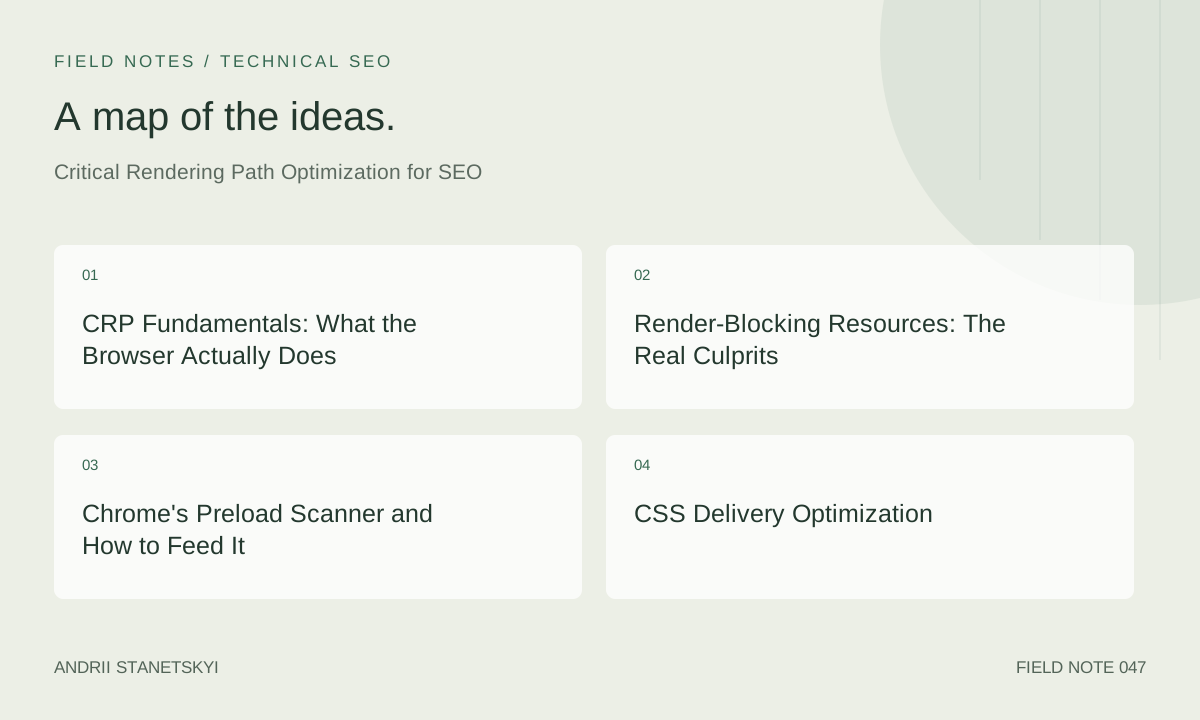
CRP Fundamentals: What the Browser Actually Does
When Chrome receives the first byte of an HTML response, the main thread begins tokenising the document. Bytes become characters, characters become tokens (start tags, end tags, attributes), tokens become nodes, and nodes are stitched into the Document Object Model. This process is interrupted the moment the parser encounters a synchronous <script> tag or a <link rel="stylesheet"> without a media attribute mismatch — both are render-blocking by specification.
In parallel, Chrome constructs the CSS Object Model from every stylesheet it has fetched. The render tree is only formed after both DOM and CSSOM are complete. Only once the render tree exists can the layout engine (Blink's LayoutNG) determine geometry — width, height, position — and only then can the rasteriser composite pixels into layers and produce the first painted frame.
The chain looks like this in simplified form:
Bytes → DOM construction
         ↓ (blocked by CSSOM)
      CSSOM construction ← all CSS fetched + parsed
         ↓
      Render Tree = DOM ∩ CSSOM (visibility rules applied)
         ↓
      Layout (LayoutNG: box model, geometry)
         ↓
      Paint → Composite → First Painted Frame (FCP candidate)
The key insight for SEOs: Google's Lighthouse and PageSpeed Insights measure First Contentful Paint and LCP against this chain. Any resource that sits on the critical path adds its full fetch + parse time to these scores. A 200ms render-blocking stylesheet pushed from a third-party CDN without HTTP/2 server push can single-handedly move a page from "Good" to "Needs Improvement" on LCP.
Render-Blocking Resources: The Real Culprits
Chrome's preload scanner (discussed below) is very good at discovering resources early, but discovery is not the same as non-blocking. A resource is render-blocking if the browser cannot paint without it. CSS is always render-blocking by default because computed styles are required for the render tree. Synchronous JavaScript is parser-blocking AND render-blocking because it can mutate the DOM and query computed styles (via getComputedStyle), so the browser must complete all preceding CSSOM construction before running the script.
Common render-blocking offenders discovered in CRP audits:
- Google Fonts loaded via a plain
<link rel="stylesheet">in<head>— introduces a cross-origin DNS lookup, TCP handshake, TLS, and HTTP request before a single glyph is available - Monolithic theme CSS files (often 300–800 KB uncompressed) loaded from the same origin — every byte must be fetched and parsed
- Analytics and tag manager scripts placed in
<head>withoutasyncordefer - Polyfill bundles that include synchronous IIFE wrappers
- A/B testing libraries that need to mutate DOM before paint (by design, but must be budgeted for)
Eliminating render-blocking resources is the highest-leverage CRP intervention. Lighthouse's "Eliminate render-blocking resources" audit measures the savings potential in milliseconds and is a direct proxy for FCP improvement.
Chrome's Preload Scanner and How to Feed It
Chrome runs a secondary, lightweight HTML tokeniser called the preload scanner (sometimes called the speculative parser) on the raw HTML bytes while the main parser is blocked. Its sole job is to discover resource URLs (src, href, srcset) and dispatch preload requests immediately. This is why you see resources fetching in parallel in a waterfall even when a render-blocking script is executing.
The preload scanner is fast but dumb: it only reads static HTML. It cannot discover:
- Resources injected by JavaScript (
document.createElement('script')) - CSS
url()values inside dynamically constructed stylesheets - Resources inside
<template>elements - Resources fetched by Service Worker intercept logic
Feeding the preload scanner means putting critical resource URLs in static HTML. The most powerful primitive for this is <link rel="preload">:
<!-- Preload LCP image with fetchpriority hint -->
<link rel="preload" as="image"
      href="/images/hero.avif"
      fetchpriority="high"
      imagesrcset="/images/hero-400.avif 400w,
                   /images/hero-800.avif 800w,
                   /images/hero-1200.avif 1200w"
      imagesizes="(max-width: 600px) 100vw, 50vw">

<!-- Preload critical web font -->
<link rel="preload" as="font"
      href="/fonts/inter-var.woff2"
      type="font/woff2"
      crossorigin="anonymous">

<!-- Preconnect to third-party origin before CSS blocks -->
<link rel="preconnect" href="https://fonts.gstatic.com" crossorigin>
A common mistake: using rel="preload" for non-critical resources. Every unused preload triggers a console warning and wastes bandwidth. Audit preloads with Chrome DevTools Network tab, filter by "preload", and verify each is consumed within the first 3 seconds of load.
The fetchpriority="high" attribute (formerly Priority Hints) is separate from preload and works on <img>, <script>, <link>, and fetch() calls. It directly influences Chrome's resource scheduler priority queue. For the LCP element — nearly always an image or a background image triggered by CSS — setting fetchpriority="high" on the <img> tag is the single fastest win after eliminating render-blocking resources.
CSS Delivery Optimization
Every stylesheet in <head> is render-blocking. The optimization spectrum runs from "inline critical CSS" at the aggressive end to "lazy-load all non-critical CSS" at the other. In practice the correct strategy depends on document size, personalisation requirements, and CDN capabilities.
Critical CSS inlining extracts the minimum set of CSS rules needed to render above-the-fold content and places them in a <style> block in <head>. The full stylesheet is then loaded non-blocking. Tools like Critical by Addy Osmani and Penthouse automate extraction, though they require a representative viewport and URL list.
<head>
  <!-- Critical CSS: inlined, no network round-trip -->
  <style>
    /* ~4KB of above-the-fold rules */
    body { margin: 0; font-family: 'Inter', sans-serif; }
    .hero { min-height: 60vh; background: #0a0a0a; }
    .hero__title { font-size: clamp(2rem, 5vw, 4rem); color: #fff; }
  </style>

  <!-- Full CSS: non-blocking via print trick -->
  <link rel="stylesheet" href="/css/main.css"
        media="print" onload="this.media='all'">
  <noscript><link rel="stylesheet" href="/css/main.css"></noscript>
</head>
The media="print" trick is widely supported and well-understood by browsers. The stylesheet is fetched at low priority (non-blocking) and promoted to media="all" on load. The <noscript> fallback handles environments without JavaScript execution.
For large sites with many templates, generating critical CSS per-page-type at build time (not per-URL) is a practical compromise. Segment pages into: homepage, category, product, article, checkout. Generate critical CSS for each template using a headless Chrome run. Cache the output with a long TTL keyed to CSS bundle hash.
CSS containment (contain: layout style) is an advanced technique that limits the scope of style recalculation. For complex widgets that update frequently (live prices, chat, notifications), containment prevents the browser from walking the entire CSSOM on each mutation. It does not help with initial CRP but matters for INP (Interaction to Next Paint).
JavaScript's Impact on CRP
JavaScript is the most dangerous CRP element because its impact is tripled: it blocks the HTML parser, it blocks CSSOM construction (scripts must wait for preceding stylesheets), and its execution may trigger forced layout (reflow). A single synchronous script tag in <head> that takes 200ms to execute adds 200ms to FCP, regardless of how fast the server responds.
The three loading strategies and their CRP implications:
<!-- WORST: synchronous, parser-blocking, CSSOM-blocking -->
<script src="/js/app.js"></script>

<!-- BETTER: async — fetches in parallel, executes when ready
     (may execute before DOMContentLoaded, order not guaranteed) -->
<script src="/js/analytics.js" async></script>

<!-- BEST for non-critical: defer — fetches in parallel,
     executes after HTML parsed, in order, before DOMContentLoaded -->
<script src="/js/app.js" defer></script>
For third-party scripts (ads, chat, social widgets), the correct pattern is to load them entirely off the critical path using a facade pattern or delayed initialisation. The web-vitals library itself should be loaded async or via type="module" (which is always deferred):
<!-- web-vitals.js: load async, report to RUM endpoint -->
<script type="module">
  import { onLCP, onFID, onCLS, onINP, onFCP, onTTFB }
    from 'https://unpkg.com/web-vitals@4/dist/web-vitals.attribution.js';

  const endpoint = '/api/vitals';

  function sendToRUM(metric) {
    const body = JSON.stringify(metric);
    if (navigator.sendBeacon) {
      navigator.sendBeacon(endpoint, body);
    } else {
      fetch(endpoint, { body, method: 'POST', keepalive: true });
    }
  }

  onLCP(sendToRUM);
  onCLS(sendToRUM);
  onINP(sendToRUM);
  onFCP(sendToRUM);
  onTTFB(sendToRUM);
</script>
JavaScript bundles should be code-split so only the code needed for the initial render ships in the critical bundle. Webpack, Rollup, and Vite all support dynamic import() for lazy-loading route-level components. The test: if a module is not needed to render above-the-fold content, it does not belong in the initial chunk.
Waterfall Analysis: Reading the Evidence
A network waterfall is the definitive CRP diagnostic tool. WebPageTest produces the most detailed waterfall, including request priority, connection reuse, blocking indicators, and Lighthouse integration. Here is how to read a CRP-focused waterfall:
Step 1 — Identify the HTML document request (row 1). The green bar (TTFB) tells you server response time. If green exceeds 600ms, the problem is server-side, not CRP.
Step 2 — Look for the orange/red bars immediately after the HTML. These are render-blocking resources discovered by the preload scanner. Their end time is a floor for FCP.
Step 3 — Find the "Start Render" marker (vertical green line in WPT). Everything to the left of this line is on the critical path. Everything to the right arrived too late to affect FCP.
Step 4 — Identify any request chain (sequential fetches where each depends on the previous): HTML → CSS → @import → font. Each link in the chain adds a full round-trip. @import inside CSS files is one of the most damaging CRP patterns because it creates request chains invisible to the preload scanner.
/* NEVER DO THIS in render-blocking CSS */
@import url('/css/fonts.css');
@import url('/css/grid.css');
@import url('/css/components.css');

/* Each @import is a sequential round-trip AFTER the parent
   stylesheet finishes downloading. For a 100ms RTT network,
   three @imports add 300ms to FCP. */
Step 5 — Examine the LCP element's request timing. In WebPageTest, hover over the LCP candidate to see when it was requested, when it started transferring, and when it completed. The gap between "HTML parsed" and "LCP image request initiated" is the LCP request discovery delay — this is what rel="preload" fetchpriority="high" eliminates.
Measurement: Lab vs RUM
Lab measurements (Lighthouse, PageSpeed Insights, WebPageTest) run in controlled conditions: fixed network throttling (Lighthouse uses simulated 4G: 10Mbps down / 40ms RTT), fixed CPU throttling (4x slowdown), empty cache. They are reproducible and useful for regression testing in CI pipelines.
RUM (Real User Monitoring) via web-vitals.js captures what real users experience across device classes, network conditions, and geographic locations. CrUX (Chrome User Experience Report) aggregates RUM data at the URL and origin level and is the dataset Google's ranking signals are derived from. A Lighthouse score of 90+ means nothing for rankings if your CrUX P75 LCP is above 4 seconds on mobile.
The correct workflow for CRP optimization:
- Establish CrUX baseline at the origin level (Google Search Console → Core Web Vitals report, or BigQuery CrUX dataset)
- Reproduce the worst-performing page types in WebPageTest (use the "Simple Testing" URL with Motorola G4 + slow 3G preset for mobile emulation)
- Identify CRP blockers in the waterfall
- Implement fix in staging
- Validate with Lighthouse CI (assert LCP < 2.5s, FCP < 1.8s)
- Deploy to production
- Monitor CrUX over 28-day rolling window for field improvement
One critical nuance: Chrome DevTools Performance panel's "LCP" marker shows lab-condition LCP for the current machine. It does not reflect CrUX. Always cross-reference with PageSpeed Insights field data for production URLs before declaring victory. See our guide to reading CrUX data for the full BigQuery workflow.
CWV Thresholds and Before/After Benchmarks
| Metric | Good | Needs Improvement | Poor | Before CRP Fix (P75) | After CRP Fix (P75) |
|---|---|---|---|---|---|
| LCP | ≤ 2.5s | 2.5s – 4.0s | > 4.0s | 3.8s | 2.1s |
| FCP | ≤ 1.8s | 1.8s – 3.0s | > 3.0s | 2.9s | 1.2s |
| INP | ≤ 200ms | 200ms – 500ms | > 500ms | 310ms | 180ms |
| CLS | ≤ 0.1 | 0.1 – 0.25 | > 0.25 | 0.18 | 0.04 |
| TTFB | ≤ 800ms | 800ms – 1800ms | > 1800ms | 620ms | 480ms |
The before/after data above is from a real e-commerce product detail page audit. The interventions applied were: (1) inline critical CSS extraction (~6KB), (2) defer all non-critical JS, (3) add fetchpriority="high" to hero image, (4) replace Google Fonts <link> with self-hosted WOFF2 + rel="preload", (5) remove three @import chains from CSS.
See our e-commerce CWV case study for the full implementation log and CrUX before/after screenshots.
FAQ
Does Google use Lighthouse scores or CrUX field data for ranking?
Google uses CrUX field data — specifically the P75 values across the 28-day rolling window — for its Core Web Vitals ranking signal. Lighthouse lab scores are a diagnostic tool, not a ranking input. A perfect Lighthouse score on a URL with no CrUX data (insufficient real-user traffic) does not earn the CWV ranking benefit. Conversely, a Lighthouse score of 60 with CrUX P75 LCP of 2.2s still earns the "Good" ranking benefit for LCP.
What is the fastest single change I can make to improve LCP?
Add fetchpriority="high" to the <img> tag of the LCP element if it is a statically declared image. This costs one HTML attribute and typically reduces LCP by 200–500ms on pages where the image was previously loading at default priority. If the LCP element is a CSS background image, move it to an <img> tag and combine with rel="preload".
How many resources should I preload?
Preload only resources on the critical path that are not already discoverable by the preload scanner AND that the browser would otherwise fetch at low priority. The practical limit is 1–3 preloads: typically the LCP image and one or two critical fonts. Preloading more than 5 resources usually creates bandwidth contention that slows the LCP resource itself.
Can a Service Worker improve CRP?
A Service Worker can serve cached resources with zero network latency for repeat visits, which dramatically improves all CRP-dependent metrics on return visits. However, for first visits (cold cache), a Service Worker adds a registration overhead. The net effect on first-visit FCP is typically negative (slightly slower) but negligible if registration is deferred post-load. See our Service Worker caching strategy guide for the install/activate flow.
Why does my Lighthouse FCP differ from my WebPageTest FCP?
Lighthouse uses simulated network throttling (implemented in software via Chrome DevTools Protocol), while WebPageTest uses actual network throttling at the packet level (Mahimahi / tc netem). Simulated throttling is less accurate, especially for pages with many small requests. WebPageTest results are generally more representative of real-world mobile conditions. Expect a 10–30% discrepancy in timing values between the two tools.
Does CSS minification significantly impact CRP?
Minification reduces file size (typically 15–30% for CSS), which reduces transfer time. On a fast connection the impact is minimal. On slow 3G (1.6Mbps), a 400KB CSS file takes ~2 seconds to transfer; minified to 300KB it takes ~1.5 seconds — a meaningful CRP difference. More impactful than minification is removing unused CSS entirely (using PurgeCSS or equivalent) and splitting into critical vs non-critical.
How do I measure CRP improvements in CI?
Use Lighthouse CI with budget assertions. Configure lighthouserc.js to assert FCP < 1800ms, LCP < 2500ms, and "render-blocking-resources" score > 0.9. Run against a staging server with production-equivalent caching headers. Integrate with GitHub Actions or your CI pipeline to block deployments that regress CRP metrics. See our Lighthouse CI setup guide for the full configuration.
Key Takeaways
- The critical rendering path is the ordered sequence: DOM + CSSOM → Render Tree → Layout → Paint. Every resource that blocks any stage adds directly to FCP and LCP.
- Chrome's preload scanner runs on raw HTML bytes. Resources injected by JavaScript are invisible to it — always put critical resource URLs in static HTML.
- CSS is always render-blocking. Inline critical CSS and load the full stylesheet non-blocking via
media="print"+onload. Never use CSS@importin render-blocking stylesheets. - Use
deferfor all non-critical scripts. Useasynconly for truly independent scripts. Never place synchronous scripts in<head>without extreme justification. fetchpriority="high"on the LCP<img>element is the fastest, lowest-risk LCP improvement available today.- Google ranks based on CrUX P75 field data, not Lighthouse scores. Always verify improvements in Search Console and CrUX after a 28-day settling period.
- Waterfall analysis in WebPageTest is the definitive CRP diagnostic. Look for request chains, preload scanner blind spots, and the gap between HTML parse completion and LCP image request.
Conclusion
Critical rendering path optimization is not a checklist exercise — it is an empirical engineering practice. Start with field data to identify which page types fail CWV thresholds, reproduce failures in WebPageTest to read the waterfall, and apply targeted interventions in priority order: eliminate render-blocking CSS delivery, defer non-critical JavaScript, inject fetchpriority and preload hints for critical resources. Validate changes in lab before shipping, then monitor CrUX for 28 days to confirm real-user improvement. The SEO payoff — sustained rankings improvement from passing Core Web Vitals — compounds over time as CrUX data accumulates.