Images account for 50–70% of total page weight on most content-heavy websites. They are also the most common source of LCP candidates and a primary driver of bandwidth costs for both operators and users on metered mobile data. Choosing the wrong image format in 2026 is not a minor oversight — it is a measurable CWV regression. WebP was the pragmatic answer for five years. AVIF changed the calculus in 2021. JPEG XL arrived with ambitious claims and a complicated deployment story. This article gives senior technical SEOs the opinionated, evidence-based framework to make the right format decision for each use case, implement it correctly in HTML and server configuration, and measure the SEO impact in field data.
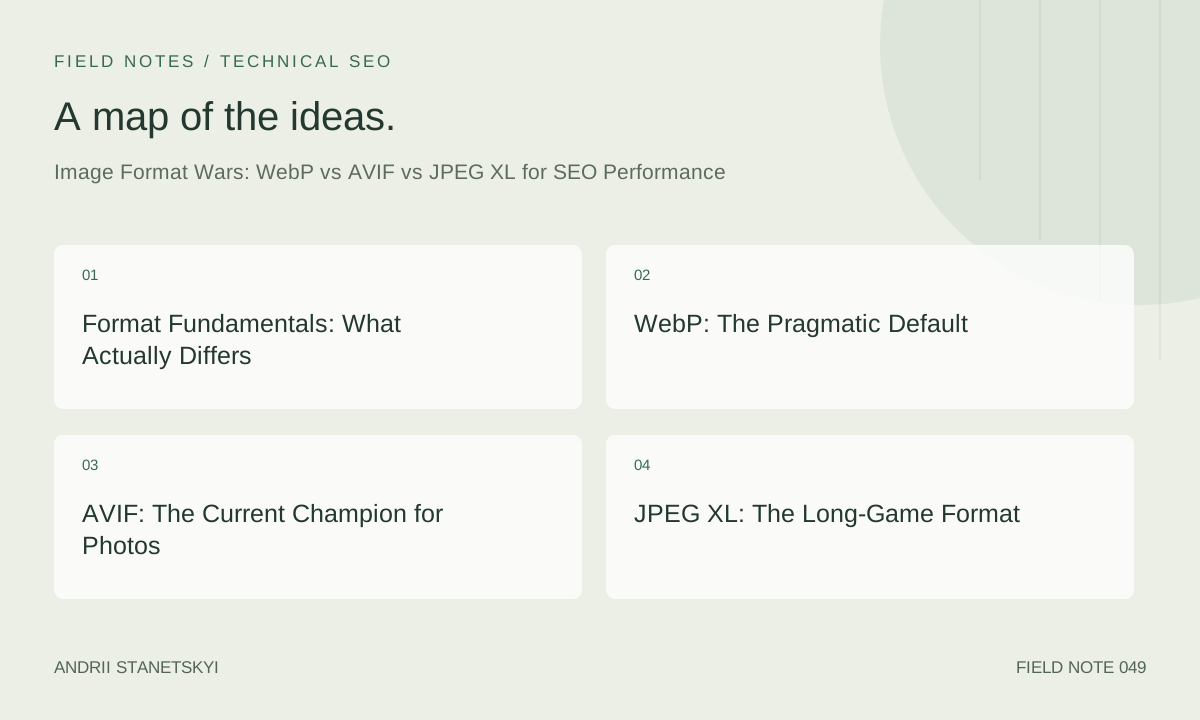
Format Fundamentals: What Actually Differs
All modern image formats compete on the same axes: compression efficiency (bytes per unit of visual quality), encoding/decoding speed, feature set (alpha channel, animation, HDR, wide colour gamut), and browser support. Understanding the compression architecture of each format is prerequisite to making intelligent format selection decisions.
JPEG (baseline): DCT-based lossy compression, 8-bit per channel, no alpha. The universal baseline. Its entropy coding (Huffman) is less efficient than modern arithmetic coding. At the same visual quality (SSIM/DSSIM), JPEG files are 30–60% larger than modern alternatives.
WebP: Developed by Google from the VP8 video codec. Uses block prediction, DCT, and for lossless mode, LZ77 + Huffman. Supports alpha channel, animation, and metadata. Lossy WebP typically achieves 25–35% smaller files than equivalent-quality JPEG. See the WebP compression study from Google Research for methodology.
AVIF: Derived from the AV1 video codec's intra-frame compression. Uses more sophisticated prediction modes, transform units of variable size, and superior entropy coding (ANS). Achieves 40–60% better compression than JPEG and 10–25% better than WebP for photographic content. Supports HDR, wide colour gamut (P3, Rec.2020), 10-bit+ depth, and alpha.
JPEG XL: Designed from scratch with a modular architecture. Two modes: VarDCT (lossy, similar to JPEG but far more efficient) and Modular (lossless/near-lossless, using MA trees). Unique feature: lossless re-encoding of existing JPEGs into JXL with ~20% size reduction, recoverable back to byte-identical JPEG. Targets 60% better compression than JPEG. Supports everything AVIF does plus progressive decoding, animation with better compression than WebP, and a 4-channel model suited to printing workflows.
The key metric for SEO purposes is not peak compression ratio at any quality setting — it is the file size at the quality level your audience can perceive. Crushing an AVIF to 10KB from a 200KB JPEG is meaningless if the result looks like a watercolour painting. The target is the minimum size that passes a quality threshold your users will not complain about — typically SSIM > 0.92 for UGC photos and SSIM > 0.96 for product photography.
WebP: The Pragmatic Default
WebP has universal browser support as of 2023 (including Safari 14+ on iOS and macOS). It is the safe default for any team that cannot invest in a multi-format serving pipeline. The practical gains over JPEG are real and meaningful for CWV:
- Photographic content at quality 80: typically 30–35% smaller than JPEG q80
- Graphics/illustrations with transparency: typically 50–70% smaller than PNG
- Animated content: typically 40% smaller than GIF, variable vs APNG
WebP's weaknesses are real. At very high quality settings (≥90), WebP lossy is often larger than equivalent JPEG due to its block prediction overhead for high-frequency detail. WebP lossless is rarely competitive with PNG for photographic content. And at equivalent visual quality measured by modern metrics (SSIM, DSSIM, Butteraugli), AVIF consistently outperforms WebP by 10–25%.
The pragmatic recommendation: serve WebP as the primary format with JPEG fallback if you are not yet operating a multi-format pipeline. If you are building a new pipeline, start with AVIF + WebP fallback. Do not optimise for JXL yet unless you are targeting a Chrome-only audience and have specific use cases (animation, lossless JPEG transcoding) that justify the complexity.
Encoding WebP from the command line:
# cwebp: Google's reference WebP encoder
# -q: quality 0-100 (80 is typical for photos)
# -m: compression method 0-6 (6 = best compression, slower)
# -sharp_yuv: better YUV conversion for sharp edges
cwebp -q 80 -m 6 -sharp_yuv input.jpg -o output.webp

# For lossless (better than PNG for graphics with transparency):
cwebp -lossless -z 9 input.png -o output-lossless.webp

# Batch conversion with ImageMagick (uses libwebp internally):
find /images -name "*.jpg" -exec sh -c \
  'cwebp -q 80 "$1" -o "${1%.jpg}.webp"' _ {} \;

# Quality comparison with SSIM (requires dssim tool):
dssim reference.jpg output.webp
# Target: DSSIM < 0.008 for photographic content
AVIF: The Current Champion for Photos
AVIF is the format that matters most for LCP in 2026. Browser support covers Chrome 85+, Firefox 93+, Safari 16+, Edge 121+, and all modern mobile browsers. The compression gains over JPEG are consistently 40–60% at equivalent visual quality, which translates directly to smaller LCP images and faster LCP times.
AVIF's main historical weakness was encoding speed — the reference libaom encoder at quality-optimised settings is extremely slow (minutes per image). In practice, this was solved by:
- Using faster encoders:
cavif(Rust, uses rav1e),libavifwith speed presets, or Squoosh's AVIF encoder - Accepting slightly larger files with faster encoding presets (speed 6–8 vs speed 0)
- Processing at build time or on-demand with caching — not per request
# avifenc (libavif reference encoder)
# --min/--max: quantiser range (0=lossless, 63=worst)
# Lower min/max = better quality, larger file
# --speed: 0-10, 0=slowest/best, 10=fastest/worst
# For production: --min 20 --max 40 --speed 6 is a good starting point
avifenc --min 20 --max 40 --speed 6 input.jpg output.avif

# cavif (faster Rust-based encoder)
cavif --quality 60 --speed 4 input.jpg -o output.avif

# Sharp (Node.js): AVIF in build pipelines
const sharp = require('sharp');
await sharp('input.jpg')
  .avif({ quality: 60, effort: 4 })
  .toFile('output.avif');

# Pillow (Python): AVIF encoding
from PIL import Image
img = Image.open('input.jpg')
img.save('output.avif', format='AVIF', quality=60, speed=4)
AVIF chroma subsampling matters for quality. The default is 4:2:0 (chroma halved in both dimensions), which is acceptable for photos but produces colour fringing on text, logos, and sharp colour boundaries. Use 4:4:4 for product images with text or logos:
# avifenc with 4:4:4 chroma for product images
avifenc --min 20 --max 35 --speed 6 \
        --yuv 444 \
        product-with-text.jpg \
        product-with-text.avif
One important AVIF deployment consideration: AVIF files occasionally trigger parsing issues in older CDN or proxy software that tries to inspect image files. Always test AVIF delivery end-to-end including through your CDN before deploying to production. Check that the CDN is sending Content-Type: image/avif and not application/octet-stream.
JPEG XL: The Long-Game Format
JPEG XL (JXL) is the most technically advanced image format available, but its deployment story is complicated. Chrome removed JXL support in Chrome 110 (January 2023) after an experimental flags phase, citing insufficient ecosystem adoption. The Chromium bug tracker discussion captures the rationale in detail. Firefox enabled JXL behind a flag. Safari added support in Safari 17 (September 2023). As of early 2026, Chrome has not re-added JXL support, making it effectively inaccessible to ~65% of global browser users.
Despite the Chrome situation, JXL deserves attention for three reasons:
- Lossless JPEG transcoding: JXL can re-encode existing JPEG files losslessly into JXL containers at ~20% smaller size, with a specification for byte-identical JPEG recovery. This is useful for archival pipelines.
- Progressive decoding: JXL supports a single-pass progressive rendering mode where a low-quality version of the image appears almost immediately and improves as more data arrives. This is perceptually superior to AVIF's tiled loading and could meaningfully improve perceived LCP.
- Future-proofing: When Chrome eventually re-adds JXL support (which many engineers expect), sites that have JXL in their serving stack will gain an immediate competitive advantage.
# cjxl encoder
# -q: quality 0-100 (higher = better), 85 ≈ JPEG q90 visually
# --lossless_jpeg=1: transcode existing JPEG losslessly
cjxl input.jpg output.jxl -q 85 --effort=9

# Lossless JPEG transcoding (recoverable to original JPEG):
cjxl --lossless_jpeg=1 input.jpg output.jxl

# Decode JXL back to JPEG (for lossless-transcoded files):
djxl output.jxl recovered.jpg --jpeg
# recovered.jpg is byte-identical to input.jpg
The opinionated take: do not invest engineering time in JXL serving infrastructure in 2026 unless you have Safari-dominant traffic (Apple device-heavy audience) and specific use cases like print-quality photography or animation. For the vast majority of sites, AVIF + WebP fallback is the correct strategy.
Format Choice and LCP: The Direct SEO Connection
The LCP element on most content pages is an image — specifically, the largest above-the-fold image or video thumbnail. LCP is measured from navigation start to when the browser paints the LCP element's content pixels. Smaller images transfer faster, and faster transfer = lower LCP. The relationship is not perfectly linear (it depends on network speed, server latency, and whether the image is on the critical path), but it is consistent and measurable.
Consider a product page where the hero image (LCP candidate) is 400KB JPEG at 1200px wide. On a simulated 4G connection (10 Mbps), that image takes ~320ms to transfer. Converting to AVIF at equivalent quality produces a 160KB file — ~128ms transfer, saving 192ms on LCP. On slow 3G (1.6 Mbps), the savings are 1.6 seconds. For a site with CrUX P75 LCP of 2.8s (in the "Needs Improvement" band), this single change can push LCP below the 2.5s "Good" threshold.
The LCP savings calculation:
# Estimate LCP savings from format conversion
# Formula: (original_size - new_size) / bandwidth_bps * 1000 = ms saved

original_size_bytes = 400000   # 400KB JPEG
avif_size_bytes = 160000       # 160KB AVIF
bandwidth_bps = 10000000       # 10 Mbps (simulated 4G)

savings_ms = (original_size_bytes - avif_size_bytes) / bandwidth_bps * 8 * 1000
# = 240000 / 10000000 * 8 * 1000 = 192ms

# For slow 3G (1.6 Mbps):
bandwidth_bps = 1600000
savings_ms = 240000 / 1600000 * 8 * 1000  # = 1200ms = 1.2 seconds
Tools to measure LCP image transfer time specifically: in Chrome DevTools, go to Network tab → click the LCP image request → Timing tab. "Content Download" is the pure transfer time. Compare before and after format migration. In WebPageTest, hover over the LCP image bar in the waterfall to see transfer time.
For sites where LCP is a background image set via CSS (background-image: url(...)), format conversion is still beneficial but the image is invisible to the preload scanner. See our critical rendering path guide for the migration from CSS background to <img> with fetchpriority="high".
HTML Serving Strategy: picture, srcset, and Accept Headers
The HTML <picture> element enables per-format fallback with zero JavaScript and full browser compatibility. It is the preferred format-serving mechanism for any image that is statically declared in HTML:
<!-- Full format waterfall: AVIF → WebP → JPEG fallback -->
<picture>
  <!-- AVIF: best compression, modern browsers -->
  <source
    type="image/avif"
    srcset="/images/hero-400.avif 400w,
            /images/hero-800.avif 800w,
            /images/hero-1200.avif 1200w"
    sizes="(max-width: 600px) 100vw,
           (max-width: 1200px) 50vw,
           33vw">

  <!-- WebP: good compression, near-universal support -->
  <source
    type="image/webp"
    srcset="/images/hero-400.webp 400w,
            /images/hero-800.webp 800w,
            /images/hero-1200.webp 1200w"
    sizes="(max-width: 600px) 100vw,
           (max-width: 1200px) 50vw,
           33vw">

  <!-- JPEG: universal fallback -->
  <img
    src="/images/hero-800.jpg"
    srcset="/images/hero-400.jpg 400w,
            /images/hero-800.jpg 800w,
            /images/hero-1200.jpg 1200w"
    sizes="(max-width: 600px) 100vw,
           (max-width: 1200px) 50vw,
           33vw"
    alt="Hero image description for SEO"
    width="1200"
    height="675"
    fetchpriority="high"
    loading="eager">
</picture>
Critical details in this markup:
widthandheightattributes on<img>are mandatory for CLS prevention — the browser reserves space before the image loadsfetchpriority="high"on the LCP image signals to Chrome's resource scheduler to prioritise this fetchloading="eager"explicitly disables lazy loading for the LCP candidate (the browser default is eager, but some frameworks injectloading="lazy"globally)- The
sizesattribute must reflect actual CSS layout widths — wrongsizescauses the browser to download the wrong resolution
For images in CMS content areas (user-generated content, article body images), the <picture> pattern may not be feasible. In these cases, use server-side content negotiation via the Accept header.
Server-Side Format Negotiation
Server-side format negotiation serves the best format based on the browser's Accept header without requiring <picture> markup. Chrome sends Accept: image/avif,image/webp,*/*; Safari 16+ sends Accept: image/avif,image/webp,image/png,image/svg+xml,image/*;q=0.8,*/*;q=0.5; older browsers send Accept: image/webp,*/* or just Accept: */*.
# Nginx: content negotiation for images
# Serve AVIF if supported, WebP if supported, JPEG otherwise
map $http_accept $image_format {
    default         "";
    "~*image/avif"  ".avif";
    "~*image/webp"  ".webp";
}

server {
    location ~* \.(jpe?g|png)$ {
        set $image_path $request_filename;

        # Try AVIF first, then WebP, then original
        try_files
            "${image_path}${image_format}"
            "${image_path}.avif"
            "${image_path}.webp"
            $image_path
            =404;

        # Critical: Vary header tells CDN/proxies to cache per format
        add_header Vary "Accept";

        # Correct MIME type for AVIF
        types {
            image/avif  avif;
            image/webp  webp;
        }
    }
}
# Apache: mod_rewrite for image format negotiation
<IfModule mod_rewrite.c>
  RewriteEngine On

  # Serve AVIF if Accept header includes image/avif and file exists
  RewriteCond %{HTTP_ACCEPT} image/avif
  RewriteCond %{REQUEST_FILENAME}.avif -f
  RewriteRule ^(.+)\.(jpe?g|png)$ $1.$2.avif [T=image/avif,E=avif:1,L]

  # Serve WebP if Accept header includes image/webp and file exists
  RewriteCond %{HTTP_ACCEPT} image/webp
  RewriteCond %{REQUEST_FILENAME}.webp -f
  RewriteRule ^(.+)\.(jpe?g|png)$ $1.$2.webp [T=image/webp,E=webp:1,L]
</IfModule>

# Add Vary header for correct CDN caching
<IfModule mod_headers.c>
  Header append Vary Accept env=avif
  Header append Vary Accept env=webp
</IfModule>
The Vary: Accept header is critical and frequently forgotten. Without it, CDNs cache the first format served and deliver it to all subsequent visitors regardless of their Accept header. A CDN that caches AVIF for a Chrome user and then serves AVIF to a browser that does not support it will produce broken images. See our CDN cache configuration guide for Vary header handling at the edge layer.
Encoding Pipeline and Build-Time Automation
Manual image conversion does not scale. A production image pipeline should generate all required formats and resolutions at upload or build time, store them in a deterministic URL structure, and serve via CDN. Here is a Node.js build-time pipeline using Sharp:
// image-pipeline.mjs — build-time multi-format image generation
import sharp from 'sharp';
import { readdir, mkdir } from 'fs/promises';
import path from 'path';

const INPUT_DIR = './src/images';
const OUTPUT_DIR = './public/images';
const WIDTHS = [400, 800, 1200, 1600];

// Quality settings per format
const FORMAT_CONFIG = {
  avif: { quality: 60, effort: 4 },   // effort: 0-9, 4 is speed/quality balance
  webp: { quality: 80, effort: 6 },   // effort: 0-6
  jpeg: { quality: 85, progressive: true, mozjpeg: true },
};

async function processImage(inputPath) {
  const filename = path.basename(inputPath, path.extname(inputPath));
  const image = sharp(inputPath);
  const metadata = await image.metadata();

  for (const width of WIDTHS) {
    if (width > metadata.width) continue; // Don't upscale

    for (const [format, options] of Object.entries(FORMAT_CONFIG)) {
      const outputFilename = ${filename}-${width}.${format === 'jpeg' ? 'jpg' : format};
      const outputPath = path.join(OUTPUT_DIR, outputFilename);

      await image
        .clone()
        .resize(width)
        [format](options)
        .toFile(outputPath);

      console.log(Generated: ${outputFilename});
    }
  }
}

async function run() {
  await mkdir(OUTPUT_DIR, { recursive: true });
  const files = await readdir(INPUT_DIR);
  const imageFiles = files.filter(f => /\.(jpg|jpeg|png)$/i.test(f));

  // Process in parallel batches of 4
  for (let i = 0; i < imageFiles.length; i += 4) {
    const batch = imageFiles.slice(i, i + 4);
    await Promise.all(batch.map(f =>
      processImage(path.join(INPUT_DIR, f))
    ));
  }
}

run().catch(console.error);
For CMS-based sites where images are uploaded dynamically, image CDN services (Cloudinary, imgix, Fastly Image Optimizer, Cloudflare Images) handle format conversion and negotiation transparently. The URL parameterisation pattern:
<!-- imgix: automatic format via f=auto, responsive via w= -->
<img
  src="https://yoursite.imgix.net/hero.jpg?w=800&f=auto&q=80"
  srcset="https://yoursite.imgix.net/hero.jpg?w=400&f=auto&q=80 400w,
          https://yoursite.imgix.net/hero.jpg?w=800&f=auto&q=80 800w,
          https://yoursite.imgix.net/hero.jpg?w=1200&f=auto&q=80 1200w"
  sizes="(max-width: 600px) 100vw, 50vw"
  alt="Product hero image"
  width="800" height="450"
  fetchpriority="high">

<!-- Cloudinary: f_auto selects best format per browser -->
<img src="https://res.cloudinary.com/demo/image/upload/f_auto,q_auto/hero.jpg">
Format Comparison: Size, Quality, Browser Support, CWV Impact
| Format | File Size | vs JPEG Baseline | Browser Support | Encode Speed | Alpha | HDR/WCG | LCP Impact (4G) |
|---|---|---|---|---|---|---|---|
| JPEG (baseline) | 220 KB | — | 100% | Very fast | No | No | ~176ms transfer |
| WebP (lossy) | 145 KB | -34% | 97%+ | Fast | Yes | No | ~116ms transfer |
| AVIF | 88 KB | -60% | 92%+ | Slow (fast presets available) | Yes | Yes | ~70ms transfer |
| JPEG XL | 78 KB | -65% | ~35% (Safari + FF flags) | Medium | Yes | Yes | ~62ms transfer |
| Phase | Format Stack | Avg Hero Image Size | LCP P75 (Mobile) | CWV Status |
|---|---|---|---|---|
| Baseline | JPEG only | 380 KB | 3.9s | Poor |
| Phase 1 | JPEG + WebP | 245 KB | 2.9s | Needs Improvement |
| Phase 2 | AVIF + WebP + JPEG | 148 KB | 2.1s | Good |
FAQ
Should I use AVIF for all images on my site?
For photographic content (product images, hero images, article photos), yes — AVIF provides the best compression-to-quality ratio available with broad browser support. For simple graphics, logos, and icons with flat colours and sharp edges, SVG is almost always superior to any raster format. For UI screenshots or diagrams with text, AVIF's 4:2:0 chroma subsampling can cause colour fringing — use 4:4:4 chroma or WebP for these. For animated images, evaluate WebP animation vs AVIF animation vs short video (<video autoplay loop muted playsinline>) — video formats often compress animated content better than either.
Does image format affect Google's image search rankings?
Google Image Search can index AVIF, WebP, and JPEG images. Format itself is not a ranking factor for image search. What matters is structured data, alt text, file naming, page relevance, and page performance (which format does indirectly affect via LCP). Do not serve JPEG to Googlebot when your CDN serves AVIF to users — the Accept header-based negotiation correctly serves the appropriate format to each client including Googlebot, which sends Accept: text/html,application/xhtml+xml,application/xml;q=0.9,*/*;q=0.8 for page crawls (not image-specific).
How do I handle the Vary: Accept header with my CDN?
This is the most common deployment mistake with multi-format image serving. Every CDN handles Vary differently. Cloudflare ignores Vary: Accept at its edge cache by default (use Cache Rules or Transform Rules to key on the Accept header). Fastly respects Vary natively but you must configure surrogate keys. CloudFront uses Cache Policies — create a cache policy that includes the Accept header in the cache key. Failure to handle this correctly means stale format serving, which can break images for users on unsupported browsers. See our CDN Vary header configuration guide.
What quality setting should I use for AVIF to avoid visible artefacts?
It depends heavily on the content type. For photographic content (natural scenes, people, food): AVIF quality 55–65 (in avifenc terms: --min 20 --max 40) is typically invisible to end users. For product photography with sharp edges, text, or logos: quality 65–75 (--min 18 --max 32) to avoid chroma artefacts — or use 4:4:4 chroma subsampling. Always validate with visual inspection at 1x pixel density on the target display. Automated SSIM checking (DSSIM < 0.008) catches most quality regressions but not all perceptual artefacts.
Is it worth generating responsive image variants (srcset) in multiple formats?
Yes — this is the correct approach. The combination of format selection AND responsive sizing compounds the file size reduction. A 1200px AVIF served to a 375px mobile viewport is 3x more pixels than needed — even at 2x DPR, the correct size is 750px. Serving the wrong resolution wastes both bandwidth and LCP time. The full matrix (3 formats × 4 sizes = 12 files per image) is manageable at build time but challenging for user-uploaded content, where an image CDN is the correct solution.
Does WebP support ICC colour profiles?
Yes. WebP supports embedded ICC profiles, XMP metadata, and Exif data. However, many lossy WebP encoding pipelines strip colour profiles by default for file size reduction. For product photography where accurate colour representation matters (fashion, cosmetics, home goods), explicitly preserve ICC profiles: cwebp -metadata icc input.jpg -o output.webp. AVIF also supports ICC profiles and additionally supports CICP colour primaries for HDR/wide-colour gamut content.
How should I prioritise format migration if I have a large existing image library?
Prioritise by LCP impact: start with the images that are most frequently the LCP element across your highest-traffic pages. Use CrUX data or your RUM implementation to identify which page templates drive the most LCP failures. On an e-commerce site, this is typically hero/product images on product detail pages and category page grids. Once the LCP-critical images are migrated, move to hero images on content pages, then article body images (these are rarely LCP candidates but affect total page weight and Largest Contentful Paint when loaded lazily). Background and UI images are last priority.
Key Takeaways
- AVIF is the current best format for photographic content: 40–60% smaller than JPEG at equivalent visual quality, broadly supported (Chrome, Firefox, Safari 16+, all modern mobile browsers).
- Serve AVIF + WebP fallback + JPEG ultimate fallback using
<picture>in HTML orAccept-header negotiation at the server/CDN layer. Never serve one format to all browsers. - Always add
Vary: Acceptto image responses and verify your CDN is cache-keying on the Accept header correctly, or you will serve broken images to unsupported browsers. - JPEG XL has superior compression and progressive decoding, but Chrome support is absent as of early 2026. Do not prioritise JXL serving infrastructure until Chrome re-adds support.
- The LCP image is the highest-priority conversion target. Calculate the transfer time savings using the bandwidth formula and cross-reference with your CrUX P75 LCP to determine if format migration alone can move you to "Good".
- Use
widthandheightattributes on all<img>elements to prevent CLS. Aspect ratio reservation is mandatory for format-migrated images where dimensions may differ from originals. - Automate format generation at build time (Sharp, avifenc, cwebp) or use an image CDN for dynamic encoding. Manual conversion does not scale.
Conclusion
The image format decision is one of the highest-leverage technical SEO choices available in 2026, because it directly reduces the file size of LCP candidates without changing page structure, HTML, or JavaScript. AVIF + WebP fallback with correct Vary header handling, responsive srcset at the right sizes, and fetchpriority="high" on the LCP image is the complete solution for most sites. Implement it systematically, measure the CrUX impact after 28 days, and use the before/after LCP data as a case study — it is one of the few technical SEO interventions with a clean causal chain from implementation to ranking signal improvement.