Most SEOs treat robots.txt like a simple gatekeeping file — add a few Disallow lines, call it done. That mental model breaks under the weight of a real enterprise site. I've audited robots.txt files that accidentally blocked entire sitemaps, files that contained contradictory directives that resolved differently across Googlebot and Bingbot, and files that had grown to 512 KB over years of committee editing until Google silently stopped parsing the bottom half.
This guide is the reference I wish existed when I started doing technical SEO at scale. It covers the specification, the edge cases, the crawlers that ignore your directives entirely, and the diagnostic workflow for when something goes wrong.
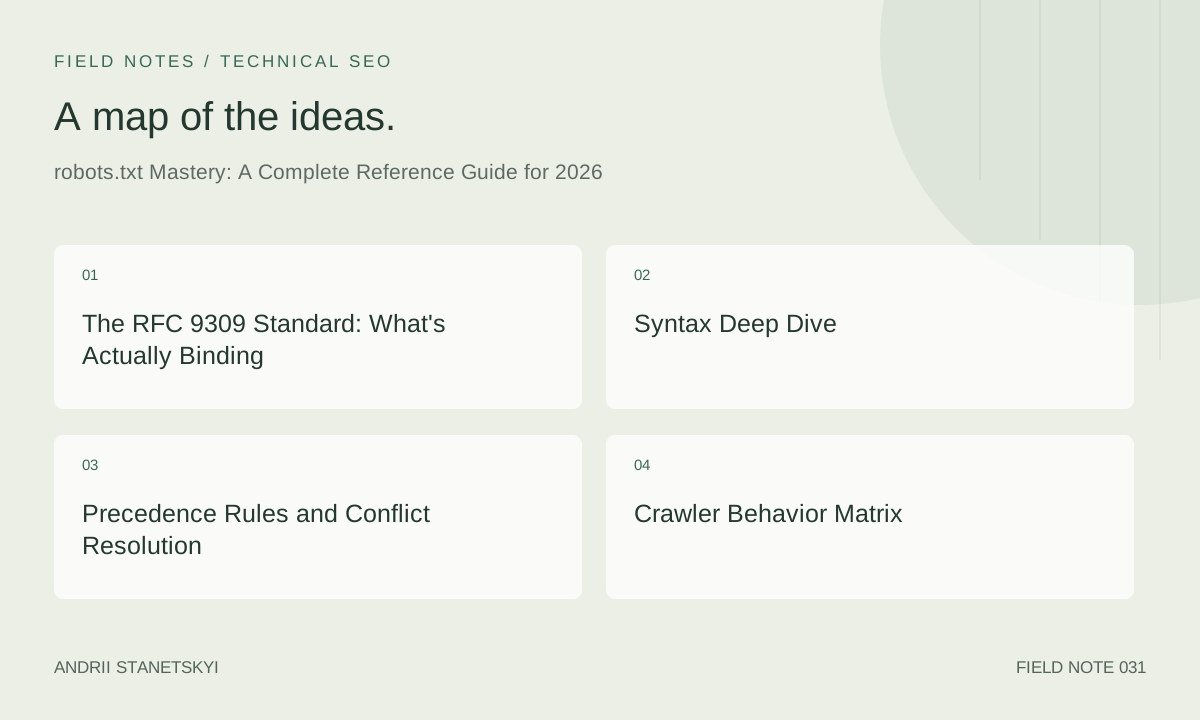
The RFC 9309 Standard: What's Actually Binding
The Robots Exclusion Protocol was finally codified as RFC 9309 in September 2022. Before that, every crawler implemented a slightly different interpretation of the original 1994 Martijn Koster draft. RFC 9309 made several things explicit that were previously ambiguous:
- The file must be UTF-8 encoded and served as
text/plain. - Parsers must tolerate BOM markers.
- The maximum file size Google will parse is 500 KiB (524,288 bytes). Content beyond that limit is ignored.
- A
404response means the crawler has full access. A5xxresponse means the crawler must assume full restriction. - Matching is case-sensitive on the path component.
That last point about 5xx is critical. If your robots.txt endpoint returns a 503 during a maintenance window, Googlebot will treat the entire site as restricted and stop crawling. Google carries a cached version for a grace period, but extended server errors can visibly impact crawl rates.
Syntax Deep Dive
The Basic Block Structure
A robots.txt file consists of one or more records. Each record targets one or more user agents and contains directives. Records are separated by blank lines.
# Single agent
User-agent: Googlebot
Disallow: /admin/
Allow: /admin/public-stats/

# Multiple agents in one block
User-agent: Bingbot
User-agent: Slurp
Disallow: /staging/

# Wildcard block
User-agent: *
Disallow: /internal/
Crawl-delay: 2
Path Matching Rules
Path matching uses a subset of wildcard patterns, not full regex. Only * and $ are supported.
# Disallow any path starting with /search
Disallow: /search

# Disallow /search exactly ($ anchors the end)
Disallow: /search$

# Disallow any URL containing /session/ anywhere
Disallow: /*session*/

# Disallow all .pdf files anywhere on the site
Disallow: /*.pdf$

# Allow access to one directory, block everything else under /api/
User-agent: *
Disallow: /api/
Allow: /api/v2/public/
A common misunderstanding: Disallow: with an empty value means "allow everything." It does not mean "disallow nothing specific." This is a double-negative trap.
# This ALLOWS everything — common source of confusion
User-agent: *
Disallow:
The Allow Directive and Its Precedence Edge Case
When both Allow and Disallow match a URL, Google uses the most specific match by character length. In a tie, Allow wins. This is not universally implemented — Bingbot uses a different resolution (first match wins, rules read top to bottom).
# Google resolves this as: /ads/public/ is ALLOWED (longer match wins)
User-agent: Googlebot
Disallow: /ads/
Allow: /ads/public/

# Bing resolves this as: /ads/public/ is DISALLOWED (first matching rule wins)
User-agent: Bingbot
Disallow: /ads/
Allow: /ads/public/
If you need cross-crawler consistency, reorder Bing blocks so Allow appears before Disallow, or use separate user-agent blocks.
Crawl-Delay
Google officially ignores Crawl-delay. Use GSC's crawl rate settings instead. Bing, Yandex, and most other crawlers do respect it. Value is in seconds.
User-agent: Bingbot
Crawl-delay: 5

User-agent: Yandex
Crawl-delay: 3
Sitemap Directive
The Sitemap directive is technically outside the original spec but universally supported. You can have multiple entries. It applies globally regardless of which user-agent block it appears in.
User-agent: *
Disallow: /private/

Sitemap: https://www.example.com/sitemap-index.xml
Sitemap: https://www.example.com/news-sitemap.xml
Precedence Rules and Conflict Resolution
When a crawler evaluates a URL against robots.txt, it follows a specific lookup order:
- Find all records that match the crawler's user-agent string (exact match first).
- If no exact match, fall through to the
*wildcard block. - Collect all
AllowandDisallowdirectives from the matched block. - Find the longest matching pattern for the URL being evaluated.
- In case of a tie in length,
Allowwins (Google only).
Critically: if a specific user-agent block exists, the * block is completely ignored for that crawler. Directives do not merge across blocks.
# Googlebot sees ONLY this block
User-agent: Googlebot
Disallow: /staging/
# Googlebot does NOT inherit Disallow: /private/ from the * block below

User-agent: *
Disallow: /private/
Disallow: /staging/
Crawler Behavior Matrix
| Crawler | User-Agent Token | Respects Allow? | Precedence Rule | Crawl-Delay | Max File Size |
|---|---|---|---|---|---|
| Googlebot | Googlebot | Yes | Longest match; tie → Allow wins | Ignored | 500 KiB |
| Bingbot | bingbot | Yes | First match wins (top-down) | Respected | Unknown (practical ~512 KB) |
| Yandex | YandexBot | Yes | Longest match | Respected | Unknown |
| DuckDuckBot | DuckDuckBot | Yes | Longest match | Respected | Unknown |
| AhrefsBot | AhrefsBot | Yes | Longest match | Not always | N/A |
| GPTBot | GPTBot | Yes | Longest match | No | N/A |
| ClaudeBot | ClaudeBot | Yes | RFC 9309 | No | N/A |
| Most scrapers | Various | No | Ignored entirely | No | N/A |
The practical implication: robots.txt is a polite request protocol. It stops well-behaved crawlers. It does nothing against malicious bots. Use it for crawl management, not security.
Common Patterns and When to Use Each
Blocking Session and Tracking Parameters
User-agent: *
Disallow: /*?sessionid=
Disallow: /*&sessionid=
Disallow: /*?sid=
Disallow: /*utm_source=
Warning: parameter-based blocking in robots.txt interacts poorly with JavaScript-rendered URLs that include hash fragments. Crawlers typically don't send the fragment, so this is usually safe, but verify with log file analysis.
Protecting Staging and Development Areas
User-agent: *
Disallow: /staging/
Disallow: /dev/
Disallow: /test/
Disallow: /_preview/
If staging is on a subdomain, the robots.txt at the root domain does not apply. Each subdomain needs its own robots.txt, or you need authentication at the subdomain level. Don't assume otherwise.
Faceted Navigation and Filtering
User-agent: *
# Block filter combinations (product listings with multiple applied facets)
Disallow: /*?color=*&size=
Disallow: /*?sort=
Disallow: /*?page=*&color=
# Allow base category pages
Allow: /category/
See the faceted navigation guide for deeper coverage of this pattern including when canonical tags are preferable.
Blocking Non-Content Resources
User-agent: *
Disallow: /wp-admin/
Disallow: /wp-login.php
Disallow: /xmlrpc.php
Disallow: /wp-cron.php
Disallow: /?author=
Disallow: /feed/
Disallow: /comments/feed/
Googlebot-Image and Specific Bot Control
# Prevent image indexing without blocking page crawl
User-agent: Googlebot-Image
Disallow: /blog/images/paywalled/

# Block AI training crawlers
User-agent: GPTBot
Disallow: /

User-agent: ClaudeBot
Disallow: /

User-agent: Google-Extended
Disallow: /
Enterprise-Scale Considerations
The 500 KiB Limit in Practice
On large sites, robots.txt can grow organically until it hits Google's parsing limit. I've seen e-commerce sites where a combination of parameter blocking rules, legacy staging paths, and crawl-delay directives for 30+ bots pushed the file to 650 KB. Everything after byte 524,288 was silently ignored.
Audit your file size regularly:
curl -s -o /dev/null -w "%{size_download}" https://www.example.com/robots.txt
# Output in bytes — anything above 500000 is a problem
Consolidate redundant rules. Use wildcards where you have many path variants. Move bot-specific blocks that don't affect Google/Bing to a comment if file size is the concern — those bots won't comply anyway.
Testing Before Deployment
Google Search Console provides a robots.txt tester under the legacy tools section. For CI/CD pipelines, use the Google Robots.txt testing API or the open-source rep-python library that implements RFC 9309.
# Using rep-python for automated testing
pip install rep

python3 - <<'EOF'
from rep.robots import RobotsParser

parser = RobotsParser.from_uri("https://www.example.com/robots.txt")

urls_to_test = [
    "/admin/",
    "/api/v2/public/products",
    "/staging/checkout",
    "/category/shoes?color=red&size=42",
]

for url in urls_to_test:
    allowed = parser.can_fetch("Googlebot", f"https://www.example.com{url}")
    print(f"{'ALLOW' if allowed else 'BLOCK'}: {url}")
EOF
Version Control and Change Management
robots.txt changes can have immediate and severe crawl consequences. Treat it like infrastructure. Store it in git, require peer review for changes, and add automated tests that run on every deployment.
A useful pre-deployment check catches the most common mistake — accidentally blocking the entire site:
#!/bin/bash
# Check that Googlebot can access the homepage
RESULT=$(python3 -c "
from rep.robots import RobotsParser
p = RobotsParser.from_string(open('robots.txt').read(), 'https://www.example.com')
print('ALLOW' if p.can_fetch('Googlebot', 'https://www.example.com/') else 'BLOCK')
")
if [ "$RESULT" = "BLOCK" ]; then
  echo "FATAL: robots.txt blocks Googlebot from homepage" >&2
  exit 1
fi
Diagnostic Workflow
Step 1: Fetch and Parse
# Fetch with full headers to check content-type and encoding
curl -v -A "Mozilla/5.0 (compatible; Googlebot/2.1; +http://www.google.com/bot.html)" \
  https://www.example.com/robots.txt 2>&1 | head -80
Check: HTTP status is 200, Content-Type is text/plain, no redirect chain (a redirect to /robots.txt from /Robots.txt or similar adds latency but is fine — a redirect to an HTML 404 page is a problem).
Step 2: Validate with Screaming Frog
In Screaming Frog, navigate to Configuration → robots.txt → check "Respect robots.txt." Then run a crawl and compare the "Blocked by robots.txt" report against your intended blocking rules. Cross-reference with the URL list — blocked URLs that should be indexed are the critical finding.
Step 3: Cross-Reference with GSC Coverage Report
In GSC, filter the Coverage report by "Excluded: Blocked by robots.txt." If you see pages there that should be indexed, trace back to which rule in robots.txt is matching. Use the GSC robots.txt tester to confirm.
Step 4: Log File Verification
Even after blocking a URL in robots.txt, Googlebot may still request it to discover link structure. Monitor your access logs for crawl activity on blocked paths:
# Grep for Googlebot hits on /admin/ (should still appear but return without content impact)
grep "Googlebot" /var/log/nginx/access.log | grep "/admin/" | awk '{print $7, $9}' | sort | uniq -c | sort -rn | head -20
For deeper analysis, see the log file analysis guide.
FAQ
Does blocking a URL in robots.txt prevent it from being indexed?
No. Disallowing a URL only prevents Googlebot from crawling it. If other pages link to the blocked URL, Google can still discover and index it without crawling it — showing it in search results with no snippet, just the URL. To prevent indexing, you need a noindex meta tag or HTTP header on the page itself, which requires the page to be crawlable.
Is robots.txt the right tool for blocking duplicate content?
Almost never. Use canonical tags for duplicate content. robots.txt prevents crawling, which means Google can't see your canonical tag either. The result is often worse than the original duplicate problem. Use robots.txt only when you want a URL completely removed from Google's awareness.
What happens if I have conflicting rules in the same block?
Google uses longest-match. If two rules have equal length, Allow wins. Bingbot uses first-match (top-down order). When writing rules that must behave identically across both crawlers, use separate user-agent blocks and put the more permissive Allow rule first in the Bing block.
Can I use regex in robots.txt?
No. The only wildcards supported are * (matches any sequence of characters) and $ (end-of-string anchor). Full regular expressions are not supported, despite what some older documentation suggests. If you need complex URL pattern matching, consider using your web server's configuration to return the appropriate noindex header instead.
Does Google cache robots.txt?
Yes. Google caches your robots.txt for up to 24 hours. Changes don't propagate instantly. If you need to expedite a robots.txt update (for example, you accidentally blocked everything), use the GSC robots.txt tester and submit a recrawl request — though the recrawl of the file itself can't be forced through GSC directly. Changes should propagate within one crawl cycle.
What's the correct response code for robots.txt on a subdomain with no content?
Return a 404. Do not serve an empty file or a 200 with no rules — an empty robots.txt technically allows everything, which is the desired behavior for a content subdomain, but a 404 is cleaner and equally valid per RFC 9309. Avoid 5xx — that tells crawlers to assume the entire subdomain is blocked.
Should I block Screaming Frog and similar SEO audit tools?
Not in production robots.txt. Instead, configure those tools to use a custom user-agent and authenticate them separately. Blocking audit tools in robots.txt provides no security benefit (the tools can be configured to ignore it) and creates confusion during audits when the tool behaves differently from production crawlers.
Key Takeaways
- robots.txt does not prevent indexing — it prevents crawling. Know the difference before using it.
- Google uses longest-match precedence with Allow winning on ties. Bingbot uses top-down first-match. Write separate blocks if behavior must match.
- Files over 500 KiB are silently truncated by Google. Audit file size in CI/CD.
- A 5xx response on robots.txt causes Google to treat the entire site as restricted. Monitor this endpoint like any critical service.
- The
Sitemap:directive is global — position in the file doesn't matter, but existence does. - If a specific user-agent block exists, the
*block is completely ignored for that crawler. - AI crawler blocking (GPTBot, ClaudeBot, Google-Extended) requires explicit opt-out per crawler.
- Version control, peer review, and automated testing for robots.txt are non-negotiable at enterprise scale.
For the complete picture of how robots.txt interacts with crawl budget management, read the crawl budget optimization guide. For how it interacts with international site structures, see the hreflang implementation guide.