Running SEO on a single WordPress site is manageable. Running it across dozens of subsites, hundreds of custom post types, and millions of indexed URLs is an entirely different discipline. By 2026, enterprise WordPress deployments routinely serve content through multisite networks, headless REST API consumers, and Gutenberg block patterns — each layer introducing fresh opportunities for technical SEO debt to accumulate silently. This guide is written for senior WordPress engineers and SEO practitioners who need systematic, code-level control over every crawlable surface in their stack.
We cover WPMU network architecture, canonical strategies for custom post types, WP-CLI automation, object caching impact on crawl budgets, and how to override metadata in Yoast, RankMath, SEOPress, and AIOSEO through filters rather than the GUI. Every section includes production-ready snippets you can drop into a must-use plugin or a network-activated theme.
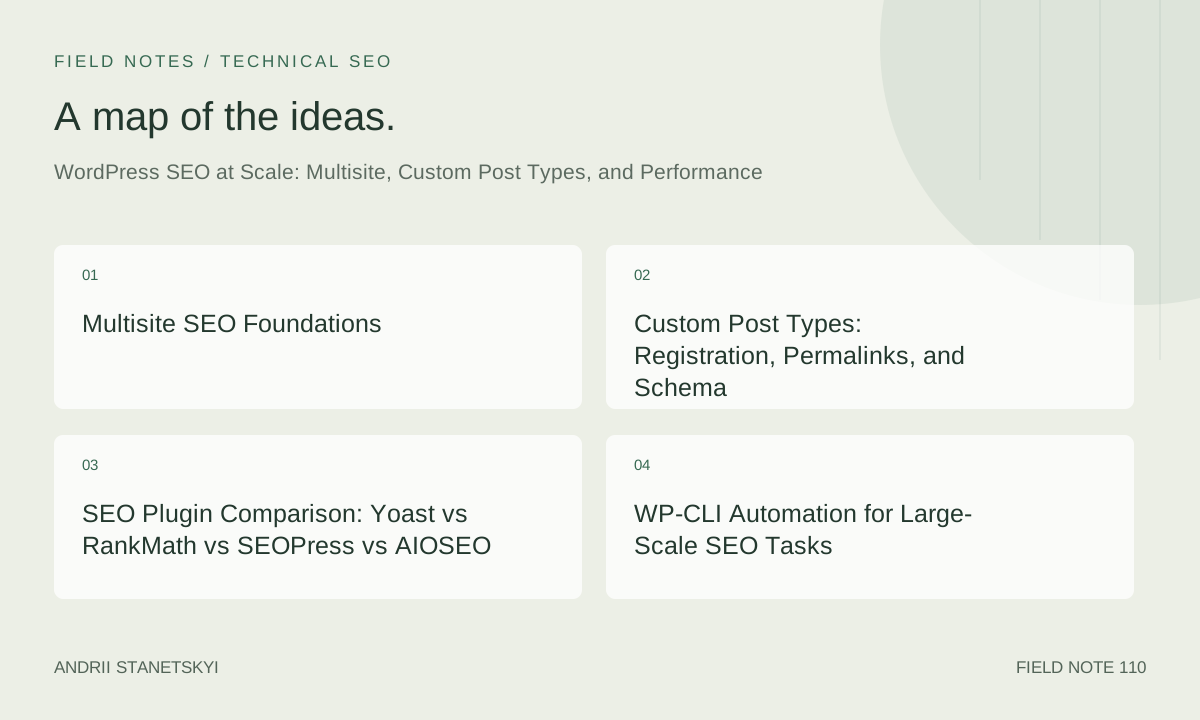
Multisite SEO Foundations
WordPress Multisite (WPMU) lets a single WordPress core installation power an unlimited number of subsites, each sharing the same codebase but maintaining independent databases for posts, users, and options. From an SEO perspective this creates three distinct configuration models, each with different canonical implications.
Subdomain vs. Subdirectory vs. Mapped Domain Networks
A subdomain network (region.example.com) signals geographic or topical separation to search engines; Google typically treats each subdomain as a standalone property unless you explicitly link them in Google Search Console as a domain property. A subdirectory network (example.com/region/) pools domain authority but risks keyword cannibalization if content is not carefully scoped. Mapped domain networks (example.de, example.fr) are the strongest hreflang signal for international SEO but require per-domain Search Console verification and careful x-default handling.
Network-level SEO decisions must be made in code, not per-site settings, or they drift as site admins override them locally. Use a network-activated must-use plugin to enforce global rules:
<?php
/**
 * MU Plugin: Network-wide SEO enforcements
 * File: /wp-content/mu-plugins/network-seo-enforcer.php
 */

// Prevent per-site admins from disabling canonical tags
add_filter( 'wpseo_canonical', 'nse_enforce_canonical', 99, 1 );
function nse_enforce_canonical( string $canonical ): string {
    // Strip www inconsistency across subsites
    return preg_replace( '#^https?://www\.#', 'https://', $canonical );
}

// Inject hreflang for mapped-domain networks
add_action( 'wp_head', 'nse_inject_hreflang', 1 );
function nse_inject_hreflang(): void {
    if ( ! is_singular() ) {
        return;
    }
    $sites = get_sites( [ 'number' => 50, 'public' => 1 ] );
    foreach ( $sites as $site ) {
        $lang = get_blog_option( $site->blog_id, 'WPLANG' ) ?: 'en';
        $lang = str_replace( '_', '-', $lang );
        $url  = get_blog_permalink( $site->blog_id, get_the_ID() );
        if ( $url ) {
            printf(
                '<link rel="alternate" hreflang="%s" href="%s">' . "\n",
                esc_attr( $lang ),
                esc_url( $url )
            );
        }
    }
}
Always test hreflang output with Google Search Console's URL Inspection tool after deploying network-level head injections, because caching layers can strip dynamically generated tags.
Network Sitemaps
Neither Yoast nor RankMath generates a true network sitemap index by default. Build one with WP-CLI and a cron job, or output it from a custom endpoint:
<?php
// Register a network sitemap index endpoint
add_action( 'init', 'nse_register_network_sitemap' );
function nse_register_network_sitemap(): void {
    add_rewrite_rule( '^network-sitemap\.xml$', 'index.php?network_sitemap=1', 'top' );
    add_filter( 'query_vars', fn( $v ) => array_merge( $v, [ 'network_sitemap' ] ) );
}

add_action( 'template_redirect', 'nse_serve_network_sitemap' );
function nse_serve_network_sitemap(): void {
    if ( ! get_query_var( 'network_sitemap' ) ) {
        return;
    }
    header( 'Content-Type: application/xml; charset=UTF-8' );
    echo '<?xml version="1.0" encoding="UTF-8"?>';
    echo '<sitemapindex xmlns="http://www.sitemaps.org/schemas/sitemap/0.9">';
    foreach ( get_sites( [ 'public' => 1, 'number' => 200 ] ) as $site ) {
        switch_to_blog( $site->blog_id );
        $sitemap_url = home_url( '/sitemap_index.xml' ); // Yoast convention
        echo '<sitemap><loc>' . esc_url( $sitemap_url ) . '</loc></sitemap>';
        restore_current_blog();
    }
    echo '</sitemapindex>';
    exit;
}
Custom Post Types: Registration, Permalinks, and Schema
Custom post types (CPTs) are the backbone of content-heavy WordPress installations — product catalogs, job boards, knowledge bases, event calendars. SEO failures with CPTs almost always trace to three root causes: wrong rewrite settings, missing archive configuration, or absent structured data. Fix all three at registration time.
SEO-Correct CPT Registration
<?php
add_action( 'init', 'register_seo_article_cpt' );
function register_seo_article_cpt(): void {
    register_post_type( 'knowledge_article', [
        'labels'       => [
            'name'          => 'Knowledge Articles',
            'singular_name' => 'Knowledge Article',
        ],
        'public'       => true,
        'has_archive'  => 'knowledge-base',   // real archive slug, not true
        'rewrite'      => [
            'slug'       => 'kb',
            'with_front' => false,             // avoids /blog/kb/ double prefix
            'feeds'      => false,             // no RSS = less crawl waste
            'pages'      => true,
        ],
        'supports'     => [ 'title', 'editor', 'excerpt', 'thumbnail', 'revisions' ],
        'show_in_rest' => true,               // required for Gutenberg + REST API
        'taxonomies'   => [ 'kb_category', 'kb_tag' ],
        'menu_icon'    => 'dashicons-book',
    ] );
}
After registering a CPT, always flush rewrite rules exactly once — either programmatically on plugin activation or via WP-CLI. Never call flush_rewrite_rules() on every page load.
Programmatic Schema Injection for CPTs
Yoast and RankMath generate Schema.org graphs for standard post types. For CPTs, you need to extend that graph via filters rather than replace it, so the breadcrumb and WebSite nodes remain intact. See our complete Schema markup guide for WordPress for taxonomy-level patterns.
<?php
// Extend Yoast's Schema graph for knowledge_article CPT
add_filter( 'wpseo_schema_graph_pieces', 'add_kb_article_schema', 11, 2 );
function add_kb_article_schema( array $pieces, $context ): array {
    if ( is_singular( 'knowledge_article' ) ) {
        $pieces[] = new KB_Article_Schema( $context );
    }
    return $pieces;
}

class KB_Article_Schema implements \Yoast\WP\SEO\Generators\Schema\Abstract_Schema_Piece {
    private $context;
    public function __construct( $context ) { $this->context = $context; }
    public function is_needed(): bool { return true; }
    public function generate(): array {
        return [
            '@type'           => 'TechArticle',
            '@id'             => $this->context->canonical . '#techArticle',
            'headline'        => get_the_title(),
            'dateModified'    => get_the_modified_date( DATE_W3C ),
            'datePublished'   => get_the_date( DATE_W3C ),
            'author'          => [ '@id' => $this->context->site_url . '#author' ],
            'inLanguage'      => get_bloginfo( 'language' ),
            'proficiencyLevel' => get_post_meta( get_the_ID(), '_kb_difficulty', true ) ?: 'Beginner',
        ];
    }
}
SEO Plugin Comparison: Yoast vs RankMath vs SEOPress vs AIOSEO
Choosing an SEO plugin for a scaled WordPress deployment is not a marketing decision — it is an engineering decision. The table below evaluates capabilities that matter at scale as of Q1 2026.
| Feature | Yoast SEO Premium | RankMath Pro | SEOPress Pro | AIOSEO Pro |
|---|---|---|---|---|
| Multisite / Network activation | Yes (per-site config) | Yes (network options panel) | Yes (white-label ready) | Yes (limited network UI) |
| Custom Post Type sitemap control | Per-CPT toggle | Per-CPT + priority override | Per-CPT + custom frequency | Per-CPT toggle only |
| Schema graph extensibility | Full PHP filter API | Schema Builder (GUI + PHP) | PHP hooks only | PHP hooks, limited graph |
| WP REST API metadata exposure | Yes (wpseo/v1 namespace) | Yes (rankmath/v1) | Partial (head tag endpoint) | No dedicated namespace |
| Headless / decoupled support | Strong (Yoast Head for React) | Strong (RankMath REST) | Good (custom endpoint) | Weak |
| Object cache awareness | Transient-based | Redis/Memcached aware | Transient-based | Transient-based |
| WP-CLI integration | wpseo CLI commands | rankmath CLI (limited) | None native | None native |
| License model (2026) | Per-site subscription | Unlimited sites (one plan) | Unlimited sites (one plan) | Per-site subscription |
For large multisite networks with 50+ subsites, RankMath Pro and SEOPress Pro provide the most cost-effective licensing. For headless deployments where a React or Next.js frontend consumes WordPress content, Yoast's dedicated @yoast/wordpress-seo package and RankMath's REST endpoints are significantly more mature than the alternatives. See our headless WordPress SEO checklist for frontend integration patterns.
WP-CLI Automation for Large-Scale SEO Tasks
Manual metadata updates do not scale. WP-CLI is the correct tool for bulk operations — regenerating sitemaps, backfilling meta descriptions, auditing noindex flags, and resetting Yoast analysis scores after content migrations.
Bulk Meta Description Backfill
# List all knowledge_article posts missing a Yoast meta description
wp post list --post_type=knowledge_article --post_status=publish \
  --fields=ID,post_title --format=csv | \
  while IFS=',' read id title; do
    meta=$(wp post meta get "$id" _yoast_wpseo_metadesc 2>/dev/null)
    if [ -z "$meta" ]; then
      echo "Missing meta: $id - $title"
    fi
  done

# Bulk-set a generated description from excerpt
wp post list --post_type=knowledge_article --post_status=publish \
  --fields=ID --format=ids | \
  xargs -I{} wp eval 'wp_update_post_seo_meta({});'
<?php
// Register a WP-CLI command for SEO audit
if ( defined( 'WP_CLI' ) && WP_CLI ) {
    WP_CLI::add_command( 'seo audit-cpt', 'SEO_CLI_Audit' );
}

class SEO_CLI_Audit {
    /**
     * Audit CPT posts for missing SEO metadata.
     *
     * ## OPTIONS
     * [--post_type=<type>]
     * : Post type to audit. Default: post
     *
     * ## EXAMPLES
     * wp seo audit-cpt --post_type=knowledge_article
     */
    public function __invoke( array $args, array $assoc_args ): void {
        $post_type = $assoc_args['post_type'] ?? 'post';
        $posts     = get_posts( [
            'post_type'      => $post_type,
            'post_status'    => 'publish',
            'posts_per_page' => -1,
            'fields'         => 'ids',
        ] );
        $issues = 0;
        foreach ( $posts as $id ) {
            $meta = get_post_meta( $id, '_yoast_wpseo_metadesc', true );
            if ( empty( $meta ) ) {
                WP_CLI::warning( "Post $id missing meta description." );
                $issues++;
            }
        }
        WP_CLI::success( "Audit complete. Issues found: $issues / " . count( $posts ) );
    }
}
wp_query Patterns for SEO-Safe Archive Pages
Unoptimized WP_Query calls on archive pages cause duplicate content, paginated thin content, and slow response times that tank Core Web Vitals. The following patterns enforce SEO discipline at the query level.
Canonical Pagination Pattern
<?php
// In a template or shortcode: always expose canonical for paginated queries
$paged = get_query_var( 'paged' ) ?: 1;
$query = new WP_Query( [
    'post_type'           => 'knowledge_article',
    'post_status'         => 'publish',
    'posts_per_page'      => 20,
    'paged'               => $paged,
    'no_found_rows'       => false,   // needed for pagination links
    'update_post_meta_cache' => true, // batch meta fetch — avoids N+1
    'update_post_term_cache' => true,
    'cache_results'       => true,    // object cache layer
    'tax_query'           => [
        [
            'taxonomy' => 'kb_category',
            'field'    => 'slug',
            'terms'    => get_query_var( 'kb_category' ) ?: [],
            'operator' => 'IN',
        ],
    ],
] );

// Emit rel=canonical for page 1, rel=prev/next for subsequent
if ( $paged === 1 ) {
    echo '<link rel="canonical" href="' . esc_url( get_term_link( get_queried_object() ) ) . '">';
}
Noindex Thin Taxonomy Archives
<?php
add_action( 'wp_head', 'noindex_thin_kb_archives', 1 );
function noindex_thin_kb_archives(): void {
    if ( ! is_tax( 'kb_tag' ) ) {
        return;
    }
    $count = $GLOBALS['wp_query']->found_posts ?? 0;
    if ( $count < 5 ) {
        // Fewer than 5 posts = thin content; suppress indexing
        echo '<meta name="robots" content="noindex, follow">' . "\n";
    }
}
Object Caching, Crawl Budget, and Core Web Vitals
Object caching (Redis or Memcached via the WP_Object_Cache interface) has a direct and often underestimated effect on SEO. A slow TTFB — even on content that Googlebot has previously seen — can suppress crawl frequency because Google's crawl scheduler uses historical response times as a signal. Target TTFB under 200 ms for all indexable URLs.
Persistent Object Cache Setup
<?php
// wp-config.php additions for Redis object cache (wp-redis or object-cache-pro)
define( 'WP_REDIS_HOST', '127.0.0.1' );
define( 'WP_REDIS_PORT', 6379 );
define( 'WP_REDIS_DATABASE', 0 );
define( 'WP_REDIS_PREFIX', 'mysite_' . DB_NAME . '_' );
define( 'WP_REDIS_MAXTTL', 86400 );         // 24 h max
define( 'WP_CACHE', true );
Cache-Aware Sitemap Generation
Generating large sitemaps on the fly blocks server resources and inflates TTFB for sitemap consumers (Googlebot, Bing, Yandex). Cache sitemap XML fragments as transients, invalidated on save_post and delete_post:
<?php
add_action( 'save_post', 'invalidate_kb_sitemap_cache' );
add_action( 'delete_post', 'invalidate_kb_sitemap_cache' );
function invalidate_kb_sitemap_cache(): void {
    delete_transient( 'kb_sitemap_xml' );
    // Also ping RankMath's cache if active
    if ( class_exists( 'RankMath\Sitemap\Cache' ) ) {
        \RankMath\Sitemap\Cache::invalidate_storage();
    }
}

function get_kb_sitemap_xml(): string {
    $cached = get_transient( 'kb_sitemap_xml' );
    if ( $cached !== false ) {
        return $cached;
    }
    // Build sitemap XML...
    $xml = build_kb_sitemap_xml();
    set_transient( 'kb_sitemap_xml', $xml, HOUR_IN_SECONDS * 6 );
    return $xml;
}
For Core Web Vitals, the highest-impact WordPress optimization at scale is combining object caching with full-page caching (WP Rocket, W3 Total Cache, or nginx FastCGI cache) and ensuring your CPT archive templates do not execute uncached WP_Query calls on render. Benchmark with web.dev/vitals and correlate with GSC's Core Web Vitals report segmented by URL template type.
Headless WordPress and the REST API SEO Gap
In a headless architecture, WordPress serves as a content API and a React, Next.js, or Nuxt frontend handles rendering. The SEO gap is fundamental: all metadata — titles, descriptions, canonical URLs, Open Graph tags, Schema.org JSON-LD — lives in WordPress but must be fetched and rendered by the frontend before Googlebot can see it.
Exposing Yoast Head via REST
<?php
// Expose Yoast's full head HTML block in the REST API response
add_action( 'rest_api_init', 'expose_yoast_head_in_rest' );
function expose_yoast_head_in_rest(): void {
    $post_types = get_post_types( [ 'show_in_rest' => true ], 'names' );
    foreach ( $post_types as $type ) {
        register_rest_field(
            $type,
            'yoast_head',
            [
                'get_callback' => function( $post ) {
                    if ( ! function_exists( 'YoastSEO' ) ) {
                        return '';
                    }
                    // Switch global post context so Yoast generates correct output
                    $GLOBALS['post'] = get_post( $post['id'] );
                    setup_postdata( $GLOBALS['post'] );
                    ob_start();
                    do_action( 'wpseo_head' );
                    $head = ob_get_clean();
                    wp_reset_postdata();
                    return $head;
                },
                'schema' => [ 'type' => 'string', 'context' => [ 'view' ] ],
            ]
        );
    }
}
Inject this string into your Next.js <Head> component using dangerouslySetInnerHTML in a server component, or parse it with html-react-parser for safer rendering. Always validate that Open Graph tags survive the round-trip using the Open Graph debugging guide.
Gutenberg Block Patterns and Structured Data
Gutenberg block patterns introduced a powerful but under-exploited vector for injecting structured data. A pattern designed for an FAQ section can carry its own inline JSON-LD fragment, ensuring that every editor who inserts it automatically produces valid FAQPage schema without any plugin configuration.
<?php
// Register an FAQ block pattern with embedded JSON-LD anchor
add_action( 'init', 'register_faq_block_pattern_with_schema' );
function register_faq_block_pattern_with_schema(): void {
    register_block_pattern(
        'myplugin/faq-with-schema',
        [
            'title'       => 'FAQ with Schema (SEO)',
            'description' => 'FAQ section that outputs FAQPage JSON-LD automatically.',
            'categories'  => [ 'text' ],
            'content'     => '<!-- wp:group {"className":"faq-schema-block"} -->
<div class="wp-block-group faq-schema-block">
<!-- wp:heading {"level":2} --><h2>Frequently Asked Questions</h2><!-- /wp:heading -->
<!-- wp:details --><details><summary>Question one?</summary><p>Answer one.</p></details><!-- /wp:details -->
</div>
<!-- /wp:group -->',
        ]
    );
}

// Parse rendered FAQ blocks and emit JSON-LD dynamically
add_action( 'wp_footer', 'emit_faq_schema_from_blocks', 99 );
function emit_faq_schema_from_blocks(): void {
    if ( ! is_singular() || ! has_block( 'core/group' ) ) {
        return;
    }
    $blocks = parse_blocks( get_the_content() );
    $pairs  = [];
    array_walk_recursive( $blocks, function( $block ) use ( &$pairs ) {
        if ( ! is_array( $block ) || ( $block['blockName'] ?? '' ) !== 'core/details' ) {
            return;
        }
        $dom = new DOMDocument();
        @$dom->loadHTML( mb_convert_encoding( $block['innerHTML'], 'HTML-ENTITIES', 'UTF-8' ) );
        $summary = $dom->getElementsByTagName( 'summary' )->item(0);
        $answer  = strip_tags( $block['innerHTML'] );
        if ( $summary ) {
            $pairs[] = [
                '@type'          => 'Question',
                'name'           => $summary->textContent,
                'acceptedAnswer' => [ '@type' => 'Answer', 'text' => trim( $answer ) ],
            ];
        }
    } );
    if ( ! empty( $pairs ) ) {
        $schema = [ '@context' => 'https://schema.org', '@type' => 'FAQPage', 'mainEntity' => $pairs ];
        echo '<script type="application/ld+json">' . wp_json_encode( $schema, JSON_UNESCAPED_SLASHES | JSON_UNESCAPED_UNICODE ) . '</script>';
    }
}
This approach decouples schema generation from both the SEO plugin and the theme, making it content-portable and migration-safe. Review your technical SEO patterns for Gutenberg to apply similar patterns to HowTo, Product, and Event schema types.
JSON-LD Overrides and Plugin Filters
Each major SEO plugin exposes filters to override or augment its generated JSON-LD output without forking the plugin. Use these filters in a must-use plugin to ensure they survive plugin updates.
<?php
// --- Yoast override: swap Article @type for news CPT ---
add_filter( 'wpseo_schema_article_data', 'yoast_override_article_type', 10, 2 );
function yoast_override_article_type( array $data, $context ): array {
    if ( is_singular( 'news_post' ) ) {
        $data['@type'] = 'NewsArticle';
        $data['dateline'] = get_post_meta( get_the_ID(), '_news_dateline', true );
    }
    return $data;
}

// --- RankMath override: add publisher logo ---
add_filter( 'rank_math/json_ld', 'rankmath_add_publisher_logo', 10, 2 );
function rankmath_add_publisher_logo( array $data, $jsonld ): array {
    if ( isset( $data['Organization'] ) ) {
        $data['Organization']['logo'] = [
            '@type'  => 'ImageObject',
            'url'    => get_theme_mod( 'custom_logo_url', '' ),
            'width'  => 512,
            'height' => 512,
        ];
    }
    return $data;
}

// --- SEOPress override: inject breadcrumb position ---
add_filter( 'seopress_pro_schemas_breadcrumbs', 'seopress_fix_breadcrumb_position', 10, 1 );
function seopress_fix_breadcrumb_position( array $breadcrumbs ): array {
    foreach ( $breadcrumbs as $i => &$crumb ) {
        $crumb['position'] = $i + 1; // Ensure 1-indexed positions
    }
    return $breadcrumbs;
}
FAQ
Does WordPress Multisite hurt SEO compared to separate WordPress installations?
Not inherently. The SEO impact depends entirely on network configuration. Subdirectory multisite pools link equity and can be advantageous for newer brands. Subdomain and mapped-domain networks require explicit Search Console setup per property. The real risk is shared-plugin misconfiguration where noindex or canonical settings bleed across subsites — mitigate with network-activated must-use plugins that enforce rules programmatically.
How should I handle canonical URLs for custom post type archives?
Register the CPT with a specific has_archive slug rather than true. Configure your SEO plugin to treat the archive as a standalone indexable entity. On paginated archives, ensure page 2+ carries a self-referencing canonical rather than pointing back to page 1. Googlebot has treated paginated series as separate URLs since the deprecation of rel=next/prev. Use the pre_get_posts hook to enforce consistent pagination parameters.
Which SEO plugin handles WP REST API metadata best for headless WordPress?
In 2026, Yoast SEO Premium and RankMath Pro lead for headless deployments. Yoast exposes a complete rendered head block via the wpseo/v1 REST namespace and maintains an official JavaScript package for React consumers. RankMath provides a rankmath/v1 namespace with structured JSON responses. Both support server-side rendering pipelines. SEOPress has a custom endpoint but requires more manual integration work. AIOSEO currently lacks a dedicated metadata REST namespace.
How does object caching improve WordPress SEO performance?
Object caching eliminates redundant database queries for post meta, term data, and option lookups that SEO plugins execute on every page render. This reduces TTFB, which correlates with crawl frequency — Google crawls faster servers more aggressively. Additionally, cached sitemap generation prevents resource spikes when Googlebot fetches large sitemap indexes. Target sub-200 ms TTFB for all indexable URLs and track progress in Google Search Console's Crawl Stats report.
Can Gutenberg block patterns automatically generate structured data?
Yes. By combining register_block_pattern with a wp_footer hook that parses rendered block HTML, you can emit JSON-LD schema automatically whenever an editor inserts a specific pattern. This works well for FAQPage, HowTo, and Recipe schema types. The advantage over plugin-based schema is content portability across plugin changes and compatibility with both traditional and headless rendering contexts.
What WP-CLI commands are most useful for large-scale SEO audits?
The highest-impact WP-CLI operations are: wp post list with meta_query to surface posts missing SEO metadata; wp yoast index to rebuild Yoast's indexables table after migrations; wp search-replace for bulk URL canonicalization after domain changes; wp cron event run to force sitemap regeneration; and custom WP_CLI::add_command registrations in a must-use plugin for property-specific audits.
How do I prevent crawl budget waste on large WordPress sites?
Crawl budget waste typically originates from four sources: tag archives with fewer than five posts (noindex programmatically), author archives on single-author sites (redirect or noindex), WordPress search result pages (block via robots.txt and noindex meta), and paginated archive depths beyond content volume justification (return 404 beyond a configured maximum depth). Monitor via GSC Crawl Stats and correlate with access log analysis to identify Googlebot's actual crawl patterns on your specific URL structure.
Key Takeaways
- Enforce SEO rules at the network level using must-use plugins on WPMU installations. Never rely on per-site plugin settings to stay consistent across 10+ subsites.
- Register CPTs with explicit archive slugs,
with_front: false, andshow_in_rest: true. Missing any of these settings creates downstream SEO problems that are expensive to fix post-launch. - Choose your SEO plugin based on engineering requirements — REST API support, multisite licensing, and filter API depth — not marketing feature lists. RankMath Pro and SEOPress Pro win on per-site cost at scale; Yoast and RankMath lead on headless integration.
- WP-CLI is the correct tool for bulk SEO operations. Any metadata task that touches more than 50 posts should be scripted, not done through the admin UI.
- Object caching is not optional at scale. Redis or Memcached with a persistent object cache drop-in is table stakes for WordPress installations serving more than 100,000 monthly pageviews.
- Headless WordPress requires explicit SEO plumbing. The REST API does not expose SEO metadata by default. Register custom REST fields or consume plugin-specific namespaces and inject the full head block server-side before HTML delivery.
- Gutenberg block patterns can carry structured data, making schema generation automatic and editor-agnostic — a significant reliability improvement over manual schema entry or plugin-GUI configuration.
- Crawl budget management is active work, not a one-time configuration. Noindex thin taxonomies programmatically, audit with WP-CLI regularly, and review GSC Crawl Stats monthly.
Conclusion
WordPress SEO at scale is fundamentally a systems engineering problem. The platforms, plugins, and signals that work fine for a 500-post blog become liabilities at 50,000 posts across 30 subsites unless every layer — network configuration, CPT registration, plugin filter architecture, object caching, REST API metadata, and Gutenberg block patterns — is designed with deliberate SEO intent.
The patterns in this guide are production-tested and designed to be dropped into must-use plugins, keeping them decoupled from theme updates and plugin replacements. Start with the network-level canonical and hreflang enforcements if you run multisite, then work down to CPT registration, then object caching. The combined effect on crawl efficiency, index coverage, and Core Web Vitals is typically measurable within two to four GSC crawl cycles.
For the next layer of implementation detail, work through our WordPress performance audit guide alongside your SEO implementation — the two disciplines share more infrastructure than most practitioners realize, and optimizing them together produces compounding returns. If you are running a headless stack, the Next.js and WordPress SEO integration walkthrough covers the frontend side of every server-side pattern introduced here.