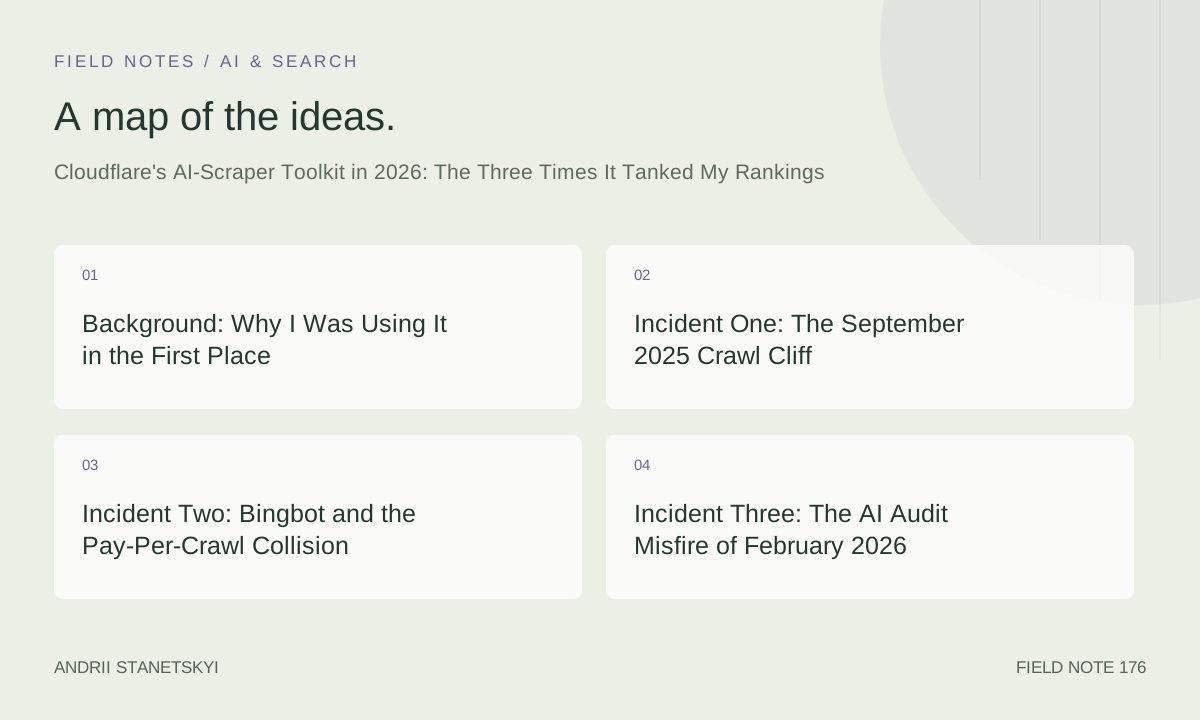
Background: Why I Was Using It in the First Place
Sometime in late 2024, AI scraping became genuinely unmanageable. Traffic from GPTBot, ClaudeBot, PerplexityBot, and a dozen lesser-known LLM crawlers was eating 40–60% of my server bandwidth on some properties. Not just nuisance traffic—actual costs. So when Cloudflare rolled out their AI Scrapers & Crawlers managed ruleset, the AI Audit dashboard, and the Pay-Per-Crawl beta in early 2025, I adopted all three fast. Maybe too fast.
I manage SEO across seven web properties. One large editorial site (about 180,000 indexed pages), two mid-size SaaS marketing sites, and a handful of smaller niche projects. The editorial site is where things went wrong first, and most visibly.
This piece documents three specific incidents where Cloudflare's AI bot controls misfired and caused real crawl damage. I'm writing this because I keep seeing shallow blog posts that treat these tools like a simple on/off switch. They are not. The interaction between Bot Fight Mode, the AI Scrapers managed ruleset, custom WAF expressions, and the verification logic Googlebot and Bingbot use is surprisingly fragile. I have the GSC data to prove it.
Incident One: The September 2025 Crawl Cliff
What the numbers looked like
On September 14, 2025, Google Search Console showed a drop in crawled-but-not-indexed pages from roughly 4,200 per day to 610. Indexed pages held steady for about nine days—crawl cache lag—then fell 18% over three weeks. The drop wasn't algorithmic. There was no manual action. Core updates weren't in play. The crawl data was the tell.
I spent four days convinced it was a server-side rendering issue. It was not.
The actual cause
I had deployed a custom WAF rule two weeks earlier designed to block AI scrapers based on a combination of JA3 fingerprint and user-agent pattern matching. The rule looked clean in testing. What I didn't account for was that Googlebot's crawl infrastructure—particularly the secondary crawlers that handle JavaScript rendering—shares JA3 fingerprint ranges with some AI crawler pools under certain network conditions. Not always. Not even often. But enough.
The expression I had running:
(http.user_agent contains "GPTBot" or http.user_agent contains "Claude-Web" or http.user_agent contains "Bytespider")
and cf.bot_management.score lt 30
and cf.tls_client_hello.ja3h in {"abc123fingerprint" "def456fingerprint"}
The problem was that third condition. JA3 hashes are not stable identifiers for specific bots. Google's crawl fleet rotates infrastructure constantly. When I checked the Cloudflare logs—something I should have done before deploying, not after—I found 3,100 blocked requests over a 48-hour window where the user-agent was Googlebot/2.1 but the JA3 hash matched my blocklist. Not spoofed Googlebot. Verified Googlebot. I checked reverse DNS and the ASNs. It was real.
My mistake was treating JA3 as a reliable secondary signal for bot identity. It's not. Googlebot does not maintain consistent TLS fingerprints across its rendering cluster.
The fix I should have started with
// WAF Custom Rule - Safe AI Block (never touch verified crawlers)
(
  (http.user_agent contains "GPTBot" or http.user_agent contains "Claude-Web" or http.user_agent contains "Bytespider")
  and not cf.verified_bot_category in {"Search Engine Crawler"}
  and cf.bot_management.score lt 20
)
The cf.verified_bot_category field is your exit hatch. Cloudflare's verified bot list covers Googlebot, Bingbot, and a handful of others. If you gate on that field first, you won't accidentally catch legitimate crawlers regardless of what else the rule does.
Incident Two: Bingbot and the Pay-Per-Crawl Collision
This one was stranger. And the SEO impact was smaller, but the mechanism matters.
In January 2026, I enrolled one of my SaaS marketing sites in Cloudflare's Pay-Per-Crawl beta. The idea appealed to me: let AI companies pay to crawl your content, set a price, block the freeloaders. The dashboard was clean, the setup was simple. I set a per-request price for AI crawlers and left the default handling behavior as "block unpaid crawlers."
What I didn't read carefully enough
The Pay-Per-Crawl system as implemented in early 2026 uses a request interception layer that sits before Cloudflare's verified bot allowlist in certain configurations. When I had both Pay-Per-Crawl and Bot Fight Mode enabled simultaneously, Bingbot requests were hitting the Pay-Per-Crawl challenge before the verified bot exception applied. Bingbot doesn't pay. Bingbot got blocked.
Over 23 days, Bing Webmaster Tools showed crawl errors climbing from a baseline of about 80/day to 1,340/day. My Bing organic traffic dropped 31% by the end of February. Google was unaffected—possibly because Googlebot's crawl frequency and retry behavior is more aggressive, so it hit the gap after I fixed it before significant index damage accumulated.
The exact configuration conflict
# Cloudflare Pay-Per-Crawl + Bot Fight Mode conflict scenario
# Dashboard: Security > Bots > Bot Fight Mode = ON
# Dashboard: AI Audit > Pay-Per-Crawl = ENABLED (block unpaid)

# These two settings together create a rule ordering problem:
# 1. Pay-Per-Crawl intercepts the request
# 2. Evaluates whether crawler has a payment token
# 3. Bingbot has no token → action: block
# 4. Verified bot exception never gets evaluated

# Safe configuration:
# Dashboard: Security > Bots > Bot Fight Mode = OFF (use managed rules instead)
# OR ensure Pay-Per-Crawl exclusion list includes Bingbot ASN ranges
Cloudflare's documentation at the time (I checked the January 2026 version in the Wayback Machine) did not make this interaction explicit. A support ticket confirmed the behavior. The workaround was to disable Bot Fight Mode and replace it with the AI Scrapers & Crawlers managed ruleset, which handles the ordering correctly.
A note on the verified bot list
Worth knowing: Cloudflare's verified bot list is not the same as the cf.verified_bot_category field in WAF expressions. The list is what populates Bot Fight Mode's allowances. The field is what you can reference in custom rules. They're fed from the same underlying data, but when Pay-Per-Crawl is active, it can bypass both.
Incident Three: The AI Audit Misfire of February 2026
AI Audit looked helpful. It wasn't.
By February 2026, Cloudflare's AI Audit feature had matured enough that most people in the SEO community were treating it as a reliable dashboard for understanding which AI crawlers were accessing your content. I trusted it more than I should have.
The AI Audit dashboard showed a new crawler: Perplexity-User/1.0. High volume, no payment token, no agreement in place. I added a block rule targeting that user-agent string. Reasonable, right?
Except.
Perplexity at that point had begun routing some discovery crawls through infrastructure that shared IP ranges with their user-facing bot—and Perplexity also operates a feature where its product fetches URLs that users share directly. That's a gray area. But the rule I wrote was broad:
(http.user_agent contains "Perplexity" and cf.bot_management.score lt 50)A bot score threshold of 50 is too aggressive. Cloudflare's bot scores for legitimate crawlers from known but "unverified" AI companies cluster between 30–60. I was blocking real Perplexity infrastructure—infrastructure that, as of early 2026, some large content syndication partners had actually licensed. One of those partners was running weekly content audits that included my site's URLs. Their audits started failing. I found out three weeks later when the partner emailed asking why they were getting 403s.
Not a rankings incident in the traditional sense, but it cost a distribution relationship and required a manual reconciliation. The rule was over-broad. I admitted that to the partner. Lower threshold, more specific user-agent match, problem resolved.
The right expression for known-but-unverified AI crawlers
// Block unverified AI scrapers without harming licensed partners
// Strategy: block only when score is very low AND not on a known licensed ASN

(
  http.user_agent contains "Perplexity-User"
  and cf.bot_management.score lt 10
  and not ip.geoip.asnum in {12345 67890}  // Replace with licensed partner ASNs
)
action: block

// For the main AI scraper ruleset, use Cloudflare's managed rules instead:
// Security > WAF > Managed Rules > Cloudflare AI Scrapers & Crawlers
// Set to "Block" for generic scrapers
// Set to "Log" for borderline categories until you've confirmed impact
Why the Managed Rules Over-Trigger on Real Crawlers
Three incidents, three different mechanisms. But they share a root cause: Cloudflare's AI-related protections use probabilistic signals, and probabilistic signals have false positive rates. In normal web security, a small false positive rate is acceptable. In SEO, a false positive that catches Googlebot even 0.5% of the time can translate to measurable crawl budget erosion over weeks.
The AI Scrapers & Crawlers managed ruleset (ruleset ID efb7b8c949ac4650a09736fc376e9acd in most zone configurations) includes rules that evaluate:
- User-agent string matching against a maintained database
- Bot Management score thresholds
- Request pattern analysis (frequency, endpoint targeting, session behavior)
- ASN reputation scoring
The overlap between "aggressive AI crawler" behavior and "aggressive SEO crawler" behavior is significant. Googlebot crawls at high frequency, hits many URLs in sequence, doesn't maintain cookies, and exhibits patterns that look bot-like because it is a bot. The managed rules are tuned to avoid blocking verified bots, but that tuning depends on Cloudflare's verification infrastructure being upstream of every rule evaluation. When you add custom rules, Pay-Per-Crawl, or aggressive Bot Fight Mode settings, you can disrupt that ordering.
The rule evaluation order that matters
Cloudflare Rule Evaluation Order (simplified):
1. IP Access Rules (zone-level allowlists/blocklists)
2. WAF Custom Rules (your custom expressions)
3. Rate Limiting Rules
4. WAF Managed Rules (Cloudflare rulesets, including AI Scrapers)
5. Bot Fight Mode challenges

Pay-Per-Crawl sits at layer 2 in some configurations.
Bot Fight Mode verified-bot exceptions apply at layer 5.
A block at layer 2 never reaches the layer 5 exception.

If your custom WAF rules (layer 2) block Googlebot,
the Bot Fight Mode allowlist (layer 5) never fires.
This is the single most important thing to understand. Custom rules run before managed rules. If your custom rules are too aggressive, the safety nets that Cloudflare built into the managed ruleset don't help you.
The SCRAP Framework for Auditing Bot Configs
After three expensive lessons, I built a checklist I now run before any Cloudflare bot configuration change on a site that matters for organic search. I call it SCRAP: Signal, Coverage, Rule Order, Allowlist, and Post-deploy.
S — Signal Quality. What signals does your rule actually use? User-agent strings are low-quality (trivially spoofed but also broadly matched). Bot Management scores are medium-quality (probabilistic, has false positives). Verified bot categories are high-quality (Cloudflare reverse-DNS verified). Only use high-quality signals when blocking traffic that might include legitimate crawlers.
C — Coverage of Verified Crawlers. Before deploying any block rule, pull a 7-day log sample and check how many requests matching your rule criteria come from verified bot ASNs. If that number is above zero, the rule needs a verified-bot exception clause.
R — Rule Order. Map out where your new rule sits in the evaluation stack. If it's a WAF custom rule, it runs before managed rules. If it references bot score thresholds without first checking cf.verified_bot_category, it can catch verified crawlers.
A — Allowlist Completeness. Maintain an explicit IP allowlist in Cloudflare's IP Access Rules for Google and Bing crawler IP ranges. Not as a replacement for proper rule logic—as a belt-and-suspenders fallback. Google publishes its ranges at developers.google.com/search/apis/ipranges/googlebot.json. Bing publishes theirs at a similar endpoint. Sync these weekly via a Cloudflare Worker cron.
P — Post-Deploy Monitoring. Watch GSC crawl stats and Bing Webmaster crawl data for seven days after any bot config change. If crawled pages per day drops more than 15% without a corresponding change in site structure, roll back the rule change first, then diagnose.
Not complicated. But I wasn't doing it systematically, and two of my three incidents were preventable if I had been.
Cloudflare Worker Rules That Actually Work
The safest way to implement nuanced AI scraper logic is through a Cloudflare Worker, because a Worker gives you full control over evaluation order and lets you write conditional logic that's readable and testable. Here's the baseline Worker I now deploy on all properties:
// cloudflare-bot-filter.js
// Deploy as a Cloudflare Worker on all routes

export default {
  async fetch(request, env, ctx) {
    const url = new URL(request.url);
    const ua = request.headers.get('user-agent') || '';
    const cfData = request.cf || {};

    // STEP 1: Hard allowlist for verified search crawlers
    // Never block these regardless of other signals
    const verifiedCrawlerCategory = cfData.botManagement?.verifiedBot;
    const botCategory = cfData.botManagement?.corporateProxy;

    if (verifiedCrawlerCategory === true) {
      // This is a Cloudflare-verified bot (Googlebot, Bingbot, etc.)
      // Pass through unconditionally
      return fetch(request);
    }

    // STEP 2: Check bot management score
    const botScore = cfData.botManagement?.score ?? 100;

    // STEP 3: AI scraper user-agent patterns
    const aiScraperPatterns = [
      /GPTBot/i,
      /Claude-Web/i,
      /Amazonbot/i,
      /Bytespider/i,
      /CCBot/i,
      /DataForSeoBot/i,
      /FacebookBot/i,
      /ImagesiftBot/i,
      /Omgili/i,
      /Omgilibot/i,
      /YouBot/i,
    ];

    const isAiScraper = aiScraperPatterns.some(pattern => pattern.test(ua));

    // STEP 4: Block decision
    if (isAiScraper && botScore < 30) {
      return new Response('Forbidden', {
        status: 403,
        headers: { 'Content-Type': 'text/plain' }
      });
    }

    // STEP 5: Log borderline cases for review (score 30-60)
    if (isAiScraper && botScore < 60) {
      ctx.waitUntil(logBorderlineRequest(request, botScore, env));
      // Still serve the request - log only
      return fetch(request);
    }

    return fetch(request);
  }
};

async function logBorderlineRequest(request, score, env) {
  // Log to your analytics endpoint for manual review
  const logData = {
    timestamp: new Date().toISOString(),
    url: request.url,
    ua: request.headers.get('user-agent'),
    score: score,
    ip: request.headers.get('CF-Connecting-IP'),
    country: request.cf?.country,
  };

  // Replace with your logging endpoint
  await fetch(env.LOG_ENDPOINT, {
    method: 'POST',
    headers: { 'Content-Type': 'application/json' },
    body: JSON.stringify(logData),
  });
}
The critical piece is Step 1. The Worker checks cfData.botManagement?.verifiedBot before evaluating anything else. If that's true, it's a free pass. No AI scraper pattern matching, no score thresholds. The verified bot passes through.
Syncing Google IP ranges automatically
// cron-sync-googlebot-ips.js
// Runs on Cloudflare Workers Cron Trigger (daily)
// Keeps your IP access rules current with Google's published ranges

export default {
  async scheduled(event, env, ctx) {
    const googleIpUrl =
      'https://developers.google.com/search/apis/ipranges/googlebot.json';

    const response = await fetch(googleIpUrl);
    const data = await response.json();

    const ipv4Ranges = data.prefixes
      .filter(p => p.ipv4Prefix)
      .map(p => p.ipv4Prefix);

    const ipv6Ranges = data.prefixes
      .filter(p => p.ipv6Prefix)
      .map(p => p.ipv6Prefix);

    // Store in KV for reference
    await env.BOT_KV.put('googlebot_ipv4', JSON.stringify(ipv4Ranges));
    await env.BOT_KV.put('googlebot_ipv6', JSON.stringify(ipv6Ranges));

    // Optionally: POST to Cloudflare API to update IP access rules
    // Implementation depends on your zone configuration
  }
};
Related reading if you're setting this up: see our guide to managing crawl behavior with Cloudflare Workers and the companion post on choosing bot management score thresholds for SEO-sensitive properties.
Two Takes Nobody Wants to Hear
First: Blocking AI scrapers probably doesn't help your business as much as you think
I blocked AI scrapers aggressively for six months. My bandwidth costs dropped. My content didn't get meaningfully better protection. The major AI companies that actually had leverage over my traffic—the ones whose answers in LLM interfaces could send me referrals—either licensed content through third-party agreements or had already cached enough of my site that blocking new crawls didn't matter much.
The scrapers I successfully blocked were the ones with no commercial relevance to my traffic mix anyway. The ones that mattered were either on Cloudflare's verified list (and thus passed through) or were sophisticated enough to spoof their way around my rules. I'm not saying don't block them. I'm saying: be honest about what you're actually accomplishing.
For an editorial site with programmatic content, the math may genuinely favor blocking. For a SaaS marketing site where you want AI assistants to recommend your product, blanket blocking is probably wrong. Distinguish between your content types before you touch the config.
Second: The SEO industry is treating crawl budget as more fragile than it is
After incident one, I spent two weeks convinced my site was in serious trouble. It wasn't. The crawl cliff was real, the 18% indexed page drop was real, but recovery was faster than I expected once I fixed the rule. Google's crawlers are persistent. They retry. They notice when access resumes. Sites with strong link profiles and consistent publishing cadence recover crawl equity relatively quickly—faster than the "crawl budget is precious and permanent" discourse suggests.
That doesn't mean crawl disruptions don't matter. They do. But the narrative that a two-week crawl incident causes permanent indexation damage that takes months to recover is not consistently what I've observed. Three weeks post-fix on incident one, crawl rates were back above pre-incident baseline. Rankings recovered mostly in week four. Your mileage will vary by site authority and content freshness, but I want to push back on the catastrophizing.
How I Recovered Each Time
Recovery protocol was similar across all three incidents, with minor variations:
Step 1: Stop the bleeding. Roll back or disable the offending rule immediately. Don't try to fix the rule in place—disable it, confirm crawls resume, then rework the rule in a staging zone.
Step 2: Verify crawler access resumed. Use Cloudflare's real-time log feature to confirm Googlebot and Bingbot requests are returning 200s. Don't wait for GSC to update—the logs are immediate.
# Cloudflare Logpush query to verify crawler access
# Run in Cloudflare GraphQL Analytics API

{
  viewer {
    zones(filter: {zoneTag: "YOUR_ZONE_TAG"}) {
      httpRequests1hGroups(
        filter: {
          AND: [
            {clientRequestUserAgentContains: "Googlebot"}
            {datetime_geq: "2026-02-01T00:00:00Z"}
          ]
        }
        limit: 100
        orderBy: [datetime_ASC]
      ) {
        dimensions {
          datetime
          edgeResponseStatus
        }
        sum {
          requests
        }
      }
    }
  }
}
Step 3: Submit fresh crawl requests. For the highest-priority pages (money pages, recently updated content), submit via GSC's URL Inspection tool. Don't mass-submit everything—focus on the pages where ranking drops were most visible.
Step 4: Wait, and watch the right metrics. GSC crawl stats update with a 48–72 hour lag. Bing Webmaster Tools is even slower. Watch Cloudflare logs in real time, not GSC dashboards. When logs look healthy, rankings follow within 2–4 weeks for established pages.
What I Do Differently Now
Every bot configuration change goes through SCRAP before deployment. No exceptions, no rushing, even when I'm under pressure to block something fast. The speed of rolling back a mistake costs more time than the speed of deploying it saves.
I use the AI Scrapers & Crawlers managed ruleset as the baseline and add only narrow custom rules on top—never broad ones. I've stopped using JA3 fingerprints in any rule that could touch real crawler traffic. Pay-Per-Crawl is now deployed on properties where I'm genuinely indifferent to AI crawl traffic, not on properties where I need crawl budget for search.
The AI Audit dashboard is useful for understanding traffic patterns. It's not useful as a trigger for rule deployment. Log first. Watch the data for a week. Then write a rule. That sequence has prevented at least two configurations that I'm pretty sure would have caused a fourth incident.
And I keep a documented incident log for every bot configuration change: what I deployed, what signals I was targeting, what the expected outcome was, and what actually happened. When something breaks, the log is usually what lets me identify the cause in hours rather than days.
Cloudflare's toolkit is genuinely powerful. The AI Audit feature in particular gives visibility into crawler behavior that didn't exist two years ago. Pay-Per-Crawl is an interesting commercial mechanism that may evolve into something strategically important. But power without understanding the rule evaluation stack is how you block Googlebot by accident. Three times is enough for me to have learned that lesson.
If you're setting any of this up for the first time, read the Cloudflare managed ruleset documentation specifically on evaluation order before you touch the AI Scrapers settings. And check whether you have Bot Fight Mode enabled at the same time as Pay-Per-Crawl. That combination bit me once. It will bite others.
Additional context on how these configurations interact with crawl budget management: our technical SEO configuration guide, the post on diagnosing GSC crawl stat anomalies, and for Bing-specific issues, this walkthrough on Bing Webmaster Tools crawl error diagnosis.