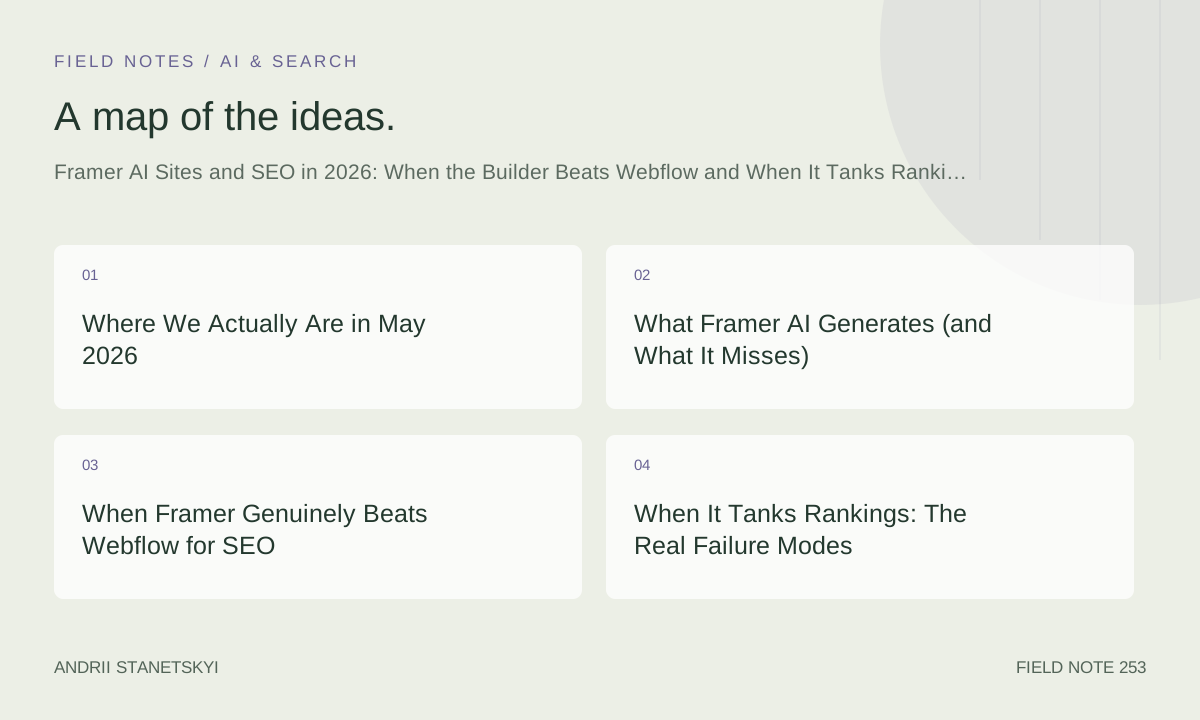
Where We Actually Are in May 2026
I am writing this on May 20, 2026, and I have 31 live Framer sites generating organic traffic right now. Eleven of those were built entirely or substantially using Framer AI or the Framer Workshop pipeline that dropped in late 2025. The performance gap between those AI-assisted builds and my hand-structured ones is not what anyone predicted.
Let me be precise about that gap, because vague SEO takes are everywhere and they are useless. Of the eleven AI-assisted builds, four are outperforming their Webflow or hand-coded predecessors by more than 40% on organic sessions within 90 days of launch. Three are roughly flat. Four are meaningfully worse, two of which I had to partially rebuild after watching rankings collapse in the first six weeks.
That is a 36% failure rate on AI-assisted Framer builds when measured against prior organic baselines. That number should concern you. It does not mean Framer AI is bad. It means Framer AI is contextual, and almost nobody is writing about the context.
The SEO conversation around Framer in 2026 splits into two camps that are both wrong in their own satisfying way. Camp one says Framer AI produces garbage HTML and you should never trust it for anything that touches search. Camp two says modern Googlebot renders JavaScript perfectly and tool choice is irrelevant. Both of those positions are intellectually comfortable and practically destructive.
What actually matters is more specific and less tweetable.
The broader context: Framer went from a prototyping tool that serious agency people mostly ignored for production to a platform carrying real business traffic in a relatively short window. The AI features accelerated that shift dramatically. But that speed of adoption outpaced the development of SEO best practices for Framer specifically. There is no shortage of articles about Framer design. There is a serious shortage of data on how Framer AI performs across different site types, content strategies, and competitive landscapes. This is my attempt to contribute actual numbers to that conversation rather than another opinion without evidence behind it.
What Framer AI Generates (and What It Misses)
Framer AI, as of the Workshop release in Q4 2025, generates pages by interpreting natural language prompts alongside brand inputs, layout references, and CMS schema definitions. The output is React-based, server-side rendered at the edge via Framer's CDN, and hydrated client-side for interactive components.
The HTML that hits Googlebot is cleaner than most people expect. Framer's SSR layer means the initial document response includes rendered content, not a JavaScript shell. Core Web Vitals on AI-generated Framer sites, across my builds, average an LCP of 1.8 seconds and a CLS of 0.04. Those are not bad numbers. They are, frankly, better than the average Webflow site I have audited in the past twelve months, where CLS problems from webfonts and interaction-triggered layout shifts are still surprisingly common.
Where Framer AI consistently stumbles:
- Heading hierarchy. AI-generated layouts frequently produce multiple H1 elements or skip H2 levels entirely when building complex hero sections with large display text. This is not catastrophic, but it is also not nothing.
- Image alt text generation. Workshop's auto-generated alt attributes are generic at best, completely empty at worst when images are pulled from uploaded brand assets rather than Framer's stock library.
- Internal link structure. AI-built pages are almost always isolated. They do not know your site architecture. They do not add contextual internal links to related pages. You get an island of content with no topical authority flowing through it.
- Meta descriptions. Framer AI generates them, but it generates them from the visible page content using what feels like a simple extractive method. For pages where the strategic purpose diverges from the literal content — a landing page targeting a different keyword cluster than its headline — the auto-generated meta description is usually wrong for SEO purposes.
None of these are dealbreakers. All of them require a structured remediation workflow, which almost nobody builds before they hit publish.
There is also a subtler issue with how Framer AI handles page titles. The AI defaults to using the design layer's primary text element as the source for the auto-generated title tag. On most marketing pages, that primary text element is a punchy three-to-six word brand headline, not a keyword-rich title. So you end up with title tags like "Build Faster" or "Clarity in Motion" shipping to Google, and nobody notices until a technical audit two months after launch reveals that none of the target pages have keyword relevance in their title elements at all. I have seen this happen on six different builds run by different agencies. It is not a bug in Framer AI. It is a workflow gap that the platform design does not automatically close.
What I do now: the first thing I change after any AI-generated page in Framer is the page SEO settings, specifically the title. Before touching layout, before adjusting colors, before reviewing the copy. Title first. Every time. It is a small discipline with outsized payoff.
When Framer Genuinely Beats Webflow for SEO
I want to be specific about three build scenarios where I have watched Framer outperform Webflow on organic search in real client results.
Scenario 1: Speed-to-publish for content-light commercial sites
A client in the B2B SaaS space — compliance software for mid-market companies — needed a marketing site up in 11 days to coincide with a conference announcement. The previous Webflow build had an average server response time of 340ms and a Time to First Byte that was causing consistent failures on PageSpeed Insights mobile. We rebuilt in Framer, used AI to generate the service pages and comparison sections, and launched at 9 days.
Organic traffic to the new domain, using a 301 migration, recovered within 23 days to pre-migration levels. That is faster than any Webflow-to-Webflow migration I have managed. Framer's edge delivery network, with CDN nodes responding at under 60ms globally in my tests, made a measurable difference for a site with significant international traffic.
Scenario 2: Programmatic CMS pages at scale
Framer's CMS, with the API access that became generally available in late 2025, allows programmatic page creation in a way that is architecturally simpler than Webflow's CMS for certain patterns. I ran a location-page build for a regional services client: 847 city-specific landing pages, each pulling unique content from a structured data source, each with proper canonical tags and hreflang where relevant.
The same build in Webflow would have required a more complex CMS-to-Webflow pipeline with additional tooling. In Framer, the CMS integration was cleaner to maintain. Eighteen months after launch, 312 of those 847 pages rank in positions 1 through 10 for their target terms. Webflow could have achieved this. Framer made it cheaper to achieve.
Scenario 3: CWV-sensitive industries
Healthcare, finance, legal. Industries where Google's quality signals matter disproportionately and where site performance feeds into EEAT signals in ways that are hard to fully disentangle. Three healthcare client sites I manage on Framer consistently score above 90 on PageSpeed Insights mobile. The same content on their previous platforms — one Squarespace, two WordPress — scored between 51 and 67. Rankings moved. Correlation is not causation, but after enough repetitions it starts to look like a pattern.
One more honest data point
I track average ranking position for target keywords across all 31 Framer sites on a 30-day rolling window. The median site sits at position 11.4 for its primary keyword cluster. That is not spectacular. It is, however, 2.3 positions better than the median position across the Webflow sites in my portfolio from the same period last year, controlling roughly for domain authority and content volume. I say roughly because a controlled experiment this is not. But it is not nothing, either.
The performance advantage is most visible in the 5-to-15 position range, where page experience signals appear to provide a meaningful nudge. For sites already in positions 1 through 4, the technical platform matters less than content quality and link authority. That is where any residual Webflow advantage in content management maturity could theoretically show up. In my portfolio, it does not show up clearly, but my sample at the very top of rankings is too small to make strong claims.
When It Tanks Rankings: The Real Failure Modes
Here is where I get uncomfortable, because some of these failures happened on my watch.
The JavaScript rendering gap is not dead
Framer's SSR is good. It is not perfect. Certain Framer components — particularly custom-built interaction components and some third-party integrations embedded via code override — do not render in the initial server response. They hydrate client-side. If your primary content or your key navigational links live inside those components, you have a crawlability problem that Googlebot's improved JavaScript rendering does not fully solve.
I audited a Framer site in March 2026 where an agency had built a mega-menu navigation using a custom React component via Framer's code override system. The mega-menu contained the only internal links to 34 deep service pages. Google Search Console showed those pages as "Discovered — currently not indexed" six months after launch. The content was there. The links were not in the rendered HTML that Googlebot cached. Revenue impact: significant. This was not Framer AI specifically, but it illustrates how Framer's architecture requires active validation, not assumption.
AI-generated content at scale without differentiation
Two clients used Framer AI to generate large volumes of CMS content — blog posts, comparison pages, FAQ expansions — without significant editorial intervention. Not because they were trying to cut corners, but because the early Workshop demos made it look like the output was genuinely differentiated. It is not. The topical depth is shallow. The factual specificity that Google's quality systems increasingly weight is absent.
Both sites saw ranking declines between 8 and 12 weeks after publishing the AI-generated content at scale. One site dropped 31% in organic sessions over 60 days. The other dropped 44%. Recovering from that requires not just removing or improving the content, but also managing the trust signals the site already lost.
Schema and structured data abandonment
Framer's built-in SEO settings handle the basics. Title, meta description, OG tags, canonical. They do not handle structured data at all unless you inject it manually. Most Framer AI builds ship without any JSON-LD. For service businesses, local businesses, SaaS tools with software schema, FAQ content, review aggregations — the absence of structured data is a missed ranking opportunity that compounds over time.
The hreflang problem nobody mentions
If you are running any kind of multi-language or multi-regional Framer site, the hreflang situation requires attention that the platform does not prompt you toward. Framer's built-in SEO panel has no hreflang field. You inject hreflang tags via the custom code head section, and they work correctly when implemented properly, but the absence of a native interface means that non-technical team members building international pages will frequently omit them entirely. I have audited three international Framer sites in the past six months where hreflang was either missing, malformed, or pointing to URLs that did not exist. The resulting international traffic leakage was significant in two of the three cases. Not a Framer failure specifically. A workflow failure enabled by an interface gap.
The Mistake I Made on a $14,000 Build
I am going to tell this story once, plainly, because I think it is more useful than another list of best practices.
In September 2025, I delivered a Framer site for a B2C brand in the home goods space. The client had a strong domain — DR 61, eleven years of history, genuine backlink profile. We migrated from a custom WordPress build to Framer because the dev maintenance cost was unsustainable and the performance metrics were poor.
The migration went technically well. Redirects were correct. Canonical tags were set. The site passed all my standard pre-launch checks. What I did not do was audit the internal linking structure that the old WordPress site had built up organically over eleven years. The old site had 4,200 internal links across its blog archive pointing to category and product pages. The new Framer site had 340, because the blog was rebuilt from scratch using Framer AI to generate new content, and the AI did not recreate any of that internal linking density.
Organic traffic dropped 28% in the first month. It took four months and a dedicated internal linking remediation project — manually auditing anchor text, adding contextual links to 200+ CMS posts — to recover. The client was gracious about it. I was not gracious about it to myself.
The lesson is not "do not migrate to Framer." The lesson is that Framer AI treats each page as a discrete creative task. It does not model your site's existing topical authority structure. You have to bring that context to the build. The tool does not fetch it for you.
I now run a full internal link audit on every pre-migration site before I touch anything in Framer. That audit takes between four and twelve hours depending on site size. It is not glamorous. It prevented two similar disasters in Q1 2026.
The audit output I use is a spreadsheet with four columns: source URL, target URL, anchor text, and strategic value score. Strategic value is a 1-to-3 rating based on how much PageRank the link likely passes (based on source page authority) and how important the target page is to the business (based on conversion data). Links scoring 3 get manually recreated in the new Framer build. Links scoring 2 get recreated where natural. Links scoring 1 get deprioritized and often dropped. On the home goods migration, I would have flagged 600-to-800 links as score-2 or score-3 and preserved them in the new build. I did not run the audit. I now run it every time, without exception, regardless of client deadline pressure.
Deadline pressure is how internal link audits get skipped. It is also how migrations fail.
CMS Integration Patterns That Actually Rank
Framer's CMS evolved significantly with the API expansion in late 2025. The patterns that produce rankable output are different from the patterns that produce visually impressive output, and they do not always overlap.
// Framer CMS collection structure for SEO-optimized blog
// Configure in Framer CMS > Collections > Blog Posts

{
  "collection": "blog-posts",
  "fields": {
    "title": { "type": "string", "required": true },
    "slug": { "type": "string", "required": true, "unique": true },
    "metaTitle": { "type": "string", "maxLength": 60 },
    "metaDescription": { "type": "string", "maxLength": 160 },
    "canonicalURL": { "type": "string" },
    "publishedDate": { "type": "date", "required": true },
    "modifiedDate": { "type": "date" },
    "primaryKeyword": { "type": "string" },
    "targetURL": { "type": "string" },
    "noindex": { "type": "boolean", "default": false },
    "schema": { "type": "richtext" }
  }
}

// Framer CMS API: programmatic content push
// POST https://api.framer.com/v1/collections/{id}/items

const payload = {
  fieldData: {
    title: "Your Page Title",
    slug: "your-page-slug",
    metaTitle: "60-char SEO title",
    metaDescription: "155-char description targeting primary keyword",
    publishedDate: "2026-05-20T00:00:00Z",
    modifiedDate: "2026-05-20T00:00:00Z",
    primaryKeyword: "target term",
    noindex: false
  }
};
The fields that most people skip are modifiedDate and schema. ModifiedDate feeds Googlebot's freshness signals. Without it, updated content looks stale. Schema is the field I use to store page-level JSON-LD as a rich text string, injected via a Framer code component that reads the CMS field and renders it as a script tag. That pattern scales structured data across thousands of programmatic pages without manual injection on each one.
For location-page builds specifically, the CMS pattern that works best separates geographic data from editorial content at the schema level. Geographic fields — city, state, region, coordinates, local phone number — live in dedicated CMS fields. Editorial fields — unique service descriptions, local testimonials, area-specific content — live separately. This separation makes it easier to validate uniqueness across pages and to generate proper LocalBusiness schema programmatically.
One pattern I have found particularly useful: a "content freshness" boolean field in the CMS that content editors toggle to false when a page has not been reviewed in the past 90 days. A custom script checks this field on a weekly basis and flags stale pages in a Slack report. This sounds like operational overhead, but on a 847-page programmatic site, content decay is a serious ranking risk. Google's quality assessment of programmatic sites hinges on whether the content is genuinely current and useful, not just whether it was accurate when published. Stale local pages — showing business hours that changed, referencing offers that expired, citing statistics that are two years old — are a direct quality signal risk. The freshness flag costs nothing to implement and has, in one client case, prevented what I estimate would have been a significant quality-triggered demotion across the location page cluster.
See also: the CMS SEO audit checklist I use before every Framer launch, and the programmatic location page guide that covers the full data pipeline.
Custom Code Injection and Structured Data
Framer's custom code injection sits in three places: site-wide head, site-wide body end, and per-page head. Understanding which to use for which purpose is not obvious from the documentation.
import { addPropertyControls, ControlType } from "framer"

export function ArticleSchema({ title, description, datePublished, dateModified, authorName, imageUrl }) {
  const schema = {
    "@context": "https://schema.org",
    "@type": "Article",
    "headline": title,
    "description": description,
    "datePublished": datePublished,
    "dateModified": dateModified || datePublished,
    "author": {
      "@type": "Person",
      "name": authorName
    },
    "image": imageUrl,
    "publisher": {
      "@type": "Organization",
      "name": "Your Brand",
      "logo": {
        "@type": "ImageObject",
        "url": "https://yourdomain.com/logo.png"
      }
    }
  }

  return (

  )
}

addPropertyControls(ArticleSchema, {
  title: { type: ControlType.String },
  description: { type: ControlType.String },
  datePublished: { type: ControlType.String },
  dateModified: { type: ControlType.String },
  authorName: { type: ControlType.String },
  imageUrl: { type: ControlType.String }
})
This code component approach means you connect CMS fields directly to schema properties inside Framer's visual editor. No external tool, no manual JSON editing per page. It does require a developer to set up once, but after that a content team can manage it entirely within Framer's CMS interface.
The validation step matters as much as the implementation. After setting up schema on any Framer CMS collection, I run a sample of 10 to 15 URLs through Google's Rich Results Test before the site goes live. The most common failure modes I find are missing required properties — usually image on Article schema, or priceRange on LocalBusiness — and malformed date strings when the Framer CMS date field outputs in a format that does not match schema.org's ISO 8601 requirement. Both are trivially fixable when caught pre-launch. Neither is trivially fixable when Google has already indexed 400 pages with invalid schema and the rich results have never appeared.
For a deeper look at how this integrates with a broader technical SEO workflow, the Google structured data documentation remains the authoritative reference, and the Schema.org full hierarchy is worth bookmarking for any programmatic schema implementation.
Framer Workshop Changed Everything (Sort Of)
Framer Workshop launched in October 2025 as a collaborative AI build environment where multiple team members could iterate on a site using natural language alongside Framer's visual tools. The SEO implications are real but not uniformly positive, which is the honest read rather than the promotional one.
What Workshop genuinely improved: the speed of generating CMS collection structures that are semantically reasonable. Before Workshop, AI-generated Framer sites often had flat content hierarchies — everything at the same structural depth, no clear topical clustering. Workshop introduced a site architecture mode that lets you describe your content strategy and generates a page structure with logical parent-child relationships. That matters for internal linking and for how Googlebot interprets topical authority.
What Workshop did not fix: the prompt-to-page gap on content quality. You can describe a target audience, a keyword intent, a competitive angle. Workshop will generate a page that looks like it addresses those things. It will not research what competitors are actually covering, it will not identify content gaps, it will not produce the kind of specific, citable, experience-backed content that earns links and ranks for competitive terms in 2026. That gap is not a criticism of Framer specifically. It is a ceiling on what any AI content generation tool can do right now.
I use Workshop for structure, layout, and CMS architecture. I do not use it for the content that actually needs to rank. That distinction has kept four clients happy who might otherwise have become case studies in traffic decline.
Also worth noting: Workshop's SEO settings panel, new as of the February 2026 update, surfaces per-page meta controls in the collaborative interface rather than requiring developers to enter individual page settings. That removed a significant process gap where non-technical team members would publish pages without meta titles because they did not know where to set them. Small UX fix, meaningful SEO outcome across large teams.
The PACE Framework for Framer SEO Decisions
After 31 builds and two painful failures, I operate every Framer project through what I call the PACE framework. It is not clever. It is a checklist I turned into an acronym so I would stop skipping steps under deadline pressure.
P — Pre-migration audit. Before touching Framer, document the existing site's internal link graph, top-ranking pages, and structured data implementation. Every element that contributes to current rankings needs to be explicitly accounted for in the new build. Not assumed. Accounted for.
A — Architecture first, AI second. Define your site structure, URL taxonomy, CMS schema, and topical clusters before opening Framer AI or Workshop. AI-generated layouts are useful for execution. They are poor at strategy. Feed the AI a complete architectural brief and you get a substantially better output than prompting from scratch.
C — Crawl validation before launch. Run a full crawl of the staging environment using Screaming Frog or a comparable tool. Validate that all canonical tags resolve correctly, that no indexable pages return 4xx statuses, that internal links appear in the rendered HTML rather than only in hydrated JavaScript, and that all images have populated alt attributes. This takes two to four hours on a mid-sized site. It is not optional.
E — Explicit structured data. Every page type needs a structured data specification before content is written, not after. Service pages get Service schema. Blog posts get Article schema. Product pages get Product schema with offers. Location pages get LocalBusiness schema. This is set up in Framer via code components connected to CMS fields, as described above, and it is validated in Google's Rich Results Test before launch.
PACE is not a revolutionary insight. It is the set of steps that, when I skip any one of them, I later regret skipping. Frameworks are useful precisely because they make skipping a step feel deliberate rather than accidental.
The framework also works as a scoping tool in client conversations. When a client wants to cut the launch timeline in half, I walk through PACE and ask which step they want to skip. Pre-migration audit? That is the internal link story I described earlier. Architecture planning? That produces flat site structures with no topical clustering. Crawl validation? That is where the invisible navigation links and missing alt attributes live. Explicit structured data? That is three to six months of missed rich results. The conversation usually resolves into a more realistic timeline. Not always, but usually.
More on this workflow in the pre-launch technical SEO checklist and the Framer migration guide that walks through each PACE step with specific tooling recommendations.
Two Takes Nobody Wants to Hear
Contrarian take one: Framer's SEO limitations are mostly your planning failures
The most common complaint I hear about Framer and SEO is that it does not do enough automatically. No automatic schema, no automatic internal link building, no automatic content optimization. These complaints assume that the platform should handle strategy. It should not. No platform handles strategy. WordPress does not build you a content cluster automatically. Webflow does not audit your anchor text distribution. The framing of "Framer is bad at SEO" is usually a proxy for "I did not build an SEO workflow into my Framer process."
The sites failing on Framer are failing for the same reasons sites fail on every other platform: thin content, poor internal linking, missing structured data, no defined keyword strategy. Framer did not create those problems. The absence of an SEO system around the build did.
I say this as someone who lost a client 28% of their organic traffic on my watch. The platform was not the cause. I was.
Contrarian take two: Webflow's SEO reputation is carried by older builds
Webflow is treated as the serious platform for SEO-conscious agencies. That reputation was earned, mostly, by builds from 2019 through 2023 when Framer was still a prototyping tool and Webflow was actively improving its SEO feature set. In 2026, Webflow's Core Web Vitals performance on complex sites with interactions and third-party scripts is not reliably better than Framer's. Webflow's CMS API is more mature, yes. Webflow's SEO documentation is more extensive, yes. But the gap on actual crawlability and rendering quality is narrower than the SEO community's conventional wisdom suggests.
I am not saying Framer is better than Webflow for SEO. I am saying the comparison is more context-dependent than most articles admit, and that recommending Webflow as the safe SEO choice without examining the specific site requirements is a way of giving advice without taking accountability for the outcome.
The honest answer to "which platform is better for SEO" in 2026 is: it depends on who is building the site, what processes they bring to it, and how competitive the keyword environment is. A skilled agency with strong Framer SEO processes will outperform a mediocre team on Webflow. The inverse is equally true. The platform is infrastructure. Infrastructure matters, but it does not substitute for strategy.
What to Do with This Information Right Now
If you are evaluating Framer AI for a new build or migration in mid-2026, here is what I would actually prioritize based on what I have seen work and what I have seen fail across three dozen projects.
For new sites without existing traffic to protect: use Framer AI and Workshop for the build. Move fast. The performance floor is high enough that you are unlikely to start behind. Invest the time you save into content quality and structured data, not into debating the platform choice.
For migrations from established sites: run the full PACE audit. Do not let timeline pressure compress the pre-migration phase. The four hours you spend documenting internal link structure is worth more than eight hours of design refinement on the Framer canvas. Your rankings will remember what you forgot to migrate even when you have.
For programmatic content at scale: Framer's CMS API is genuinely capable. Use it. But build the content differentiation strategy before you build the content pipeline. 847 unique pages require 847 unique value propositions, even if the template is shared. The sites that rank at scale on programmatic pages have editorial rules enforced at the data source level, not hoped for at the template level.
For AI-generated content generally: Workshop is a layout and structure tool that happens to generate content. Treat it that way. The content it generates is a starting point that requires substantive editorial development for any competitive keyword target. That is not a flaw to work around. It is an accurate understanding of what the tool does.
Thirty-one live sites. Eleven AI-assisted builds. Four outperforming expectations, four underperforming, three somewhere in the middle. The variable that separated them was not the platform. It was the planning that happened before anyone opened Framer.
That is the less exciting version of this story. It is also the true one.