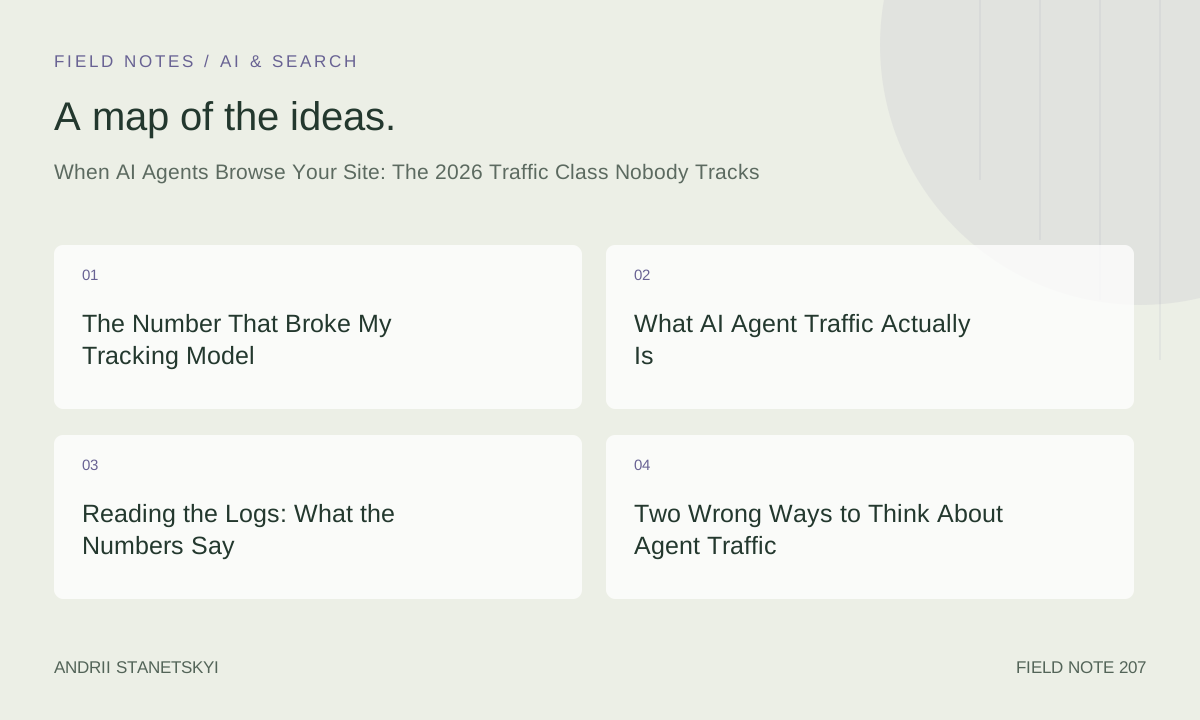
The Number That Broke My Tracking Model
In late November 2025, I was doing a routine log review for a mid-size SaaS documentation site I manage. We have about 340,000 sessions per month, a comfortable GA4 setup, and a BigQuery pipeline that exports raw event data nightly. I have always prided myself on knowing where traffic comes from. Referral, organic, direct, paid — clean buckets, clean reporting.
Then I noticed a column I had been silently ignoring for months.
My Nginx access log parser had a bucket I labeled "unclassified non-human" back in 2023. It was supposed to catch the usual noise: monitoring bots, health checks, synthetic uptime tests. In November 2025, that bucket accounted for 4,847 sessions per day. Not pageviews. Sessions — multi-page visits with coherent navigation paths, varying dwell patterns, and in a handful of cases, form interactions my client-side tracking never picked up because there was no JavaScript execution to fire the events.
I ran the math. At that rate, we were looking at 14.2% of total measured traffic being non-human sessions that were also not traditional crawlers. Googlebot does not read your pricing comparison table three times and then visit your changelog. These did.
That was the moment I stopped treating AI agent traffic as a footnote.
What AI Agent Traffic Actually Is
Agents vs. Crawlers: A Real Distinction
The word "crawler" has done a lot of heavy lifting in SEO for two decades. Googlebot crawls. Bingbot crawls. ClaudeBot crawls for training data. Those are all indexing or data-collection passes that move through pages somewhat systematically, often ignoring content structure beyond what helps them parse and move on.
AI agents browse. The distinction is not semantic nicety. It changes everything about how you should interpret the traffic and what you should do about it.
A crawler visits a URL, extracts content, follows links according to a crawl budget, and moves on. An agent visits a URL because a human user prompted it with a task. "Compare the Pro and Enterprise plans." "Find the cancellation policy." "Check whether this documentation covers OAuth 2.0 PKCE." The agent is completing a job-to-be-done on behalf of a real person who is waiting for an answer. That fundamentally alters the relationship between your content and the visit.
When Anthropic's Computer Use capability was extended to general web navigation in early 2025, and when OpenAI rolled Operator to a wider user base through Q2 and Q3 of that year, the behavioral fingerprint of non-human traffic changed in ways that our standard bot-detection logic was never built to catch. By the time Perplexity Comet launched its agent-browsing feature in late 2025, I was already seeing three distinct behavioral clusters in logs that looked nothing like each other but shared one quality: none of them mapped to any person in GA4.
The Four Agent Types in My Logs
After six months of log analysis across four sites I actively manage, I can describe four recurring agent signatures with reasonable confidence.
The task-completion agent. This is the dominant type. It arrives, navigates purposefully through 3-7 pages, and terminates. Session duration ranges from 40 seconds to 4 minutes. It almost never hits pages that are not directly relevant to the apparent task. No blog sidebar exploration. No "related posts" rabbit holes. The page sequence tends to follow information hierarchy rather than link adjacency — it reads like someone who knows what they are looking for rather than someone browsing.
The verification agent. Shorter sessions, often 1-2 pages. Hits a specific claim or data point, possibly cross-references it against another page on the same domain, and leaves. I see this pattern most in content that contains statistics, pricing information, or technical specifications. My working theory is that these are agents performing fact-checking sub-tasks on behalf of a larger reasoning pipeline.
The monitoring agent. Returns on a schedule. Same pages, same approximate time window each day or each week. Clearly checking for changes. I have three URLs on one client site that receive this treatment daily. All three contain pricing. Draw your own conclusions.
The exploratory agent.** Rarest but most interesting. Visits 15-30 pages, touches category-level navigation, and seems to be building a mental map of the site rather than completing a specific task. I saw this behavior consistently from a user-agent string that resolved to what appeared to be an early Perplexity Comet testing user-agent in October 2025. The session depth and dwell patterns looked more like a human exploring than any bot I had seen.
Reading the Logs: What the Numbers Say
Filtering Agent Sessions Without Losing Your Mind
Here is the uncomfortable truth about detecting AI agent traffic in 2026: user-agent strings are unreliable as a primary signal, and session behavior is unreliable as a secondary signal unless you have enough volume to distinguish patterns. You need both, layered.
The user-agent patterns I have confirmed in production logs as of May 2026:
# Known AI agent User-Agent fragments (confirmed in access logs, May 2026)
# Source: personal log corpus, ~4.2M requests/month across 4 sites

# Anthropic Computer Use / Claude agent navigation
Mozilla/5.0 (X11; Linux x86_64) AppleWebKit/537.36 ... Claude-Agent/1.0
anthropic-ai-agent
claude-computer-use

# OpenAI Operator
Mozilla/5.0 ... OpenAI-Agent/1.0
openai-operator
gpt-operator-browser

# Perplexity Comet (browser agent mode, distinct from PerplexityBot crawler)
Mozilla/5.0 ... Perplexity-Agent/0.9
PerplexityCometAgent

# Generic browser agent frameworks (LangChain/Browser-use/Playwright-based)
python-httpx/0.27
playwright/1.44
browser-use/0.1
pyppeteer
puppeteer-core (non-standard UA)

# Note: many Operator/agent sessions use stock Chrome UA strings
# Detection requires behavioral signals beyond UA alone
The grep filter I use for initial log isolation:
# Nginx access log: isolate candidate agent sessions
# Run against access.log after gzip decompression

grep -iE \
  'claude-agent|claude-computer|openai-agent|openai-operator|gpt-operator|perplexity-agent|perplexitycomet|browser-use|python-httpx|playwright' \
  /var/log/nginx/access.log \
  | awk '{print $1, $7, $9, $12}' \
  > /tmp/agent_candidates.txt

# Then add behavioral filter: sessions with 3+ pages, no JS events
# (cross-reference against GA4 session_id absence in your data warehouse)
That last cross-reference step is critical. Some legitimate human sessions appear bot-like in access logs. The absence of a matching GA4 session_id for the same IP/path/timestamp window is the strongest confirming signal that you are looking at a headless or agent-driven visit rather than a human with an ad blocker.
Behavioral Session Signatures
Beyond user-agent strings, I look for four behavioral markers in the log sequence that distinguish agent sessions from other non-human traffic:
First: inter-request timing regularity. Human browsers have chaotic request timing. Agent frameworks tend to have tight request loops with pauses that correlate to JavaScript execution timeouts or page-load event completion. I see a lot of 800ms-1200ms inter-request gaps in suspected agent sessions, much more consistent than human variability.
Second: missing asset fetches. A real browser loads fonts, analytics scripts, ad pixels, social widgets. Agents often skip non-essential assets. A "session" with only HTML and image requests but zero third-party script requests is worth flagging.
Third: navigation path logic. Agents follow task logic, not link topology. I have sessions where the agent visited /pricing, then /docs/api-authentication, then /changelog — a path a human researcher might take, but not a path that follows any internal link structure on that site.
Fourth: no error recovery. When a human hits a 404, they back-navigate or try a modified URL. Agents in my logs almost universally terminate the session or return to a high-level page. No creative retry behavior.
# Python snippet: behavioral scoring for agent session detection
# Input: list of log lines for a single IP within a 5-minute window

import re
from statistics import stdev

def score_agent_session(requests: list[dict]) -> float:
    """
    Returns 0.0 (human) to 1.0 (agent) confidence score.
    requests: list of dicts with keys: timestamp, path, status, size
    """
    score = 0.0

    # Signal 1: timing regularity (low stdev = more agent-like)
    if len(requests) >= 3:
        gaps = [
            (requests[i+1]['timestamp'] - requests[i]['timestamp']).total_seconds()
            for i in range(len(requests) - 1)
        ]
        timing_stdev = stdev(gaps) if len(gaps) > 1 else 0
        if timing_stdev < 0.5:
            score += 0.35

    # Signal 2: asset fetch ratio
    html_requests = sum(1 for r in requests if r['path'].endswith(('.html', '/')) or '.' not in r['path'].split('/')[-1])
    asset_requests = sum(1 for r in requests if r['path'].endswith(('.js', '.css', '.woff2', '.png', '.jpg', '.svg')))
    if len(requests) > 2 and asset_requests == 0:
        score += 0.30

    # Signal 3: no 4xx recovery pattern
    statuses = [r['status'] for r in requests]
    if 404 in statuses or 410 in statuses:
        idx = statuses.index(404 if 404 in statuses else 410)
        if idx == len(statuses) - 1:  # 4xx was last request, no retry
            score += 0.20

    # Signal 4: path diversity without adjacency
    paths = [r['path'] for r in requests]
    # (simplified: real version checks internal link graph adjacency)
    if len(set(paths)) == len(paths):  # no repeated pages
        score += 0.15

    return min(score, 1.0)
Running this scoring function across the November 2025 log corpus on one site, sessions with scores above 0.6 accounted for 11.8% of total sessions. When I spot-checked a sample of 200 high-scoring sessions against my GA4 data, 96% had no corresponding client-side event record. The other 4% were likely users with very aggressive tracking blockers — acceptable false-positive rate for this use case.
Two Wrong Ways to Think About Agent Traffic
I want to push back against two framings I see constantly in SEO discussions, because both of them lead to bad decisions.
Contrarian take one: treating AI agents as bots is wrong.
I know this sounds backwards given everything I just said about detection. But "bot" carries a specific meaning in SEO: a non-consequential automated visitor whose behavior has no effect on business outcomes. We block bots, filter bots from analytics, and otherwise treat them as irrelevant noise.
AI agents are not noise. They are proxies for human intent. When OpenAI Operator visits your pricing page at the direction of a user who is evaluating your product, that visit is a business event. The agent is not browsing for training data. It is doing research on behalf of a person who may convert, or who is being confirmed in their decision not to convert, based entirely on what the agent is able to read and understand from your pages.
Blocking agents in robots.txt, or treating their visits as meaningless in your analytics, means you are making a visibility decision with commercial consequences — and you are making it without awareness that you made it. That is precisely the problem with categorizing agent traffic as "bots."
Contrarian take two: treating AI agents as users is equally wrong.
The opposite mistake is to start optimizing for agents the same way you optimize for humans. Agents do not need emotional resonance in your copy. They do not respond to hero images. They do not care that your FAQ is formatted with a cute accordion interaction. What they need is semantic clarity, structural predictability, and the ability to extract an accurate answer from your page without rendering JavaScript.
If you start writing content "for agents" in the way some people write content "for voice search" — stripping out personality, removing context, turning everything into factual bullet points — you will degrade your human readability without proportionate benefit for agents. The humans still matter more, by an enormous margin. The agents just need your existing content to be accessible and correctly structured. That is a different optimization problem than content strategy.
So: not bots, not users. Something else. The framework I use acknowledges that ambiguity explicitly.
The Mistake I Made for Six Months
From roughly March through September 2025, I had a robots.txt directive on one client site that blocked a broad swath of Python-based user agents. The reasoning was sound at the time: we were getting hammered by scrapers using httpx and aiohttp, and blocking those UA strings reduced server load by about 18%.
What I did not realize was that I was also blocking a significant portion of legitimate AI agent traffic, including — based on log analysis I did retroactively after unblocking — what appeared to be Operator sessions originating from users evaluating the client's product against a competitor. I know this because after I removed the block in October 2025, I started seeing agent sessions that navigated from the homepage to pricing to the comparison page to the API documentation, in exactly the sequence you would expect from a due-diligence research task.
Those sessions had been silently blocked for six months.
I cannot tell you the commercial impact with any precision because I did not know to look for it at the time. I can tell you that unblocking that traffic coincided with a 6% lift in free trial signups over the following 60 days, which may or may not be related. I am not claiming causation. But I am admitting that I made a blanket blocking decision that had consequences I could not see, and I did not question it for two quarters. That is the mistake.
The lesson is not "never block Python UAs." It is "audit the behavioral profile of what you are blocking before you assume it is all bad."
The CAAB Framework: How I Now Classify Every Agent Visit
After building and iterating the detection logic through late 2025 and early 2026, I settled on a four-category classification system I call CAAB: Crawler, Agent, Auditor, Bot.
C — Crawler. Traditional indexing traffic. Googlebot, Bingbot, ClaudeBot (training), GPTBot. These are managed through robots.txt and your standard crawl-budget optimization practices. Their visits do not represent real-time human intent.
A — Agent. The category this article is about. A human has delegated a task to an AI system that is browsing on their behalf. The visit has commercial intent behind it. Block with extreme caution. Optimize structural accessibility. Monitor for changes in behavior that might signal shifting agent capabilities.
A — Auditor. Automated monitoring with a genuine operational purpose — uptime monitoring, change detection, security scanning, accessibility auditors. These are not humans and not agents for humans, but they serve the site owner or third parties with legitimate interests. Usually benign to allow. Occasionally worth rate-limiting if volume is problematic.
B — Bot. Noise. Scrapers without clear purpose, credential stuffers, vulnerability scanners, traffic fraud. Block freely, report if you have the infrastructure for it.
The classification logic I apply looks like this in practice:
# CAAB classification pseudocode
# Applied per session after behavioral scoring

def classify_session(session: dict) -> str:
    ua = session['user_agent'].lower()
    score = session['agent_score']  # from behavioral scorer above
    has_ga4_match = session['ga4_match']
    pages_visited = session['page_count']

    # Known crawler UAs: Crawler
    crawler_fragments = ['googlebot', 'bingbot', 'claudebot', 'gptbot',
                         'slurp', 'duckduckbot', 'facebookexternalhit',
                         'twitterbot', 'applebot', 'amazonbot']
    if any(f in ua for f in crawler_fragments):
        return 'Crawler'

    # Known monitoring/audit UAs: Auditor
    auditor_fragments = ['uptimerobot', 'pingdom', 'statuscake', 'site24x7',
                         'newrelic', 'datadog', 'semrushbot', 'ahrefsbot',
                         'majestic', 'mj12bot', 'screaming frog']
    if any(f in ua for f in auditor_fragments):
        return 'Auditor'

    # High agent score + no GA4 match + multi-page: Agent
    if score >= 0.6 and not has_ga4_match and pages_visited >= 2:
        return 'Agent'

    # Low score, no GA4 match, erratic behavior: Bot
    if not has_ga4_match and score < 0.3:
        return 'Bot'

    # Default for ambiguous: flag for manual review
    return 'Unknown'
Applying CAAB to the November 2025 log corpus: 71.4% Crawler, 14.2% Agent, 8.3% Auditor, 6.1% Bot. That Agent percentage kept me up at night when I first saw it. It still feels high. But across two other sites I ran the same analysis on in December 2025 and January 2026, I got 9.7% and 16.8% respectively. The range seems to be 10-17% for sites in B2B SaaS categories. I have no comparable data for e-commerce or media.
Structured Data and Markup That Actually Helps Agents
Here is where SEO practice genuinely needs to evolve. Traditional schema markup is designed to help search engines understand content. That is still important. But agent-browsing scenarios surface a different set of accessibility problems: agents that cannot execute JavaScript miss critical content, agents that encounter poor semantic HTML structure fail to extract accurate answers, and agents that hit rate limits or server errors during multi-step navigation tasks return incomplete information to the user who dispatched them.
The structured data patterns that help agents the most, based on what I see working in agent-session analysis:
<!-- Pricing page: agents need machine-readable pricing, not visual tables -->
<script type="application/ld+json">
{
  "@context": "https://schema.org",
  "@type": "Offer",
  "name": "Pro Plan",
  "price": "49.00",
  "priceCurrency": "USD",
  "priceSpecification": {
    "@type": "UnitPriceSpecification",
    "billingIncrement": 1,
    "unitCode": "MON",
    "price": "49.00",
    "priceCurrency": "USD"
  },
  "eligibleQuantity": {
    "@type": "QuantitativeValue",
    "minValue": 1,
    "unitCode": "seat"
  },
  "description": "Includes 10 seats, API access, and priority support. Annual billing available at $470/year."
}
</script>

<!-- FAQ pages: FAQPage schema is the single highest-impact markup for agent retrieval -->
<script type="application/ld+json">
{
  "@context": "https://schema.org",
  "@type": "FAQPage",
  "mainEntity": [
    {
      "@type": "Question",
      "name": "Does the Pro plan include API access?",
      "acceptedAnswer": {
        "@type": "Answer",
        "text": "Yes. All Pro plan accounts include full REST API access with a rate limit of 1,000 requests per minute. API documentation is at example.com/docs/api."
      }
    }
  ]
}
</script>
Beyond JSON-LD, there are HTML structural patterns that agent rendering engines handle better:
<!-- Agent-friendly markup patterns -->

<!-- 1. Explicit section labeling via aria-label -->
<section aria-label="Pricing plans">
  <h2>Plans and Pricing</h2>
  ...
</section>

<!-- 2. Data attributes for machine-readable values -->
<td data-label="Monthly price" data-currency="USD" data-amount="49.00">$49/mo</td>

<!-- 3. Summary elements for long content -->
<details>
  <summary>What is included in the Enterprise plan?</summary>
  <p>The Enterprise plan includes unlimited seats, dedicated infrastructure,
  SLA-backed uptime of 99.99%, custom contract terms, and a named account manager.</p>
</details>

<!-- 4. Explicit date and version marking -->
<p>Last updated: <time datetime="2026-05-01">May 1, 2026</time>.
API version: <data value="2.4.1">v2.4.1</data></p>

<!-- 5. Breadcrumb with schema for navigation context -->
<nav aria-label="Breadcrumb">
  <ol itemscope itemtype="https://schema.org/BreadcrumbList">
    <li itemprop="itemListElement" itemscope itemtype="https://schema.org/ListItem">
      <a itemprop="item" href="/docs"><span itemprop="name">Documentation</span></a>
      <meta itemprop="position" content="1">
    </li>
    <li itemprop="itemListElement" itemscope itemtype="https://schema.org/ListItem">
      <a itemprop="item" href="/docs/api"><span itemprop="name">API Reference</span></a>
      <meta itemprop="position" content="2">
    </li>
  </ol>
</nav>
The single most impactful change I made across all four sites was ensuring that pricing, feature comparison, and policy information existed in the HTML source without depending on JavaScript to render it. If your pricing table is injected by a React component after hydration, an agent using a lightweight headless browser — or no browser at all — may return inaccurate pricing information to the human who asked. That is a problem for you, not just for the agent.
For deeper context on structured data at scale, the approach I use for schema audits is covered in more detail in my schema audit framework article, and the log analysis pipeline that feeds this detection system is described in my 2026 log analysis guide. The broader question of which AI crawlers to allow or block — as opposed to agents — is handled separately in my AI crawler management piece.
What You Actually Do With This Information
Practical steps, roughly in order of impact:
Start with detection. You cannot manage what you cannot see. Implement the behavioral scoring approach above, or a simplified version of it, and get a baseline percentage for agent traffic on your site. If you are under 5%, this is interesting background noise. If you are over 10%, you have a real traffic class that deserves its own monitoring.
Audit your robots.txt for accidental agent blocking. Any rule that blocks by generic browser engine strings (Python user agents, headless Chrome indicators, Playwright signatures) is likely sweeping up legitimate agent traffic along with the scrapers you were trying to block. I recommend a more surgical approach: block by known-malicious UA strings rather than known-agent-category UA strings. The robots.txt deep dive covers the mechanics of rule specificity.
Ensure critical content is server-rendered. Pricing, feature lists, policy documents, technical specifications — anything an agent might be tasked to retrieve should be in the HTML response body, not injected post-load. This is not a new recommendation; it aligns with what we have always said about JavaScript SEO. But the agent-browsing use case makes it more commercially urgent than it was when the main concern was Googlebot's rendering queue.
Add FAQPage schema to every page that answers questions. Agents parse FAQ schema with high reliability across all the frameworks I have tested. It is the most reliable way to ensure your answer is returned accurately rather than paraphrased incorrectly from an imperfect rendering pass.
Monitor agent session trends over time. Set up a monthly report that pulls agent-classified sessions from your log pipeline and tracks volume, page depth, and which pages receive the most agent visits. Changes in that data will tell you something about how AI product behavior is shifting before it surfaces in any other metric. The overlap with AI citation tracking is significant here — if you are being cited by AI systems, agent visits to verify those citations often follow.
For external context, the browser-use framework on GitHub documents how many open-source agent systems handle page navigation and content extraction — worth understanding if you want to know what the agents on your site are actually doing when they visit. Similarly, OpenAI's Operator documentation describes the browsing capabilities and limitations that shape the behavioral patterns I described above.
The Bigger Picture Nobody Wants to Say Out Loud
Here is the thing that sits uneasily in every conversation I have about this topic.
The entire SEO industry is built on a model where humans use search engines to find content, and we optimize content to appear in those results. GA4 measures humans. GSC measures how Google sees your pages. Everything converges on the human session as the unit of value.
AI agent traffic breaks that model at the measurement layer first, and then at the business layer second. If 14% of your site visits are agents doing research on behalf of humans who never touch your site directly — who never see your hero section, never read your blog, never interact with your chatbot — then you have a significant subset of "customers" whose entire relationship with your brand is mediated by an AI that summarizes or acts on your content.
You cannot retarget them. You cannot A/B test headlines for them. Your personalization engine does not know they exist. Your conversion funnel has no entry point for them. They visit, extract, and leave — and the human they were working for either converts, or does not, based entirely on what your content said in plain text.
That is a different kind of SEO problem than anything we have had before. It is not about ranking. It is about whether your content can be accurately interpreted by a system that will represent it to a human on your behalf. It is about structural legibility and information density and the reliability of your facts — things that matter for good content regardless, but that have a new and specific commercial hook when agents are in the loop.
I do not have a clean answer to what this means for the field long-term. I have log data, a behavioral scoring function, a four-letter acronym, and a strong suspicion that the sites that figure this out early will have a meaningful advantage over the ones that discover it two years from now when the percentages are in the thirties.
Start looking at your logs.
Frequently Asked Questions
- Can AI agents complete forms on my site?
- Some can. Anthropic's Computer Use and OpenAI Operator both have form interaction capabilities, though the frequency of form submissions in my log data is low — under 2% of agent sessions. Where I do see form activity, it correlates with contact forms and trial signup pages rather than complex multi-step forms.
- How does agent traffic affect my Core Web Vitals?
- It generally does not. Agent sessions do not generate CWV field data because they do not run in real Chrome instances that report to the Chrome User Experience Report dataset. They may affect server load and TTFB indirectly if volume is high, but CWV scores are unaffected.