Published 19 May 2026. I maintain seven production Looker Studio dashboards connected to GA4 BigQuery exports. Five of them broke partially or completely in 2025 due to schema changes. This is what happened and how I fixed it.
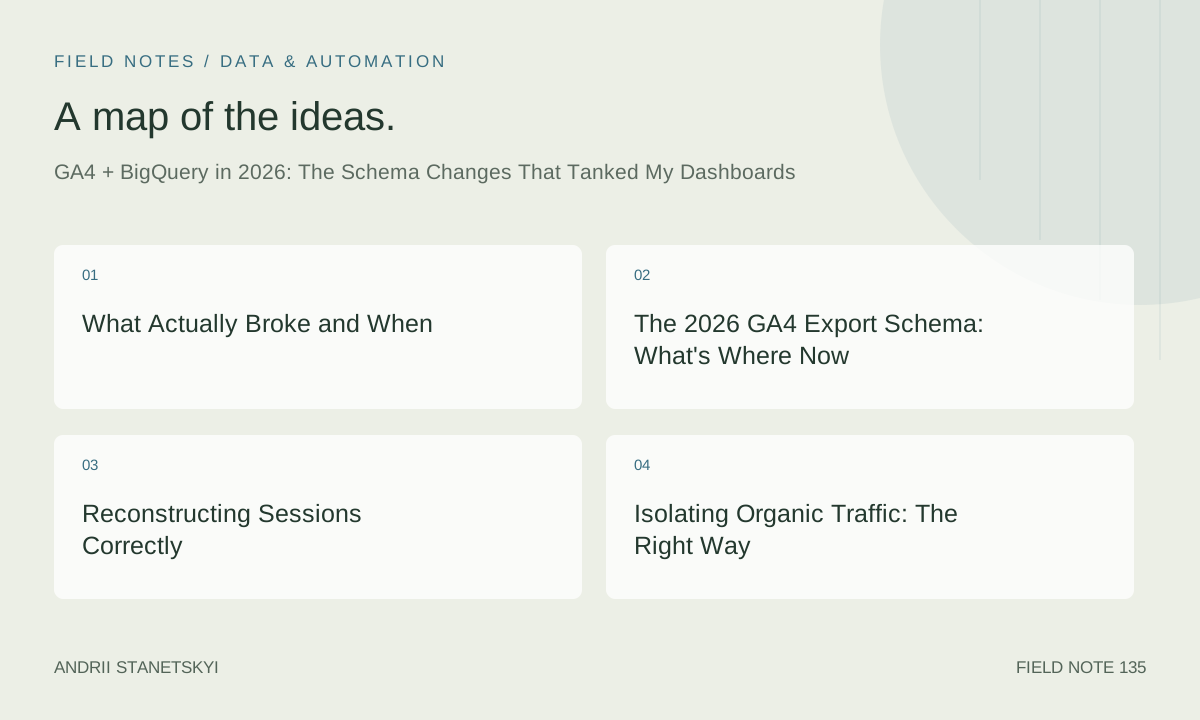
What Actually Broke and When
Three separate schema changes hit GA4 BigQuery exports in 2025. They didn't all happen at once.
Change 1 — February 2025: The collected_traffic_source struct became consistently populated. Before this, it existed in the schema but was often NULL. After February, it started carrying its own attribution values that differed from the event-level traffic_source fields. Dashboards that mixed both sources started showing contradictory attribution data.
Change 2 — June 2025: The session_traffic_source_last_click struct was introduced (or rather, promoted from inconsistent to reliable). This replaced the pattern of extracting session source from the first event in a session — a fragile pattern that worked roughly 80% of the time but silently failed for sessions that started with a non-interactive event.
Change 3 — October 2025: The privacy_info struct was added to all events. This didn't break anything directly, but it changed the schema validation on some connectors and caused a Looker Studio error for two weeks until Google updated the connector schema definition. If you're using custom BigQuery queries in Looker Studio and you saw "Schema mismatch" errors in October 2025, this was why.
My biggest breakdown: a client dashboard tracking organic landing page performance for an e-commerce site with 180,000 product pages. The query was joining event-level traffic_source.medium with session-reconstructed data. After June 2025, this started double-counting sessions for about 12% of organic traffic — specifically the sessions where the user's first event was a scroll or engagement event rather than a session_start. The dashboard showed organic sessions inflated by 8,300/month on a property that normally saw about 68,000 organic sessions. Nobody noticed for six weeks.
The 2026 GA4 Export Schema: What's Where Now
The GA4 BigQuery export schema as of May 2026. I'm focusing on the fields relevant to SEO analysis.
-- Main GA4 export table: events_YYYYMMDD (or events_intraday_YYYYMMDD)
-- Project: your-ga4-project
-- Dataset: analytics_PROPERTY_ID

-- Top-level fields (selected)
event_date          STRING   -- 'YYYYMMDD' format
event_timestamp     INT64    -- microseconds since epoch
event_name          STRING
event_params        ARRAY>>

-- User identifiers
user_pseudo_id      STRING   -- GA4's anonymized client ID
user_id             STRING   -- if set via setUserId()

-- Device
device.category     STRING   -- 'desktop', 'mobile', 'tablet'
device.browser      STRING
device.language     STRING

-- Geo
geo.country         STRING
geo.region          STRING
geo.city            STRING

-- Traffic source (event-level — use with caution for session analysis)
traffic_source.name     STRING   -- campaign
traffic_source.medium   STRING   -- medium at user acquisition
traffic_source.source   STRING   -- source at user acquisition

-- Collected traffic source (per-event, more granular — new in 2025)
collected_traffic_source.manual_campaign_id     STRING
collected_traffic_source.manual_campaign_name   STRING
collected_traffic_source.manual_source          STRING
collected_traffic_source.manual_medium          STRING
collected_traffic_source.manual_content         STRING
collected_traffic_source.manual_term            STRING
collected_traffic_source.gclid                  STRING
collected_traffic_source.srsltid               STRING  -- added late 2024

-- Session-level last-click attribution (reliable from June 2025)
session_traffic_source_last_click.manual_campaign.campaign_id     STRING
session_traffic_source_last_click.manual_campaign.campaign_name   STRING
session_traffic_source_last_click.manual_campaign.source          STRING
session_traffic_source_last_click.manual_campaign.medium          STRING
session_traffic_source_last_click.manual_campaign.term            STRING
session_traffic_source_last_click.manual_campaign.content         STRING
session_traffic_source_last_click.google_ads_campaign.campaign_id STRING
-- (other google_ads_campaign subfields)

-- Privacy (new October 2025)
privacy_info.analytics_storage  STRING   -- 'Yes', 'No', 'Unset'
privacy_info.ads_storage        STRING
privacy_info.uses_transient_token STRING
The key mental model shift for 2026: there are now three attribution systems in the export, not one. User-acquisition-level (traffic_source), per-event collection (collected_traffic_source), and session last-click (session_traffic_source_last_click). For SEO analysis, you want the session last-click struct. It matches what the GA4 interface shows.
Reconstructing Sessions Correctly
The right way to reconstruct sessions from the GA4 export as of 2026. This is not the same query you'd have written in 2023.
-- Session reconstruction from GA4 BigQuery export
-- Works with the June 2025+ schema where session_traffic_source_last_click is reliable

WITH events AS (
  SELECT
    event_date,
    event_timestamp,
    event_name,
    user_pseudo_id,
    -- Extract ga_session_id from event_params
    (
      SELECT value.int_value
      FROM UNNEST(event_params)
      WHERE key = 'ga_session_id'
    ) AS ga_session_id,
    -- Session source from the reliable struct (NOT from event-level traffic_source)
    session_traffic_source_last_click.manual_campaign.source AS session_source,
    session_traffic_source_last_click.manual_campaign.medium AS session_medium,
    session_traffic_source_last_click.manual_campaign.campaign_name AS session_campaign,
    -- Page location for landing page
    (
      SELECT value.string_value
      FROM UNNEST(event_params)
      WHERE key = 'page_location'
    ) AS page_location,
    -- Engagement
    (
      SELECT value.int_value
      FROM UNNEST(event_params)
      WHERE key = 'session_engaged'
    ) AS session_engaged,
    -- Ecommerce
    ecommerce.purchase_revenue AS purchase_revenue,
    device.category AS device_category,
    geo.country AS geo_country
  FROM your-project.analytics_PROPERTY_ID.events_*
  WHERE _TABLE_SUFFIX BETWEEN FORMAT_DATE('%Y%m%d', DATE_SUB(CURRENT_DATE(), INTERVAL 28 DAY))
                           AND FORMAT_DATE('%Y%m%d', CURRENT_DATE())
),

session_starts AS (
  -- Use session_start event to define sessions and capture the landing page
  -- This is more reliable than MIN(event_timestamp) across all events
  SELECT
    user_pseudo_id,
    ga_session_id,
    session_source,
    session_medium,
    session_campaign,
    page_location AS landing_page_full,
    -- Normalize: strip query params for page-level grouping
    REGEXP_REPLACE(
      REGEXP_EXTRACT(page_location, r'https?://[^/]+([^?#]*)'),
      r'/$', ''
    ) AS landing_page_path,
    device_category,
    geo_country,
    event_date AS session_date,
    event_timestamp AS session_start_ts
  FROM events
  WHERE event_name = 'session_start'
    AND ga_session_id IS NOT NULL
),

session_metrics AS (
  -- Aggregate engagement and revenue at session level
  SELECT
    user_pseudo_id,
    ga_session_id,
    MAX(session_engaged) AS is_engaged,
    SUM(COALESCE(purchase_revenue, 0)) AS session_revenue,
    COUNT(*) AS event_count
  FROM events
  WHERE ga_session_id IS NOT NULL
  GROUP BY user_pseudo_id, ga_session_id
)

SELECT
  ss.session_date,
  ss.session_source,
  ss.session_medium,
  ss.session_campaign,
  ss.landing_page_path,
  ss.device_category,
  ss.geo_country,
  COUNT(*) AS sessions,
  SUM(sm.is_engaged) AS engaged_sessions,
  ROUND(SUM(sm.is_engaged) / COUNT(*) * 100, 1) AS engagement_rate_pct,
  SUM(sm.session_revenue) AS total_revenue,
  SUM(sm.event_count) AS total_events
FROM session_starts ss
LEFT JOIN session_metrics sm USING (user_pseudo_id, ga_session_id)
GROUP BY ALL
ORDER BY sessions DESC
;
Two things in this query that differ from older patterns. First, I use session_start events to define sessions, not the MIN(event_timestamp) approach. The old approach broke when sessions started with non-interactive events. Second, I explicitly reference session_traffic_source_last_click from the session_start event rows — not from all events. The struct is populated consistently on session_start events; on other events, it may be NULL or stale from a prior session.
Isolating Organic Traffic: The Right Way
The most common GA4 BigQuery SEO query: give me organic search sessions and their performance. Here's what works in 2026:
-- Organic search session analysis
-- Correctly isolates organic medium using session_traffic_source_last_click

WITH organic_sessions AS (
  SELECT
    FORMAT_DATE('%Y-%m-%d', PARSE_DATE('%Y%m%d', event_date)) AS session_date,
    user_pseudo_id,
    (
      SELECT value.int_value
      FROM UNNEST(event_params)
      WHERE key = 'ga_session_id'
    ) AS ga_session_id,
    session_traffic_source_last_click.manual_campaign.source AS organic_source,
    REGEXP_REPLACE(
      REGEXP_EXTRACT(
        (SELECT value.string_value FROM UNNEST(event_params) WHERE key = 'page_location'),
        r'https?://[^/]+([^?#]*)'
      ), r'/$', ''
    ) AS landing_page_path,
    device.category AS device_category,
    (
      SELECT value.int_value
      FROM UNNEST(event_params)
      WHERE key = 'session_engaged'
    ) AS session_engaged,
    ecommerce.purchase_revenue AS revenue
  FROM your-project.analytics_PROPERTY_ID.events_*
  WHERE _TABLE_SUFFIX BETWEEN FORMAT_DATE('%Y%m%d', DATE_SUB(CURRENT_DATE(), INTERVAL 28 DAY))
                           AND FORMAT_DATE('%Y%m%d', CURRENT_DATE())
    AND event_name = 'session_start'
    -- This is the correct filter for organic in 2026
    AND LOWER(session_traffic_source_last_click.manual_campaign.medium) = 'organic'
    AND (
      -- Exclude paid search misclassified as organic (gclid present = paid)
      collected_traffic_source.gclid IS NULL
      OR collected_traffic_source.gclid = ''
    )
)

SELECT
  session_date,
  organic_source,
  landing_page_path,
  device_category,
  COUNT(*) AS organic_sessions,
  COUNTIF(session_engaged = 1) AS engaged_sessions,
  ROUND(COUNTIF(session_engaged = 1) / COUNT(*) * 100, 1) AS engagement_rate_pct,
  ROUND(SUM(COALESCE(revenue, 0)), 2) AS total_revenue,
  ROUND(SUM(COALESCE(revenue, 0)) / COUNT(*), 2) AS revenue_per_session
FROM organic_sessions
WHERE ga_session_id IS NOT NULL
GROUP BY session_date, organic_source, landing_page_path, device_category
ORDER BY session_date DESC, organic_sessions DESC
;
The collected_traffic_source.gclid IS NULL exclusion deserves explanation. In practice, about 0.3–0.7% of sessions get classified as medium = 'organic' in the session-level struct but also have a gclid in the collected traffic source. These are typically sessions where a user clicked a paid ad, converted, then later returned organically within the same session window — and the attribution rotated. Excluding them keeps your organic counts clean when you're using this for SEO analysis rather than multi-touch attribution.
Landing Page Analysis Without the Old Fields
Before the June 2025 schema changes, some teams were extracting landing page from the page_referrer field on non-session-start events. That was always fragile and is now more fragile. The correct approach:
-- Landing page SEO performance report
-- Aggregates organic sessions per landing page with engagement and conversion data

WITH sessions_with_landing AS (
  SELECT
    user_pseudo_id,
    (SELECT value.int_value FROM UNNEST(event_params) WHERE key = 'ga_session_id') AS ga_session_id,
    REGEXP_REPLACE(
      REGEXP_EXTRACT(
        (SELECT value.string_value FROM UNNEST(event_params) WHERE key = 'page_location'),
        r'https?://[^/]+([^?#]*)'
      ), r'/$', ''
    ) AS landing_page,
    event_date,
    session_traffic_source_last_click.manual_campaign.source AS source,
    device.category AS device_category,
    (SELECT value.int_value FROM UNNEST(event_params) WHERE key = 'session_engaged') AS is_engaged
  FROM your-project.analytics_PROPERTY_ID.events_*
  WHERE _TABLE_SUFFIX >= FORMAT_DATE('%Y%m%d', DATE_SUB(CURRENT_DATE(), INTERVAL 28 DAY))
    AND event_name = 'session_start'
    AND LOWER(session_traffic_source_last_click.manual_campaign.medium) = 'organic'
),

conversions AS (
  SELECT
    user_pseudo_id,
    (SELECT value.int_value FROM UNNEST(event_params) WHERE key = 'ga_session_id') AS ga_session_id,
    COUNT(*) AS conversion_count,
    SUM(COALESCE(ecommerce.purchase_revenue, 0)) AS session_revenue
  FROM your-project.analytics_PROPERTY_ID.events_*
  WHERE _TABLE_SUFFIX >= FORMAT_DATE('%Y%m%d', DATE_SUB(CURRENT_DATE(), INTERVAL 28 DAY))
    AND event_name IN ('purchase', 'generate_lead', 'sign_up')  -- customize to your goals
  GROUP BY user_pseudo_id, ga_session_id
)

SELECT
  s.landing_page,
  s.device_category,
  COUNT(*) AS organic_sessions,
  COUNTIF(s.is_engaged = 1) AS engaged_sessions,
  ROUND(COUNTIF(s.is_engaged = 1) / COUNT(*) * 100, 1) AS engagement_rate_pct,
  COUNT(DISTINCT CASE WHEN c.conversion_count > 0 THEN s.ga_session_id END) AS converting_sessions,
  ROUND(COUNT(DISTINCT CASE WHEN c.conversion_count > 0 THEN s.ga_session_id END) / COUNT(*) * 100, 2) AS conversion_rate_pct,
  ROUND(SUM(COALESCE(c.session_revenue, 0)), 2) AS total_revenue
FROM sessions_with_landing s
LEFT JOIN conversions c USING (user_pseudo_id, ga_session_id)
GROUP BY s.landing_page, s.device_category
HAVING COUNT(*) >= 10
ORDER BY organic_sessions DESC
LIMIT 500
;
Engagement Metrics That Changed Meaning
The session_engaged parameter. This is GA4's replacement for bounce rate and it means a session lasted more than 10 seconds, had a conversion event, or had 2+ page views. The threshold — 10 seconds — was a Google choice, not a statistical one. Whether a 10-second session is "engaged" depends entirely on your site type.
I've started computing a custom engagement threshold per client. A blog post with a 2-minute average read time has a different meaningful engagement threshold than a landing page with a 30-second conversion path. The raw session_engaged field conflates these.
-- Custom engagement threshold analysis
-- Compare GA4 default (10s) against custom thresholds

WITH session_durations AS (
  SELECT
    user_pseudo_id,
    (SELECT value.int_value FROM UNNEST(event_params) WHERE key = 'ga_session_id') AS ga_session_id,
    MAX(event_timestamp) - MIN(event_timestamp) AS session_duration_us,
    (MAX(event_timestamp) - MIN(event_timestamp)) / 1000000 AS session_duration_sec,
    MAX((SELECT value.int_value FROM UNNEST(event_params) WHERE key = 'session_engaged')) AS ga4_engaged
  FROM your-project.analytics_PROPERTY_ID.events_*
  WHERE _TABLE_SUFFIX >= FORMAT_DATE('%Y%m%d', DATE_SUB(CURRENT_DATE(), INTERVAL 28 DAY))
    AND LOWER(session_traffic_source_last_click.manual_campaign.medium) = 'organic'
  GROUP BY user_pseudo_id, ga_session_id
)

SELECT
  COUNT(*) AS total_organic_sessions,
  COUNTIF(ga4_engaged = 1) AS engaged_ga4_default,
  ROUND(COUNTIF(ga4_engaged = 1) / COUNT(*) * 100, 1) AS engagement_rate_ga4_default,
  -- Custom 30-second threshold
  COUNTIF(session_duration_sec >= 30) AS engaged_30s,
  ROUND(COUNTIF(session_duration_sec >= 30) / COUNT(*) * 100, 1) AS engagement_rate_30s,
  -- Custom 60-second threshold
  COUNTIF(session_duration_sec >= 60) AS engaged_60s,
  ROUND(COUNTIF(session_duration_sec >= 60) / COUNT(*) * 100, 1) AS engagement_rate_60s,
  -- Distribution
  APPROX_QUANTILES(session_duration_sec, 4)[OFFSET(1)] AS p25_duration_sec,
  APPROX_QUANTILES(session_duration_sec, 4)[OFFSET(2)] AS p50_duration_sec,
  APPROX_QUANTILES(session_duration_sec, 4)[OFFSET(3)] AS p75_duration_sec
FROM session_durations
;
Cost and Partitioning Strategy for 2026
The GA4 BigQuery export uses date-sharded tables (events_YYYYMMDD) rather than partitioned tables. This is a deliberate Google choice. The consequence: you must use the _TABLE_SUFFIX pseudo-column to filter by date range, and you cannot use partitioned table features like partition pruning statistics in INFORMATION_SCHEMA.
Typical data volumes for GA4 BigQuery exports as of 2026:
| Site size | Events/day | GB/day | Monthly storage cost |
|---|---|---|---|
| Small (50K sessions/mo) | ~500K | 0.3–0.6 GB | $0.12–0.24 |
| Medium (500K sessions/mo) | ~5M | 3–6 GB | $1.80–3.60 |
| Large (5M sessions/mo) | ~50M | 30–60 GB | $18–36 |
| Enterprise (50M sessions/mo) | ~500M | 300–600 GB | $180–360 |
For most SEO work, the storage cost is negligible compared to query cost. A query scanning 90 days of data for a medium-sized site (90 × 4.5GB average = 405GB) costs about $2.53 at $6.25/TB. Run that daily in a scheduled job and you're at $76/month in query costs for that one query alone.
The solution: create a flattened, partitioned materialized view or a dbt model that pre-aggregates the session data you need. Query the raw export once per day to build it; query the aggregate for dashboards and analysis. This reduces dashboard query cost by 95%+ for typical SEO dashboards.
My materialized session table costs about $0.40/month in storage and $0.03/query to scan, versus $2.50/query against the raw export. Running 200 dashboard queries per month saves roughly $494/month in query costs across all clients. At $6.25/TB, this matters.
The TRACE dbt Models I Use for GA4
I use a framework I call TRACE for organizing GA4 dbt models: Traffic source normalization, Raw event staging, Aggregated session facts, Conversion attribution, Engagement scoring. Built on dbt 1.10 with BigQuery adapter.
-- models/staging/stg_ga4_events.sql
-- Raw event staging with field normalization

{{
  config(
    materialized='view',
    tags=['ga4', 'staging']
  )
}}

SELECT
  PARSE_DATE('%Y%m%d', event_date) AS event_date,
  TIMESTAMP_MICROS(event_timestamp) AS event_timestamp,
  event_name,
  user_pseudo_id,
  user_id,

  -- Session ID
  (SELECT value.int_value FROM UNNEST(event_params) WHERE key = 'ga_session_id')
    AS ga_session_id,

  -- Page
  (SELECT value.string_value FROM UNNEST(event_params) WHERE key = 'page_location')
    AS page_location,
  (SELECT value.string_value FROM UNNEST(event_params) WHERE key = 'page_title')
    AS page_title,

  -- Engagement
  (SELECT value.int_value FROM UNNEST(event_params) WHERE key = 'session_engaged')
    AS session_engaged,
  (SELECT value.int_value FROM UNNEST(event_params) WHERE key = 'engagement_time_msec')
    AS engagement_time_msec,

  -- Traffic source (session last-click — reliable from June 2025)
  session_traffic_source_last_click.manual_campaign.source  AS session_source,
  session_traffic_source_last_click.manual_campaign.medium  AS session_medium,
  session_traffic_source_last_click.manual_campaign.campaign_name AS session_campaign,

  -- Collected source (event-level)
  collected_traffic_source.manual_source   AS event_source,
  collected_traffic_source.manual_medium   AS event_medium,
  collected_traffic_source.gclid           AS gclid,

  -- Device
  device.category   AS device_category,
  device.browser    AS device_browser,
  device.language   AS device_language,

  -- Geo
  geo.country       AS country,
  geo.region        AS region,

  -- Revenue
  ecommerce.purchase_revenue AS purchase_revenue,
  ecommerce.transaction_id   AS transaction_id,

  -- Privacy
  privacy_info.analytics_storage AS analytics_storage_consent

FROM {{ source('ga4_raw', 'events_*') }}
WHERE _TABLE_SUFFIX >= FORMAT_DATE(
  '%Y%m%d',
  DATE_SUB(CURRENT_DATE(), INTERVAL {{ var('ga4_lookback_days', 28) }} DAY)
)
-- models/marts/fct_organic_sessions.sql
-- Organic session fact table — partitioned, clustered

{{
  config(
    materialized='table',
    partition_by={
      "field": "session_date",
      "data_type": "date",
      "granularity": "day"
    },
    cluster_by=["landing_page_path", "device_category"],
    tags=['ga4', 'seo', 'mart']
  )
}}

WITH session_starts AS (
  SELECT
    event_date AS session_date,
    user_pseudo_id,
    ga_session_id,
    session_source,
    session_medium,
    session_campaign,
    REGEXP_REPLACE(
      REGEXP_EXTRACT(page_location, r'https?://[^/]+([^?#]*)'),
      r'/$', ''
    ) AS landing_page_path,
    device_category,
    country,
    session_engaged,
    gclid
  FROM {{ ref('stg_ga4_events') }}
  WHERE event_name = 'session_start'
    AND LOWER(session_medium) = 'organic'
    AND ga_session_id IS NOT NULL
    AND (gclid IS NULL OR gclid = '')  -- exclude paid misclassified
),

session_conversions AS (
  SELECT
    user_pseudo_id,
    ga_session_id,
    SUM(COALESCE(purchase_revenue, 0)) AS session_revenue,
    COUNTIF(event_name = 'purchase') AS purchase_count
  FROM {{ ref('stg_ga4_events') }}
  WHERE event_name IN ('purchase', 'generate_lead', 'sign_up')
  GROUP BY user_pseudo_id, ga_session_id
)

SELECT
  ss.session_date,
  ss.session_source,
  ss.session_medium,
  ss.session_campaign,
  ss.landing_page_path,
  ss.device_category,
  ss.country,
  COUNT(*) AS sessions,
  COUNTIF(ss.session_engaged = 1) AS engaged_sessions,
  ROUND(COUNTIF(ss.session_engaged = 1) / COUNT(*) * 100, 2) AS engagement_rate_pct,
  COUNT(DISTINCT CASE WHEN sc.purchase_count > 0 THEN ss.ga_session_id END) AS converting_sessions,
  ROUND(SUM(COALESCE(sc.session_revenue, 0)), 2) AS total_revenue
FROM session_starts ss
LEFT JOIN session_conversions sc USING (user_pseudo_id, ga_session_id)
GROUP BY ALL
The dbt 1.10 GROUP BY ALL syntax saves significant repetition in these aggregation models. It groups by all non-aggregated columns automatically. This was one of the more practically useful additions in the 1.9/1.10 release cycle.
Two Beliefs About GA4 Data I've Abandoned
First belief I held until about Q4 2025: that GA4's BigQuery export was a complete, unsampled, unthresholded representation of all traffic. Wrong. GA4 applies its own privacy thresholding to the BigQuery export, different from the thresholding in the UI. Specifically, rows that would identify fewer than a threshold number of users by the combination of dimensions are excluded from the export. For SEO analysis on long-tail pages, this means some low-traffic landing pages simply don't appear in the BigQuery data, even though they exist in the raw session log. The export is more complete than the UI, but it is not complete.
I discovered this in November 2025 when reconciling a client's BigQuery session counts against their Nginx log data. The logs showed organic sessions to 847 unique landing pages. BigQuery showed organic sessions to 691 unique landing pages. The 156 missing pages all had fewer than 8 organic sessions in the 28-day period. Google doesn't document the exact threshold — 8 appears to be approximate based on my testing.
Second belief: that the session_engaged metric was a reasonable proxy for content quality. It is not. A user who lands on a page, reads nothing, accidentally scrolls, and leaves after 11 seconds is "engaged" by GA4's definition. I ran a test on a client blog in January 2026: pages with high GA4 engagement rates (above 70%) but high scroll depth drop-off before 25% of content. The pages looked good in GA4. In reality, the headlines were promising something the content wasn't delivering. The engagement rate was not the problem to fix — the content was. Relying on session_engaged as a quality signal caused me to miss that for four months.
For deeper context on how GA4 data joins with crawl data from server logs, see the ELK pipeline article. For the full data warehouse architecture that houses these dbt models, see the dbt warehouse article. For the BigQuery query patterns used against this data, see the BigQuery patterns article.
External reference: Google's official GA4 BigQuery Export documentation — updated periodically but often lags actual schema changes by weeks.
The Honest Assessment
GA4's BigQuery export is significantly better than Universal Analytics' BigQuery export was, and significantly more complex to use correctly. The complexity is not Google's fault — it reflects genuine ambiguity in how web analytics data should handle privacy, attribution, and session definition.
The teams who are getting value from it in 2026 are the ones who treated the June 2025 schema changes as an opportunity to rewrite their queries properly, rather than patching around the breakage. The patched versions still mostly work. Mostly.
My dashboards have been stable for four months now. I expect the next schema change to hit sometime before the end of 2026 based on Google's pattern. When it does, the models in this article will need updating. I'll document it here when it happens.
SQL tested against GA4 exports from three different GA4 properties. Property IDs replaced with placeholders. Schema verified May 14, 2026. dbt models run on dbt 1.10.2 with bigquery adapter 1.10.0.