Most SEO teams get header tags half-right. They put the primary keyword in the H1, slap H2s on major sections, and call it done. That's a shallow reading of a system that, when engineered properly, does four things simultaneously: signals topical structure to Google's content understanding models, satisfies accessibility requirements for screen readers, improves time-on-page through visual scannability, and seeds featured snippet and People Also Ask captures. This guide covers all four dimensions with a practitioner's precision.
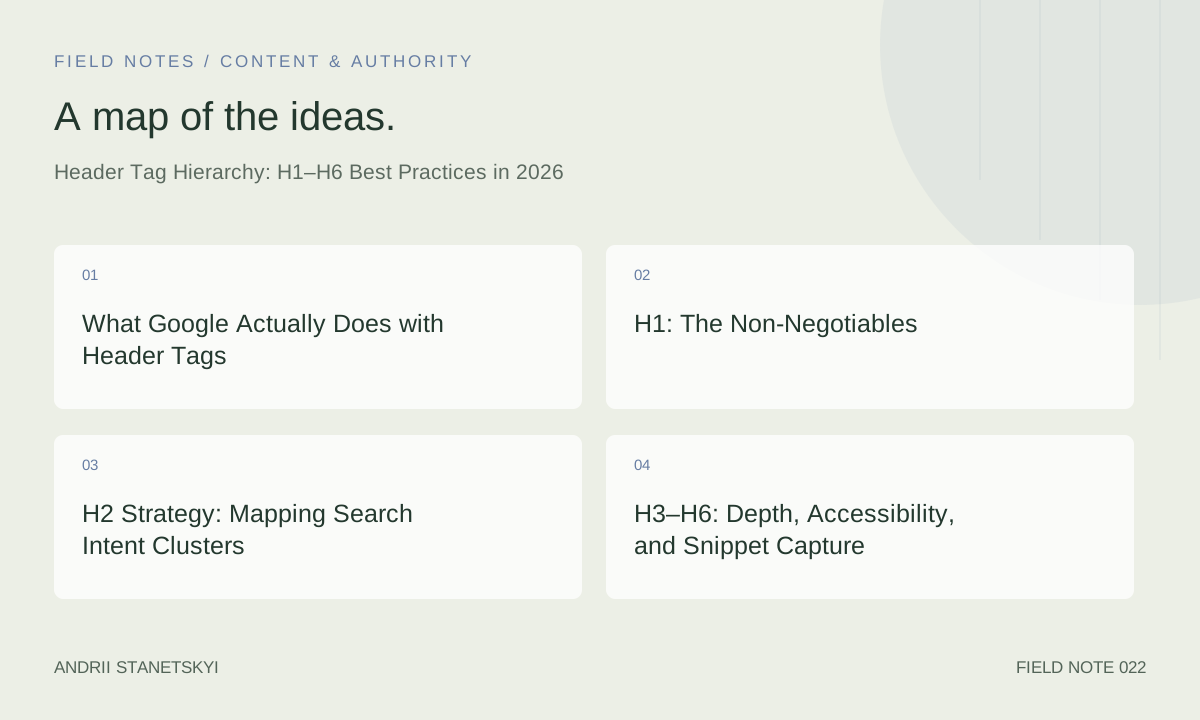
What Google Actually Does with Header Tags
Google's documentation is explicit: headers help Google understand the structure and content of a page. Less explicit but equally important is how that understanding translates to ranking behavior. Google's Natural Language API and the MUM/Gemini-era content understanding systems treat heading text as high-weight signals in the page's semantic graph. H1 text anchors the primary entity. H2 text defines sub-topics. H3 text often seeds the "passage ranking" extraction layer.
The practical evidence: Ahrefs' 2024 study of 2 million pages found that pages ranking in positions 1–3 for informational queries had a statistically significant correlation with having keyword-aligned H2 subheadings matching common long-tail variants of the primary keyword. This isn't correlation-is-causation territory — the mechanism is content comprehensiveness, which headers organize and signal.
Headers also directly influence two SERP features: featured snippets often extract the paragraph or list immediately following a keyword-matched H2 or H3, and People Also Ask answers are frequently pulled from H3 questions with answer paragraphs below them. Structure your headers with these extraction patterns in mind.
See our featured snippets guide for the exact header patterns that trigger Position Zero captures.
H1: The Non-Negotiables
One H1 per page — full stop
Multiple H1s on a single page remain a persistent issue, particularly on WordPress sites where the post title and the first block heading both default to H1. Screaming Frog's "H1" tab filters for pages with multiple H1s in seconds. In a crawl of an average e-commerce site with 5,000+ pages, expect to find 10–15% of pages with this issue. Fix it at the template level.
H1 must match the page's primary keyword intent
The H1 and title tag should share the primary keyword, but they don't need to be identical — and ideally they shouldn't be. The title tag is optimized for SERP CTR (concise, front-loaded). The H1 is optimized for the reading experience (can be slightly longer, more descriptive). A title of "Best CRM for Startups 2026" pairs well with an H1 of "The Best CRM Software for Startups: A Hands-On 2026 Comparison."
H1 length: 20–70 characters
Unlike title tags, H1s have no pixel rendering constraint in SERPs. However, they should be concise enough to be visually digested as a headline, not a paragraph. Under 20 characters suggests the H1 is too vague. Over 70 characters often means it's doing the job of an H2 as well — split the work.
Avoid decorative H1s
CMS themes frequently set hero section text as H1 for visual reasons — "Welcome to Our Agency" or "Transforming Businesses Since 2009." These waste the H1 allocation on content with zero keyword value. Move decorative headings to styled <div> or <p> elements and reserve the H1 for keyword-meaningful text.
H2 Strategy: Mapping Search Intent Clusters
If H1 defines the page's primary topic, H2s define its comprehensiveness. Each H2 should correspond to a distinct sub-intent that a searcher of the primary keyword might also have. The most reliable method for identifying these sub-intents is to examine:
- People Also Ask boxes for the primary keyword in GSC
- The H2 structure of pages currently ranking 1–5 (Ahrefs Content Gap reveals missing sub-topics)
- Long-tail keyword variations in Semrush's Keyword Magic Tool grouped by topic cluster
- Related searches at the bottom of the SERP
For a page targeting "email marketing best practices," the H2 map should cover: list segmentation, subject line optimization, send time analysis, deliverability fundamentals, automation sequences, and A/B testing methodology. Each H2 is essentially its own mini-page topic — and each can independently rank for its corresponding long-tail query if the content is thorough enough for passage indexing.
H2 keyword integration: natural, not mechanical
Every H2 doesn't need to contain the primary keyword. Sub-topics have their own keyword vocabulary. If your primary keyword is "technical SEO audit," H2s like "Crawl Budget Analysis," "Log File Review," and "Core Web Vitals Assessment" are semantically appropriate without forcing the exact phrase. Tools like Clearscope and Surfer SEO surface the NLP terms you should be distributing across headings and body text — use them to validate completeness, not to stuff exact matches.
H3–H6: Depth, Accessibility, and Snippet Capture
H3: The Workhorse of Long-Form Content
H3s sit under H2s and define specific aspects, steps, or examples within a sub-topic. For a how-to article, H3s are your step labels. For a comparison article, H3s are your feature category labels. For a definition article, H3s are your component definitions. Keep H3 text action-oriented or question-formatted — both patterns perform well in PAA and featured snippet extraction.
Question H3s are particularly powerful. Formatting an H3 as "How do you calculate crawl budget?" followed by a concise answer paragraph gives Google a ready-made Q&A extraction unit. This is the core mechanic behind PAA optimization — it's more structural than it is magical.
H4–H6: Use Only When Justified
H4 through H6 exist for genuine hierarchical depth, not for visual variety. A technical reference document with four levels of nested specificity (e.g., a developer API guide) legitimately uses H4s. A blog post almost never needs them. When you find yourself writing an H4 in a blog post, the signal is usually that you need to either restructure the H2/H3 hierarchy or split the content into separate sections.
Misusing H4–H6 as styled bold text pollutes the document outline and confuses screen readers that rely on header hierarchy to navigate page content — an accessibility failure that also degrades Googlebot's structural understanding.
Accessibility: The Underrated SEO Argument
WCAG 2.1 requires heading elements to form a logical document outline. Screen reader users navigate pages primarily via headings. Google's Quality Rater Guidelines reference accessibility as part of overall page experience quality. A page that skips heading levels (H1 → H3, missing H2) or uses headers for decorative purposes fails both accessibility standards and semantic clarity. Run your pages through an axe DevTools accessibility check alongside your SEO audit.
Header Hierarchy Examples by Page Type
| Page Type | H1 Pattern | H2 Count | H3 Role | H4+ Needed? |
|---|---|---|---|---|
| How-To Guide | How to [Action] [Qualifier] | 5–8 steps | Sub-steps / tips per step | Rarely |
| Comparison / Best-Of | Best [Category] [Year] | 1 per tool/option | Feature breakdown per tool | No |
| Definition / Pillar | What Is [Topic]: Complete Guide | Major concepts | Sub-concepts, examples | Sometimes |
| E-commerce Category | [Category Name] — [Modifier] | Filter groups | Buying guide sub-topics | No |
| Technical Documentation | [Feature/API Name] Reference | Functional sections | Methods, parameters | Yes |
| FAQ Page | Frequently Asked Questions: [Topic] | Question categories | Individual questions | No |
Real Example: SaaS Landing Page Header Hierarchy
H1: Project Management Software for Engineering Teams
H2: Why Engineering Teams Choose [Product]
  H3: Built for Agile and Scrum workflows
  H3: Native GitHub and Jira integration
H2: Key Features
  H3: Sprint planning boards
  H3: Automated dependency tracking
  H3: Real-time resource management
H2: How It Works
  H3: Step 1 — Set up your workspace
  H3: Step 2 — Import your existing projects
  H3: Step 3 — Invite your team
H2: Pricing
H2: Frequently Asked Questions
This structure is clean, hierarchically correct, and seeds multiple SERP features. The H3 questions in the FAQ section are prime PAA capture candidates.
Auditing and Fixing Header Issues at Scale
Screaming Frog Audit Protocol
Crawl the site with JavaScript rendering enabled. In the H1 tab, filter for: Missing H1, Multiple H1s, H1 same as title tag (exact duplicate — not ideal), H1 over 70 characters. In the H2 tab, filter for: Missing H2 (thin content signal), H2 same as H1. Export to CSV and sort by inlinks descending to prioritize high-authority pages.
Sitebulb for Visual Hierarchy Auditing
Sitebulb's page-level heading outline view renders the complete H1–H6 hierarchy for any crawled URL. It flags skipped heading levels (H1 to H3 without H2) and missing headings in a visual format that's easy to share with content teams. For sites over 50,000 pages, use Sitebulb's hint filtering to generate prioritized fix lists automatically.
Fixing Header Issues at the Template Level
One-off header fixes don't scale. The highest-leverage interventions are template-level: ensure the CMS title field outputs as H1 (not H2 or a styled div), remove theme-level decorative H1s, and enforce heading level structure in your CMS's block editor (restrict H3 blocks from appearing without an H2 parent). Document this in your site's style guide so that content writers don't recreate the problem.
See our on-page SEO audit checklist for a complete 150-point header audit template.
FAQ
Does having multiple H1 tags hurt SEO?
Multiple H1s don't trigger a penalty, but they dilute the heading hierarchy and confuse both Googlebot and screen readers. The page's topic signal becomes ambiguous when two or more H1s are present. Fix it at the template level — it's almost always a CMS/theme configuration issue rather than a content problem.
Should every H2 contain the primary keyword?
No. Forcing the primary keyword into every H2 is unnatural and provides diminishing returns. H2s should use the topically relevant vocabulary for their sub-topic. Use Surfer or Clearscope to identify the right NLP terms for each section, and reserve the primary keyword for sections where it genuinely belongs.
Can I use CSS to style a paragraph as a heading without using header tags?
Technically yes, but you lose all SEO and accessibility value. Google's content understanding systems read semantic HTML, not CSS styling. A bold 24px paragraph is invisible to Googlebot's heading parser. If you need it to function as a heading for SEO and accessibility, use the correct semantic element.
How many H2s is too many?
There's no hard limit, but signal-to-noise drops when H2s proliferate without each one representing a genuinely distinct sub-topic. For a 2,500-word article, 6–10 H2s is a reasonable range. If you find yourself with 15+ H2s, the article may benefit from being split into multiple focused posts, or the H2/H3 hierarchy may need restructuring.
Do H2 keywords rank independently from H1 keywords?
Yes — through passage ranking, which Google rolled out globally in 2021. Individual passages on a page can rank for queries the overall page doesn't primarily target. H2-anchored sections that comprehensively answer a specific sub-query are prime passage ranking candidates. This is why content comprehensiveness (covering all sub-intents with dedicated H2 sections) directly translates to long-tail keyword coverage.
What happens if I skip heading levels (e.g., H1 → H3)?
Google doesn't explicitly penalize skipped heading levels, but the document outline becomes logically broken. Screen readers announce heading levels, so jumping from H1 to H3 forces visually impaired users to wonder what they missed. From a semantic clarity standpoint, skipped levels also make it harder for Google's content understanding models to correctly map topic hierarchies. Always maintain sequential heading levels.
Key Takeaways
- One H1 per page, keyword-matched, distinct from the title tag but semantically aligned.
- H2s define the comprehensiveness of your topical coverage — map them to real sub-intents from keyword research and SERP analysis.
- Question-formatted H3s are the most efficient structure for triggering PAA and featured snippet captures.
- H4–H6 are for genuine hierarchical depth. In most blog/informational content, they're unnecessary.
- Accessibility is an SEO argument: screen reader navigation depends on correct heading hierarchy. WCAG compliance and Googlebot clarity are the same requirement.
- Audit with Screaming Frog for data; Sitebulb for visual hierarchy. Fix at the template level, not page-by-page.
Conclusion
Header tag strategy is structural SEO — unglamorous, foundational, and enormously leveraged. A correctly hierarchized 2,500-word article competes for dozens of long-tail queries through passage ranking, captures featured snippets and PAA through properly formatted H3 questions, and serves accessibility requirements that protect your site from UX quality signals. Get the structure right once, document it in your CMS style guide, enforce it at the template level, and stop managing it page by page. The compounding returns from a correctly structured content architecture outperform any amount of per-page optimization applied to a broken hierarchy.