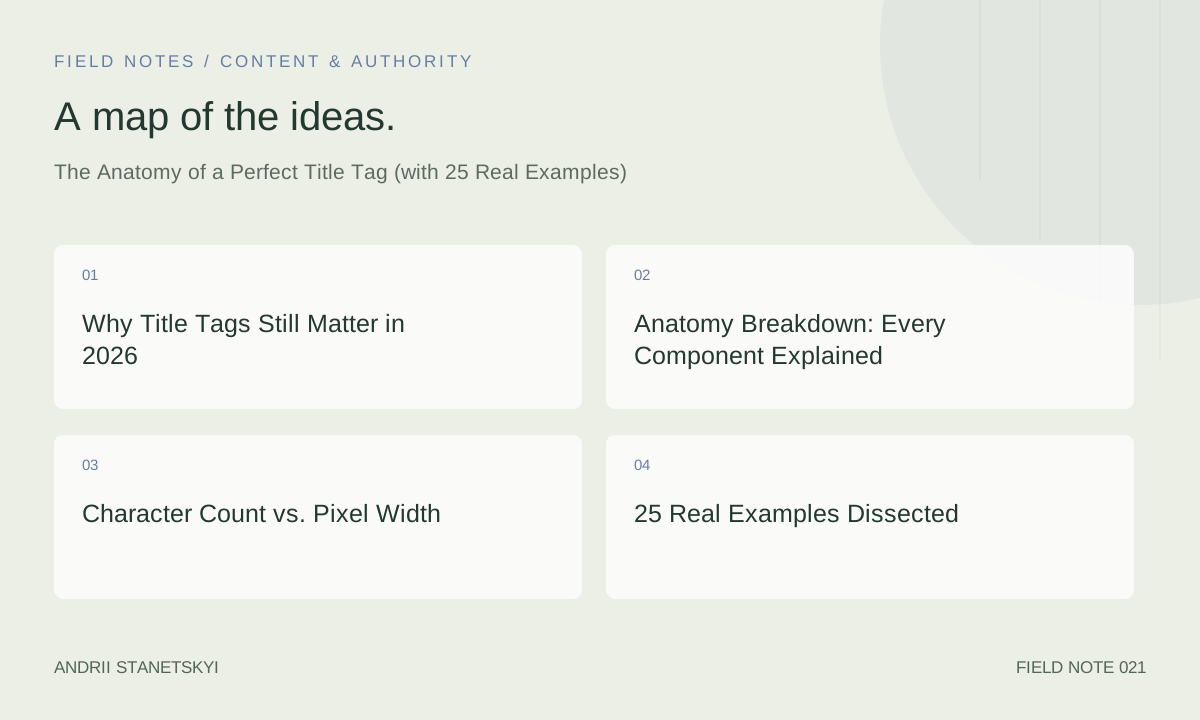
Title tags remain the single highest-leverage on-page element in your control. They influence click-through rate, entity disambiguation, brand recall, and — despite what you've heard — still carry direct ranking weight in 2026. Google rewrites them roughly 61% of the time according to Portent's 2024 research, but that number drops sharply when you nail the formula. This guide gives you a repeatable framework, 25 dissected examples, and the tooling workflow to audit thousands of titles at scale.
Why Title Tags Still Matter in 2026
Every year someone declares title tags dead. Every year they're wrong. Google's documentation explicitly states the <title> element is used to "understand what a page is about." More practically: in a SERP where position 1 earns roughly 27.6% CTR for branded queries and only 9.5% for non-branded (Advanced Web Ranking, Q1 2026), a title rewrite costs you real traffic.
The mechanism is straightforward. Google uses the title tag as the primary candidate for the blue link in desktop results and for the snippet label in mobile and AI Overviews. When your title is misaligned with searcher intent — too broad, too clever, or keyword-stuffed — the system replaces it with text pulled from your H1, anchor text from referring pages, or the OG title. None of those are guaranteed to convert better than a well-crafted original.
See our complete guide to SERP feature optimization for how title tags interact with rich results, AI Overviews, and featured snippets.
Anatomy Breakdown: Every Component Explained
A title tag has six distinct zones. Treat each deliberately:
1. Primary Keyword (Position 1–3)
Lead with the exact-match or close-variant of your target keyword. Google's reading window is front-heavy — so is the user's eye. "Best CRM Software for Startups" outperforms "For Startups: The Best CRM Software" in both ranking and CTR tests. The primary keyword should reflect the dominant search intent, not your preferred internal taxonomy.
2. Secondary Modifier or Qualifier
Modifiers carry implicit long-tail queries without keyword stuffing. Words like free, 2026, guide, examples, pricing, vs, and review add specificity. Each modifier indexes separately and addresses a distinct intent cluster. "Best CRM Software for Startups [2026 Comparison]" covers navigational, transactional, and informational sub-intents simultaneously.
3. Value Differentiator
This is what makes your result worth clicking over the nine others on page one. Numbers work: "17 Tools," "In 5 Steps," "Under $50." Temporal signals work: "Updated April 2026." Superlatives work when earned: "The Definitive Guide." Choose one and place it after the primary keyword to avoid front-loading noise.
4. Brand Name
Always append the brand name, separated by a pipe or em dash. Google adds it automatically if you omit it — but the version Google generates may pull from a stale source or truncate inconsistently. Control it. For high-authority domains, the brand name at the end improves CTR because users recognize the source before clicking.
5. Separator
Use | (pipe) for clear visual separation. Hyphens — when used as separators — are ambiguous: they also appear inside compound keywords. Colons work for "how-to" or definitional titles. Em dashes add editorial tone. Commas are weak and suggest a list you haven't delivered on.
6. Pixel Budget
Desktop SERP truncates at approximately 600px. Mobile truncates earlier at around 480px. These are not character counts — they are font-width calculations. The letter "W" consumes roughly 13px; "i" consumes roughly 4px. Use Portent's SERP Preview Tool or the Semrush On-Page SEO Checker to render pixel widths before publishing.
Character Count vs. Pixel Width
| Surface | Pixel Limit | Approx. Characters | Notes |
|---|---|---|---|
| Google Desktop SERP | ~600px | 55–65 | Depends on character width |
| Google Mobile SERP | ~480px | 45–55 | Narrower viewport |
| Google AI Overview | Variable | 40–60 | Often truncated further |
| Twitter/X Card | ~560px | ~70 | Uses OG title, not title tag |
| Browser Tab | Variable | No hard limit | Full title shown on hover |
The practical rule: draft your title at 55–60 characters, verify pixel width in a preview tool, and pad only if the pixel count is well under 580px.
25 Real Examples Dissected
Each example below is annotated with its structure, what it does well, and what could be improved.
E-commerce Category Pages
- "Men's Running Shoes — Free Shipping | Nike" — Primary keyword leads, transactional modifier (free shipping) drives CTR, brand closes. Weak: no year or specificity.
- "Buy Organic Coffee Beans Online | 50+ Roasts | Trade Coffee" — Quantity signal (50+) adds credibility. Two pipes risk truncation — test mobile rendering.
- "Women's Hiking Boots Sale — Up to 40% Off | REI" — Discount modifier is high-CTR for transactional intent. "Sale" keyword catches long-tail discount searches.
SaaS / Tool Pages
- "Project Management Software for Teams | Asana" — Clean, direct. Could add a differentiator like "Free Plan" or "AI-Powered."
- "Best CRM for Small Business 2026 [Top 10 Compared]" — Year + quantity signal. Strong informational intent match.
- "Ahrefs vs Semrush: Which SEO Tool Wins in 2026?" — Comparison intent perfectly matched. Question format mirrors PAA structure.
Blog / Informational
- "How to Write a Cover Letter (12 Examples + Free Template)" — "How to" leads, quantity + free resource doubles CTR incentive.
- "What Is Technical SEO? A Beginner's Complete Guide (2026)" — Definitional intent, target audience qualifier, year. Textbook structure.
- "Python List Comprehension: 15 Real-World Examples" — Keyword-first, quantity signal, "real-world" signals practical value over theory.
- "Title Tag SEO: The Anatomy of a Perfect Title [2026]" — Meta-appropriate for this very article. Notice the primary keyword leads.
Local SEO
- "Best Plumbers in Austin, TX — Licensed & Insured | AquaPro" — Geo modifier, trust signals (licensed, insured), brand.
- "Emergency Dentist Chicago — Same-Day Appointments Available" — Urgency qualifier ("emergency," "same-day") matches high-intent local search.
What to Avoid: Anti-Examples
- "Home | Our Company" — Zero keyword value. Google will rewrite this.
- "Buy Cheap Shoes Cheap Shoes Online Best Price Shoes" — Classic keyword stuffing. Triggers rewrite and potential quality signals.
- "Category" — CMS default. Found in Screaming Frog audits constantly. Fix immediately.
Learn how to bulk-fix title tag issues using Screaming Frog custom extraction.
High-CTR Patterns (Examples 16–25)
- Number + Noun: "47 Link Building Tactics That Actually Work in 2026"
- Year in Brackets: "On-Page SEO Checklist [Updated for 2026]"
- Fear of Missing Out: "Core Web Vitals Mistakes Killing Your Rankings (Fix These Now)"
- Contrarian: "Why Keyword Density Is a Myth (And What Actually Works)"
- Authority Signal: "Google's Own Guidelines on Title Tags — Summarized"
- Case Study: "How We Grew Organic Traffic 312% in 6 Months [Full Case Study]"
- Template Offer: "Technical SEO Audit Template: 150-Point Checklist [Free Download]"
- Comparison Table: "Screaming Frog vs Sitebulb 2026: Feature-by-Feature Comparison"
- Step Count: "Fix Crawl Budget Issues in 7 Steps (With Real Examples)"
- Negative Framing: "Stop Using These 9 Title Tag Mistakes That Kill CTR"
Google Rewrite Triggers (and How to Avoid Them)
Based on Portent's 2024 study and subsequent analysis of GSC data, Google rewrites titles most often when:
- The title is longer than 600px wide (truncation → rewrite)
- The title doesn't match the dominant search intent for the page's ranking keywords
- Keyword stuffing is detected (repetition, comma-separated keyword lists)
- The title contains special characters that render poorly (brackets OK; excessive pipes, emojis in certain contexts)
- The H1 significantly differs from the title tag (Google prefers alignment)
- The page is thin or low-quality (rewrite is a quality signal)
"Google tends to rewrite titles that are too long, too short, or not representative of the page content. The H1 is the most common substitution source." — Google Search Central documentation
The mitigation: write your title and H1 with the same primary keyword in the same position, ensure they're semantically congruent (not identical), stay under 580px, and keep your content quality high enough that the page earns its title.
Audit Workflow with Screaming Frog and Ahrefs
Step 1: Extract All Title Tags
In Screaming Frog, run a full crawl with JavaScript rendering enabled. Export the Page Titles tab. Filter for: missing titles, duplicate titles, titles over 60 characters, titles under 30 characters. These four filters catch 90% of critical issues.
Step 2: Cross-Reference with GSC Performance Data
Pull 12 months of GSC data. In Google Sheets, VLOOKUP your Screaming Frog export against GSC URLs. Identify pages with high impressions but CTR below the position-average benchmark. These are your title tag optimization candidates — traffic is available but the title isn't converting clicks.
Step 3: Check for Google Rewrites
In GSC, use the Search Results report with "Page" filter. Compare the displayed title (which you can see in rendered SERPs) against your <title> tag. Alternatively, Semrush's On-Page SEO Checker flags title rewrites when its SERP data differs from the crawled title tag.
Step 4: Prioritize by Traffic Opportunity
Use Ahrefs Site Audit's "Title tag" issues report sorted by organic traffic. Fix highest-traffic pages first. For sites with 10,000+ pages, set a threshold: only work on pages averaging more than 100 monthly organic sessions.
Step 5: A/B Test with GSC Impressions
There's no native title tag A/B test tool. Use this proxy: implement the change, note the date in GSC annotations, observe CTR for that URL over the next 28 days. Compare 28-day pre/post. Statistical significance isn't achievable at page level — use percentage lift at +/- 15% as a practical decision threshold.
See our full technical SEO audit workflow for enterprise sites.
FAQ
Does the title tag directly affect Google rankings?
Yes, but modestly and primarily through relevance signaling rather than keyword placement mechanics. Google uses the title to understand the page's topic, especially for new or low-authority pages. As a page accumulates links and behavioral signals, title tag influence diminishes relative to content and authority factors. That said, a misaligned title tag can suppress rankings by confusing intent matching.
What's the ideal title tag length in 2026?
Aim for 55–60 characters or under 580px when rendered in a preview tool. Pixel width matters more than character count because title fonts are proportional. A title with many wide characters (M, W, uppercase letters) will truncate sooner than a character-count equivalent with narrow letters.
Should I include my brand name in every title tag?
Yes — for pages you care about. Google may add it regardless, but their auto-addition can be inconsistent or truncate your actual content. Control it. Exception: extremely long primary keywords where the brand would push past 600px. In that case, drop the brand from the title and rely on the URL and favicon for brand identification.
How often does Google rewrite title tags?
Portent's 2024 study found Google rewrites title tags approximately 61% of the time across a broad sample. However, well-optimized titles (correct length, intent-matched, H1-aligned) see rewrite rates closer to 20–30%. The rewrite rate is a quality signal, not a fixed rule.
What's the difference between the title tag and OG title?
The <title> element is used by search engines. The og:title meta tag is used by social platforms (Facebook, LinkedIn, Slack previews). They can differ — and often should. Social titles can be more click-bait-friendly because they don't need to satisfy keyword intent. Keep them aligned in topic but feel free to make the OG title more emotionally compelling.
Can I use pipes, hyphens, and colons in title tags?
Yes. Pipes (|) and hyphens (-) are treated as separators by Google, not as content. Colons signal a subtitle. None affect ranking. Use whichever improves visual scannability. Avoid multiple pipes in a single title as it increases truncation risk and reduces readability.
How do I fix duplicate title tags at scale?
Use a templated approach based on page type. For e-commerce: {Product Name} — {Category} | {Brand}. For blog posts: {Post Title} | {Brand}. For category pages: Shop {Category} — {Modifier} | {Brand}. Inject these via your CMS template variables. Run a post-fix Screaming Frog crawl to verify uniqueness — filter "Duplicate" in the Page Titles tab.
Key Takeaways
- Lead with the primary keyword in positions 1–3. Front-loading improves both ranking relevance and user attention.
- Stay under 580px rendered width. Character count is an approximation — pixel width is the truth.
- Align your title tag and H1 semantically. Different wording is fine; different intent is not.
- Add a value differentiator (number, year, modifier) to outperform positional averages in CTR.
- Always include your brand name unless pixel constraints make it impossible.
- Audit using Screaming Frog + GSC data. Prioritize pages with high impressions but below-benchmark CTR.
- Google rewrites 60%+ of titles — but the rate drops significantly for properly optimized titles.
Conclusion
The title tag is not glamorous. It's 60 characters of unglamorous work that compounds across every page of your site. A 2% CTR improvement on a page with 50,000 monthly impressions is 1,000 additional clicks — without any ranking change. Do that across 100 pages and you've built a significant traffic engine purely through copywriting discipline. The framework here is repeatable: keyword first, differentiator second, brand last, pixel budget respected, intent matched. Run the audit, fix the worst offenders, test, iterate.
Next: learn how to structure H1–H6 header tags for maximum SEO and accessibility impact.