The promise of a headless CMS has always been architectural freedom — decouple your content layer from your presentation layer, ship faster, and scale independently. By 2026, that promise is largely delivered. But a new class of SEO failures has emerged in its wake: teams that built composable stacks without thinking through crawlability, metadata pipelines, structured data generation, and cache invalidation are now paying the indexing debt. This guide closes that gap.
Whether you are running Contentful, Sanity, Strapi, or Storyblok feeding a Next.js or Nuxt front end, the patterns here apply. We will cover content modeling for SEO, GraphQL query design, JSON-LD generation at build time, ISR and on-demand revalidation strategies, preview vs. production considerations, and the build hook architecture that keeps your search presence accurate without full rebuilds. Code examples are framework-agnostic where possible, and Next.js-specific where ISR is involved.
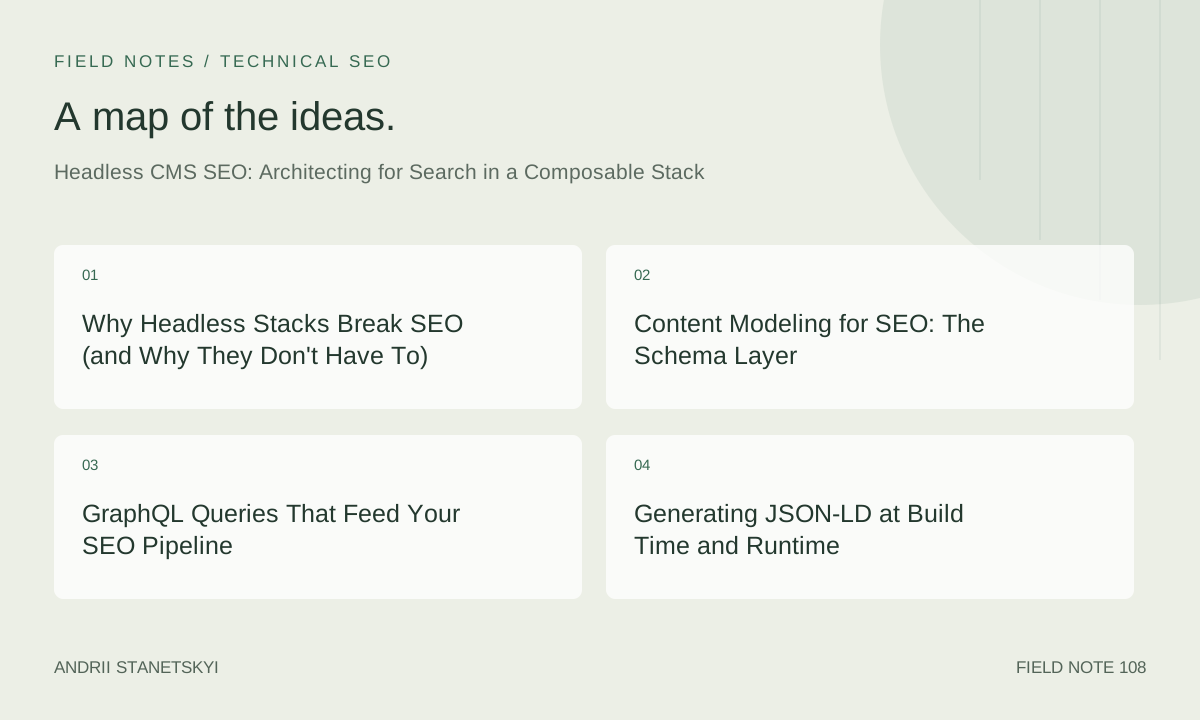
Why Headless Stacks Break SEO (and Why They Don't Have To)
Traditional CMS platforms like WordPress bake SEO into the publishing layer — plugins like Yoast write meta tags directly into the rendered HTML. Headless decouples this, which means your front end must own the full SEO surface: title tags, canonical URLs, Open Graph, Twitter cards, hreflang, sitemap generation, robots directives, and structured data. When teams treat this as an afterthought, they ship pages with default or empty meta, duplicate canonical issues, and no structured data — all invisible to content editors working in the CMS UI.
The fix is architectural, not cosmetic. You need SEO fields modeled explicitly in your CMS schema, a query layer that fetches them reliably, a rendering layer that emits them correctly, and a cache/revalidation strategy that reflects content changes within a business-acceptable latency window.
For deeper context on how rendering mode affects crawlability, see [Internal: SSG vs SSR SEO tradeoffs].
Content Modeling for SEO: The Schema Layer
The single highest-leverage decision in a headless SEO architecture is whether SEO metadata lives as a dedicated content type or as embedded fields on every content type. The answer is: a shared SEO object type, referenced by composition.
Contentful: SEO Content Type
In Contentful, create a reusable seoMetadata content type and link it from every top-level content type via a single reference field:
// contentful-migration: create-seo-metadata.js
module.exports = function(migration) {
  const seoMetadata = migration.createContentType('seoMetadata', {
    name: 'SEO Metadata',
    description: 'Reusable SEO fields attached to any content type',
    displayField: 'metaTitle',
  });

  seoMetadata.createField('metaTitle', {
    name: 'Meta Title',
    type: 'Symbol',
    required: true,
    validations: [{ size: { max: 60 } }],
  });

  seoMetadata.createField('metaDescription', {
    name: 'Meta Description',
    type: 'Symbol',
    validations: [{ size: { max: 160 } }],
  });

  seoMetadata.createField('canonicalUrl', {
    name: 'Canonical URL',
    type: 'Symbol',
  });

  seoMetadata.createField('noIndex', {
    name: 'No Index',
    type: 'Boolean',
    defaultValue: { 'en-US': false },
  });

  seoMetadata.createField('openGraphImage', {
    name: 'Open Graph Image',
    type: 'Link',
    linkType: 'Asset',
  });

  seoMetadata.createField('structuredDataType', {
    name: 'Structured Data Type',
    type: 'Symbol',
    validations: [{ in: ['Article', 'Product', 'FAQPage', 'HowTo', 'LocalBusiness'] }],
  });

  // Attach to BlogPost content type
  const blogPost = migration.editContentType('blogPost');
  blogPost.createField('seo', {
    name: 'SEO Metadata',
    type: 'Link',
    linkType: 'Entry',
    validations: [{ linkContentType: ['seoMetadata'] }],
  });
};
Sanity: SEO Object Type
Sanity's schema system uses plain JavaScript objects, making a shared SEO type trivial to compose:
// sanity/schemas/objects/seoMetadata.js
export default {
  name: 'seoMetadata',
  title: 'SEO Metadata',
  type: 'object',
  fields: [
    {
      name: 'metaTitle',
      title: 'Meta Title',
      type: 'string',
      validation: Rule => Rule.max(60).warning('Keep under 60 chars for Google display'),
    },
    {
      name: 'metaDescription',
      title: 'Meta Description',
      type: 'string',
      validation: Rule => Rule.max(160),
    },
    {
      name: 'canonicalUrl',
      title: 'Canonical URL (override)',
      type: 'url',
    },
    {
      name: 'noIndex',
      title: 'Exclude from search engines',
      type: 'boolean',
      initialValue: false,
    },
    {
      name: 'ogImage',
      title: 'Open Graph Image',
      type: 'image',
      options: { hotspot: true },
    },
    {
      name: 'structuredDataType',
      title: 'Structured Data Schema',
      type: 'string',
      options: {
        list: ['Article', 'Product', 'FAQPage', 'HowTo'],
      },
    },
  ],
};

// Embed in post schema:
// { name: 'seo', title: 'SEO', type: 'seoMetadata' }
Strapi: Component for SEO
// strapi/src/components/shared/seo.json
{
  "collectionName": "components_shared_seos",
  "info": {
    "displayName": "Seo",
    "icon": "search",
    "description": "Reusable SEO component"
  },
  "attributes": {
    "metaTitle": {
      "type": "string",
      "required": true,
      "maxLength": 60
    },
    "metaDescription": {
      "type": "string",
      "maxLength": 160
    },
    "canonicalURL": {
      "type": "string"
    },
    "noIndex": {
      "type": "boolean",
      "default": false
    },
    "ogImage": {
      "type": "media",
      "multiple": false,
      "required": false,
      "allowedTypes": ["images"]
    },
    "structuredDataType": {
      "type": "enumeration",
      "enum": ["Article", "Product", "FAQPage", "HowTo"]
    }
  }
}
Storyblok: SEO Plugin Field
Storyblok has a first-party SEO plugin. In your component schema JSON:
{
  "name": "article",
  "display_name": "Article",
  "schema": {
    "seo": {
      "type": "seo",
      "pos": 0,
      "display_name": "SEO"
    },
    "title": { "type": "text", "pos": 1 },
    "body": { "type": "richtext", "pos": 2 }
  }
}
The Storyblok SEO plugin exposes title, description, og_image, og_title, og_description, and twitter_image natively — but it lacks canonicalUrl and noIndex, so add those as plain text and boolean fields manually.
GraphQL Queries That Feed Your SEO Pipeline
Both Contentful and Sanity expose GraphQL APIs. Strapi's GraphQL plugin does too. A disciplined query pattern fetches only SEO fields in a fragment, keeping queries composable:
# Contentful GraphQL — SEO fragment + page query
fragment SeoFields on SeoMetadata {
  metaTitle
  metaDescription
  canonicalUrl
  noIndex
  openGraphImage {
    url
    width
    height
  }
  structuredDataType
}

query GetBlogPost($slug: String!, $preview: Boolean = false) {
  blogPostCollection(
    where: { slug: $slug }
    limit: 1
    preview: $preview
  ) {
    items {
      title
      slug
      publishDate
      author {
        name
        image { url }
      }
      seo {
        ...SeoFields
      }
      body {
        json
      }
    }
  }
}
For Sanity, use GROQ (not GraphQL) but the same fragment discipline applies:
// Sanity GROQ — reusable SEO projection
const SEO_PROJECTION = `
  seo {
    metaTitle,
    metaDescription,
    canonicalUrl,
    noIndex,
    "ogImageUrl": ogImage.asset->url,
    structuredDataType
  }
`;

const POST_QUERY = groq`
  *[_type == "post" && slug.current == $slug][0] {
    title,
    "slug": slug.current,
    publishedAt,
    author->{ name, "imageUrl": image.asset->url },
    ${SEO_PROJECTION},
    body
  }
`;
Note the preview: $preview variable in the Contentful query. This is the bridge between your preview environment and production — pass true only when a valid preview token is present in the request. See [Internal: Next.js preview mode architecture] for the full cookie-based pattern.
Generating JSON-LD at Build Time and Runtime
JSON-LD should be generated server-side (at build time for static pages, at request time for SSR/ISR pages) — never client-side. A client-side-injected script tag risks not being parsed by crawlers before they move on.
// lib/jsonld.js — JSON-LD generator from CMS data

export function generateArticleJsonLd({ title, description, slug, publishDate, author, ogImageUrl, siteUrl }) {
  return {
    '@context': 'https://schema.org',
    '@type': 'Article',
    headline: title,
    description: description,
    url: ${siteUrl}/${slug},
    datePublished: publishDate,
    dateModified: publishDate,
    author: {
      '@type': 'Person',
      name: author.name,
      image: author.imageUrl,
    },
    image: {
      '@type': 'ImageObject',
      url: ogImageUrl,
    },
    publisher: {
      '@type': 'Organization',
      name: 'Your Brand',
      logo: {
        '@type': 'ImageObject',
        url: ${siteUrl}/logo.png,
      },
    },
  };
}

export function generateFaqJsonLd(faqs) {
  return {
    '@context': 'https://schema.org',
    '@type': 'FAQPage',
    mainEntity: faqs.map(({ question, answer }) => ({
      '@type': 'Question',
      name: question,
      acceptedAnswer: {
        '@type': 'Answer',
        text: answer,
      },
    })),
  };
}
In your Next.js page component, inject both blocks into <head>:
// app/blog/[slug]/page.jsx (Next.js App Router)
import { generateArticleJsonLd, generateFaqJsonLd } from '@/lib/jsonld';
import { fetchPost } from '@/lib/contentful';

export async function generateMetadata({ params }) {
  const post = await fetchPost(params.slug);
  const { seo } = post;

  return {
    title: seo.metaTitle,
    description: seo.metaDescription,
    robots: seo.noIndex ? 'noindex,nofollow' : 'index,follow',
    alternates: {
      canonical: seo.canonicalUrl || ${process.env.NEXT_PUBLIC_SITE_URL}/blog/${params.slug},
    },
    openGraph: {
      title: seo.metaTitle,
      description: seo.metaDescription,
      images: [{ url: seo.openGraphImage?.url }],
    },
  };
}

export default async function BlogPostPage({ params }) {
  const post = await fetchPost(params.slug);
  const articleJsonLd = generateArticleJsonLd({ ...post, siteUrl: process.env.NEXT_PUBLIC_SITE_URL });

  return (
    <>
      <script
        type="application/ld+json"
        dangerouslySetInnerHTML={{ __html: JSON.stringify(articleJsonLd) }}
      />
      {/* page content */}

  );
}
For pages where the CMS marks structuredDataType as FAQPage, conditionally swap in generateFaqJsonLd. This keeps your structured data driven by editorial intent rather than hard-coded by template type.
ISR, On-Demand Revalidation, and Build Hooks
The biggest SEO risk in a Jamstack stack is stale content. A content editor publishes a corrected title or new canonical URL, but the CDN-cached page still serves the old version to Googlebot for hours or days. Incremental Static Regeneration (ISR) with on-demand revalidation is the correct solution — not full rebuilds.
Time-based ISR (Next.js)
// app/blog/[slug]/page.jsx
export const revalidate = 3600; // revalidate at most once per hour
This is adequate for low-frequency content like blog posts. For high-frequency content (news, product pricing), it is not enough.
On-Demand Revalidation via CMS Webhooks
Every major headless CMS supports outbound webhooks on publish events. Wire them to a Next.js revalidation endpoint:
// app/api/revalidate/route.js
import { revalidatePath, revalidateTag } from 'next/cache';
import { NextResponse } from 'next/server';

const REVALIDATE_SECRET = process.env.REVALIDATE_SECRET;

export async function POST(request) {
  const { searchParams } = new URL(request.url);
  const secret = searchParams.get('secret');

  if (secret !== REVALIDATE_SECRET) {
    return NextResponse.json({ error: 'Invalid token' }, { status: 401 });
  }

  const body = await request.json();

  // Contentful webhook payload
  const contentType = body?.sys?.contentType?.sys?.id;
  const slug = body?.fields?.slug?.['en-US'];

  if (contentType === 'blogPost' && slug) {
    revalidatePath(/blog/${slug});
    revalidateTag('blog-listing'); // invalidate listing pages too
    return NextResponse.json({ revalidated: true, path: /blog/${slug} });
  }

  // Sanity webhook payload (different structure)
  if (body?._type === 'post' && body?.slug?.current) {
    revalidatePath(/blog/${body.slug.current});
    revalidateTag('blog-listing');
    return NextResponse.json({ revalidated: true });
  }

  return NextResponse.json({ revalidated: false, reason: 'No matching handler' });
}
Configure the webhook in Contentful under Settings → Webhooks, targeting https://yoursite.com/api/revalidate?secret=YOUR_SECRET on Entry.publish and Entry.unpublish events. Filter by content type to avoid unnecessary revalidations.
Sanity GROQ-Powered Webhooks
// Sanity webhook filter (configured in Sanity dashboard)
// Fires only when a published post's slug or SEO fields change
_type == "post" && (
  before().slug.current != after().slug.current ||
  before().seo != after().seo ||
  before().title != after().title
)
This GROQ filter ensures you only trigger revalidation when SEO-relevant fields change — not when a draft is auto-saved or an image crop is adjusted. This is a critical optimization at scale. For build hook architecture patterns across the full Jamstack toolchain, see [Internal: Jamstack build hook orchestration].
Preview vs. Production: Keeping Googlebot Out of Draft Content
Draft content in a headless CMS must never be indexed. This sounds obvious, but the failure modes are subtle:
- Preview URLs accidentally shared and indexed via social crawler discovery
- Preview deployments on Vercel/Netlify without robots.txt blocking
- CMS preview API keys leaked in client-side environment variables
The defense-in-depth approach:
- All preview deployments get a
X-Robots-Tag: noindexheader at the CDN/middleware level, not just in HTML meta tags (which crawlers may not honor if the page is behind auth). - The preview API token is a server-side-only secret, never prefixed with
NEXT_PUBLIC_. - Preview mode is activated via a signed cookie set by a server action or API route — not a query parameter alone.
- Production builds always use the delivery (published) API, never the preview API.
// middleware.js — block indexing on preview deployments
import { NextResponse } from 'next/server';

export function middleware(request) {
  const response = NextResponse.next();

  // Block indexing on any non-production deployment
  const isProduction = process.env.VERCEL_ENV === 'production';
  if (!isProduction) {
    response.headers.set('X-Robots-Tag', 'noindex, nofollow');
  }

  return response;
}

export const config = {
  matcher: '/((?!api|_next/static|_next/image|favicon.ico).*)',
};
Also ensure your production robots.txt explicitly disallows any preview URL patterns that may have leaked, and submit a canonical sitemap that lists only production URLs. See [Internal: robots.txt and sitemap strategy for composable sites].
CMS Comparison: Sanity vs Contentful vs Strapi vs Storyblok for SEO
| Feature / Platform | Sanity | Contentful | Strapi | Storyblok |
|---|---|---|---|---|
| Native SEO fields | No (custom object) | No (custom content type) | No (custom component) | Yes (SEO plugin) |
| Webhook granularity | Excellent (GROQ filter) | Good (content type filter) | Good (lifecycle hooks) | Good (event-based) |
| Preview API separation | Draft/published dataset split | Preview content delivery API | Draft status field | Draft/published versioning |
| GraphQL support | Via plugin (unofficial) | Native GraphQL API | Native GraphQL plugin | REST only (official) |
| Structured data support | Via custom fields + codegen | Via custom fields + codegen | Via custom fields + codegen | Via custom fields + codegen |
| Localization / hreflang | Built-in i18n | Locales per space | i18n plugin | Built-in per-language |
| Sitemap generation | Manual / third-party | Manual / third-party | Plugin available | Plugin available |
| Self-hosted option | No (cloud only) | No (cloud only) | Yes (open source) | No (cloud only) |
| Pricing impact on SEO scale | API call pricing | Record/call limits | Flat (self-host) | API call pricing |
| TypeScript type generation | sanity-codegen / GROQ types | cf-typegen | ts-interface-builder | storyblok-generate-ts |
Storyblok wins on editor UX for SEO teams due to its native plugin. Sanity wins on webhook precision. Contentful wins on ecosystem maturity. Strapi wins on cost for high-scale deployments where API call pricing would otherwise compound. For a full analysis of pricing architecture, see [Internal: Headless CMS selection guide 2026].
For the authoritative reference on how Google processes JavaScript and renders headless sites, see [External: Google Search Central — JavaScript SEO basics].
FAQ
Does a headless CMS hurt SEO compared to a traditional CMS like WordPress?
Not inherently — and in many cases it improves SEO by enabling faster, leaner front ends with full control over every rendered byte. The risk is in implementation: headless requires you to own the entire SEO pipeline explicitly. WordPress with Yoast handles much of this by default. In a headless stack you must model SEO fields in your schema, generate metadata in your front end, and manage cache invalidation deliberately. Teams that do this well outperform WordPress sites consistently. Teams that skip it ship pages with empty title tags. The CMS is not the variable — the implementation discipline is.
How do I handle hreflang in a headless CMS architecture?
Model localized slugs and locale identifiers in your CMS schema for each content type. At render time, query all locale variants of the same content entry and emit <link rel="alternate" hreflang="..."> tags for each. In Contentful, use the locale parameter on your queries. In Sanity, use a references array linking locale-variant documents. Avoid relying on URL structure alone — tie hreflang to the CMS content graph so that when a translation is unpublished, the hreflang tag is automatically removed on the next revalidation. Never emit hreflang for pages with noIndex: true.
What is the correct ISR revalidation window for SEO-sensitive pages?
There is no single correct window — it depends on content velocity and SEO consequence. For evergreen blog content, one hour (3600s) is safe. For product pages with pricing or availability, use on-demand revalidation triggered by webhooks, with a time-based fallback of 300–600 seconds. For news or time-sensitive content, consider full SSR with edge caching rather than ISR. The key principle: ISR revalidation windows should be set based on the business cost of serving stale data, not as a default configuration. Also note that Google's crawl frequency is typically measured in days, not minutes — so a 60-second stale window is usually indistinguishable from real-time for search indexing purposes.
Can I generate sitemaps dynamically in a headless Jamstack setup?
Yes, and this is strongly recommended over static sitemap files. In Next.js App Router, create a sitemap.js file at the app root that fetches all slugs from your CMS API and returns a structured array. This file is regenerated on each build and can also be tagged for on-demand revalidation. Ensure your sitemap excludes noIndex pages, draft content, pagination variants without canonical URLs, and faceted URLs with query parameters. Submit the sitemap URL to Google Search Console and monitor for URL coverage errors after CMS schema changes — these are the most common source of post-migration indexing drops. For a step-by-step sitemap implementation, see [Internal: Dynamic sitemap generation in Next.js App Router].
How do I prevent duplicate content when my CMS content is syndicated to multiple domains?
Use the canonicalUrl field in your SEO schema to explicitly set the canonical for syndicated content to the origin domain. If your CMS content is deployed on multiple front ends (e.g., a main site and a partner white-label site), ensure each deployment renders the canonical pointing to the authoritative URL — never to itself if it is not the origin. Additionally, use the noIndex flag on the syndicated copy if you want to prevent the partner domain from competing in search. For API-first syndication, build a canonical resolution function into your content delivery layer that overrides the default slug-based canonical whenever a CMS-specified override is present.
What is the safest way to handle 301 redirects in a headless stack?
Store redirects in your CMS as a dedicated collection (source path, destination path, HTTP code, active boolean). Fetch this collection at build time and write it to next.config.js redirects or to a middleware lookup table for edge-level resolution. For large redirect sets (>500 entries), middleware is preferable — next.config.js redirects are evaluated at the Node.js layer, adding latency. Trigger a full revalidation of the redirect table via webhook whenever a redirect entry is created or modified. Never hard-code redirects in the front end repository — this couples content decisions to deployment cycles, which breaks for non-technical editors. For the redirect management pattern, see [External: Next.js redirects documentation].
How does structured data generation differ across Sanity, Contentful, Strapi, and Storyblok?
In all four platforms, structured data generation is the responsibility of the front end — none of them emit JSON-LD natively. What differs is how well the CMS schema supports the data you need to construct it. Sanity and Contentful both support rich reference graphs (author linked documents, category taxonomies) that map cleanly to schema.org types. Strapi's component system works well for FAQ and HowTo schemas where the structure mirrors the schema.org spec. Storyblok's block-based editor is well-suited to structured lists but requires careful field naming to avoid impedance mismatch with schema.org properties. In all cases, build a typed generator function per schema.org type, pass it CMS data at render time, and inject the output as a <script type="application/ld+json"> tag in the document head.
Key Takeaways
- Model a reusable SEO object type in your CMS schema and attach it to every top-level content type. This is the foundation — without it, every other optimization is built on sand.
- Fetch SEO fields via reusable GraphQL fragments or GROQ projections. Keep queries composable and type-safe with codegen tooling.
- Generate JSON-LD server-side (at build time or request time) using a typed generator keyed to the
structuredDataTypefield. Never inject structured data client-side. - Use on-demand revalidation via CMS webhooks for SEO-critical fields (slug, title, meta, canonical, noIndex). Use GROQ filters in Sanity or content type filters in Contentful to minimize unnecessary revalidations.
- Block Googlebot from preview deployments at the middleware/CDN header level, not just in HTML meta tags. Keep preview API tokens server-side only.
- Choose your CMS based on your team's specific SEO requirements: Storyblok for editor-friendly native SEO fields, Sanity for webhook precision, Contentful for ecosystem breadth, Strapi for cost at scale.
- Build redirect management into your CMS as a first-class content type. Fetch and resolve at edge middleware for performance.
Conclusion
Headless CMS architectures in 2026 offer the best possible foundation for technical SEO — if you architect deliberately. The composable stack gives you full control over every aspect of your search presence: rendering strategy, metadata precision, structured data fidelity, and cache freshness. The cost of that control is that you must exercise it explicitly, from your CMS schema all the way down to your CDN headers.
The teams winning in organic search with headless stacks are not the ones with the most sophisticated front-end frameworks — they are the ones that closed the loop between content publishing and page revalidation, modeled SEO as a first-class schema concern, and built JSON-LD generation as a typed, testable function rather than a template string sprinkled into a layout file.
Start with your schema. Everything downstream — queries, metadata, structured data, revalidation — flows from getting that layer right. Build the SEO object type today, attach it to your content types, and wire your first webhook. The indexing benefits compound over time in exactly the same way that editorial debt does when this work is skipped.