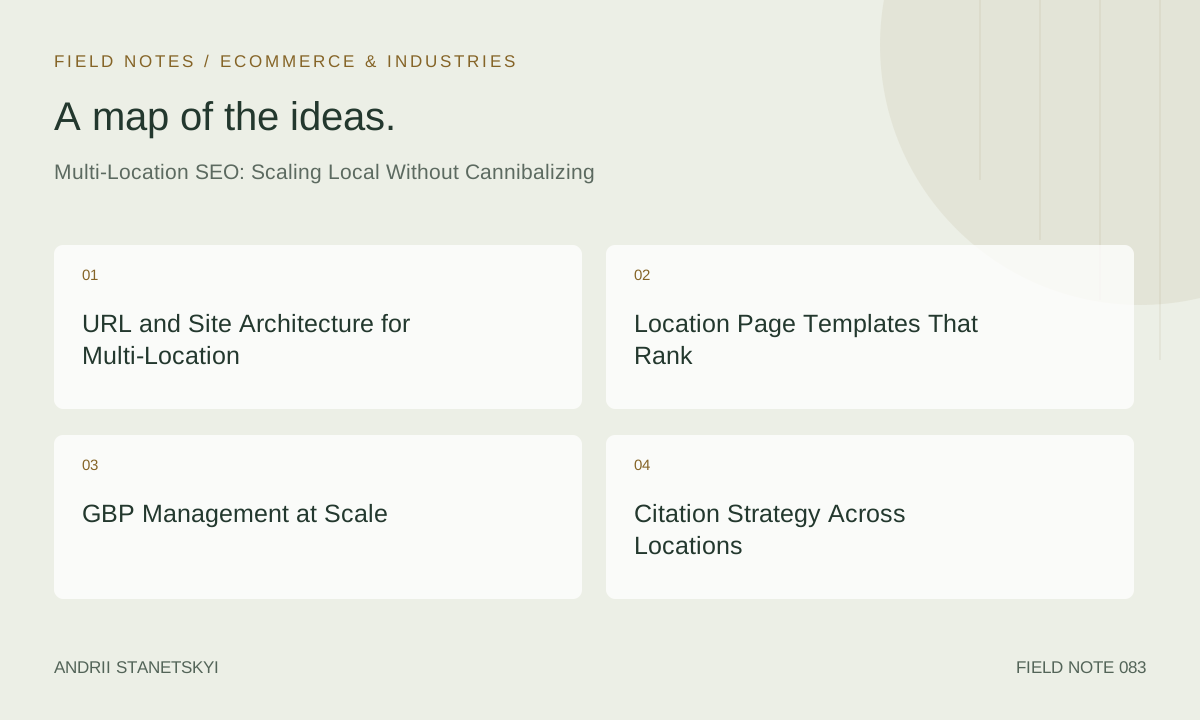
Scaling local SEO across dozens or hundreds of locations is where most brands fail. The mistakes are predictable: duplicate location pages, a single GBP listing serving multiple service areas, NAP chaos across citation networks, and location-level content that is indistinguishable from city to city. This guide provides the architecture, templates, and operational processes to scale local SEO correctly — without the locations competing against each other.
URL and Site Architecture for Multi-Location
The URL structure for multi-location SEO is the most consequential architectural decision you will make. Get it wrong and you'll spend 12 months untangling cannibalization, crawl inefficiency, and diluted page authority. The decision framework is straightforward:
| Structure | Example | Best For | Pros | Cons |
|---|---|---|---|---|
| Subdirectory (recommended) | /locations/chicago/ | Most multi-location businesses | Consolidates domain authority, easiest to manage | Requires good internal link structure |
| Subdomain | chicago.example.com | Franchise models with distinct branding | Clear separation, independent crawling | Authority fragmentation, harder to manage |
| Separate domain | chicagopizza.com | Distinct franchise entities | Full independence, local brand clarity | Requires full SEO effort per domain |
| Country-code TLD | example.co.uk | International multi-location | Strong geotargeting signal | Expensive, complex hreflang requirements |
The recommended structure for most multi-location brands is /locations/{state}/{city}/ with an optional service-level layer: /locations/illinois/chicago/roofing/. This hierarchy provides crawlable breadcrumbs, clear parent-child relationships, and logical internal link structure.
Canonical and Indexing Rules
Every location page should have a self-referencing canonical. Never canonical a city page to the state page — this signals content duplication rather than geographic hierarchy. Use the sitemap to explicitly list all location pages with their lastmod dates. Update lastmod when content is substantively changed, not on every server touch.
Location Page Templates That Rank
The fundamental problem with multi-location pages is that most brands generate them from a template with only the city name and address swapped. Google's algorithms have become skilled at identifying thin, templated local pages and either suppressing them or not showing them for competitive local queries.
Content Requirements Per Location Page
Each location page must contain content that could only appear on that specific page. The checklist:
- Unique opening paragraph: References a neighborhood, landmark, or local context specific to that city. Not the same sentence with the city name swapped.
- Local staff information: Even a brief bio of the location manager adds authenticity signals and differentiates the page.
- Location-specific social proof: Pull reviews from that location's GBP, not aggregated corporate reviews.
- Location-specific photos: Storefront, team, local surroundings — not stock photos used across all locations.
- Local landmarks and service area: "Serving Chicago's Lincoln Park, Wicker Park, and Logan Square neighborhoods" — neighborhood-level specificity that thin pages lack.
- Local FAQ: Answer questions specific to that market (parking, local regulations, regional product availability).
- Embedded Google Map: The location's specific GBP embed, not a generic map.
Template HTML Structure
<!-- Location Page Head Structure -->
<title>[Service] in [City], [State] | [Brand Name]</title>
<meta name="description" content="[Brand] provides [service] in [City], [State]. [Unique local hook]. Call [local phone] or visit us at [address].">

<!-- BreadcrumbList schema -->
{
  "@context": "https://schema.org",
  "@type": "BreadcrumbList",
  "itemListElement": [
    {
      "@type": "ListItem",
      "position": 1,
      "name": "Home",
      "item": "https://www.example.com"
    },
    {
      "@type": "ListItem",
      "position": 2,
      "name": "Locations",
      "item": "https://www.example.com/locations/"
    },
    {
      "@type": "ListItem",
      "position": 3,
      "name": "Illinois",
      "item": "https://www.example.com/locations/illinois/"
    },
    {
      "@type": "ListItem",
      "position": 4,
      "name": "Chicago",
      "item": "https://www.example.com/locations/illinois/chicago/"
    }
  ]
}
GBP Management at Scale
Managing 50+ GBP profiles manually is not sustainable. The operational requirements — weekly posts, review responses within 48 hours, holiday hours updates, photo additions — require a systematic approach and the right tooling.
Tool Selection by Scale
- 1–10 locations: Native GBP dashboard or BrightLocal's listing management is sufficient. Manual processes with clear SOPs work at this scale.
- 10–50 locations: Semrush Local or BrightLocal's agency plan. Start building review response templates and bulk scheduling workflows for posts.
- 50+ locations: Yext, Uberall, or the GBP API with a custom integration. At this scale, you need programmatic profile creation, bulk attribute updates, and automated review escalation workflows.
GBP Profile Naming at Scale
For franchise and multi-location brands, the correct business name format is typically: [Brand Name] [City] or [Brand Name] - [Neighborhood/Area]. Do not use: [Brand Name] [City] [Service Keyword] — this violates GBP guidelines and triggers spam flags. Individual franchise owners sometimes want their name in the listing — establish a brand policy before GBP creation to avoid retroactive corrections that can cause verification issues.
Citation Strategy Across Locations
Multi-location citation management is where NAP inconsistency compounds quickly. Each location needs its own citation ecosystem anchored to its specific address and phone number. The operational risks are significant:
- Location A's phone number appearing on Location B's Yelp profile (common after relocations)
- Old addresses persisting on directory sites after a location moves
- Corporate NAP details populating individual location directory pages
The solution: maintain a master NAP spreadsheet with every location's current and historical addresses, phone numbers, and GBP URLs. Run a citation audit through Whitespark's Citation Finder or BrightLocal's Citation Tracker quarterly. Suppress or correct any citation that doesn't match the master NAP for that specific location.
Priority citation targets for multi-location: Google Business Profile, Apple Maps, Bing Places, Yelp, YellowPages, BBB, Foursquare, Factual/Foursquare Data Exchange (feeds to hundreds of downstream directories). These tier-one sources syndicate to tier-two and tier-three directories — getting these right propagates corrections downstream.
Schema Markup for Multi-Location
Each location page needs its own LocalBusiness schema with location-specific data — do not use a single schema block for the corporate entity across all location pages. Use the corporate entity schema on the homepage and About page, and individual location schemas on each location page.
{
  "@context": "https://schema.org",
  "@type": "LocalBusiness",
  "name": "Greenway Plumbing - Chicago Lincoln Park",
  "@id": "https://www.greenwayplumbing.com/locations/illinois/chicago/#business",
  "parentOrganization": {
    "@type": "Organization",
    "name": "Greenway Plumbing Services",
    "@id": "https://www.greenwayplumbing.com/#organization"
  },
  "url": "https://www.greenwayplumbing.com/locations/illinois/chicago/",
  "telephone": "+1-312-555-0199",
  "address": {
    "@type": "PostalAddress",
    "streetAddress": "2100 N Lincoln Ave",
    "addressLocality": "Chicago",
    "addressRegion": "IL",
    "postalCode": "60614",
    "addressCountry": "US"
  },
  "geo": {
    "@type": "GeoCoordinates",
    "latitude": 41.9214,
    "longitude": -87.6483
  },
  "openingHoursSpecification": [
    {
      "@type": "OpeningHoursSpecification",
      "dayOfWeek": ["Monday","Tuesday","Wednesday","Thursday","Friday"],
      "opens": "07:00",
      "closes": "19:00"
    }
  ],
  "sameAs": [
    "https://www.google.com/maps/place/?q=place_id:ChIJ_CHICAGO_LINCOLN_PARK_ID"
  ]
}
The parentOrganization property explicitly links individual location entities to the corporate entity, helping Google's Knowledge Graph understand the brand hierarchy.
Detecting and Fixing Cannibalization
Keyword cannibalization between location pages occurs when multiple pages compete for the same query. Common scenarios: a Chicago page and an "Illinois" state page both targeting "plumber Illinois," or a suburb location page targeting the same "city near me" query as the main city location page.
Detection Process
- Export all location page URLs from your sitemap.
- Run each URL through Google Search Console to identify which queries each page ranks for.
- Identify queries where 2+ location pages appear in the top 20 results.
- For each cannibalized query, determine the primary target page (higher commercial intent, more complete content, stronger GBP).
- Canonical or internally link the secondary page to the primary, or differentiate the secondary page to target a distinct query variant.
Prevention Through Content Strategy
The best cannibalization fix is prevention through deliberate query mapping before creating location pages. Map each location page to a primary keyword cluster that no other location page targets. Document this in a keyword-to-URL map and enforce it during content creation.
Content Differentiation at Scale
Creating genuinely unique content for 50+ location pages is operationally challenging. These approaches work at scale without sacrificing quality:
- Local review integration: Automatically pull recent reviews from each location's GBP using the API and display them on the corresponding location page. This creates unique, frequently-updated content automatically.
- Location-specific FAQ generation: Interview each location's manager for the 5 most common customer questions. These differ meaningfully between markets.
- Local press and community mentions: Create a "In the Community" section on each location page featuring local sponsorships, news mentions, and charity work. Genuinely unique and builds local authority signals.
- Neighborhood service maps: Embed an interactive map showing neighborhoods each location serves. Technically generated but visually and semantically unique per location.
See our guide to local content strategy at scale for more templates.
Tracking Multi-Location Performance
Single-point rank tracking is inadequate for multi-location. Use grid-based tools (Local Falcon, BrightLocal's grid tracker) to measure local pack position from multiple geographic points around each location. This reveals the radius of each location's ranking influence and exposes cannibalizing locations.
In GA4, use custom dimensions to segment traffic by location page. Create a location-level dashboard that tracks organic sessions, GBP actions (calls, directions, website clicks), and conversion events per location. This makes the performance of individual locations visible and enables data-driven resource allocation.
Platform-Specific Notes: Shopify, Woo, Magento
Shopify: Shopify's URL structure limitations (/pages/ prefix) can complicate location page hierarchy. The cleanest solution is using a custom blog or a dedicated "Locations" page collection. Third-party apps like Storemapper can manage location pages but often generate thin content — customize aggressively. Shopify's default sitemap.xml includes all pages, which is helpful for multi-location indexing.
WooCommerce: WordPress/WooCommerce gives full URL control. Use a custom post type for locations (/locations/{city}/) managed by a plugin like WP Store Locator, with custom fields for per-location NAP and schema output. Ensure your SEO plugin (Yoast, Rank Math) is configured to output LocalBusiness schema for location post types, not the default Article schema.
Magento: Magento's CMS page system can handle location pages but lacks native schema output. Use a custom module to inject location-specific LocalBusiness JSON-LD into CMS pages based on custom attributes. The Magento Page Builder can create visually differentiated location pages, but the underlying schema must be implemented at the theme or module level.
FAQ
Should every franchise location have its own GBP profile?
Yes, if each location has a distinct physical address, serves customers at that address or from that address, and has independent operating hours. One GBP per physical location is the correct implementation. Service-area businesses without a customer-facing address should hide their address in GBP and use service area configuration instead.
Can I use the same phone number across multiple location GBP profiles?
You can, but it weakens each location's distinctiveness as an entity. Google prefers each location to have a unique, local phone number. If centralized call routing is required operationally, use a tracking number unique to each location that routes to a central call center. This gives each GBP a distinct phone number while maintaining operational efficiency.
How do I handle a location that closes permanently?
Mark the GBP as permanently closed immediately. 301 redirect the location page to the nearest active location page or to the /locations/ index. Update all citations to reflect the closure. Do not delete the location page — a properly redirected page passes link equity and avoids broken link signals from referring sources.
How many location pages is too many?
There is no upper limit — the constraint is content quality. Thousands of thin city pages will trigger Panda-equivalent content quality signals and suppress the entire domain. If you cannot produce genuinely unique content for a location page, do not create it. A smaller set of high-quality location pages outperforms a large set of thin pages every time.
Should location pages be in the main navigation or only in the sitemap?
At minimum, the locations index page (/locations/) should be in the main navigation. Individual location pages should be linked from the index. For brands with 10 or fewer locations, including all location pages in the navigation is reasonable. For brands with 50+, a dropdown or mega-menu for the location index is sufficient — ensure the locations index is internally well-linked from relevant service pages and the homepage.
Key Takeaways
- Subdirectory URL structure (
/locations/{state}/{city}/) is the recommended architecture for most multi-location brands. - Each location page requires genuinely unique content — not just city name swaps in a template.
- Maintain a master NAP spreadsheet and audit citations quarterly per location using Whitespark or BrightLocal.
- Individual location schemas with
parentOrganizationlinks help Google understand brand hierarchy. - Keyword cannibalization between location pages must be actively prevented through deliberate query mapping before page creation.
- At 50+ locations, programmatic tools (Yext, GBP API) are required — manual management creates operational gaps that hurt rankings.
- Grid-based rank tracking is essential for multi-location — point-based checks give an incomplete and misleading picture.
Conclusion
Multi-location SEO is an architectural discipline before it is a content discipline. Get the URL structure, schema hierarchy, and GBP management process right first. Layer unique, locally-differentiated content on top of that foundation. Monitor for cannibalization proactively rather than reactively. Brands that get this right build local search dominance that compounds — each new location strengthens the overall brand entity and lifts existing locations through internal link equity and brand recognition. Brands that get it wrong spend years untangling self-inflicted technical problems.