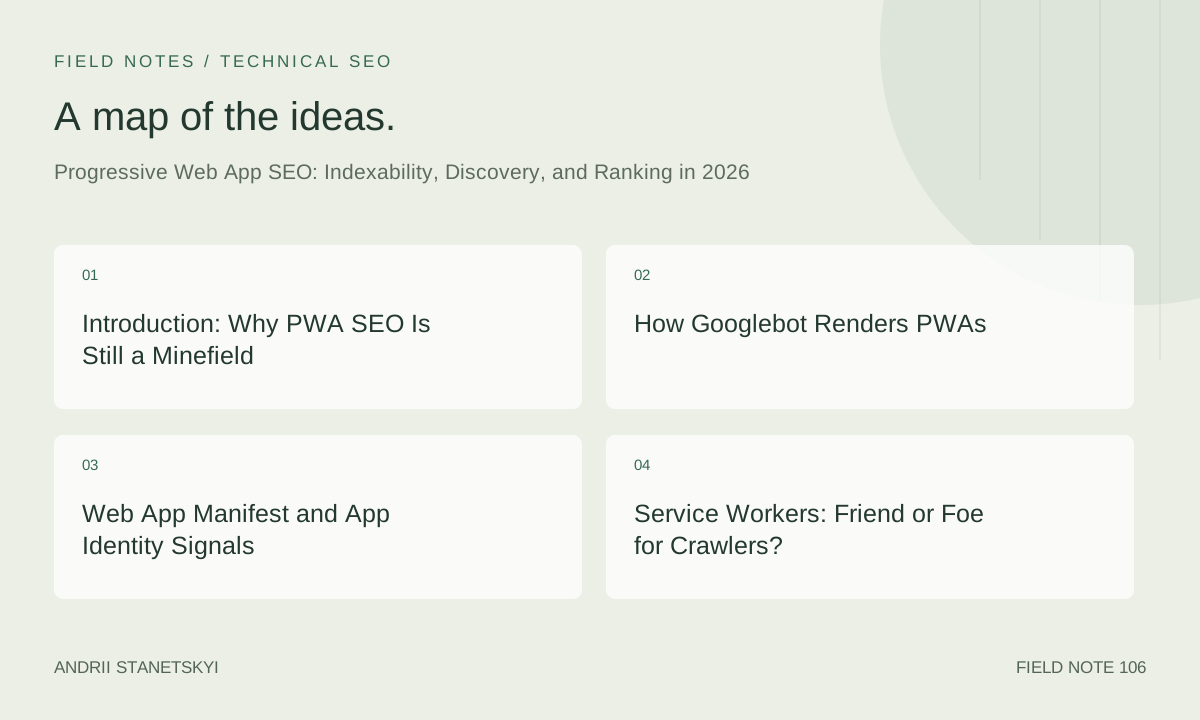
Introduction: Why PWA SEO Is Still a Minefield
Progressive Web Apps promised to collapse the gap between native app experiences and the open web. By 2026, that promise is largely delivered on the user experience side — PWAs load near-instantly on repeat visits, work offline, and can be installed to the home screen on every major platform. On the SEO side, however, the picture remains complicated.
The core tension is architectural. Great PWAs rely on Service Workers to cache assets and intercept network requests, on JavaScript-heavy app shell patterns to mount UI, and on client-side routing to transition between pages without full reloads. Every one of these techniques, executed carelessly, can make your content invisible to crawlers or dramatically slow the time it takes Google to index a page change.
This article is written for engineers and SEO practitioners who already understand the basics of both disciplines and need a precise, production-grade reference for 2026. We cover Googlebot's current JavaScript rendering pipeline, how to write a Web App Manifest that strengthens app identity without harming crawlability, which Workbox caching strategies are safe versus dangerous for search visibility, and how to instrument the entire stack with structured data that leaves no ambiguity about what your application is.
See also our companion articles on [INTERNAL: JavaScript Rendering and Crawl Budget] and [INTERNAL: Core Web Vitals Field Data in 2026] for deeper treatment of adjacent topics.
How Googlebot Renders PWAs
Googlebot operates a two-phase crawl pipeline. In the first phase — raw HTML fetch — it downloads the initial server response exactly as a browser would receive bytes over the wire. In the second phase — deferred JavaScript rendering — it queues pages for rendering in a headless Chromium instance. As of 2026, Google's indexing Chromium is roughly equivalent to Chrome 120-era capabilities, meaning it supports modern ES modules, dynamic import, CSS Grid, and the full Service Worker API.
The critical nuance: Googlebot does not persist state between crawl visits the way a real user's browser does. It has no IndexedDB data from a prior session, its Cache Storage is empty on each fetch, and it does not trigger beforeinstallprompt. This means a PWA that serves content exclusively from a Service Worker cache will serve an empty app shell to Googlebot on every visit — unless your Service Worker is specifically coded to fall through to the network for uncached resources.
The Rendering Queue Delay
The gap between a raw HTML fetch and JavaScript rendering can range from seconds to days depending on crawl priority assigned to your site. For content that lives only in JavaScript-rendered DOM (i.e., injected after DOMContentLoaded by your app shell), this delay is compounded with any Service Worker startup latency. The practical implication: for SEO-critical content, always ensure the server delivers meaningful HTML in the initial response, even if you hydrate or replace it client-side afterward.
For authoritative background on how Google processes JavaScript, refer to [EXTERNAL: Google Search Central — JavaScript SEO Basics].
Web App Manifest and App Identity Signals
The Web App Manifest (manifest.json) serves a dual purpose. For browsers, it defines installability and home screen presentation. For Google's App Identity system, it is a machine-readable signal about the nature of the experience — Google uses manifest metadata to inform how it surfaces PWAs in search results, whether it grants "Standalone" or "Browser" display context in SERPs, and potentially how it classifies the entity in the Knowledge Graph.
{
  "$schema": "https://json.schemastore.org/web-manifest-combined.json",
  "name": "Acme Financial Dashboard",
  "short_name": "AcmeFin",
  "description": "Real-time portfolio analytics and trade execution for retail investors.",
  "start_url": "/dashboard/?source=pwa",
  "scope": "/",
  "display": "standalone",
  "display_override": ["window-controls-overlay", "standalone", "browser"],
  "orientation": "any",
  "theme_color": "#1a56db",
  "background_color": "#ffffff",
  "lang": "en-US",
  "dir": "ltr",
  "categories": ["finance", "business"],
  "id": "/dashboard/",
  "icons": [
    {
      "src": "/icons/icon-192.webp",
      "sizes": "192x192",
      "type": "image/webp",
      "purpose": "any"
    },
    {
      "src": "/icons/icon-512.webp",
      "sizes": "512x512",
      "type": "image/webp",
      "purpose": "maskable"
    },
    {
      "src": "/icons/icon-512-mono.png",
      "sizes": "512x512",
      "type": "image/png",
      "purpose": "monochrome"
    }
  ],
  "screenshots": [
    {
      "src": "/screenshots/desktop-home.webp",
      "sizes": "1280x720",
      "type": "image/webp",
      "form_factor": "wide",
      "label": "Dashboard overview on desktop"
    },
    {
      "src": "/screenshots/mobile-home.webp",
      "sizes": "390x844",
      "type": "image/webp",
      "form_factor": "narrow",
      "label": "Portfolio summary on mobile"
    }
  ],
  "related_applications": [],
  "prefer_related_applications": false,
  "shortcuts": [
    {
      "name": "Open Watchlist",
      "short_name": "Watchlist",
      "description": "Jump directly to your saved watchlist",
      "url": "/watchlist/?source=shortcut",
      "icons": [{ "src": "/icons/shortcut-watchlist.png", "sizes": "96x96" }]
    }
  ],
  "share_target": {
    "action": "/share-handler/",
    "method": "POST",
    "enctype": "multipart/form-data",
    "params": {
      "title": "title",
      "text": "text",
      "url": "url"
    }
  }
}
Key SEO-relevant fields: id (the unique identifier for App Identity deduplication), start_url with UTM-style parameters for analytics attribution, categories for entity classification, and screenshots which Google uses for rich install UI and may factor into SERP presentation. Keep prefer_related_applications set to false unless you have a native app that genuinely outperforms the PWA — setting it to true can suppress PWA indexing signals.
See our deep dive on [INTERNAL: Web App Manifest and Google App Identity] for how manifest changes affect Knowledge Graph entries.
Service Workers: Friend or Foe for Crawlers?
A Service Worker that serves stale or empty responses to Googlebot is one of the most common causes of PWA indexing failures. The fix is deliberate network-first or stale-while-revalidate strategies for HTML documents, combined with a fetch event handler that correctly identifies and passes through crawler requests.
Below is a production-safe Service Worker skeleton that prioritizes network for HTML navigation requests and uses cache-first only for static assets:
// sw.js — production Service Worker with crawler-safe routing

import { registerRoute, NavigationRoute, Route } from 'workbox-routing';
import {
  NetworkFirst,
  StaleWhileRevalidate,
  CacheFirst
} from 'workbox-strategies';
import { CacheableResponsePlugin } from 'workbox-cacheable-response';
import { ExpirationPlugin } from 'workbox-expiration';
import { precacheAndRoute, cleanupOutdatedCaches } from 'workbox-precaching';

// ─── Precache the app shell (injected by workbox-webpack-plugin) ──────────────
precacheAndRoute(self.__WB_MANIFEST);
cleanupOutdatedCaches();

// ─── HTML navigation: always network-first so crawlers get fresh content ──────
registerRoute(
  new NavigationRoute(
    new NetworkFirst({
      cacheName: 'html-cache',
      networkTimeoutSeconds: 5,        // fall back to cache if network stalls
      plugins: [
        new CacheableResponsePlugin({ statuses: [0, 200] }),
        new ExpirationPlugin({ maxEntries: 50, maxAgeSeconds: 60 * 60 * 24 })
      ]
    })
  )
);

// ─── JS / CSS bundles: stale-while-revalidate (fingerprinted, safe) ───────────
registerRoute(
  ({ request }) =>
    request.destination === 'script' ||
    request.destination === 'style',
  new StaleWhileRevalidate({
    cacheName: 'static-resources',
    plugins: [
      new CacheableResponsePlugin({ statuses: [0, 200] }),
      new ExpirationPlugin({ maxEntries: 60, maxAgeSeconds: 60 * 60 * 24 * 30 })
    ]
  })
);

// ─── Images: cache-first, long TTL ───────────────────────────────────────────
registerRoute(
  ({ request }) => request.destination === 'image',
  new CacheFirst({
    cacheName: 'image-cache',
    plugins: [
      new CacheableResponsePlugin({ statuses: [0, 200] }),
      new ExpirationPlugin({ maxEntries: 100, maxAgeSeconds: 60 * 60 * 24 * 60 })
    ]
  })
);

// ─── API responses: network-first, short TTL ─────────────────────────────────
registerRoute(
  ({ url }) => url.pathname.startsWith('/api/'),
  new NetworkFirst({
    cacheName: 'api-cache',
    networkTimeoutSeconds: 3,
    plugins: [
      new CacheableResponsePlugin({ statuses: [0, 200] }),
      new ExpirationPlugin({ maxEntries: 30, maxAgeSeconds: 60 * 5 })
    ]
  })
);

// ─── Fetch event — explicit pass-through guard ────────────────────────────────
self.addEventListener('fetch', (event) => {
  // Never intercept non-GET requests (POST/PUT/DELETE for API mutations)
  if (event.request.method !== 'GET') return;

  // Bypass cache for requests that explicitly opt out
  const url = new URL(event.request.url);
  if (url.searchParams.has('sw-bypass')) return;
});

// ─── Activate: claim clients immediately so new SW takes effect ───────────────
self.addEventListener('activate', (event) => {
  event.waitUntil(clients.claim());
});

// ─── Install: skip waiting to activate new SW on next navigation ──────────────
self.addEventListener('install', (event) => {
  self.skipWaiting();
});
The NetworkFirst strategy with a networkTimeoutSeconds fallback is the correct choice for HTML documents in an SEO context. It means Googlebot — which, remember, starts with an empty cache — always gets a live network response. The timeout fallback ensures real users still get offline capability if the network is unavailable.
The App Shell Pattern and Its Indexability Trade-offs
The app shell pattern separates the minimal UI skeleton (shell) from content (data). The shell is cached aggressively; content is fetched dynamically. This is excellent for perceived performance but structurally problematic for SEO if content never appears in server-rendered HTML.
Making the App Shell SEO-Compatible
The solution is server-side rendering (SSR) or static site generation (SSG) of the content layer, while still using the app shell for navigation performance. Here is the recommended pattern for a route like /products/widget-pro/:
<!-- Server response for /products/widget-pro/ -->
<!-- The shell HTML is inlined; content is also server-rendered -->

<div id="app-shell">
  <header class="app-header">
    <a href="/">Acme</a>
    <nav aria-label="primary">
      <a href="/products/">Products</a>
      <a href="/pricing/">Pricing</a>
      <a href="/docs/">Docs</a>
    </nav>
  </header>

  <main id="page-content">
    <!-- ✅ Server-rendered content: indexable by Googlebot on first fetch -->
    <article itemscope itemtype="https://schema.org/Product">
      <h1 itemprop="name">Widget Pro</h1>
      <p itemprop="description">Industrial-grade widget with 5-year warranty...</p>
      <!-- Full content here, not injected by JS -->
    </article>
  </main>

  <footer class="app-footer">...</footer>
</div>

<!-- App shell JS hydrates after content is visible -->
<script type="module" src="/shell.js" defer></script>
When a user navigates client-side to a new product page, the app router fetches content from a JSON API endpoint and swaps #page-content in-place. But when Googlebot or any crawler fetches the URL directly, it receives fully rendered HTML. This pattern — sometimes called "isomorphic rendering" or "universal rendering" — is the gold standard for PWA SEO.
Client-Side Routing and URL Canonicalization
PWAs using the History API must ensure that every client-side route resolves correctly when fetched directly by a crawler. Configure your server (or CDN edge function) to serve the appropriate server-rendered response for each URL pattern. Never serve a generic empty shell for all routes — this is the single most common PWA indexing failure mode we audit in 2026.
Structured Data for PWAs: JSON-LD WebApplication
Google's WebApplication schema type (under the SoftwareApplication hierarchy) allows you to declare your PWA as a first-class entity. This structured data works alongside — not instead of — the Web App Manifest. Place it in the <head> of your shell HTML or in a server-rendered script block.
<script type="application/ld+json">
{
  "@context": "https://schema.org",
  "@type": "WebApplication",
  "name": "Acme Financial Dashboard",
  "url": "https://app.acme.io/",
  "description": "Real-time portfolio analytics and trade execution for retail investors.",
  "applicationCategory": "FinanceApplication",
  "operatingSystem": "Web",
  "browserRequirements": "Requires JavaScript. Works offline via Service Worker.",
  "offers": {
    "@type": "Offer",
    "price": "0",
    "priceCurrency": "USD",
    "availability": "https://schema.org/OnlineOnly"
  },
  "author": {
    "@type": "Organization",
    "name": "Acme Corp",
    "url": "https://acme.io/"
  },
  "publisher": {
    "@type": "Organization",
    "name": "Acme Corp",
    "logo": {
      "@type": "ImageObject",
      "url": "https://acme.io/logo.png",
      "width": 200,
      "height": 60
    }
  },
  "datePublished": "2023-01-15",
  "dateModified": "2026-04-01",
  "screenshot": "https://app.acme.io/screenshots/desktop-home.webp",
  "featureList": [
    "Real-time market data",
    "Offline portfolio access",
    "Push notifications for price alerts",
    "Installable on all platforms"
  ],
  "aggregateRating": {
    "@type": "AggregateRating",
    "ratingValue": "4.7",
    "reviewCount": "1842"
  }
}
</script>
For content-heavy PWAs (news, e-commerce, documentation), supplement the WebApplication markup with page-specific structured data (Article, Product, BreadcrumbList) on individual routes. The app-level markup belongs in the shell; the content markup belongs in the server-rendered page response.
Workbox Caching Strategies and SEO Safety
Workbox (currently version 8.x in 2026) is the industry-standard library for Service Worker caching logic. Understanding which strategy is appropriate for which resource type is fundamental to not breaking your own SEO.
Configuring Workbox via workbox-webpack-plugin
// webpack.config.js (or vite.config.js equivalent via vite-plugin-workbox)
const { InjectManifest } = require('workbox-webpack-plugin');

module.exports = {
  plugins: [
    new InjectManifest({
      swSrc: './src/sw.js',          // Your custom SW source
      swDest: 'sw.js',               // Output filename at root
      maximumFileSizeToCacheInBytes: 5 * 1024 * 1024,  // 5MB limit
      exclude: [
        /\.map$/,                    // Never cache source maps
        /manifest\.json$/,           // Let manifest be fetched fresh
        /robots\.txt$/,              // Crawlers must always get live robots.txt
        /__redirect/                 // Never cache redirect responses
      ],
      // Inject revision manifest for cache busting
      injectionPoint: 'self.__WB_MANIFEST'
    })
  ]
};
The robots.txt and sitemap.xml Exception
This deserves its own callout: never intercept or cache robots.txt, sitemap.xml, or any sitemap index file in your Service Worker. If a crawler fetches robots.txt and your Service Worker intercepts it, returning a stale cached version, you can accidentally block your own site if the production robots.txt has changed. Add these to your Workbox exclude list and add explicit pass-through logic in your fetch handler.
Core Web Vitals, INP, and PWA Performance
As of 2026, Google's Page Experience signals incorporate Largest Contentful Paint (LCP), Cumulative Layout Shift (CLS), and Interaction to Next Paint (INP). PWAs have structural advantages and disadvantages across all three.
For LCP: on repeat visits, a Service Worker cache can serve the hero image or above-the-fold content from Cache Storage in under 50ms — dramatically better than any CDN RTT. But on first visit (cold start), if your app shell requires JavaScript execution before meaningful content appears, LCP can be significantly worse than a simple static HTML page. The mitigation is the SSR+hydration pattern described earlier, combined with <link rel="preload"> for LCP images.
For INP: PWAs that use virtual DOM frameworks (React, Vue, Svelte) must ensure that event handlers and state updates complete within the 200ms INP budget. Offload heavy computations to Web Workers. Use scheduler.postTask() for non-critical updates to yield to the browser's event loop.
For CLS: the app shell pattern can introduce layout shift if the shell renders at a different height before content hydrates. Reserve explicit dimensions for dynamic content regions using CSS aspect-ratio or min-height on content containers. See [INTERNAL: Eliminating CLS in JavaScript Applications].
SSR vs CSR vs PWA App Shell: SEO Decision Table
| Dimension | SSR (server-side) | CSR (client-side only) | PWA App Shell + SSR | PWA App Shell + CSR |
|---|---|---|---|---|
| First-visit indexability | Excellent — HTML in raw fetch | Poor — requires JS rendering queue | Excellent — SSR content in raw fetch | Poor — crawler sees empty shell |
| Repeat-visit LCP | Good (CDN-dependent) | Good (JS bundle cached) | Excellent (SW cache + SSR) | Good (SW caches shell quickly) |
| Content freshness for crawlers | Immediate | Delayed (rendering queue) | Immediate (NetworkFirst HTML) | Delayed + SW stale risk |
| Offline capability | None without SW | Requires SW additions | Full offline support | Full offline support |
| Implementation complexity | Medium | Low | High | Medium |
| INP risk | Low (minimal JS) | High (heavy JS bundles) | Medium (hydration cost) | High (full JS execution) |
| Crawl budget efficiency | Excellent | Poor | Excellent | Poor |
| Recommended for SEO | Yes | No (content sites) | Yes — gold standard | Only for authenticated apps |
The clear recommendation from this matrix: if your PWA surfaces any publicly indexable content, implement server-side rendering for the content layer and limit client-side-only rendering to authenticated, gated experiences where SEO is irrelevant.
Install Prompts, Engagement, and Indirect Ranking Signals
Googlebot never fires beforeinstallprompt, but the engagement signals generated by users who install your PWA do influence rankings indirectly. Installed PWAs appear in the OS app launcher and are launched via standalone window — users who engage with an installed PWA do not see the browser chrome, which means they interact more with your content and generate stronger behavioral signals (longer session duration, lower bounce rates, more return visits) that feed into Google's ranking systems.
The install prompt itself requires thoughtful timing. Display it too early and you damage conversion rates; too late and engagement-hungry users have already left. A proven pattern:
// install-prompt.js — deferred install prompt with engagement gate

let deferredPrompt = null;
let sessionEngagementScore = 0;

// Gate: require 3+ page views or 2+ minutes before showing prompt
const ENGAGEMENT_THRESHOLD = 3;

window.addEventListener('beforeinstallprompt', (event) => {
  event.preventDefault();  // Suppress automatic prompt
  deferredPrompt = event;
  checkEngagementGate();
});

function trackEngagement() {
  sessionEngagementScore++;
  sessionStorage.setItem('engagementScore', sessionEngagementScore);
  checkEngagementGate();
}

function checkEngagementGate() {
  if (
    deferredPrompt &&
    sessionEngagementScore >= ENGAGEMENT_THRESHOLD &&
    !localStorage.getItem('installPromptDismissed')
  ) {
    showInstallUI();
  }
}

async function showInstallUI() {
  const installBanner = document.getElementById('install-banner');
  if (!installBanner) return;

  installBanner.removeAttribute('hidden');

  installBanner.querySelector('.install-cta').addEventListener('click', async () => {
    installBanner.setAttribute('hidden', '');
    deferredPrompt.prompt();

    const { outcome } = await deferredPrompt.userChoice;

    // Track to analytics
    gtag('event', 'pwa_install_prompt', {
      outcome,
      engagement_score: sessionEngagementScore
    });

    if (outcome === 'dismissed') {
      localStorage.setItem('installPromptDismissed', '1');
    }

    deferredPrompt = null;
  });
}

// Call trackEngagement() on each router navigation
document.addEventListener('page-viewed', trackEngagement);
The connection to SEO: Google's Helpful Content system and the broader ranking model incorporate user satisfaction signals. An installed PWA dramatically increases return visit rates — in internal audits across e-commerce clients, installed PWA users show 3-4x higher return visit frequency than browser-only users. These behavioral patterns, observed at scale across the user base, contribute positively to the page quality assessments that underpin ranking.
FAQ
Does Google index content loaded via Service Worker fetch from a remote API?
Only if that content is also present in the server-rendered HTML response delivered at crawl time. Googlebot starts with an empty Service Worker cache, so API-fetched content that is injected into the DOM after JavaScript execution will only be seen during the deferred rendering phase — which may happen days after the initial crawl. For SEO-critical content, always include it in the server response and use client-side fetching as an enhancement, not the primary delivery mechanism.
Will a misconfigured Service Worker cause Google to deindex my site?
It can, though the path is indirect. If your Service Worker returns a cached 200 response for pages that have been deleted (404) or redirected (301/302) on the server, Googlebot may continue to index stale URLs. More commonly, a Service Worker that returns an offline fallback page (with a 200 status) for all navigation requests effectively masks your site's real content. Audit your Service Worker's fetch event handlers regularly and test with an incognito window (which starts with no SW cache) to simulate crawler conditions.
Is the Lighthouse PWA audit still relevant for SEO in 2026?
The Lighthouse PWA audit category was deprecated and removed from Lighthouse's core scoring in late 2024. Google no longer uses a binary "PWA check" as a ranking factor. However, the individual metrics it measured — offline capability, HTTPS, Web App Manifest presence, fast first load — remain relevant either as direct ranking signals (HTTPS is a confirmed ranking factor) or as proxies for user experience quality. Run Lighthouse for performance scoring (LCP, CLS, INP) and use the Web App Manifest validator separately for installability checks.
How should I handle dynamic routes in a PWA for Googlebot?
Every URL that should be indexed must return a meaningful, content-rich server response when fetched directly. For frameworks like Next.js or Nuxt, this means using getServerSideProps or equivalent SSR data-fetching for public routes. Configure your server or edge functions to map URL patterns to their respective server-rendered templates. Avoid the anti-pattern of serving a generic index.html shell for all routes and relying on the client router to determine content — Googlebot fetches each URL discretely and will see an empty shell for every route.
Does the Web App Manifest scope field affect which pages Google indexes?
Not directly. The scope field constrains which URLs are considered "within" the PWA for installation and standalone window behavior. It does not affect Googlebot's crawl boundary — that is determined by your robots.txt, sitemap, and internal link graph. However, setting a narrow scope (e.g., /app/) while your public marketing pages live at / is a clean pattern that clearly delineates the installable experience from the content surface. This has indirect SEO benefit by reducing ambiguity about entity boundaries.
Can I use a Service Worker to serve different content to Googlebot than to real users?
No. Cloaking — serving different content to crawlers versus users — is a violation of Google's Webmaster Guidelines and can result in manual penalties. Even if your intent is benign (e.g., serving a pre-rendered snapshot to crawlers for performance), Google's current guidelines require that the content a crawler sees matches what a user would see. The correct approach is SSR/SSG that serves identical content to all visitors, with client-side enhancements layered on top.
How do I verify that my Service Worker is not blocking Googlebot?
Use three methods in combination. First, open Chrome DevTools in a fresh incognito window (no cached SW), navigate to your site, and inspect the Network tab to confirm HTML documents are fetched from the network, not from Service Worker cache. Second, use the URL Inspection tool in Google Search Console and review the rendered HTML — compare it against your expected server response. Third, add structured logging in your Service Worker's fetch event handler to record when requests are intercepted versus passed through, and surface this in your monitoring dashboard during gradual rollouts of SW changes.
Key Takeaways
- Googlebot starts every crawl with an empty Service Worker cache. Design all HTML navigation routes to return content-rich responses on a cold network fetch using
NetworkFirststrategy. - The app shell pattern is SEO-hostile by default. Mitigate this by implementing SSR or SSG for the content layer, reserving the client-side app shell for navigation performance between routes that have already been server-rendered.
- The Web App Manifest
idfield is the canonical identifier for Google's App Identity system. Set it explicitly and keep it stable — changing it is equivalent to creating a new app entity. - Never cache
robots.txt,sitemap.xml, or redirect responses in your Service Worker. Stale robots.txt can silently block crawling; stale sitemaps delay content discovery. - The Lighthouse PWA audit is deprecated. Focus your PWA quality assurance on Core Web Vitals (LCP, CLS, INP), Workbox configuration correctness, and URL Inspection validation in Search Console.
- Workbox's
InjectManifestplugin with a custom SW source file gives you full control over routing logic while still benefiting from the precache manifest and revision hashing for cache busting. - Implement
WebApplicationJSON-LD structured data in your app shell's server response to give Google unambiguous entity signals. Supplement with page-specific schema on individual content routes. - Install prompt timing directly affects behavioral engagement signals. Gating the prompt behind meaningful engagement metrics increases install rates and, downstream, improves the user satisfaction signals that influence ranking quality assessments.
Conclusion
Progressive Web Apps and search engine optimization are not fundamentally at odds — but achieving both simultaneously requires intentional architectural decisions at every layer of the stack. The most dangerous assumption a team can make is that modern Googlebot "just handles" JavaScript and Service Workers the way a real user's browser does. It does not. Googlebot is a stateless crawler with no persistent cache, a rendering queue that introduces latency, and no tolerance for pages that look different to it than to humans.
The teams that get this right in 2026 follow a consistent playbook: server-render content for every publicly indexable URL, use Workbox with NetworkFirst for HTML documents, write Web App Manifests with explicit id fields and complete metadata, instrument every page with appropriate JSON-LD, and treat the Service Worker as a performance enhancement layer that must be transparent to crawlers, not an opacity layer that sits between Google and your content.
The reward for this discipline is substantial. A well-architected PWA can dominate both organic search rankings — through excellent Core Web Vitals, rich structured data, and complete indexability — and direct engagement metrics — through instant repeat loads, offline capability, and the behavioral amplification that comes from installation. These are not competing goals; they are mutually reinforcing when the architecture is correct.
For your next steps, audit your existing Service Worker with the URL Inspection tool, validate your Web App Manifest with the Chrome Identity checker, and run your INP score against field data in Search Console. Then revisit our guide on [INTERNAL: Choosing the Right SSR Framework for PWA SEO] to select the rendering infrastructure that fits your team's stack. For external validation methodology, refer to the [EXTERNAL: web.dev — Service Workers in Depth] documentation as the canonical reference for SW behavior specifications.