The Problem with SPA SEO in 2026
Single Page Applications dominate modern web development. React, Vue, Angular, and Svelte power the majority of new commercial web projects. The developer experience is excellent. The SEO story, however, remains more complicated than most teams realize — even in 2026, with Googlebot running a Chromium-based renderer.
The fundamental tension: SPAs ship a nearly-empty HTML shell to the browser and rely on JavaScript to populate the DOM. Search engines that cannot or do not execute JavaScript receive that empty shell and index nothing useful. Even Googlebot, which does execute JavaScript via its Web Rendering Service, introduces a rendering delay that can meaningfully harm indexing freshness and crawl efficiency.
This article is a ground-level technical guide. We will cover how Googlebot's WRS pipeline works in practice, compare rendering strategies with hard-nosed specificity, walk through real implementation patterns in Next.js, Nuxt, and Angular Universal, and explain when Prerender.io or Rendertron belong in your architecture. No framework evangelism. Just engineering decisions mapped to SEO outcomes.
If you are building a content-heavy site, an e-commerce platform, or any application where organic search drives meaningful revenue, the choices described here will have measurable business impact. See also: [internal: Technical SEO Fundamentals] for the crawling and indexing basics that underpin everything below.
How Googlebot WRS Actually Works
Google's Web Rendering Service is a distributed headless Chromium fleet. As of the Chrome 121 baseline (publicly confirmed by Google in 2024 and still current in 2026), WRS supports modern JavaScript including ES2022 features, async/await, dynamic imports, and the Fetch API. This is a major improvement over the ES5-era Googlebot that plagued SPA developers for years.
The architecture, however, introduces a two-phase process that teams routinely underestimate:
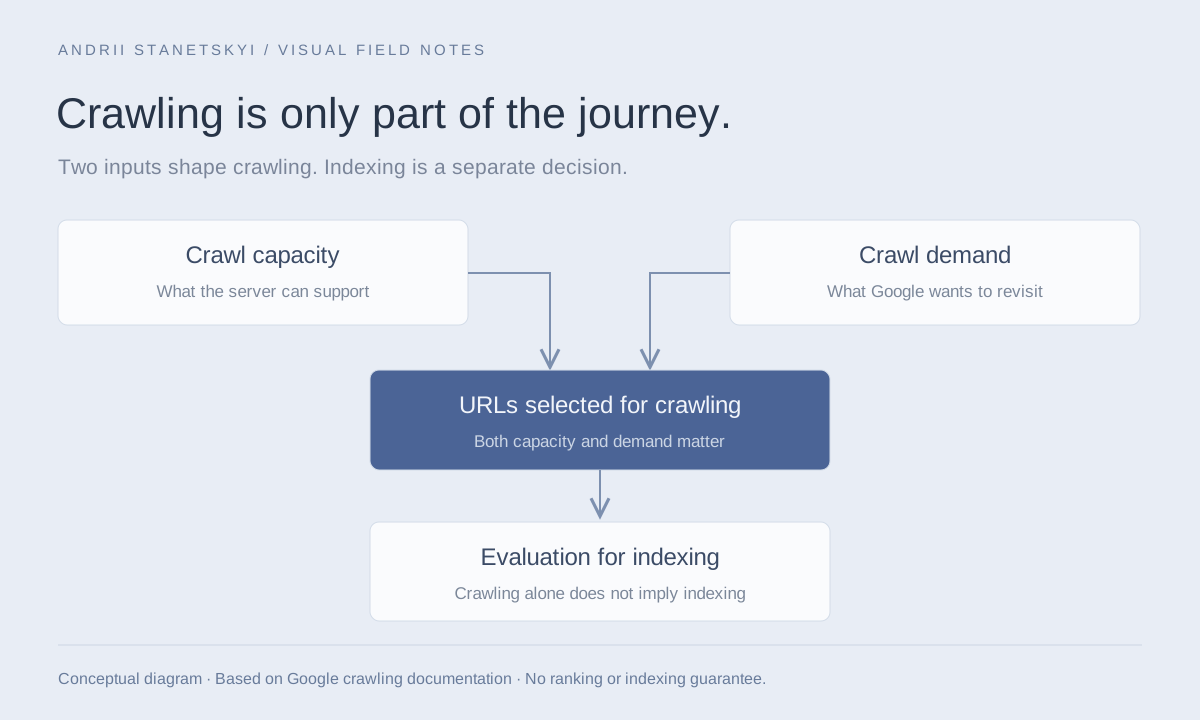
- Phase 1 — Crawl: Googlebot fetches the raw HTML. If it sees a JavaScript-dependent shell, it stores the raw response and queues the URL for rendering.
- Phase 2 — Render: WRS processes the queued URL in a shared rendering queue, executing JavaScript, waiting for network-idle or a timeout (~5 seconds), then capturing the resulting DOM for indexing.
The gap between Phase 1 and Phase 2 is non-trivial. For low-priority or large sites, rendering can lag crawling by hours or days. Google has never committed to a rendering SLA. This means a page updated in your SPA may not be re-indexed with its new content for an extended, unpredictable period — even if Googlebot crawled it within minutes of the update.
Additionally, WRS has resource constraints. It will not execute infinite JavaScript. Network requests made during rendering that exceed the timeout window are abandoned. Third-party scripts that block rendering can prevent content from being captured. This is why you should measure your pages with [external: Google Search Console's URL Inspection Tool] and compare the rendered HTML against what your application actually produces in a browser.
Practical implication: if your content exists in the DOM only after a client-side API call that takes 800ms, and WRS times out after 5 seconds of total page activity, you may get lucky. Or you may not. Betting your indexing on WRS execution timing is poor engineering. Deliver the content in the initial HTML response instead.
Rendering Strategies Compared
Four distinct strategies exist for serving web content to crawlers. Each has a different cost/benefit profile for SEO.
| Strategy | Initial HTML Content | Indexing Speed | Infrastructure Cost | Personalization | SEO Risk |
|---|---|---|---|---|---|
| CSR (Client-Side Rendering) | Empty shell | Slowest (render queue dependent) | Very low (static CDN) | Full | High |
| SSR (Server-Side Rendering) | Full HTML per request | Fastest | High (Node/edge runtime) | Full | Very low |
| SSG (Static Site Generation) | Full HTML at build time | Fastest | Very low (static CDN) | None at page level | Very low |
| ISR (Incremental Static Regeneration) | Full HTML, revalidated on schedule | Fast (stale-while-revalidate) | Low-medium | None at page level | Low |
| Dynamic Prerendering | Full HTML for bots, CSR for users | Fast (cached snapshots) | Medium (prerender service) | Full (for users) | Low-medium (caching staleness) |
The table is deliberately opinionated. Pure CSR is almost never the right choice for any page that needs to rank. The SEO community spent 2018–2023 discovering this the hard way. In 2026, choosing pure CSR for an indexable page is an engineering anti-pattern.
Hash Routing: The Indexing Killer
Before diving into solutions, eliminate the most destructive mistake first. Hash-based routing — where your SPA uses URLs like https://example.com/#/products/shoes — is fundamentally incompatible with SEO.
The hash fragment (#...) is a client-side-only construct. By HTTP specification, the fragment is never sent to the server. Every URL with a different hash is the same HTTP request from the server's perspective. Googlebot and every other crawler treats /#/products/shoes and /#/products/boots as the same page: /.
// BAD: Hash routing (React Router v5 legacy pattern)
import { HashRouter, Route, Switch } from 'react-router-dom';

function App() {
  return (
    <HashRouter>
      <Switch>
        <Route path="/products/:id" component={ProductPage} />
        <Route path="/category/:slug" component={CategoryPage} />
      </Switch>
    </HashRouter>
  );
}
// Results in: example.com/#/products/123
// Googlebot indexes: example.com/ (only one page)

// GOOD: History API routing (BrowserRouter)
import { BrowserRouter, Route, Switch } from 'react-router-dom';

function App() {
  return (
    <BrowserRouter>
      <Switch>
        <Route path="/products/:id" component={ProductPage} />
        <Route path="/category/:slug" component={CategoryPage} />
      </Switch>
    </BrowserRouter>
  );
}
// Results in: example.com/products/123
// Googlebot indexes: distinct URL per product
Migration from hash to history routing requires server-side configuration: every path must return the SPA's index.html for the History API to handle client-side routing. On nginx:
# nginx.conf — SPA history API fallback
server {
    listen 80;
    root /var/www/html;
    index index.html;

    location / {
        try_files $uri $uri/ /index.html;
    }

    # Static assets bypass the fallback
    location ~* \.(js|css|png|jpg|svg|woff2|ico)$ {
        expires 1y;
        add_header Cache-Control "public, immutable";
    }
}
On Apache, the equivalent .htaccess:
Options -MultiViews
RewriteEngine On
RewriteCond %{REQUEST_FILENAME} !-f
RewriteRule ^ index.html [QSA,L]
SSR Patterns: Next.js and Nuxt
Next.js App Router (React)
Next.js App Router is the most mature SSR solution for React in 2026. React Server Components (RSC) are the default, which means your component tree renders to HTML on the server with zero JavaScript shipped to the client unless you explicitly add 'use client'. This is excellent for SEO: Googlebot receives complete HTML with no rendering dependency.
// app/products/[slug]/page.tsx
// This is a React Server Component — no 'use client' directive
// Renders fully on the server, sends complete HTML to Googlebot

import { Metadata } from 'next';
import { getProduct } from '@/lib/api';

interface Props {
  params: { slug: string };
}

// Dynamic metadata generation — critical for per-page title/description
export async function generateMetadata({ params }: Props): Promise<Metadata> {
  const product = await getProduct(params.slug);

  return {
    title: ${product.name} | Shop Example,
    description: product.shortDescription,
    openGraph: {
      title: product.name,
      description: product.shortDescription,
      images: [{ url: product.imageUrl, width: 1200, height: 630 }],
    },
    alternates: {
      canonical: https://example.com/products/${params.slug},
    },
  };
}

export default async function ProductPage({ params }: Props) {
  // Data fetching on the server — available in initial HTML
  const product = await getProduct(params.slug);

  return (
    <article>
      <h1>{product.name}</h1>
      <p>{product.description}</p>
      <div className="price">${product.price}</div>
      {/* ProductActions is a Client Component for interactivity */}
      <ProductActions productId={product.id} />
    </article>
  );
}

// Generate static paths for high-traffic products (ISR for the rest)
export async function generateStaticParams() {
  const topProducts = await getTopProducts({ limit: 500 });
  return topProducts.map((p) => ({ slug: p.slug }));
}
For pages that cannot be statically generated and must remain dynamic, force dynamic rendering explicitly to avoid stale cached responses:
// Force dynamic rendering — no caching, fresh HTML per request
export const dynamic = 'force-dynamic';
export const revalidate = 0;

// Or use ISR with a revalidation window
export const revalidate = 3600; // Revalidate every hour
Nuxt 3 (Vue)
Nuxt 3 offers SSR out of the box with the same server-component philosophy emerging through its Nitro server engine. The useHead composable handles dynamic meta tags with SSR support, unlike Vue-router-based SPAs that need vue-meta or manual SSR integration.
// pages/products/[slug].vue
<script setup lang="ts">
const route = useRoute();
const { data: product } = await useFetch(/api/products/${route.params.slug});

// useHead runs on server — meta tags present in initial HTML response
useHead({
  title: () => ${product.value?.name} | Shop Example,
  meta: [
    { name: 'description', content: () => product.value?.shortDescription },
    { property: 'og:title', content: () => product.value?.name },
    {
      property: 'og:image',
      content: () => product.value?.imageUrl,
    },
  ],
  link: [
    {
      rel: 'canonical',
      href: () => https://example.com/products/${route.params.slug},
    },
  ],
});
</script>

<template>
  <article v-if="product">
    <h1>{{ product.name }}</h1>
    <p>{{ product.description }}</p>
  </article>
</template>
For Nuxt's hybrid rendering mode — which allows per-route SSR/SSG/ISR configuration — define rules in nuxt.config.ts:
// nuxt.config.ts
export default defineNuxtConfig({
  routeRules: {
    '/': { prerender: true },                  // SSG at build time
    '/products/**': { swr: 3600 },             // ISR: stale-while-revalidate 1hr
    '/account/**': { ssr: false },             // CSR only (authenticated, no SEO)
    '/blog/**': { prerender: true },           // SSG for all blog posts
    '/search': { ssr: true },                  // Full SSR, no caching
  },
});
This per-route granularity is one of Nuxt's strongest advantages for large sites with mixed content types. See also: [internal: Nuxt Performance Optimization Guide].
Prerendering: Prerender.io and Rendertron
Dynamic prerendering is the pragmatic escape hatch for teams that cannot refactor an existing SPA to SSR. The architecture is simple: a reverse proxy detects whether the incoming request is from a crawler (via User-Agent sniffing), and if so, routes the request through a headless browser service that returns pre-rendered HTML. Regular users get the normal SPA.
Prerender.io Integration
Prerender.io is the leading managed solution. It maintains a cache of pre-rendered HTML snapshots for your URLs and serves them to crawlers with minimal latency. Integration is typically middleware-level:
// Express.js middleware integration — Prerender.io
const prerender = require('prerender-node');

app.use(
  prerender
    .set('prerenderToken', process.env.PRERENDER_TOKEN)
    .set('prerenderServiceUrl', 'https://service.prerender.io/')
    .set('beforeRender', (req, done) => {
      // Optionally skip prerendering for certain paths
      if (req.path.startsWith('/api/')) {
        req.prerender = false;
      }
      done();
    })
    .set('afterRender', (err, req, prerendered) => {
      if (prerendered) {
        console.log(Prerendered: ${req.url} in ${prerendered.renderTime}ms);
      }
    })
);
For nginx-level bot detection without application code changes:
# nginx.conf — Dynamic prerendering with Prerender.io
# Detect known crawler User-Agents
map $http_user_agent $prerender_ua {
    default       0;
    "~*googlebot"                       1;
    "~*bingbot"                         1;
    "~*yandex"                          1;
    "~*duckduckbot"                     1;
    "~*slurp"                           1;
    "~*facebot"                         1;
    "~*twitterbot"                      1;
    "~*linkedinbot"                     1;
    "~*rogerbot"                        1;
    "~*semrushbot"                      1;
    "~*ahrefsbot"                       1;
}

# Also detect _escaped_fragment_ (legacy AJAX crawling spec)
map $args $prerender_frag {
    default 0;
    "~*_escaped_fragment_" 1;
}

server {
    listen 80;

    location / {
        # Route to prerender service if bot detected
        if ($prerender_ua = 1) {
            rewrite .* /prerenderio last;
        }
        if ($prerender_frag = 1) {
            rewrite .* /prerenderio last;
        }

        try_files $uri /index.html;
    }

    location /prerenderio {
        proxy_set_header X-Prerender-Token YOUR_TOKEN;
        proxy_hide_header Cache-Control;
        add_header Cache-Control "no-store";

        rewrite /prerenderio/(.*) /$1 break;
        proxy_pass https://service.prerender.io$request_uri;
    }
}
Rendertron (Self-Hosted)
Rendertron is Google's open-source headless rendering proxy. It is more transparent and auditable than Prerender.io, at the cost of requiring your own infrastructure. Deploy it as a Docker container:
# docker-compose.yml — Rendertron self-hosted
version: '3.8'
services:
  rendertron:
    image: gcr.io/rendertron/rendertron:latest
    ports:
      - "3000:3000"
    environment:
      - RENDERTRON_CACHE=true
      - RENDERTRON_CACHE_MAX_AGE=86400   # 24 hour cache
    deploy:
      replicas: 2
      resources:
        limits:
          memory: 2G   # Headless Chrome is memory hungry
Rendertron exposes a simple API: GET /render/{url} returns the rendered HTML. The catch is cache invalidation — you are responsible for purging stale snapshots when content changes. Prerender.io automates this via webhook integrations with CMSes and build pipelines.
For high-volume sites, neither solution scales infinitely. Pre-rendered HTML snapshots have a staleness problem: if your content changes frequently (e-commerce inventory, news articles), a 24-hour cache TTL produces SEO-indexed content that diverges from reality. ISR or SSR is preferable in those cases. See also: [internal: Crawl Budget Optimization].
Hybrid and ISR Strategies
Incremental Static Regeneration (pioneered by Next.js, now available in Nuxt, SvelteKit, and Astro) solves the staleness problem of pure SSG without the cost of full SSR. Pages are statically generated at build time and then regenerated in the background on a schedule or on-demand when content changes.
// Next.js ISR with on-demand revalidation
// app/blog/[slug]/page.tsx

export const revalidate = 3600; // Fallback: regenerate every hour

export default async function BlogPost({ params }: { params: { slug: string } }) {
  const post = await getBlogPost(params.slug);
  return <article>{/* ... */}</article>;
}

// app/api/revalidate/route.ts — CMS webhook triggers this
import { revalidatePath } from 'next/cache';
import { NextRequest, NextResponse } from 'next/server';

export async function POST(req: NextRequest) {
  const secret = req.headers.get('x-revalidation-secret');

  if (secret !== process.env.REVALIDATION_SECRET) {
    return NextResponse.json({ error: 'Invalid secret' }, { status: 401 });
  }

  const { slug } = await req.json();
  revalidatePath(/blog/${slug});

  return NextResponse.json({ revalidated: true, path: /blog/${slug} });
}
This webhook-driven ISR pattern gives you SSG performance (CDN-served static HTML, zero server load for Googlebot) with near-real-time content freshness. It is the optimal strategy for editorial content, product descriptions, and other content that changes on a CMS publish event rather than continuously.
Angular Universal and Analog.js
Angular's server-side rendering solution has historically lagged behind React and Vue equivalents in developer ergonomics. Angular Universal remains the standard approach, now integrated directly into the Angular CLI as of Angular 17+:
# Add SSR to an existing Angular project
ng add @angular/ssr

# This generates:
# - server.ts (Express server entry)
# - app.config.server.ts (server-specific providers)
# - Modifies angular.json with build targets
// app.config.server.ts — Angular SSR provider config
import { mergeApplicationConfig, ApplicationConfig } from '@angular/core';
import { provideServerRendering } from '@angular/platform-server';
import { appConfig } from './app.config';

const serverConfig: ApplicationConfig = {
  providers: [
    provideServerRendering(),
    // Inject server-side request context for URL-aware data fetching
    {
      provide: REQUEST,
      useFactory: (req: Request) => req,
      deps: [REQUEST],
    },
  ],
};

export const config = mergeApplicationConfig(appConfig, serverConfig);
A critical Angular SSR pitfall: the isPlatformBrowser guard. Code that accesses window, document, or localStorage directly will crash the Node.js SSR process. Wrap all browser-only code:
// Angular SSR — platform guard pattern
import { Component, Inject, PLATFORM_ID } from '@angular/core';
import { isPlatformBrowser } from '@angular/common';

@Component({
  selector: 'app-product-gallery',
  template: <div>{{ product?.name }}</div>,
})
export class ProductGalleryComponent {
  constructor(@Inject(PLATFORM_ID) private platformId: Object) {}

  ngOnInit() {
    if (isPlatformBrowser(this.platformId)) {
      // Safe to access window, document, localStorage here
      this.initializeSwiper();
    }
    // Server-side: just render the static content
  }
}
Analog.js, the meta-framework for Angular (analogous to Next.js for React), introduces file-based routing and SSG/SSR with a simpler API. For new Angular projects in 2026, Analog.js warrants serious consideration over raw Angular Universal. See also: [internal: Angular Performance and Core Web Vitals].
Dynamic Meta Tags and Structured Data
Even with perfect SSR, meta tag management is a common failure point. Every indexable page needs a unique, server-rendered <title>, <meta name="description">, and canonical URL. For SPAs that partially adopt SSR, verify these exist in the initial HTTP response, not just after JavaScript execution.
Structured data (JSON-LD) must also be present in the initial HTML. Googlebot does parse JSON-LD from client-rendered content, but the same rendering queue delay applies. Inject JSON-LD on the server:
// Next.js — Server-injected JSON-LD for Product schema
export default async function ProductPage({ params }: Props) {
  const product = await getProduct(params.slug);

  const jsonLd = {
    '@context': 'https://schema.org',
    '@type': 'Product',
    name: product.name,
    description: product.description,
    image: product.images.map((img) => img.url),
    offers: {
      '@type': 'Offer',
      price: product.price,
      priceCurrency: 'USD',
      availability:
        product.inStock
          ? 'https://schema.org/InStock'
          : 'https://schema.org/OutOfStock',
      url: https://example.com/products/${product.slug},
    },
    brand: {
      '@type': 'Brand',
      name: product.brand,
    },
  };

  return (
    <>
      <script
        type="application/ld+json"
        dangerouslySetInnerHTML={{ __html: JSON.stringify(jsonLd) }}
      />
      <article>{/* product content */}</article>
    </>
  );
}
For Vue/Nuxt, use useSchemaOrg from the nuxt-schema-org module or inject raw JSON-LD via useHead. The [external: Google Structured Data documentation] provides the authoritative reference for all supported schema types and their rich result eligibility.
Canonical URLs deserve special attention in SPAs. Client-side navigation can result in pages being accessed via multiple URL patterns (with/without trailing slash, with query parameters). Always set a canonical in the server response and ensure your router normalizes URLs consistently. See also: [internal: Canonical URL Strategy for Large Sites].
FAQ
Does Googlebot execute JavaScript in 2026?
Yes, Googlebot's Web Rendering Service executes JavaScript using a headless Chromium instance (Chrome 121+ as of the 2024 baseline, updated periodically). However, rendering is deferred and queued — crawled pages are not rendered immediately. There is always a latency gap between crawl and render, making SSR or prerendering critical for time-sensitive indexing. Do not rely on WRS execution as your primary SEO strategy.
What is the difference between SSR and prerendering for SEO?
SSR generates HTML dynamically on each request using a Node.js or edge runtime — content is always fresh and always present in the initial response. Prerendering generates static HTML snapshots at build time or on-demand via a headless browser. SSR is better for frequently changing, personalized, or large-scale content. Prerendering is simpler and cheaper for mostly-static content with manageable page counts and acceptable cache staleness.
Is hash routing (#) bad for SEO?
Definitively yes. Hash fragments are never sent to the server and are explicitly excluded from crawler scope. URLs like /#/products/123 cannot be independently indexed as distinct pages — every hash URL resolves to the same document from a crawling perspective. Always use the HTML5 History API (pushState) for SPA routing in any project where organic search matters.
When should I use Prerender.io vs Rendertron?
Prerender.io is a managed SaaS service best for teams that want zero infrastructure overhead, built-in caching, and commercial support. Rendertron is an open-source, self-hosted solution built by Google that gives full control but requires DevOps investment. For high-traffic production sites, Prerender.io's CDN-backed cache layer typically outperforms self-hosted Rendertron on p95 latency. If you have strict data sovereignty requirements or need to audit the rendering stack completely, Rendertron is the choice.
Does Next.js App Router give better SEO than Pages Router?
Generally yes. App Router defaults to React Server Components, which render to HTML on the server with zero client JavaScript unless explicitly opted in. This produces leaner, faster initial HTML payloads that are simpler for Googlebot to parse and score on Core Web Vitals. Pages Router still delivers excellent SEO with getServerSideProps and getStaticProps, but requires more deliberate per-page configuration. New projects in 2026 should default to App Router.
How does the Googlebot JavaScript rendering queue affect indexing speed?
Googlebot separates crawling from rendering into two discrete phases. After a page is crawled, it enters a rendering queue where WRS processes it using headless Chromium. This queue can introduce delays of hours to days depending on crawl budget allocation, site priority signals, and queue depth across Google's infrastructure. Pages relying solely on CSR may index significantly older content than pages delivering pre-rendered HTML immediately. For content freshness-sensitive pages (news, inventory), SSR or webhook-triggered ISR is non-negotiable.
Can I use dynamic rendering as a long-term SEO strategy?
Dynamic rendering — serving pre-rendered HTML to bots, the SPA to users — is officially supported by Google as an interim approach, not a permanent solution. Google has publicly stated a preference for sites to migrate to SSR or SSG. That said, dynamic rendering with Prerender.io or Rendertron is viable, widely deployed in production at scale in 2026, and entirely defensible as a pragmatic bridge for large legacy SPAs that cannot be refactored quickly. Treat it as a transitional architecture with a migration plan attached.
Key Takeaways
- Never ship a pure CSR page for indexable content. The WRS rendering queue introduces unpredictable indexing delays. Deliver content in the initial HTML response.
- Kill hash routing immediately. Hash-based SPA routing is an absolute blocker for page-level indexing. Migrate to History API routing before any other SEO work.
- Choose your rendering strategy by content type. SSG/ISR for editorial and product content; SSR for search results, personalized feeds, and frequently changing data; dynamic prerendering as a pragmatic bridge for legacy SPAs.
- Next.js App Router and Nuxt 3 are the mature defaults for React and Vue respectively. Angular Universal and Analog.js close the gap for Angular projects.
- Prerender.io suits teams with infrastructure constraints; Rendertron suits teams with data sovereignty requirements or high engineering bandwidth.
- ISR with webhook-driven revalidation is the optimal pattern for CMS-driven content — SSG performance with near-real-time freshness.
- Inject all meta tags and JSON-LD on the server. Do not rely on client-side meta tag injection for content that needs to rank.
- Canonical URLs must be enforced server-side in SPAs, where client-side navigation can expose content at multiple URL patterns.
Conclusion
SPA SEO is a solved problem in 2026 — technically. The frameworks, tooling, and patterns exist to deliver excellent SEO outcomes from any JavaScript stack. The challenge is organizational: teams fall into CSR-by-default because it is the path of least resistance in development, and the SEO cost is invisible until rankings collapse or Search Console surfaces indexing failures months later.
The engineering discipline required is straightforward: treat Googlebot as a first-class client that deserves complete HTML in the initial response, not a JavaScript runtime it has to execute on your behalf. Make that HTML the source of truth for your content, and use JavaScript to progressively enhance the experience on top of it.
WRS's Chrome 121+ baseline means you can write modern JavaScript without worrying about transpilation for Googlebot specifically. But the rendering queue means you should not need WRS to render your indexable content at all. SSR, SSG, and prerendering exist precisely to remove that dependency.
Build sites that degrade gracefully to excellent HTML. Your organic traffic, your Core Web Vitals scores, and your future self maintaining the codebase will all thank you. See also: [internal: Core Web Vitals and Their Measurable SEO Impact].