A content audit at scale is one of the most technically demanding and strategically important projects in SEO. Done correctly on a 10,000-page site, it reveals a roadmap to recovering organic traffic, improving crawl efficiency, and concentrating link equity on your most valuable content. Done incorrectly — or skipped entirely — you accumulate a growing mass of thin, duplicate, and outdated content that suppresses domain-level quality signals under Google's Helpful Content system. This guide is the practitioner's blueprint for executing a content audit at enterprise scale, end to end.
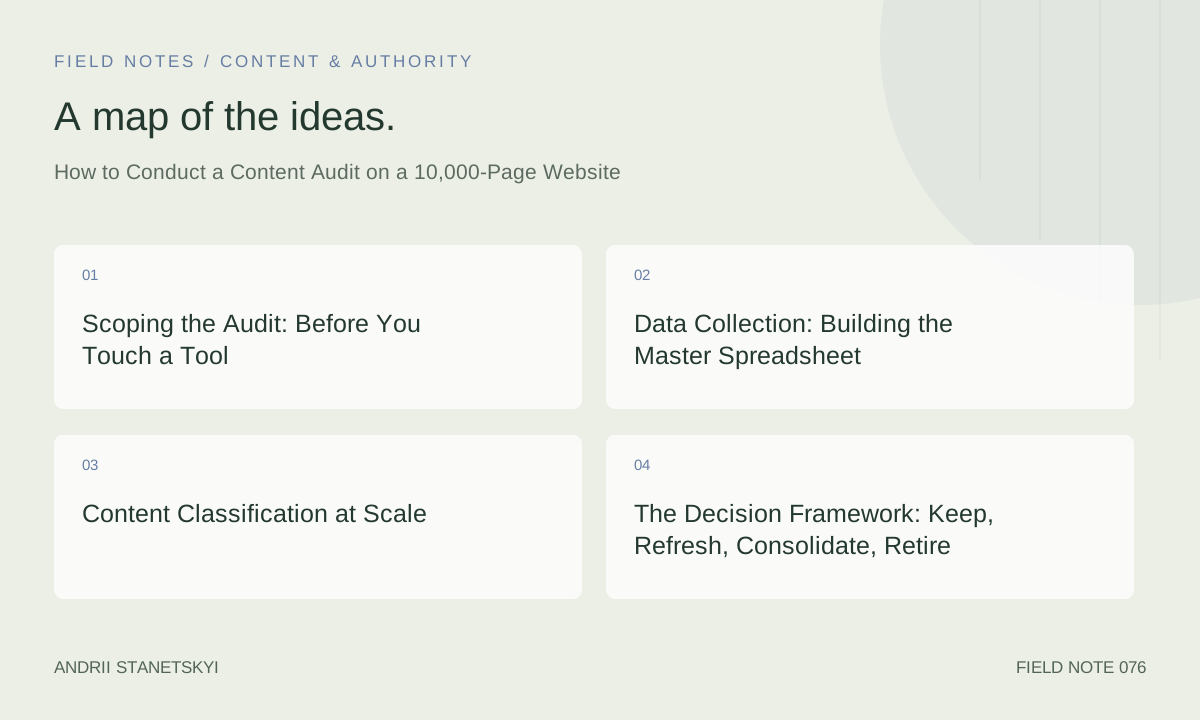
Scoping the Audit: Before You Touch a Tool
The first mistake in a large-site audit is starting the data collection before establishing scope and decision criteria. If you collect data for 10,000 URLs without a clear framework for what to do with that data, you will produce a spreadsheet that paralyzes rather than guides.
Define the Audit Goal
Content audits serve different purposes. Be explicit about which of the following applies before you begin, because the goal determines what data you need and how you use it:
- Index health improvement: Identify and remove thin/duplicate content suppressing domain quality signals.
- Traffic recovery: Find decaying pages with refresh potential.
- Site migration preparation: Audit before a redesign or CMS change to decide what to carry forward.
- Crawl budget optimization: Reduce the proportion of crawlable URLs that provide no value to Google.
- Content strategy reset: Understand the full content inventory to plan future production.
Define Scope
Not all 10,000 URLs need to be audited with equal depth. Define your scope by URL type:
- Blog/editorial content (full audit depth)
- Product pages (separate audit, different criteria)
- Category/taxonomy pages (often handled through technical SEO, not content audit)
- Landing pages (conversion-focused, different metrics)
- Legal/policy pages (typically exclude from content quality audit)
A realistic content audit scope for a 10,000-page site might cover 3,000–5,000 blog/editorial URLs. The remaining 5,000–7,000 are handled through technical SEO audits, product audits, or are explicitly excluded.
Data Collection: Building the Master Spreadsheet
The master spreadsheet is the audit's foundation. Each row is one URL. Each column is one data dimension. Here are the required columns for a large-site content audit:
| Column | Source | Purpose |
|---|---|---|
| URL | Screaming Frog / sitemap | Unique identifier |
| Page Title | Screaming Frog | Human-readable context |
| Word Count | Screaming Frog / custom script | Thin content identification |
| Last Modified Date | HTTP headers / CMS API | Freshness signal |
| Indexability Status | Screaming Frog | Canonical, noindex, blocked flags |
| GSC Clicks (L6M) | GSC API / export | Traffic performance |
| GSC Impressions (L6M) | GSC API / export | Visibility / demand presence |
| GSC Avg Position (L6M) | GSC API / export | Ranking health |
| Organic Sessions (L6M) | GA4 API / export | Real traffic volume |
| Referring Domains | Ahrefs API / export | Link equity to preserve |
| URL Rating (UR) | Ahrefs | Internal equity strength |
| Conversions / Goal Completions | GA4 | Business value indicator |
| Content Category | Manual / CMS taxonomy | Grouping for analysis |
| Publication Date | CMS API | Age of content |
| Author | CMS API | E-E-A-T signal mapping |
Data Collection Automation
Manually collecting 15 data fields for 5,000 URLs is not practical. Automate where possible:
# Python: Merge GSC, GA4, and Ahrefs data into master audit sheet
import pandas as pd

# Load each data source
gsc = pd.read_csv("gsc_performance_6m.csv")     # URL, clicks, impressions, avg_position
ga4 = pd.read_csv("ga4_organic_sessions_6m.csv") # page_path, sessions, conversions
ahrefs = pd.read_csv("ahrefs_url_metrics.csv")   # url, referring_domains, url_rating
crawl = pd.read_csv("screaming_frog_export.csv")  # url, title, word_count, indexability, last_modified

# Normalize URL formats before merging (strip trailing slashes, lowercase)
for df in [gsc, ga4, ahrefs, crawl]:
    url_col = "url" if "url" in df.columns else "page_path"
    df[url_col] = df[url_col].str.lower().str.rstrip("/")

# Merge all sources
master = crawl.merge(gsc, on="url", how="left")
master = master.merge(ga4, left_on="url", right_on="page_path", how="left")
master = master.merge(ahrefs, on="url", how="left")

# Fill NaN with 0 for numeric columns
numeric_cols = ["clicks", "impressions", "avg_position", "sessions", "conversions",
                "referring_domains", "url_rating"]
master[numeric_cols] = master[numeric_cols].fillna(0)

master.to_csv("content_audit_master.csv", index=False)
print(f"Master audit sheet: {len(master)} URLs")
Content Classification at Scale
With 5,000 URLs in the master sheet, individual manual review is impractical. Use automated classification as a first pass, reserving manual review for edge cases.
Automated Classification Logic
# Python: Auto-classify content audit rows
def classify_url(row):
    # Thin content — likely retire or merge
    if row["word_count"] < 300 and row["referring_domains"] == 0 and row["clicks"] < 10:
        return "RETIRE - Thin, No Links, No Traffic"

    # Decaying content — good refresh candidate
    if row["impressions"] > 200 and row["clicks"] < row["impressions"] * 0.01:
        return "REFRESH - High Impressions, Low CTR (Review Position)"

    if row["clicks"] > 50 and row["avg_position"] > 15:
        return "REFRESH - Traffic But Ranking Poorly"

    # Strong performer — keep and protect
    if row["clicks"] > 200 and row["avg_position"] <= 5:
        return "KEEP - Strong Performer"

    # Has links but no traffic — consolidation candidate
    if row["referring_domains"] >= 3 and row["clicks"] < 20 and row["sessions"] < 30:
        return "CONSOLIDATE - Link Equity, No Traffic"

    # Zero signals — retire candidate
    if row["clicks"] == 0 and row["impressions"] < 50 and row["referring_domains"] == 0:
        return "RETIRE - Zero Signals"

    return "MANUAL REVIEW"

master["classification"] = master.apply(classify_url, axis=1)
print(master["classification"].value_counts())
The Decision Framework: Keep, Refresh, Consolidate, Retire
Keep
Pages ranking in the top 10 for their primary keyword with stable or growing traffic. No action required beyond monitoring and periodic freshness updates. These are your performing assets — do not touch them unnecessarily. "If it ain't broke" is genuine advice for SEO.
Refresh
Pages with existing Google visibility (500+ impressions, last 6 months) but declining traffic, poor CTR relative to position, or clear coverage gaps relative to current SERP competitors. Apply the content decay refresh playbook — SERP audit, keyword expansion, factual update, coverage gap fill, on-page signal update.
Consolidate
Two or more pages covering the same topic with fragmented traffic and competing for the same keyword cluster. Merge the best elements into one stronger article. 301-redirect the retired URLs to the surviving page. This concentrates link equity, reduces cannibalization, and creates one page with the depth to rank competitively rather than three pages with insufficient depth to rank individually.
Retire
Pages with zero or near-zero organic signals, no referring domains, and no strategic value. Two options:
- 301 redirect: If there is a thematically relevant live page, redirect to it. This preserves any minimal link equity and prevents 404 errors for any bookmarked or social-linked URL.
- Noindex: If the page has utility (internal tool, logged-in resource) but should not occupy crawl budget, add a noindex meta tag rather than deleting the URL.
- Delete + 410: For truly orphaned, valueless pages with no backlinks, a 410 (Gone) status code is appropriate. It signals to Googlebot that the resource is permanently removed, potentially freeing crawl budget faster than a permanent redirect chain.
Execution Sequencing
Do not execute all decisions simultaneously. A large-site audit executed in one batch creates monitoring chaos — if something goes wrong (a critical page accidentally retired, a redirect chain creating loops), you cannot isolate the cause. Sequence your execution:
- Month 1: Execute all "RETIRE - Zero Signals" decisions (lowest risk, immediate crawl budget benefit). Monitor GSC coverage reports for unexpected indexing changes.
- Month 2: Execute consolidations in priority order (highest referring-domain concentration first). Verify 301 redirect chains are resolving correctly. Monitor for ranking changes on surviving pages.
- Months 3–6: Execute refreshes in priority order (highest traffic potential first). Track performance at 90-day intervals.
- Ongoing: "Keep" pages receive quarterly freshness checks. Refresh cycle becomes part of the standard editorial calendar.
Technical Considerations for Large-Site Audits
Crawl Budget Implications
Retiring and redirecting 500–2,000 URLs on a 10,000-page site can meaningfully improve crawl budget allocation. Monitor the GSC Crawl Stats report (Settings → Crawl Stats) before and after execution. You should see: fewer crawled-but-not-indexed URLs, higher proportion of Googlebot time spent on your highest-value pages, and potentially faster re-indexing of refreshed content.
Redirect Chain Management
Large sites often have pre-existing redirect chains from previous migrations. When you add new 301 redirects during the audit, ensure they do not extend existing chains beyond two hops. Each redirect hop loses a small amount of link equity. Use Screaming Frog's "Redirect Chains" report to identify and collapse multi-hop chains before adding new redirects.
XML Sitemap Updates
Remove retired URLs from your XML sitemap immediately. Sitemaps containing 404 or 301-redirecting URLs waste crawl budget signals and generate GSC coverage report noise. For large sites, use a programmatically generated sitemap with a database query that only includes currently live, indexed URLs.
-- SQL: Generate sitemap URL list from CMS database (PostgreSQL example)
SELECT
    p.url,
    p.updated_at AS lastmod,
    CASE
        WHEN p.category = 'pillar' THEN 0.9
        WHEN p.category = 'spoke' THEN 0.7
        ELSE 0.5
    END AS priority
FROM pages p
WHERE
    p.status = 'published'
    AND p.noindex = FALSE
    AND p.redirect_url IS NULL
    AND p.updated_at > NOW() - INTERVAL '2 years'
ORDER BY priority DESC, p.updated_at DESC;
Case Study: Publisher Site — 12,000 Pages Audited in 6 Weeks
A digital media publisher with 12 years of archives had 12,000 indexed URLs. Organic traffic had declined 31% YoY. The audit team of two SEOs and one data analyst completed the audit in six weeks using the automation-first methodology described in this guide.
Data collection (week 1): Automated merge of Screaming Frog, GSC API, GA4 API, and Ahrefs batch export produced a 12,000-row master sheet in two working days.
Classification (week 1–2): Automated rules classified 68% of URLs (8,160 pages) in the first pass. The remaining 32% (3,840) required manual review, which the team divided into batches of ~200 per session.
Decisions reached: 2,100 pages retired (301 to category or home), 1,800 pages identified for consolidation (resulting in 620 surviving articles), 2,200 pages flagged for refresh (prioritized into a 12-month refresh calendar), 5,900 pages maintained as Keep with monitoring.
Results at 6 months post-execution: Organic sessions recovered 44% of the lost YoY traffic. Crawl budget efficiency (pages crawled per day by Googlebot) improved 38%. The index size reduced from 12,000 to 8,900 URLs — a leaner, higher-quality index that outperformed the bloated prior state.
Related: Content Decay — How to Identify and Refresh Dying Pages for the refresh phase methodology
Post-Audit Monitoring
A content audit is not a one-time project — it initiates an ongoing monitoring cadence. Set up the following post-audit monitors:
- GSC Coverage report: Weekly check for unexpected "Excluded" or "Error" changes on previously indexed pages.
- Redirect integrity: Monthly crawl of all 301-redirected URLs to verify chains remain intact and resolve correctly.
- Refresh performance tracking: GA4 custom report for all refreshed URLs showing YoY organic sessions trend.
- Decay re-emergence: Quarterly re-run of the automated classification script against current GSC/GA4 data to identify new decay candidates that emerged since the audit.
FAQ
How long does a 10,000-page content audit take?
With automation (API data collection, automated classification), a team of two SEOs can complete data collection and first-pass classification in 2–3 weeks. Manual review of edge cases and final decisions typically requires 3–4 more weeks. Execution (redirects, refreshes) spans 3–6 months depending on team capacity. Total project duration: 4–8 months from kickoff to completion of major execution phases.
Should I audit pages that are already noindexed?
Yes. Noindexed pages still consume crawl budget and can cause internal link destination issues. If a noindexed page has no referring domains and no strategic value, deleting it (with a 410 status) or converting its noindex to a 301 redirect cleans up the site architecture. Noindex is often applied as a temporary measure and left permanently — the audit is your opportunity to review those decisions.
What if a consolidation involves pages with different authors and different backlink profiles?
Identify which URL has the stronger backlink profile (more referring domains with higher domain authority). Make that URL the surviving page. Redirect all other consolidation candidates to it regardless of which URL "should" logically be the canonical version. Link equity preservation outweighs URL aesthetic preferences in consolidation decisions.
How do I prioritize 2,200 refresh candidates with limited team capacity?
Sort by a compound priority score: (impressions × expected CTR improvement from position gain) minus estimated refresh effort. Pages with 5,000 monthly impressions ranking at position 15 and requiring a moderate refresh deliver more ROI than pages with 500 impressions at position 8 requiring the same effort. Build a refresh calendar with 12 months of capacity and work down the priority list.
Can I use AI tools to assist with the content audit classification?
Yes, with appropriate guardrails. AI can assist with: summarizing content quality from the full-text crawl, identifying near-duplicates within a content category, and generating initial classification recommendations. Do not fully automate final retire or consolidate decisions — those have real link equity and URL consequences. AI-assisted classification accelerates the process; humans make the final calls.
What is the biggest risk in a large-site content audit?
The biggest operational risk is accidentally retiring or redirecting pages that are referenced by important external sources (high-DA backlinks) or that are critical conversion pages that were miscategorized as low-traffic. Mitigation: always cross-reference retire/consolidate decisions against Ahrefs referring domain data. Any page with 5+ referring domains should require explicit human sign-off before a retire decision is executed.
Key Takeaways
- Define your audit goal before touching any tool — the goal determines what data you collect and how you use it.
- Automate data collection by merging Screaming Frog, GSC API, GA4 API, and Ahrefs exports into a master sheet; manual 15-column data entry for 5,000 URLs is not realistic.
- Automated classification handles 65–70% of URL decisions on first pass; reserve manual review for edge cases.
- Execute decisions in phased sequence: retire first, then consolidate, then refresh. Never execute all three simultaneously.
- Any page with 5+ referring domains requires explicit human sign-off before a retire or consolidate decision is executed.
- Post-audit monitoring is non-negotiable: weekly GSC coverage checks, monthly redirect integrity crawls, quarterly re-classification runs.
- A well-executed audit on a bloated site regularly recovers 30–50% of lost organic traffic through retiring and consolidating alone — before a single refresh is written.
Conclusion
A 10,000-page content audit is a major undertaking, but the alternative — allowing content quality debt to compound — is worse. Sites that run audits every 18–24 months maintain leaner, higher-quality indexes, rank more efficiently with their crawl budget, and consistently outperform sites that only create new content without managing existing inventory. Build the automation infrastructure once, establish the monitoring cadence, and the second audit will take half the time of the first.