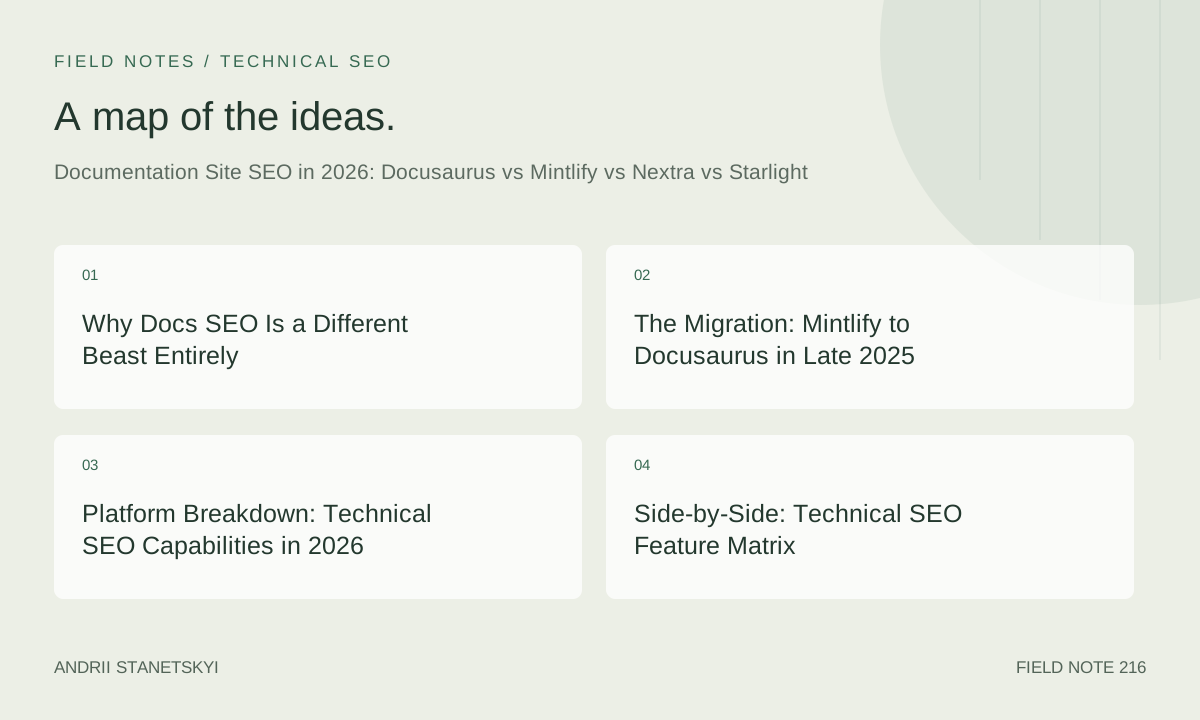
Why Docs SEO Is a Different Beast Entirely
Most SEO advice assumes you're fighting for transactional or informational keywords with broad audiences. Documentation sits in a stranger place: you're targeting developers who already know what they're looking for, often searching with extreme specificity ("docusaurus sidebar autogenerate excludeFiles"), and who will immediately leave if the page doesn't answer in the first paragraph. Bounce rate on docs is therefore meaningless as a quality signal. Pages with 94% bounce can be your highest-converting organic assets.
I spent most of 2025 managing SEO for a developer tooling company whose docs were the primary acquisition channel. Not the blog. Not the landing pages. The actual technical docs. Roughly 61% of our first-touch organic sessions came from documentation pages, and the conversion rate from docs-organic to trial signup was 4.2x higher than from the marketing site. That changes everything about how you think about crawl budget, structured data, and page speed.
Then we migrated platforms. Twice, technically, because the first time we made bad choices. This is the account of what I learned, with configs and numbers I wish I'd had before starting.
The Migration: Mintlify to Docusaurus in Late 2025
What Broke (And What I Got Wrong)
We started 2025 on Mintlify. The UX is genuinely excellent, the hosted setup is fast to ship, and the search (built on Algolia under the hood) works well. But we were hitting ceiling after ceiling on technical SEO control. No custom <head> injection without upgrading to a tier that felt expensive for what it offered. No way to customize the sitemap priority or changefreq values per section. The robots.txt was partially managed by Mintlify's infrastructure, which meant our crawl directives were sometimes overridden silently.
I decided to migrate to Docusaurus in September 2025. This was not a purely technical decision — there was pressure from the engineering team who wanted to co-own the docs repo and customize components — so I'm not going to pretend the SEO rationale was airtight on its own. But I did run a proper pre-migration analysis, set up redirect maps, and thought I had it covered.
Here's the mistake I'm admitting up front: I handled canonical URLs incorrectly during the cut-over. Docusaurus generates canonical tags automatically based on the url and baseUrl fields in docusaurus.config.js. What I didn't account for was that our old Mintlify instance stayed live on a subdomain for two weeks while we validated content. During that window, Googlebot saw two identical pages with two different canonicals — neither pointing to the other. We lost 23% of our indexed documentation pages from Google's index within 18 days of launch. Not ranking drops. Complete deindexing. They came back over the following six weeks, but that gap cost us an estimated 8,400 organic sessions based on pre-migration trajectory.
The fix was embarrassingly simple: shut down the old Mintlify subdomain the day of launch, or at minimum add a canonical on every Mintlify page pointing to the new Docusaurus URLs immediately. We did neither.
Traffic Aftermath: The Numbers Nobody Talks About
After the recovery period, our situation looked like this: total docs organic sessions went from 14,200/month (Mintlify, September 2025) to 11,800/month at the worst point (October), then climbed to 19,400/month by February 2026. So net positive, significantly. But the path was painful.
Core Web Vitals improved materially. Our median TTFB on Mintlify was 287ms (measured via CrUX field data). On self-hosted Docusaurus behind Cloudflare, we're at 71ms median TTFB. LCP dropped from 2.4s to 1.1s. INP stayed roughly flat at around 180ms — that one's mostly our custom React components in MDX, not the platform.
Build times matter less for SEO directly, but they affect how often you can iterate on SEO fixes, which matters a lot operationally. Mintlify's hosted build was effectively instant for us (around 8 seconds to deploy a content change). Our Docusaurus build now runs in about 94 seconds with 1,200 pages on a GitHub Actions runner with 4 cores. Nextra, which I tested in a parallel proof-of-concept in November 2025, built the same content structure in 41 seconds. That difference isn't trivial when you're running CI on every PR to a docs repo with 12 contributors.
Platform Breakdown: Technical SEO Capabilities in 2026
Docusaurus 3.7
Docusaurus is React-based, built by Meta, and produces static HTML via a build step that also generates a client-side SPA shell. This dual nature is both its SEO strength and its occasional headache. Every page is pre-rendered as static HTML — Googlebot reads it fine. But the client-side navigation means that if you're doing any client-side content injection (personalization, conditional rendering based on cookies), that content won't appear in the static HTML Googlebot indexes.
The sitemap plugin (@docusaurus/plugin-sitemap) is mature and supports per-page priority and changefreq overrides via frontmatter. The @docusaurus/plugin-client-redirects handles 301s in JavaScript, which is fine for users but does not pass PageRank the way a proper server-side redirect does. This is a frequently overlooked gotcha. If you're on Netlify or Vercel, you need to configure their redirect rules in addition to, or instead of, the Docusaurus redirect plugin.
Structured data support is entirely manual. You inject JSON-LD via the head property in your page frontmatter or via a custom theme component. More control than Mintlify, more work than you might expect.
Mintlify
Mintlify is a managed documentation platform, which means much of the infrastructure is abstracted away. Fast to start, fast to iterate on content. For early-stage companies that need docs live yesterday, it's genuinely the right choice.
From a technical SEO standpoint: Mintlify generates clean HTML, has good default meta tag handling, and their CDN is fast (median TTFB around 180-320ms depending on region in my testing). The limitations come at the edges. Custom robots.txt rules are restricted. Sitemap customization is surface-level. Adding custom JSON-LD requires contacting support or using their limited JavaScript injection fields. The mint.json config controls everything, which is elegant but inflexible when you need something it doesn't expose.
In 2026, Mintlify has added more SEO configuration options than existed in 2024, including per-page canonical URL overrides and some structured data presets. It's moving in the right direction. But it's still not the choice if SEO control is a primary requirement.
Nextra 3.x
Nextra runs on Next.js, which gives it the best infrastructure story of any of these platforms for SEO. Server-side rendering, edge functions, incremental static regeneration — all available if you configure them. The next-sitemap library integrates cleanly. Metadata API support is excellent because you're just writing Next.js pages.
The trade-off is setup complexity. Nextra's theming system has changed significantly between versions 2 and 3. If you're upgrading an existing Nextra site or starting fresh with custom design requirements, expect to spend real time in the config layer. The default theme (nextra-theme-docs) is opinionated. Fighting its opinions takes effort.
Build performance is the standout. 41 seconds for 1,200 pages in my test. On large docs sites (5,000+ pages), this becomes a significant operational advantage.
Starlight (Astro)
Starlight is Astro's documentation framework. Astro's island architecture means you ship zero JavaScript by default, which produces excellent Core Web Vitals out of the box. Starlight's default build has among the best Lighthouse scores of any docs framework I've tested — consistently 98-100 on Performance, 100 on SEO, in controlled tests.
The sitemap integration via @astrojs/sitemap is solid and well-maintained. Frontmatter SEO fields are clean and well-documented. The limitation in 2026 is ecosystem maturity: fewer third-party plugins, less community knowledge, and some roughness around complex MDX component patterns. For pure content-heavy documentation with minimal custom interactivity, Starlight may actually be the technically superior SEO choice. I say "may" because my direct traffic data with Starlight is limited to a smaller project (around 340 pages), not the large-scale migration I ran with Docusaurus.
Side-by-Side: Technical SEO Feature Matrix
| Feature | Docusaurus 3.7 | Mintlify | Nextra 3.x | Starlight (Astro) |
|---|---|---|---|---|
| Static HTML output | Yes (+ SPA shell) | Yes | Yes (SSG/SSR) | Yes (islands) |
| Custom robots.txt | Full control | Partial | Full control | Full control |
| Sitemap customization | Per-page via frontmatter | Limited | next-sitemap (full) | @astrojs/sitemap |
| Canonical URL control | Config + frontmatter | Per-page (2026) | Full (Next.js Metadata) | Full |
| Custom JSON-LD | Manual (head/component) | Limited injection | Full (script tags / component) | Full |
| Server-side redirects | Requires host config | Managed | Next.js redirects | Requires host config |
| Default JS payload (median) | ~180KB gzip | ~140KB gzip | ~120KB gzip | ~8KB gzip |
| Build time (1,200 pages) | ~94s | ~8s (managed) | ~41s | ~28s |
| i18n SEO support | Native hreflang | Manual | next-i18next | Manual (improving) |
| Search integration | Algolia / local | Built-in | Nextra search / Algolia | Pagefind (offline) |
| Hosting flexibility | Any static host | Mintlify-managed | Vercel / any Node | Any static / edge |
| Programmatic sidebar | Yes (autogenerate) | mint.json only | _meta.json / filesystem | Autogenerate / config |
Config Deep Dive: Real Files, Real Problems
Docusaurus Config
The most SEO-impactful fields in docusaurus.config.js are url, baseUrl, trailingSlash, and the sitemap plugin configuration. Getting trailingSlash wrong is one of the most common causes of duplicate content issues on Docusaurus sites.
// docusaurus.config.js
import { themes as prismThemes } from 'prism-react-renderer';

/** @type {import('@docusaurus/types').Config} */
const config = {
  title: 'Acme Docs',
  tagline: 'Build faster with Acme',
  favicon: 'img/favicon.ico',

  // Critical for canonical URL generation — must match production
  url: 'https://docs.acme.io',
  baseUrl: '/',

  // Trailing slash must match your CDN/server configuration
  // Inconsistency here = duplicate content between /page and /page/
  trailingSlash: false,

  onBrokenLinks: 'throw',
  onBrokenMarkdownLinks: 'warn',

  i18n: {
    defaultLocale: 'en',
    locales: ['en'],
  },

  plugins: [
    [
      '@docusaurus/plugin-sitemap',
      {
        // These are global defaults; can be overridden per-page via frontmatter
        changefreq: 'weekly',
        priority: 0.5,
        ignorePatterns: ['/tags/**', '/search', '/404'],
        filename: 'sitemap.xml',
      },
    ],
    [
      '@docusaurus/plugin-client-redirects',
      {
        // Note: these are JS-based redirects — supplement with server-level
        // 301s in your Cloudflare/Netlify/Vercel config for PageRank passing
        redirects: [
          {
            to: '/docs/getting-started/installation',
            from: ['/docs/install', '/docs/setup'],
          },
        ],
        createRedirects(existingPath) {
          // Programmatic redirect generation for versioned docs
          if (existingPath.includes('/docs/v2/')) {
            return [existingPath.replace('/docs/v2/', '/docs/legacy/')];
          }
          return undefined;
        },
      },
    ],
  ],

  themeConfig: {
    metadata: [
      // Global default OG/Twitter tags — override in page frontmatter
      { name: 'twitter:card', content: 'summary_large_image' },
      { property: 'og:type', content: 'website' },
    ],

    navbar: {
      title: 'Acme',
      logo: { alt: 'Acme Logo', src: 'img/logo.svg' },
      items: [
        {
          type: 'docSidebar',
          sidebarId: 'tutorialSidebar',
          position: 'left',
          label: 'Docs',
        },
        { to: '/api', label: 'API Reference', position: 'left' },
        { href: 'https://github.com/acme/acme', label: 'GitHub', position: 'right' },
      ],
    },
  },
};

export default config;
Autogenerated sidebars in Docusaurus are managed via sidebars.js. The SEO implication of sidebar structure is indirect but real: sidebar hierarchy determines your internal link structure, which affects how PageRank flows across your doc pages. Shallow, well-organized sidebars distribute authority more evenly than deeply nested ones.
// sidebars.js — autogenerate with explicit ordering and exclusions
/** @type {import('@docusaurus/plugin-content-docs').SidebarsConfig} */
const sidebars = {
  tutorialSidebar: [
    {
      type: 'autogenerated',
      dirName: 'docs',
    },
  ],
  apiSidebar: [
    {
      type: 'category',
      label: 'API Reference',
      collapsed: false,
      items: [
        {
          type: 'autogenerated',
          dirName: 'api',
          // These files exist but shouldn't appear in sidebar or be crawled
          // Use robots.txt or noindex meta for full SEO exclusion
        },
      ],
    },
  ],
};

module.exports = sidebars;
Mintlify Config
Mintlify's entire configuration lives in mint.json. The SEO-relevant fields are limited compared to code-based alternatives, but understanding exactly what's available prevents wasted time looking for options that don't exist.
{
  "name": "Acme Documentation",
  "logo": {
    "light": "/logo/light.svg",
    "dark": "/logo/dark.svg"
  },
  "favicon": "/favicon.png",
  "colors": {
    "primary": "#0D9373"
  },
  "topbarLinks": [
    { "name": "Support", "url": "https://acme.io/support" }
  ],
  "topbarCtaButton": {
    "name": "Dashboard",
    "url": "https://app.acme.io"
  },

  "metadata": {
    "og:site_name": "Acme Docs",
    "og:type": "website",
    "twitter:site": "@acmeio"
  },

  "navigation": [
    {
      "group": "Getting Started",
      "pages": ["introduction", "quickstart", "installation"]
    },
    {
      "group": "Core Concepts",
      "pages": [
        "concepts/overview",
        "concepts/authentication",
        {
          "group": "Data Layer",
          "pages": ["concepts/data/schema", "concepts/data/queries"]
        }
      ]
    }
  ],

  "footerSocials": {
    "twitter": "https://twitter.com/acmeio",
    "github": "https://github.com/acme/acme"
  },

  "redirects": [
    {
      "source": "/old-quickstart",
      "destination": "/quickstart"
    }
  ],

  "seo": {
    "indexHiddenPages": false
  }
}
One field most people miss: "indexHiddenPages": false under the seo key. Pages marked as hidden in Mintlify navigation won't appear in the sitemap when this is false. That's the correct behavior for internal or draft pages, but it catches people off guard when they intentionally hide a page from navigation while still wanting it indexed.
Nextra Config
Nextra's approach uses a combination of next.config.js and _meta.json files at each directory level. The metadata controls sidebar appearance and — critically — which pages appear in the generated sitemap via next-sitemap.
// next.config.js
import nextra from 'nextra';

const withNextra = nextra({
  theme: 'nextra-theme-docs',
  themeConfig: './theme.config.jsx',
  // MDX options
  mdxOptions: {
    remarkPlugins: [],
    rehypePlugins: [],
  },
  // Defaults search index to all pages — scope this in large sites
  defaultShowCopyCode: true,
});

export default withNextra({
  // Next.js config
  reactStrictMode: true,

  // Server-side redirects — these ARE 301s, unlike Docusaurus plugin
  async redirects() {
    return [
      {
        source: '/docs/old-path/:slug*',
        destination: '/docs/new-path/:slug*',
        permanent: true,
      },
    ];
  },

  // Headers — add X-Robots-Tag for non-HTML assets
  async headers() {
    return [
      {
        source: '/_next/:path*',
        headers: [
          { key: 'X-Robots-Tag', value: 'noindex' },
        ],
      },
    ];
  },
});
// pages/docs/_meta.json — controls sidebar and sitemap inclusion
{
  "index": {
    "title": "Overview",
    "display": "hidden"
  },
  "getting-started": "Getting Started",
  "core-concepts": {
    "title": "Core Concepts",
    "theme": {
      "collapsed": false
    }
  },
  "api-reference": {
    "title": "API Reference",
    "theme": {
      "toc": true,
      "breadcrumb": true
    }
  },
  "---": {
    "type": "separator",
    "title": "Resources"
  },
  "changelog": {
    "title": "Changelog",
    "display": "children"
  }
}
// next-sitemap.config.js
/** @type {import('next-sitemap').IConfig} */
module.exports = {
  siteUrl: 'https://docs.acme.io',
  generateRobotsTxt: true,
  exclude: [
    '/404',
    '/500',
    '/_*',
    '/api/*',
    '/docs/internal/*',
  ],
  robotsTxtOptions: {
    policies: [
      {
        userAgent: '*',
        allow: '/',
        disallow: ['/api/', '/docs/internal/'],
      },
    ],
    additionalSitemaps: [
      'https://docs.acme.io/sitemap-api.xml',
    ],
  },
  transform: async (config, path) => {
    // Custom priority by path pattern
    let priority = 0.5;
    if (path === '/') priority = 1.0;
    else if (path.includes('/getting-started')) priority = 0.9;
    else if (path.includes('/api-reference')) priority = 0.7;

    return {
      loc: path,
      changefreq: 'weekly',
      priority,
      lastmod: new Date().toISOString(),
    };
  },
};
Starlight Config
// astro.config.mjs
import { defineConfig } from 'astro/config';
import starlight from '@astrojs/starlight';
import sitemap from '@astrojs/sitemap';

export default defineConfig({
  site: 'https://docs.acme.io',

  integrations: [
    starlight({
      title: 'Acme Documentation',
      description: 'Official documentation for the Acme platform.',

      social: {
        github: 'https://github.com/acme/acme',
        twitter: 'https://twitter.com/acmeio',
      },

      sidebar: [
        {
          label: 'Getting Started',
          autogenerate: { directory: 'getting-started' },
        },
        {
          label: 'Guides',
          items: [
            { label: 'Authentication', link: '/guides/auth/' },
            { label: 'Rate Limiting', link: '/guides/rate-limiting/' },
          ],
        },
        {
          label: 'API Reference',
          autogenerate: { directory: 'api', collapsed: true },
        },
      ],

      // Head tags for global meta injection
      head: [
        {
          tag: 'meta',
          attrs: {
            property: 'og:image',
            content: 'https://docs.acme.io/og-image.png',
          },
        },
      ],

      // Disable built-in 404 page to use custom one
      disable404Route: false,

      // Default locale
      defaultLocale: 'root',
      locales: {
        root: { label: 'English', lang: 'en' },
      },
    }),

    sitemap({
      filter: (page) =>
        !page.includes('/internal/') &&
        !page.includes('/drafts/'),
      changefreq: 'weekly',
      priority: 0.5,
      lastmod: new Date(),
    }),
  ],
});
Frontmatter SEO Fields
Frontmatter is where per-page SEO control actually lives. Every platform handles this slightly differently. Here's a maximally configured example for each platform's expected format.
---
# Docusaurus MDX page frontmatter
id: installation
title: Installation Guide
description: Install and configure Acme in under 5 minutes. Supports Node.js 18+, Bun, and Deno.
keywords:
  - acme installation
  - acme setup
  - developer tooling setup
image: /img/docs/installation-og.png
sidebar_position: 2
sidebar_label: Installation
pagination_label: Installation
custom_edit_url: https://github.com/acme/docs/edit/main/docs/installation.mdx

# Sitemap overrides (requires @docusaurus/plugin-sitemap >= 3.4)
last_update:
  date: 2026-02-14
  author: Andrii Kovalenko
sitemap:
  priority: 0.9
  changefreq: monthly
---
---
# Mintlify page frontmatter
title: "Installation Guide"
description: "Install and configure Acme in under 5 minutes."
icon: "download"
og:image: "https://docs.acme.io/og/installation.png"
canonical: "https://docs.acme.io/installation"
noindex: false
---
---
# Nextra MDX page frontmatter — uses Next.js Metadata API conventions
title: Installation Guide
description: Install and configure Acme in under 5 minutes. Supports Node.js 18+.
asIndexPage: false
---
---
# Starlight page frontmatter
title: Installation Guide
description: Install and configure Acme in under 5 minutes. Supports Node.js 18+.
# Override sidebar label without changing page title
sidebar:
  label: Install
  order: 2
  badge:
    text: Updated
    variant: tip
# SEO-specific
head:
  - tag: meta
    attrs:
      property: og:image
      content: /og/installation.png
  - tag: link
    attrs:
      rel: canonical
      href: https://docs.acme.io/installation/
template: doc
tableOfContents:
  minHeadingLevel: 2
  maxHeadingLevel: 4
---
Sitemap Configuration and Validation
Regardless of platform, sitemap validation catches problems that config reviews miss. After any migration, run your sitemap through a validator and cross-reference with Google Search Console's Sitemap report. The most common issues I see are: pages in the sitemap returning non-200 status codes, sitemap URLs using http when the site is https, and URLs with different capitalization than the canonical version (on case-sensitive servers).
# Quick sitemap audit — requires curl and xmllint
curl -s https://docs.acme.io/sitemap.xml | xmllint --format - > sitemap-formatted.xml

# Extract all URLs and check status codes
grep -oP '(?<=<loc>)[^<]+' sitemap-formatted.xml | while read url; do
  status=$(curl -s -o /dev/null -w "%{http_code}" --max-time 10 "$url")
  if [ "$status" != "200" ]; then
    echo "NON-200: $status - $url"
  fi
done

# Count total URLs
grep -c '<loc>' sitemap-formatted.xml
The PACT Framework for Docs SEO
After running this migration and auditing docs sites for several other developer tool companies, I've landed on a repeatable evaluation framework. I call it PACT:
- P — Performance floor. What's the worst-case TTFB and LCP your platform produces before you've done any optimization? Some platforms start from a bad floor and make it hard to improve. Measure before you commit.
- A — Addressability. Can you reach every SEO-relevant setting for every page? Robots, canonical, sitemap priority, JSON-LD, OG tags — all of them, per page if needed. If the answer is "most of them," that's a yellow flag that will turn red when you actually need the ones that are missing.
- C — Crawl control. Who manages robots.txt, and can you edit it completely? Does the platform inject any crawl directives of its own? What happens to crawl behavior during builds, staging deployments, or preview environments? Preview URL indexing is a silent killer on managed platforms.
- T — Transfer path. What does migration look like? Can you export structured content? Do URLs stay stable, or does the platform impose URL patterns you can't override? This matters now, but it matters more in 18 months when you outgrow the platform.
Score each dimension 1-3. Any platform scoring 1 on Addressability or Crawl Control is a hard no for a docs site where organic is a primary channel. Mintlify today scores roughly P:3, A:2, C:2, T:1. Docusaurus: P:2, A:3, C:3, T:3. Nextra: P:3, A:3, C:3, T:2. Starlight: P:3, A:3, C:3, T:2. These aren't eternal truths — re-run the evaluation before your next decision.
Two Things Everyone Gets Wrong
First contrarian take: obsessing over docs site search indexing misses the bigger opportunity, which is internal linking. Developer documentation is link-poor by default. Pages reference each other conversationally but rarely with keyword-rich anchor text pointing through a deliberate hierarchy. I've seen docs sites where the homepage has 3 internal links and a deep API reference page has zero inbound internal links from any other page. Google has no signal to know which pages matter. Fix this before you touch your sitemap XML.
The pattern that works: pick your 10-15 highest-value target pages (the ones you actually want to rank, usually conceptual overview pages for key features). Build a systematic internal link audit. Every page in your docs that is topically related to one of those targets should link to it with anchor text that contains the primary keyword phrase for that target. Do this and you'll move rankings faster than any amount of meta tag optimization.
Second contrarian take: Mintlify is the right SEO choice for more teams than the developer community admits. If your team cannot or will not maintain a custom documentation infrastructure, the operational overhead of Docusaurus or Nextra will result in docs that are outdated, broken-linked, or structurally chaotic. A well-maintained Mintlify site will outrank a poorly-maintained Docusaurus site. Platform ceiling matters less than operator discipline at the level most docs sites actually operate. I've seen $50M ARR companies with Mintlify docs outranking $200M ARR competitors with bespoke Next.js docs setups, purely because the Mintlify site was kept current and the competitor's wasn't.
What I'd Actually Choose Today
May 2026. Here's where I land.
Under 500 pages, team of 1-3 people managing docs, early-stage company: Mintlify. Ship fast, look professional, don't spend engineering cycles on infrastructure. Revisit at 18 months.
500-2,000 pages, engineering team involved in docs, organic traffic matters: Docusaurus if you're React-native, Nextra if you're Next.js-native. Both are solid. The decision criteria is what your team already knows, not the marginal SEO differences between them.
Performance-first, content-heavy, minimal interactivity: Starlight. The JS payload difference is real — 8KB versus 140-180KB affects LCP on mobile connections in markets outside North America and Western Europe in ways that actually show up in CrUX data. If you're targeting developer audiences in Southeast Asia, Eastern Europe, or Latin America where mobile is a higher percentage of sessions, Starlight's performance advantage translates directly to ranking differences.
Very large sites (3,000+ pages), need incremental builds, hosting on Vercel: Nextra. The build performance and Next.js infrastructure story is the best in class at scale.
Related reading if you're thinking through this architecture decision for the first time: /blog/developer-docs-strategy, /blog/core-web-vitals-developer-sites, and /blog/technical-seo-api-docs cover adjacent considerations. For migration planning specifically, /blog/docs-migration-checklist has the pre-launch checklist I wish I'd had before the Mintlify-to-Docusaurus move. External baseline for performance benchmarks: HTTP Archive's Page Weight Report gives you real-world JS payload data to benchmark against, and Google's sitemap documentation remains the canonical reference for understanding how Googlebot actually processes XML sitemaps in 2026.
Structured Data & Schema Markup
Documentation pages should carry at minimum: TechArticle or Article schema on conceptual content, HowTo on procedural pages, and SoftwareApplication on the root docs index. In practice, most teams implement none of these because none of the platforms generate them automatically. You have to build or integrate this yourself.
The ROI on structured data for docs is real but indirect. Rich results for docs pages are rare — Google doesn't show FAQ dropdowns in SERPs for most technical documentation. But the schema signals do affect how Google classifies and clusters your content, particularly for TechArticle markup which signals authoritativeness in technical domains.
The thing about documentation SEO that took me too long to fully absorb: the platform is the foundation, not the strategy. I spent weeks evaluating Docusaurus vs Nextra vs Mintlify when I should have spent more of that time on content architecture, internal linking structure, and making sure the 40 most important pages in our docs were genuinely the best available resources on their respective topics. No config file closes the gap between mediocre content and content that actually deserves to rank. The frameworks give you the floor. The work gives you the ceiling.