Faceted filtering is the single most common source of index bloat in e-commerce SEO. A mid-size catalog of 10,000 products with a typical set of filters — color, size, brand, price range, material — can generate hundreds of thousands of crawlable URLs overnight. Most of them are near-duplicates. All of them compete for crawl budget. Some of them will rank for terms you didn't intend and can't control. Handling this correctly is not an optional optimization — it's foundational to maintaining a healthy, rankable site architecture.
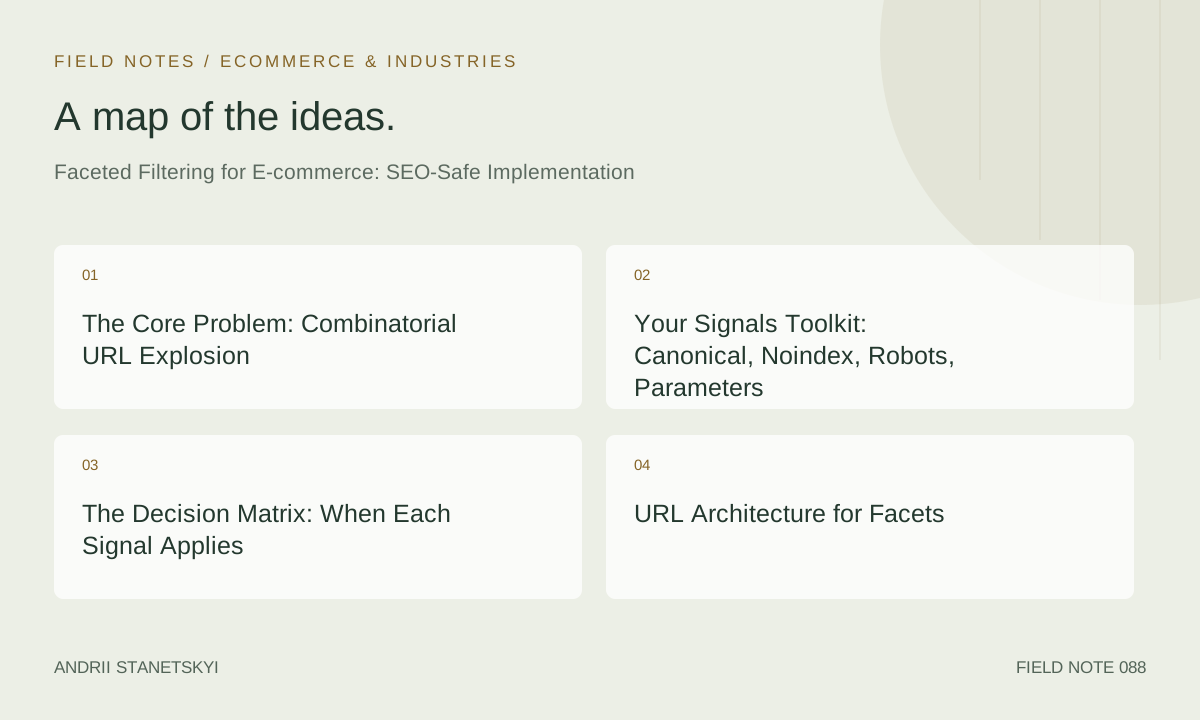
The Core Problem: Combinatorial URL Explosion
The math is brutal. A clothing category with color (12 values), size (8), brand (25), material (6), and price range (5) generates thousands of two-filter URL combinations and hundreds of thousands at three filters. Add parameter ordering variants — color=red&size=M vs size=M&color=red producing identical pages at different URLs — and the problem doubles again. If Googlebot spends its finite crawl budget on these facet URL variants, it isn't spending it on new products or high-value categories. Index bloat from facets directly correlates with slower indexation of content that matters.
Your Signals Toolkit: Canonical, Noindex, Robots, Parameters
You have four primary tools. Understanding when each is appropriate — and their failure modes — is what separates a practitioner from someone who read a single blog post on the topic.
rel=canonical
Canonical tells Google the authoritative version is elsewhere. It does not prevent crawling. Google treats canonicals as hints, not directives — if a faceted URL accumulates enough links, Google may ignore it. Do not rely on canonical alone for high-traffic facet patterns.
noindex
Noindex (via meta robots or X-Robots-Tag header) prevents ranking but not crawling — the page still gets fetched. Use it for faceted pages that should never rank. It does not save crawl budget on its own.
robots.txt Disallow
Disallow prevents crawling but not indexing — if Google discovered the URL via a link, it may still index it from anchor text alone ("discovered, not crawled" in Search Console). Always pair Disallow with noindex on accessible URLs. Use Disallow only for parameter patterns generating pure crawl waste.
Google Search Console Parameter Handling
The GSC URL Parameters tool is deprecated. There is no replacement — configure parameter behavior using canonicals, noindex, and robots.txt. Teams still citing the GSC parameter tool are working from outdated knowledge.
The Decision Matrix: When Each Signal Applies
| Facet Type | Search Demand? | Unique Content? | Recommended Signal | Prevents Crawl? | Prevents Index? |
|---|---|---|---|---|---|
| Single-value facet with real keyword demand (e.g., "red running shoes") | Yes | Partial | Index — add unique title/H1, custom meta description | No | No |
| Single-value facet, low-demand, clean URL | No | No | rel=canonical → parent category | No | Yes (via hint) |
| Multi-value facet combination (2+ filters) | Rarely | No | noindex + rel=canonical | No | Yes (directive) |
| Sort-order parameter (?sort=price_asc) | Never | No | robots.txt Disallow + noindex if accessible | Yes | Yes |
| Pagination of faceted results (?page=2) | Never | No | rel=canonical → page 1 (or noindex for deep pages) | No | Yes |
| Price range filter (?min_price=50&max_price=100) | Rare | No | noindex + rel=canonical | No | Yes |
| Brand filter with high brand search volume | Yes | Yes (brand page) | Consider dedicated brand landing page + canonical from filter URL | No | No (for brand page) |
URL Architecture for Facets
The Path-Based vs. Parameter-Based Decision
The most consequential architectural decision for faceted filtering is whether filterable attributes generate path-based URLs or query parameter URLs. Path-based URLs (e.g., /shoes/running/color/red/) are treated as distinct pages by crawlers and are easier to control selectively. Parameter-based URLs (e.g., /shoes/running/?color=red) are more easily blocked in bulk via robots.txt parameter rules.
The correct answer depends on your search demand analysis. Run your filter values through a keyword research tool. Any filter value combination that has legitimate search demand (typically >500 monthly searches in your target market) warrants a path-based URL with full on-page optimization. Everything else should be parameter-based, which gives you a clean blocking strategy.
Canonical URL Patterns
For parameter-based facets pointing to parent category canonicals:
<!-- On: /shoes/running/?color=red&size=M -->
<link rel="canonical" href="https://example.com/shoes/running/" />

<!-- On: /shoes/running/?brand=nike -->
<!-- Nike has search demand — point to dedicated brand page instead -->
<link rel="canonical" href="https://example.com/shoes/running/brand/nike/" />
For path-based indexable facet pages, the canonical should self-reference:
<!-- On: /shoes/running/brand/nike/ (indexable, optimized page) -->
<link rel="canonical" href="https://example.com/shoes/running/brand/nike/" />
Robots.txt Rules for Facet Parameters
Here is a production-grade robots.txt configuration for a typical e-commerce site with faceted filtering:
User-agent: Googlebot
# Block sort and order parameters — no indexation value
Disallow: /*?*sort=
Disallow: /*?*order=
Disallow: /*?*view=
# Block price range filters — pure parameter noise
Disallow: /*?*min_price=
Disallow: /*?*max_price=
# Block pagination of filtered results
Disallow: /*?*color=*&*page=
Disallow: /*?*size=*&*page=
# Block multi-filter combinations (2+ params that aren't brand-only)
Disallow: /*?*color=*&*size=
Disallow: /*?*color=*&*brand=
Disallow: /*?*size=*&*material=
# Allow single-value brand filter (has search demand)
Allow: /*?brand=

User-agent: *
Disallow: /
Critical note: robots.txt wildcard support varies by crawler. Googlebot supports * and $ wildcards in Disallow rules. Test your rules using Google's robots.txt Tester in Search Console before deploying to production. A misconfigured Disallow that blocks your entire category hierarchy is a P0 incident. See our robots.txt audit template for e-commerce sites for a complete testing protocol.
Identifying Indexable Faceted Pages
The single most underutilized tactic in faceted filtering SEO is identifying which filter combinations have genuine search demand and building optimized landing pages for them. Most teams default to "block everything" — which is safe but leaves significant organic traffic on the table.
The Demand Identification Process
- Export your complete filter taxonomy: every attribute, every value (typically 500–2,000 unique values for a mid-size apparel site).
- Construct keyword queries by combining your category names with filter values: "[category] [filter value]", "[brand] [category]", etc.
- Run batch keyword research via Ahrefs Keywords Explorer or SEMrush. Filter for >200 monthly searches and KD below your domain authority threshold.
- High-demand, achievable intersections become dedicated path-based landing pages with unique title tags, H1s, meta descriptions, and introductory copy.
Example: "grey velvet sofa" at 8,100 searches/month justifies a dedicated page at /sofas/colour/grey/material/velvet/. "Grey velvet sofa with storage" at 50 searches/month should canonicalize to that page or the parent category.
Structured Data on Filtered Category Pages
Indexable faceted pages — those optimized landing pages you've identified through demand analysis — should carry proper structured data. At minimum, implement BreadcrumbList and, if the filtered results are consistent enough, ItemList:
{
  "@context": "https://schema.org",
  "@graph": [
    {
      "@type": "BreadcrumbList",
      "itemListElement": [
        {
          "@type": "ListItem",
          "position": 1,
          "name": "Home",
          "item": "https://example.com/"
        },
        {
          "@type": "ListItem",
          "position": 2,
          "name": "Sofas",
          "item": "https://example.com/sofas/"
        },
        {
          "@type": "ListItem",
          "position": 3,
          "name": "Grey Velvet Sofas",
          "item": "https://example.com/sofas/colour/grey/material/velvet/"
        }
      ]
    },
    {
      "@type": "ItemList",
      "name": "Grey Velvet Sofas",
      "numberOfItems": 47,
      "itemListElement": [
        {
          "@type": "ListItem",
          "position": 1,
          "url": "https://example.com/sofas/chester-grey-velvet/",
          "name": "Chester 3-Seater Grey Velvet Sofa"
        },
        {
          "@type": "ListItem",
          "position": 2,
          "url": "https://example.com/sofas/bella-corner-grey-velvet/",
          "name": "Bella Corner Grey Velvet Sofa"
        }
      ]
    }
  ]
}
Platform-Specific Implementation
Shopify
Shopify's native collection filtering uses /collections/[handle]?[filter_params] by default. The platform generates canonical tags on filtered URLs pointing back to the base collection — correct behavior. The problem is that Shopify's Liquid-based themes often don't implement noindex on these filtered URLs, meaning Google gets conflicting signals: a canonical pointing elsewhere but no noindex instruction.
The fix for Shopify: add a conditional noindex in your theme.liquid layout file that fires whenever URL parameters are present on a collection page:
{% if request.page_type == 'collection' and request.path contains '?' %}
  <meta name="robots" content="noindex, follow">
{% endif %}
Pair this with the existing canonical tag generated by Shopify's canonical_url Liquid filter. Result: the filtered URL gets noindex + canonical — both signals agree, no conflict. See our Shopify SEO technical checklist for the full Liquid template audit process.
Magento / Adobe Commerce
Magento's layered navigation is one of the most common sources of catastrophic index bloat in the e-commerce world. Out of the box, Magento generates unique URLs for every filter combination and does not apply canonicals or noindex to them. The Magento Catalog URL Rewrites system compounds this by creating additional URL variants.
The production configuration for Magento faceted filtering:
- Stores → Configuration → Catalog → Search Engine Optimization → Use Categories Path for Product URLs → No (prevents duplicate product URLs under category paths)
- For layered navigation: implement a custom plugin or use a third-party extension (Mirasvit SEO or Amasty SEO Toolkit) that applies canonical and noindex logic based on configurable rules per attribute
- Explicitly configure noindex for all filter combinations with more than N active filters (typically N=1 for low-demand attributes)
- Add robots.txt rules for Magento's known parameter patterns:
?p=(pagination),?price=,?product_list_order=,?product_list_dir=
# Magento-specific robots.txt additions
User-agent: Googlebot
Disallow: /*?p=
Disallow: /*?product_list_order=
Disallow: /*?product_list_dir=
Disallow: /*?product_list_mode=
Disallow: /*?price=
WooCommerce
WooCommerce's default filtering is handled by the woocommerce/templates/archive-product.php template. WooCommerce uses query parameters for all filtering by default. The canonical tag is generated by WordPress's wp_get_canonical_url() function, which incorrectly treats query parameters as part of the canonical URL for WooCommerce filter parameters.
The fix requires filtering the canonical URL via PHP:
add_filter('get_canonical_url', function($canonical_url) {
    if (is_shop() || is_product_category() || is_product_tag()) {
        $filter_params = ['min_price', 'max_price', 'orderby', 'order', 'paged'];
        $current_url = home_url(add_query_arg(null, null));
        $has_filter_param = false;
        foreach ($filter_params as $param) {
            if (isset($_GET[$param])) {
                $has_filter_param = true;
                break;
            }
        }
        if ($has_filter_param) {
            // Point canonical to clean shop/category URL
            $canonical_url = get_term_link(get_queried_object());
        }
    }
    return $canonical_url;
});
For the YITH WooCommerce Ajax Product Filter plugin specifically — the most common WooCommerce filtering plugin — add noindex rules for all YITH filter parameters in your SEO plugin settings (Yoast or Rank Math). Both plugins support parameter-based noindex rules in their advanced settings. Yoast's technical documentation on WooCommerce SEO covers this configuration in detail.
Auditing and Ongoing Governance
Faceted filtering SEO is not a one-time fix. New filter values are added regularly (new brands, new colors, new product attributes), and each addition potentially creates new crawlable URL patterns. You need a governance process, not just an implementation.
Monthly Audit Checklist
- Run Screaming Frog against your sitemap + crawl source to identify any new parameter patterns that appeared since the last audit
- Check Search Console Coverage for "Crawled - currently not indexed" — a spike here often indicates new facet URL patterns that Googlebot found but can't index
- Verify that robots.txt rules still match your current URL patterns — platform updates and theme changes frequently alter parameter naming
- Cross-reference your "Excluded by noindex" count in Search Console against your expected noindex page count. A significant discrepancy suggests misconfigured canonicals or missing noindex directives
- Use Ahrefs Site Audit's "Duplicate content" report to surface any new near-duplicate clusters that facet URLs may have created
At a quarterly cadence, re-run your demand analysis against your full filter taxonomy. Filter values that gain search demand (seasonal trends, trending brands, new material preferences) should be promoted from "block" status to "optimize" status with dedicated landing pages. BrightEdge's research on faceted navigation and organic traffic provides useful benchmarks for what optimized facet pages can contribute to total organic traffic.
Download our quarterly faceted filtering governance template for a ready-to-use spreadsheet that tracks every filter attribute, its current signal configuration, search demand, and last-reviewed date.
FAQ
Can I use JavaScript to render filters without crawlable URLs?
Yes — and for many sites, this is the cleanest solution. If your filtering is entirely JavaScript-rendered with no URL changes (no pushState updates), crawlers never see the filtered state. The tradeoff is that you give up any indexation potential for high-demand filter combinations. If your analysis shows significant search demand for specific filter combinations, JS-only filtering means you can't capitalize on that demand. Hybrid approaches (JS filtering by default, path-based URLs for high-demand combinations) are increasingly common for this reason.
Does Googlebot handle JavaScript pushState URL updates from filters?
Googlebot can render JavaScript and follows pushState URL changes, but its rendering of JavaScript-heavy filter states is unreliable in practice. Treat any JS-rendered filter state as potentially not indexed. If a filter combination has search demand, give it a proper server-rendered path-based URL — don't rely on Google's JS rendering to discover and index it consistently.
How do I handle filter parameter ordering? (?color=red&size=M vs ?size=M&color=red)
Parameter ordering creates duplicate URLs. The fix is to enforce parameter ordering at the application layer — sort parameters alphabetically or by some defined priority in your URL generation code. Apply this consistently so that your canonical tag always reflects the canonical parameter order, and your robots.txt rules match the normalized pattern. For existing sites with parameter ordering chaos, a 301 redirect to the normalized form is the cleanest resolution.
Should I include faceted pages in my XML sitemap?
Only include faceted pages that you've made a deliberate decision to index — path-based landing pages with unique content and confirmed search demand. Never include parameter-based filter URLs in your sitemap, and never include noindexed pages. The sitemap is a signal of your indexation intentions; including URLs you've noindexed sends conflicting signals and wastes Googlebot's time.
What's the impact of facet URL bloat on Core Web Vitals?
Indirect but real. Sites with severe facet URL bloat often also have client-side rendering performance issues (because facet filtering is typically JS-heavy) and server load issues (because crawlers hitting thousands of facet URL variants strain the origin server). If your Largest Contentful Paint is slow on category pages, check whether your filtering implementation is causing additional server round-trips or blocking render.
How do I handle breadcrumbs on faceted pages?
Always render breadcrumbs on faceted pages, even noindexed ones. Users who land on faceted pages via internal links need navigation context. For indexable faceted landing pages, ensure the breadcrumb reflects the filter hierarchy accurately and matches your BreadcrumbList structured data. For noindexed filter URLs, the breadcrumb should still show the parent category as a navigational affordance.
Is it ever correct to block a brand filter page in robots.txt?
Only if the brand has zero search demand and you've confirmed there are no external links pointing to the brand filter URL. If a manufacturer links to your brand filter page from their authorized retailer page, blocking it in robots.txt means you lose the link equity signal — Google can't crawl the page to attribute the PageRank. In that case, noindex + canonical is the right signal: you get the link equity without the indexation cost.
Key Takeaways
- The GSC URL Parameters tool is deprecated — your tools are canonical, noindex, and robots.txt, used in combination based on the specific facet type.
- Robots.txt Disallow prevents crawling but does not prevent indexing on its own — always pair with noindex for URLs you want kept out of the index.
- Canonical alone is a hint, not a directive — multi-filter combination pages need noindex + canonical, not just canonical.
- Every platform (Shopify, Magento, WooCommerce) has default behaviors that work against good faceted filtering SEO — audit and override them explicitly.
- Demand analysis is the unlock for faceted filtering SEO — specific filter combinations often represent significant organic traffic opportunities that "block everything" approaches miss.
- Faceted filtering governance is ongoing — new filter values, platform updates, and seasonal demand shifts all require quarterly re-evaluation.
- Parameter ordering creates URL duplicates — normalize at the application layer and enforce via canonical tags.
Conclusion
Faceted filtering is one of those problems where the "safe" default position (block everything with robots.txt) is actually not safe at all — it leaves organic traffic on the table and doesn't even fully protect against index bloat if implemented without noindex. The practitioner-level position is a nuanced one: systematic demand analysis, tiered signal assignment, platform-specific implementation, and ongoing governance. That's more work than a one-time robots.txt edit, but it's the approach that actually delivers compounding organic growth from a category architecture that most sites treat as a liability rather than an asset.