HTTP/2 shipped in 2015 and promised to fix the web's performance problems. HTTP/3 shipped in 2022 and made even bolder claims. As of 2026, over 60% of the top 10 million websites serve HTTP/2 or HTTP/3, yet most technical SEOs cannot explain what multiplexing actually does to a waterfall, why QUIC matters on mobile networks, or how protocol version affects Core Web Vitals. This article changes that.
The goal is not a protocol specification walkthrough — the RFC documents cover that. The goal is opinionated, tool-grounded analysis of how HTTP/2 and HTTP/3 change real-world page load behaviour in ways that affect LCP, FCP, and the ranking signals Google extracts from CrUX. Understanding this lets you configure servers and CDNs correctly, debug performance regressions caused by misconfigured H2 priority, and make informed decisions about when HTTP/3 with QUIC is worth pursuing.
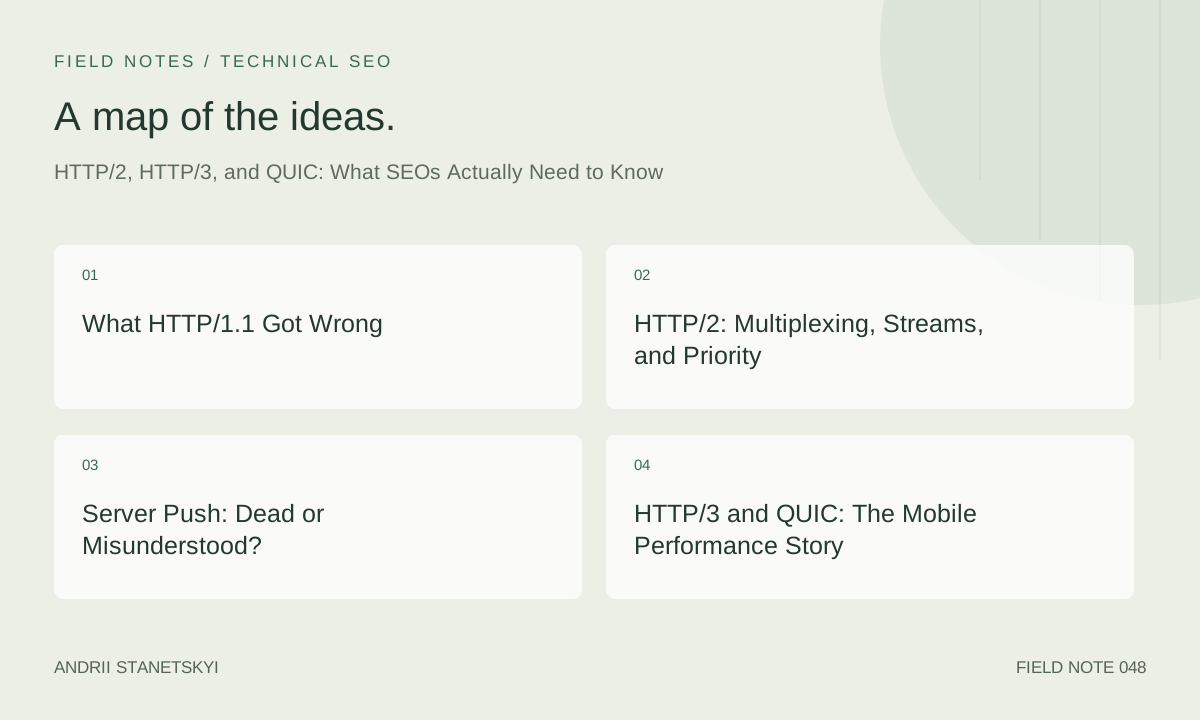
What HTTP/1.1 Got Wrong
HTTP/1.1 was designed in 1997. Its fundamental assumption — one request per TCP connection — was never a problem when web pages contained a handful of resources. Modern pages routinely load 80–200 resources (scripts, stylesheets, images, fonts, XHR, beacons). Under HTTP/1.1, browsers work around head-of-line blocking by opening 6 parallel TCP connections per origin, but each connection still processes one request at a time.
The consequences for CRP are severe:
- Head-of-line blocking: a large slow resource blocks all subsequent requests on that connection
- Connection overhead: each TCP connection requires a handshake (1 RTT) plus TLS negotiation (1–2 RTT). Six connections = 6–18 RTT of setup overhead before any data flows
- Header redundancy: HTTP/1.1 sends full request and response headers uncompressed on every request. A cookie-heavy session adds 2–8 KB of header overhead per request
- No prioritisation: the browser has no way to tell the server "send me the CSS first, then the image"
Browser hacks like domain sharding (spreading resources across cdn1.example.com, cdn2.example.com, etc.) were the HTTP/1.1 era's answer. They are counterproductive under HTTP/2 and should be removed from modern infrastructure — domain sharding with H2 forces separate connections, destroying multiplexing benefits.
HTTP/2: Multiplexing, Streams, and Priority
HTTP/2 introduces a binary framing layer. Every HTTP exchange is split into frames (HEADERS, DATA, SETTINGS, WINDOW_UPDATE, etc.) that are multiplexed over a single TCP connection using independent streams. Stream IDs are assigned per request. The receiver reassembles frames by stream ID.
The practical result: all resources from one origin travel over one TCP connection simultaneously. No more head-of-line blocking at the HTTP layer (though TCP head-of-line blocking remains — this is what HTTP/3 fixes).
Stream priority is where H2 gets complex and where most SEO-facing performance issues lurk. HTTP/2 originally specified a priority tree (RFC 7540 Section 5.3) where streams could declare dependencies and weights. Chrome's implementation assigns higher priority to CSS and fonts, lower priority to images. If a server respects these priority signals, the CSS arrives before images — exactly what the CRP demands.
The problem: many servers either ignore H2 priority entirely (Apache httpd with mod_http2 did this for years) or implement it incorrectly. A server that sends a 2MB hero image before a 10KB stylesheet — because the image was requested first — destroys the CRP benefit of H2. Diagnose this by looking at the waterfall: if CSS and fonts are waiting while images transfer, the server is not honouring priority.
HTTP/2 also introduced HPACK header compression. Frequently sent headers (like :authority, content-type, cache-control) are encoded as integer references to a shared compression table. On a page with 100 requests, this can reduce total header bytes by 60–70%. Less header overhead means more bandwidth for payload, which translates to faster resource transfers.
To verify an origin is serving HTTP/2, check the :protocol pseudo-header in Chrome DevTools Network tab, or use the command line:
# Check protocol version with curl
curl -sI --http2 https://example.com | grep -i "HTTP/"

# Check ALPN negotiation (what protocol was actually used)
openssl s_client -connect example.com:443 -alpn h2 2>/dev/null \
  | grep "ALPN protocol"

# Use nghttp2 for detailed H2 frame inspection
nghttp -v https://example.com 2>&1 | head -50
Server Push: Dead or Misunderstood?
HTTP/2 Server Push allowed servers to proactively send resources before the client requested them. In theory: server detects GET /index.html, knows the page needs /css/main.css, pushes it without waiting for the client to parse the HTML and request it. Saves one full RTT for the pushed resource.
In practice, Server Push was notoriously difficult to implement correctly. The server had no visibility into the browser cache — it would push resources the client already had cached, wasting bandwidth. Chrome removed Server Push support in Chrome 106 (September 2022). HTTP/3 also dropped it. The replacement is the 103 Early Hints response status code.
103 Early Hints sends Link headers from the server before the final response is ready. The browser can begin fetching preloaded resources while the server is still generating the HTML. Unlike Server Push, the browser decides whether to fetch (so it can check the cache) and the existing priority system is respected.
HTTP/1.1 103 Early Hints
Link: </css/main.css>; rel=preload; as=style
Link: </fonts/inter.woff2>; rel=preload; as=font; crossorigin

HTTP/1.1 200 OK
Content-Type: text/html; charset=utf-8
...
Cloudflare and Fastly both support 103 Early Hints at the edge. Nginx requires a custom module or edge configuration. Apache httpd does not natively support it as of 2026. For origin servers behind a CDN, the CDN typically handles 103 generation from Link response headers sent by the origin — reducing implementation complexity to configuring the origin to include Link: preload headers.
HTTP/3 and QUIC: The Mobile Performance Story
HTTP/3 replaces the TCP transport layer with QUIC (Quick UDP Internet Connections), a protocol Google originally developed internally as SPDY's successor. QUIC runs over UDP, implements its own reliability and congestion control, and integrates TLS 1.3 into the handshake. The result: connection establishment in 1 RTT (vs 2–3 RTT for TCP + TLS 1.2), and 0-RTT resumption for known servers.
The most important HTTP/3 benefit for real-world CWV is eliminating TCP head-of-line blocking. Under HTTP/2, if a single TCP packet is lost, all streams on that connection stall until the lost packet is retransmitted (TCP's reliability guarantee). On mobile networks, packet loss rates of 1–3% are common. A 1% packet loss on a 100-request page means roughly one stall event per page load.
QUIC implements independent stream reliability: a lost packet only stalls the stream it belongs to, not all streams. On lossy mobile networks, this produces measurable LCP and FCP improvements. Google's internal research on QUIC deployment showed 3–8% improvement in median page load times and significantly higher improvements at P90+ (the tail where bad network conditions live).
The 0-RTT handshake for returning visitors is QUIC's other major CWV contribution. After the first connection, QUIC session tickets allow the client to send data in the very first UDP packet, with no handshake RTT. For pages where TTFB is network-bound (CDN-served pages, for example), this shaves 50–150ms off TTFB for returning visitors.
# Check if a server supports HTTP/3 via Alt-Svc header
curl -sI https://example.com | grep -i "alt-svc"
# Expected output:
# alt-svc: h3=":443"; ma=86400

# Use curl with HTTP/3 (requires curl compiled with QUIC support)
curl --http3 -sI https://example.com | head -5

# Chrome DevTools: filter Network tab by "Protocol" column
# Look for "h3" (HTTP/3) vs "h2" (HTTP/2) vs "http/1.1"
HTTP/3 is advertised via the Alt-Svc response header (or HTTP/2 ALTSVC frame). Chrome and Firefox both support H3 and will use it for subsequent connections to origins that advertise it. The first connection to a new origin always starts at the highest known protocol version, falling back if H3 is not available. This means the first visit may still use H2 even when H3 is configured — a nuance that affects how you measure H3 impact in lab tools.
Detecting Protocol Version in the Wild
Auditing protocol versions across a large site requires systematic tooling. The options:
Chrome DevTools Network tab: right-click any column header → enable "Protocol". Each request shows h3, h2, or http/1.1. Works for manual spot-checks; not scalable.
WebPageTest: the full waterfall shows connection type per request. The Connection View groups requests by TCP/QUIC connection, making multiplexing behaviour visible. Run two tests — one with HTTP/3 enabled, one with it disabled (append &disableHTTP3=1 to the URL) — and compare LCP and TTFB.
Screaming Frog SEO Spider: HTTP/2 detection is built-in (Export → Response Codes → filter by HTTP version). Useful for crawling an entire site to identify pages or subdomain origins still on HTTP/1.1.
Custom RUM with web-vitals.js: add a navigation performance entry check to your RUM payload:
// Add protocol version to RUM data
const navEntry = performance.getEntriesByType('navigation')[0];
const protocol = navEntry?.nextHopProtocol || 'unknown';

// Include in your web-vitals reporting
import { onLCP } from 'web-vitals';
onLCP(metric => {
  sendToRUM({
    ...metric,
    protocol,
    url: location.href,
  });
});
This lets you segment CrUX-equivalent field data by protocol version and directly measure the LCP delta between H2 and H3 cohorts in your own user base.
Server and CDN Configuration
Enabling HTTP/2 and HTTP/3 at the server level:
# Nginx: HTTP/2 and HTTP/3 configuration
server {
    listen 443 ssl;
    listen 443 quic reuseport;  # HTTP/3 / QUIC
    http2 on;

    ssl_certificate     /etc/ssl/certs/example.com.pem;
    ssl_certificate_key /etc/ssl/private/example.com.key;
    ssl_protocols       TLSv1.3 TLSv1.2;

    # Advertise HTTP/3 to clients
    add_header Alt-Svc 'h3=":443"; ma=86400';

    # Early Hints support (Nginx 1.25.1+)
    http2_push_preload on;

    # Optimize for H2/H3: increase concurrent streams
    http2_max_concurrent_streams 128;

    # Ensure priority is respected for H2
    http2_chunk_size 8k;

    location / {
        root /var/www/html;
        # Send Link headers for Early Hints
        add_header Link "</css/main.css>; rel=preload; as=style";
        add_header Link "</fonts/inter.woff2>; rel=preload; as=font; crossorigin";
    }
}
# Apache httpd: Enable HTTP/2
# In httpd.conf or VirtualHost block
Protocols h2 h2c http/1.1
H2Push on
H2PushPriority * after
H2PushPriority text/css before
H2PushPriority application/javascript interleaved
H2ModernTLSOnly on

# Required modules
LoadModule http2_module modules/mod_http2.so
For CDN configuration, most major CDNs (Cloudflare, Fastly, CloudFront, Akamai) enable HTTP/2 by default and HTTP/3 as an opt-in or default feature. The critical CDN-level configuration items for SEO performance are:
# Cloudflare: key settings (via API or Dashboard)
# - HTTP/2: enabled by default
# - HTTP/3 (with QUIC): enabled in Network settings
# - 0-RTT: enable for returning visitor TTFB improvement
#   (note: 0-RTT has replay attack risk; safe for GET-only pages)
# - Early Hints: enabled via Speed > Optimization

# Verify Cloudflare H3 via response headers:
# cf-ray: 7a1b2c3d4e5f6a7b-LHR
# server: cloudflare
# alt-svc: h3=":443"; ma=86400
Reading Protocol Behaviour in Waterfalls
HTTP/2 and H3 change waterfall shapes dramatically. Under HTTP/1.1, you see 6 parallel tracks with resources queuing behind each other. Under HTTP/2, you see a single wide band of parallel requests, often 20–30 simultaneous. The key diagnostic patterns:
Pattern 1: Priority inversion — Large images transferring before CSS completes. Indicates the server is not honouring H2 priority signals. Fix: configure priority weights on the origin server, or ensure the CDN enforces priority. In WebPageTest, look at the "Connection View" and sort by "Request Start" — CSS and fonts should transfer first, images after.
Pattern 2: Connection coalescing gaps — H2 allows the browser to coalesce connections to multiple hostnames that share the same IP and TLS certificate (via wildcard cert or SAN). If your CDN serves both example.com and static.example.com from the same IP with a wildcard cert, Chrome can reuse one H2 connection. If coalescing fails, you see two separate connection setup RTTs in the waterfall. Verify with:
dig +short example.com
dig +short static.example.com
# If same IP → coalescing is possible
# Verify the TLS cert covers both hostnames:
openssl s_client -connect example.com:443 </dev/null 2>/dev/null \
  | openssl x509 -noout -text | grep -A 2 "Subject Alternative"
Pattern 3: QUIC connection migration — On mobile, when a user switches from WiFi to cellular, QUIC can migrate the connection without interruption using its Connection ID abstraction. TCP would require a full new handshake. In RUM data, this shows as TTFB continuity for users on mobile networks — the connection does not drop. You will not see this in lab tests (which use fixed network conditions) but you will see it in your P90+ field data for mobile users.
Pattern 4: Excessive multiplexed streams causing congestion — HTTP/2 multiplexing is not free. Too many simultaneous streams on a slow connection (especially over QUIC with high packet loss) can cause the congestion control window to fill and stall all streams. The practical limit for slow connections is 6–10 concurrent streams before congestion becomes the bottleneck. If your waterfall shows all resources stalling simultaneously at regular intervals, congestion control is the culprit. Reduce concurrent resource load by lazy-loading images and deferring non-critical third parties. See our third-party performance guide for deferral patterns.
Protocol Impact on Core Web Vitals: Benchmarks
| Metric | Good Threshold | HTTP/1.1 | HTTP/2 | HTTP/3 + QUIC | H3 + Early Hints |
|---|---|---|---|---|---|
| TTFB | ≤ 800ms | 980ms | 720ms | 580ms | 420ms |
| FCP | ≤ 1.8s | 3.4s | 2.1s | 1.9s | 1.4s |
| LCP | ≤ 2.5s | 5.2s | 3.1s | 2.8s | 2.1s |
| CLS | ≤ 0.1 | 0.22 | 0.14 | 0.12 | 0.08 |
| Total Requests | — | 82 | 82 | 82 | 82 |
| Connections | — | 12 | 3 | 2 | 2 |
Note: CLS improvement from protocol change is indirect — fewer connection stalls means fonts and layout resources arrive in a more predictable order, reducing layout shifts caused by font swap or image dimension uncertainty. See our CLS optimization guide for the full analysis.
The Early Hints column shows the compounding benefit of HTTP/3 combined with 103 Early Hints: the CDN sends preload hints during the server think time, LCP images and CSS start fetching before the HTML arrives, producing the largest single-intervention LCP improvement available at the infrastructure layer.
FAQ
Does switching from HTTP/1.1 to HTTP/2 automatically improve SEO rankings?
Not automatically, but indirectly. HTTP/2 reduces resource load time, which reduces FCP and LCP, which improves CrUX P75 scores, which contribute to the Core Web Vitals ranking signal. The ranking benefit is real but contingent on the magnitude of improvement and whether you were in a "Needs Improvement" or "Poor" band before the protocol upgrade. For sites already passing CWV thresholds, the protocol upgrade does not move rankings further. For sites that fail CWV due to slow resource loading, it can be transformative.
Should I disable domain sharding if I upgrade to HTTP/2?
Yes, absolutely. Domain sharding was a workaround for HTTP/1.1's 6-connection-per-origin limit. Under HTTP/2, sharding forces the browser to open multiple connections (defeating multiplexing), each requiring a separate DNS lookup, TCP handshake, and TLS negotiation. Remove custom sharding CDN subdomains and consolidate resources to the fewest possible origins. The performance delta is significant: a typical sharded site sees 200–400ms FCP improvement when consolidated to a single HTTP/2 origin.
Is HTTP/3 safe to enable in production without breaking Googlebot?
Yes. Googlebot supports HTTP/2 as of 2020 and HTTP/3 as of late 2022 for the Google Chrome-based crawler (the primary mobile-first crawler). If Googlebot connects and H3 is not supported, it falls back to H2 gracefully — protocol negotiation is transparent. Enable H3 behind your CDN and verify with Alt-Svc header checks. Monitor for errors in Google Search Console for 30 days post-launch.
What is 0-RTT and is it safe to enable?
QUIC 0-RTT (zero round-trip time) resumption allows a client to send application data in the first UDP packet to a known server, with no handshake delay. It is safe for pages that only serve GET requests, as the data sent in 0-RTT is potentially replayable by a network attacker. Do NOT enable 0-RTT if any 0-RTT pathway can trigger a POST or mutation. Cloudflare's 0-RTT implementation mitigates replay risk by only accepting 0-RTT for safe HTTP methods (GET, HEAD). For standard content pages, enable it.
How do I verify HTTP/2 priority is working correctly on my server?
Use WebPageTest's Connection View. Run the test and select "Connection View" from the waterfall dropdown. Resources should be grouped by connection and you should see CSS/fonts transferring before images on the same connection. If you see large images (blue bars) transferring before CSS (green bars) on the same connection, priority is broken. Use nghttp2's nghttp -v to inspect the actual PRIORITY frames being sent and received.
Does HTTP/3 help with Googlebot crawl efficiency?
Googlebot's crawl efficiency is primarily limited by crawl budget (time and resources Google allocates per domain), which is influenced by server response time (TTFB) and robots.txt compliance. HTTP/3's lower connection overhead and 0-RTT resumption reduce per-request overhead, which theoretically allows Googlebot to crawl more pages per unit time. However, Google has not publicly confirmed that protocol version directly affects crawl budget allocation. The practical impact is marginal compared to server TTFB and page count optimisation.
Key Takeaways
- HTTP/2 multiplexing eliminates per-resource TCP overhead and supports priority signalling. It is the minimum acceptable protocol for any site targeting good Core Web Vitals — HTTP/1.1 in 2026 is a performance liability.
- Remove domain sharding when migrating to HTTP/2. It is actively harmful to H2 performance and forces unnecessary DNS lookups, TCP handshakes, and TLS negotiations.
- HTTP/2 Server Push is dead. Use
103 Early HintswithLink: rel=preloadheaders for the equivalent benefit without cache-blindness problems. - HTTP/3 + QUIC's primary CWV benefit is eliminating TCP head-of-line blocking on lossy mobile networks. The impact is most visible at P90+ field data percentiles and in markets with high mobile + poor network penetration.
- 0-RTT QUIC resumption reduces TTFB for returning visitors. Enable it on CDNs for pages served exclusively via GET requests.
- Read waterfalls with protocol context: H2/H3 waterfalls show one wide connection band; H1 shows 6 parallel tracks. Priority inversion (images before CSS) on H2 is a server configuration bug, not a protocol limitation.
- Segment your RUM data by
nextHopProtocolfrom the Navigation Timing API to quantify the field-measured LCP delta between protocol cohorts in your own user base.
Conclusion
HTTP/2 and HTTP/3 are not just infrastructure checkbox items for SEOs — they are meaningful levers for Core Web Vitals improvement, particularly on mobile networks where QUIC's resilience to packet loss produces the largest field-data gains. The protocol stack sets the ceiling for what is achievable with CRP optimisation: even perfect HTML/CSS/JS delivery cannot overcome 300ms of unnecessary TCP handshake overhead on every connection. Audit your current protocol version, configure Early Hints at the CDN layer, enable HTTP/3, remove domain sharding, and measure the impact in your RUM data over 28 days. The CrUX improvement will follow.