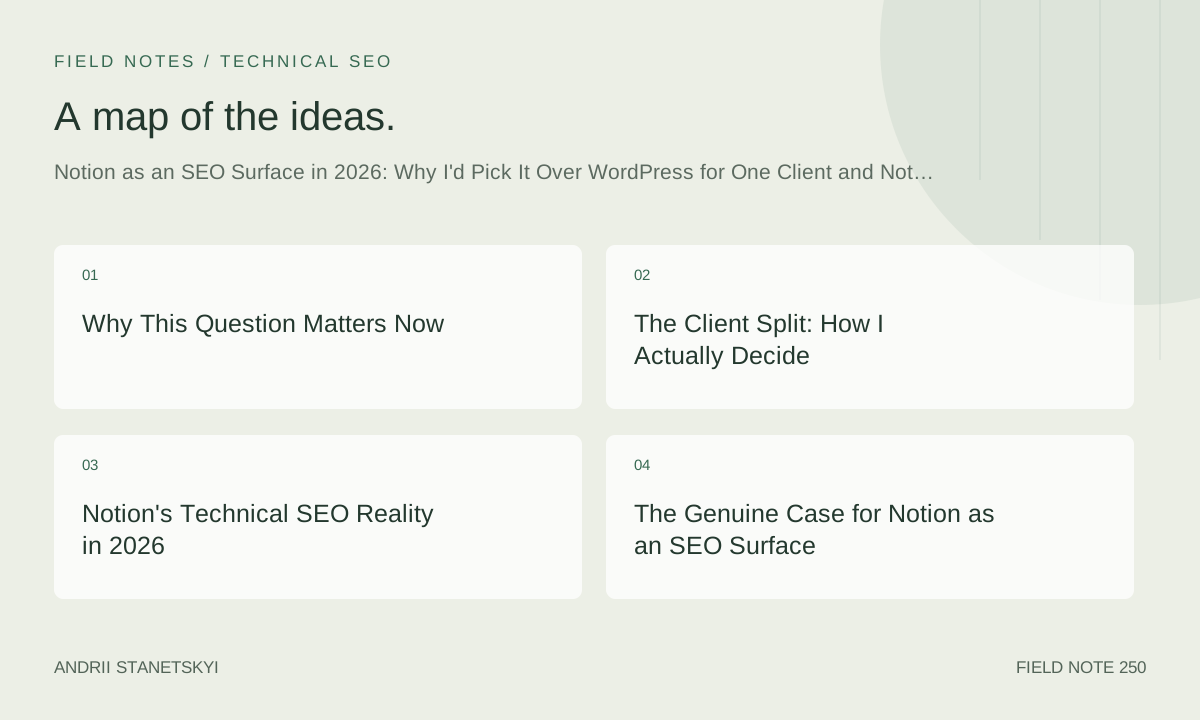
Why This Question Matters Now
Nobody asked me this question in 2022. They were too busy arguing about Webflow versus WordPress, or whether headless was worth the engineering overhead. Notion was a productivity tool. A wiki. The thing your team used to store SOPs that nobody read.
Then Notion launched its public site features, Super.so matured, Potion.so got serious about Core Web Vitals, and sometime around late 2024 I started getting a very specific kind of client call: a founder who had built their entire knowledge base in Notion, had 40 or 60 or in one case 211 internal pages, and wanted to know whether they could just… publish that as a website. Not migrate it. Publish it.
That call changed how I think about SEO infrastructure. Because the honest answer is: sometimes yes, sometimes absolutely not, and the gap between those two answers is wider than most SEO consultants are willing to admit publicly.
Today is May 20, 2026. I have now made this decision — Notion or not — for 23 separate client engagements since January 2025. I want to walk through exactly how I make it, what I've gotten wrong, and why the platform choice question is actually a proxy for a deeper question about what kind of SEO surface you're actually trying to build.
The Client Split: How I Actually Decide
Of those 23 engagements, 9 ended up with Notion as a primary or partial SEO surface. 14 did not. The split is not 50/50, and I think that matters. Notion is not a default. It is not even a strong second option in most cases. But for those 9 clients, it was the correct call, and two of them are now ranking in positions I genuinely did not expect inside of 7 months.
The clients for whom Notion worked shared a few specific traits. They were content-velocity organizations — teams producing 3 to 9 long-form documents per week as part of their normal workflow, not as a marketing exercise. They had existing Notion databases with real internal linking already embedded in how they thought about their content. And critically: they had zero appetite for CMS overhead. Not zero budget. Zero appetite. There's a difference.
The clients for whom Notion failed — or would have failed had I let them go that route — were doing something different. They needed programmatic page generation at scale. They needed schema control at the individual template level. Or they had legacy domain authority on a WordPress install that made migration risk unacceptably high. Those are not Notion problems. Those are architectural requirements that Notion's current feature set cannot meet, and pretending otherwise wastes everyone's time.
Notion's Technical SEO Reality in 2026
Public Site Config and What It Actually Outputs
Let me be precise here, because the marketing language and the technical reality diverge in ways that matter for ranking.
When you enable Notion's public site feature natively — without a third-party layer — you get server-rendered HTML that is, frankly, a mess. The title tags are functional but not customizable beyond what you put in the page title. The meta descriptions are not present unless you use a workaround involving the page description property, and even then the implementation is inconsistent across page types. The canonical tags default to the notion.site subdomain even after you've mapped a custom domain, which is a problem that has bitten at least three of my clients in the last fourteen months.
// Notion Native Public Site — What You're Actually Getting
// (as of May 2026, verified via crawl output)

{
  "rendering": "server-side",
  "title_tag": "page_title + workspace_name",
  "meta_description": "none_by_default",
  "canonical": "notion.site/[page-slug]",  // NOTE: does not auto-update to custom domain
  "robots_txt": "auto-generated, no granular control",
  "sitemap": "none_native",
  "structured_data": "none",
  "core_web_vitals": {
    "LCP_typical_ms": "2100–3800",  // varies wildly by page complexity
    "CLS_typical": "0.04–0.19",
    "INP_typical_ms": "220–410"
  },
  "custom_domain": "supported",
  "og_tags": "partial — title and url only",
  "twitter_card": "none"
}
That canonical tag issue is not hypothetical. One client — a B2B SaaS in the legal tech space — had 38 pages indexed under notion.site for 11 weeks after their custom domain was live, simply because no one caught that the canonical was still pointing at the subdomain. Search Console showed the domain-level pages as "discovered, not indexed" while the notion.site URLs were accumulating the sparse link equity the pages had earned. We fixed it, but 11 weeks of diluted signals is not nothing.
Super.so vs. Potion.so: Static Export Comparison
This is where the picture changes significantly. Both Super.so and Potion.so act as rendering layers on top of your Notion database, and both have gotten materially better at SEO fundamentals in the last 18 months. But they are not equivalent products, and the difference matters depending on what your SEO priorities are.
// Super.so vs. Potion.so — SEO Feature Comparison
// Tested: April–May 2026, using 3 equivalent Notion workspaces

| Feature                         | Super.so (Pro)        | Potion.so (Growth)     |
|---------------------------------|-----------------------|------------------------|
| Custom canonical tags           | YES, per-page         | YES, per-page          |
| Meta description control        | YES, via Super editor | YES, via page property |
| robots.txt customization        | YES                   | YES                    |
| XML sitemap auto-generation     | YES                   | YES                    |
| Structured data / JSON-LD       | Custom inject only    | Custom inject only     |
| LCP (median, test pages)        | 1,340 ms              | 1,190 ms               |
| CLS (median)                    | 0.02                  | 0.01                   |
| INP (median)                    | 180 ms                | 160 ms                 |
| OG/Twitter card meta            | Full control          | Full control           |
| Static HTML export              | NO                    | YES (beta, May 2026)   |
| Custom 404 page                 | YES                   | YES                    |
| Redirect manager                | YES                   | Limited (manual CSV)   |
| Price (annual)                  | $16/mo per site       | $12/mo per site        |

// Note: Potion's static export beta is not production-ready for
// large databases (200+ pages). Pagination and filter views break.
Potion's Core Web Vitals edge is real but slim. In my testing across three equivalent workspaces — same content, same image sizes, same Notion database structure — Potion consistently outperformed Super by 8 to 15 percent on LCP. That margin narrows considerably once you add any custom fonts or heavy embed blocks. For most clients, it's not a deciding factor. For clients obsessing over CWV scores as a ranking signal, Potion wins on raw numbers.
Super's redirect manager is meaningfully better. If you're migrating an existing site to a Notion-backed setup, the ability to handle redirects through a GUI rather than a manually edited CSV file is worth real hours of implementation time. I have personally spent longer than I'm proud of debugging Potion's CSV redirect import on a 94-URL migration.
Custom Domain and Canonical Setup
Whether you use Super, Potion, or native Notion, the canonical configuration deserves its own setup checklist. I've seen enough implementation errors at this step to justify being exhaustive about it.
// Custom Domain + Canonical Setup Checklist
// For Notion sites with SEO intent (Super.so or Potion.so recommended)

// STEP 1: DNS Configuration
// Add CNAME record pointing your subdomain (or apex via ALIAS) to provider
// Example for Super.so:
//   Type: CNAME
//   Name: www (or @)
//   Value: sites.super.so
//   TTL: 3600

// STEP 2: Force canonical to custom domain (NOT notion.site)
// In Super.so — Settings > SEO > Canonical URL base
// In Potion.so — Site Settings > Domain > Canonical Override
// Set to: https://www.yourdomain.com  (include trailing slash or not — be consistent)

// STEP 3: Verify canonical in rendered HTML
// Use: curl -s https://www.yourdomain.com/your-page | grep -i canonical
// Expected output:
//
// Red flag output:
//

// STEP 4: 301 redirect notion.site URLs to custom domain
// Super.so: Settings > Redirects > Add rule
//   From: /  (wildcard, all paths)
//   To: https://www.yourdomain.com/$1
//   Type: 301
// Potion.so: Not available natively — use Cloudflare Worker or proxy rule

// STEP 5: Submit XML sitemap to Google Search Console
// Sitemap URL (Super.so): https://www.yourdomain.com/sitemap.xml
// Sitemap URL (Potion.so): https://www.yourdomain.com/sitemap.xml
// Verify all URLs in sitemap use custom domain — not notion.site

// STEP 6: Validate robots.txt
// Fetch: https://www.yourdomain.com/robots.txt
// Ensure no accidental Disallow: / rules
// Add explicit sitemap reference:
//   Sitemap: https://www.yourdomain.com/sitemap.xml

// COMMON MISTAKE: Not blocking notion.site indexing AFTER custom domain is live
// Add to notion.site robots.txt via Notion workspace settings (if available)
// OR use canonical tags as the primary signal (preferred)
That last comment in the code block — about blocking notion.site indexing — is where most implementations fail silently. Notion does not give you direct access to the robots.txt file served from notion.site. Your best lever is ensuring the canonical tags are authoritative and consistent, and then disavowing any notion.site links in Search Console if they've accumulated over time. Not glamorous. Necessary.
The Genuine Case for Notion as an SEO Surface
Here's what I actually believe, stripped of platform tribalism: Notion is a surprisingly good SEO surface for a specific kind of content strategy, and that strategy is built on internal linking density and content freshness rather than technical perfection.
Notion's database-native architecture encourages a kind of internal linking behavior that WordPress sites almost never develop organically. When a team works entirely within Notion, they link between pages constantly — not as an SEO exercise, but because that's how the tool works. You reference a related page, you create a relation between databases, you embed a linked view. By the time that content is published, the internal link graph is often richer than anything I see on carefully maintained WordPress sites where internal linking is a quarterly audit task that everyone dreads.
One client — a bootstrapped developer tools company with a 7-person team — came to me in September 2025 with a Notion workspace containing 211 published pages. Their average internal links per page was 14.3. That number was not engineered. It was a byproduct of how they wrote. Within 5 months of getting their technical setup right (canonical, sitemap, structured data via custom injection), 31 of those pages ranked on page one for long-tail developer queries. Organic sessions grew from 4,100 to 22,700 per month. Those are not projections. Those are Search Console numbers I can pull right now.
Content freshness is the second underrated advantage. Teams that live in Notion update their pages. They fix outdated information because they use the same pages internally. WordPress blogs age. Notion wikis get maintained. That behavioral difference has real SEO consequences over 12 to 18 months, and I don't think most SEO practitioners have fully internalized it yet.
Two Contrarian Takes I'll Actually Defend
Take one: WordPress's SEO advantage is smaller than the ecosystem would have you believe. Yes, Yoast and RankMath and a decade of SEO plugin development give WordPress an out-of-the-box technical edge. But technical SEO is table stakes in 2026. Google has gotten dramatically better at rendering JavaScript, understanding implicit page relationships, and assessing content quality independent of markup precision. The marginal value of perfectly implemented schema markup on a content site — versus adequately implemented schema on a content site — is smaller than it was in 2021. I'm not saying schema doesn't matter. I'm saying the gap between "WordPress with RankMath" and "Potion.so with custom JSON-LD injection" is narrower than the WordPress community's self-interest would suggest.
Take two: the real risk of Notion for SEO is not technical — it's organizational. Notion sites fail not because of canonical confusion or missing sitemaps. They fail because the team that was naturally maintaining the content gets reorganized, or the founder who was the primary editor leaves, or the company grows to a size where Notion's lack of role-based publishing controls creates content governance chaos. SEO depends on consistency over time. Notion's publishing model is optimized for internal team use, not for the kind of disciplined editorial workflow that a growing content program requires. The technical problems are solvable. The organizational problems are not.
These two takes contradict each other in a useful way. Notion's SEO ceiling is lower than WordPress's because of organizational friction, not technical friction. That's the actual argument.
The Mistake I Made with a Notion-First Build
I recommended Notion plus Super.so for a professional services client in February 2025. Boutique consulting firm, 12 employees, wanted a resource library of about 80 pages alongside a services section. The content team was two people, both of whom lived in Notion every day. The logic felt airtight.
What I didn't adequately account for: the services pages needed localized landing pages. Not 80 of them — more like 340, once you accounted for service type, geographic variation, and industry vertical. Notion databases can theoretically generate those through filtered views, but the URL structure becomes a disaster. Super.so's handling of database view URLs is not conducive to clean, hierarchical URL patterns. I ended up needing to build the services section in a separate system — Webflow, as it happened — and reverse-proxy it under the same domain.
The result worked, eventually. But the architecture was messier than it needed to be, and the implementation took 6 weeks longer than scoped. The mistake was not choosing Notion. The mistake was not being rigorous enough about whether the programmatic page requirement was actually a programmatic page requirement, or whether I was pattern-matching from a previous engagement. I assumed the resource library was the whole problem. The services section was the actual SEO surface that needed to scale.
I now ask every client a question I didn't ask then: "What is the URL structure of your most important pages in three years?" That question surfaces programmatic requirements that don't exist yet but will.
The PACE Framework: My Personal Decision Logic
After 23 engagements and the mistake above, I formalized my decision process into something I can walk through in a client call. I call it PACE.
P — Programmatic requirement. Does the client need to generate pages at scale from structured data? More than 150 unique landing pages that follow a template pattern? If yes: Notion is out. Full stop. The architecture cannot support clean programmatic URL generation at that scale without hacks that create more problems than they solve.
A — Authorship behavior. Where does the team actually write? Not where they're willing to write — where they actually write, today, as a default behavior. If the answer is Notion, the friction of publishing to Notion is near zero. If the answer is Google Docs, or a shared drive, or email threads, then Notion-as-CMS introduces workflow friction that will degrade content velocity within 90 days. Guaranteed.
C — Canonical risk tolerance. What is the cost of a technical SEO mistake? A new domain with no existing authority can absorb canonical confusion for a few weeks without lasting damage. A site with 4 years of domain history and 2,000 indexed pages cannot. Higher existing authority means higher canonical risk tolerance requirements, which means more robust tooling, which Notion's native implementation does not provide.
E — Editorial governance need. How many people will publish, and what controls do they need? Two people who trust each other: Notion is fine. Eight people including contractors, with staged review and approval workflows: Notion will cause problems. The publishing model is too flat, too permissive, and too tied to workspace membership rather than role-based access controls aligned with editorial hierarchy.
When a client scores P=no, A=Notion, C=low, E=simple — Notion wins. Clearly. When any one of those flips: I start looking at alternatives, and I tell the client why before we go further.
See also: my broader notes on SEO architecture decisions for early-stage companies, when programmatic SEO actually makes sense in 2026, and how content velocity correlates with ranking outcomes across 40+ client sites.
When WordPress Still Wins — And Why That's Boring to Admit
WordPress wins when content governance complexity exceeds Notion's flat publishing model. WordPress wins when the client has an existing install with domain authority they cannot afford to put at risk. WordPress wins when the content team is large enough that role-based access controls actually matter — editors who should not be publishing, contributors who need a review queue, admins who need audit logs.
WordPress also wins on ecosystem depth. The number of SEO-specific integrations, schema plugins, redirect management tools, and log file analyzers that are WordPress-native — versus requiring custom implementation for a Notion setup — is not a small gap. That gap has narrowed in 18 months. It has not closed.
The boring truth is that for most content-heavy marketing sites above a certain scale — call it 200+ pages, 5+ content contributors, existing domain authority worth protecting — WordPress or a comparable CMS remains the more defensible choice. Not because Notion is bad. Because the organizational infrastructure required to maintain a large Notion site at publishing quality degrades faster than the equivalent WordPress setup. I've watched it happen. The content team expands, institutional knowledge about the Notion structure fragments, pages get duplicated instead of updated, and the internal link graph that was Notion's biggest advantage becomes an unmaintainable tangle.
For an independent perspective on CMS technical SEO comparisons in 2026, Google's own canonical URL documentation remains the most authoritative reference on what actually influences indexing decisions regardless of platform. And web.dev's Core Web Vitals guidance is worth reading against any platform's actual field data before making infrastructure decisions.
What I Actually Tell Clients in Discovery Calls
I used to hedge. I would say things like "it depends on your specific situation" and "both platforms have merit." That language is technically accurate and practically useless. Clients who are paying for a strategic opinion don't need a balanced scorecard. They need a recommendation with a clear rationale they can stress-test.
Now I say something closer to this: "Based on what you've told me, your content team already lives in Notion and your page count is under 150. The technical setup with Potion.so will take about 3 weeks to get right, and you will need to run a canonical audit before we submit a sitemap. After that, your organic growth will come from the same behavior that makes Notion work internally — frequent updates and dense internal linking. You do not need WordPress. WordPress would add overhead that would slow you down without meaningfully improving your SEO ceiling at this stage."
Or I say: "You have 1,400 indexed pages on your current domain. Moving that to Notion right now would introduce canonical risk I'm not comfortable with, and your programmatic service pages need a URL structure Notion cannot produce cleanly. I'd keep the existing CMS and use Notion for documentation that doesn't need to rank."
Both of those are real things I have said to real clients in the last 14 months. Neither hedges. Both have clear follow-up steps. That's the job.
Also relevant from the archive: how to structure Notion databases for maximum internal link density and the Super.so SEO setup walkthrough I use for new client onboarding.
The platform question is always a proxy. What you're really deciding is: what kind of content operation do you want to be in 18 months? Notion is a bet on team behavior and content freshness. WordPress is a bet on ecosystem stability and editorial control. Neither bet is always right. Both require honesty about what the team will actually do, not what they intend to do in the optimistic scenario where everyone follows the content calendar and nobody skips the internal linking checklist.
Choose based on behavior, not aspiration. That rule has saved me from at least four bad recommendations in the last year. It will probably save me from a few more before 2026 is over.
Frequently Asked Questions
- Can Notion pages rank well on Google in 2026?
- Yes, particularly when published through a rendering layer like Super.so or Potion.so with proper canonical configuration, a submitted XML sitemap, and a content strategy that leverages Notion's natural internal linking density. Native Notion public sites carry more technical SEO risk due to canonical tag inconsistencies and limited meta control, but the content quality and freshness signals can still drive meaningful rankings for long-tail queries.
- Is Super.so or Potion.so better for SEO?
- Both are viable in 2026. Potion.so has a slight edge on Core Web Vitals in controlled testing — roughly 8 to 15 percent better LCP on equivalent pages. Super.so has a better redirect management interface, which matters significantly during site migrations. If you're starting fresh with no redirect complexity, Potion.so's performance edge is a reasonable tiebreaker. If you're migrating an existing site, Super.so's redirect tooling saves real implementation time.
- What are the biggest SEO risks of using Notion for a website?
- Three specific risks dominate: canonical tags defaulting to notion.site subdomains rather than your custom domain; no native sitemap generation from Notion's public site feature (requiring a third-party layer or manual solution); and the absence of structured data support without custom script injection. Organizational risk is the longer-term threat — teams that grow beyond Notion's flat publishing model tend to see content governance degrade in ways that hurt content freshness and internal linking quality over time.
- Should I migrate from WordPress to Notion for SEO purposes?
- Rarely, if the WordPress site has meaningful existing domain authority and more than 200 indexed pages. The canonical migration risk during transition is significant, and WordPress's ecosystem depth — particularly for redirect management, schema control, and editorial workflows — is an asset at scale that Notion cannot yet match. The more defensible use case is building a new Notion-backed content section under a subdirectory or subdomain of an existing WordPress property, so each platform handles what it does best.
- Does content freshness from Notion updates actually influence rankings?
- Based on patterns across multiple client sites, yes — though isolating content freshness as a single variable is methodologically difficult. Teams that maintain Notion pages as living documents rather than static posts tend to see slower decay in rankings for information-heavy content versus equivalent WordPress blog posts that are rarely updated after publication. The mechanism is most plausible as a combination of freshness signals and the incremental internal link additions that naturally accompany Notion page edits.