Every e-commerce site manager has faced the same gut-punch moment: a product sells out, traffic to that URL is real, and someone on the team wants to delete the page. If you let that happen without a plan, you hand competitors the ranking you spent months earning. This guide gives you the technical and strategic framework to handle out-of-stock pages the way senior practitioners do — protecting equity, maintaining UX, and giving search engines exactly the signals they need.
Why Out-of-Stock Pages Are an SEO Minefield
Out-of-stock pages sit at the intersection of crawl budget, user experience, and link equity — three things that compound when mishandled. Google's John Mueller has stated publicly that temporarily out-of-stock pages should generally return a 200 status code and stay live, but "temporarily" is doing a lot of work in that sentence. The real question practitioners need to answer is: how long is temporary, and what exactly should the page communicate to both users and crawlers in the meantime?
The damage from naive approaches is measurable. Returning a 404 or 410 on a URL with inbound links triggers immediate deindexing. Returning a 301 to a category page dilutes PageRank into an unrelated destination. Leaving the page exactly as-is — with an "Add to Cart" button that fails silently — destroys conversion rate and triggers pogosticking signals that erode CTR over time. None of these are acceptable at scale.
The answer is a tiered decision tree based on three variables: how long the product has been out of stock, whether it will return, and how much link equity and organic traffic the URL currently holds.
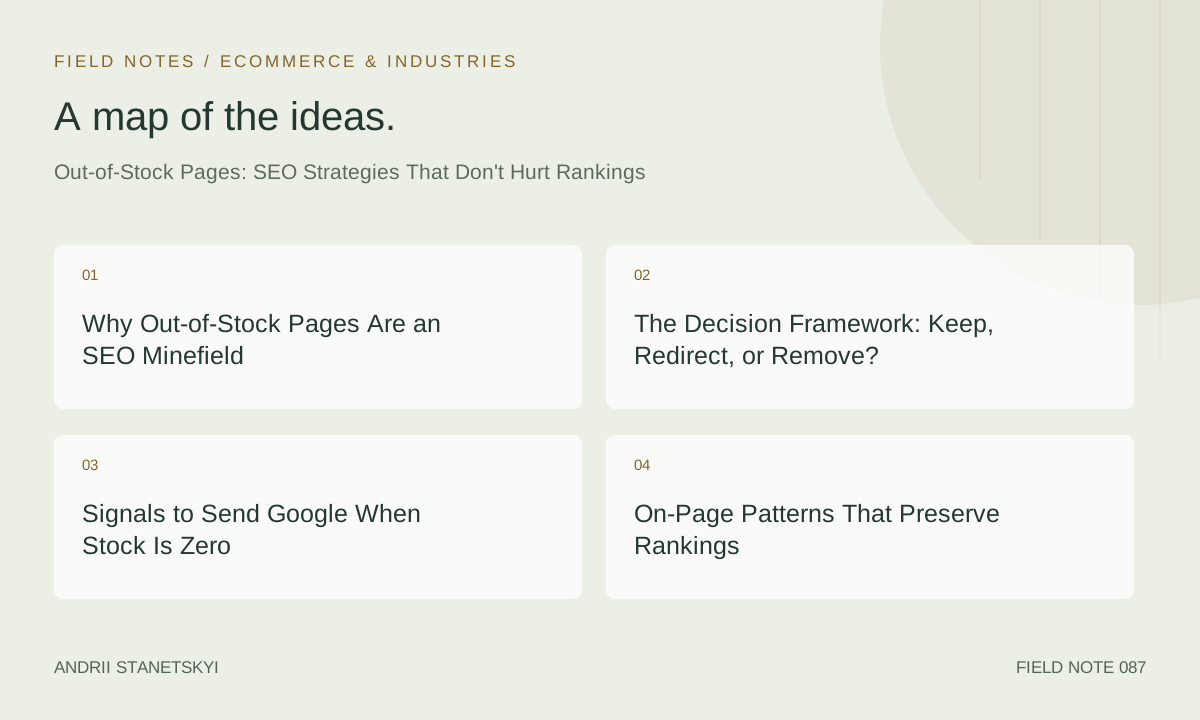
The Decision Framework: Keep, Redirect, or Remove?
Before touching anything at the server level, pull three data points: organic sessions (last 90 days), inbound links (Ahrefs or Majestic), and a restock ETA from your inventory system. With these, the decision tree collapses to four buckets.
| Scenario | Restock ETA | Organic Traffic / Links | Recommended Action | HTTP Status |
|---|---|---|---|---|
| Temporary stockout, known restock date | < 8 weeks | Any | Keep live, update UX, add back-in-stock capture | 200 |
| Temporary stockout, unknown restock date | Unknown | High (traffic or links) | Keep live, add related alternatives, notify form | 200 |
| Permanent discontinuation, strong URL | Never | High | 301 to best-fit alternative or parent category | 301 |
| Permanent discontinuation, weak URL | Never | Low (no links, <10 visits/mo) | 410 Gone — signal intentional removal | 410 |
| Seasonal product, next cycle known | Next season | Any | Keep live with seasonal messaging, update structured data | 200 |
A 410 is more decisive than a 404 — it tells Google the removal is intentional, speeding up deindexing. Use it deliberately. Never use it on URLs with meaningful backlink profiles; use 301s there, pointed to the closest semantic equivalent — never the homepage.
Signals to Send Google When Stock Is Zero
Structured Data: The availability Property Is Non-Negotiable
The single most impactful technical change you can make to an out-of-stock page is updating the availability property in your Product schema. Google uses this field to determine Rich Result eligibility and, increasingly, to calibrate how aggressively it crawls the URL. An "InStock" product gets crawled more frequently than an "OutOfStock" one — that's by design, and you should use it intentionally.
{
  "@context": "https://schema.org",
  "@type": "Product",
  "name": "Acme Pro Running Shoe — Carbon X3",
  "sku": "ACME-CX3-BLK-42",
  "brand": {
    "@type": "Brand",
    "name": "Acme"
  },
  "offers": {
    "@type": "Offer",
    "url": "https://example.com/shoes/acme-pro-carbon-x3",
    "priceCurrency": "USD",
    "price": "219.99",
    "availability": "https://schema.org/OutOfStock",
    "itemCondition": "https://schema.org/NewCondition",
    "seller": {
      "@type": "Organization",
      "name": "Example Store"
    }
  }
}
If you have a confirmed restock date, add availabilityStarts:
"availability": "https://schema.org/PreOrder",
"availabilityStarts": "2026-06-01T00:00:00-05:00"
This converts the page into a pre-order listing — a genuine Rich Result opportunity that competitors running naive OOS handling miss entirely.
BreadcrumbList Schema for Context Continuity
When a product is out of stock, the breadcrumb trail becomes even more important for Google to understand where the page sits in your taxonomy. Keep this schema intact:
{
  "@context": "https://schema.org",
  "@type": "BreadcrumbList",
  "itemListElement": [
    {
      "@type": "ListItem",
      "position": 1,
      "name": "Home",
      "item": "https://example.com/"
    },
    {
      "@type": "ListItem",
      "position": 2,
      "name": "Running Shoes",
      "item": "https://example.com/shoes/running/"
    },
    {
      "@type": "ListItem",
      "position": 3,
      "name": "Acme Pro Carbon X3",
      "item": "https://example.com/shoes/acme-pro-carbon-x3"
    }
  ]
}
Robots and Crawl Budget Considerations
Do not noindex out-of-stock pages as a first response. This is a common over-correction that destroys rankings instantly. The noindex directive strips the page from the index on Google's next crawl — which, for a page with real traffic, might be within hours. Instead, only reach for noindex if: (1) the product is permanently discontinued, (2) the URL has no meaningful inbound links, and (3) you've already 301'd the strong variants. For everything else, a 200 with correct structured data is the right signal.
On-Page Patterns That Preserve Rankings
The Back-in-Stock Email Capture Module
Replace the dead "Add to Cart" button with a back-in-stock notification form. This recaptures user intent before they bounce to a competitor, creates first-party demand-signal data for procurement, and reduces pogosticking because users have a reason to engage. Keep the form minimal — email field and submit button — with a confirmation that includes the product name and ETA if available. Above the fold on mobile.
Related Products and Internal Linking
A well-structured "You might also like" section on an OOS page does double duty: it keeps the user in your funnel and creates internal links that distribute PageRank to pages that can actually convert. Prioritize in-stock alternatives from the same subcategory, same brand, or same price bracket — in that order.
From a technical standpoint, ensure these links use descriptive anchor text. "View similar running shoes" outperforms "See related products" from a relevance signal perspective. See our internal linking strategy guide for e-commerce for the full anchor text framework.
Content Depth: Don't Thin the Page
A product page that ranked for a competitive head term did so partly because of its content depth — detailed specs, size guides, user reviews, comparison tables, editorial descriptions. When a product goes OOS, there's often pressure from developers to "simplify" the page or remove content to reduce render time. Resist this. The content is load-bearing from an SEO standpoint. Keep every H2, every spec table, every review. What you're updating is the availability state, not the informational architecture.
If you have AggregateRating data from historical reviews, keep it in your structured data even when the product is OOS:
{
  "@type": "AggregateRating",
  "ratingValue": "4.7",
  "reviewCount": "238",
  "bestRating": "5",
  "worstRating": "1"
}
Google will still display this in search results for OOS products in some contexts, and the social proof it provides maintains CTR better than a bare listing.
Platform-Specific Edge Cases
Shopify
Shopify's default behavior when a product variant goes out of stock is to render the variant selector in a disabled state but keep the page at 200. The problem is that many themes set the canonical to the base product URL regardless of which variant is selected — meaning if you have a product with 12 color/size combinations and 9 are OOS, all 9 OOS variant URLs canonicalize to a page that may itself be OOS. This creates a crawl efficiency problem.
The fix: audit your product.liquid template. Ensure that variant URLs with ?variant=XXXXXXXX parameters are either handled as canonical (if they have meaningful SEO differences) or are properly canonicalized to the base URL. For high-traffic variant URLs, consider parameterizing them as proper path-based URLs using Shopify Markets or a custom routing layer.
Shopify also has a quirk with its sitemap generation: out-of-stock products remain in the sitemap by default. This is actually correct behavior — don't override it. What you should do is ensure your dynamic sitemap excludes products that have been soft-deleted or archived (Shopify's "archived" status removes them from the storefront but keeps the URL accessible, which creates orphaned pages).
Magento / Adobe Commerce
Magento's catalog visibility settings interact dangerously with OOS state. If a product is set to "Not Visible Individually" (a common misconfiguration), Magento returns a 404 — not a 200. This happens automatically when stock hits zero if the "Display Out of Stock Products" setting in Catalog → Inventory is disabled. Check this setting first in any Magento audit where OOS pages are suddenly returning 404s.
The corrected configuration path: Stores → Configuration → Catalog → Inventory → Stock Options → Display Out of Stock Products → Yes. This is a site-wide setting, so validate it against your page-level decisions before toggling.
WooCommerce
WooCommerce's default OOS behavior depends on whether "Hide out of stock items from the catalog" is checked under WooCommerce → Settings → Products → Inventory. If enabled, the product remains accessible at its direct URL (200) but disappears from category and search pages. This is problematic for internal link equity — if the page can't be reached from your site's navigational structure, crawlers will eventually deprioritize it.
For WooCommerce stores, the recommended approach is to keep OOS products visible in the catalog with clear availability badges, and use the woocommerce_product_is_visible filter to programmatically control visibility based on your decision matrix, not a blanket setting. See the WooCommerce technical SEO checklist for filter implementation examples.
Monitoring and Alerting at Scale
Manual OOS page management doesn't scale past a few hundred SKUs. At 10,000+ SKUs, you need automation. The production-grade approach combines three data sources: your inventory management system (IMS), your crawl data, and your search console performance data.
Automated Alerting Workflow
Set up a webhook from your IMS that fires when any SKU hits zero inventory. Feed this into a pipeline that: (1) looks up the URL's organic traffic and backlink count via Ahrefs or SEMrush API, (2) applies your decision matrix rules automatically, (3) if "keep live": updates availability structured data and triggers a back-in-stock capture module, (4) if "301 redirect": queues for human review before deployment, and (5) logs every decision to Slack for the SEO team. This handles the 90% case automatically and surfaces edge cases for human judgment. Download the OOS automation workflow template for a ready-to-adapt version.
Search Console Monitoring
Set up Search Console performance alerts for any URL that drops more than 50% in impressions week-over-week. A sudden OOS event that causes a 404 or noindex often shows up in impression data before it shows up in a crawl. Use the Search Console API to pull this data programmatically and correlate it against your inventory system's OOS log.
Google Search Console's Index Coverage report also surfaces "Excluded: Page with redirect" entries — a sign that someone in your organization deployed a 301 on an OOS URL without going through the decision process. Flag these for review. Google's own documentation on managing out-of-stock products provides additional context on how Googlebot handles these scenarios.
Crawl-Based Auditing
Run a scheduled Screaming Frog or Sitebulb crawl weekly that flags: any URL returning non-200 status where the previous crawl returned 200, any URL where Product schema availability changed from InStock to OutOfStock, and any URL in your sitemap returning a 301 or 404. For large catalogs (50,000+ products), use Screaming Frog's List Mode with your sitemap as the URL source — faster than a full crawl and sufficient for status code and structured data validation. Screaming Frog's structured data extraction guide covers the XPath rules needed to extract availability values from JSON-LD at scale.
FAQ
Should I noindex an out-of-stock product page?
No — not as a default. Noindex should only be used when the product is permanently discontinued and the URL has no meaningful inbound links or organic traffic. For temporary OOS scenarios, a 200 with updated availability structured data is always preferable. Noindex triggers deindexing on Google's next crawl, which is often irreversible without a recrawl cycle that can take weeks.
How long should I keep an out-of-stock page live before redirecting?
There's no universal answer, but a practical threshold is 90 days without a restock confirmation. At that point, if the product has strong equity, redirect to the closest alternative. If it has weak equity and no restock is planned, use a 410. The 90-day marker is pragmatic — it's long enough to capture any demand spikes from users who heard about the product through non-digital channels, but short enough to prevent large-scale index bloat.
Does leaving OOS pages live hurt crawl budget?
It can, at scale. A site with 40% of its indexed product pages OOS is signaling to Google that a significant portion of its catalog is non-actionable from a user standpoint. Google's crawl prioritization algorithms do take page quality and user value into account. The mitigation is correct structured data (OutOfStock availability), internal link hygiene (don't over-link to OOS pages from your navigation), and regular cleanup of pages that have been OOS for more than 90 days with no restock plan.
What's the best redirect destination for a permanently discontinued product?
In order of preference: (1) a direct successor/replacement product, (2) the most specific parent category that contains in-stock alternatives, (3) a search results page pre-filtered to similar products. The homepage is never the correct destination for a product-level 301. It destroys topical relevance and PageRank flows to a page that doesn't benefit from the link equity of a specific product URL.
How does Googlebot handle OOS pages differently from in-stock pages?
Google doesn't penalize OOS pages directly, but it does use availability signals to calibrate crawl frequency and Rich Result eligibility. An OutOfStock product won't show price in Shopping results (usually), will be crawled less frequently than an InStock equivalent, and may see reduced CTR from search results if no rich snippet is shown. None of this is a "penalty" — it's a reflection of user utility, which is what Google's ranking system optimizes for.
Can I use a soft 404 strategy for OOS pages?
No. Soft 404s (pages that return 200 but display thin/error content) are worse than either a genuine 200 with OOS messaging or a 404. Google's quality raters and automated systems flag soft 404s, and they contribute to crawl waste. If you're going to return a 200, the page must have substantive content — product description, specs, reviews, alternatives. If you can't maintain content quality, return the appropriate 4xx status code instead.
Should OOS pages appear in my XML sitemap?
Yes, as long as the page is returning a 200. Sitemaps are a crawl suggestion, not a ranking signal. Keeping OOS pages in your sitemap ensures Google is aware of them and continues to associate the URL with your site's entity. Remove them from the sitemap only when you remove them from your site (i.e., when you implement the 301 or 410). Removing a URL from the sitemap while it still returns 200 doesn't help Google and adds unnecessary sitemap churn.
Key Takeaways
- Never 404 a product page with meaningful traffic or inbound links. Use 301 to a close alternative for permanent discontinuations; 410 only for low-equity URLs.
- Update Product schema
availabilitytoOutOfStockimmediately when stock hits zero — this is the highest-impact technical signal you control. - Replace broken "Add to Cart" buttons with back-in-stock email capture to reduce pogosticking and maintain behavioral signals.
- Platform defaults (Shopify archived products, Magento visibility settings, WooCommerce catalog hiding) actively work against good OOS SEO — audit and override them.
- Automate your OOS decision pipeline at any catalog size above 500 SKUs. Manual handling does not scale and creates inconsistency that compounds into ranking losses.
- Keep OOS pages in your sitemap and keep their content intact. The page's content equity is what earned the ranking — don't strip it when stock fluctuates.
Conclusion
Out-of-stock pages are an inventory problem that most teams mistakenly treat as a technical SEO problem and a few teams incorrectly treat as a content problem. In reality, they require a coordinated response across structured data, HTTP semantics, on-page UX, and automated operational workflows. The practitioners who win long-term are those who build the decision matrix once, automate its execution, and instrument it for monitoring — so the 3 a.m. stockout event doesn't become a Monday morning ranking investigation.
The underlying principle is simple: your URL is an asset. Its ranking is earned through content quality, link equity, and behavioral signals accumulated over months or years. An out-of-stock event is an inventory reality, not a signal to discard that asset. Treat it accordingly.