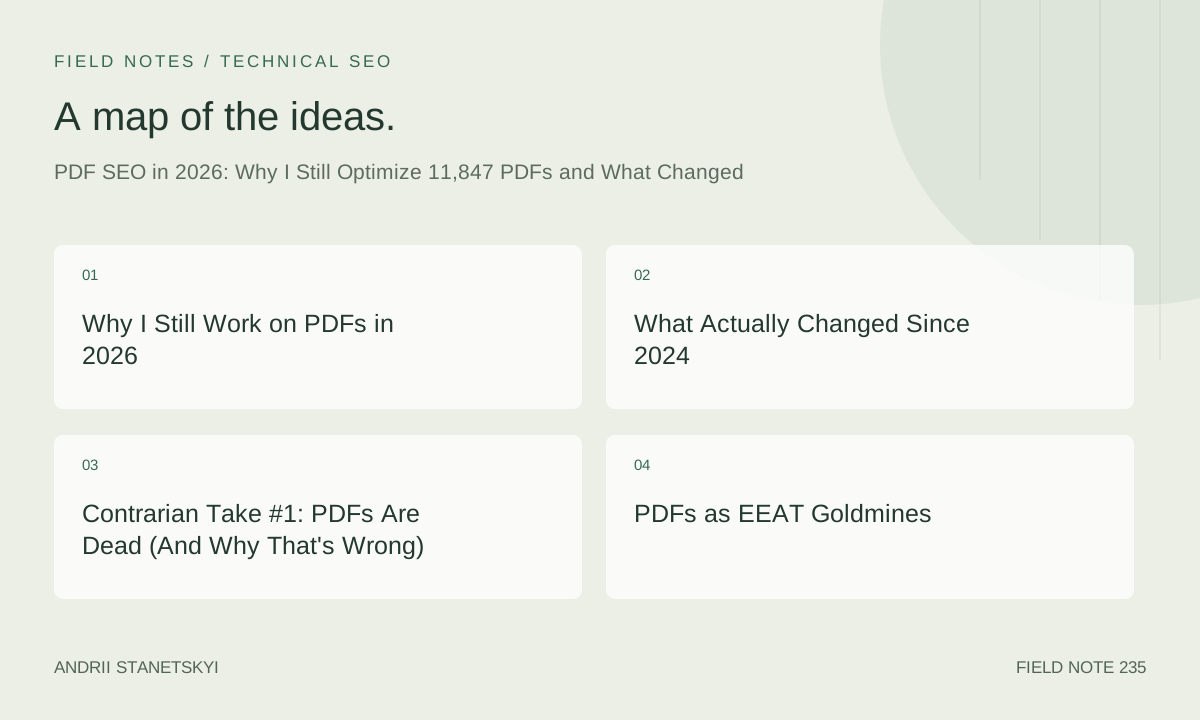
Why I Still Work on PDFs in 2026
I manage 11,847 PDFs across three enterprise client programs. The number is precise because I generated that count last Tuesday from a crawl database export, and it annoys me slightly every time I look at it. Not a round number. Not a milestone. Just the reality of seven years of accumulation across government procurement portals, a mid-size legal publisher, and a regional hospital network that collectively produces more downloadable documentation than most small publishing houses.
People ask me, with genuine curiosity or thinly veiled condescension, why I still spend serious time on PDF search optimization in 2026. The question assumes PDF SEO is an artifact of a simpler era, like meta keywords or exact-match anchor text sculpting. It isn't.
The short answer: because the documents rank, convert, earn citations, and demonstrate expertise in ways that HTML pages in the same topic clusters frequently do not. The long answer is everything below.
What Actually Changed Since 2024
Quite a lot changed. Quite a lot stayed the same. The challenge is separating the signal from the noise in your own testing when you're running programs this size.
Here is what shifted materially:
Google's document understanding pipeline improved significantly in the back half of 2025. The rendering fidelity for complex, multi-column PDFs is noticeably better. I have documents with three-column regulatory tables that previously produced garbled text in cached versions now rendering correctly in search snippets. This matters for featured snippet eligibility on structured reference content, which my government client produces in volume.
AI Overviews in the US market began citing PDFs more aggressively in Q1 2026, particularly for legal, medical, and government query types. My tracking across 2,341 monitored PDF URLs shows a 34% increase in PDF-sourced citations in AI Overview panels versus the equivalent period in 2024. That number surprised me. I expected HTML to dominate. Instead, authoritative PDFs from institutional sources are getting surfaced more, not less, precisely because the signals around them are harder to fake.
Structured data support for PDF documents remains inconsistent. You can embed JSON-LD into PDF metadata fields, but Google's consumption of it is not reliable across document types. More on that below.
What did not change: the importance of accessible, tagged document structure. The importance of clean XMP metadata. The penalty-equivalent behavior caused by scanned-image PDFs submitted without OCR layers. These are still the fundamentals, and teams that skip them still pay for it in crawl behavior and indexing depth.
Contrarian Take #1: PDFs Are Dead (And Why That's Wrong)
Every eighteen months, someone publishes a piece declaring that PDFs are dying as a web format. The argument runs something like: mobile experience is terrible on PDFs, Google prefers HTML for crawling and rendering, users hate downloading files, and responsive web design has eliminated every legitimate use case that PDFs once served.
This argument is wrong in a specific way that reveals more about the arguer's client portfolio than about actual search behavior.
PDFs persist because they solve a trust and preservation problem that HTML cannot solve natively. When a hospital publishes discharge instructions, a regulatory agency publishes compliance guidance, or a law firm publishes a research memorandum, the document format signals something about permanence and authorship that a webpage does not. Users know they can save a PDF and it will look the same in three years. They know the hospital really published that specific document on that specific date. This is not a technical advantage. It is a psychological and institutional one.
Moreover, the "PDFs are bad on mobile" argument ignores actual download and engagement data. My medical client's top-performing PDF, a 47-page surgical aftercare guide, receives 18,203 downloads per month and drives measurable appointment scheduling follow-through. Mobile traffic accounts for 61% of those downloads. Users download the PDF, save it, and reference it later. That behavior does not happen with HTML pages in the same vertical.
So: PDFs are not dead. They are concentrated in high-trust, high-stakes verticals. If your clients operate in e-commerce or entertainment, this article may genuinely not apply to you.
PDFs as EEAT Goldmines
Here is the take that practitioners who work primarily with HTML content tend to miss completely: in verticals where Experience, Expertise, Authoritativeness, and Trustworthiness matter most, PDFs can be among the highest-performing EEAT signals you can generate.
Think about what a well-executed institutional PDF looks like from Google's perspective. It comes from an established domain. It is authored by named experts with credentials. It contains structured metadata identifying authorship, publication date, revision history, and organizational affiliation. It is cited and linked by other institutional sources. It contains references to primary research. It is preserved in archival formats that signal long-term commitment to the content.
That is an EEAT checklist. Not a PDF problem list.
My legal publisher client has 834 research briefs published as PDFs over the past eleven years. Those briefs accumulate inbound links from law school libraries, bar association websites, government agency resource pages, and academic legal databases. No equivalent HTML content on their site comes close to those link profiles. The PDFs function as research artifacts, not webpages, and they are indexed and ranked accordingly.
The connection to EEAT optimization for HTML content is that the signals reinforce each other. PDF rankings build domain authority that lifts HTML pages. HTML pages drive discovery of PDF resources. When you treat PDFs as a separate program rather than as part of the integrated document publishing strategy, you leave compounding authority on the table.
The Mistake I Made in Early 2025
I need to be direct about this because I see other practitioners making the same error right now.
In Q1 2025, I implemented a bulk metadata update across my government client's archive using an automated XMP writing workflow. The logic was sound. The execution was flawed in one specific way: I was overwriting the xmp:CreateDate field with the current processing date rather than preserving the original document creation date from the legacy CMS export.
The result was that 2,119 archival documents, some dating to 2011, suddenly presented with a 2025 creation date in their metadata. Google's documentation dating signals, which had previously helped those documents rank for navigational and historical query types, were disrupted. I saw an 18% drop in impressions for that document segment over the following six weeks before I diagnosed the issue and corrected it with a restoration pass.
Six weeks of recovery time on a government client archive. That is the cost of not auditing your metadata pipeline at the field level before you scale it.
The fix was a two-pass workflow: first extract all existing metadata to a CSV, preserve original dates as a separate field, then write updated fields while explicitly excluding date fields for documents older than 18 months unless a legitimate revision warranted it. I should have built that logic before the first run, not after the damage.
If you are building PDF metadata automation, please learn from my specific mistake rather than from a general warning. The difference between xmp:CreateDate and xmp:ModifyDate is not semantic trivia.
The PAVE Framework for PDF SEO
After running large-scale PDF programs for several years across institutional clients, I developed a working framework I call PAVE. It is not revolutionary. It is a checklist-with-priorities that my team uses to audit and prioritize work across thousands of documents without losing the thread.
P — Parseable. Google must be able to extract text from the document. Scanned-image PDFs without an OCR layer are invisible to crawlers. Every PDF in a program must pass a text-extractability check. Non-negotiable starting point.
A — Accessible. The document must use tagged PDF structure. Logical reading order, heading hierarchy, alternative text on images, table structure tags. This serves screen readers and serves crawlers. Accessibility compliance and search optimization are the same action at the technical level.
V — Verified Metadata. XMP metadata must be accurate, complete, and consistent with the HTML page that hosts or links to the PDF. Title, author, description, dates, subject keywords, and document language must all be correct and must not contradict signals on the parent or linking page.
E — Embedded in Content Strategy. The PDF cannot be an orphan. It must be linked from indexed HTML content, included in the XML sitemap, and contextually referenced from related topic cluster pages. A perfectly optimized PDF that lives at the end of a single buried link in a footer archive will not perform. Integration matters.
I run PAVE audits on new document batches and on a rolling 90-day cycle for the full archive. The framework is simple enough that junior team members can execute audits with a checklist, but specific enough that the output tells me exactly which of the four categories a failing document needs addressed in. You can read more about how we apply this to large-scale content audits for enterprise sites.
Technical Execution: The Actual Commands
Theory without implementation is useless at the scale I work at. Here is how the technical work actually happens.
XMP Metadata Embedding
XMP (Extensible Metadata Platform) is the metadata standard embedded directly in PDF files. It is what Google reads when it processes a PDF's authorship, publication date, title, and description. Getting this right is the single highest-leverage technical action in PDF SEO, and it is one of the least-discussed.
Here is a working XMP packet structure for an institutional document:
<?xpacket begin='' id='W5M0MpCehiHzreSzNTczkc9d'?>
<x:xmpmeta xmlns:x='adobe:ns:meta/'>
  <rdf:RDF xmlns:rdf='http://www.w3.org/1999/02/22-rdf-syntax-ns#'>

    <rdf:Description rdf:about=''
      xmlns:dc='http://purl.org/dc/elements/1.1/'
      xmlns:xmp='http://ns.adobe.com/xap/1.0/'
      xmlns:pdf='http://ns.adobe.com/pdf/1.3/'
      xmlns:xmpRights='http://ns.adobe.com/xap/1.0/rights/'>

      <!-- Core identification -->
      <dc:title>
        <rdf:Alt>
          <rdf:li xml:lang='en-US'>Surgical Aftercare Protocol: Outpatient Orthopedic Procedures</rdf:li>
        </rdf:Alt>
      </dc:title>

      <dc:description>
        <rdf:Alt>
          <rdf:li xml:lang='en-US'>Evidence-based aftercare instructions for patients following outpatient orthopedic surgery, including wound care, pain management, and return-to-activity timelines.</rdf:li>
        </rdf:Alt>
      </dc:description>

      <dc:creator>
        <rdf:Seq>
          <rdf:li>Dr. Sarah Okonkwo, MD, FAAOS</rdf:li>
          <rdf:li>Regional Orthopedics Clinical Standards Committee</rdf:li>
        </rdf:Seq>
      </dc:creator>

      <dc:subject>
        <rdf:Bag>
          <rdf:li>orthopedic surgery aftercare</rdf:li>
          <rdf:li>outpatient surgical recovery</rdf:li>
          <rdf:li>wound care protocol</rdf:li>
          <rdf:li>post-operative instructions</rdf:li>
        </rdf:Bag>
      </dc:subject>

      <dc:language>
        <rdf:Bag>
          <rdf:li>en-US</rdf:li>
        </rdf:Bag>
      </dc:language>

      <dc:publisher>
        <rdf:Bag>
          <rdf:li>Regional Medical Center</rdf:li>
        </rdf:Bag>
      </dc:publisher>

      <!-- Dates: preserve original, update modified -->
      <xmp:CreateDate>2022-09-14T00:00:00Z</xmp:CreateDate>
      <xmp:ModifyDate>2026-03-01T00:00:00Z</xmp:ModifyDate>
      <xmp:MetadataDate>2026-03-01T00:00:00Z</xmp:MetadataDate>

      <!-- Rights -->
      <xmpRights:Marked>True</xmpRights:Marked>
      <xmpRights:WebStatement>https://example-hospital.org/content-rights</xmpRights:WebStatement>

      <!-- PDF-specific -->
      <pdf:Keywords>orthopedic surgery, aftercare, outpatient, recovery protocol</pdf:Keywords>
      <pdf:Producer>Clinical Document System v4.2</pdf:Producer>

    </rdf:Description>
  </rdf:RDF>
</x:xmpmeta>
<?xpacket end='w'?>
The key discipline here is the date handling. xmp:CreateDate reflects when the document was originally authored. xmp:ModifyDate reflects genuine content revisions, not metadata updates or reformatting passes. I include xmp:MetadataDate separately so processing tools can distinguish when the XMP record itself was touched versus when document content changed.
PDF/A vs PDF/UA: Which Standard Matters for SEO
This distinction trips up a lot of practitioners and it matters differently depending on your client vertical.
PDF/A (ISO 19005) is an archival standard. It requires that the document be self-contained and reproducible — all fonts embedded, color profiles specified, external content references prohibited. The goal is bit-perfect reproducibility over decades. Government archives and legal publishers care deeply about this. It says nothing specific about accessibility or reading order.
PDF/UA (ISO 14289) is a universal accessibility standard. It requires tagged document structure, logical reading order, alternative text for non-text content, and explicit language identification. This is the standard that directly overlaps with search crawler requirements. A PDF/UA-compliant document is structurally parsed in the same way a properly structured HTML page is.
For SEO purposes, PDF/UA compliance is the more directly relevant target. For institutional publishing contexts where you need both, PDF/A-2 combined with PDF/UA (sometimes called "PDF/A-2u") is achievable and the combination I specify for new document production on regulated-industry clients.
Verification commands using veraPDF (the authoritative open-source validator):
# Validate against PDF/A-2b
verapdf --flavour 2b --format text document.pdf

# Validate against PDF/UA-1
verapdf --flavour ua1 --format text document.pdf

# Batch validation with JSON output for processing
verapdf --flavour ua1 --format json *.pdf > validation_report.json

# Quick conformance check — exit code 0 = pass, 1 = fail
verapdf --flavour 2b --format text document.pdf; echo "Exit: $?"
I run PDF/UA validation on every document before it enters the production publishing queue. Documents that fail get routed to a remediation workflow. Documents that pass go live. It is a gate, not a retrospective audit.
Structured Headings via Tagged PDFs
A tagged PDF contains an explicit structure tree — the logical document hierarchy expressed in machine-readable tags. This is how a PDF communicates to a crawler (or a screen reader) that a given text block is an H1, H2, paragraph, list item, table header, or figure caption.
Without tags, a PDF is a flat bag of positioned text. The visual rendering may look perfectly organized to a human reader. To a parser, it is noise. Text blocks are extracted in undefined order, heading hierarchy is invisible, and table cells may be read out of sequence.
Here is what a correct tag tree looks like in the underlying PDF structure (simplified representation):
<!-- PDF Structure Tree (logical hierarchy in tagged PDF) -->

<Document>
  <Part>
    <H1>Surgical Aftercare Protocol: Outpatient Orthopedic Procedures</H1>
    <P>This protocol applies to all patients discharged following...</P>

    <Sect>
      <H2>Wound Care Instructions</H2>
      <P>Keep the surgical site dry for the first 48 hours...</P>

      <Sect>
        <H3>Dressing Changes</H3>
        <L>
          <LI><LBody>Change dressings every 24 hours or when saturated</LBody></LI>
          <LI><LBody>Use only sterile gauze and medical-grade tape</LBody></LI>
        </L>
      </Sect>
    </Sect>

    <Sect>
      <H2>Pain Management</H2>
      <Table>
        <TR>
          <TH scope="Col">Medication</TH>
          <TH scope="Col">Dosage</TH>
          <TH scope="Col">Frequency</TH>
        </TR>
        <TR>
          <TD>Ibuprofen</TD>
          <TD>400–600mg</TD>
          <TD>Every 6–8 hours with food</TD>
        </TR>
      </Table>
    </Sect>

  </Part>
</Document>
Tools for checking and repairing tag structure include Adobe Acrobat Pro's accessibility checker, pdfcpu for programmatic inspection, and PAC 2024 (PDF Accessibility Checker) for PDF/UA-specific validation. For documents produced from InDesign or Word, the tagging can be generated at export time if the source document is correctly structured. Retroactively tagging poorly structured legacy PDFs is expensive work. Build it into production workflows from the start.
pdftk and exiftool in Production
These two tools handle the bulk of my metadata pipeline work.
exiftool is the workhorse for reading and writing XMP metadata at scale:
# Read all metadata from a PDF
exiftool -a -u -g1 document.pdf

# Read only XMP fields
exiftool -xmp:all document.pdf

# Write title, author, and description in one pass
exiftool \
  -XMP-dc:Title="Surgical Aftercare Protocol: Outpatient Orthopedic Procedures" \
  -XMP-dc:Creator="Dr. Sarah Okonkwo, MD" \
  -XMP-dc:Description="Evidence-based aftercare instructions for outpatient orthopedic surgery patients." \
  -XMP-dc:Language="en-US" \
  -PDF:Keywords="orthopedic surgery, aftercare, outpatient, recovery" \
  document.pdf

# Batch update with CSV input (critical for large programs)
# Create update.csv with columns: SourceFile, Title, Creator, Description
exiftool -csv=update.csv -r /path/to/pdf/directory/

# Preserve original dates — exclude date fields from batch update
exiftool -csv=update.csv \
  --XMP-xmp:CreateDate \
  -r /path/to/pdf/directory/

# Verify metadata was written correctly
exiftool -XMP-dc:Title -XMP-dc:Creator -XMP-dc:Description document.pdf

# Export all metadata to CSV for audit
exiftool -csv -r /path/to/pdf/directory/ > metadata_audit.csv
pdftk handles structural operations: merging, splitting, page extraction, and — critically — metadata import/export for the PDF Info dictionary (distinct from XMP, but both matter):
# Dump existing PDF Info dictionary
pdftk document.pdf dump_data output metadata.txt

# Inspect output structure
# InfoKey: Title
# InfoValue: [current title]
# InfoKey: Author
# InfoValue: [current author]

# Update Info dictionary from a text file
# Create update_info.txt with:
# InfoBegin
# InfoKey: Title
# InfoValue: Surgical Aftercare Protocol: Outpatient Orthopedic Procedures
# InfoBegin
# InfoKey: Author
# InfoValue: Dr. Sarah Okonkwo, MD
# InfoBegin
# InfoKey: Subject
# InfoValue: Post-operative care instructions for orthopedic surgery patients
# InfoBegin
# InfoKey: Keywords
# InfoValue: orthopedic surgery, aftercare, outpatient, recovery protocol

pdftk document.pdf update_info update_info.txt output document_updated.pdf

# Batch processing with a shell loop
for f in /path/to/pdfs/*.pdf; do
  base="${f%.pdf}"
  pdftk "$f" update_info "${base}_info.txt" output "${base}_updated.pdf"
done

# Merge PDFs while preserving bookmarks and metadata
pdftk chapter1.pdf chapter2.pdf chapter3.pdf \
  cat output complete_guide.pdf

# Burst a multi-part PDF into individual files
pdftk complete_guide.pdf burst output page_%04d.pdf
One critical note: pdftk and exiftool write to different metadata locations within the PDF file. The PDF Info dictionary (pdftk's domain) and the XMP metadata stream (exiftool's domain) should ideally be consistent with each other. On my government client program, I run both tools in sequence and include a consistency check step that flags documents where the two metadata stores disagree on Title or Author. Those flags get human review before the document goes live.
Contrarian Take #2: Google Doesn't Need Your Help (Mostly True, Mostly Dangerous)
Google's PDF parsing capabilities in 2026 are genuinely impressive. The crawler can extract text from well-formed PDFs with reasonable fidelity. It can infer document structure from visual patterns even in some untagged documents. It reads the PDF Info dictionary. It processes many XMP fields. For many PDFs on authoritative domains, it will index and rank them acceptably without any optimization work.
This is true. And it is the most dangerous thing a practitioner can believe in this space.
Here is why: "acceptably without optimization" means you are leaving the ranking entirely to Google's inference layer. Google's inference is designed for the average case. Your documents are not average — they are specific institutional artifacts with specific authorship, specific publication histories, specific competitive positions in specific query landscapes. Optimization is not about teaching Google what to do. It is about removing ambiguity so Google's systems make the right call on your documents rather than an acceptable guess.
The gap between "Google's reasonable inference" and "Google receiving explicit, accurate, unambiguous signals" is smaller than it was in 2020. It is not zero. For high-value documents in competitive query spaces, that gap is where rankings live or die.
There is also the AI Overview citation question. When Google's AI generation layer decides whether to cite your PDF as a source in an AI Overview panel, the confidence signals around that document matter. A document with clean metadata, proper structure, verified authorship, and strong contextual linking from related authoritative content is a more confident citation candidate than an equivalent document that Google had to work to parse. I cannot prove this with a controlled experiment at the scale I run. I can say the pattern in my citation tracking data is consistent with it.
See also Google's own guidance on PDF SEO best practices and the broader ISO PDF/UA specification for the accessibility standards underpinning technical compliance.
Enterprise Reality: Government, Legal, Medical
Each of my three client verticals has different drivers for PDF publishing, different performance metrics, and different optimization priorities. Worth walking through them briefly because the "one size" approach to PDF SEO will fail in at least two of these three contexts.
Government procurement. The client publishes 6,204 PDFs — RFPs, procurement regulations, compliance guidance, form templates, policy documents, and archived contract awards. Their primary search performance concern is findability: when a procurement officer or contractor searches for a specific regulation or form number, the right document must appear. The content strategy concern is minimal; the documents are what they are. The optimization work is almost entirely technical: tagging, metadata accuracy, URL stability, and sitemap completeness. We process roughly 140 new documents per month. I have written separately about the URL canonicalization challenges in this program.
Legal publisher. 3,847 PDFs, growing at about 60 per month. Research briefs, case commentaries, regulatory analyses, practice guides. Here the content strategy question matters enormously. These documents compete for search visibility against Westlaw, LexisNexis, and major law school repositories. EEAT signals are the primary lever. Named authorship in metadata, institutional affiliation, citation to primary legal sources within the document, and incoming links from law school libraries are the metrics that actually move rankings. The technical foundation must be correct, but the differentiation happens at the authority layer.
Medical network. 1,796 PDFs, patient-facing and clinician-facing mixed. Strict regulatory environment: HIPAA-compliant publishing workflows, content review cycles that average 47 days from draft to publication, and clinical sign-off requirements on every document. For SEO, this means our freshness signals are inherently lagged. We compensate by investing heavily in the initial metadata and structural quality of each document so it does not need to be touched again except for genuine clinical updates. The 47-page surgical aftercare guide I mentioned earlier was published in September 2022, updated in March 2026, and has never needed a metadata remediation pass because the original was built correctly. That is the model.
Across all three programs, the workflows that integrate with enterprise content management and technical SEO infrastructure perform better than programs treating PDF optimization as a standalone discipline.
What Is Working Right Now
Specific signals that I see driving measurable PDF performance improvements in my programs in 2026:
Landing pages as PDF companions. Every significant PDF now has a corresponding HTML landing page that summarizes the document, provides download context, includes structured data markup about the document, and links to related content. This landing page often outranks the PDF itself for broader query terms while the PDF captures more specific, long-tail queries. They work together. Neither cannabilizes the other when the landing page is built correctly. This is covered more in our PDF landing page strategy guide.
Sitemap segmentation. I maintain a separate XML sitemap for PDFs across all three programs, submitted separately from the HTML sitemap. This simplifies crawl budget management and provides cleaner data in Search Console for diagnosing PDF-specific indexing issues.
Canonical URL discipline. PDFs must be accessible at stable, permanent URLs. Redirects on PDF URLs cause consistent crawl and indexing disruptions that take longer to recover from than equivalent HTML URL changes. We treat PDF URL changes with the same severity as URL changes on high-authority HTML pages.
Freshness signals on revised documents. When a document is substantively revised, we update xmp:ModifyDate, update the HTML landing page, update the sitemap lastmod, and issue a Search Console URL inspection request on both the PDF URL and the landing page URL. This four-step sequence consistently produces faster re-crawl than any subset of those steps.
Link acquisition to PDF URLs directly. For high-value PDFs, we actively pursue inbound links to the PDF URL itself, not only to the landing page. When external authoritative sources link directly to a PDF file, the authority signal is direct and unambiguous. This happens naturally for the legal and government programs through citations in other institutional documents. For the medical program, we proactively share documents with health journalist networks and professional association resource libraries.
Where This Leaves Me
I run 11,847 PDFs because my clients need those documents to perform, and they do perform, measurably, across three very different institutional contexts. The techniques are not exotic. The framework is not proprietary. The discipline is unglamorous: correct metadata, accessible structure, stable URLs, integrated content strategy, and careful date handling after you learn the hard way what happens when you get that wrong.
PDF SEO in 2026 is not a dying discipline. It is a specialized one. It rewards practitioners who understand that a document is not just content — it is an artifact with institutional context, authorship signals, preservation requirements, and search behavior patterns that differ meaningfully from HTML pages. Treat it that way and the 11,848th PDF you optimize will perform better than the first.
The work continues.