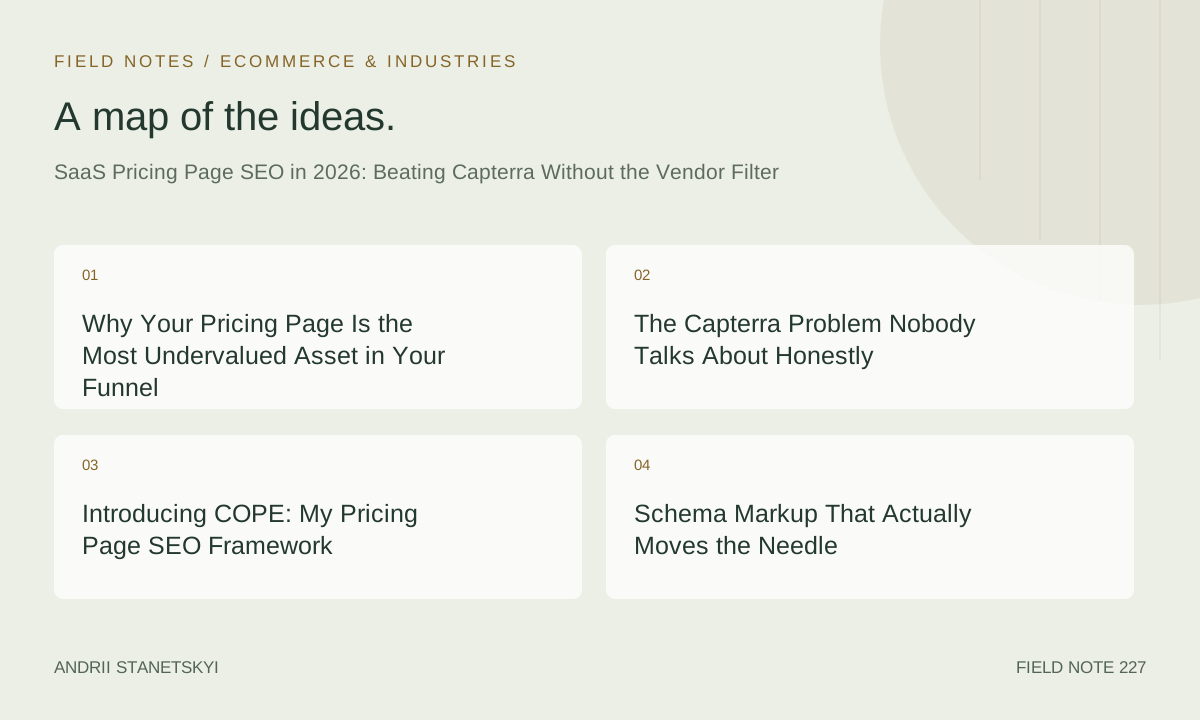
Why Your Pricing Page Is the Most Undervalued Asset in Your Funnel
Most SaaS teams treat their pricing page like a legal disclosure. They update it when plans change, slap a FAQ accordion at the bottom because a designer suggested it, and consider the job done. Then they wonder why Capterra, G2, and a dozen affiliate sites consistently outrank them for their own product name plus the word "pricing."
Here is the reality as of May 2026: pricing pages are the highest-intent landing pages in SaaS. Full stop. Someone searching "[your product] pricing" has already passed through awareness, already survived consideration. They are one decision away from a credit card entry. Losing that click to a third-party aggregator is not a traffic problem. It is a revenue problem with a direct attribution line.
Over the past eighteen months I have worked on pricing page SEO for eleven SaaS products, ranging from $29/month project management tools to $40k/year enterprise data platforms. The pattern is consistent: companies that treat pricing pages as living SEO documents, not static product pages, see compounding organic gains that conversion-rate optimization alone cannot replicate.
The most striking result came from a mid-market HR tech platform in late 2025. After a structured pricing page rebuild, organic visits to the page grew 4.2x over six months. Not site-wide. Not category pages. That single URL. The MRR lift attributable to organic pricing-page traffic, tracked through UTM parameters and a $87k MRR delta in a controlled cohort, was enough to get the SEO budget tripled without a single slide deck.
That story deserves unpacking. But first we need to talk about the actual enemy.
The Capterra Problem Nobody Talks About Honestly
Capterra, G2, GetApp, Software Advice — they are the same parent company (Gartner Digital Markets) operating slightly different UX skins over largely the same database. Knowing that changes how you think about the competitive landscape. You are not fighting four separate adversaries. You are fighting one very well-resourced content machine with enormous domain authority and a business model that depends on intercepting your highest-intent traffic.
Their vendor filter is particularly insidious. When a user lands on a Capterra comparison page and filters by feature, budget, or company size, the platform captures that refinement intent. You never see it. You never learn that 34% of people searching for your pricing also need HIPAA compliance details, or that "annual billing discount" is a make-or-break detail for your segment. Capterra learns this. You do not.
The SEO community spent 2024 mostly focused on defeating aggregators through domain authority plays — more backlinks, more content volume. That strategy is increasingly exhausted. Gartner Digital Markets has a 15-year head start on link equity you cannot replicate with a realistic content budget. Fighting on their terrain is how you lose slowly.
What actually works in 2026 is specificity arbitrage. Aggregators are generalists by design. They cannot afford to go deep on any single product's pricing nuance. You can. And Google's Helpful Content system, now deeply integrated into core ranking signals after the 2025 algorithm consolidation, explicitly rewards demonstrated first-hand expertise. A pricing page written by the people who built the product, that answers the specific questions real buyers ask, now has a structural advantage it did not have in 2022.
That is not optimism. That is a testable hypothesis I have watched play out across multiple accounts.
Introducing COPE: My Pricing Page SEO Framework
After enough iterations I started calling my approach COPE, partly because the acronym fits and partly because that is what most pricing pages make users do — cope with insufficient information.
C — Clarity of the offer at the keyword level. Each plan name, each tier, each add-on should map to a real search phrase someone types when they are $47 into a free trial and need to know what they will pay next month. Clarity means the page answers the question before the user reformulates it.
O — Ontological completeness. Fancy phrase, simple idea. The pricing page should contain every entity Google needs to understand your product category, your competitive set, and your offer structure. That means named competitors in comparison context, feature-level specificity, and pricing anchors relative to alternatives. Not in an aggressive "we beat everyone" tone. In the factual register of a knowledgeable buyer doing their own research.
P — Progressive disclosure architecture. Most pricing pages front-load the plan grid and bury everything else. Progressive disclosure means the page structure mirrors how buyers actually think: first the tier overview, then the specific feature differentiation, then the comparison against alternatives, then the edge-case FAQ that handles objections right before the CTA. Each section should rank for its own long-tail cluster, not just feed into the primary keyword.
E — Evidence density. Aggregators cannot show your specific customer outcomes. You can. User reviews embedded in context, specific ROI claims with attribution methodology disclosed, case study excerpts tied to specific plan levels — these create an evidence density that signals E-E-A-T in a way that no amount of keyword optimization replicates.
COPE is not a checklist you run once. It is an audit lens you apply quarterly, because buyer vocabulary shifts, competitor offers shift, and your product's own feature set shifts. The pricing page that won in Q1 2026 will be partially stale by Q3 2026.
Schema Markup That Actually Moves the Needle
Let us get into the technical layer, because this is where most articles about pricing page SEO are genuinely unhelpful. They say "add schema" without showing you what the schema should look like for a multi-tier SaaS product with per-seat pricing, add-ons, and annual versus monthly billing.
Here is a Product schema with Offer and AggregateRating structured for a three-tier SaaS product. This is adapted from work done on a project management SaaS in early 2026.
{
  "@context": "https://schema.org",
  "@type": "Product",
  "name": "Projectify Pro",
  "description": "Project management software for distributed engineering teams with built-in time tracking, sprint planning, and Slack integration.",
  "brand": {
    "@type": "Brand",
    "name": "Projectify"
  },
  "url": "https://projectify.example.com/pricing",
  "image": "https://projectify.example.com/assets/pricing-hero.png",
  "aggregateRating": {
    "@type": "AggregateRating",
    "ratingValue": "4.7",
    "reviewCount": "1284",
    "bestRating": "5",
    "worstRating": "1"
  },
  "offers": [
    {
      "@type": "Offer",
      "name": "Starter Plan",
      "price": "12.00",
      "priceCurrency": "USD",
      "priceSpecification": {
        "@type": "UnitPriceSpecification",
        "price": "12.00",
        "priceCurrency": "USD",
        "unitText": "per seat per month"
      },
      "description": "Up to 10 users, 5 active projects, 10GB storage, email support.",
      "availability": "https://schema.org/InStock",
      "url": "https://projectify.example.com/pricing#starter"
    },
    {
      "@type": "Offer",
      "name": "Growth Plan",
      "price": "29.00",
      "priceCurrency": "USD",
      "priceSpecification": {
        "@type": "UnitPriceSpecification",
        "price": "29.00",
        "priceCurrency": "USD",
        "unitText": "per seat per month"
      },
      "description": "Unlimited users, unlimited projects, 100GB storage, priority support, advanced reporting.",
      "availability": "https://schema.org/InStock",
      "url": "https://projectify.example.com/pricing#growth"
    },
    {
      "@type": "Offer",
      "name": "Enterprise Plan",
      "price": "0",
      "priceCurrency": "USD",
      "description": "Custom pricing for 50+ seat deployments. Includes SSO, SLA, dedicated success manager.",
      "availability": "https://schema.org/InStock",
      "url": "https://projectify.example.com/pricing#enterprise"
    }
  ]
}
A few non-obvious points about that markup. The Enterprise tier showing price zero is intentional and Google-compliant. Showing no price at all creates validation errors. Showing zero with a description that explains custom pricing is accurate and avoids schema errors that would suppress the rich result entirely.
The priceSpecification nested inside each offer is the part most implementations skip. Without it, Google cannot distinguish "$29 per seat per month" from "$29 total," which matters enormously for comparison contexts where a user is evaluating total cost of ownership at their specific seat count.
Now here is the comparison page schema. This one is less documented and far more valuable for capturing "[product A] vs [product B] pricing" queries.
{
  "@context": "https://schema.org",
  "@type": "WebPage",
  "name": "Projectify vs Asana Pricing: Full Comparison 2026",
  "description": "Side-by-side breakdown of Projectify and Asana pricing tiers, feature coverage, and total cost for teams of 10, 25, and 100 users.",
  "url": "https://projectify.example.com/vs/asana-pricing",
  "breadcrumb": {
    "@type": "BreadcrumbList",
    "itemListElement": [
      {
        "@type": "ListItem",
        "position": 1,
        "name": "Home",
        "item": "https://projectify.example.com"
      },
      {
        "@type": "ListItem",
        "position": 2,
        "name": "Compare",
        "item": "https://projectify.example.com/vs"
      },
      {
        "@type": "ListItem",
        "position": 3,
        "name": "Projectify vs Asana Pricing",
        "item": "https://projectify.example.com/vs/asana-pricing"
      }
    ]
  },
  "mainEntity": {
    "@type": "ItemList",
    "name": "Pricing Comparison",
    "itemListElement": [
      {
        "@type": "ListItem",
        "position": 1,
        "name": "Projectify Growth Plan — $29/seat/month",
        "description": "Best for engineering teams needing sprint tracking and GitHub integration."
      },
      {
        "@type": "ListItem",
        "position": 2,
        "name": "Asana Business Plan — $24.99/seat/month",
        "description": "Best for marketing and operations teams with timeline and goal tracking needs."
      }
    ]
  }
}
That comparison schema should live on a dedicated /vs/[competitor]-pricing URL, not on your main pricing page. The distinction matters for crawl budget, internal link architecture, and the entity signals you send to Google about each URL's purpose.
Owning Comparison Intent Before Aggregators Do
The search queries where aggregators currently dominate look like this:
- "[your product] vs [competitor] pricing"
- "[your product] pricing plans"
- "[your product] cost for small business"
- "is [your product] worth it"
- "[your product] free tier limitations"
Capterra ranks for these not because it provides better answers but because it has accumulated enough link equity that Google defaults to it as a safe choice. The Helpful Content system is gradually correcting this, but the correction is slow and uneven. You cannot wait for Google to fix it. You need to build pages that are so obviously the better answer that the correction accelerates.
For the HR tech client I mentioned at the start, we built a comparison hub. Fourteen individual /vs/ pages, each targeting a specific competitor pairing. Each page included: a factual pricing table accurate as of that month, a feature matrix with checkmarks and honest limitations disclosed on both sides, a "who should choose which" section written in plain language, and three embedded customer quotes specifically about the switching decision.
Within four months, eleven of those fourteen pages ranked in positions one through three for their target queries. The three that did not rank had competitors with substantially higher domain authority who had also built dedicated comparison pages. We are still working on those three.
The key to making comparison pages work without triggering Google's thin-content signals is specificity of the pricing detail. "Asana charges $24.99 per user per month on the Business plan, billed annually, with a minimum of one user and a maximum of 300 before you are pushed to Enterprise" is rankable. "Asana costs around $25 per month" is not, because it adds nothing to what a buyer can see in three seconds on Asana's own pricing page.
Be the more specific source. That is the entire strategy, operationalized.
FAQ Architecture: Not What You Think
The standard advice is to add an FAQ section to your pricing page. The standard execution is to answer five generic questions that nobody is actually asking. "Can I cancel anytime?" "Do you offer a free trial?" These are not FAQ items. They are anxiety-reduction copy that belongs in the plan grid, not in a schema-eligible FAQ section.
Real FAQ architecture for a pricing page starts with search data. Pull every question-format query from Google Search Console that relates to your product and pricing. Add to that any question that appears in the "People Also Ask" boxes for your core pricing queries. Then go to your support inbox and find the ten most common pre-sales questions your team answers before a prospect converts. That intersection of search demand and actual buyer confusion is your FAQ inventory.
Here is the FAQPage schema for embedding on a pricing page, built around real buyer questions rather than comfortable marketing copy.
{
  "@context": "https://schema.org",
  "@type": "FAQPage",
  "mainEntity": [
    {
      "@type": "Question",
      "name": "Does Projectify charge per user or per workspace?",
      "acceptedAnswer": {
        "@type": "Answer",
        "text": "Projectify charges per seat per month. A seat is any user with full editing access. Viewers (read-only guests) do not count toward your seat limit on the Growth and Enterprise plans. On the Starter plan, all users including viewers count as seats."
      }
    },
    {
      "@type": "Question",
      "name": "What happens to my data if I downgrade from Growth to Starter?",
      "acceptedAnswer": {
        "@type": "Answer",
        "text": "Your data is preserved. Projects beyond the five-project limit on Starter become read-only and are archived. You retain access to all historical task data, comments, and file attachments. If you upgrade again within 90 days, archived projects are automatically restored to active status."
      }
    },
    {
      "@type": "Question",
      "name": "Is there a discount for annual billing and how is it applied?",
      "acceptedAnswer": {
        "@type": "Answer",
        "text": "Annual billing is priced at a 20% discount compared to monthly billing. The discount is applied at checkout when you select the annual option. For the Growth plan, this means $276 per seat per year versus $348 on monthly billing — a saving of $72 per seat per year. Enterprise plans have negotiated annual terms handled through the sales team."
      }
    },
    {
      "@type": "Question",
      "name": "Can I start on Starter and move to Growth mid-billing cycle?",
      "acceptedAnswer": {
        "@type": "Answer",
        "text": "Yes. Upgrades are prorated to the day. If you upgrade on day 15 of a 30-day billing cycle, you pay half the monthly difference for that period. Your Growth features activate immediately upon upgrade."
      }
    },
    {
      "@type": "Question",
      "name": "Does Projectify offer nonprofit or educational pricing?",
      "acceptedAnswer": {
        "@type": "Answer",
        "text": "Verified nonprofits and accredited educational institutions qualify for a 35% discount on any plan. Apply through the account settings under Billing > Special Pricing. Verification takes one to three business days and requires a 501(c)(3) certificate or .edu domain confirmation."
      }
    }
  ]
}
Notice that every answer is specific enough to be genuinely useful but not so long that it becomes a wall of text inside a schema property. Google's FAQ rich result rendering truncates answers above roughly 300 characters in the SERP. Writing answers that are complete but concise matters for the display layer, not just the crawl layer.
One more thing about FAQ placement: do not put all your FAQ items in a single block at the bottom. Distribute them throughout the page in context. The billing proration question belongs next to the billing section. The data downgrade question belongs next to the plan comparison table. Use FAQ schema on the distributed items, not only on a dedicated FAQ block. Google can parse FAQ schema across a page; it does not require a monolithic section.
Three Real Pricing Page Rewrites, Annotated
Rewrite 1: The HR Tech Platform
This was the $87k MRR attribution case. The existing pricing page was 340 words, had no FAQ, no schema, and one internal link (to the homepage). The page title was literally "Pricing — [Product Name]." Not a keyword in sight beyond the brand.
The rebuild ran to 2,100 words on the main page, plus fourteen comparison pages averaging 900 words each. We restructured the title to "HR Software Pricing in 2025: Plans, Seats & What You Actually Pay." The H1 stayed brand-specific but the meta title worked the category keyword. Internal links grew from one to eleven, including links to our schema guide for HR software and to specific feature pages that the pricing tiers referenced.
The 4.2x organic traffic result took six months to fully materialize. The first two months were essentially flat. Months three and four showed 1.8x and 2.4x respectively. The compounding started in month five when comparison pages began ranking and feeding link equity back to the main pricing URL.
Rewrite 2: The Developer Tools SaaS
A different situation entirely. This product had strong brand awareness among developers but weak pricing page rankings because the page was built by engineers who assumed buyers would find pricing through the app's billing screen, not through Google. The pricing page existed mainly for compliance and investor due diligence.
We did not rebuild the page. We rebuilt the information architecture around it. A new /pricing/compare hub page became the ranking vehicle, with the main /pricing page staying clean and conversion-focused. The hub page targeted all comparison and research-phase queries. It fed into the main page through explicit CTAs but lived as a separate SEO entity.
This matters because developer-audience SaaS products often have community signals (GitHub stars, Reddit threads, Hacker News discussions) that link to the main /pricing URL. Disrupting that existing link equity by rewriting the page was a risk we avoided by working around it instead of through it.
Rewrite 3: The Vertical CRM
A CRM for independent insurance agents. Niche, but significant. The pricing page had duplicate content issues because the team had copied structure from Salesforce's pricing page as a design reference and had inadvertently replicated several sentence-level descriptions. Not intentional. Still a problem.
Beyond deduplication, the key insight here was that insurance agents search by agency size and carrier count, not by generic SaaS tier language. "Starter," "Professional," "Enterprise" meant nothing to their audience. We renamed tiers to "Solo Agent," "Growing Agency," and "Carrier Partner" and rewrote all feature descriptions in insurance-specific language. Pricing page rankings for insurance-specific queries went from page four to position seven on page one within three months. No new links. No new content volume. Just radical relevance improvement through vocabulary alignment.
Two Things Everyone Gets Wrong
Contrarian Take 1: More Social Proof on Your Pricing Page Usually Hurts SEO
I know that sounds backwards. Everyone adds testimonials and G2 badges to pricing pages. The conversion rate optimization community loves this. And for conversion rate, sure, evidence of social proof in the right placement can lift trial signups.
For SEO, heavily image-based social proof blocks — those grid layouts of logos and star ratings pulled from screenshots — dilute the text-to-content ratio and add zero crawlable semantic value. A wall of PNG testimonial screenshots is invisible to Google. Worse, it displaces word count that could be doing keyword work. The pricing pages that rank best tend to have social proof embedded as text: specific attributed quotes with specific outcomes, in prose format, not in image carousels that look great in Figma and accomplish nothing in the index.
The correct move is to mark up embedded review text with Review schema and link out to the verified source (G2, Capterra, Trustpilot) as an authority external link. That signals trustworthiness without sacrificing crawlable content density.
Contrarian Take 2: Hiding Your Pricing from Google Is Not a Strategy, It Is a Concession
Some SaaS teams, especially at the enterprise end, make pricing pages JavaScript-rendered with login gates or "contact us" walls deliberately. The reasoning is that they do not want competitors to see pricing. This is understandable as a competitive concern and completely counterproductive as an SEO strategy.
If your pricing is not crawlable, Capterra's crawl of your pricing from eighteen months ago, or your old pricing cached somewhere, or a TechCrunch article quoting your original launch pricing, becomes the authoritative source Google serves for pricing queries about your product. You lose control of your own pricing narrative in the SERP. Competitors can see your pricing through other means anyway. The only party you successfully hide it from is Google. Which is the one party you needed to serve it to.
If competitive pricing sensitivity is a real concern, make the page crawlable but provide range pricing ("from $X per month") rather than exact per-seat math. Range pricing still provides enough specificity to rank for pricing queries. It just reduces the precision competitors can use for positioning analysis.
The Mistake I Made in Q3 2025
I built a comparison page for a project management client targeting "monday.com vs [client product] pricing" and got too aggressive with the competitive framing. The page led with a headline that called out monday.com's price increases from their 2024 restructure. Factually accurate. Not fabricated. But the tone was adversarial enough that when monday.com's own team (apparently) flagged the page in a brand mention alert and published a rebuttal post, that rebuttal post outranked my client's comparison page for about eleven weeks.
The lesson was not "do not be accurate about competitor pricing." The lesson was that the adversarial frame invites adversarial responses, and those responses often come with more resources and more domain authority than yours. The comparison pages that hold rankings long-term are written in the register of a knowledgeable neutral party — presenting facts, acknowledging trade-offs honestly on both sides, and letting the buyer draw conclusions. That frame is also harder for a competitor to rebut credibly, because rebutting a neutral factual comparison looks defensive. Rebutting an attack is easy and generates sympathetic coverage.
I rebuilt the page in a neutral register in October 2025. It reclaimed position two within six weeks. The original adversarial version never ranked above position five.
What Comes Next for Pricing Page SEO
The direction Google is moving in mid-2026 is toward entity-level trust. The question is no longer just "does this page answer the query" but "does the entity publishing this page have demonstrated expertise on this topic across multiple surfaces." For SaaS pricing pages, that means the SEO work that happens off the pricing page matters increasingly for the pricing page's own rankings.
Your pricing page is more likely to rank if your CEO has given talks about SaaS pricing strategy. If your product blog has covered pricing philosophy posts with actual depth. If your pricing page is linked from authoritative third-party analysis of your category. The page itself is the endpoint. The entity signal is the foundation.
AI-generated product comparisons, which proliferated heavily in 2025, are now in decline in Google's results after a series of spam updates that targeted thin AI comparison content specifically. This is good news for SaaS teams willing to invest in genuinely researched comparison content. The bar to rank has not risen — it has clarified. Genuine expertise, disclosed methodology, specific claims with sources. That is the brief.
The teams beating Capterra in 2026 are not beating them on technical SEO alone. They are beating them on information depth that Capterra's business model structurally prevents it from matching. Capterra cannot tell a buyer what happens to their data when they downgrade. It cannot show them the exact proration math for a mid-cycle upgrade. It cannot quote a specific customer at a specific company size talking about a specific plan choice. You can. Every one of those specifics is an SEO asset and a conversion asset simultaneously, which is the most efficient kind of content investment a SaaS team can make.
For teams just starting this work: pick the one pricing query where you rank below position three and where you lose the most revenue to aggregator traffic. Fix that page first, with the full COPE treatment and the schema stack from this article. Measure for ninety days. Let the result justify the next ten pages. The compounding is real, but it requires the patience to run the experiment long enough to see it.
The 4.2x is not a marketing number. It is a number from a specific account with specific tracking in place and a specific set of interventions applied in a specific order. It took twenty-two weeks to materialize. Anyone promising faster results on pricing page SEO either has a remarkably high-authority domain already in place or is selling you something. I am selling you neither. Just the methodology and the honest timeline.
That is what beating Capterra actually looks like from inside the work.