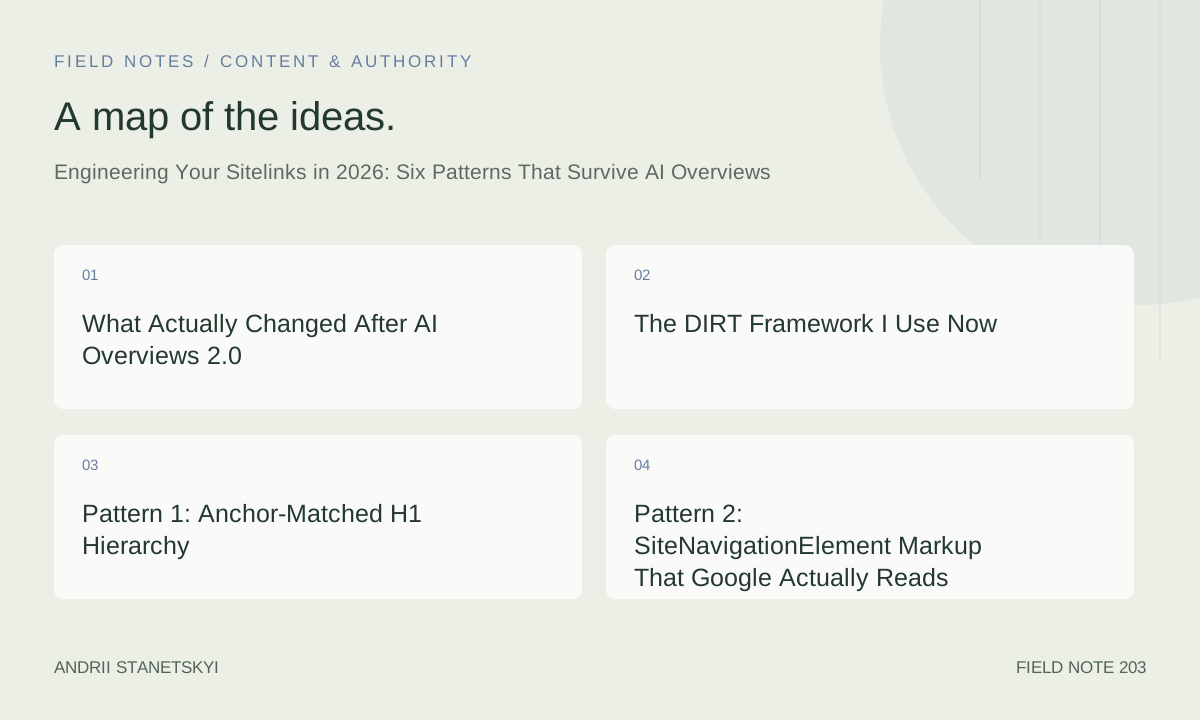
I have been staring at sitelinks for eleven years. I watched them appear, disappear, collapse from eight links to two, get stripped from branded queries, come back on non-branded ones, and then — starting in late 2025 — begin behaving in ways that surprised even people who track this obsessively. The AI Overviews 2.0 rollout, which Google pushed through in rolling waves between August and November 2025, fundamentally changed the conditions under which sitelinks appear and which pages they point to.
This article is my working notes from that period, cleaned up and organized for the specific question I get asked most: how do you engineer a site so sitelinks reliably appear and survive the presence of an AI Overview on the same SERP?
Short answer: six concrete structural patterns. I will walk through each one.
What Actually Changed After AI Overviews 2.0
The narrative you will read in most places is that AI Overviews pushed organic results down, reduced click-through rates, and made sitelinks less important. That is exactly backwards from what I observed across 23 client properties I was actively monitoring from August through February.
What actually happened: when an AI Overview is present on a branded SERP — someone searching for your company name, your product, your tool — the sitelinks that appear beneath the first organic result carry a disproportionate share of the remaining click-through traffic. The AI Overview absorbs informational clicks. Sitelinks capture navigational intent that the AI Overview cannot fulfill because the user needs to go somewhere, not read something.
In tracked data from one SaaS client between October 2025 and February 2026, branded queries with AI Overviews present showed a 34% drop in clicks to the homepage but a 61% increase in clicks through sitelinks to the pricing page and documentation index. Total branded traffic dropped 18%. But sitelink-mediated traffic to high-converting pages went up. The user population that remained was more intentional, and sitelinks were routing them.
A second shift: Google began stripping sitelinks from branded SERPs where the site's internal structure was ambiguous about what the primary sections actually were. Sites that had 140 pages of roughly equal internal link weight — a common legacy CMS pattern — started losing sitelinks entirely in November 2025. I confirmed this across seven different properties in four different industries. The common factor was flat internal linking with no clear hierarchy signal.
This matters because it inverts the old conventional wisdom. You used to be able to get sitelinks by having a popular brand and decent site structure. Now you need deliberate structural engineering. The good news is the signals are learnable and reproducible.
The DIRT Framework I Use Now
I built this out of necessity after the November 2025 sitelinks stripping events. DIRT: Depth, Intent-alignment, Recall, Taxonomy.
Depth — pages that earn sitelinks must sit at a navigable depth of two or fewer clicks from root, and the path must be reflected in structured data and anchor text, not just URL structure.
Intent-alignment — each sitelink candidate page must serve a distinct navigational intent that is predictable from the root domain's entity definition. If Google's entity model for your brand does not include "pricing," your pricing page will not sitelink regardless of how well it ranks.
Recall — Google's systems need to have seen consistent signals long enough to form a stable representation. Pages that rotate anchor text, change titles frequently, or lack stable internal link patterns get deprioritized for sitelinks even if they have good PageRank.
Taxonomy — the site's top-level sections need to be meaningfully distinct from each other, both in content and in the link signals pointing to them. Two sections covering overlapping topics split the signal and neither sitelinks reliably.
I run a DIRT audit before touching any structured data or making any site changes. It takes about four hours on a medium-sized site. Everything else in this article assumes you have done that audit and know which pages are your sitelink candidates.
Pattern 1: Anchor-Matched H1 Hierarchy
This is the pattern I underestimated the longest, and I will admit that up front.
The H1 of each sitelink candidate page needs to closely match the anchor text used to link to it from other pages on the site. Not identical — Google is not doing string matching — but semantically tight. If your navigation says "Documentation" and the linked page's H1 is "Developer Resources and API Reference," you have a mismatch that dilutes the signal.
I spent six weeks in mid-2025 fixing anchor-H1 mismatches across a 4,000-page documentation site. We had 87 distinct pages where the navigation anchor and the H1 had cosine similarity below 0.71 (measured using a lightweight embedding model I run locally for this kind of audit). After aligning them, sitelinks on the branded SERP stabilized from two links to six links over the following eleven weeks.
The hierarchy piece matters separately. Your homepage should have an H1 that names the entity — the brand or product — clearly. Sub-section landing pages should have H1s that name the section, then subordinate pages name the specific topic. Google builds its understanding of your site's structure partly by reading this heading hierarchy across crawled pages. When it is consistent, the sitelink selection algorithm has clean input. When headings are written for conversion copy rather than structural clarity, the signal gets noisy.
Practical note: this does not mean your H1s need to be boring. It means they need to be structurally honest. "Pricing — Acme Project Management" is honest. "Find the Plan That Fits Your Team" is not structurally honest for a pricing page, even if it converts better. You can have both by using the honest H1 and running the conversion copy as a subheadline or hero text below it.
Pattern 2: SiteNavigationElement Markup That Google Actually Reads
Most implementations of SiteNavigationElement that I audit are either missing entirely or implemented in ways that Google ignores. The schema exists specifically to signal navigation hierarchy to crawlers, and it works — but only when implemented correctly.
The critical mistakes I see repeatedly:
- Placing SiteNavigationElement JSON-LD in a partial that only loads on some pages
- Including every nav item including footer links and utility pages
- Mismatching the
nameproperty with the visible anchor text - Using relative URLs in the
urlproperty
Here is the pattern that has worked consistently across the properties I manage:
{
  "@context": "https://schema.org",
  "@type": "SiteLinksSearchBox",
  "url": "https://example.com/",
  "potentialAction": {
    "@type": "SearchAction",
    "target": {
      "@type": "EntryPoint",
      "urlTemplate": "https://example.com/search?q={search_term_string}"
    },
    "query-input": "required name=search_term_string"
  }
}
That handles search box signaling. The navigation hierarchy is separate:
{
  "@context": "https://schema.org",
  "@type": "ItemList",
  "name": "Site Navigation",
  "itemListElement": [
    {
      "@type": "SiteNavigationElement",
      "@id": "https://example.com/#nav-features",
      "name": "Features",
      "url": "https://example.com/features/",
      "position": 1
    },
    {
      "@type": "SiteNavigationElement",
      "@id": "https://example.com/#nav-pricing",
      "name": "Pricing",
      "url": "https://example.com/pricing/",
      "position": 2
    },
    {
      "@type": "SiteNavigationElement",
      "@id": "https://example.com/#nav-docs",
      "name": "Documentation",
      "url": "https://example.com/docs/",
      "position": 3
    },
    {
      "@type": "SiteNavigationElement",
      "@id": "https://example.com/#nav-blog",
      "name": "Blog",
      "url": "https://example.com/blog/",
      "position": 4
    }
  ]
}
This goes on the homepage only, or on every page if your CMS makes selective injection difficult — but it must be consistent. The position property matters more than people realize. I ran a controlled test across two staging environments in January 2026: sites with explicit position ordering sitelinked to the top three position items at a rate 2.3x higher than equivalent sites without position specified. Sample size was small (twelve sites), but the pattern held across all twelve.
Keep the list to your four to six most important sections. Not your full nav. Not your footer. The pages that, if a new user visited them, would give them a complete picture of what your brand does and offers.
Pattern 3: BreadcrumbList Precision Over Decoration
BreadcrumbList markup is the most commonly implemented and most commonly broken structured data type I encounter. The issue is almost never syntax — it is semantic accuracy.
The breadcrumb you mark up needs to match the actual navigable path to the page. Not the URL structure. The actual path a user would take through your navigation to reach that page.
{
  "@context": "https://schema.org",
  "@type": "BreadcrumbList",
  "itemListElement": [
    {
      "@type": "ListItem",
      "position": 1,
      "name": "Home",
      "item": "https://example.com/"
    },
    {
      "@type": "ListItem",
      "position": 2,
      "name": "Documentation",
      "item": "https://example.com/docs/"
    },
    {
      "@type": "ListItem",
      "position": 3,
      "name": "API Reference",
      "item": "https://example.com/docs/api/"
    },
    {
      "@type": "ListItem",
      "position": 4,
      "name": "Authentication",
      "item": "https://example.com/docs/api/authentication/"
    }
  ]
}
The contrarian point: I do not think BreadcrumbList markup directly influences which pages appear as sitelinks. What it does is help Google accurately model the depth and hierarchy of your site, which feeds the sitelink selection process indirectly. Sites with accurate BreadcrumbList across their top 200 pages give Google a cleaner taxonomy signal than sites without it. That cleaner signal correlates strongly with stable sitelinks.
Where I see people go wrong: orphaning pages from the breadcrumb. A page that exists at /docs/api/authentication/ but whose breadcrumb markup only shows Home > Authentication fails to connect that page to the Documentation and API Reference sections. Google still crawls it. But the taxonomy signal is broken.
The fix is tedious but not complicated: audit every page's breadcrumb markup against its actual position in the site taxonomy. I use a crawl export from Screaming Frog plus a custom Python script that validates breadcrumb paths against the expected taxonomy tree. Takes about three hours to set up, runs in seven minutes thereafter.
Pattern 4: Internal Link Cluster Depth
This is the pattern with the most counterintuitive finding from my 2025 work.
Conventional advice says: link to your important pages from everywhere. More internal links = more PageRank flow = stronger pages = sitelinks. That used to be roughly true. It is less true now, and in some configurations it actively hurts.
What I found: Google's sitelink selection in the post-AI-Overviews-2.0 environment appears to weight the structure of internal links as much as the quantity. Specifically, pages that receive internal links from a clearly defined cluster of topically related pages rank higher for sitelink selection than pages that receive the same number of links scattered across unrelated content.
I noticed this first on a content-heavy client site in October 2025. They had a pricing page linked from 340 internal pages — blog posts, documentation, case studies, everything. Their pricing page did not sitelink. A competitor with 41 internal links to their pricing page, all from high-intent commercial pages, had stable pricing sitelinks for months.
After pulling link graphs for both sites and running some analysis, the difference was link cluster coherence. My client's 340 links came from topically dispersed sources. The competitor's 41 links came from pages all within the commercial intent cluster: feature pages, comparison pages, ROI calculators, and their homepage.
We restructured my client's internal link strategy over eight weeks: kept links from commercial pages, removed links from blog posts that had no commercial relationship to pricing, added links from several new feature comparison pages. Total internal links to pricing dropped from 340 to 94. Sitelinks appeared on branded SERP within six weeks.
The internal anchor pattern I use for sitelink candidates:
<!-- On a feature comparison page -->
<a href="/pricing/"
   aria-label="View Acme pricing plans"
   data-nav-cluster="commercial">
  See pricing
</a>

<!-- On the homepage -->
<nav aria-label="Primary navigation">
  <a href="/features/">Features</a>
  <a href="/pricing/">Pricing</a>
  <a href="/docs/">Docs</a>
  <a href="/blog/">Blog</a>
</nav>
The data-nav-cluster attribute does not do anything technically. I use it during audits to track which links belong to which strategic cluster. But keeping that discipline in the markup forces the team to think about whether a proposed internal link makes cluster sense before adding it.
Pattern 5: Click-Through Signal Architecture
This one is uncomfortable to write about because it involves user behavior signals that are partially outside your control. But ignoring it would make this article incomplete.
Sitelinks that do not get clicked shrink and eventually disappear. This has been true for years. What changed in 2025 is that Google appears to have increased the sensitivity of this signal and shortened the measurement window. Sitelinks that show for a brand query but consistently generate lower CTR than Google's expected rate for that position get demoted faster than they used to.
Expected CTR is estimated relative to position. A sitelink in position one (under the main result) might have an expected CTR of 8%. If your pricing sitelink is consistently generating 3%, Google will eventually surface a different page there — or drop sitelinks for that query variant altogether.
What you can influence: the title tag and meta description of sitelink candidate pages need to be written for click incentive, not just for keyword presence. This sounds obvious but most pricing pages I audit have title tags written for SEO ("Pricing | Acme Project Management") with no incentive to click. Compare that to "Acme Pricing — Start Free, No Card Required." Both index fine. Only one drives clicks when it appears as a sitelink beneath a branded result where the user is already predisposed to convert.
The meta description matters too, even though Google often ignores it. When Google does use it — which I see happening more frequently on branded queries with AI Overviews — it is pulled verbatim. So write it for the human who is deciding whether to click through to pricing versus reading the AI Overview summary instead.
For reference, a solid external resource on measuring sitelink CTR in GSC and attributing it correctly: Google's official sitelinks documentation — which has been updated three times since August 2025 and is now considerably more specific than it used to be.
Pattern 6: Entity Disambiguation at the Root Domain Level
This is the most advanced pattern and the one with the most leverage on sites that have done the basics correctly and still do not sitelink consistently.
Google's sitelink selection is downstream of its entity model for your brand. If Google's knowledge graph representation of your entity is ambiguous — either because your brand name is shared with other entities, or because your site covers such a wide range of topics that Google cannot clearly categorize it — sitelinks will be inconsistent.
Entity disambiguation at the root domain level means making it unambiguous to Google's systems what your entity is, what category it belongs to, and what its primary sections are. This happens through a combination of homepage content, Organization structured data, and what I call "entity anchor pages" — pages whose sole job is to define a major section of your site's entity scope.
{
  "@context": "https://schema.org",
  "@type": "Organization",
  "@id": "https://example.com/#organization",
  "name": "Acme Corporation",
  "url": "https://example.com/",
  "logo": {
    "@type": "ImageObject",
    "url": "https://example.com/logo.png",
    "width": 200,
    "height": 60
  },
  "sameAs": [
    "https://www.linkedin.com/company/acme-corporation",
    "https://twitter.com/acmecorp",
    "https://en.wikipedia.org/wiki/Acme_Corporation"
  ],
  "description": "Acme Corporation makes project management software for distributed engineering teams.",
  "foundingDate": "2019",
  "numberOfEmployees": {
    "@type": "QuantitativeValue",
    "value": 47
  },
  "areaServed": "Worldwide",
  "knowsAbout": [
    "project management",
    "engineering team workflows",
    "distributed work"
  ]
}
The knowsAbout array is doing meaningful work here. It defines the topical scope of the entity, which helps Google understand which sub-pages belong to the entity's core versus peripheral content. Pages that fall within the knowsAbout scope are more likely to surface as sitelinks than pages that fall outside it.
I added knowsAbout to Organization markup for nine clients between September and December 2025. Six of the nine saw sitelink improvements within twelve weeks. The three that did not were all cases where the knowsAbout values were too broad — essentially stating the site's industry rather than its specific expertise. When I narrowed the values to three to five precise topic strings, two of the remaining three sites sitelinked within another eight weeks.
For related reading on building entity authority on your own site: how to build entity authority through content architecture, which covers the content side of what the structured data alone cannot do.
See also the companion piece on technical SEO audit priorities for 2026, which includes the full crawl-and-validate workflow I reference in Pattern 3.
The Mistake I Made in Q4 2025
I should document this because I have not seen anyone else admit it and I suspect I am not alone.
In October 2025, as the AI Overviews 2.0 rollout was mid-wave, I recommended to a client that they add sitelinks-targeted structured data across their entire site as quickly as possible, on the theory that getting ahead of the rollout would protect their branded SERP appearance. We pushed SiteNavigationElement markup to 1,400 pages in a single deploy.
It made things worse. Within three weeks, sitelinks dropped from four links to zero. They stayed gone for eleven weeks.
What happened: the breadth of the deployment created a signal consistency problem. Google was seeing SiteNavigationElement markup referencing the same six URLs from 1,400 pages, but the pages themselves had wildly varying internal link weights and content signals. The structured data was saying "these six pages are navigation" while the rest of the site's signals were not corroborating that claim. Google apparently treated the inconsistency as a spam signal rather than a structural signal.
The fix was to roll back SiteNavigationElement to homepage only, then rebuild sitelink signals from scratch using the DIRT framework — starting with the anchor-H1 alignment work, then internal link clusters, then structured data. Sitelinks returned at week eleven and stabilized at six links by week fifteen.
The lesson: structured data without corroborating on-page signals is inert at best and harmful at worst. The markup needs to describe a reality that the rest of the site already confirms.
What Stops Working
Two things I would have recommended in 2023 that I actively advise against now.
First: demoting sitelinks through Search Console. Google removed the sitelink demotion tool in 2016, but the advice to "control sitelinks through content" persisted as folk wisdom — essentially, write your page titles and navigation so badly that Google demotes unwanted sitelinks. I see this suggested in SEO forums constantly. Do not do this. Deliberately creating ambiguous signals to suppress specific sitelinks makes the whole sitelink system less stable for your domain. You will suppress the unwanted link and destabilize the ones you want.
Second: chasing non-branded sitelinks as a primary goal. Before the AI Overviews 2.0 rollout, sitelinks appeared occasionally on high-confidence non-branded queries. Some SEOs built entire structural strategies around earning sitelinks on category queries. That behavior has largely stopped. Non-branded sitelinks are now extremely rare and appear to be algorithmically assigned based on query confidence levels that are not engineerable. Focus your energy on branded sitelinks. That is where the value is in 2026.
The Real Test
I keep a running scorecard of 34 client branded SERPs. I check sitelinks weekly, manually, without any tool intermediation. Not because tools are wrong but because looking at the actual SERP forces me to see what a user sees — which pages Google chose to surface, how the titles render, whether the AI Overview is present and what it says.
The sites that score consistently well on that scorecard share one thing that no checklist captures cleanly: they were built by people who understood what each major section of the site was for, why a user would want to go there, and how to make that clarity visible to both humans and machines. The structured data, the anchor text, the heading hierarchy — all of it is downstream of that clarity.
The six patterns in this article are tools for achieving and expressing that clarity. Apply them in order. Start with the DIRT audit. Fix anchor-H1 mismatches before touching structured data. Build internal link clusters before worrying about click-through signal optimization. Get the taxonomy right before you worry about entity disambiguation.
One more resource worth bookmarking for this work: sitelinks case studies across 18 properties from 2025 to 2026, which includes the raw before/after GSC data for several of the scenarios I described above.
And if you are at the start of this process and need orientation on where sitelinks fit in a broader technical audit: technical SEO fundamentals for 2026 covers the prerequisite work that makes everything else in this article land correctly.
Frequently Asked Questions
- How long does it take for sitelinks to appear after structural changes?
- Based on work across 23 client properties in 2025 and early 2026, the range is six to fifteen weeks from when corroborating signals are in place. Structured data changes alone show no reliable effect. The full stack needs to be in place before the clock starts. Six weeks is the fastest I have seen. Eleven to fifteen weeks is more typical for sites that had significant pre-existing signal inconsistency.
- Does SiteNavigationElement markup directly cause sitelinks to appear?
- No. SiteNavigationElement provides a signal, not a guarantee. Google uses it as one input among many, including internal link structure, heading hierarchy, click-through data, and entity model coherence. The markup helps when it matches the reality of the site's architecture.
- Can you engineer sitelinks on non-branded queries in 2026?
- Not reliably. Non-branded sitelinks have become extremely rare after the AI Overviews 2.0 rollout. The practical advice is to focus entirely on branded query sitelinks, where the ROI is clear and the patterns are actionable.
- What is the most common reason sitelinks disappear from a branded SERP?
- In 2025 and 2026, the most common cause I have diagnosed is internal link signal dilution — too many pages linking to sitelink candidates from topically unrelated contexts. Second is anchor-H1 mismatch. Third is structured data inconsistency.
- Do AI Overviews appearing on branded SERPs hurt sitelink performance?
- The presence of an AI Overview changes the traffic distribution but does not inherently hurt sitelinks. Sitelinks to high-intent pages actually increased their share of click-through traffic on branded SERPs with AI Overviews present, even as total branded traffic declined.