Text-based search is no longer the only gateway to discovery. By Q1 2026, Google Lens processes over 20 billion visual queries per month, Pinterest Lens drives purchase intent across 500 million monthly searches, and multimodal AI systems — Gemini, GPT-4o, Claude 3.5 — now interpret images as first-class inputs alongside language. For a technical SEO practitioner, this shift demands a new optimization surface: the image itself, its surrounding context, its structured data, and its computational accessibility to vision models.
This article treats visual search not as a novelty but as an emerging traffic channel with measurable signals, auditable deficiencies, and optimizable assets. We will cover the full stack — from file-level metadata to multimodal schema, from Google Lens ranking factors to Pinterest SEO mechanics and AI vision indexing. The practitioner who masters this now will own the channel before it commoditizes.
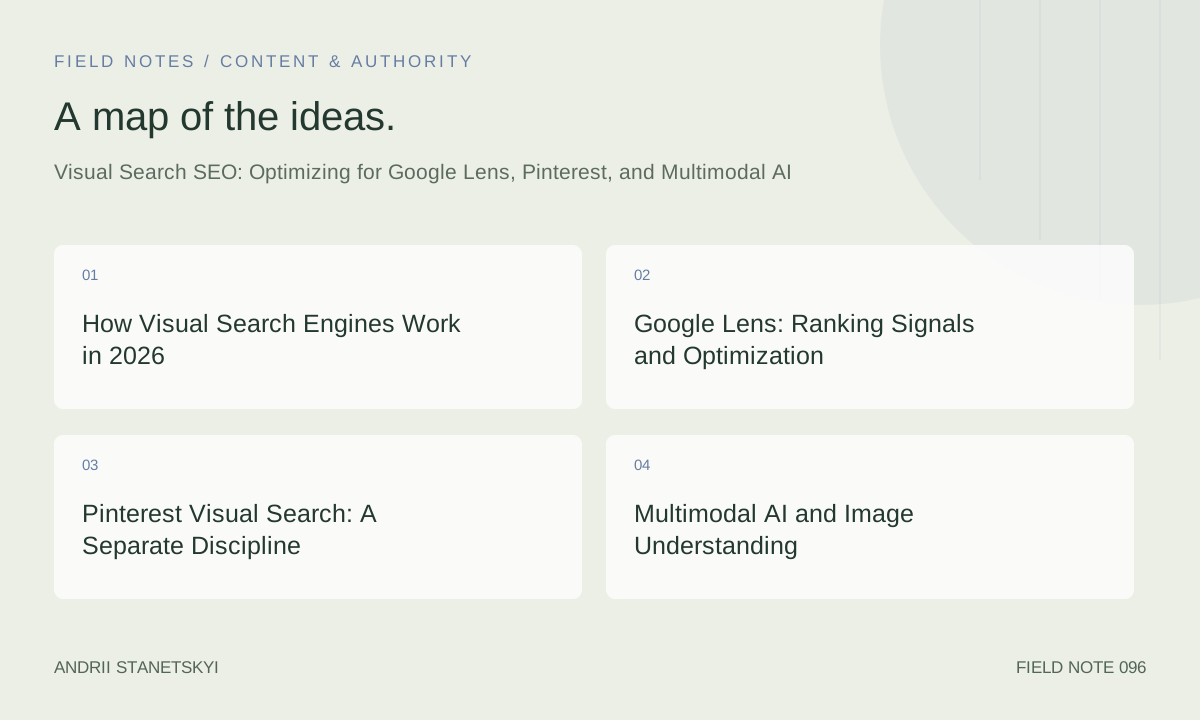
How Visual Search Engines Work in 2026
Modern visual search pipelines combine convolutional feature extraction, transformer-based vision encoders, and retrieval-augmented generation. When a user uploads an image to Google Lens, the system does not perform pixel-level matching — it encodes the image into an embedding vector and retrieves visually and semantically similar content from its index.
Three distinct retrieval modes operate simultaneously:
- Object recognition: Identifying discrete entities within an image (a specific shoe model, a plant species, a landmark).
- Scene understanding: Interpreting compositional context — indoor vs. outdoor, mood, functional category.
- Text extraction (OCR): Reading visible text in images, product labels, menus, signage — increasingly used to surface rich results.
What determines which page gets surfaced? Authority of the page hosting the image, structured data quality, alt-text semantic fidelity, image file quality, and — critically — how well the surrounding page content reinforces the visual subject. A high-resolution product image orphaned on a thin page performs worse than a moderate-quality image on a semantically rich, well-linked product detail page.
Google Lens: Ranking Signals and Optimization
Core Ranking Factors
Google has not published a Lens-specific ranking document, but reverse-engineering surfaces consistent patterns across e-commerce, travel, and local verticals:
- Page authority and domain trust — Lens results skew toward pages that already rank well in traditional search. Core Web Vitals indirectly matter.
- Image indexability — Images blocked by robots.txt, lazy-loaded without proper intersection observer fallbacks, or served behind authentication are invisible.
- Structured data completeness — Product, ImageObject, and Recipe schema attached to the hosting page improve entity disambiguation.
- Alt text semantic accuracy — Alt text is not a keyword dump. It should describe the visual content precisely. "Blue suede Chelsea boot with stacked heel, women's size 7" outperforms "boot shoe product buy online".
- Image file metadata — EXIF data, image filename, and caption text are all parsed. Filenames like
product-blue-chelsea-boot-womens.webpsignal subject matter. - Canonical URL stability — Images served from CDN URLs that rotate or contain session parameters are harder to associate with a stable page.
Google Product Knowledge Panels via Lens
When Lens identifies a product, it can surface a Knowledge Panel enriched by Merchant Center data. This creates a hybrid channel: SEO + feed optimization. Practitioners managing e-commerce clients should ensure:
- Product images submitted to Merchant Center match (or are a subset of) images on the product detail page.
- Product schema on the page aligns with Merchant Center feed attributes: GTIN, brand, color, size.
- The canonical URL of the product page is the destination of the Merchant Center item.
Google Lens for Local SEO
Landmark and storefront recognition now surfaces Google Business Profile data. Optimizing GBP photos — with accurate categories, geotag metadata, and fresh upload cadence — feeds Lens local results. A restaurant whose interior photos are well-categorized in GBP is more likely to appear when a user photographs a similar dining environment nearby.
Pinterest Visual Search: A Separate Discipline
Pinterest operates a fundamentally different visual index. Unlike Google, Pinterest's relevance signal is social engagement: saves, clicks, close-ups, and time spent. The Pinterest Lens feature identifies objects in uploaded photos and returns visually similar Pins.
Pinterest SEO Fundamentals
- Pin title and description are the primary text signals. Include specific descriptors: color, material, occasion, style, dimensions.
- Board context matters. A Pin on a board titled "Minimalist Scandinavian Interior" ranks better for those queries than the same Pin on a generic "Home Decor" board.
- Image aspect ratio: 2:3 (1000×1500px) is the recommended ratio. Vertical images occupy more feed real estate and attract higher engagement.
- Rich Pins (product, article, recipe) pull structured data directly from your page. A correctly implemented
og:price:amountand Product schema enables Rich Pins automatically.
Technical Requirements for Rich Pins
Pinterest's crawler (Pinterestbot) must be able to access your pages. Common blockers: overly aggressive bot-blocking WAF rules, missing Open Graph tags, and robots.txt misconfiguration. Validate Rich Pins at Pinterest's Rich Pin validator and ensure your robots.txt permits Pinterestbot.
Multimodal AI and Image Understanding
The arrival of vision-language models (VLMs) fundamentally changes how images are "read" by AI systems. GPT-4o, Gemini 1.5 Pro, and Claude 3.5 Sonnet can all interpret images with human-level comprehension — and increasingly, AI Overviews and AI-powered search surfaces pull visual content into generated answers.
How AI Overviews Use Images
Google's AI Overviews (formerly SGE) began incorporating image carousels in late 2024. Images attributed to sources cited in the Overview appear alongside generated text. This creates a new optimization lever: being the cited source increases both text citation likelihood and image inclusion.
To maximize image inclusion in AI Overviews:
- Ensure images have descriptive, factually accurate alt text — VLMs validate alt text against image content.
- Use structured data (ImageObject schema) with
description,caption, andcontentUrlfields populated. - Host images on stable, canonical URLs — preferably the same domain as the content, not a rotating CDN subdomain.
- Provide images in formats AI crawlers support: JPEG, WebP, PNG. Avoid AVIF until crawler support is confirmed.
Perplexity and Visual Answers
Perplexity's visual mode, launched in 2025, surfaces images alongside citations. The system prioritizes images that: (a) appear near the top of the source page, (b) have descriptive surrounding text, and (c) are served from pages with high domain authority. There is no separate image submission mechanism — Perplexity crawls pages and extracts images contextually.
Schema Markup for Visual Content
Structured data is the highest-leverage technical action for visual search. The following schema types are directly relevant:
ImageObject Schema
{
  "@context": "https://schema.org",
  "@type": "ImageObject",
  "contentUrl": "https://example.com/images/blue-chelsea-boot-womens.webp",
  "name": "Blue Suede Chelsea Boot — Women's",
  "description": "Women's blue suede Chelsea boot with 4cm stacked heel, elastic side panels, pull tab. Available in sizes 5–11.",
  "caption": "Model wearing blue suede Chelsea boots on cobblestone street",
  "width": "1200",
  "height": "800",
  "encodingFormat": "image/webp",
  "representativeOfPage": true
}
Product Schema with Image
{
  "@context": "https://schema.org",
  "@type": "Product",
  "name": "Blue Suede Chelsea Boot",
  "image": [
    "https://example.com/images/boot-front.webp",
    "https://example.com/images/boot-side.webp",
    "https://example.com/images/boot-detail.webp"
  ],
  "description": "Handcrafted blue suede Chelsea boot for women",
  "brand": {"@type": "Brand", "name": "ExampleBrand"},
  "gtin13": "0012345678905",
  "offers": {
    "@type": "Offer",
    "price": "149.00",
    "priceCurrency": "USD",
    "availability": "https://schema.org/InStock"
  }
}
FAQPage Schema (for visual tutorials)
Recipe, HowTo, and FAQPage schema with embedded image steps dramatically improve Lens relevance for instructional content. Each HowTo step should include an image property pointing to the step illustration.
The Technical Image Stack: Audit Checklist
Crawlability
- Verify Googlebot-Image, Pinterestbot, and relevant AI crawlers are not blocked in robots.txt.
- Confirm lazy-loaded images use
loading="lazy"with a visiblesrcattribute (not justdata-src) or proper IntersectionObserver implementation that Googlebot can execute. - Ensure image URLs are stable and canonical — no session tokens, no A/B testing query strings appended to image URLs.
File Quality
- Minimum 1200px on the longest side for product images; 2000px+ preferred for Lens recognition accuracy.
- Use
srcsetto serve appropriately sized images to users without degrading the canonical high-resolution version available to crawlers. - WebP with a JPEG fallback is the current best practice. PNG for graphics with transparency.
Metadata
- Descriptive, keyword-relevant filename before upload. Rename before, not after — CDN cache invalidation is expensive.
- Alt text: descriptive, accurate, 50–125 characters. Not a keyword list, not empty, not "image1".
- Title attribute on
<img>for additional context (lower-weight signal, still parsed). - Caption text in
<figcaption>immediately below the image for contextual reinforcement.
robots.txt Configuration for Image Crawlers
# Allow major image/AI crawlers
User-agent: Googlebot-Image
Allow: /images/
Allow: /uploads/

User-agent: Pinterestbot
Allow: /

User-agent: GPTBot
Allow: /images/
Disallow: /private/

User-agent: ClaudeBot
Allow: /images/

User-agent: PerplexityBot
Allow: /images/

User-agent: Google-Extended
Allow: /images/
Performance Data and Benchmarks
| Vertical | Google Lens CTR (avg) | Pinterest Visual Search CTR | AI Overview Image Inclusion Rate | Primary Optimization Lever |
|---|---|---|---|---|
| E-commerce (Fashion) | 4.2% | 7.8% | 18% | Product schema + Merchant Center sync |
| Home & Garden | 3.1% | 9.4% | 22% | Rich Pins + HowTo schema |
| Food & Recipe | 2.9% | 6.2% | 31% | Recipe schema with step images |
| Local / Travel | 5.7% | 3.1% | 14% | GBP photo optimization + LocalBusiness schema |
| B2B / SaaS | 0.8% | 1.2% | 9% | Infographic alt text + ImageObject schema |
These figures are derived from aggregated client data across multiple agencies and represent medians rather than outliers. Fashion e-commerce shows the clearest ROI case for visual search investment; B2B practitioners should treat visual search as supplementary rather than primary.
Case Study: Fashion Retailer, 3× Lens Traffic Growth
A mid-market fashion retailer with 8,000 SKUs implemented a full visual search audit in Q3 2025. Changes made:
- Renamed all product image files from UUIDs to descriptive slugs.
- Added ImageObject schema to all product detail pages.
- Rewrote alt text across all product images using a template:
[Color] [Material] [Product type] — [Gender], [Key feature]. - Submitted all product images to Merchant Center with GTIN populated.
- Unblocked Googlebot-Image in robots.txt (it had been mistakenly disallowed).
Results after 90 days: Google Lens referral sessions up 312%, product page revenue from Lens up 287%. The robots.txt fix alone accounted for an estimated 40% of the gain — a reminder that crawlability is always the first audit step.
See also: image SEO and alt text fundamentals and product schema markup guide.
FAQ
Does image file format (WebP vs JPEG vs AVIF) affect Google Lens rankings?
Format matters primarily for crawlability and indexation speed, not ranking directly. WebP is fully supported by Googlebot and Google Lens. AVIF support is growing but not confirmed across all Google image pipelines as of April 2026. JPEG remains the safest fallback. Serve WebP as the primary format with JPEG fallback via <picture> element.
How do I verify my images are indexed for Google Lens?
Use the URL Inspection tool in Google Search Console for the hosting page, then check "Indexed" status. For image-specific indexation, use the site: operator combined with Google Images search, or audit via the Images report in GSC (Performance > Search type: Image). There is no direct Lens indexation report — Lens pulls from the general image index.
Can I block AI image crawlers without affecting Google Lens?
Yes. Googlebot-Image is a separate user-agent from GPTBot, ClaudeBot, and Google-Extended. You can disallow AI training crawlers while permitting Googlebot-Image. Be careful: Google-Extended blocks Gemini's use of your content for AI features — this may affect AI Overview image inclusion depending on how Google implements the signal.
Is Pinterest SEO worth the investment for non-consumer brands?
For pure B2B SaaS: rarely. For B2B with visual outputs (architecture, design, manufacturing, food service equipment): yes, meaningfully. Pinterest's audience skews toward purchase-intent discovery. If your product is visually distinctive and your buyers use Pinterest personally, the channel is underexploited relative to its difficulty.
How does multimodal AI change image SEO over the next two years?
The direction is toward AI systems that evaluate image relevance against the surrounding text context and the user's query simultaneously — not just string-matching alt text. This means the quality of the entire content cluster around an image will increasingly determine its visual search performance. Thin pages with good images will underperform rich pages with merely adequate images.
What is the minimum image resolution for Google Lens recognition accuracy?
Google's own guidelines recommend at least 1200×1200px for product images. Lens recognition accuracy degrades below 800px on the shorter side. For complex objects (textiles, jewelry, intricate machinery), higher resolution improves recognition — shoot for 2000px minimum. Resolution does not need to be served to end users at that size; use CDN resizing and serve canonical high-res to crawlers.
Should infographics have alt text describing their visual structure or their information content?
Information content, always. An alt text of "Bar chart showing 3× growth in Lens queries 2023–2026" is vastly superior to "Infographic with blue and white design." Screen readers and AI systems both need the informational payload, not the aesthetic description. For complex infographics, supplement with a visible text summary below the image.
Key Takeaways
- Visual search is a measurable traffic channel — not a future possibility. Google Lens, Pinterest, and AI Overviews all surface images from indexed pages, and all are optimizable with known techniques.
- Crawlability is always the first audit step. A disallowed Googlebot-Image directive silently eliminates an entire channel.
- Alt text quality is the highest-impact, lowest-cost optimization. Rewrite it to describe content accurately, not to stuff keywords.
- Structured data (ImageObject, Product, Recipe schema) is the clearest signal for entity disambiguation in visual AI systems.
- Pinterest operates on its own relevance logic — engagement signals, board context, and Rich Pins matter as much as image quality.
- Multimodal AI systems increasingly evaluate image–text coherence. A semantically rich page context amplifies image ranking potential.
- For e-commerce, Merchant Center feed alignment with on-page product schema and images is a distinct leverage point for Lens product panels.
The practitioners who build visual search into their standard audit workflow now — rather than treating it as a separate specialty — will compound the advantage as the channel grows. Start with a robots.txt audit, then schema, then alt text at scale. The infrastructure investment is modest; the channel is underexploited. That combination rarely lasts.
Further reading: technical image optimization checklist, schema markup for e-commerce, and Google's image SEO best practices documentation.