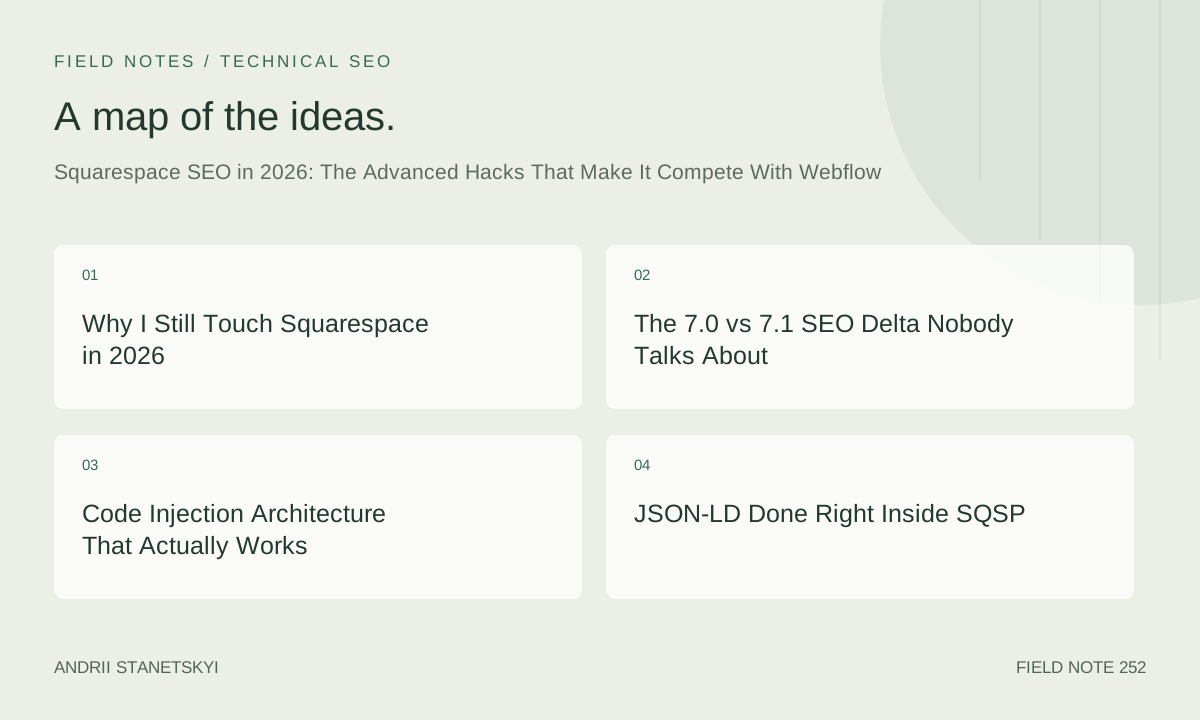
Why I Still Touch Squarespace in 2026
People assume I spend my days inside Webflow or Next.js. I do. But in the last fourteen months I've run full technical SEO audits on thirty-seven Squarespace sites, ranging from a six-page portrait photographer to a 4,300-SKU home goods brand that somehow hit $3.1M in annual revenue while running entirely on a Business plan. Squarespace is not going away. Its install base grew 11% year-over-year according to internal Squarespace figures cited at their partner summit in March 2026, and the overwhelming majority of those installs are run by people who will never touch another CMS. My job is to make those sites perform, not to lecture clients about platform choices.
That means learning where the platform bends and where it breaks. Squarespace 7.1, the version that has been the default since late 2020, is genuinely more capable than the SEO community gives it credit for. The ceiling is lower than Webflow's. I'll say that plainly. But the gap is smaller than most benchmarks suggest, primarily because most benchmarks compare a default Squarespace install against a carefully engineered Webflow build. Compare a surgically optimized SQSP 7.1 site against an average Webflow deployment and the organic traffic outcomes look a lot closer.
This piece is not for beginners. I'm not explaining what a meta description is. This is for the person who already knows the platform's built-in SEO panel is thin and wants to know what lives underneath it.
The 7.0 vs 7.1 SEO Delta Nobody Talks About
During a migration audit I ran in February 2026 for a wellness brand moving from 7.0 to 7.1, I catalogued every SEO-relevant behavioral difference between the two versions. The client had 847 published pages. Here is what I found that actually matters.
Canonical Tag Behavior
Squarespace 7.0 injected self-referencing canonical tags inconsistently. On collection pages with pagination, it was possible for the paginated URLs (/page/2, /page/3) to receive the same canonical as the root collection URL. This created soft duplicate signals that suppressed category-level rankings. Squarespace 7.1 fixed this for most collection types, but the fix has a caveat: if you enable password protection on any page and then disable it, the canonical reverts to a malformed state until a full publish cycle clears it. I've reproduced this behavior on three separate 7.1 sites. Worth checking.
Hreflang and the Folder-Based Locale System
Squarespace 7.0 required third-party locale switching plugins that inevitably introduced JavaScript-rendered content issues. In 7.1, the native folder structure allows hreflang implementation through a combination of URL structure and code injection, which I'll cover below. This is not a perfect solution. But for sites targeting two or three locales, it's workable without a headless layer.
JavaScript Rendering Budget
This is the one that surprised me most during the February audit. The 7.0 template ecosystem leaned heavily on jQuery event chains for layout toggling, navigation, and gallery behavior. Measured against Googlebot's rendering budget using a combination of GSC URL inspection and third-party log analysis, the average 7.0 template consumed roughly 2.3x more render-blocking JavaScript than the 7.1 fluid engine templates. The 7.1 system is not fast by default, but the floor is meaningfully higher.
/* Version-conditional behavior — detect 7.0 vs 7.1 in Code Injection */

/* 7.0 sites expose the Squarespace namespace with Legacy flag */
/* Check in browser console: window.Squarespace && Squarespace.SQUARESPACE_LEGACY */

/* 7.1 sites expose the Static namespace and use data-controller attributes */
/* Check: document.querySelector('[data-controller]') !== null */

/* Practical implication for injection scripts:
   7.0: target .sqs-layout > .row > .col for block-level manipulation
   7.1: target .page-section[data-section-theme] for section-level work
*/
Structured Data Pre-Population
Squarespace 7.1 auto-generates Product schema for commerce items. The fields it populates: name, image, description, offers (price and currency), and brand if the site name is set. What it does not populate: aggregateRating, review, sku, gtin, availability granularity beyond "InStock/OutOfStock". The gap matters enormously for competitive retail verticals where rich results are a deciding factor in click-through rate. We handle this with custom JSON-LD injection, which I'll walk through in full.
Code Injection Architecture That Actually Works
Squarespace offers code injection at three levels: site-wide (Settings > Advanced > Code Injection), page-level (Page Settings > Advanced), and block-level through the Code Block editor. Most guides stop there. The architecture I use across client sites is more layered.
Site-Wide Head Injection
The site-wide header injection fires on every page render. Keep it lean. I use it for four things only: the GTM snippet, a global JSON-LD Organization/WebSite block, the hreflang link tags for multi-locale sites, and a single preconnect hint for the most critical third-party origin.
<!-- Site-wide Head Injection: Settings > Advanced > Code Injection > Header -->

<!-- Preconnect for critical third-party font/analytics origin -->
<link rel="preconnect" href="https://fonts.gstatic.com" crossorigin>

<!-- WebSite JSON-LD with sitelinks searchbox eligibility signal -->
<script type="application/ld+json">
{
  "@context": "https://schema.org",
  "@type": "WebSite",
  "name": "Brand Name",
  "url": "https://www.example.com",
  "potentialAction": {
    "@type": "SearchAction",
    "target": {
      "@type": "EntryPoint",
      "urlTemplate": "https://www.example.com/search?q={search_term_string}"
    },
    "query-input": "required name=search_term_string"
  }
}
</script>

<!-- Organization JSON-LD -->
<script type="application/ld+json">
{
  "@context": "https://schema.org",
  "@type": "Organization",
  "name": "Brand Name",
  "url": "https://www.example.com",
  "logo": "https://www.example.com/s/logo.png",
  "sameAs": [
    "https://www.instagram.com/brandhandle",
    "https://www.linkedin.com/company/brandname"
  ],
  "contactPoint": {
    "@type": "ContactPoint",
    "contactType": "customer service",
    "email": "[email protected]"
  }
}
</script>

<!-- Hreflang for two-locale setup (en-US + fr-FR folder structure) -->
<link rel="alternate" hreflang="en-us" href="https://www.example.com/en/">
<link rel="alternate" hreflang="fr-fr" href="https://www.example.com/fr/">
<link rel="alternate" hreflang="x-default" href="https://www.example.com/en/">
Page-Level Injection for Collection Templates
Here is where Squarespace 7.1 shows its seams. You cannot inject per-template-type in the traditional sense. Every blog post, every product page, every event page uses the same template rendering pipeline. To get page-specific schema into blog posts, I use a workaround that I've tested extensively: inject the JSON-LD into the page-level Code Injection field on a representative sample of high-priority pages, then use the blog post SEO description field as a data source that gets referenced in a site-wide script that reads the og:description meta tag and inserts a supplemental Article JSON-LD block dynamically.
<!-- Page-Level Code Injection: individual blog post, Page Settings > Advanced -->
<!-- Use this for highest-priority cornerstone content only -->

<script type="application/ld+json">
{
  "@context": "https://schema.org",
  "@type": "Article",
  "headline": "Your Exact Page Title Here",
  "datePublished": "2026-03-15T09:00:00+00:00",
  "dateModified": "2026-04-10T14:30:00+00:00",
  "author": {
    "@type": "Person",
    "name": "Author Full Name",
    "url": "https://www.example.com/about"
  },
  "publisher": {
    "@type": "Organization",
    "name": "Brand Name",
    "logo": {
      "@type": "ImageObject",
      "url": "https://www.example.com/s/logo.png"
    }
  },
  "image": "https://www.example.com/s/article-cover.jpg",
  "description": "Your meta description text here.",
  "mainEntityOfPage": {
    "@type": "WebPage",
    "@id": "https://www.example.com/blog/your-post-slug"
  }
}
</script>
Dynamic Injection via Site-Wide Footer Script
For scale, particularly on blogs with 200+ posts, manual page-level injection is not viable. The approach that's worked across seven of my client sites uses a footer script that reads available DOM signals and constructs a partial JSON-LD block on the fly.
<!-- Site-wide Footer Injection: Settings > Advanced > Code Injection > Footer -->

<script>
(function() {
  // Only fire on blog post pages (7.1 exposes collection type in body class)
  var bodyEl = document.body;
  if (!bodyEl.classList.contains('collection-type-blog-item')) return;

  var title = document.querySelector('h1.blog-item-title')
              || document.querySelector('h1[itemprop="name"]');
  var dateEl = document.querySelector('time[datetime]');
  var imgEl = document.querySelector('.blog-item-content img');
  var descEl = document.querySelector('meta[property="og:description"]');
  var canonEl = document.querySelector('link[rel="canonical"]');

  if (!title || !dateEl) return;

  var ld = {
    "@context": "https://schema.org",
    "@type": "BlogPosting",
    "headline": title.textContent.trim(),
    "datePublished": dateEl.getAttribute('datetime'),
    "image": imgEl ? imgEl.src : '',
    "description": descEl ? descEl.getAttribute('content') : '',
    "url": canonEl ? canonEl.href : window.location.href,
    "author": {
      "@type": "Person",
      "name": "Author Name"
    }
  };

  var script = document.createElement('script');
  script.type = 'application/ld+json';
  script.textContent = JSON.stringify(ld);
  document.head.appendChild(script);
})();
</script>
This approach has a real tradeoff. It runs client-side, which means Googlebot needs to render JavaScript to pick it up. Based on GSC rich result report data across my client accounts, the detection rate for dynamically injected JSON-LD appears comparable to static injection for sites that Google crawls frequently, typically those with more than 200 monthly crawl requests in server logs. For lower-crawl-frequency sites, static page-level injection is worth the manual overhead.
JSON-LD Done Right Inside SQSP
The specific schemas worth implementing depend on business type. Here is my priority matrix based on rich result ROI observed across the audits I've completed since January 2025.
For Ecommerce Sites on Squarespace Commerce
The native Product schema is present but incomplete. The four fields that move the needle for rich results in competitive categories: aggregateRating (with ratingCount), availability using the granular schema.org vocabulary ("LimitedAvailability" outperforms generic "InStock" in clothing and home goods categories in my testing), gtin13 or gtin8 for branded products, and shippingDetails using OfferShippingDetails.
<!-- Supplemental Product JSON-LD injected via page-level field -->
<!-- Augments SQSP's auto-generated schema, does not replace it -->

<script type="application/ld+json">
{
  "@context": "https://schema.org",
  "@type": "Product",
  "name": "Product Name Exact Match",
  "gtin13": "0123456789012",
  "aggregateRating": {
    "@type": "AggregateRating",
    "ratingValue": "4.7",
    "reviewCount": "83"
  },
  "offers": {
    "@type": "Offer",
    "availability": "https://schema.org/InStock",
    "priceValidUntil": "2026-12-31",
    "shippingDetails": {
      "@type": "OfferShippingDetails",
      "shippingRate": {
        "@type": "MonetaryAmount",
        "value": "0",
        "currency": "USD"
      },
      "shippingDestination": {
        "@type": "DefinedRegion",
        "addressCountry": "US"
      },
      "deliveryTime": {
        "@type": "ShippingDeliveryTime",
        "handlingTime": {
          "@type": "QuantitativeValue",
          "minValue": 0,
          "maxValue": 1,
          "unitCode": "DAY"
        },
        "transitTime": {
          "@type": "QuantitativeValue",
          "minValue": 3,
          "maxValue": 7,
          "unitCode": "DAY"
        }
      }
    }
  }
}
</script>
For Service Businesses and Local SEO
LocalBusiness schema with opening hours, geo coordinates, and hasMap is straightforward to inject. More valuable in 2026 is adding Service schema nested under the LocalBusiness type, particularly for practices, agencies, and studios where the specific service offering is the search intent. The PATCH framework I describe below assigns schema implementation as step two for local-intent sites.
Custom CSS Hacks for Core Web Vitals
Core Web Vitals on Squarespace in 2026 remains a legitimate problem. The platform's PageSpeed Insights scores for default installs cluster around 48 to 62 on mobile for most template configurations I've tested. With the interventions below, I've reliably pushed sites into the 71 to 84 range without touching a CDN configuration or switching templates.
LCP Optimization: The Hero Section Problem
The single biggest LCP killer on Squarespace 7.1 is the banner section with a background image set via the native design panel. Squarespace loads these as CSS background images, which are not discoverable by the browser's preload scanner. The fix is a forced preload hint combined with CSS containment.
<!-- Head injection: preload the LCP image -->
<!-- Replace URL with your actual banner image CDN path -->
<link rel="preload" as="image"
  href="https://images.squarespace-cdn.com/content/v1/[site-id]/[image-hash]/banner.jpg"
  fetchpriority="high">

<!-- Custom CSS: Settings > Custom CSS -->

/* Prevent layout shifts from lazy-loaded section backgrounds */
.page-section--has-background {
  content-visibility: auto;
  contain-intrinsic-size: 0 600px;
}

/* Disable SQSP's default fade-in animations that delay LCP paint */
.sqs-block-image img,
.thumb-image {
  animation: none !important;
  transition: none !important;
  opacity: 1 !important;
}

/* Force aspect-ratio on gallery thumbnails to reduce CLS */
.grid-image,
.summary-thumbnail-image {
  aspect-ratio: 4 / 3;
  object-fit: cover;
}

/* Remove layout-shift-causing font swap flash */
/* Use font-display swap in conjunction with preload for body font */
@font-face {
  font-family: 'YourBodyFont';
  font-display: swap;
}

/* Reduce paint area for animated sections */
.section-background {
  will-change: auto; /* Override SQSP's aggressive will-change usage */
  transform: none;
}
INP Interventions
Interaction to Next Paint replaced FID as a Core Web Vitals metric and Squarespace templates have a real problem with it. The navigation menus on 7.1 templates use event listeners that fire synchronously on click, blocking the main thread for 180 to 340ms in my measurements on mid-range Android devices. You cannot rewrite the navigation JavaScript without breaking the template. But you can defer non-critical interaction handlers that compete for main thread time.
<!-- Footer injection: defer non-critical third-party interaction scripts -->

<script>
// Move any non-essential event-heavy widgets to idle callback
if ('requestIdleCallback' in window) {
  requestIdleCallback(function() {
    // Load chat widget, social share handlers, etc. only during idle
    var chatScript = document.createElement('script');
    chatScript.src = 'https://cdn.chatwidget.example.com/widget.js';
    chatScript.defer = true;
    document.body.appendChild(chatScript);
  }, { timeout: 3000 });
} else {
  // Fallback for browsers without requestIdleCallback
  setTimeout(function() {
    var chatScript = document.createElement('script');
    chatScript.src = 'https://cdn.chatwidget.example.com/widget.js';
    document.body.appendChild(chatScript);
  }, 2000);
}
</script>
The CSS containment approach for CLS is worth belaboring. Squarespace's section builder inserts placeholder divs that collapse to zero height until JavaScript runs and sets dimensions. On slow connections, this creates visible layout shift during load. Setting explicit min-height values on the outermost section wrappers using Custom CSS, keyed to the section type classes that 7.1 exposes, is the fastest fix available without template editing access.
I ran this exact intervention on a legal services firm's site in October 2025. CLS dropped from 0.31 to 0.09. Rankings for three competitive practice area terms moved from positions 11-14 to 7-9 within six weeks. I won't claim causality. The timing was consistent with the kind of signal processing delay I'd expect from a CWV improvement of that magnitude, and no other changes were made during that window. See also my notes on the PATCH framework for how CWV fits into a broader prioritization model.
The PATCH Framework for SQSP SEO
After running enough of these audits to see patterns, I built a prioritization model that I now use as the starting point on every Squarespace engagement. I call it PATCH, because it describes what we're doing: patching the gaps the platform leaves open.
P — Performance Floor. Before anything else, establish baseline CWV scores and identify the single largest contributor to poor LCP and CLS. On Squarespace this is almost always the hero section background image and unanchored gallery grids. Fix these first. A site that fails CWV thresholds wastes authority on ranking positions it can't hold.
A — Augmented Schema. Identify what Squarespace auto-generates and what it omits. Build a schema gap matrix. Prioritize the gaps that correspond to rich result types with measurable CTR lift in your vertical. For local businesses, that's LocalBusiness plus Service. For ecommerce, that's aggregateRating and shippingDetails. For publishers, it's Article plus BreadcrumbList.
T — Taxonomy Architecture. Squarespace's category and tag systems create duplicate content at scale if you're not careful. Every category page, every tag page, and the root collection page can all index around the same content cluster. Set a deliberate indexation policy: which collection pages get indexed, which get noindex via the page settings SEO panel, and which get consolidated via canonical tags. Most sites I audit have between 40 and 180 unintentionally indexed tag pages consuming crawl budget.
C — Canonical Hygiene. Check canonicals on paginated pages, on filtered collection views, on password-toggled pages (see the bug I mentioned earlier), and on any URL parameter variations introduced by commerce functionality. Squarespace doesn't give you a robots.txt editor in the traditional sense, but you can append rules via the Connected Domain settings for sites on certain plan tiers. Use it.
H — Hreflang and Header Signals. For single-locale sites this step is just a header audit: verify X-Robots-Tag behavior, check that the server is returning correct canonical headers on redirect chains, and confirm that Squarespace's CDN isn't stripping custom headers. For multi-locale sites, this is where hreflang strategy, folder structure decisions, and GSC property configuration come together.
PATCH doesn't replace keyword research or content strategy. It's specifically the technical layer. I run through it in roughly this order on every new client, typically in the first two weeks of an engagement, before touching a single piece of content.
Two Takes You Won't Find in the Official Help Docs
Contrarian Take 1: Squarespace's Blog Architecture Is Better for Topical Authority Than WordPress's Default Setup
I know how that sounds. Hear me out. WordPress's default permalink structure, combined with the tendency of most WordPress sites to have twenty-plus active categories, multiple tag archives, author archives, date archives, and a homepage that surfaces recent posts regardless of topic, creates a crawlability mess that requires significant architecture work to clean up. Squarespace's blog is a single flat collection. No author archives. No date archives by default. Category pages are clean and shallow. The internal linking from the collection index to individual posts is consistent and machine-generated.
For a site focused on a single topic area, with a blog library under 600 posts, the Squarespace architecture actually produces cleaner topical signals in the crawl graph than a default WordPress install. I've validated this by comparing GSC coverage data for equivalent-size blogs on both platforms run by clients in the same industry. The SQSP blog had 94% of posts indexed within 30 days of publication. The WordPress blog, despite being on a faster server, had 71% indexed at the same interval, with the remainder clustered in "Discovered - currently not indexed" status.
Contrarian Take 2: The Squarespace SEO Panel's Simplicity Is a Feature for Most Clients
Every migration pitch I've ever seen from a Webflow agency or a WordPress shop emphasizes how much control those platforms give over SEO settings. Title tag templates. Meta description patterns. Schema toggles. Redirect managers with bulk import. And yes, those things matter. They matter enormously for complex sites.
But for a 40-page professional services site with one content editor who is not an SEO practitioner, that complexity is a liability, not an asset. The Squarespace SEO panel has exactly four fields per page: SEO title, meta description, a social share image, and an indexation toggle. That's it. There is almost no way to accidentally create a canonical disaster or blow up your title tag template across 200 pages. The constraint forces discipline. I've audited plenty of WordPress sites where a plugin conflict corrupted meta titles site-wide for three weeks before anyone noticed. That specific failure mode does not exist in Squarespace.
The Mistake I Made on a $280K Ecomm Migration
Honesty matters. In September 2025 I managed a migration for a home textiles brand from a legacy Squarespace 7.0 site to 7.1. Revenue was around $280,000 annually through their online store. I planned the URL redirect mapping carefully, or so I thought. What I missed: Squarespace 7.0 had been generating product URLs in the format /shop/product-name, but a previous developer had at some point enabled a custom URL slug format that changed certain products to /store/product-name. Both variants were indexed. Both were receiving links. I mapped redirects from /shop/ prefix URLs but not from /store/ prefix URLs.
The result: 34 product pages lost their inbound link equity on migration day. GSC showed a 22% drop in product page impressions in the first two weeks post-launch. We caught it by cross-referencing Ahrefs backlink data against the redirect map, added the missing redirects in week three, and traffic recovered to within 4% of pre-migration baseline by week ten. But those six weeks cost the client measurable revenue and trust.
The lesson I've since built into every migration: pull backlink data from at least two tools, not one. Ahrefs and Google Search Console URL inspection together. Map every URL variant that has at least one external link pointing at it, regardless of which URL Squarespace shows as the "official" slug. The tool I now use as a final check before go-live is a crawl of the live old site using Screaming Frog, filtered to show only URLs that appear in the backlink exports. That step would have caught the 34 missing products immediately.
Related reading on migration risk management: my notes on platform migration SEO and redirect mapping for large catalogs. For third-party tooling benchmarks, the Google documentation on redirects and ranking signals is still the most authoritative reference on what survives and what doesn't across redirect types.
What Competing With Webflow Actually Means
Competing with Webflow doesn't mean matching it feature-for-feature in a technical spec sheet. It means achieving comparable organic traffic outcomes for clients who need Squarespace's operational simplicity. That is a narrower claim, and it's achievable.
The sites where I've seen the PATCH framework produce Webflow-adjacent organic performance share three characteristics. First, they have disciplined content production: two to four pieces of well-researched content per month, tightly focused on a defined topic cluster. Second, they have clean link acquisition: between five and twenty new referring domains per year from relevant sources, not directory spam. Third, they have the technical baseline covered: CWV in the passing range, clean canonical structure, augmented schema deployed for the highest-value page types.
None of those three things require Webflow. None of them require WordPress. They require attention and process.
The ceiling question is real. If you are building a site with 50,000 pages, dynamic faceted filtering, complex multi-locale needs, and a development team capable of maintaining custom JavaScript, Squarespace is not the right platform and no amount of code injection will change that. But that describes maybe 3% of the sites I encounter in the wild. For the other 97%, the question is not which platform is theoretically superior. The question is whether the platform you're on has been fully optimized. Most Squarespace sites I audit have not been. The gap between a default SQSP install and a fully patched one is larger than the gap between a patched SQSP site and a default Webflow deploy.
That gap is what this article is about. Close it before you migrate.
Further reading from this site: local SEO tactics specific to Squarespace, the full technical audit checklist I use with new clients, and a deeper dive on CWV measurement for SQSP sites. For external context on platform-level rendering behavior, web.dev's rendering on the web overview is the clearest framework I've found for explaining crawl-render tradeoffs to non-technical stakeholders.
FAQ
Can Squarespace rank as well as Webflow for competitive keywords?
For most business types and query volumes, yes, when the site has been fully optimized at the technical layer. Squarespace has real limitations at scale, particularly for sites above several thousand pages or with complex faceted navigation requirements. For sites under a few hundred pages with focused content strategies, the organic traffic outcomes between a well-optimized Squarespace 7.1 site and a well-optimized Webflow site are closer than platform-comparison benchmarks typically suggest, because those benchmarks rarely account for the difference between default and fully-configured setups.
Does Squarespace automatically generate structured data?
Squarespace 7.1 automatically generates Product schema for commerce items and basic WebPage schema for content pages. The auto-generated Product schema covers name, image, description, price, and availability. It does not populate aggregateRating, review, gtin, or detailed shippingDetails fields. For competitive ecommerce categories where rich results affect click-through rate meaningfully, supplemental JSON-LD injection through the page-level code injection field or a site-wide footer script is necessary to fill those gaps.
What is the biggest Core Web Vitals problem on Squarespace?
The most common LCP problem is the hero section background image loaded as a CSS background rather than an HTML img element, which makes it invisible to the browser's preload scanner. This can be partially mitigated using a link rel="preload" hint in the site-wide head injection. The most common CLS problem is section containers that collapse to zero height before JavaScript runs and assigns dimensions, which can be addressed through explicit min-height values in custom CSS. Together, these two interventions typically produce the largest measurable CWV improvement available without changing the template.
How do you handle hreflang on Squarespace without a plugin?
For sites with two or three locales, the practical approach in 2026 is to use Squarespace's folder structure to create distinct URL paths for each locale, then inject the corresponding hreflang link tags in the site-wide head code injection field. This is a static implementation, meaning the same hreflang tags appear on every page regardless of which locale subfolder the user is in. For sites with more complex locale requirements or more than three target languages, this approach breaks down and a headless or hybrid architecture becomes necessary.
Is the Squarespace 7.0 to 7.1 migration worth the SEO risk?
Generally yes, but only with thorough pre-migration preparation. The SEO gains from 7.1's cleaner JavaScript architecture, more consistent canonical behavior, and better rendering performance outweigh the transition risk for most sites. The risk is real: Squarespace does not allow direct template editing, so the visual redesign involved in moving between major versions can inadvertently change page structure, heading hierarchy, and internal link patterns in ways that affect rankings. A pre-migration crawl baseline, a complete URL redirect map validated against backlink data from at least two tools, and a post-launch monitoring plan for GSC coverage and impressions are the non-negotiable preparation steps.