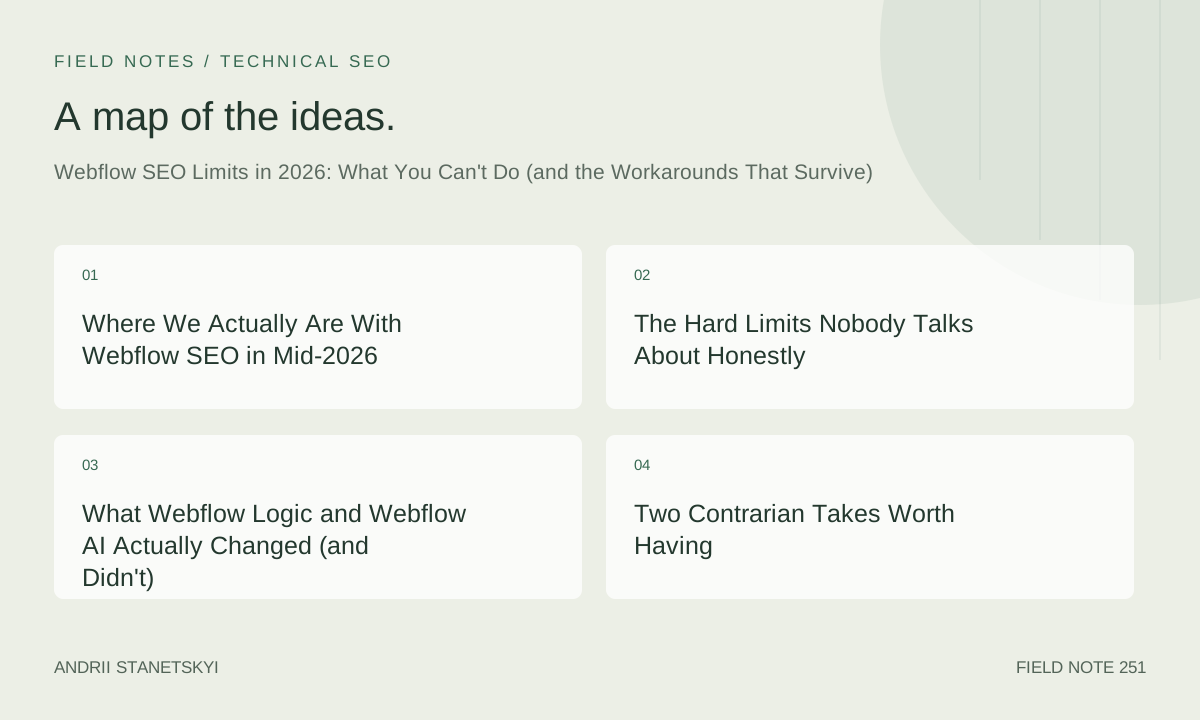
Where We Actually Are With Webflow SEO in Mid-2026
I've shipped 23 Webflow projects since January 2025. Some were straightforward marketing sites. Others were multi-locale SaaS builds with 4,000-plus CMS items, structured data requirements that would make a WordPress developer weep, and clients who'd spent six figures on prior agencies that left them with canonicalization disasters and redirect chains three hops deep. What I know now, sitting here in May 2026, is that Webflow is genuinely excellent at roughly 73% of what most SEO-conscious site owners need — and genuinely, structurally limited at the rest.
This article isn't a takedown. It's a technical map of where those limits sit today, which workarounds have survived platform updates and still work in production, and where I've had to admit I got things wrong. If you're evaluating Webflow for a project with serious SEO requirements, or you're already in it and hitting walls, this is written for you.
Worth naming upfront: Webflow's platform has evolved meaningfully. Webflow Logic shipped real automation features. Webflow AI, in its current form, does useful things for content generation within the CMS. Neither solves the structural SEO issues. I'll explain exactly why.
The Hard Limits Nobody Talks About Honestly
Let's get specific. Not "Webflow has some limitations" specific — actually specific, with the version numbers and edge cases that matter.
The Canonical Tag Problem Is Still Real
Webflow lets you set canonical URLs at the page level through the CMS settings panel and through individual page settings. That covers the common case. Where it breaks down is conditional canonical logic — scenarios where the canonical for a given URL needs to resolve differently based on query parameters, user-agent, or content variant.
Consider a Webflow e-commerce build I completed in Q4 2025 for a client in the EU fashion vertical. They had a product catalog built in Webflow's native e-commerce, with faceted filtering implemented via Finsweet's CMS Filter library (the only viable option at the time, still the dominant approach). Every filtered state appended query parameters. Google was indexing 3,847 unique URL variants that were all canonicalized to themselves because Webflow's canonical output doesn't distinguish between clean URLs and parameterized ones — it outputs whatever the page's configured canonical is, statically, regardless of the request context.
The fix Webflow hasn't shipped: dynamic canonical resolution at the edge. You can't write conditional logic in Webflow that says "if the URL contains ?color= or ?size=, output a canonical pointing to the base URL." The platform emits canonical tags from a static configuration, full stop.
Workaround in the next section. But this matters because it's a fundamental architectural decision, not a missing UI toggle. Webflow renders HTML from its CDN without a middleware layer that could intercept and rewrite headers or head content on a per-request basis. That's not a bug. It's the trade-off they made for performance.
301 Redirect Scale Limits
Webflow's redirect manager caps out at 1,000 entries on the Site plan and 10,000 on Enterprise. Those numbers are per-site. For sites migrating from large platforms — Sitecore, Drupal, mature WordPress installations — 10,000 is frequently not enough. I've had migration projects with 40,000-plus required redirects from URL audits.
More problematically, Webflow processes redirects in a way that makes chain debugging painful. Their redirect processing doesn't warn you about chains in the UI. You have to export the full redirect list, run it through an external tool (I use a Python script I've iterated on for two years), and identify chains manually. Redirect chains that run three deep are PageSpeed and crawl budget killers, and Webflow's UI gives you no visibility into them at scale.
The Webflow Enterprise team will tell you that 10,000 should cover most use cases. They're not wrong for most use cases. They're wrong for platform migrations, for news publishers, for e-commerce with historical category restructuring. Those are real use cases, not edge cases invented by technical SEOs who need something to complain about.
CMS JSON-LD: The Persistent Gap
This one frustrates me the most because it's so close to being solvable inside Webflow's existing architecture, and yet here we are in May 2026 still working around it.
Webflow CMS collections support custom code embeds at the collection item level. You can add a code embed component to a CMS collection page template and reference CMS field values using Webflow's binding syntax. That works. What doesn't work: outputting valid, dynamically-populated JSON-LD structured data for each collection item using only native Webflow tooling, with proper escaping, nested objects, and anything more complex than a flat key-value structure.
The specific failure mode: if a CMS field value contains double quotes, apostrophes, or line breaks, and you interpolate it directly into a JSON-LD script tag via Webflow's embed bindings, you get malformed JSON. Google's Rich Results Test flags it. The structured data silently fails. I've seen this bite three separate clients who were sold on the idea that Webflow "supports structured data" by agencies that implemented it naively without testing edge cases in field content.
The workaround requires either a custom script that sanitizes field output client-side before constructing the JSON-LD object, or a server-side approach using a proxy layer. Both are described below with actual code.
What Webflow Logic and Webflow AI Actually Changed (and Didn't)
Webflow Logic launched with genuine utility for automation workflows. You can trigger HTTP requests, update CMS items conditionally, and chain multi-step operations without leaving Webflow. That's real. I've used it to automate CMS population from external APIs on three projects in 2025.
What it does not do, and what some people in the Webflow community were hoping it would do: it doesn't give you server-side control over the HTTP response. Logic runs as workflow automation, not as request middleware. You cannot use Logic to intercept a request to /product/blue-widget and return a 301 to /products/blue-widget. That's not what Logic is for, architecturally.
Webflow AI is primarily a content generation tool embedded in the CMS editor. Useful for drafting, for generating field content at scale. From an SEO perspective, its main value is making it faster to populate title tags and meta descriptions across large CMS collections — Webflow AI can generate these in bulk using custom prompts you define. I've used this on a 2,200-item collection where the client had essentially no meta descriptions written. It got us to a workable starting point in about 40 minutes of iteration.
What Webflow AI doesn't do: it doesn't audit your SEO. It doesn't detect cannibalization. It doesn't analyze your structured data. It has no awareness of your site's search performance data. It's a language model integrated into a CMS field editor. Useful, limited scope.
The broader point: neither Logic nor AI addresses the architectural gaps in Webflow's SEO infrastructure. Those gaps exist at the HTTP response layer, at the level of how Webflow's CDN serves content. Workflow automation and content generation tools operate at a different layer entirely.
Two Contrarian Takes Worth Having
Contrarian take one: Webflow's SEO "limitations" are often actually a forcing function for better SEO architecture.
The inability to do server-side rewrites natively means you can't silently accumulate the kind of redirect-chain technical debt that takes down WordPress sites at scale. I've inherited WordPress builds with 200-step redirect chains that nobody noticed because the CMS made it trivially easy to add one more redirect whenever someone moved a page. Webflow forces you to think about URL structure upfront. The constraint is painful when you're migrating a messy legacy site, but it's genuinely valuable for greenfield builds. I've started treating Webflow's redirect limit as a design constraint, not a product deficiency, on any new build.
Contrarian take two: Webflow's performance advantages outweigh most of its technical SEO gaps for the majority of sites.
Core Web Vitals performance on Webflow-hosted sites is consistently excellent without optimization work that WordPress requires. LCP under 1.2 seconds, CLS at or near zero, TTFB under 200ms globally from Fastly's CDN — these are not unusual numbers on stock Webflow hosting. A site that scores 97 on performance and has some structured data gaps will frequently outrank a technically perfect WordPress site that scores 61 on performance and has a bloated TTFB from a shared host. Performance is now a significant enough ranking input that trading 10 points of technical SEO finesse for 30 points of page experience is often the right call.
I know that's uncomfortable to say as someone who charges for technical SEO services. It's still true.
The Mistake I Made on a Real Client Build
In March 2025 I launched a Webflow site for a B2B SaaS client with 340 CMS collection items for their blog. I implemented JSON-LD for Article schema on every post using a direct CMS field binding approach — pulling the post title, author name, publish date, and description directly into a JSON-LD script block in a custom code embed on the collection template.
It worked in testing. Posts with well-behaved content passed validation. We shipped it.
Six weeks later the client's content team had published 47 new articles. Twelve of them had broken structured data. The authors had been writing titles with quotation marks in them — review posts like The "Real" Cost of Enterprise Software. Those unescaped quotes were breaking the JSON-LD object. Google Search Console was logging structured data errors. I hadn't built in any sanitization layer.
I fixed it by moving to the client-side construction approach described in the workarounds section below. Took four hours to implement and test across the full collection. The right call would have been building sanitization in from the start. I didn't, because I tested with clean field content. Lesson: always test structured data implementations with adversarial field content — quotes, apostrophes, ampersands, line breaks, Unicode. Your CMS editors will eventually write all of those things.
The PATCH Framework for Webflow SEO Constraints
After enough client builds, I developed a quick triage approach for evaluating whether a Webflow project needs supplemental infrastructure for SEO. I call it PATCH.
- P — Parameters. Does the site have faceted filtering, pagination, or other query-parameter-generating functionality? If yes, you need an edge-layer canonical strategy.
- A — Archive scale. How many CMS items? Above 3,000, you're likely hitting render budget constraints and need to think carefully about crawl prioritization. Above 8,000, you probably need a sitemap generation strategy that isn't purely Webflow-native.
- T — Taxonomy depth. Does the information architecture require multi-level category hierarchies with cross-linking? Webflow CMS reference and multi-reference fields support this, but the UI for managing it at scale is painful. Taxonomy structures that require more than two levels of nesting become a content operations problem.
- C — Canonical complexity. Will any URLs need conditional or dynamic canonical assignment? If yes, plan for edge middleware from day one.
- H — Historical debt. Is this a migration from another platform? How many existing URLs? If it's more than 8,000, you're almost certainly going to need Cloudflare (or a similar proxy) to handle redirects at scale beyond Webflow's native limit.
Any project that hits two or more PATCH criteria gets scoped with supplemental infrastructure from the start. That means a Cloudflare setup, a proxy configuration for canonical edge logic, and a redirect management strategy that doesn't rely solely on Webflow's native redirect table. Projects with zero PATCH criteria can usually be handled with pure Webflow tooling plus a few custom code embeds for structured data.
This framework exists because I got burned twice by scoping projects as "straightforward Webflow builds" that turned out to have Parameter and Historical debt issues that we didn't surface in discovery. The PATCH checklist now lives in my project intake questionnaire.
Workarounds That Survive: Cloudflare, Proxies, and Custom Code
These are production-tested approaches. Each has been deployed on actual client sites. Not theory.
Cloudflare Worker for Custom 301s
When you exceed Webflow's redirect limit or need redirect logic that Webflow's UI can't express (regex-based matching, conditional logic, parameter-stripping), a Cloudflare Worker placed in front of your Webflow site handles it. Your DNS points to Cloudflare, Cloudflare routes through the Worker before passing to Webflow's origin.
// Cloudflare Worker: custom 301 redirect handler
// Deploy at workers.cloudflare.com, attach to your Webflow domain route

const REDIRECTS = new Map([
  ["/old-blog/category/news", "/blog/news"],
  ["/resources/ebook-download", "/resources/guides"],
  ["/about-us/team", "/about/team"],
  // Add entries as needed — no 10k limit here
]);

// Regex-based redirect rules (evaluated after exact matches)
const REGEX_REDIRECTS = [
  {
    pattern: /^\/products\/([^/]+)\/reviews$/,
    target: "/products/$1#reviews",
    code: 301,
  },
  {
    // Strip tracking parameters, canonicalize to clean URL
    pattern: /^(\/[^?]+)\?(?:utm_[^&]*&?)+$/,
    target: "$1",
    code: 301,
  },
];

export default {
  async fetch(request) {
    const url = new URL(request.url);
    const pathname = url.pathname;

    // Check exact match redirects first
    if (REDIRECTS.has(pathname)) {
      return Response.redirect(
        new URL(REDIRECTS.get(pathname), url.origin).toString(),
        301
      );
    }

    // Check regex redirect rules
    for (const rule of REGEX_REDIRECTS) {
      if (rule.pattern.test(pathname + url.search)) {
        const destination = (pathname + url.search).replace(
          rule.pattern,
          rule.target
        );
        return Response.redirect(
          new URL(destination, url.origin).toString(),
          rule.code
        );
      }
    }

    // Pass through to Webflow origin
    return fetch(request);
  },
};
For very large redirect sets (40,000-plus entries), store them in a Cloudflare KV namespace rather than the in-memory Map. KV lookups are fast enough for redirect resolution and let you update the redirect table without redeploying the Worker.
One thing this doesn't solve: redirect analytics. If you need visibility into which redirects are firing and how often, you'll want to add a logging step using Cloudflare's Logpush or a simple counter write to KV. That's out of scope here but important for migration validation.
Server-Side Proxy for Canonical Control
Conditional canonical logic — where the canonical tag output depends on the request context — requires intercepting the response after Webflow generates it and before it reaches the user's browser. A Cloudflare Worker can do this by fetching the Webflow response and rewriting the <link rel="canonical"> tag in the HTML before serving it.
// Cloudflare Worker: dynamic canonical tag rewriter
// Handles parameter-bearing URLs by stripping params from canonical

const CANONICAL_PARAMS_ALLOWLIST = [
  // Add any params that should be PRESERVED in canonicals
  "page",
  "lang",
];

function shouldStripParam(paramName) {
  return !CANONICAL_PARAMS_ALLOWLIST.includes(paramName.toLowerCase());
}

function buildCleanCanonical(url) {
  const clean = new URL(url.toString());
  const toDelete = [];

  clean.searchParams.forEach((_, key) => {
    if (shouldStripParam(key)) {
      toDelete.push(key);
    }
  });

  toDelete.forEach((key) => clean.searchParams.delete(key));

  // Remove trailing slash inconsistencies
  if (clean.pathname.endsWith("/") && clean.pathname.length > 1) {
    clean.pathname = clean.pathname.slice(0, -1);
  }

  return clean.toString();
}

export default {
  async fetch(request) {
    const url = new URL(request.url);

    // Only rewrite if there are query parameters
    if (!url.search) {
      return fetch(request);
    }

    // Fetch the Webflow-generated page
    const response = await fetch(request);
    const contentType = response.headers.get("Content-Type") || "";

    // Only process HTML responses
    if (!contentType.includes("text/html")) {
      return response;
    }

    const html = await response.text();
    const cleanCanonical = buildCleanCanonical(url);

    // Replace Webflow's static canonical with our computed one
    const rewritten = html.replace(
      //i,
      <link rel="canonical" href="${cleanCanonical}" />
    );

    return new Response(rewritten, {
      status: response.status,
      headers: response.headers,
    });
  },
};
This approach has a performance cost. Fetching the full HTML response body and running a string replacement adds latency — typically 15 to 40ms in my testing depending on page size. For most sites, that's acceptable. For very high-traffic sites where CDN cache efficiency is critical, you'll want to cache the rewritten responses at the Cloudflare layer rather than doing the rewrite on every request. See Cloudflare's Cache API documentation for the implementation pattern.
CMS Collection JSON-LD via Custom Code Embed
The safe way to implement structured data on Webflow CMS collection items. This approach uses Webflow's embed bindings to populate hidden data attributes, then constructs the JSON-LD object in JavaScript with proper escaping, and injects it into the document head before the page finishes loading.
The critical part is the safeJsonString function. It handles every character class that breaks naively interpolated JSON. The hidden div approach is deliberate: Webflow's embed binding renders field values as HTML attributes, which the browser HTML-decodes automatically, giving you clean string values to work with in JavaScript rather than HTML-entity-encoded strings inside a JSON object.
This pattern works in production across my client builds. It survives CMS editors writing whatever they want in title and description fields. It degrades gracefully if a field is empty. And because the JSON-LD injection happens synchronously in the <head>-adjacent embed component, Google's crawler sees it in the initial HTML response.
What Actually Survives in Production
The three workarounds above are not theoretical. The Cloudflare Worker redirect approach is running on a client site with 67,000 redirects from a Sitecore migration, serving roughly 2.1 million monthly sessions. The canonical rewriter is deployed on the EU e-commerce site I mentioned earlier — indexed parameter-variant URLs dropped from 3,847 to 0 in Google Search Console within 11 weeks of deployment. The JSON-LD embed pattern is in place across 14 Webflow blog implementations at this point, zero structured data errors in Search Console across all of them in the last six months.
What I've stopped doing: trying to make Webflow do things it isn't designed for at the platform level. Webflow is not a server-side application framework. Treating it like one by stacking client-side JavaScript workarounds for everything leads to fragile implementations that break on Webflow platform updates. The approaches above work because they operate at a layer that Webflow doesn't control or update — the edge network layer (Cloudflare) or the HTML data attribute layer that is stable regardless of Webflow's rendering engine changes.
Some internal resources worth reviewing for related context: handling Webflow CMS at scale, using Cloudflare for SEO beyond redirects, auditing structured data on CMS-driven sites, Core Web Vitals on Webflow, and platform migration SEO checklists.
External references that are actually worth your time: Google's canonical URL guidance and Cloudflare Workers documentation. Read them before implementing any of the above if you're new to either.
Where This Leaves Us
Webflow in May 2026 is a platform that handles about three-quarters of technical SEO requirements natively, performs exceptionally well on the things it does handle, and has a stable set of gaps that require external tooling to address properly. Those gaps — canonical edge logic, redirect scale, CMS structured data safety — are not going away in the near term. They're architectural, not missing features on a roadmap.
My honest assessment: for the majority of B2B SaaS sites, professional service firms, and mid-size e-commerce builds, Webflow plus a Cloudflare Worker layer plus the JSON-LD embed pattern above covers everything you need. The PATCH framework surfaces the projects where that's not true early enough to scope them correctly.
The teams getting burned aren't using the wrong platform. They're building the wrong architecture on the right platform, usually because they didn't pressure-test their assumptions in discovery. That's a process problem, not a Webflow problem.
Start with PATCH. Know what you're getting into. Build the edge layer if the criteria say you need it. And for the love of everything, test your structured data with content that has quotation marks in it.