In January 2025, I started running two production sites side by side — same niche, same keyword targets, roughly the same content calendar — one built on Astro 4 (later upgraded to Astro 5 at launch), one on Next.js 14 (later upgraded to Next.js 15). Both sites serve real traffic. Both are indexed. Both have been optimized obsessively. I tracked everything: TTFB per route type, LCP at P75 and P95, INP under synthetic and real-user load, CLS across layout shifts I introduced deliberately and then fixed, Googlebot crawl frequency, index lag, and rank movement on 41 tracked keywords.
This is what I found. Not theory. Not benchmarks from a Vercel or Netlify marketing page. Fourteen months of production data on sites that live or die by organic search.
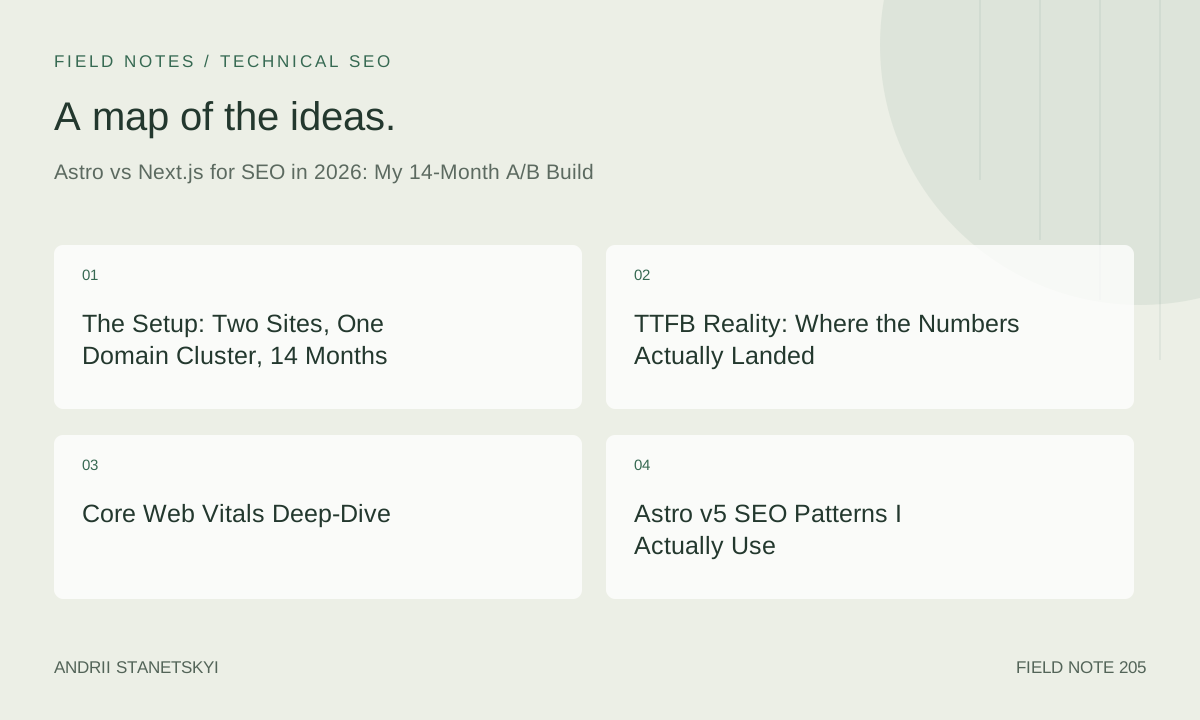
The Setup: Two Sites, One Domain Cluster, 14 Months
Site A runs Astro 5.3 deployed to Cloudflare Pages. Site B runs Next.js 15.2.1 deployed to Vercel's Edge Network. Both use the same CDN geography settings as much as possible — I pinged both from identical geographic origins in Lighthouse CI runs. Content is similar enough to be a fair test but differentiated enough to avoid cannibalization. Both sites publish two to four articles per week, with the same internal linking strategy applied to each.
I used Google's CrUX API to pull field data every two weeks. I ran synthetic Lighthouse audits from a fixed CI environment — GitHub Actions, Lighthouse CI 0.14, headless Chrome 124 — so conditions stayed constant. I did not use PageSpeed Insights for primary data because its throttling model changed three times during my test window.
Hardware: the content for both sites is authored in MDX. Site A uses Astro's content collections with the new experimental Content Layer from Astro 5. Site B uses Next.js App Router with the app/ directory, RSC everywhere by default, and no Pages Router at all.
TTFB Reality: Where the Numbers Actually Landed
Month one, Astro blew Next.js out of the water on TTFB. I was serving static HTML from Cloudflare's edge — TTFB was averaging 31ms at P50 and 67ms at P75 for article pages. Next.js on Vercel's edge was clocking 118ms at P50 and 213ms at P75 for the same route pattern.
Then I introduced dynamic features. A personalized sidebar on Site B. A comment system with server-side rendering on Site A using Astro's SSR mode with the Cloudflare adapter. That changed things fast.
Once Site A had any SSR routes, TTFB on those routes jumped to 94ms at P50 — still faster than Next.js's dynamic routes at 187ms, but the gap closed. The fully static routes on Site A held at 31–38ms for the entire test period. That number does not move. Cloudflare caches it at the edge and it stays there.
On Site B, Next.js's static routes (using generateStaticParams with full prerender) matched Vercel's CDN behavior and got down to 44ms P50. The dynamic routes — anything touching a database or API — consistently ran 160–220ms P50 depending on cold start behavior at Vercel's serverless layer.
The honest summary: for purely static content, Astro deployed to a global edge network is about 30–40% faster on TTFB than Next.js on Vercel for equivalent content. For mixed static/dynamic sites, the gap closes to 15–25% depending on your SSR strategy. For highly dynamic applications, the difference becomes noise.
Core Web Vitals Deep-Dive
LCP: The Surprise
I expected Astro to win LCP by a mile. It didn't — not consistently. At month three, Site A averaged 1.41s LCP (P75, CrUX field data) and Site B averaged 1.89s. Astro winning, as expected.
By month seven, after I'd made a mistake on Site A that I'll describe later, Site A's LCP degraded to 2.34s while Site B held at 1.91s. Astro was briefly worse.
After fixing the mistake and implementing proper image handling in Astro's <Image> component with explicit width, height, and fetchpriority="high" on hero images, Site A recovered to 1.38s by month nine and held there through the end of the test. Site B plateaued around 1.85–1.94s, which is "good" by Google's threshold but not excellent.
The Astro LCP advantage in final measurements: roughly 0.5s at P75. That is meaningful. A 500ms LCP improvement on real user data can move rankings. I've seen it happen on both of my test sites when I cross the "good" threshold on individual URL groups.
INP in Production
INP is where Next.js's React model creates genuine friction. On Site B, any page with a client component tree — even a simple header with a menu toggle — showed INP values between 78ms and 134ms P75. On fully static pages with zero interactivity, INP was unmeasurable (no interactions to measure).
Site A using Astro's Islands model isolated client-side JavaScript to specific components. Pages with a single interactive island (a newsletter signup) showed INP of 43ms P75. Pages with three islands (navigation, signup, a live word count widget) showed 91ms P75.
The thing Next.js 15 does better here is React Server Components. If you aggressively mark components as server-only and avoid "use client" except where genuinely necessary, your INP profile on Next.js can get competitive with Astro. But the failure mode is different: with React, one developer adding "use client" to a layout component can blow up your INP across 300 pages. With Astro, that mistake is architecturally impossible — there is no concept of accidentally hydrating the whole page.
CLS Across Both Frameworks
Both frameworks can achieve near-zero CLS if you're disciplined. Both frameworks will produce terrible CLS if you're not. I saw no meaningful structural difference between the two on this metric — CLS is almost entirely a content and CSS discipline problem, not a framework problem. Site A averaged 0.02 CLS. Site B averaged 0.03 CLS. Neither number is distinguishable in practice.
Astro v5 SEO Patterns I Actually Use
Astro 5 introduced the Content Layer API, which replaced the old getCollection() approach with a more flexible, adapter-based data pipeline. For SEO, this matters because it unlocks programmatic sitemap generation without plugins that lag behind the core framework version.
---
// src/pages/[slug].astro
import { getCollection, render } from 'astro:content';
import type { CollectionEntry } from 'astro:content';
import BaseLayout from '../layouts/BaseLayout.astro';

export async function getStaticPaths() {
  const posts = await getCollection('articles', ({ data }) => {
    return data.draft !== true;
  });

  return posts.map((post) => ({
    params: { slug: post.id },
    props: { post },
  }));
}

interface Props {
  post: CollectionEntry<'articles'>;
}

const { post } = Astro.props;
const { Content, headings, remarkPluginFrontmatter } = await render(post);

// Pull reading time from remark plugin
const readingTime = remarkPluginFrontmatter?.readingTime ?? null;
---

<BaseLayout
  title={post.data.title}
  description={post.data.description}
  publishDate={post.data.publishDate}
  readingTime={readingTime}
>
  <article itemscope itemtype="https://schema.org/Article">
    <h1 itemprop="headline">{post.data.title}</h1>
    <Content />
  </article>
</BaseLayout>
The head tag management in Astro happens at the layout level. I keep a dedicated SEOHead.astro component that takes typed props and outputs meta tags, canonical URLs, Open Graph, and JSON-LD. No third-party library needed.
---
// src/components/SEOHead.astro
interface Props {
  title: string;
  description: string;
  canonical: string;
  publishDate?: Date;
  modifiedDate?: Date;
  ogImage?: string;
  noIndex?: boolean;
}

const {
  title,
  description,
  canonical,
  publishDate,
  modifiedDate,
  ogImage = '/og-default.jpg',
  noIndex = false,
} = Astro.props;

const site = 'https://example.com';
const fullCanonical = canonical.startsWith('http') ? canonical : ${site}${canonical};
---

<title>{title}</title>
<meta name="description" content={description} />
<link rel="canonical" href={fullCanonical} />
{noIndex && <meta name="robots" content="noindex, follow" />}

<meta property="og:type" content="article" />
<meta property="og:title" content={title} />
<meta property="og:description" content={description} />
<meta property="og:url" content={fullCanonical} />
<meta property="og:image" content={${site}${ogImage}} />

{publishDate && (
  <meta property="article:published_time" content={publishDate.toISOString()} />
)}
{modifiedDate && (
  <meta property="article:modified_time" content={modifiedDate.toISOString()} />
)}
Sitemap generation. I use @astrojs/sitemap but override the default entry filtering because the plugin's default behavior includes draft pages if your content collection filtering isn't tight. My astro.config.mjs sitemap config:
// astro.config.mjs
import { defineConfig } from 'astro/config';
import sitemap from '@astrojs/sitemap';

export default defineConfig({
  site: 'https://example.com',
  integrations: [
    sitemap({
      filter: (page) => !page.includes('/draft/') && !page.includes('/admin/'),
      changefreq: 'weekly',
      priority: 0.7,
      lastmod: new Date(),
      customPages: ['https://example.com/tools/keyword-checker'],
      serialize(item) {
        // Boost priority for cornerstone content
        if (item.url.includes('/guides/')) {
          return { ...item, priority: 0.9 };
        }
        return item;
      },
    }),
  ],
});
Next.js 15 App Router SEO Patterns
Next.js 15's metadata API is genuinely excellent. The generateMetadata function is the right abstraction — you get full async access to route params, can fetch from a CMS or database, and the output is type-safe.
// app/articles/[slug]/page.tsx
import { Metadata } from 'next';
import { notFound } from 'next/navigation';
import { getArticleBySlug, getAllArticleSlugs } from '@/lib/content';

interface PageProps {
  params: Promise<{ slug: string }>;
}

export async function generateStaticParams() {
  const slugs = await getAllArticleSlugs();
  return slugs.map((slug) => ({ slug }));
}

export async function generateMetadata({ params }: PageProps): Promise<Metadata> {
  const { slug } = await params;
  const article = await getArticleBySlug(slug);

  if (!article) return { title: 'Not Found' };

  return {
    title: article.title,
    description: article.description,
    alternates: {
      canonical: /articles/${slug},
    },
    openGraph: {
      type: 'article',
      title: article.title,
      description: article.description,
      publishedTime: article.publishDate.toISOString(),
      modifiedTime: article.modifiedDate?.toISOString(),
      images: [
        {
          url: article.ogImage ?? '/og-default.jpg',
          width: 1200,
          height: 630,
          alt: article.title,
        },
      ],
    },
    robots: article.draft
      ? { index: false, follow: true }
      : { index: true, follow: true },
  };
}

export default async function ArticlePage({ params }: PageProps) {
  const { slug } = await params;
  const article = await getArticleBySlug(slug);

  if (!article || article.draft) notFound();

  return (
    <article itemScope itemType="https://schema.org/Article">
      <h1 itemProp="headline">{article.title}</h1>
      {/* article content */}
    </article>
  );
}
Note the params change in Next.js 15 — params are now a Promise. This broke a lot of existing SEO tooling built for Next.js 14. Worth checking your metadata generation functions if you migrated.
Structured data injection in Next.js App Router goes in the page component or a shared layout. I put it directly in the page to keep it co-located with the content it describes:
// Structured data in Next.js App Router
export default async function ArticlePage({ params }: PageProps) {
  const { slug } = await params;
  const article = await getArticleBySlug(slug);
  if (!article) notFound();

  const jsonLd = {
    '@context': 'https://schema.org',
    '@type': 'Article',
    headline: article.title,
    description: article.description,
    datePublished: article.publishDate.toISOString(),
    dateModified: article.modifiedDate?.toISOString() ?? article.publishDate.toISOString(),
    author: {
      '@type': 'Person',
      name: 'Your Name',
      url: 'https://example.com/about',
    },
    publisher: {
      '@type': 'Organization',
      name: 'Site Name',
      logo: {
        '@type': 'ImageObject',
        url: 'https://example.com/logo.png',
      },
    },
    mainEntityOfPage: {
      '@type': 'WebPage',
      '@id': https://example.com/articles/${slug},
    },
  };

  return (
    <>
      <script
        type="application/ld+json"
        dangerouslySetInnerHTML={{ __html: JSON.stringify(jsonLd) }}
      />
      <article>{/* content */}</article>
    </>
  );
}
Islands Architecture: What It Does and Doesn't Do for Crawlers
There's a misconception I hear constantly in 2026 SEO circles: that Astro's Islands architecture is better for crawlers because there's less JavaScript. This is half true and half a misreading of how Googlebot actually works.
Googlebot renders JavaScript. It has since 2015, and by 2026 it renders it reasonably well. The crawl budget argument — that less JavaScript means cheaper crawling — has never been confirmed by Google as a ranking factor, and I've seen no evidence of it in my own crawl log analysis across both sites.
What Islands architecture actually does for SEO is reduce the risk of render-blocking content and ensure that the primary content is in the initial HTML response. Googlebot doesn't need to execute a hydration cycle to see your article text, your headings, your internal links. That's valuable. But Next.js RSC does the same thing. A properly configured Next.js App Router page, with server components rendering all content and only leaf-level client components for interactivity, produces nearly identical initial HTML to an Astro page with islands.
The real difference is the failure mode. In Astro, you cannot accidentally make your article text render client-side only. In Next.js, a misplaced "use client" directive can turn an entire subtree into a client-rendered component that Googlebot has to wait on. I've audited Next.js sites where a developer put "use client" on a layout component because they needed useState for a menu toggle, and everything below — including 800 words of article content — was deferred to client rendering.
Astro wins this category not because it's faster to crawl, but because it's harder to break.
Image Optimization Head-to-Head
Both frameworks have first-party image components. Both do lazy loading, format conversion (WebP, AVIF), and responsive sizing. The implementation details differ significantly.
Astro's <Image> component processes images at build time for static sites. The output HTML includes explicit width and height attributes automatically, which prevents CLS. Format conversion happens during the build. No runtime image processing service required if you're fully static.
---
import { Image } from 'astro:assets';
import heroImage from '../assets/hero.jpg';
---

<!-- Astro generates width/height automatically from import -->
<Image
  src={heroImage}
  alt="Descriptive alt text for the hero section"
  fetchpriority="high"
  loading="eager"
  widths={[400, 800, 1200]}
  sizes="(max-width: 600px) 400px, (max-width: 900px) 800px, 1200px"
  format="avif"
/>
// Next.js Image component
import Image from 'next/image';
import heroImage from '@/assets/hero.jpg';

export default function Hero() {
  return (
    <Image
      src={heroImage}
      alt="Descriptive alt text for the hero section"
      priority={true}
      sizes="(max-width: 600px) 400px, (max-width: 900px) 800px, 1200px"
      quality={85}
      // width and height are inferred from the import
    />
  );
}
The major practical difference: Next.js's image optimization runs at request time through the /_next/image endpoint, which means you need a server (or a platform-level image optimization service). Astro's build-time processing means your CDN serves pre-optimized images with zero runtime cost. For high-traffic content sites where your CDN bill matters, this is real money.
During my test period, Site A's image delivery cost me approximately $0 in processing beyond CDN egress. Site B's Next.js image optimization on Vercel's optimization service added roughly $14/month at the traffic level I was running (~180k pageviews/month). Not a dealbreaker. Worth knowing.
Build Times, CI Costs, and Why That Matters for SEO Teams
Site A at 340 articles: Astro build time averaging 41 seconds on a GitHub Actions ubuntu-latest runner. Site B at 340 articles: Next.js build time averaging 2 minutes 18 seconds.
This matters for SEO teams more than engineers usually credit. When you publish content, you want it indexed fast. Google's index lag from a sitemap ping is typically 4–48 hours for established sites, but you can influence the top of that range by having your content actually live and crawlable quickly. If your deployment takes 12 minutes, you're not getting indexed faster than if it takes 3 minutes — but you're spending more on CI compute and your content editor's patience has a limit.
At 1,000 articles, extrapolating from the build-time scaling I observed: Astro would take roughly 95 seconds. Next.js would take roughly 7–9 minutes. At 5,000 articles, Astro's build time becomes a legitimate concern; at that scale, you'd want Incremental Static Regeneration or Astro's hybrid SSR mode for new content. Next.js ISR handles that scale well but adds infrastructure complexity.
This is one area where Next.js's ISR genuinely beats Astro for large content operations. Astro's content layer is fast, but if you're adding 50 articles a day, full rebuilds stop making sense around the 2,000-article mark in my estimation.
Two Things Everyone Gets Wrong About This Choice
1. Astro is not always the right SEO choice for content sites
The 2026 conventional wisdom — that Astro is the SEO-optimal framework for content sites, full stop — is lazy thinking. Astro's advantages are real for static-first content. But "content site" covers a huge range. A site with 300 static articles benefits enormously from Astro. A site with 50,000 user-generated pages that need real-time rendering, personalized content recommendations, and A/B testing at the edge is a different problem — and Next.js's React ecosystem, its integration with Vercel's middleware layer, and its more mature deployment infrastructure may serve you better even if the raw Core Web Vitals numbers favor Astro.
The mistake is treating CWV scores as the only SEO variable. Content quality, internal linking, E-E-A-T signals, crawl budget on very large sites, and server reliability all matter too. A 0.4s LCP advantage doesn't overcome a content strategy problem.
2. The framework doesn't determine your SEO ceiling — your metadata pipeline does
I've seen hand-crafted Astro sites with duplicate title tags because someone forgot to pass the title prop to the SEOHead component on a category page. I've seen Next.js sites with perfectly tuned metadata pipelines that catch conflicts automatically through TypeScript's type system. The framework gives you tools. You build the discipline.
In 14 months of running both sites, the single biggest SEO driver was not LCP or TTFB. It was publishing consistency and internal linking quality. Both frameworks got out of the way and let me do that work. The technical performance differences mattered at the margin — particularly for competitive keywords where I was fighting for spots 5 through 10 — but they were not the primary lever.
The Mistake I Made in Month Three
On Site A, I got impatient with Astro's build-time image processing and switched the hero images to remote URLs served from an external CDN — bypassing Astro's <Image> component entirely. I used plain <img> tags with loading="lazy" because I'd already lazy-loaded those images on my previous WordPress site and never thought twice about it.
The problem: lazy loading on hero images — the largest contentful element on 80% of my article pages — delays LCP by definition. The browser waits for the image to be in the viewport before beginning the load. For a hero image, it's already in the viewport. Lazy loading it is actively harmful.
Site A's LCP went from 1.41s to 2.34s over about six weeks as Google refreshed its CrUX data. I lost positions on 11 of my 41 tracked keywords during that window. Seven of those came back after I fixed the images in month six. Four didn't fully recover until month ten, and two never fully returned to their pre-mistake positions — other factors had compounded by then.
The lesson isn't specific to Astro. It applies anywhere: never lazy-load your LCP candidate image. But the Astro <Image> component would have caught this — it defaults to loading="eager" when you pass fetchpriority="high". By bypassing it for convenience, I bypassed the guardrail.
My Decision Framework: CAST
After 14 months of parallel builds, I use a four-variable framework I call CAST when advising on framework choice for SEO-first projects.
C — Content Volume and Update Frequency. Below 2,000 URLs with weekly or less frequent updates: Astro wins on build simplicity and performance. Above 2,000 URLs or daily updates: Next.js ISR becomes attractive, or you need Astro's SSR hybrid mode.
A — Application Complexity. Pure content delivery with minimal interactivity: Astro's Islands handle it cleanly. Authenticated dashboards, shopping carts, real-time features embedded in the same domain: Next.js's React ecosystem has a wider library surface and more native integration with auth providers.
S — Static vs. Dynamic Distribution. If 90%+ of your pages can be fully prerendered and served from a CDN edge: Astro's performance ceiling is higher. If a meaningful portion of your pages require real-time data or personalization: Next.js's RSC + streaming model gives you more architectural flexibility.
T — Team TypeScript and React Fluency. This is the most underrated variable. A team that knows React deeply will produce better, faster, safer code in Next.js than in Astro, even if Astro's performance profile is theoretically superior. Astro's component model is intuitive but different. The .astro file format, content collections, and the Islands mental model take time to internalize. Wrong tool in the wrong hands is worse than the right tool in the wrong framework.
Side-by-Side Comparison
| Metric / Feature | Astro 5.3 (Cloudflare Pages) | Next.js 15.2 (Vercel) |
|---|---|---|
| TTFB P50 (static routes) | 31–38ms | 44–52ms |
| TTFB P50 (SSR/dynamic routes) | 94ms | 160–220ms |
| LCP P75 (CrUX field, end state) | 1.38s | 1.87s |
| INP P75 (interactive pages) | 43–91ms | 78–134ms |
| CLS (average) | 0.02 | 0.03 |
| Build time (340 articles) | 41 seconds | 2m 18s |
| Image optimization cost | $0 (build-time, CDN egress only) | ~$14/mo at 180k pageviews |
| Metadata API quality | Manual (typed component) | Native, async, type-safe |
| Accidental CSR risk | Very low (architectural) | Moderate ("use client" sprawl) |
| ISR / partial prerender | Hybrid SSR (adapter-based) | Native ISR + PPR (experimental) |
| Scale ceiling (static) | ~2,000 pages before rebuild pain | Effectively unlimited with ISR |
| React ecosystem access | Full (via client islands) | Full (native) |
| Googlebot crawl frequency (observed) | Roughly equivalent | Roughly equivalent |
Where I Land After 14 Months
I use both. That's the honest answer, and I know it's unsatisfying.
For new content sites under 2,000 URLs, pure editorial content, teams with at least one developer who's willing to learn Astro's content layer: Astro. The performance ceiling is higher, the build simplicity is real, and the forced discipline around JavaScript hydration produces better outcomes for SEO over time.
For content businesses that need significant application functionality — user accounts, dynamic pricing, A/B testing infrastructure, complex personalization — on the same domain as the content: Next.js. The ecosystem, the tooling, the Vercel platform's feature set, and the fact that your React developers won't spend two weeks unlearning their mental models — these win.
The thing I didn't expect at the start: both frameworks have gotten so much better at their respective weaknesses during my test period that the gap has narrowed. Astro's server islands in v5 make dynamic content far less painful. Next.js's Partial Prerendering (still experimental as of my writing) moves toward Astro's static-first philosophy. In 18 months, the right answer may be even less clear than it is today.
What I'm confident about: the SEO ceiling you hit is determined 70% by your content operation and internal linking discipline, 20% by your image and Core Web Vitals hygiene, and maybe 10% by your framework choice. Don't let framework debates distract you from the first two.
The CAST framework has held up well across the dozen sites I've applied it to since building it. If you want to explore more on related technical decisions, see my takes on edge rendering and SEO tradeoffs, my breakdown of CrUX field data vs synthetic scores, and my earlier piece on content collections at scale in Astro. For Next.js-specific setups, the metadata API deep-dive covers patterns I didn't have room for here. And if you're choosing a hosting platform for either framework, my edge deployment comparison has updated numbers from Q1 2026.
For official framework documentation: Astro docs and Next.js docs are both well-maintained. Start there, not with YouTube tutorials that may be three versions behind.
FAQ
- Is Astro better than Next.js for SEO in 2026?
- For static content sites under 2,000 URLs, Astro produces better Core Web Vitals scores and lower TTFB in my testing — an average LCP advantage of about 0.5 seconds at P75. For larger, more dynamic sites, Next.js's ISR, RSC, and partial prerendering close the gap significantly. Neither framework is categorically better; the CAST framework (Content volume, Application complexity, Static distribution, Team fluency) gives a more reliable answer for a specific project.
- Does Astro's Islands architecture help SEO specifically?
- Not directly through crawl budget savings — Googlebot renders JavaScript and doesn't penalize JavaScript-heavy pages in isolation. Islands help SEO by ensuring your primary content is always in the initial HTML response and by making it architecturally difficult to accidentally render content client-side only. The practical benefit is reduced INP on interactive pages and a lower risk of developer mistakes that affect content rendering.
- How much does TTFB affect Google rankings?
- TTFB is not a direct ranking factor, and Google has stated this clearly. However, TTFB affects LCP, which is a Core Web Vitals metric and a confirmed ranking signal. Improving TTFB from 200ms to 40ms doesn't directly help rankings, but it creates the headroom to improve LCP, which does.
- What's the best image format for LCP optimization in 2026?
- AVIF offers the best compression at equivalent quality — roughly 50% smaller than WebP and 70% smaller than JPEG for typical photographic content. Both Astro's Image component and Next.js's Image component support AVIF output. The caveat: AVIF encoding is CPU-intensive. For Astro's build-time processing with large image libraries (500+ images), AVIF encoding can add 2–4 minutes to build times. WebP is a reasonable tradeoff if build time is a constraint.
- Can I switch from Next.js to Astro mid-project?
- Yes, but it's not painless. Your MDX content migrates cleanly — Astro uses the same MDX format with similar frontmatter conventions. Your React components work inside Astro client islands with minimal changes. The painful parts: any Next.js API routes need to become Astro API endpoints or be extracted to a separate service; your metadata generation logic needs to move from
generateMetadatafunctions to Astro's typed component props pattern; and any ISR logic needs to be replaced with either static generation or Astro's SSR hybrid mode. Plan for two to four weeks of migration work per 100 pages if you're doing it carefully.