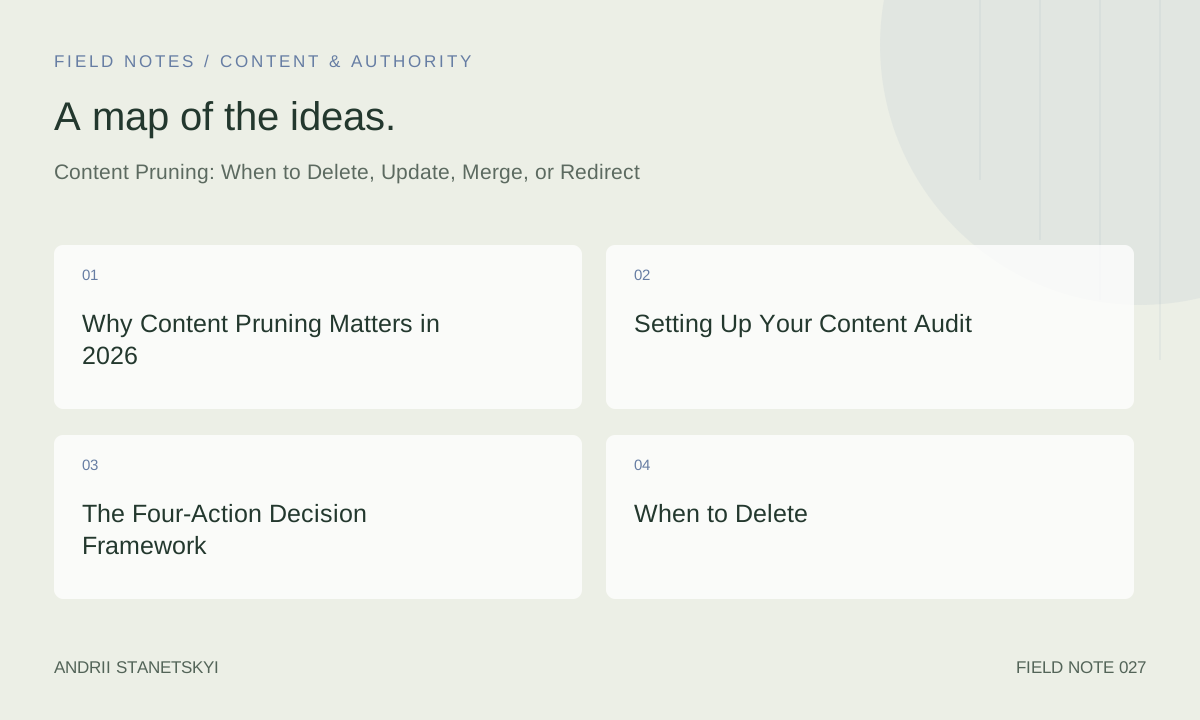
Most enterprise sites are carrying dead weight they don't know about. Pages that rank for nothing, earn no links, drive no conversions, and dilute the topical authority of everything around them. Content pruning is the systematic process of identifying and acting on that dead weight — and it's one of the highest-ROI on-page SEO interventions available to a technical SEO in 2026.
This is not about deleting content for the sake of minimalism. It's about making deliberate, data-backed decisions that improve crawl efficiency, consolidate PageRank, sharpen topical signals, and ultimately move the needle on organic traffic. Done wrong, pruning destroys value. Done right, it's the fastest way to unlock ranking gains without writing a single new word.
Why Content Pruning Matters in 2026
Google's crawl budget allocation has become more consequential as sites scale. Googlebot does not crawl every page on every visit. On a 50,000-page site, there may be 15,000 pages that see a Googlebot visit less than once per month. If those pages are thin, duplicative, or irrelevant, they're consuming crawl quota that should go to your money pages.
Beyond crawl budget, topical authority is the dominant ranking signal for mid-to-long-tail queries in 2026. Google's systems evaluate whether a site covers a topic comprehensively and authoritatively — not just whether individual pages are well-optimized. A cluster of 40 thin blog posts on tangentially related subtopics actively undermines your authority signal compared to 12 deep, well-structured pieces covering the same ground properly.
The HCU (Helpful Content Update) and its successors have made content quality a site-wide signal. One hypothesis supported by multiple case studies: a site's average content quality score affects all pages, not just the weak ones. Pruning raises the floor.
Setting Up Your Content Audit
A proper content audit pulls from at least three data sources and segments URLs by type before any decision is made.
Data Sources Required
- Screaming Frog — crawl all URLs, export with word count, indexability, canonical, response code, internal links in/out
- Google Search Console — 16-month performance export (impressions, clicks, average position, CTR) per URL
- Google Analytics 4 / your analytics stack — sessions, conversions, assisted conversions, time on page per URL
- Ahrefs or Semrush — referring domains per URL, organic keyword count, estimated traffic
Merging the Dataset
Export Screaming Frog to CSV. Use GSC's bulk data export (or a connector like Supermetrics into BigQuery). Join on URL. The result is a single spreadsheet or database table with one row per crawlable URL and columns for all key signals. For sites over 10,000 pages, do this in BigQuery or Python with pandas — Excel will choke.
# Python snippet: merge Screaming Frog + GSC exports
import pandas as pd

sf = pd.read_csv('screaming_frog_export.csv')
gsc = pd.read_csv('gsc_performance.csv')

merged = sf.merge(gsc, left_on='Address', right_on='Page', how='left')
merged['gsc_clicks'] = merged['Clicks'].fillna(0)
merged['gsc_impressions'] = merged['Impressions'].fillna(0)
merged.to_csv('content_audit_master.csv', index=False)
The Four-Action Decision Framework
Every indexable page on the site falls into one of four buckets. The decision is data-driven, not editorial. Here's the decision matrix:
| Signal | Delete | Update | Merge | Redirect |
|---|---|---|---|---|
| GSC clicks (12 mo) | 0–5 | 10+ | 1–20 (overlap) | 0–10 |
| Referring domains | 0 | 1+ | 0–2 | 1+ (to preserve equity) |
| Topical relevance | Off-topic / abandoned | Core topic, outdated | Cannibalizes sister page | Superseded by better page |
| Word count | <300 (thin) | 500+ (salvageable) | Any (combine into one) | Any |
| Conversion attribution | None | Direct or assisted | None individually | None |
Use the matrix as a starting point, not a rulebook. Edge cases require judgment. A page with 0 GSC clicks and 3 referring domains should be redirected, not deleted — the link equity is real even if the ranking isn't.
When to Delete
Delete is the most aggressive action and the one most likely to be used incorrectly. Apply it only when all of these are true:
- Zero or near-zero organic traffic over 12+ months
- Zero referring domains (verified in Ahrefs Site Explorer → Best by Links filter)
- No conversion attribution in GA4 (check assisted conversions, not just last-click)
- The content is either off-topic, factually outdated beyond repair, or a duplicate of a better page
- Removing the page does not break site navigation or any internal link that matters
Good candidates for deletion: press releases from 2014, event pages for past events with no evergreen value, auto-generated tag pages with fewer than 3 posts, product pages for discontinued SKUs with no demand, author pages for contributors who wrote one article five years ago.
When you delete, return a 410 Gone rather than a 404. A 410 signals explicitly to Googlebot that the resource has been intentionally removed and should be de-indexed. Googlebot respects 410s faster than 404s in most observations.
When to Update
Update is the right action when a page has demonstrated ranking potential (impressions, historical traffic, backlinks) but is underperforming its potential — typically because it's outdated, thin relative to SERP competitors, or poorly structured.
Diagnosing What to Update
Pull the page's keyword data from GSC. Look for queries where it ranks positions 5–20 with decent impressions but low CTR. Those are pages where query-to-content alignment is off. Run the target keyword through Surfer or Clearscope to get a content gap analysis. Compare word count, heading structure, and entity coverage against the top 5 ranking pages.
Check the "last modified" date visible to Googlebot via the crawl. Screaming Frog shows Last Modified in the response headers tab. Pages ranking for time-sensitive queries ("best X in 2025") that haven't been touched in 18 months are losing click-through to fresher results even if they maintain position.
Update Checklist
- Refresh statistics, dates, product mentions, and screenshots
- Expand sections that are thinner than top competitors (use Frase for gap analysis)
- Add or update structured data (FAQ, HowTo, Article)
- Fix internal link anchor text if it's generic ("click here")
- Update the published/modified date in meta and schema — only if you've made substantive changes
- Re-submit in GSC after publishing
For a deeper look at how content freshness signals interact with on-page optimization, see our guide to content freshness signals.
When to Merge
Merge applies when you have two or more pages covering the same topic at similar depth, neither of which is strong enough to rank competitively on its own. The merged page should be materially better than any of its predecessors.
Identifying Merge Candidates
Use Semrush's Keyword Cannibalization report or pull all ranking keywords from GSC and look for the same keyword triggering multiple URLs at positions 8–25. Screaming Frog's custom extraction can pull H1 and title tags — sort alphabetically and look for near-duplicates. Sitebulb's content similarity report flags this automatically.
Merge Execution
- Decide which URL to keep (usually the one with more backlinks or better position history)
- Write a single new version that incorporates the best elements of both
- 301 redirect the deprecated URL to the surviving URL
- Update all internal links pointing to the deprecated URL to point directly to the new URL
- Monitor GSC over 60–90 days for ranking consolidation
Do not assume the redirect alone is enough. Internal links pointing to the 301 are passing link equity through an extra hop. Update them at the source. Screaming Frog's "Redirect Chains" report makes this easy to audit.
When to Redirect
Redirect (301) is appropriate when a page has accumulated link equity but the content is no longer the best destination for the traffic it might attract. This is distinct from merge — redirect is about routing value, not combining content.
Common redirect scenarios:
- An old product page for a discontinued item that has backlinks — redirect to the category page or the successor product
- A URL that changed during a site migration — always 301 old structure to new
- A page superseded by a newer, more comprehensive piece on the same topic
- Pagination pages (/page/2, /page/3) with thin or no unique content
One hard rule: never redirect to irrelevant destinations. A 301 to a homepage from a niche product page sends a confusing topical signal and historically has not passed meaningful equity. Redirect to the most topically relevant surviving page.
For guidance on handling redirects during site migrations specifically, see our technical site migration checklist.
Case Studies and Real Outcomes
Case Study 1: B2B SaaS Blog (18,000 → 6,000 Pages)
A B2B software company had accumulated 18,000 indexed blog posts over 12 years. An audit revealed 11,200 with fewer than 50 GSC impressions over 16 months and zero referring domains. Action: 8,400 deleted (410), 1,800 merged into 600 consolidated posts, 1,000 updated. Three months post-implementation: crawl coverage of core commercial pages increased from 67% to 89% of Googlebot visits. Organic traffic to commercial pages increased 34%. Total traffic fell 11% (expected — thin pages lost their trickle). Revenue-attributed organic traffic increased 28%.
Case Study 2: E-commerce with Tag Page Proliferation
A retailer had auto-generated 40,000 tag and faceted navigation URLs. Screaming Frog crawl showed 38,000 of these had zero inbound internal links from navigational pages and zero GSC clicks. Solution: noindex on tag pages, 301 redirects from the 200 that had backlinks, blocked the rest via robots.txt from crawling. Result: crawl budget reallocation improved indexing frequency of product pages by 3x (measured via GSC's crawl stats report).
Implementation Workflow
Here is a repeatable workflow for a quarterly content audit cycle:
- Week 1: Run Screaming Frog crawl, export GSC 16-month data, pull Ahrefs backlink data. Merge into master sheet.
- Week 2: Apply decision matrix. Flag each URL with action: DELETE / UPDATE / MERGE / REDIRECT / KEEP. Get editorial sign-off on edge cases.
- Week 3: Execute deletions and redirects. These are lower risk and faster to implement. Submit removed URLs to GSC for faster de-indexing via the URL Removal tool (use sparingly and correctly).
- Week 4: Begin update and merge work. Prioritize by potential impact (highest impressions / most referring domains first).
- Ongoing (90 days): Monitor GSC for ranking changes, crawl stats, and index coverage. Use Ahrefs' Site Audit to catch any new redirect chains.
For teams running this at scale, build a content audit automation pipeline that pulls GSC data weekly via the API and flags pages crossing thresholds automatically.
See also our walkthrough on building a technical SEO audit workflow.
FAQ
How often should you run a content audit?
For sites under 1,000 pages: annually. For sites 1,000–10,000 pages: every six months. For enterprise sites above 10,000 pages: quarterly, automated where possible. Sites that publish aggressively (daily or more) should have a 90-day rolling audit process running continuously.
Will deleting pages hurt my domain authority?
Domain Authority (Moz) and Domain Rating (Ahrefs) are third-party metrics, not Google signals. Deleting pages with zero backlinks will not measurably affect either. Deleting pages with backlinks without redirecting will temporarily drop these metrics. More importantly, it will waste link equity. Always redirect pages with referring domains.
How long does it take to see results after pruning?
Crawl budget effects are often visible within 2–4 weeks in GSC's crawl stats. Ranking changes for remaining pages typically manifest over 60–120 days, as Google re-evaluates topical authority signals for the site. Don't panic-reverse after 30 days.
Can pruning hurt rankings for pages you keep?
Yes, if done incorrectly. Deleting pages that passed internal PageRank to important pages without updating internal link structure will reduce the equity flowing to those targets. Always audit internal links before deletion and redistribute them manually.
Should you prune pages that are ranking on page 2 or 3?
No. Pages on positions 11–30 have demonstrated ranking potential. They belong in the "update" bucket, not "delete." A page ranking position 15 with 500 monthly impressions is three good content improvements away from page 1. Don't throw that away.
What's the difference between noindex and deleting a page?
Noindex removes the page from the index but keeps it crawlable. Google will still visit the URL and process the noindex directive, consuming crawl budget. Deletion (with 410) removes it entirely after de-indexing. For pages with zero value, 410 is cleaner. Noindex is appropriate for pages you want to exclude from search but keep accessible (e.g., thank-you pages, internal tools).
Does content pruning apply to e-commerce product pages with thin content?
Thin product pages are a special case. You cannot delete a live product page. Instead: consolidate duplicate variants into one canonical, enrich thin pages with unique descriptions, user reviews, and structured data, and use noindex on truly empty pages (out-of-stock with no restock). Redirect discontinued products to category or successor pages.
Key Takeaways
- Content pruning is a data-driven process. Pull GSC, Ahrefs, and GA4 data before making any decision.
- The four actions — delete, update, merge, redirect — are not interchangeable. Choosing the wrong one destroys value.
- Pages with backlinks must be redirected, not deleted, regardless of their traffic or quality.
- Return 410 for deliberately removed pages; it signals intent to Googlebot more clearly than 404.
- Update internal links after every redirect and deletion. The redirect alone does not recover all equity.
- Expect 60–120 days for ranking improvements to materialize. Crawl efficiency improvements are faster (2–4 weeks).
- Run audits quarterly on large sites. Make it a scheduled process, not a one-time cleanup.
Conclusion
Content pruning is one of the most impactful interventions in a technical SEO's toolkit, and one of the most consistently underused. The hesitation is understandable — deleting content feels counterintuitive when content creation is still the dominant SEO growth strategy. But quality beats quantity, and that's been measurably true since 2022.
The framework above is not theoretical. The case studies reflect real outcomes from real sites. The implementation workflow is repeatable. The decision matrix prevents the two most common mistakes: deleting pages with backlink value, and keeping pages that are actively diluting topical authority.
If you're managing a site over 5,000 pages and haven't run a content audit in the last 12 months, start now. The gains are waiting.