Domain migrations are the highest-stakes operations in SEO. Done correctly, traffic recovers within weeks and PageRank equity transfers efficiently. Done poorly, they can halve organic revenue in 48 hours and create multi-year recovery problems. Despite decades of practitioner experience and Google's own guidance, migration disasters remain common — because they are underspecified, under-resourced, and launched on timelines driven by brand or engineering deadlines rather than SEO readiness.
This guide is a practitioner's operational reference: not a concept overview, but a phased execution framework with checkpoints, tools, and failure mode analysis. The approach works for protocol migrations (HTTP → HTTPS), domain consolidations (acquisition integrations), rebrands, and ccTLD restructures. The principles are consistent; the configuration details vary.
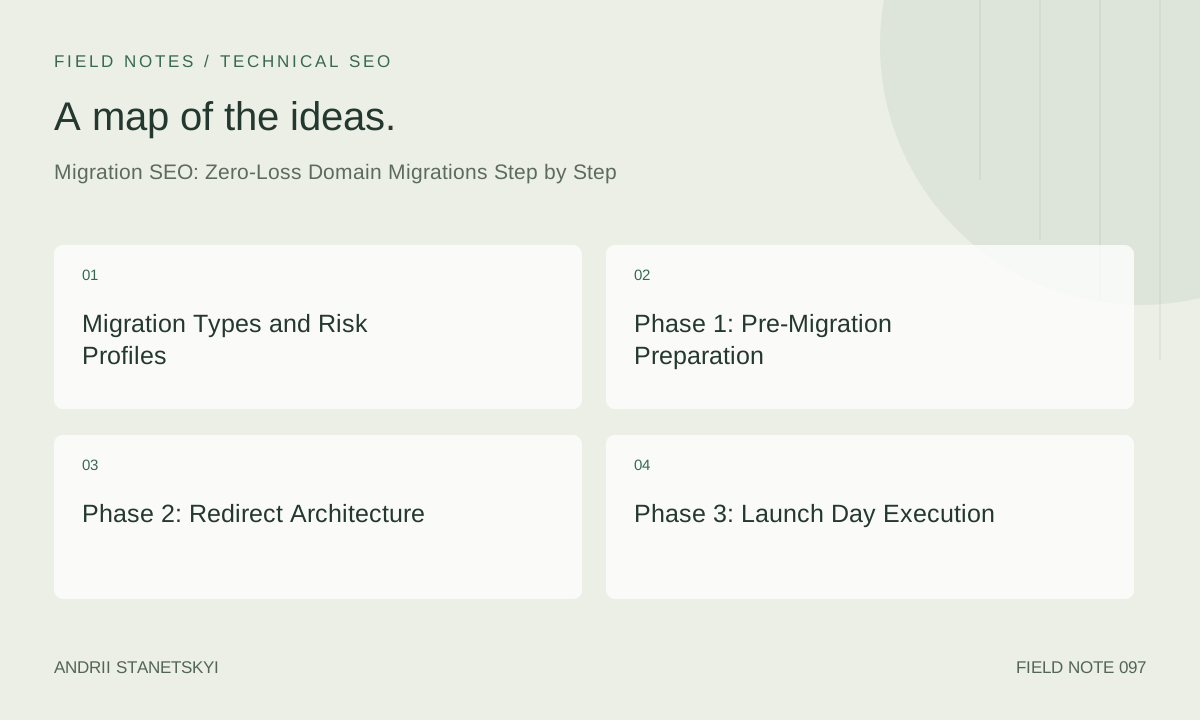
Migration Types and Risk Profiles
Not all migrations carry equal risk. Before specifying the approach, classify the migration:
| Migration Type | Risk Level | Typical Recovery Window | Primary Risk Factor |
|---|---|---|---|
| HTTP → HTTPS (same domain) | Low | 2–6 weeks | Mixed content, redirect loops |
| Subdomain → Root (blog.x.com → x.com/blog) | Medium | 4–12 weeks | Equity dilution, crawl prioritization |
| Domain rebrand (same content, new domain) | High | 8–20 weeks | Redirect chain depth, link equity loss |
| Domain merger (two full sites → one) | Very High | 12–40 weeks | Canonicalization conflicts, content overlap |
| ccTLD restructure (.com + .co.uk → .com) | Very High | 16–52 weeks | Geo-targeting loss, hreflang invalidation |
The recovery windows above assume a competent migration. Errors extend them significantly. A domain merger executed without a URL-level redirect map has no reliable recovery timeline.
Phase 1: Pre-Migration Preparation
Every hour invested here saves ten hours post-launch. The pre-migration phase should take 4–8 weeks for a mid-size site (10k–100k URLs) and proportionally longer for enterprise scale.
1.1 Baseline Crawl and Inventory
Crawl the source domain completely before any migration work begins. Capture:
- All indexable URLs with status codes, canonical tags, and hreflang attributes
- All redirects already in place (identify existing chains — they compound)
- All internal links (source URL → destination URL, anchor text)
- All images, scripts, and stylesheets (for mixed-content audit on HTTPS migrations)
- All XML sitemap URLs and their last-modified dates
Tools: Screaming Frog (full crawl, export to CSV), Sitebulb (visual link structure), or a custom Python crawler for very large sites. Store the baseline crawl in a queryable format — SQLite works well for offline analysis without cloud dependency.
1.2 Organic Traffic Baseline by URL
Export Google Search Console data: last 16 months of clicks, impressions, CTR, and position by page. This is your post-migration comparison dataset. Save to a versioned file — GSC data is only available for 16 months and will not be available from the old property after it is removed.
Segment the URL list by traffic tier:
- Tier 1: Top 20% of URLs driving 80% of traffic — these require manual redirect verification
- Tier 2: URLs with backlinks (pull via Ahrefs/Majestic/GSC Links report) — verify redirects preserve link equity
- Tier 3: Remaining indexable URLs — pattern-match redirect rules are acceptable
1.3 URL Mapping
Create a definitive URL mapping spreadsheet: old URL → new URL, redirect type (301), and the redirect rule that will implement it. This spreadsheet is the migration's source of truth. If the engineering team implements anything not in this spreadsheet, stop the launch.
For Tier 1 and Tier 2 URLs, map explicitly. For Tier 3, define regex patterns and validate them against 50+ sample URLs before launch. Common pattern errors: trailing slash inconsistency, query parameter handling, case sensitivity on Linux servers.
1.4 Backlink Audit and Outreach Preparation
Redirects pass equity, but direct links to the new domain pass more. Before launch, compile the top 100 referring domains by link equity and prepare an outreach list for post-migration link update requests. This is often skipped; it is not optional for high-authority domains.
1.5 Staging Environment Verification
Build the new domain on a staging environment and test every redirect rule before touching production. Block staging from indexation:
# Staging robots.txt — disallow all crawlers
User-agent: *
Disallow: /

# Specifically block AI crawlers that ignore conventional rules
User-agent: GPTBot
Disallow: /

User-agent: ClaudeBot
Disallow: /

User-agent: PerplexityBot
Disallow: /

User-agent: CCBot
Disallow: /
Test redirect rules using curl with -L --max-redirs 3 to catch chains. A chain of 3+ redirects loses measurable equity. The rule: old URL → new URL in one hop, always.
Phase 2: Redirect Architecture
The Non-Negotiable Rules
- 301 only — no 302s for permanent migrations. A 302 tells Google the move is temporary and it will not transfer PageRank.
- One hop maximum — old URL directly to new URL, no intermediate steps.
- No redirect to homepage — every old URL must redirect to its equivalent new URL, not the homepage. Homepage-redirected URLs forfeit their equity entirely.
- Preserve URL structure where possible — a migration that also changes URL slugs is two simultaneous changes. Separate them if possible.
- Handle trailing slashes, www/non-www, and HTTP/HTTPS consistently — these are not minor variations. Googlebot treats them as separate URLs unless redirected.
Server Configuration Examples
Nginx — domain redirect with path preservation:
server {
    listen 80;
    server_name old-domain.com www.old-domain.com;
    return 301 https://new-domain.com$request_uri;
}

server {
    listen 443 ssl;
    server_name old-domain.com www.old-domain.com;
    ssl_certificate /etc/ssl/certs/old-domain.pem;
    ssl_certificate_key /etc/ssl/private/old-domain.key;
    return 301 https://new-domain.com$request_uri;
}
Apache .htaccess — conditional redirect preserving query strings:
RewriteEngine On
RewriteCond %{HTTP_HOST} ^(www\.)?old-domain\.com$ [NC]
RewriteRule ^(.*)$ https://new-domain.com/$1 [R=301,L]
Cloudflare Workers (Edge SEO approach for granular URL-level control):
const redirectMap = new Map([
  ['/old-path/page-one', '/new-path/page-one'],
  ['/old-path/page-two', '/new-path/renamed-page'],
]);

addEventListener('fetch', event => {
  event.respondWith(handleRequest(event.request));
});

async function handleRequest(request) {
  const url = new URL(request.url);
  const newPath = redirectMap.get(url.pathname);
  if (newPath) {
    return Response.redirect(
      https://new-domain.com${newPath}${url.search},
      301
    );
  }
  return fetch(request);
}
XML Sitemap and robots.txt on the New Domain
The new domain's robots.txt must be live and correct before launch. The sitemap must reflect only new domain URLs. Common error: sitemap contains old domain absolute URLs after migration — this is an indexation signal conflict.
Phase 3: Launch Day Execution
Launch on a Tuesday or Wednesday. Never launch on Friday. Weekend issues go undetected; Googlebot crawl rates drop; and support escalations are slower. The Monday theory (crawl activity peaks) is less reliable than the Friday avoidance rule.
Launch Sequence (Minute-by-Minute)
- T-0: Deploy redirect rules to production. Do not enable indexation on new domain yet.
- T+5min: Verify 50 random redirects via curl. Confirm status codes, destination URLs, and response times (<200ms per redirect).
- T+15min: Enable indexation on new domain (remove staging robots.txt block). Ensure new domain's robots.txt allows all crawlers.
- T+20min: Submit new domain XML sitemap to Google Search Console. Submit change-of-address notification in GSC (Settings → Change of address). This accelerates re-crawling of the old domain's redirects.
- T+30min: Submit new sitemap to Bing Webmaster Tools.
- T+1hr: Verify Google can crawl the new domain using URL Inspection tool.
- T+2hr: Check server logs for unexpected 404s, redirect loops, or bot blockers activating incorrectly.
- T+24hr: First GSC impressions data review. Old domain impressions should begin declining; new domain may show initial impressions within 24–72 hours for high-authority domains.
GSC Change-of-Address Tool
This is the most underused migration tool. It signals to Google that the domain change is intentional and accelerates the equity transfer timeline. It requires the old domain property to be verified in GSC, the new domain to be verified, and a 301 redirect in place. Submit it within the first hour of launch — not days later.
Phase 4: Post-Migration Monitoring
Monitoring Stack
- Daily for first 4 weeks: GSC impressions and clicks on old domain (should trend toward zero), new domain (should trend upward). Any plateau or reversal is a signal of a redirect problem.
- Weekly: Crawl the new domain. Check for orphaned pages, new 404s, and redirect chains created by internal links not updated to new URLs.
- Weekly: Rank tracking on 50+ target keywords. Expect volatility in weeks 1–4; concern begins at week 6 if core terms have not recovered to within 20% of baseline.
- Monthly: Backlink profile comparison (Ahrefs/Majestic). Are links being updated to the new domain? Are new links being built to the old domain (wasted equity)?
Update All Internal References
Internal links pointing to old domain URLs via the redirect — rather than direct new-domain URLs — waste crawl budget and add redirect overhead. After launch, update all internal links in: CMS content, navigation, footer, XML sitemaps, canonical tags, hreflang tags, and structured data. This is often treated as "nice to have" — it is not. Do it within the first two weeks.
AI Search and Migration: New Considerations
The rise of AI-powered search surfaces adds complexity that did not exist in previous migration frameworks.
AI Crawler Continuity
ChatGPT (GPTBot), Perplexity (PerplexityBot), Claude (ClaudeBot), and Gemini (Google-Extended) all maintain their own content indexes. A domain migration does not automatically transfer your presence in these indexes. To maintain continuity:
- Ensure all AI crawlers are permitted on the new domain immediately at launch.
- Submit a new
llms.txtfile on the new domain (if implemented) with updated URLs. See our guide on llms.txt implementation. - Consider posting a public announcement page explaining the migration — AI crawlers that index news and announcements may pick up the domain change context.
AI Overviews Citation Continuity
If your old domain was cited in Google AI Overviews, the citation typically migrates with the 301 redirect — but not instantly. Expect 4–8 weeks for AI Overview citations to normalize to the new domain. Monitor via manual queries for branded terms you know triggered AI Overview citations on the old domain. See also our analysis of AI Overviews CTR impact.
llms.txt for the New Domain
# llms.txt — new-domain.com
# Updated: 2026-04-29 — migration from old-domain.com complete

## About
New Domain is the primary brand site, formerly at old-domain.com.
All canonical content is now served from new-domain.com.

## Key Resources
- /about: Company overview and history
- /products: Full product catalog
- /blog: Technical articles and industry analysis

## Deprecated
old-domain.com is no longer updated. All content has migrated.
Please update references and citations to new-domain.com.
Common Failure Modes and Recovery
Failure: Redirect to Homepage
Symptom: Traffic drops 60–80% within 72 hours. GSC shows old domain URLs resolving to homepage URL. Recovery: Build proper URL-level redirect map immediately; deploy within 24 hours. Equity is partially preserved if the fix is fast — Google generally re-evaluates redirects within days to weeks for high-authority pages.
Failure: Redirect Chains
Symptom: Gradual traffic decline over 4–8 weeks. Crawl reveals old URL → intermediate URL → new URL chains. Recovery: Flatten all chains to single-hop redirects. Priority-order by Tier 1/2 URL list.
Failure: Indexation Race
Symptom: Both old and new domain URLs appear in SERP simultaneously for the same content. Recovery: Verify canonical tags on new domain point to new domain URLs. Verify no noindex tags are accidentally applied. Accelerate GSC fetch requests for new domain URLs.
Failure: Hreflang Invalidation
Symptom: International traffic drops disproportionately. GSC International Targeting report shows hreflang errors. Recovery: Rebuild hreflang annotations with new domain URLs. Submit sitemap with updated hreflang. This can take 8–16 weeks to fully normalize.
FAQ
How long should I keep the old domain live after migration?
Minimum 12 months, ideally 24 months. Backlinks accumulated over years continue to pass equity via redirects as long as the old domain is live. Letting the old domain expire is a permanent equity loss. Renew it; maintain the redirects; it is cheap insurance relative to the organic revenue it protects.
Does Google's Change-of-Address tool accelerate migration significantly?
Yes, meaningfully. Sites that submit the Change-of-Address notification consistently show faster indexation of new domain URLs and faster decay of old domain impressions. It is a 5-minute action with measurable impact. There is no reason not to use it.
Should I migrate URL structure at the same time as the domain?
No, unless absolutely forced by architecture. Two simultaneous changes compound risk and make root-cause analysis impossible if traffic drops. Migrate the domain first, stabilize over 8–12 weeks, then restructure URLs as a separate project.
How do I handle canonical tags during a phased migration?
If you must run old and new domains in parallel during a phased migration, set canonical tags on old domain pages to point to the new domain equivalent. This tells Google where the canonical version lives before the redirects are in place. Remove this once the redirects are live to avoid canonical-redirect mismatches.
What tools are essential for migration monitoring?
Non-negotiable: Google Search Console (both properties verified), server log access, and a crawler (Screaming Frog or equivalent). Strongly recommended: Ahrefs or Majestic for backlink monitoring, a rank tracker seeded before launch, and a custom redirect validation script for daily automated checks on Tier 1 URLs.
Can I use a CDN proxy to avoid a "true" domain migration?
Sometimes. If the new domain can proxy-serve the old domain's content, you can implement the canonical and hreflang signals without a hard cutover. This is sometimes called a "reverse proxy migration." It is lower-risk but introduces long-term technical debt and is not always architecturally feasible. Consult with the engineering team before proposing it.
How do I prevent AI systems from indexing the old domain post-migration?
Update the old domain's robots.txt to disallow AI-specific crawlers while keeping Googlebot allowed (for redirect following). Add a noindex meta tag to all old domain pages if you cannot maintain the redirect infrastructure long-term. For llms.txt, add a deprecation notice as shown in the example above.
Key Takeaways
- Preparation is 70% of the migration. A rushed 2-week prep phase creates a 6-month recovery problem.
- URL-level redirect mapping — not pattern-only rules — is mandatory for Tier 1 and Tier 2 URLs. Homepage redirects are equity incineration.
- The GSC Change-of-Address tool materially accelerates equity transfer. Submit it within the first hour of launch.
- Maintain the old domain live for 12–24 months. The redirect infrastructure is cheap; the lost backlink equity is expensive to replace.
- AI search adds a new layer: ensure AI crawlers are permitted on the new domain, update llms.txt, and monitor AI Overview citation continuity separately from traditional SERP rankings.
- Never migrate domain and URL structure simultaneously unless forced. Isolate variables to maintain diagnostic clarity.
- The first 72 hours post-launch are critical. Staff coverage and monitoring are not optional during this window.
A zero-loss migration is achievable with sufficient preparation, a correct redirect architecture, and disciplined post-launch monitoring. The gaps that cause disasters are almost always preparation gaps, not execution gaps. Allocate the pre-migration time, build the URL mapping rigorously, and the launch itself becomes routine.
Related resources: robots.txt mastery for advanced configurations, crawl budget optimization guide, and Google's official domain migration documentation.