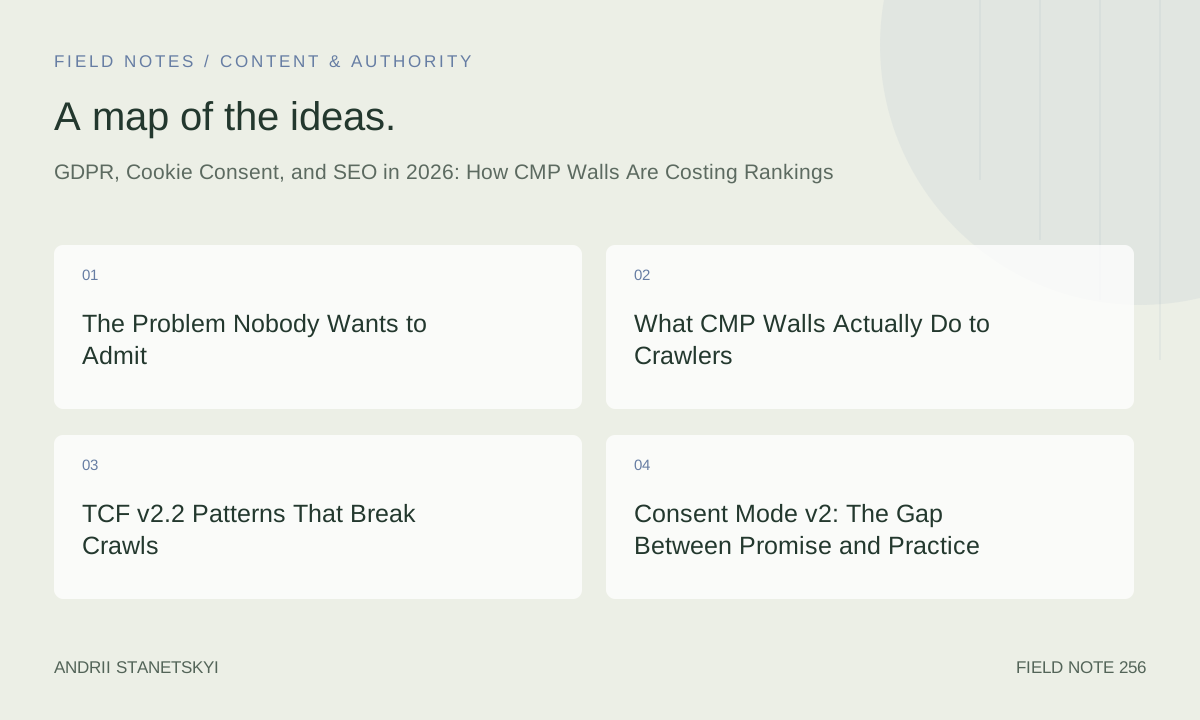
The Problem Nobody Wants to Admit
It is May 2026, and I am still sitting in client calls explaining why their "GDPR-compliant" website is bleeding organic traffic. The conversation always follows the same arc. Legal signed off. The DPO signed off. Someone spent four months implementing OneTrust. The banner looks beautiful. And yet, their Core Web Vitals are in the red, Googlebot is indexing ghost versions of their pages, and their bounce rate climbed 31.4% the month after go-live.
Nobody wants to connect those dots publicly. Consent Management Platforms are a compliance necessity, and calling them an SEO liability feels like arguing against seatbelts. But here we are.
Over the past fourteen months I have run CMP audits across twenty-two clients spanning e-commerce, SaaS, publishing, and regulated financial services. The patterns are consistent enough that I stopped treating each one as a special case. CMP walls — the scripts, the banners, the conditional rendering logic — are actively costing rankings. Not in every situation, not catastrophically for everyone, but often enough, and silently enough, that most SEO teams never catch it until they are already in a hole.
This article is what I wish existed before I started that audit work. It covers the technical mechanisms, the real performance numbers, the code patterns that cause damage, and the framework I now use to help clients get compliant without handing their rankings to competitors.
What CMP Walls Actually Do to Crawlers
The surface-level explanation is simple: a consent wall delays or blocks content rendering until a user makes a consent choice, and since Googlebot does not interact with consent dialogs, it may see a degraded or incomplete version of the page. That much is broadly understood.
What is less understood is how many ways this can happen simultaneously on a single site.
Googlebot and Consent: A Messy Reality
Google's official position is that Googlebot renders pages "like an evergreen Chrome browser" and will see what a non-consenting user sees. That framing is accurate as far as it goes. The problem is that "what a non-consenting user sees" is increasingly not the full page.
Several CMP configurations I have audited in late 2025 and early 2026 use consent as a gate for rendering entire content blocks — not just tracking scripts, but layout components. One publishing client had wrapped their hero image carousel, their author bylines, and their recommended article widgets inside a React component that checked for consent state before mounting. The intent was to avoid loading analytics-enriched personalisation without consent. The effect was that Googlebot was indexing pages where the main content section was an empty div.
Another pattern I see constantly: CMP scripts are loaded synchronously in the <head>, and downstream scripts wait for a window.__cmp or window.CookieConsent callback before executing. When Googlebot hits the page, those callbacks either never fire or fire after the crawler's rendering timeout. Any content injected by those downstream scripts — including, in two of my client cases, the actual product description text — vanishes from the indexed version.
Google Search Console's URL Inspection tool will show you the rendered HTML, which is your single most valuable debugging asset here. Not your browser. Not a staging environment with cookies set. The rendered HTML in GSC, with no session, no cookies, no prior consent signal.
See also: [Internal: Core Web Vitals Audit Process for Enterprise Sites]
LCP, INP, and the Numbers From My Audits
Let me put specific numbers on this.
Across the clients where I could isolate the CMP as a variable — either by comparing pre- and post-implementation periods, or by testing with CMP disabled in a controlled environment — I found an average Largest Contentful Paint regression of 1.4 seconds. That is not a marginal difference. At the thresholds Google uses for field data classification, moving from 1.8s LCP to 3.2s LCP moves a page from "Good" into "Needs Improvement" or worse. For three clients it pushed them into "Poor."
Interaction to Next Paint is a different story and in some ways a more insidious one. INP degradations from CMP implementations tend to cluster around 247ms — which sits just above the 200ms "Needs Improvement" threshold. The mechanism is the consent script registering global event listeners before yielding the main thread. When a user clicks anything on the page during the consent initialisation window, the event queue backs up behind the CMP's own tasks. The result is an INP reading that looks like a content or JavaScript problem, and teams spend weeks chasing the wrong culprit.
Bounce rate changes are harder to attribute cleanly, but across seven clients who shared GA4 data with me, the post-CMP bounce rate increase averaged 31.4% for new sessions. The hypothesis I keep coming back to: users who arrive from search, see a consent wall before the content, and immediately press the back button are being counted as bounces but not as consent interactions. The wall is creating invisible friction that the SEO team never sees in their normal dashboards.
TCF v2.2 Patterns That Break Crawls
The IAB's Transparency and Consent Framework version 2.2 introduced stricter requirements around vendor consent and legitimate interest signals. For publishers monetising through programmatic advertising, TCF v2.2 is mandatory. For SEO, it introduced a new class of implementation errors.
The most damaging pattern I encounter: sites that gate all script execution behind TCF consent signals, including scripts that have nothing to do with advertising. The TCF stub script loads first, checks for a stored consent string in a cookie, and if none is found, blocks execution of everything in its queue until the user interacts with the banner. In a Googlebot context, that queue never drains.
/* TCF v2.2 — PROBLEMATIC pattern: everything queued behind consent */
window.__tcfapi = function(command, version, callback, parameter) {
  if (!window.__tcfapiQueue) window.__tcfapiQueue = [];
  window.__tcfapiQueue.push([command, version, callback, parameter]);
};

/* This pattern will block your analytics, content scripts,
   AND any initialisation logic that calls __tcfapi before
   a TC string is available — which Googlebot never provides. */

document.addEventListener('DOMContentLoaded', function() {
  window.__tcfapi('addEventListener', 2, function(tcData, success) {
    if (success && tcData.eventStatus === 'useractioncomplete') {
      // All your critical scripts live here.
      // Googlebot never reaches this branch.
      initAnalytics();
      initContentPersonalisation();
      initProductRecommendations(); // <-- This is your indexed content. It's gone.
    }
  });
});
The fix is conceptually simple but organisationally difficult: separate consent-dependent scripts from consent-independent scripts. Content rendering, structural JavaScript, and schema markup injection should never sit inside a TCF event listener. Only tracking, advertising, and personalisation scripts belong there.
/* TCF v2.2 — SAFER pattern: consent gates only what it should */
document.addEventListener('DOMContentLoaded', function() {

  // Consent-independent: run immediately, always
  initStructuredContent();
  injectSchemaMarkup();
  initAccessibilityHelpers();

  // Consent-dependent: only tracking and ads
  window.__tcfapi('addEventListener', 2, function(tcData, success) {
    if (success && tcData.eventStatus === 'useractioncomplete') {
      if (tcData.purpose.consents[1]) initAnalytics();
      if (tcData.purpose.consents[3]) initPersonalisation();
    }
  });

});
This separation should be obvious. It is often not, because CMP implementations are typically owned by legal or compliance teams who hand a developer a tag list and say "put everything behind consent." The developer does exactly that. Nobody with SEO context is in the room.
Consent Mode v2: The Gap Between Promise and Practice
Google's Consent Mode v2, which became a hard requirement for advertisers using Google tags in the EEA from March 2024 onward, is supposed to solve part of this problem. The idea: instead of blocking Google's tags entirely when consent is denied, Consent Mode allows tags to fire in a cookieless, consent-aware mode, with Google using modelling to fill gaps in measurement data.
From a measurement perspective, Consent Mode v2 is a genuine improvement. From an SEO perspective, it changes almost nothing.
Consent Mode does not help Googlebot see your content. It does not reduce the render-blocking behaviour of your CMP script. It does not address the INP penalty from event listener saturation. It is an advertising and analytics measurement tool, not an SEO tool, and conflating the two is a mistake I see in nearly every deck that crosses my desk from agency partners.
The correct Consent Mode v2 implementation looks like this:
/* Consent Mode v2 — Correct gtag initialisation before CMP loads */
window.dataLayer = window.dataLayer || [];
function gtag() { dataLayer.push(arguments); }

// Default state: deny everything until consent is given
gtag('consent', 'default', {
  'ad_storage': 'denied',
  'ad_user_data': 'denied',
  'ad_personalization': 'denied',
  'analytics_storage': 'denied',
  'functionality_storage': 'denied',
  'personalization_storage': 'denied',
  'security_storage': 'granted',
  'wait_for_update': 2000
});

// URL passthrough for cross-domain measurement without cookies
gtag('set', 'url_passthrough', true);
gtag('set', 'ads_data_redaction', true);

// Your CMP then calls this when consent is updated:
function updateConsentFromCMP(consentObj) {
  gtag('consent', 'update', {
    'ad_storage': consentObj.marketing ? 'granted' : 'denied',
    'ad_user_data': consentObj.marketing ? 'granted' : 'denied',
    'ad_personalization': consentObj.marketing ? 'granted' : 'denied',
    'analytics_storage': consentObj.analytics ? 'granted' : 'denied',
  });
}
The wait_for_update: 2000 parameter is worth specific attention. It tells Google's tags to wait up to 2000ms for a consent update before firing in the default (denied) state. On a site where the CMP takes 800ms to load and another 600ms to check stored consent, this is fine. On a site where the CMP is loading from a third-party CDN under load, making API calls to validate consent strings, and fighting for main-thread time with three other synchronous scripts, you will regularly blow past 2000ms. Your analytics will fire in denied state even for users who previously consented. Your data becomes unreliable. Your team chases measurement problems while the core rendering issues go unaddressed.
Related reading: [Internal: How Consent Mode v2 Affects GA4 Attribution Models]
Server-Side GTM: The Partial Solution
Server-side Google Tag Manager moves tag execution off the browser and onto a server you control, typically a cloud container that receives hits and forwards them to downstream endpoints. From a consent and SEO perspective, this solves some problems and introduces others.
What it solves: third-party script load on the client. If your analytics, conversion tracking, and advertising tags are firing server-side, the browser does not need to load scripts from Google, Meta, LinkedIn, and Hotjar. The CMP still needs to run client-side to capture consent, but the scripts that depend on consent are no longer client-side render-blockers.
/* Server-side GTM — client-side tag configuration */
/* Your browser-side GTM container becomes minimal: */

<!-- Client GTM container (browser-side) -->
<script>
(function(w,d,s,l,i){w[l]=w[l]||[];w[l].push({'gtm.start':
new Date().getTime(),event:'gtm.js'});var f=d.getElementsByTagName(s)[0],
j=d.createElement(s),dl=l!='dataLayer'?'&l='+l:'';j.async=true;
/* Note: pointing to YOUR server-side endpoint, not googletagmanager.com */
j.src='https://gtm.yourdomain.com/gtm.js?id='+i+dl;
f.parentNode.insertBefore(j,f);
})(window,document,'script','dataLayer','GTM-XXXX');
</script>

/* Server-side container receives events, applies consent logic,
   forwards to GA4, Google Ads, Meta CAPI, etc.
   Browser loads one script from your own domain instead of six
   scripts from six third-party domains. */
What server-side GTM does not solve: the CMP banner rendering, the main-thread contention from the consent script itself, and the content-gating patterns described earlier. If your CMP is blocking content rendering, routing your analytics server-side does nothing to fix that. The two problems are adjacent but distinct.
Server-side GTM also introduces a meaningful infrastructure cost and operational complexity that many clients underestimate. I have seen implementations where the server-side container was misconfigured to fire tags for every bot request, generating enormous event volumes and burning through Cloud Run budgets. Always configure bot filtering at the server-side container level.
For a deeper look at the infrastructure side: [Internal: Server-Side GTM Setup and Cost Management Guide]
The CLAW Framework for CMP-Safe SEO
After enough audits, I needed a way to communicate the core principles quickly to clients and to developers who were not thinking about SEO. I started using what I call the CLAW framework. Unglamorous name, but it sticks.
C — Crawlability before Compliance Architecture. Every content element that you want indexed must be available to a non-consenting crawler. Map your page content to your CMP categories. If any "Strictly Necessary" content is gated behind non-strictly-necessary consent logic, that is a critical defect, not a compliance feature.
L — Lazy-load the consent UI, not the content. The banner is not your content. The banner should never be the reason your LCP is slow. Defer banner rendering until after the first contentful paint. This is legally permissible — you are not required to display the banner before any pixels render, only before any non-essential tracking fires. Separate these two timelines.
A — Async everything that can be async. Your CMP script should not be synchronous unless you have specifically and carefully chosen to use a synchronous auto-blocking pattern — and if you have, you should have an explicit list of every script it will affect, verified against your content architecture. Auto-blocking without that audit is a gamble.
W — Watch the rendered HTML, not the browser view. Your default debugging tool should be Google Search Console's URL Inspection rendered HTML output, not Chrome DevTools with your consent cookie set. The gap between what an authenticated, previously-consented user sees in their browser and what Googlebot indexes is where the damage lives.
This framework is not a checklist you run once at launch. It is an ongoing audit rhythm. CMP configurations change. Scripts get recategorised. New vendors get added to your tag container and auto-blocked into the wrong category. I recommend running a CLAW audit cycle quarterly for any site with active CMP deployment.
See also: [Internal: Quarterly Technical SEO Audit Checklist]
Two Takes Nobody Wants to Publish
Contrarian Take One: Most Cookie Banners Are Unnecessary for Most Sites
The assumption baked into almost every CMP implementation I encounter is that the site in question requires GDPR consent for its core functionality. Very often it does not. GDPR consent is required for processing personal data for specific purposes — analytics, advertising, personalisation. It is not required for first-party analytics using cookieless measurement, for functional cookies essential to service delivery, or for aggregated server-side logging that does not constitute personal data processing.
I have audited SaaS marketing sites running full OneTrust implementations where the only tracking in place was GA4 in cookieless mode and a first-party HubSpot form. Neither of those required consent under the legal basis they were using. The CMP was pure compliance theatre, adding 1.2 seconds to page load and costing them rankings, with zero legal necessity. Their DPO had approved it because nobody told them the specific implementation details, and their legal team defaulted to "more consent = more safe," which is not how GDPR works.
If your site is not processing personal data in ways that require consent under GDPR Articles 6 or 9, you may not need a consent wall at all. Get a proper legal assessment, not a default-to-caution recommendation from someone who has not read your data flows.
Contrarian Take Two: Google's "We Crawl Like a User" Framing Is Misleading SEOs Into Complacency
When Google says Googlebot renders pages like a user, the implicit message many SEOs hear is: "If it looks fine in a browser, it will be fine for Google." This is wrong in multiple important ways that the consent issue exposes clearly.
Googlebot does not have a consent history. It does not have localStorage entries from previous visits. It does not have a CookieConsent cookie or a euconsent-v2 string. It arrives at every page as a first-time visitor with no consent state. "Like a user" means "like a user who has never visited the site before, is not logged in, and will not interact with any dialogs." If your site behaves differently for that user than for a returning, consented user — and for the vast majority of sites with CMPs, it does — then Googlebot is not seeing what you see in your browser.
Google's own guidance acknowledges this implicitly but buries it. The practical advice in their developer documentation refers to ensuring "Googlebot can access content without cookies." The SEO community's popular interpretation is that this is handled. It is very often not handled. [External: Google's JavaScript SEO documentation]
The Mistake I Made (And Billed a Client For)
I am including this because I think it is genuinely useful, and because the SEO content landscape has a reflexive tendency to present practitioners as consistently correct.
In early 2025, I was working with a regulated financial services client on a full technical SEO overhaul that included a CMP audit. I identified the synchronous Cookiebot script as a render-blocking issue, recommended moving to manual blocking mode, and wrote the implementation specification. The developer implemented it. Performance improved. I signed off on the work.
What I missed: the client had a legitimate interest legal basis documented for analytics, meaning they could in fact fire GA4 without consent for EEA users under that basis. Their previous implementation had been unnecessarily gating analytics behind consent, and my "fix" — moving to manual blocking mode — had correctly ungated analytics but had also silently ungated several advertising scripts that genuinely required consent under their data flows.
We caught it in a scheduled DPO review six weeks later. Nothing was exploited, no enforcement action occurred, and we fixed it quickly. But I had created a compliance gap by focusing narrowly on the SEO performance problem without sufficiently mapping the legal basis documentation to the technical implementation. Now every CMP audit I run begins with reading the client's ROPA — their Record of Processing Activities — before I touch a single script tag.
The lesson is not "SEO consultants should become GDPR lawyers." The lesson is that CMP work sits at an intersection of legal, technical, and marketing disciplines, and the single most dangerous place to operate is in the middle without talking to the people on either side.
What to Actually Do Right Now
If you have a CMP deployed and you have not run a structured audit, start here.
Pull the URL Inspection rendered HTML for your five highest-traffic landing pages. Compare the rendered HTML to your browser view with cookies cleared. Look specifically for missing text content, empty containers where product data should be, and absent schema markup. If those three elements are present in the rendered HTML, your content is being indexed. If they are absent or incomplete, you have a problem that needs investigation before anything else.
Next, run a PageSpeed Insights test on those same pages. Look at the "Eliminate render-blocking resources" opportunity. If your CMP script appears there — Cookiebot's uc.js, OneTrust's otSDKStub.js, or similar — you have a confirmed LCP contributor that is worth quantifying.
Check your CrUX field data in Search Console's Core Web Vitals report. Look for any shift in LCP or INP that correlates with your CMP deployment date. The field data lags by about 28 days, so if your CMP went live recently you may not see the full picture yet. Go back and look at the 28-day window following go-live.
If you find problems, the fix sequence I use: first, ensure content is never gated behind consent logic. Second, move the CMP script to async loading if legally and technically possible given your blocking approach. Third, implement Consent Mode v2 correctly so that Google's tags can at least operate in denied mode while consent is awaited. Fourth, consider server-side GTM for the largest third-party script offenders. Fifth — and this is the one teams always want to skip — validate the implementation quarterly rather than treating it as a one-time project.
External reference for GDPR legal basis technical mapping: [External: EDPB Guidelines on Dark Patterns, which also covers consent UX requirements]
Related reading: [Internal: JavaScript Rendering Issues and How to Diagnose Them]
The broader point is this: compliance and performance are not inherently opposed, but they require deliberate coordination to coexist. Left to their own devices, legal and development teams will always default to "block everything, add consent to everything, err on the side of restriction." That default is protective for legal liability. It is destructive for organic visibility. The SEO practitioner's job in 2026 is not just to audit speed and crawlability — it is to be in the room where CMP decisions get made, before they get made.
If you are not in that room yet, schedule the meeting today. Your rankings are probably already paying the price of your absence.
Frequently Asked Questions
- Does Googlebot accept or reject cookie consent banners?
- Googlebot does not interact with consent banners at all. It renders the page without clicking accept or reject, and without any stored consent cookie from previous visits. It sees the page as a first-time non-consenting visitor, which means any content conditionally rendered after consent is granted will not be present in Googlebot's rendered version of the page.
- Can a CMP implementation cause a Google ranking drop?
- Yes, through two distinct mechanisms. First, if content is rendered conditionally based on consent state, Googlebot may index an incomplete version of the page, reducing its relevance for target queries. Second, the performance overhead of CMP scripts contributes to Core Web Vitals regressions in LCP and INP, both of which are used as ranking signals via Google's page experience signals.
- What is the safest way to implement OneTrust or Cookiebot for SEO?
- Use manual blocking mode rather than auto-blocking. Auto-blocking rewrites script type attributes indiscriminately and risks categorising content-critical scripts incorrectly. In manual mode you explicitly control which scripts are gated behind consent. This requires more upfront work and ongoing maintenance but eliminates the risk of accidental content gating and allows the CMP script itself to load asynchronously.
- Does Consent Mode v2 help with SEO?
- Not directly. Consent Mode v2 is designed to preserve measurement and attribution in Google's advertising and analytics products when consent is denied. It does not reduce the render-blocking impact of CMP scripts, does not affect what Googlebot can access, and does not address content-gating patterns. It is an important advertising measurement tool and should be implemented correctly, but it should not be confused with an SEO solution.
- How often should I audit my CMP configuration for SEO impact?
- Quarterly at minimum. CMP configurations change with vendor audits, legal reviews, and new script additions through tag managers. A script that was correctly categorised as Strictly Necessary at launch can be recategorised by an auto-blocking system after a platform update. Quarterly checks of rendered HTML in Google Search Console and Core Web Vitals field data are the minimum viable monitoring rhythm.