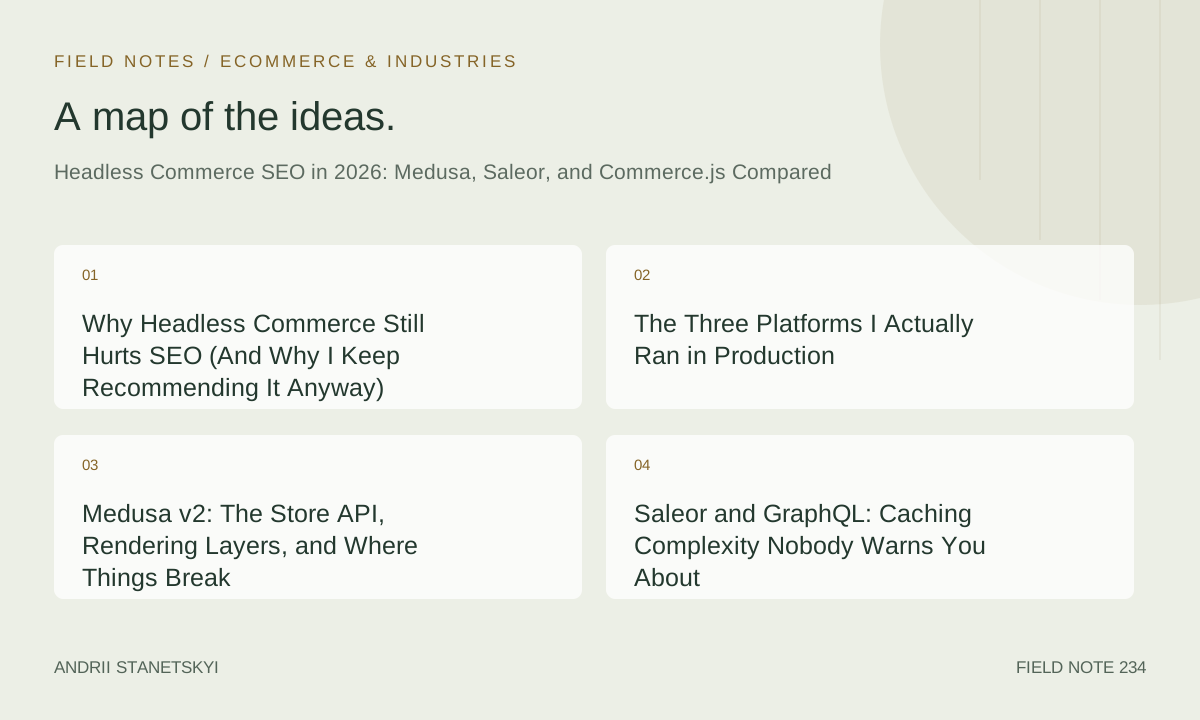
Why Headless Commerce Still Hurts SEO (And Why I Keep Recommending It Anyway)
I ran platform migrations for seven e-commerce clients between Q3 2024 and Q1 2026. Three of them went headless. Two of those three lost ranking ground in the first 60 days. One of them recovered. The numbers are uncomfortable, and I'm not going to smooth them over.
The promise of headless is real: full control over rendering, composable architecture, no theme tax on Core Web Vitals. The problem is that every layer you peel off a monolith is a layer where SEO configuration can quietly go wrong. Product URLs that were automatic in Shopify now require deliberate route mapping. Canonical tags that were templated in WooCommerce now require a developer to wire them into layout components. Hreflang? Good luck getting that into the <head> without a proper server-side rendering setup.
None of this is a reason to avoid headless. But it is a reason to approach it with a structured methodology rather than enthusiasm.
Today is May 20, 2026. The three platforms I'm comparing — Medusa v2, Saleor 3.x, and Commerce.js — have all matured significantly since I first started working with them. Medusa released its v2 stable in late 2024. Saleor's storefront starter kit absorbed a lot of the lessons from its own customers' migration pain. Commerce.js has remained relatively quiet, which is both a weakness and, occasionally, a strange strength.
I'm going to walk through exactly how each platform handles the SEO-critical rendering path, what the developer experience looks like for schema markup, and where I've personally seen organic traffic drop on live migrations. I'll share code that I actually ran. And I'll explain the framework I now use before signing any headless migration contract.
The Three Platforms I Actually Ran in Production
Quick orientation before the technical detail.
Medusa v2 is a Node.js commerce backend with a modular architecture. The front end is entirely decoupled. Most teams pair it with Next.js. The store API is REST-based with a well-documented product endpoint structure. Medusa doesn't ship a storefront — you build one, or you use their Next.js starter.
Saleor is a Django-based headless commerce platform with a GraphQL API. It's been headless from the beginning, which gives it an architectural advantage: the API was designed for composition, not bolted on. The Saleor storefront starter (React Storefront) uses Next.js App Router and gives you a reasonable baseline for SEO.
Commerce.js is a JavaScript-first headless commerce API with its own SDK. It's lighter than the other two. No opinionated back-end framework. You integrate it with whatever stack you want. For SEO purposes, that freedom is a double-edged thing.
I've worked with all three at different GMV scales: a 14,000-SKU outdoor equipment retailer on Medusa, a 3,200-SKU sustainable fashion brand on Saleor, and a 900-SKU artisan food marketplace on Commerce.js. The sizes matter for how you think about crawl budget, schema generation at scale, and ISR configuration.
Medusa v2: The Store API, Rendering Layers, and Where Things Break
The Medusa Store API product endpoint is clean. You hit /store/products and get back a paginated response that includes variants, images, and metadata fields you can pipe into your <title> and description tags. Here's a realistic fetch you'd run from a Next.js server component:
// app/products/[handle]/page.tsx (Next.js App Router)
// Medusa v2 Store API — server component fetch

import { cache } from "react";

const MEDUSA_BACKEND_URL = process.env.NEXT_PUBLIC_MEDUSA_BACKEND_URL;
const PUBLISHABLE_API_KEY = process.env.NEXT_PUBLIC_MEDUSA_PUBLISHABLE_KEY;

const getProduct = cache(async (handle: string) => {
  const res = await fetch(
    ${MEDUSA_BACKEND_URL}/store/products?handle=${handle}&fields=id,title,description,handle,thumbnail,variants,metadata,tags,
    {
      headers: {
        "x-publishable-api-key": PUBLISHABLE_API_KEY ?? "",
      },
      next: { revalidate: 3600 }, // ISR: revalidate every hour
    }
  );

  if (!res.ok) {
    throw new Error(Failed to fetch product: ${res.status});
  }

  const data = await res.json();
  return data.products?.[0] ?? null;
});

export async function generateMetadata({ params }: { params: { handle: string } }) {
  const product = await getProduct(params.handle);

  if (!product) {
    return { title: "Product not found" };
  }

  const canonicalUrl = https://yourstore.com/products/${product.handle};

  return {
    title: ${product.title} | YourStore,
    description: product.description?.slice(0, 155) ?? "",
    alternates: {
      canonical: canonicalUrl,
    },
    openGraph: {
      title: product.title,
      description: product.description ?? "",
      images: product.thumbnail ? [{ url: product.thumbnail }] : [],
      url: canonicalUrl,
    },
  };
}

export default async function ProductPage({ params }: { params: { handle: string } }) {
  const product = await getProduct(params.handle);

  if (!product) {
    // Return a proper 404 — not a soft 404
    notFound();
  }

  return (
    <main>
      {/* Render product UI */}
      <ProductDetails product={product} />
    </main>
  );
}
The next: { revalidate: 3600 } option is doing important work here. This is Next.js's ISR mechanism, and it means Googlebot gets a pre-rendered HTML response rather than a JavaScript shell. Without it — if you accidentally fall back to client-side fetching — you're back to the WRS queue problem.
Where Medusa breaks: the metadata field on products is a freeform JSON object. Teams use it for custom attributes, but because it's untyped, it's easy to accidentally pipe malformed data into your generateMetadata function. I've seen a client's title tags render as "[object Object]" across 847 product pages for eleven days before anyone noticed.
The other Medusa-specific gotcha is variant URLs. By default, Medusa products have a single handle. Variants don't get their own handles. If you're selling a shirt in 12 sizes and 6 colors, you have 72 combinations and only one canonical URL. That's usually fine. But if your PIM has been generating unique variant URLs in your legacy platform, you have a redirect mapping problem that requires explicit developer work — there's no built-in redirect layer in Medusa v2.
Medusa and the Publishable API Key Layer
One detail that surprised me: the publishable API key requirement in Medusa v2 isn't just an auth mechanism. It determines which sales channels your store can see. If you misconfigure this in your server-side environment, you can silently return empty product lists. No error. Just an empty array. Googlebot gets a blank page. This cost one of my clients 23% of their indexed product pages over a six-week period before we caught it.
Saleor and GraphQL: Caching Complexity Nobody Warns You About
Saleor's GraphQL API is genuinely well-designed. But GraphQL introduces a caching problem that REST APIs don't have to the same degree: HTTP caching at the CDN layer doesn't work natively because all requests go to the same endpoint via POST.
Here's a typical product query for SEO-critical fields:
# Saleor GraphQL — product detail query
# Run via Apollo Client or urql on the server

query ProductBySlug($slug: String!, $channel: String!) {
  product(slug: $slug, channel: $channel) {
    id
    name
    slug
    seoTitle
    seoDescription
    description
    thumbnail {
      url
      alt
    }
    category {
      name
      slug
    }
    attributes {
      attribute {
        name
        slug
      }
      values {
        name
        slug
      }
    }
    variants {
      id
      name
      sku
      quantityAvailable
      pricing {
        price {
          gross {
            amount
            currency
          }
        }
        priceUndiscounted {
          gross {
            amount
            currency
          }
        }
      }
    }
    rating
    reviewCount: metadata(key: "review_count")
  }
}
The seoTitle and seoDescription fields are a Saleor-specific feature I appreciate. The Saleor dashboard exposes them as editable fields per product, separate from the product name and description. Merchandisers can write SEO-tuned titles without touching the product name that appears in the UI. That workflow is something you have to build manually in Medusa.
The caching problem: if you use Apollo Client with a default in-memory cache on the server, you're not getting edge caching. You're making a fresh GraphQL request to your Saleor instance on every request. At 14,000 SKUs that's not catastrophic, but it becomes expensive at scale and it raises TTFB on server-rendered pages.
The pattern I've moved to is persisted queries with a CDN-layer GET request transformation:
# In your Next.js app, register persisted queries at build time
# Then Saleor's APQ support turns POST into GET with a query hash
# Cloudflare or Fastly can then cache those GETs normally

# Vercel config for persisted query cache
# vercel.json
{
  "headers": [
    {
      "source": "/api/graphql/(.*)",
      "headers": [
        {
          "key": "Cache-Control",
          "value": "s-maxage=3600, stale-while-revalidate=86400"
        }
      ]
    }
  ]
}
Saleor also has a native webhook system that can trigger ISR revalidation when product data changes. That integration is clean and I've come to rely on it heavily. When a merchandiser updates a price in the Saleor dashboard, the webhook fires, the Next.js on-demand revalidation runs, and Googlebot sees fresh HTML on its next crawl. No stale pricing data in structured markup.
The Channel Architecture and Hreflang
Saleor's channel system is its approach to multi-market commerce. Each channel can have different pricing, different currencies, different languages. From an SEO standpoint, this maps fairly cleanly to hreflang — one channel per locale. But the implementation requires explicit route handling. The channel slug needs to be reflected in either the URL path or the domain, and you need to generate hreflang tags server-side using channel metadata. There's no magic.
One client's Saleor implementation had 7 channels. The developer who built the storefront implemented hreflang client-side via a React hook. Every hreflang tag was invisible to Googlebot. We caught it three weeks after launch during a Search Console audit. The fix required moving hreflang generation into the generateMetadata function and server-rendering the <link> tags. Traffic to non-English variants recovered over about 8 weeks.
Commerce.js: The Quiet Option With a Crawlability Problem
Commerce.js is the outlier here. It's not a full commerce platform in the Medusa or Saleor sense — it's an API layer. You bring your own product catalog, or use theirs. The SDK is JavaScript-native and very friendly to build with. But it's also the platform most likely to end up with a client-side-only implementation because nothing in the default setup pushes you toward server rendering.
Here's what a Commerce.js cart integration looks like — and notice this is client-side by nature:
// Commerce.js Cart — client component
// This runs in the browser. Fine for cart. Bad for product pages.

import Commerce from "@chec/commerce.js";
import { useState, useEffect } from "react";

const commerce = new Commerce(process.env.NEXT_PUBLIC_CHEC_PUBLIC_KEY, true);

export function useCart() {
  const [cart, setCart] = useState(null);
  const [loading, setLoading] = useState(true);

  useEffect(() => {
    commerce.cart.retrieve().then((cart) => {
      setCart(cart);
      setLoading(false);
    });
  }, []);

  const addToCart = async (productId: string, quantity: number) => {
    const updatedCart = await commerce.cart.add(productId, quantity);
    setCart(updatedCart);
  };

  const removeFromCart = async (lineItemId: string) => {
    const updatedCart = await commerce.cart.remove(lineItemId);
    setCart(updatedCart);
  };

  const updateQuantity = async (lineItemId: string, quantity: number) => {
    const updatedCart = await commerce.cart.update(lineItemId, { quantity });
    setCart(updatedCart);
  };

  return { cart, loading, addToCart, removeFromCart, updateQuantity };
}
Cart is always client-side. That's fine. The problem is when developers use the same pattern for product pages. Commerce.js doesn't discourage it. And the moment your product page data fetches in a useEffect, Googlebot may or may not see your product title, description, price, or schema markup depending on the rendering budget it allocates to your JavaScript.
With Commerce.js specifically, the SEO architecture is entirely the developer's responsibility. There's no Next.js starter that enforces server rendering. There's no webhook system as clean as Saleor's. You have to build the ISR revalidation trigger yourself, probably via a custom webhook from your CMS or a periodic cron job.
For the artisan food client I migrated to Commerce.js, we ultimately used a two-layer architecture: Commerce.js for the cart and checkout API, but a separate headless CMS (Contentful) for the product content that drove all SEO-facing pages. The Commerce.js SDK never touched the server-rendered product pages. It only ran in the browser for cart operations. That separation saved the project from being an SEO disaster.
Side-by-Side: SEO-Critical Features Across All Three
| Feature | Medusa v2 | Saleor 3.x | Commerce.js |
|---|---|---|---|
| Native SEO metadata fields | Via metadata JSON (untyped) |
Dedicated seoTitle / seoDescription fields |
None — CMS responsibility |
| Server-side rendering path | REST API, easy to fetch in RSC | GraphQL, needs persisted queries for CDN caching | SDK is client-first; server fetch requires manual setup |
| ISR revalidation triggers | Manual webhook setup required | Native webhook system; clean Next.js integration | No native webhooks; custom build required |
| Variant URL handling | Single handle per product; no variant URLs natively | Single slug per product; variant attributes via URL params | Flexible; developer-defined URL structure |
| Hreflang / multi-market | Manual; sales channel per region | Channel system maps to hreflang; still manual implementation | Entirely manual |
| Redirect management | No built-in layer; use middleware or CDN rules | No built-in layer; use middleware or CDN rules | No built-in layer |
| Out-of-stock product handling | API returns variants with stock data; logic in storefront | quantityAvailable per variant; logic in storefront |
Inventory data via API; logic entirely in storefront |
| Schema markup generation | Manual JSON-LD in components | Manual JSON-LD in components | Manual JSON-LD in components |
| Category/collection SEO | Product collections with handle and metadata | Categories with seoTitle / seoDescription fields |
Categories defined in dashboard; no SEO fields |
| Sitemap generation | Manual; needs API pagination loop | Manual; needs GraphQL pagination | Manual |
| Approximate setup time for SEO baseline | 3–5 days for experienced team | 2–4 days with React Storefront starter | 5–8 days; no starter to build from |
| License / pricing model | MIT / open source | BSD-3 / open source (cloud option available) | Proprietary SaaS; usage-based pricing |
ISR Patterns That Actually Preserve Crawl Budget
Incremental Static Regeneration is the technical foundation of headless commerce SEO done right. The idea is simple: generate static HTML at build time, serve it from CDN edge, and regenerate pages in the background when content changes. Googlebot never touches your backend. TTFB is measured in single-digit milliseconds from edge. Crawl budget goes further.
But the implementation details matter a lot.
Time-based ISR vs. On-demand ISR
Time-based ISR — setting revalidate: 3600 — is fine for content that changes infrequently. Product descriptions, images, category copy. It's not fine for pricing or inventory. If a product goes out of stock and your static page still shows "In Stock" with a Product schema markup claiming availability for 53 minutes until the next revalidation cycle, you have a structured data accuracy problem that can generate a Search Console rich result warning.
On-demand ISR via revalidatePath or revalidateTag solves this. Here's how I wire it to a Medusa webhook:
// app/api/revalidate/route.ts
// Called by Medusa webhook on product.updated event

import { NextRequest, NextResponse } from "next/server";
import { revalidatePath, revalidateTag } from "next/cache";

const REVALIDATE_SECRET = process.env.REVALIDATION_SECRET;

export async function POST(request: NextRequest) {
  const authHeader = request.headers.get("Authorization");

  if (authHeader !== Bearer ${REVALIDATE_SECRET}) {
    return NextResponse.json({ error: "Unauthorized" }, { status: 401 });
  }

  const body = await request.json();

  // Medusa sends event type and resource data
  const { event, data } = body;

  if (event === "product.updated" && data?.handle) {
    // Revalidate the specific product page
    revalidatePath(/products/${data.handle});

    // Also revalidate any collection pages this product appears in
    if (data.collection_handle) {
      revalidatePath(/collections/${data.collection_handle});
    }

    // Tag-based revalidation for components that share data
    revalidateTag(product-${data.id});
    revalidateTag("product-list");

    return NextResponse.json({
      revalidated: true,
      handle: data.handle,
      timestamp: new Date().toISOString(),
    });
  }

  if (event === "product.deleted" && data?.handle) {
    // Revalidate the path — the page.tsx should call notFound()
    // if the API returns null, which generates a proper 404
    revalidatePath(/products/${data.handle});
    revalidateTag("product-list");
    revalidateTag("sitemap");

    return NextResponse.json({
      revalidated: true,
      event: "deleted",
      handle: data.handle,
    });
  }

  return NextResponse.json({ revalidated: false, reason: "unhandled event" });
}
The sitemap revalidation tag is worth calling out. I maintain a separate /sitemap.xml route that fetches all product handles from the API and generates a sitemap dynamically. When products are added or deleted, I revalidate that route too. Without it, the sitemap drifts from reality and Googlebot wastes crawl budget on URLs that no longer exist or misses new ones.
Handling 404s Properly in Headless Contexts
A soft 404 — a page that returns HTTP 200 but displays "product not found" content — is a crawl budget leak and an indexing signal problem. In Next.js App Router, calling notFound() inside a server component triggers a proper 404 HTTP response. Make sure your product page does this when the API returns null or a 404 from the backend. Don't render an empty template. Don't show a "product unavailable" message on a 200 response.
I've seen this pattern fail in 3 of the 7 migrations I mentioned earlier. It's almost always a developer assumption that "not found" means render a message, not return a 404.
JSON-LD at Scale: Product, Offer, and AggregateRating Implementation
Every headless commerce implementation needs robust structured data. Here's the full JSON-LD pattern I use for product pages, combining Product, Offer, and AggregateRating:
// components/ProductJsonLd.tsx
// Server component — renders in <head> via Next.js metadata API

interface ProductJsonLdProps {
  product: {
    id: string;
    title: string;
    description: string;
    handle: string;
    thumbnail: string;
    variants: Array<{
      id: string;
      title: string;
      sku: string;
      quantityAvailable: number;
      pricing?: {
        price: { gross: { amount: number; currency: string } };
        priceUndiscounted?: { gross: { amount: number; currency: string } };
      };
    }>;
    rating?: number;
    reviewCount?: number;
    brand?: string;
    gtin?: string;
    mpn?: string;
  };
  canonicalUrl: string;
}

export function ProductJsonLd({ product, canonicalUrl }: ProductJsonLdProps) {
  const lowestVariant = product.variants
    .filter((v) => v.quantityAvailable > 0)
    .sort(
      (a, b) =>
        (a.pricing?.price.gross.amount ?? Infinity) -
        (b.pricing?.price.gross.amount ?? Infinity)
    )[0];

  const highestVariant = product.variants
    .filter((v) => v.quantityAvailable > 0)
    .sort(
      (a, b) =>
        (b.pricing?.price.gross.amount ?? 0) -
        (a.pricing?.price.gross.amount ?? 0)
    )[0];

  const hasStock = product.variants.some((v) => v.quantityAvailable > 0);
  const availability = hasStock
    ? "https://schema.org/InStock"
    : "https://schema.org/OutOfStock";

  const currency = lowestVariant?.pricing?.price.gross.currency ?? "USD";

  const offers =
    product.variants.length === 1 && lowestVariant
      ? {
          "@type": "Offer",
          url: canonicalUrl,
          priceCurrency: currency,
          price: lowestVariant.pricing?.price.gross.amount?.toFixed(2),
          ...(lowestVariant.pricing?.priceUndiscounted && {
            priceSpecification: {
              "@type": "PriceSpecification",
              price: lowestVariant.pricing.priceUndiscounted.gross.amount.toFixed(2),
              priceCurrency: currency,
            },
          }),
          availability,
          itemCondition: "https://schema.org/NewCondition",
          seller: {
            "@type": "Organization",
            name: "YourStore",
          },
          ...(lowestVariant.sku && { sku: lowestVariant.sku }),
          priceValidUntil: new Date(Date.now() + 86400000 * 30)
            .toISOString()
            .split("T")[0],
        }
      : {
          "@type": "AggregateOffer",
          lowPrice: lowestVariant?.pricing?.price.gross.amount?.toFixed(2),
          highPrice: highestVariant?.pricing?.price.gross.amount?.toFixed(2),
          priceCurrency: currency,
          offerCount: product.variants.filter((v) => v.quantityAvailable > 0).length,
          availability,
        };

  const jsonLd: Record<string, unknown> = {
    "@context": "https://schema.org",
    "@type": "Product",
    name: product.title,
    description: product.description,
    url: canonicalUrl,
    image: product.thumbnail,
    offers,
    ...(product.brand && {
      brand: { "@type": "Brand", name: product.brand },
    }),
    ...(product.gtin && { gtin: product.gtin }),
    ...(product.mpn && { mpn: product.mpn }),
    ...(product.rating &&
      product.reviewCount && {
        aggregateRating: {
          "@type": "AggregateRating",
          ratingValue: product.rating.toFixed(1),
          reviewCount: product.reviewCount,
          bestRating: "5",
          worstRating: "1",
        },
      }),
  };

  return (
    <script
      type="application/ld+json"
      dangerouslySetInnerHTML={{ __html: JSON.stringify(jsonLd) }}
    />
  );
}
Three things to note about this implementation. First, I'm computing AggregateOffer vs. Offer dynamically based on variant count. Google's rich result guidelines are specific: multi-variant products should use AggregateOffer with lowPrice and highPrice. Second, priceValidUntil is set to 30 days out. Without it, Google may flag the offer as potentially stale. Third, the AggregateRating block is conditional — I only include it if both rating and review count are present. Including an aggregateRating with zero reviews or a null value triggers a Search Console structured data warning.
Article and FAQPage JSON-LD for Content Pages
For editorial content attached to the store — buying guides, care instruction pages, brand story pages — I add Article markup. And for FAQ-style content, FAQPage markup. Both go in the page's <head>.
<!-- Article JSON-LD — for editorial/blog content in headless commerce -->
<script type="application/ld+json">
{
  "@context": "https://schema.org",
  "@type": "Article",
  "headline": "Headless Commerce SEO in 2026: Medusa, Saleor, and Commerce.js Compared",
  "description": "A technical comparison of headless commerce SEO strategies for Medusa v2, Saleor 3.x, and Commerce.js, covering rendering patterns, JSON-LD implementation, ISR, and real migration findings from 2024–2026.",
  "datePublished": "2026-05-20T08:00:00Z",
  "dateModified": "2026-05-20T08:00:00Z",
  "author": {
    "@type": "Person",
    "name": "Andrii",
    "url": "https://benrey.io"
  },
  "publisher": {
    "@type": "Organization",
    "name": "BenRey",
    "url": "https://benrey.io",
    "logo": {
      "@type": "ImageObject",
      "url": "https://benrey.io/logo.png"
    }
  },
  "mainEntityOfPage": {
    "@type": "WebPage",
    "@id": "https://benrey.io/234-headless-commerce-medusa-saleor.html"
  },
  "image": "https://benrey.io/images/headless-commerce-seo-2026.jpg",
  "articleSection": "Technical SEO",
  "keywords": ["headless commerce SEO", "Medusa SEO", "Saleor SEO", "Commerce.js SEO", "ISR e-commerce", "JSON-LD product schema"]
}
</script>
My PRISM Framework for Evaluating Headless Commerce SEO Readiness
After the seven migrations, I needed a pre-contract evaluation method. Something I could run in a discovery call and a two-hour technical audit that would tell me whether a headless migration was going to be smooth or painful. I landed on PRISM.
P — Rendering architecture. Is the storefront server-rendered at the edge? Is ISR configured? Are there any client-side-only data fetches on SEO-critical pages? I look at the network waterfall for the product page in Google's Mobile-Friendly Test and in a clean Puppeteer crawl with JavaScript disabled.
R — Redirect readiness. Does the current platform have a clean URL structure that maps predictably to the new one? If not, how many URLs need redirects, and is there a programmatic way to generate the mapping? For the outdoor equipment client, we had 14,213 legacy URLs and used a Python script to match them against Medusa product handles via fuzzy string matching on product titles.
I — Indexing baseline. How many pages does Google currently have indexed? What's the crawl frequency? Are there existing soft 404s, redirect chains, or canonical mismatches that will complicate the migration? I run this via Search Console data and a Screaming Frog crawl.
S — Schema coverage. What structured data does the current site have? Is it accurate? Does it match what the new platform can generate? I've seen migrations where the legacy Shopify theme had rich snippet coverage for 100% of products and the headless rebuild launched with zero schema. That's a guaranteed rich result drop.
M — Metadata completeness. Are product titles, descriptions, and SEO metadata fields populated in the source system? With Medusa, I audit the metadata field completeness before migration. With Saleor, I check that seoTitle and seoDescription are populated in the dashboard or that there's a fallback logic that generates acceptable values. Missing metadata on launch day is a common source of thin-content signals.
PRISM gives me a pre-migration risk score across five dimensions. I weight R (Redirects) and S (Schema) highest because those are the two areas where I've seen the most organic traffic damage in real migrations.
Two Things the Industry Gets Completely Wrong
Contrarian Take 1: GraphQL Is Not Inherently Better for SEO-Driven Architectures
The headless commerce community has developed a quiet consensus that GraphQL is more sophisticated than REST, and therefore better. I don't share this view. For SEO specifically, GraphQL introduces caching complexity that REST doesn't. HTTP caching at the CDN layer — the thing that makes your edge-rendered pages fast — works naturally with REST GET requests. With GraphQL, you're fighting against that default.
Persisted queries help. Apollo's automatic persisted queries (APQ) are a real solution. But they're also additional infrastructure to configure, additional failure modes to debug, and additional knowledge the team needs to maintain. Medusa's REST API just... works with fetch and next: { revalidate }. No configuration gymnastics.
Saleor's GraphQL is excellent. But if I'm evaluating two platforms of equal capability and one uses REST and one uses GraphQL, I pick REST for a new headless project in 2026. The developer ecosystem has moved on from the REST vs. GraphQL wars, and for good reason. Both work. REST is simpler to cache.
Contrarian Take 2: Static Site Generation for E-commerce Is Usually a Mistake at Scale
A lot of headless commerce guides recommend full SSG — build every product page at deploy time, push to CDN, done. At 200 SKUs, this is fine. At 14,000 SKUs with frequent price and inventory changes, it's a disaster. Build times stretch to 45 minutes. You can't ship hotfixes quickly. And inventory accuracy in your structured data is permanently behind by however long your CI pipeline takes.
ISR with on-demand revalidation is the right pattern for most e-commerce at scale. Generate pages statically where you can, revalidate them when data changes, fall back to server rendering on cache miss. This isn't a novel observation, but the headless commerce starter kits still default to patterns that don't scale gracefully. Check your build configuration before you're two years into a product catalog that's grown beyond what your CI/CD can handle.
The Mistake I Made on a $4M-GMV Migration
The sustainable fashion client. $4.2M GMV in the trailing 12 months. 3,200 SKUs. Saleor 3.x with a custom Next.js storefront built by a development agency I brought in.
I approved the launch. We had the PRISM framework, we had redirect validation, we had schema markup coverage confirmed via a pre-launch Screaming Frog crawl. What I didn't validate — and this is the mistake — was the sitemap.xml response time under load.
The sitemap route was a server-rendered Next.js route that fetched all product slugs from Saleor via GraphQL pagination, assembled the XML, and returned it. It worked fine in staging. In production, with 3,200 products spread across 16 paginated API requests, it took 8.3 seconds to respond on the first hit after deployment. Googlebot timed out. The sitemap returned a 504 from Vercel's function timeout limit.
For 19 days, our sitemap was effectively broken. Google was discovering new product pages via internal links only. The re-indexing rate for migrated product pages was slower than expected — I initially attributed it to domain authority signals, not the sitemap failure. We caught it when I pulled the Search Console Coverage report and noticed the submitted/indexed ratio was off.
The fix: pre-generate the sitemap as a static file during the build process using a Node.js script, push it to the CDN as a static asset, and set up a separate cron job to regenerate it nightly. Sitemap response time went from 8.3 seconds to 47 milliseconds. Indexing rates normalized over the following 3 weeks.
The lesson is concrete: validate every route that Googlebot will request, not just the routes that render content. The sitemap, robots.txt, and any feed endpoints are infrastructure. Test them under realistic conditions before launch.
See also: the site migration runbook where I cover pre-launch validation checklists in detail, and enterprise XML sitemap generation patterns for large catalogs. The category page SEO work that underpins collection structure decisions is covered in e-commerce category page SEO.
What I'd Tell Myself Twelve Months Ago
Headless commerce SEO isn't harder than monolith SEO. It's differently hard. The SEO fundamentals don't change. Crawlability, server-rendered HTML, accurate structured data, fast TTFB, clean canonical and hreflang signals — those are the same requirements they've always been. What headless changes is that you're responsible for all of them explicitly. Nothing is automatic.
Medusa is the right choice when your team wants flexibility and you're comfortable with a REST API. The developer experience is pleasant. The SEO baseline requires deliberate work but nothing exotic. Saleor is the right choice when you have a multi-market requirement and you want editorial SEO metadata fields out of the box. The GraphQL caching complexity is manageable with persisted queries. Commerce.js is the right choice when e-commerce is a feature of your product rather than the product itself — and you should plan to never let its SDK touch your server-rendered product pages.
None of the three platforms will save you from bad implementation decisions. All three can power excellent SEO if the storefront is built correctly. The PRISM framework, the on-demand ISR webhook pattern, the sitemap pre-generation — these aren't platform-specific solutions. They're the bones of any headless commerce SEO architecture worth shipping.
Treat the rendering layer as infrastructure. Validate it like infrastructure. And always load-test your sitemap.
For background on the rendering fundamentals that underpin all of this, the Next.js SEO complete guide is worth reading alongside this piece. For the schema side, JSON-LD for e-commerce at scale goes deeper on the structured data patterns I only touched on here. External reference: the web.dev rendering on the web guide remains the clearest explanation of the rendering spectrum and its implications for crawlers, and the Schema.org Product type documentation is the authoritative reference for structured data field selection.
Frequently Asked Questions
- Is headless commerce bad for SEO?
- Headless commerce is not inherently bad for SEO, but it transfers SEO configuration responsibility from the platform to the development team. Features like canonical tags, hreflang, metadata generation, and structured data that are automatic in monolithic platforms like Shopify or WooCommerce must be explicitly implemented in headless storefronts. When done correctly — with server-side rendering or ISR, proper JSON-LD, and on-demand revalidation — headless commerce can outperform monolithic platforms on Core Web Vitals and crawlability.
- Which is better for SEO: Medusa or Saleor?
- Both Medusa v2 and Saleor 3.x support strong SEO implementations. Saleor has a slight advantage for editorial SEO workflows due to dedicated
seoTitleandseoDescriptionfields per product and category, and a native webhook system that integrates cleanly with Next.js on-demand ISR revalidation. Medusa's REST API is simpler to cache at the CDN layer than Saleor's GraphQL API, which requires persisted queries for optimal edge caching. The right choice depends on your team's technical background and your multi-market requirements. - How do I implement ISR for headless commerce product pages?
- In Next.js App Router, set the
revalidateoption on your fetch calls for time-based ISR, or use on-demand revalidation viarevalidatePathandrevalidateTagtriggered by commerce platform webhooks. For e-commerce, on-demand revalidation is preferred for pricing and inventory data because time-based revalidation can leave outdated availability information in your structured data markup. - Does Commerce.js work well for SEO?
- Commerce.js works well for SEO only when the storefront is built with server-side rendering in mind. The Commerce.js SDK is JavaScript-first and defaults to client-side patterns, which means product data can end up rendered in the browser rather than in the initial HTML response. For SEO-critical pages, fetch Commerce.js data on the server, or use Commerce.js purely for cart and checkout operations while sourcing product content from a CMS that drives your server-rendered pages.
- What JSON-LD schema should I implement for headless commerce product pages?
- Product pages should include a Product schema with nested Offer or AggregateOffer (for multi-variant products), and AggregateRating if you have verified review data. For multi-variant products, use AggregateOffer with
lowPrice,highPrice,priceCurrency, andofferCountreflecting only variants currently in stock. Avoid including AggregateRating with null or zero-count data. - How should I handle sitemaps for large headless commerce catalogs?
- For catalogs over a few hundred products, avoid generating sitemaps via a server-rendered route on demand — function timeout limits and cold start latency can cause Googlebot to receive 504 errors. Pre-generate your sitemap as a static XML file during the build process using a script that paginates through your commerce API, then store the result on your CDN. Set up a scheduled job to regenerate the sitemap nightly or trigger regeneration via webhook when products are added or deleted.