Google Podcasts is dead. It shut down in June 2024, and its millions of listeners migrated—mostly to YouTube Music, partly to Spotify, and some to Apple Podcasts. For podcast producers, that migration was painful. For SEOs, it was clarifying: the era of treating podcast discovery as a single-platform problem is over. You now have to optimize for at least four distinct indexing systems simultaneously: Apple Podcasts, Spotify, YouTube Music, and organic web search.
This guide is written for practitioners who already understand RSS and basic SEO. We will move fast. You will leave with copy-paste markup, a platform comparison matrix, and a checklist that covers every indexing lever available in 2026.
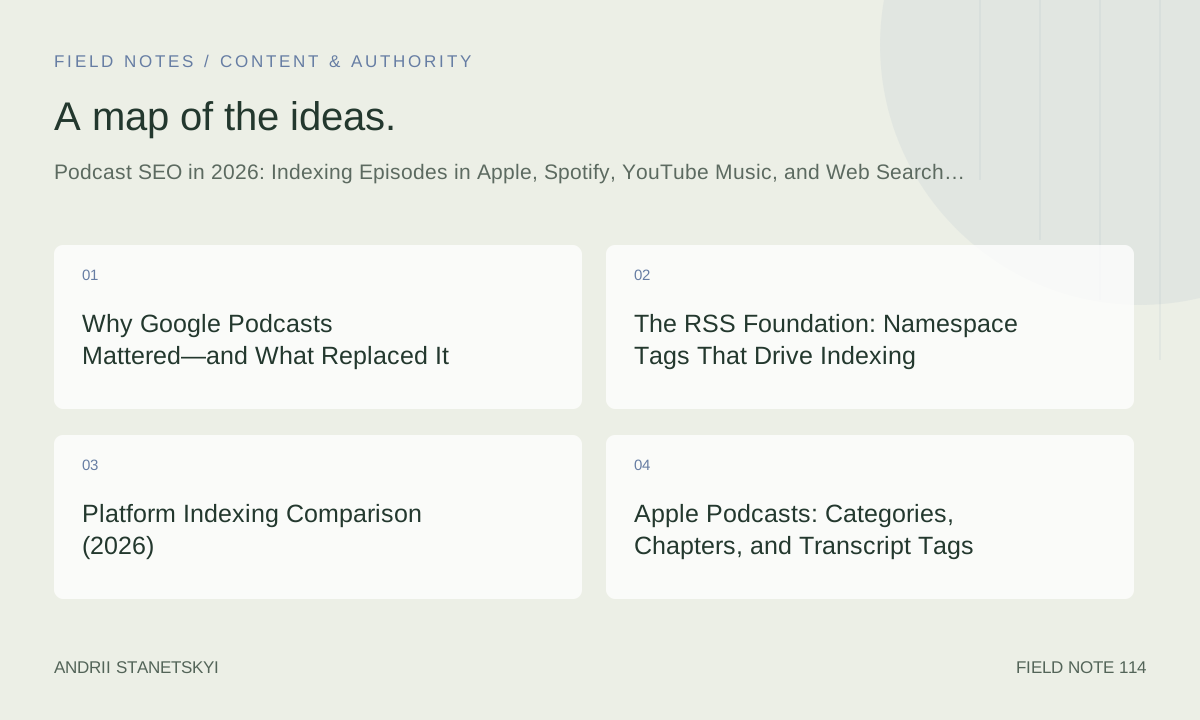
Why Google Podcasts Mattered—and What Replaced It
Google Podcasts indexed RSS feeds directly, surfaced episodes in Google Search, and made audio content discoverable through standard web crawling. When it closed, that pipeline broke. Google no longer indexes podcast episodes through a dedicated app. Instead, episodes surface in web search only when they have an associated crawlable web page with proper structured data.
YouTube Music absorbed the Google Podcasts user base and became Google's official podcast destination. But YouTube Music indexes podcasts differently: it pulls from RSS feeds you submit via Google Podcasts Manager (now redirected to YouTube Studio's podcast tools), and it treats your show as a hybrid audio/video product. That changes the optimization model significantly.
The practical result: podcast SEO in 2026 requires parallel workflows for RSS namespace compliance, platform-specific submission, structured data on episode web pages, and transcript publishing. Miss any layer and you leave indexing surface area on the table.
[Internal link: Podcast Marketing Strategy Guide]
The RSS Foundation: Namespace Tags That Drive Indexing
Every downstream platform—Apple, Spotify, YouTube Music, and aggregators like Listen Notes—reads your RSS feed. Getting the feed right is the highest-leverage single action in podcast SEO. The Podcasting 2.0 namespace (xmlns:podcast="https://podcastindex.org/namespace/1.0") extends RSS 2.0 with tags that platforms are increasingly adopting.
Below is a minimal but complete RSS 2.0 feed skeleton with the tags that matter most for indexing:
<?xml version="1.0" encoding="UTF-8"?>
<rss version="2.0"
  xmlns:itunes="http://www.itunes.com/dtds/podcast-1.0.dtd"
  xmlns:podcast="https://podcastindex.org/namespace/1.0"
  xmlns:content="http://purl.org/rss/1.0/modules/content/">

  <channel>
    <title>Your Podcast Title</title>
    <link>https://example.com/podcast</link>
    <language>en-us</language>
    <description>A concise, keyword-rich show description (max 4000 chars).</description>
    <itunes:author>Host Name</itunes:author>
    <itunes:category text="Technology">
      <itunes:category text="Tech News"/>
    </itunes:category>
    <itunes:explicit>false</itunes:explicit>
    <itunes:image href="https://example.com/artwork-3000x3000.jpg"/>
    <podcast:guid>xxxxxxxx-xxxx-xxxx-xxxx-xxxxxxxxxxxx</podcast:guid>
    <podcast:medium>podcast</podcast:medium>
    <podcast:locked>no</podcast:locked>

    <item>
      <title>Episode 42: How to Optimize Your RSS Feed for Every Platform</title>
      <link>https://example.com/podcast/episode-42</link>
      <guid isPermaLink="false">ep-42-unique-guid</guid>
      <pubDate>Tue, 15 Apr 2026 08:00:00 +0000</pubDate>
      <description>
        <![CDATA[<p>In this episode, we cover...</p>]]>
      </description>
      <content:encoded>
        <![CDATA[<p>Full show notes HTML goes here with links and timestamps.</p>]]>
      </content:encoded>
      <enclosure url="https://example.com/audio/ep-42.mp3"
                 length="45678901"
                 type="audio/mpeg"/>
      <itunes:duration>47:22</itunes:duration>
      <itunes:episode>42</itunes:episode>
      <itunes:season>2</itunes:season>
      <itunes:episodeType>full</itunes:episodeType>
      <itunes:image href="https://example.com/artwork/ep-42.jpg"/>
      <itunes:explicit>false</itunes:explicit>

      <!-- Podcasting 2.0: transcript -->
      <podcast:transcript
        url="https://example.com/transcripts/ep-42.vtt"
        type="application/x-subrip"
        language="en"
        rel="captions"/>

      <!-- Podcasting 2.0: chapters -->
      <podcast:chapters
        url="https://example.com/chapters/ep-42.json"
        type="application/json+chapters"/>

      <!-- Podcasting 2.0: episode GUID for cross-platform tracking -->
      <podcast:episode>42</podcast:episode>

    </item>
  </channel>
</rss>
Key points on the tags above: podcast:guid at channel level is a stable UUID that survives hosting migrations. podcast:transcript at item level is the single most impactful Podcasting 2.0 tag for web search indexing—Googlebot can follow the URL and index the text content. itunes:category with a nested subcategory is mandatory for Apple's Browse algorithmic ranking.
Platform Indexing Comparison (2026)
| Platform | Feed Submission | Transcript Indexing | Chapter Support | Search Surface | Algorithmic Discovery | Key Ranking Signal |
|---|---|---|---|---|---|---|
| Apple Podcasts | Podcasts Connect | Auto-transcription (English+) + podcast:transcript | Yes (chapters JSON) | In-app search + Siri + Spotlight | Yes (editorial + algorithmic) | Category, completion rate, ratings |
| Spotify | Spotify for Podcasters dashboard | Auto-transcription (limited languages) | Yes (via dashboard) | In-app search + Spotify AI DJ | Yes (strong algorithmic shelf) | Follows, saves, stream duration |
| YouTube Music | YouTube Studio (RSS import) | Auto-captions (YouTube engine) | Yes (timestamp chapters in description) | Google Search + YouTube Search | Yes (YouTube recommendation engine) | Watch time, click-through, subscriber growth |
| Google Search (web) | No direct submission; requires web page + schema | VTT/SRT via podcast:transcript or page text | No (but timestamps help snippets) | Google Search results | No (standard web ranking) | E-E-A-T, backlinks, structured data |
| Amazon Music / Audible | Amazon Music for Podcasters | No auto-transcription | No | In-app search | Limited | Ratings, category accuracy |
| Listen Notes | Self-submit or auto-crawled | No transcription; crawls show notes | No | Listen Notes search + API | No | Feed completeness, episode frequency |
The most important post-Google Podcasts insight in that table: YouTube Music is now the only platform that surfaces podcast episodes in Google Search results at scale. That makes YouTube Studio submission non-optional for any show targeting organic discovery.
Apple Podcasts: Categories, Chapters, and Transcript Tags
Apple Podcasts runs two parallel indexing systems: editorial curation (the "New and Noteworthy" shelves) and algorithmic ranking within category and subcategory pages. The algorithmic system weighs subscriber growth velocity, average completion rate, and ratings count. You cannot directly control the first two, but you can optimize the signals that feed them.
Category Selection
Choose a primary category and one subcategory. Avoid the top-five categories (True Crime, Society & Culture, Comedy, News, Business) unless your show genuinely competes there. Mid-tier categories have lighter competition and faster algorithmic ranking. Use the nested <itunes:category> syntax shown in the RSS block above—Apple's validator rejects flat category declarations.
Auto-Transcription and the podcast:transcript Tag
Apple auto-transcribes episodes in English, Spanish, French, and German as of 2026. The transcript is searchable within the app. If you also supply a podcast:transcript URL pointing to a WebVTT (.vtt) file, Apple uses your version and your timestamps take precedence over its auto-generated ones. This matters for accuracy on technical shows with jargon.
Chapter Markers
Apple Podcasts renders chapter artwork and titles in the player. Chapters are defined in a JSON file referenced by podcast:chapters. Here is the format:
{
  "version": "1.2.0",
  "chapters": [
    {
      "startTime": 0,
      "title": "Introduction",
      "img": "https://example.com/chapters/ep-42-ch1.jpg",
      "url": "https://example.com/podcast/episode-42#intro"
    },
    {
      "startTime": 180,
      "title": "RSS Feed Deep Dive",
      "img": "https://example.com/chapters/ep-42-ch2.jpg",
      "url": "https://example.com/podcast/episode-42#rss"
    },
    {
      "startTime": 920,
      "title": "Apple Podcasts Optimization",
      "toc": true
    }
  ]
}
The toc: true flag includes the chapter in the table of contents view. Chapters that have URLs create clickable links in the Apple Podcasts player, which drive traffic back to your episode page—a meaningful backlink signal for web SEO.
[Internal link: Apple Podcasts Growth Tactics]
Spotify: Editorial, API Submissions, and Anchor Metadata
Spotify's discovery system is heavily algorithmic. Its podcast recommendation engine—the same one powering the AI DJ feature—uses streaming behavior: how long listeners stay, whether they follow the show after an episode, and whether they add episodes to playlists. Your metadata affects whether the algorithm surfaces your show in the first place, but retention is what keeps it surfacing.
Metadata Optimization for Spotify
Spotify reads your RSS feed title, description, and episode descriptions. Episode descriptions render as plain text in the app—HTML is stripped. Write the first 200 characters of every episode description as a standalone hook because that is all Spotify shows in search results. Front-load the episode's core topic and guest name.
Spotify for Podcasters Dashboard
The dashboard (podcasters.spotify.com) lets you add chapters, episode images, and Q&A polls directly. Chapters added through the dashboard appear as in-player navigation even if your RSS feed does not include podcast:chapters. Set these for every episode—they reduce drop-off, which improves the streaming duration signal.
Spotify also has a "Featured" shelf accessible via editorial pitches. Submit pitches at least three weeks before your episode publishes through the Spotify for Podcasters pitch form. Pitches need a one-paragraph episode summary, a listener persona, and a reason for timely relevance.
YouTube Music for Podcasts: The New Google Entry Point
This is the most important section of this guide for anyone who cared about Google Podcasts. YouTube Music podcasts appear in Google Search results. When someone searches for your show name or episode topic, the YouTube Music listing can appear as a rich result with episode cards, play buttons, and timestamps. That surface area is only available to shows submitted via YouTube Studio.
Submitting Your Podcast via RSS to YouTube Studio
- Go to YouTube Studio → Content → Podcasts → Create Podcast.
- Choose "Import from RSS feed."
- Paste your RSS feed URL. YouTube validates the feed and imports existing episodes.
- Set a podcast-specific playlist. This becomes the canonical YouTube URL for your show.
- Enable auto-sync so new RSS items automatically publish as YouTube videos.
YouTube generates a video from your audio with your episode artwork as the static visual. The auto-generated captions index the spoken content, making every word of your episode searchable in YouTube Search and Google Search.
Chapter Optimization for YouTube Music
YouTube reads timestamps from the video description. Format them as MM:SS Chapter Title or HH:MM:SS Chapter Title, each on its own line. Your episode description in the RSS feed's content:encoded tag becomes the YouTube video description. Put timestamps there, starting from 0:00.
0:00 Introduction
3:00 Why Google Podcasts Shut Down
12:45 RSS Namespace Tags Explained
28:10 Apple Podcasts Algorithm Deep Dive
41:30 YouTube Music Submission Walkthrough
47:00 Key Takeaways
YouTube surfaces these as chapter markers in the player and as a chapter list in Google Search results, which dramatically increases click-through from search.
[Internal link: YouTube SEO Guide for Content Creators]
Web Search Indexing: Schema, Transcripts, and Episode Pages
Google does not crawl audio files for text content. To rank episode content in web search, you need a crawlable HTML page for each episode with: the full transcript as text, structured data markup, and standard on-page SEO signals (title tag, meta description, header hierarchy).
Episode Page Structure
Each episode page should contain:
- An H1 matching the episode title (with natural keywords)
- An embedded audio player (SoundCloud, Buzzsprout, or native)
- Full text transcript (at minimum, a 500-word summary)
- Show notes with timestamped links
- Links to guest websites, cited resources, and related episodes
- JSON-LD structured data (see next section)
The transcript is the highest-leverage element. A 45-minute episode at average speaking pace generates roughly 6,500–7,000 words. That is substantial long-tail keyword coverage that no show notes summary can match. Tools like Descript, Whisper (open source), and Riverside auto-generate transcripts. Publish them in full.
[Internal link: Content Repurposing Strategy for Podcasters]
JSON-LD Markup for PodcastSeries and PodcastEpisode
Google's structured data documentation defines PodcastSeries and PodcastEpisode types under the Schema.org vocabulary. Add these to every episode page. The series schema goes on your podcast homepage; the episode schema goes on each episode page.
<!-- PodcastSeries (on podcast homepage) -->
<script type="application/ld+json">
{
  "@context": "https://schema.org",
  "@type": "PodcastSeries",
  "name": "Your Podcast Title",
  "description": "A senior practitioner's guide to podcast SEO and growth.",
  "url": "https://example.com/podcast",
  "image": "https://example.com/artwork-3000x3000.jpg",
  "author": {
    "@type": "Person",
    "name": "Host Name",
    "url": "https://example.com/about"
  },
  "webFeed": "https://example.com/feed.xml",
  "inLanguage": "en-US",
  "genre": ["Technology", "SEO"],
  "numberOfEpisodes": 42,
  "sameAs": [
    "https://podcasts.apple.com/us/podcast/your-show/id123456789",
    "https://open.spotify.com/show/abc123",
    "https://music.youtube.com/playlist?list=xyz"
  ]
}
</script>

<!-- PodcastEpisode (on each episode page) -->
<script type="application/ld+json">
{
  "@context": "https://schema.org",
  "@type": "PodcastEpisode",
  "name": "Episode 42: How to Optimize Your RSS Feed for Every Platform",
  "url": "https://example.com/podcast/episode-42",
  "datePublished": "2026-04-15",
  "description": "In this episode, we break down the RSS tags, platform submission flows, and structured data markup that drive podcast indexing in 2026.",
  "duration": "PT47M22S",
  "episodeNumber": 42,
  "seasonNumber": 2,
  "partOfSeries": {
    "@type": "PodcastSeries",
    "name": "Your Podcast Title",
    "url": "https://example.com/podcast"
  },
  "associatedMedia": {
    "@type": "AudioObject",
    "contentUrl": "https://example.com/audio/ep-42.mp3",
    "encodingFormat": "audio/mpeg",
    "duration": "PT47M22S",
    "transcript": "https://example.com/transcripts/ep-42"
  },
  "author": {
    "@type": "Person",
    "name": "Host Name"
  },
  "image": "https://example.com/artwork/ep-42.jpg",
  "keywords": ["podcast SEO", "RSS feed optimization", "Apple Podcasts", "Spotify"]
}
</script>
The sameAs array on PodcastSeries links your canonical domain presence to platform profiles. Google uses these to consolidate entity understanding. The transcript field on associatedMedia points to your transcript page—use the HTML page URL, not the VTT file URL, so Googlebot can crawl readable text.
[Internal link: Structured Data SEO Implementation Guide]
Transcript Markup and the podcast:transcript Tag
The podcast:transcript tag is part of the Podcasting 2.0 namespace and is now supported by Apple Podcasts, Podcast Index, and major podcast players including Overcast and Pocket Casts. It accepts multiple file formats.
<!-- WebVTT transcript (best for Apple Podcasts and web display) -->
<podcast:transcript
  url="https://example.com/transcripts/ep-42.vtt"
  type="text/vtt"
  language="en"
  rel="captions"/>

<!-- Plain text transcript (maximum compatibility) -->
<podcast:transcript
  url="https://example.com/transcripts/ep-42.txt"
  type="text/plain"
  language="en"/>

<!-- JSON transcript (Podcasting 2.0 spec with speaker labels) -->
<podcast:transcript
  url="https://example.com/transcripts/ep-42.json"
  type="application/json"
  language="en"/>
You can include multiple podcast:transcript tags in a single item—one for each format. Publish at minimum the VTT for Apple and a plain HTML page for Googlebot. The JSON format supports speaker labels and is the most future-proof for voice-search applications.
For web indexing specifically, make the transcript page a standard HTML document, not a raw .txt or .vtt file. Wrap transcript text in semantic HTML with <p> tags and speaker labels as <strong> elements. This gives Googlebot clean paragraph-level content to index and allows natural internal linking to related episode pages.
Chapter Markers: SEO and UX Signals
Chapter markers serve two masters: user experience (driving completion rates) and search indexing (creating navigable timestamps). The Podcasting 2.0 JSON chapters format is the canonical approach, but you should publish chapters in three places simultaneously for full coverage:
- RSS feed — via
podcast:chapterspointing to the JSON file - YouTube video description — as plain-text timestamps
- Episode web page — as an HTML ordered list with anchor links into the transcript
On the episode page, an HTML chapter list that links to transcript anchors creates internal deep links. When users click a chapter, they jump to the relevant transcript section. This increases time-on-page, which is a soft engagement signal for web search ranking.
Chapter titles should be written as descriptive phrases (3–7 words), not single words. "RSS Feed Deep Dive" is more indexable than "RSS." Think of chapter titles as mini H3 headers—they should convey topic specificity.
Listen Notes and Third-Party Discovery
Listen Notes (listennotes.com) is the largest third-party podcast database, with a public API used by app developers, researchers, and aggregators. Being well-indexed in Listen Notes means appearing in dozens of downstream apps and directories that draw from its database.
Submit your feed at listennotes.com/submit. Listen Notes crawls your feed and indexes: show title, show description, episode titles, episode descriptions, and publication dates. It does not process transcripts or audio, so show notes quality is the sole ranking lever here.
Listen Notes assigns a "Listen Score" (0–100) based on social signals and estimated listener count. Shows with Listen Scores above 50 get preferential treatment in its search results. Growing your Apple Podcasts ratings and Spotify followers has downstream effects on your Listen Score because Listen Notes tracks those metrics.
The Listen Notes API is also how many podcast booking platforms, guest-matching services, and media databases populate their show directories. A well-maintained feed with consistent episode cadence and complete metadata will rank higher in those derived directories without any additional effort.
[Internal link: Complete Podcast Directory Submission Checklist]
FAQ
Does Google still index podcasts after shutting down Google Podcasts?
Yes, but only through two channels: YouTube Music (which surfaces podcast episodes in Google Search results) and standard web search (which indexes episode web pages with proper structured data). Google no longer has a dedicated podcast index. If your show is not on YouTube Music and does not have crawlable episode pages with PodcastEpisode schema, it effectively does not exist in Google Search.
What is the most important RSS tag for podcast SEO in 2026?
The podcast:transcript tag is the highest single-leverage tag for web search indexing. Apple Podcasts' own auto-transcription system, Spotify's captions, and YouTube's auto-captions all help within-platform search, but only a podcast:transcript URL pointing to a crawlable page gives Googlebot access to your spoken content. After that, podcast:chapters and a properly nested itunes:category are the next priorities.
How do I submit my podcast to YouTube Music?
Go to YouTube Studio, navigate to Content → Podcasts, and choose "Create Podcast" → "Import from RSS feed." YouTube will import existing episodes and auto-sync new ones. Each episode becomes a YouTube video with your episode artwork as the static visual and auto-generated captions. You retain control of the RSS feed at your hosting provider. Changes to episode metadata in your RSS feed propagate to YouTube within 24–48 hours.
Is Listen Notes worth the effort for SEO?
Submitting to Listen Notes takes five minutes and its database powers dozens of downstream directories. The direct SEO value is indirect: Listen Notes pages rank in Google for show and episode name searches, and they carry canonical links back to your RSS feed URL. More importantly, the Listen Notes API is how podcast discovery apps, booking platforms, and media databases populate their indexes. A complete, accurate Listen Notes listing is a distribution multiplier with essentially zero ongoing maintenance cost.
Should I publish full episode transcripts or just summaries?
Full transcripts, always. A 45-minute episode generates roughly 6,500 words of transcribed content. That is six to ten blog posts' worth of long-tail keyword coverage that no summary can replicate. Publish the full transcript on the episode page below the fold (so it does not distract from show notes and the player), and mark it up with speaker labels and paragraph breaks. Use a collapsible section if UX is a concern. The SEO upside of full transcripts dwarfs any readability trade-off.
How does Spotify's algorithm use podcast metadata?
Spotify's recommendation engine uses metadata to categorize your show, then uses behavioral signals (stream duration, follows, saves, playlist adds) to determine reach. Metadata accuracy gets you into the right categories; listener behavior determines how far the algorithm pushes you within them. Front-load keywords in episode titles and descriptions (Spotify truncates at roughly 200 characters in search results), and focus episode release timing on when your core audience is most active—Spotify's algorithm weights recent engagement velocity heavily.
What structured data types does Google use for podcasts?
Google's documentation recognizes PodcastSeries and PodcastEpisode from Schema.org, plus the standard AudioObject type for the media file. Implement PodcastEpisode on each episode page with partOfSeries linking back to the PodcastSeries on your homepage. Include datePublished, duration in ISO 8601 format, episodeNumber, and the associatedMedia.transcript URL. Test implementation in Google's Rich Results Test tool before rolling out sitewide.
Key Takeaways
- Google Podcasts is gone. YouTube Music is now the only way to surface podcast episodes in Google Search results at scale. Submit your RSS feed via YouTube Studio immediately if you have not done so.
- The
podcast:transcripttag pointing to a crawlable HTML transcript page is the single most impactful RSS addition for web search indexing. - Publish chapter markers in three places: the RSS feed (JSON chapters file), YouTube video description (plain-text timestamps), and the episode web page (HTML list with transcript anchors).
- Each platform has a distinct ranking signal: Apple Podcasts weights completion rate and ratings; Spotify weights stream duration and follows; YouTube Music weights watch time and click-through from search.
- PodcastSeries and PodcastEpisode JSON-LD structured data on your web pages is required for Google to display rich results. Include
sameAslinks to all platform profiles on your series schema. - Listen Notes submission is a five-minute, zero-maintenance action that propagates your show into dozens of downstream directories via its public API.
- Full episode transcripts on episode pages generate thousands of words of long-tail keyword coverage. There is no SEO substitute for published transcript text.
Conclusion
The post-Google Podcasts landscape is more fragmented than the podcast industry has ever been. That fragmentation is not a problem to solve—it is a structure to work with. Every platform has its own indexing model, and the producers who understand all of them simultaneously will compound their reach while single-platform operators stagnate.
The technical foundation is the same everywhere: a standards-compliant RSS feed with Podcasting 2.0 namespace tags, full episode transcripts on crawlable web pages, and JSON-LD structured data. Build that foundation once. Then layer platform-specific optimizations on top: YouTube Studio submission for Google Search reach, Spotify dashboard chapters for streaming duration, Apple category precision for algorithmic browsing, and Listen Notes for third-party directory distribution.
Podcast SEO is not complicated. It is thorough. Do the unsexy infrastructure work that most shows skip, and you will appear in search surfaces that your competitors are invisible in.
External reference: [External authority: Podcasting 2.0 namespace specification at podcastindex.org]
External reference: [External authority: Google Search Central – Podcast structured data documentation]