YouTube commands attention, but it also commands your audience. Every view you drive to YouTube is a view you hand to a competitor's recommendation engine. In 2026, senior SEOs and video strategists are rethinking the default: owning the playback experience, controlling the data, and still capturing every Google video rich result that used to feel like YouTube's exclusive territory. This guide walks through the full technical stack—self-hosted pipelines with Mux, Cloudflare Stream, and Bunny.net; managed platforms like Vimeo and Wistia; adaptive streaming with HLS and DASH; video sitemaps; VideoObject JSON-LD; transcript SEO; and the exact markup patterns that surface your videos in Google's carousel, rich snippets, and Discover feed.
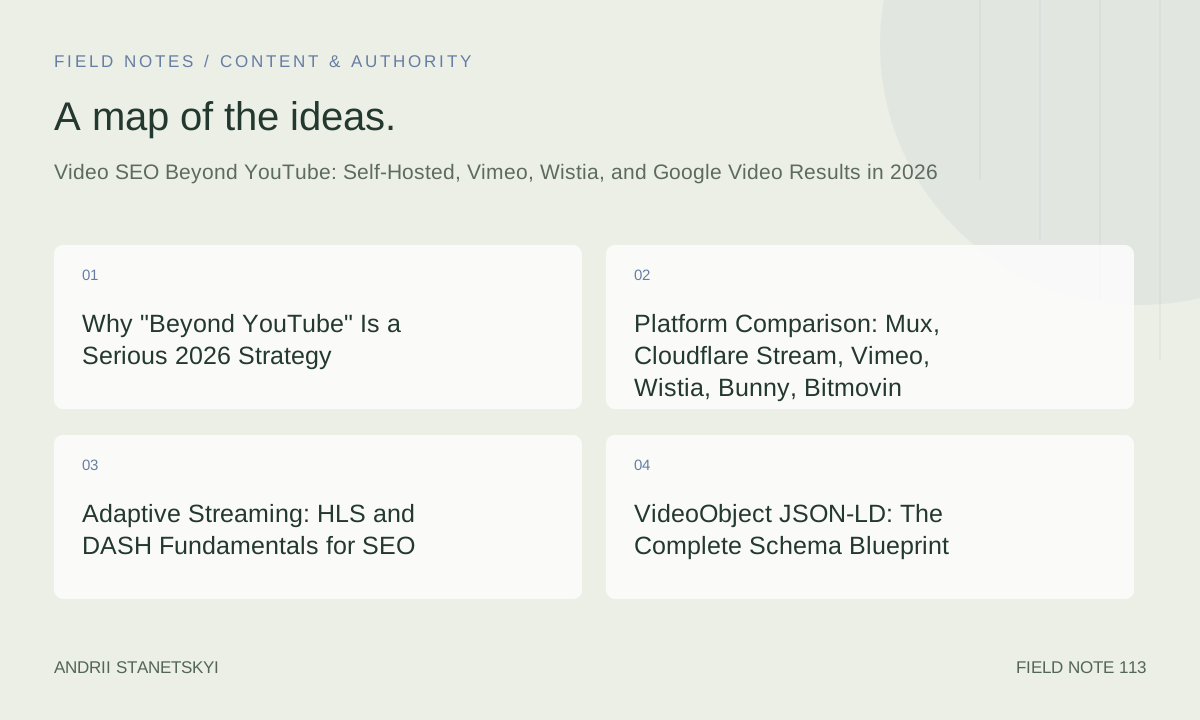
Why "Beyond YouTube" Is a Serious 2026 Strategy
Google's video rich results are platform-agnostic. The algorithm cares about structured data, crawlability, and page experience signals—not where the video is hosted. What YouTube gives you is brand trust from Google and a secondary discovery surface inside youtube.com itself. What it takes away is first-party data, watch-time analytics tied to your own conversion funnel, and control over what plays next. When a competitor's ad runs before your explainer video, that is a tax you are paying with your own production budget.
The business case sharpened in 2025 when Google rolled out "Video Mode" as a persistent search filter on mobile, putting non-YouTube results directly in front of users who explicitly want video content. Google's official video indexing documentation confirms that any publicly accessible video with proper structured data qualifies for rich results regardless of host.
Self-hosting or using a B2B video CDN also eliminates the single biggest SEO failure mode: orphaned links. YouTube channels get terminated, videos get flagged, URLs break. Every inbound link to a deleted YouTube video becomes a 404 that costs you authority.
Platform Comparison: Mux, Cloudflare Stream, Vimeo, Wistia, Bunny, Bitmovin
Choosing an infrastructure layer is the first architectural decision, and it directly affects your SEO implementation options. Below is a practitioner-grade comparison based on 2026 pricing tiers, API maturity, and structured-data support.
| Platform | Delivery Model | HLS/DASH | Signed URLs | Analytics API | Transcript API | Pricing Model | Best For |
|---|---|---|---|---|---|---|---|
| Mux | API-first CDN | Both | Yes | Real-time, per-viewer | Yes (Mux AI) | Per-minute stored + delivered | Developers, high-volume SaaS |
| Cloudflare Stream | CDN-native | HLS + DASH | Yes | Basic (GraphQL) | Captions via Whisper | Per-minute stored + delivered | Teams already on Cloudflare |
| Vimeo Pro/Business | Managed SaaS | HLS | Domain lock | Play events, heatmaps | Auto-captions | Per-seat subscription | Creative agencies, publishers |
| Wistia | Managed SaaS | HLS | Domain lock | Engagement graphs, CRM sync | Auto-captions + search index | Per-video + bandwidth | B2B marketers, lead gen |
| Bunny.net Stream | CDN + encoding | HLS | Token auth | Basic pull stats | None native | Per-GB stored + delivered | Cost-sensitive high-volume |
| Bitmovin | Encoding + player | Both + CMAF | Yes | Advanced (Bitmovin Analytics) | Via integration | Per-minute encoded | Broadcasters, OTT, DRM workflows |
For a pure SEO-first stack with minimal engineering overhead, Wistia's out-of-the-box VideoObject injection and search indexing of transcripts offers the fastest path. For teams with engineering capacity, Mux provides the most granular control and the cleanest API surface for generating structured data programmatically at scale. [Internal: See our Video CDN Selection Guide]
Adaptive Streaming: HLS and DASH Fundamentals for SEO
Google's crawler fetches the page HTML and follows the embed src, but it does not execute a full HLS playlist download. What matters is that the contentUrl in your VideoObject schema points to a URL that returns a video file Google can fetch—typically an MP4 rendition—not a .m3u8 playlist. Your embedUrl is the player iframe URL.
Below is a representative HLS manifest structure and how to pair it with a crawlable MP4 fallback.
<!-- Embedded player with HLS source and MP4 fallback -->
<video
  id="product-demo"
  preload="metadata"
  poster="https://cdn.example.com/videos/demo-poster.jpg"
  aria-label="Product demo: how to set up your dashboard in 3 minutes"
>
  <!-- HLS adaptive bitrate (requires HLS.js or native Safari) -->
  <source src="https://stream.example.com/videos/abc123/index.m3u8" type="application/x-mpegURL">

  <!-- MP4 fallback — also used as contentUrl in VideoObject schema -->
  <source src="https://cdn.example.com/videos/abc123/1080p.mp4" type="video/mp4">

  <!-- VTT transcript for captions + SEO -->
  <track kind="captions" src="/transcripts/demo-en.vtt" srclang="en" label="English" default>
  <track kind="subtitles" src="/transcripts/demo-es.vtt" srclang="es" label="Español">
</video>
For DASH (MPEG-DASH), the manifest format is MPD XML. Bitmovin's encoder outputs both HLS and DASH simultaneously via CMAF (Common Media Application Format), which is increasingly the production standard for multi-DRM workflows. From a pure SEO standpoint, DASH vs. HLS is irrelevant—what matters is the MP4 contentUrl Google can fetch and the structured data surrounding the embed.
VideoObject JSON-LD: The Complete Schema Blueprint
This is where most implementations fail. The fields below are not optional suggestions—they are the difference between a plain blue link and a video rich result with thumbnail, duration badge, and clip highlights.
{
  "@context": "https://schema.org",
  "@type": "VideoObject",
  "name": "How to Set Up Your Analytics Dashboard in 3 Minutes",
  "description": "A step-by-step walkthrough showing how to connect your data sources, configure custom reports, and share dashboards with your team in under three minutes.",
  "thumbnailUrl": [
    "https://cdn.example.com/videos/abc123/thumb-1x1.jpg",
    "https://cdn.example.com/videos/abc123/thumb-4x3.jpg",
    "https://cdn.example.com/videos/abc123/thumb-16x9.jpg"
  ],
  "uploadDate": "2026-03-15T09:00:00+00:00",
  "duration": "PT3M22S",
  "contentUrl": "https://cdn.example.com/videos/abc123/1080p.mp4",
  "embedUrl": "https://player.example.com/embed/abc123",
  "interactionStatistic": {
    "@type": "InteractionCounter",
    "interactionType": { "@type": "WatchAction" },
    "userInteractionCount": 14280
  },
  "regionsAllowed": "US,GB,CA,AU",
  "isFamilyFriendly": true,
  "inLanguage": "en",
  "hasPart": [
    {
      "@type": "Clip",
      "name": "Connect a data source",
      "startOffset": 18,
      "endOffset": 72,
      "url": "https://example.com/tutorials/dashboard-setup#t=18"
    },
    {
      "@type": "Clip",
      "name": "Create a custom report",
      "startOffset": 73,
      "endOffset": 152,
      "url": "https://example.com/tutorials/dashboard-setup#t=73"
    },
    {
      "@type": "Clip",
      "name": "Share with your team",
      "startOffset": 153,
      "endOffset": 202,
      "url": "https://example.com/tutorials/dashboard-setup#t=153"
    }
  ],
  "publisher": {
    "@type": "Organization",
    "name": "Example Corp",
    "logo": {
      "@type": "ImageObject",
      "url": "https://example.com/logo-600x60.png",
      "width": 600,
      "height": 60
    }
  }
}
The hasPart Clip array powers Google's "Key Moments" feature. Each clip must have a unique startOffset in seconds matching a timestamp in your transcript or chapters. The url field should deep-link to the video page with a fragment hash corresponding to the timestamp—this is what surfaces in Search as clickable chapter links.
For Wistia embeds, the platform injects a baseline VideoObject automatically, but it omits hasPart clips and often uses generic descriptions. Override Wistia's schema by rendering your own JSON-LD in a <script> tag on the page—Google will merge the richest available signals. [Internal: Wistia SEO Configuration Checklist]
Video Sitemaps: Structure, Submission, and Common Mistakes
A video sitemap is the fastest way to tell Googlebot about videos it might not find through normal crawling, especially for JavaScript-rendered players. Submit it separately from your main sitemap or nest it inside a sitemap index.
<?xml version="1.0" encoding="UTF-8"?>
<urlset xmlns="http://www.sitemaps.org/schemas/sitemap/0.9"
        xmlns:video="http://www.google.com/schemas/sitemap-video/1.1">

  <url>
    <loc>https://example.com/tutorials/dashboard-setup</loc>
    <video:video>
      <video:thumbnail_loc>https://cdn.example.com/videos/abc123/thumb-16x9.jpg</video:thumbnail_loc>
      <video:title>How to Set Up Your Analytics Dashboard in 3 Minutes</video:title>
      <video:description>Connect data sources, configure custom reports, and share dashboards with your team in under three minutes.</video:description>
      <video:content_loc>https://cdn.example.com/videos/abc123/1080p.mp4</video:content_loc>
      <video:player_loc>https://player.example.com/embed/abc123</video:player_loc>
      <video:duration>202</video:duration>
      <video:expiration_date>2027-03-15T09:00:00+00:00</video:expiration_date>
      <video:rating>4.8</video:rating>
      <video:view_count>14280</video:view_count>
      <video:publication_date>2026-03-15T09:00:00+00:00</video:publication_date>
      <video:family_friendly>yes</video:family_friendly>
      <video:tag>analytics</video:tag>
      <video:tag>dashboard</video:tag>
      <video:tag>tutorial</video:tag>
      <video:requires_subscription>no</video:requires_subscription>
      <video:uploader info="https://example.com/about">Example Corp</video:uploader>
      <video:live>no</video:live>
    </video:video>
  </url>

</urlset>
Common mistakes that kill video sitemap effectiveness include: setting content_loc to a .m3u8 HLS manifest (Googlebot cannot fetch it); omitting thumbnail_loc entirely (no thumbnail, no rich result); using the same loc URL for multiple videos on a paginated archive (each video needs its own canonical URL); and not updating view_count periodically, which signals freshness.
Generate your video sitemap dynamically from your CMS or video platform API rather than maintaining it by hand. Both Mux and Cloudflare Stream expose webhook events on video asset updates—use those to trigger a sitemap rebuild and resubmit via the Google Search Console Sitemap API.
Transcript SEO: Turning Spoken Words Into Indexable Text
A transcript is the highest-leverage SEO asset most video producers ignore. It converts your video's audio into crawlable, rankable text without any additional content production effort beyond the video itself. Done correctly, a transcript page can rank independently for long-tail queries while the video rich result captures the visual SERP position above it.
The correct implementation is inline HTML—not a PDF, not a link to a VTT file, not a collapsed accordion that requires JavaScript to expand. Googlebot needs to read the transcript text in the initial HTML response.
<section class="video-transcript" aria-label="Video transcript">
  <h2>Full Transcript</h2>
  <div class="transcript-body" itemscope itemtype="https://schema.org/Transcript">

    <p>
      <span class="timestamp" data-seconds="0">[0:00]</span>
      Welcome to this quick tutorial. Today we're going to connect your first data source to the analytics dashboard.
    </p>

    <p>
      <span class="timestamp" data-seconds="18">[0:18]</span>
      Click the <strong>Integrations</strong> tab in the left sidebar, then select <strong>Add New Source</strong>.
      You'll see a list of over forty connectors—Google Analytics 4, Salesforce, Stripe, and more.
    </p>

    <p>
      <span class="timestamp" data-seconds="73">[1:13]</span>
      Once your source is connected, navigate to <strong>Reports > Custom</strong> and click
      <strong>New Report</strong>. Drag metrics from the left panel onto the canvas.
      Use the <code>group_by</code> dimension selector to segment by channel, campaign, or device type.
    </p>

    <p>
      <span class="timestamp" data-seconds="153">[2:33]</span>
      To share your dashboard, click the <strong>Share</strong> button in the top right,
      enter team member emails, and choose view-only or edit permissions.
      Scheduled email digests go out every Monday morning by default.
    </p>

  </div>
</section>
Mux AI and Cloudflare's Whisper integration both produce VTT caption files automatically. Convert these to HTML server-side with a simple parser—most VTT lines map directly to paragraph blocks. Wistia's "Video SEO" feature does something similar but stores the transcript in Wistia's domain, not yours. For maximum SEO benefit, always render the transcript on your own page regardless of what the platform provides. [Internal: Free VTT-to-HTML Transcript Converter]
Embedded Player Markup and Rendering Signals
How you embed the player affects both user experience signals (Core Web Vitals) and Googlebot's ability to associate the video with the page. Below is the recommended pattern for a Mux embed with lazy loading, intrinsic ratio, and a preconnect hint.
<!-- Preconnect to the stream CDN for faster first-frame -->
<link rel="preconnect" href="https://stream.mux.com">

<!-- Aspect ratio container prevents layout shift (CLS = 0) -->
<div class="video-wrapper" style="position:relative; padding-top:56.25%; overflow:hidden;">

  <!-- mux-player web component: lazy, LCP-optimized -->
  <mux-player
    style="position:absolute; top:0; left:0; width:100%; height:100%;"
    playback-id="abc123xyz"
    metadata-video-title="How to Set Up Your Analytics Dashboard in 3 Minutes"
    metadata-viewer-user-id="{{ current_user.id }}"
    stream-type="on-demand"
    preload="none"
    poster="https://image.mux.com/abc123xyz/thumbnail.jpg?time=2"
    loading="lazy"
  ></mux-player>

</div>

<!-- Fallback noscript for crawlers that don't execute JS -->
<noscript>
  <video
    src="https://cdn.example.com/videos/abc123/1080p.mp4"
    poster="https://cdn.example.com/videos/abc123/thumb-16x9.jpg"
    controls
    aria-label="How to Set Up Your Analytics Dashboard in 3 Minutes"
  ></video>
</noscript>
For Cloudflare Stream, the iframe embed pattern is similar. For Bunny.net, use the Bunny Stream embed iframe but ensure your JSON-LD contentUrl points to the Bunny CDN MP4 URL, not the iframe URL. Bitmovin's player SDK gives the most granular control over quality switching thresholds—useful for sites with global audiences where ISP bandwidth varies significantly.
How Google Surfaces Video Rich Results in 2026
Google's video surfaces in 2026 include: the Video tab (formerly "Videos" filter), the main SERP video carousel, video rich results with thumbnail in the standard blue-link SERP, Key Moments (chapter timestamps), video clips in AI Overviews, and video content in Discover. Each surface has slightly different eligibility signals.
The Video tab prioritizes pages where video is the primary content—meaning the video player is above the fold, the transcript is present, and the VideoObject schema's name closely matches the page's H1 and title tag. A video buried at the bottom of a 4,000-word article rarely earns the video badge.
Key Moments require either hasPart Clip schema (preferred) or a structured chapters VTT file linked via <track kind="chapters">. AI Overviews pull video clips that directly answer the query—the clip's spoken content and its Clip schema name field must match the query intent. This is where transcript quality becomes a direct ranking signal rather than an indirect one.
Google's rendering pipeline runs Chromium-based crawling. JavaScript-rendered players are indexed, but the structured data in your page HTML is processed first and faster. Always include JSON-LD in the server-rendered HTML response—do not rely on client-side injection. [Internal: Google Video Rich Results Eligibility Checklist]
FAQ
Does self-hosting a video hurt SEO compared to YouTube?
No—self-hosting does not inherently hurt SEO. Google indexes self-hosted videos equally if the page has proper VideoObject structured data, a crawlable MP4 contentUrl, a video sitemap entry, and the page loads fast. The difference is that YouTube provides a second discovery surface (youtube.com search) that you lose when self-hosting. For B2B sites where YouTube distribution is irrelevant to the buyer journey, self-hosting is strictly better because you own the data, the URL, and the post-play experience.
Which video platform has the best built-in SEO support?
Wistia leads for out-of-the-box SEO among managed platforms. It auto-generates VideoObject JSON-LD, creates a searchable transcript index, and offers domain-locking to prevent your video from appearing elsewhere. Vimeo Business is a close second for publishers. For developer teams, Mux with custom schema generation gives the most control and integrates cleanly into Next.js, Nuxt, or any server-rendered framework. Bunny.net is the cost leader but requires manual schema work.
How do I get Key Moments to appear for my self-hosted video?
Add a hasPart array to your VideoObject JSON-LD with Clip objects specifying startOffset (seconds), endOffset, name, and url (canonical page URL with #t=SECONDS fragment). Google also accepts a <track kind="chapters"> VTT file, but the JSON-LD method is more reliable. Ensure each chapter name matches natural-language queries, not internal jargon.
Can Cloudflare Stream videos rank in Google video results?
Yes, with the correct setup. Cloudflare Stream serves HLS via .m3u8 manifests by default, so you must also expose an MP4 download URL for the contentUrl field—Cloudflare Stream provides this as https://customer-<subdomain>.cloudflarestream.com/<uid>/downloads/default.mp4. Pair that with VideoObject JSON-LD on the embedding page and a video sitemap entry, and Cloudflare Stream videos are fully eligible for rich results. Enable Cloudflare's Whisper-powered captions to generate transcripts without additional tooling.
What is the minimum transcript length needed for SEO value?
There is no published minimum, but based on observed indexing patterns, transcripts under 150 words rarely earn standalone ranking visibility. For a three-minute video at approximately 150 words per minute, a complete transcript will be 400–500 words—sufficient to rank for several long-tail queries. The more important factor is keyword density relative to the user's query intent: a dense, specific transcript for a niche how-to video will outperform a longer but generic transcript every time.
How does Bitmovin differ from Mux for SEO workflows?
Bitmovin's core strength is encoding and player, not discovery. Bitmovin Analytics provides per-session quality of experience data (rebuffering rate, startup time, bitrate switches) that is invaluable for improving Core Web Vitals and reducing bounce—both indirect SEO signals. Mux covers encoding, delivery, and analytics in a single API and has a faster integration path for teams that want video on a marketing or documentation site. Choose Bitmovin when you need DRM, CMAF, or broadcaster-grade encoding ladders; choose Mux when you need developer velocity and a clean SEO pipeline. [Internal: Mux vs. Bitmovin Deep Dive]
Do I need a video sitemap if I already have VideoObject JSON-LD?
Both serve different functions. JSON-LD tells Google what a video is and provides its metadata. A video sitemap tells Google where videos live across your site and helps with discovery—especially for new content on sites that are not crawled frequently. For a site with fewer than 50 videos, JSON-LD alone is often sufficient. For sites with hundreds of videos or frequent publishing cadences, a video sitemap dramatically improves indexing speed. Use both when possible; prioritize JSON-LD if you can only do one.
Key Takeaways
- Google's video rich results are platform-agnostic. YouTube is not required—proper VideoObject JSON-LD, a crawlable MP4
contentUrl, and a video sitemap entry are the three non-negotiable requirements for any host. - For SEO-first teams with minimal engineering: Wistia provides the best out-of-the-box structured data and transcript indexing. For engineering teams: Mux offers the cleanest API for programmatic schema generation at scale.
- The
contentUrlin VideoObject schema must resolve to an MP4 file, not an HLS playlist. If your CDN only serves HLS, expose an MP4 download URL and use that for schema while delivering HLS to browsers. - Transcript HTML rendered server-side is the highest-leverage, lowest-cost SEO asset in video production. A three-minute video generates 400–500 words of indexable content with zero additional writing effort.
- Key Moments in Google Search require
hasPartClip objects in your VideoObject schema. Each clip'snameshould match natural-language search queries, not internal naming conventions. - Cloudflare Stream, Mux, and Bunny.net all support token-signed URLs for gating premium content without breaking Google's ability to crawl a public version—use the
regionsAllowedandrequiresSubscriptionschema fields to signal access restrictions accurately. - Core Web Vitals (especially CLS and LCP) affect video page ranking. Use intrinsic-ratio CSS containers (padding-top: 56.25%) and lazy-load players below the fold to keep layout shift at zero.
Conclusion
YouTube's dominance in video SEO is a function of default behavior, not technical superiority. In 2026, every component of a YouTube-powered video SEO strategy can be replicated—and in most B2B contexts, exceeded—on self-hosted or alternative platforms. Mux handles encoding and delivery with a developer-grade API. Cloudflare Stream leverages your existing CDN investment. Wistia bundles schema injection and transcript indexing into a marketer-friendly workflow. Bitmovin serves the enterprise broadcast tier. Bunny.net keeps costs near zero for high-volume scenarios.
The implementation checklist is straightforward: serve HLS or DASH to browsers, expose an MP4 URL for structured data, write complete VideoObject JSON-LD with Clip chapters, render transcript HTML server-side, submit a video sitemap, and monitor coverage in Search Console's Video pages report. None of these steps require YouTube.
What they do require is treating video as a first-class indexable asset rather than an embedded afterthought. The teams doing this correctly are capturing video carousel positions, Key Moments, and AI Overview clips while their competitors funnel traffic and first-party data to Google's platform. The technical bar is not high—but it does demand deliberate implementation rather than a default YouTube embed and a prayer.
Start with your three highest-traffic video pages. Add VideoObject JSON-LD, render the transcript in HTML, and submit a video sitemap. Measure the change in video impressions in Search Console over 90 days. The results will make the argument for the rest of your video library better than any case study could. [Internal: Request a Video SEO Audit]