YouTube search and Google Video results have never been more intertwined — or more competitive. In 2026, the algorithm rewards creators who understand that a single video must perform across two distinct ranking systems simultaneously: YouTube's internal discovery engine and Google's universal video carousel. Miss either, and you leave a substantial slice of organic traffic on the table. This guide gives you the complete, technically grounded playbook for dominating both surfaces, from structured data implementation to Shorts SEO signals that spill into long-form ranking.
YouTube now serves more than 800 million videos and processes over 3 billion searches per day. Google, meanwhile, surfaces video carousels for roughly 26% of all informational queries in English-speaking markets. The overlap between those two audiences is your compound opportunity — one piece of content, two ranking systems, exponential reach.
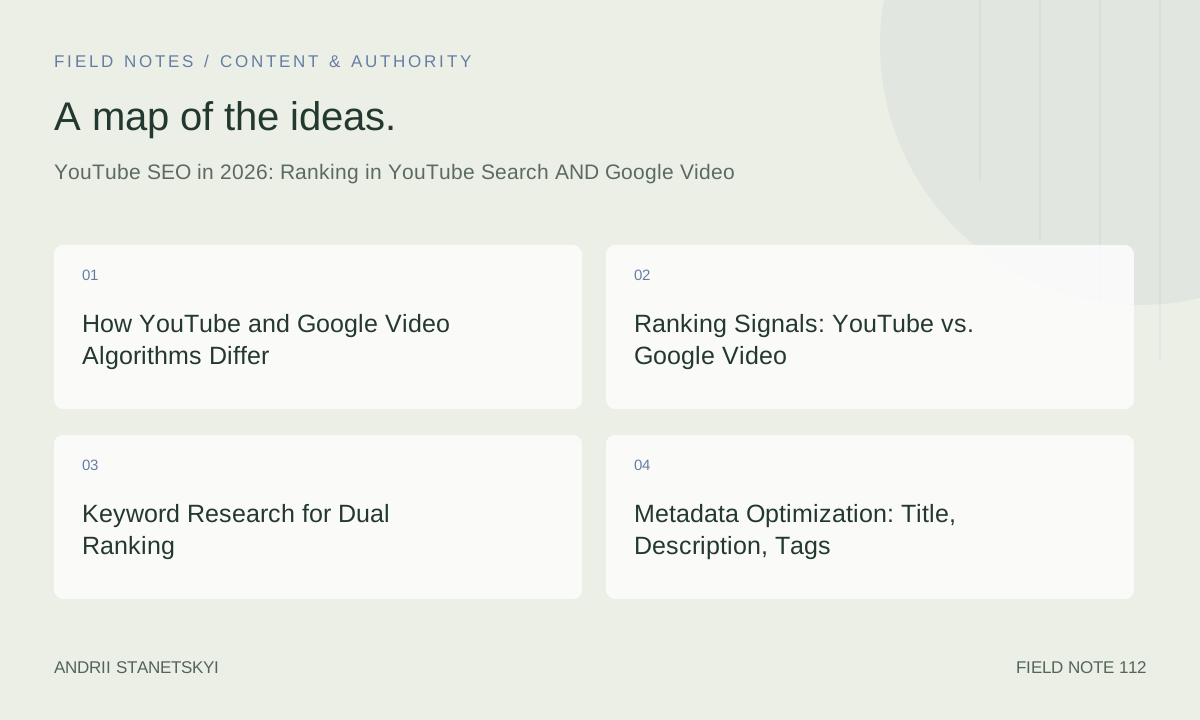
How YouTube and Google Video Algorithms Differ
YouTube's ranking engine is a behavioral recommendation system first and a search engine second. It weighs watch time, click-through rate, session time (does the viewer continue watching on YouTube after your video?), likes, comments, saves, and shares. Its primary goal is to maximize time spent on the platform.
Google's Video tab and universal carousel operate on an entirely different set of priorities. Google evaluates page authority, structured data completeness, transcript text relevance, freshness, and the existence of a dedicated landing page hosting the embed. Google does not have access to YouTube's internal watch-time signals — it indexes the public-facing metadata and schema markup you provide.
This distinction matters enormously for production decisions. A video optimized only for YouTube may never appear in Google's carousel because it lacks a JSON-LD VideoObject, a proper description, or an indexed host page. A video optimized only for Google may fail in YouTube because its title is written for keywords rather than human curiosity.
Ranking Signals: YouTube vs. Google Video
| Signal | YouTube Search Impact | Google Video Carousel Impact | Priority |
|---|---|---|---|
| Title keyword match | High | High | Critical for both |
| Click-through rate (CTR) | Very High | Low (no A/B data) | YouTube-first |
| Watch time / AVD | Very High | None (not accessible) | YouTube-only |
| JSON-LD VideoObject schema | None | Very High | Google-first |
| Clip / SeekToAction schema | None | Very High (Key Moments) | Google-first |
| Transcript / closed captions | Moderate (keyword density) | High (Google crawls SRT) | Both |
| Description depth (500+ words) | Moderate | High | Both |
| Chapter timestamps | Moderate (UX signal) | High (Key Moments extraction) | Both |
| Thumbnail quality / CTR | Very High | Moderate (rich result visual) | Both |
| Channel authority / subscribers | High | Low | YouTube-first |
| Host page authority (embedding domain) | None | Very High | Google-first |
| Shorts engagement velocity | High (Shorts feed) | Low | YouTube-first |
| BroadcastEvent schema | None | High (live streams) | Google-first (livestreams) |
| Likes / comments / saves | High | Low | YouTube-first |
| Freshness / upload date | Moderate | High (news-adjacent queries) | Context-dependent |
Keyword Research for Dual Ranking
Identifying YouTube-Native vs. Google-Video Queries
Start your research by separating query intent. YouTube-native queries are typically instructional ("how to edit audio in Premiere Pro"), entertainment-driven ("best movie trailers 2026"), or review-based ("iPhone 17 Pro review"). Google Video queries are information-gap queries where the SERP shows a carousel because Google determined video is the best format — "how to tie a bowline knot" triggers a video carousel while "bowline knot history" does not.
Use Google's actual SERP as your filter. Search your target keyword in an incognito window. If a video carousel appears above the fold, that keyword is dual-rankable. If none appears, focus your optimization energy on YouTube's own search, because Google will not surface a carousel regardless of your schema quality.
Tools: TubeBuddy Keyword Explorer and VidIQ Boost
TubeBuddy's Keyword Explorer assigns a "Competition Score" that weights both YouTube search volume and the relative strength of videos currently ranking. Filter for keywords where Competition Score is below 40 and search volume exceeds 1,000 monthly — these represent the fastest path to page one. VidIQ's "Boost" panel shows real-time tag suggestions pulled from top-ranking competitor videos. Cross-reference both tools against Google Keyword Planner to identify dual-surface opportunities where monthly search volume exceeds 5,000 and a SERP carousel exists.
For a deeper dive on keyword clustering methodology, see [INTERNAL LINK: Keyword Clustering for Content Strategy].
Metadata Optimization: Title, Description, Tags
Titles That Win Both Surfaces
The optimal 2026 YouTube title structure follows a three-part formula: Primary Keyword + Value Differentiator + Year/Recency Signal. Example: "YouTube SEO in 2026: Rank in Search AND Google Video (Full Guide)." The primary keyword appears in the first 60 characters so it renders fully in search results. The value differentiator ("Full Guide," "Step-by-Step," "Under 10 Minutes") improves CTR. The year signals freshness to both algorithms.
Avoid clickbait that sacrifices keyword density. YouTube's AI can now detect semantic mismatch between title promise and content delivery, and it penalizes high early-dropout rates when the video fails to deliver the promised topic.
Description Architecture
Write descriptions of at least 500 words. Open with a 2-3 sentence keyword-rich summary (this text appears as the Google snippet for Video rich results). Follow with a structured body: chapters list, resource links, timestamps, and a keyword-rich closing paragraph. Do not keyword-stuff — Google's natural language processing in 2026 is sophisticated enough to penalize unnatural density.
Tags in 2026
Tags carry less algorithmic weight than they did five years ago, but they still function as topic-clustering signals. Use 8-12 tags: exact-match primary keyword, close variants, broader topic tags, and your channel brand tag. VidIQ's tag overlay shows competitor tag lists directly on YouTube — use this to identify gaps in your taxonomy.
Structured Data: VideoObject, Clip, BroadcastEvent
This is the single most underutilized lever for Google Video ranking. Most YouTube creators never implement structured data on their embedding pages, which means Google cannot generate rich results for their videos. Implement the following schemas on every page that embeds your video.
VideoObject Schema
{
  "@context": "https://schema.org",
  "@type": "VideoObject",
  "name": "YouTube SEO in 2026: Rank in Search AND Google Video",
  "description": "A complete technical guide to ranking YouTube videos in both YouTube search and Google Video carousels in 2026. Covers keyword research, structured data, chapters, Shorts SEO, and YouTube Analytics.",
  "thumbnailUrl": "https://img.youtube.com/vi/VIDEO_ID/maxresdefault.jpg",
  "uploadDate": "2026-04-29T08:00:00+00:00",
  "duration": "PT18M42S",
  "contentUrl": "https://www.youtube.com/watch?v=VIDEO_ID",
  "embedUrl": "https://www.youtube.com/embed/VIDEO_ID",
  "publisher": {
    "@type": "Organization",
    "name": "Your Channel Name",
    "logo": {
      "@type": "ImageObject",
      "url": "https://yourdomain.com/logo.png"
    }
  },
  "interactionStatistic": {
    "@type": "InteractionCounter",
    "interactionType": "https://schema.org/WatchAction",
    "userInteractionCount": 142000
  },
  "inLanguage": "en"
}
Clip Schema for Key Moments
{
  "@context": "https://schema.org",
  "@type": "VideoObject",
  "name": "YouTube SEO in 2026: Rank in Search AND Google Video",
  "description": "Complete dual-platform YouTube SEO guide for 2026.",
  "thumbnailUrl": "https://img.youtube.com/vi/VIDEO_ID/maxresdefault.jpg",
  "uploadDate": "2026-04-29T08:00:00+00:00",
  "duration": "PT18M42S",
  "contentUrl": "https://www.youtube.com/watch?v=VIDEO_ID",
  "embedUrl": "https://www.youtube.com/embed/VIDEO_ID",
  "hasPart": [
    {
      "@type": "Clip",
      "name": "How YouTube and Google Algorithms Differ",
      "startOffset": 0,
      "endOffset": 120,
      "url": "https://www.youtube.com/watch?v=VIDEO_ID&t=0s"
    },
    {
      "@type": "Clip",
      "name": "Keyword Research for Dual Ranking",
      "startOffset": 121,
      "endOffset": 380,
      "url": "https://www.youtube.com/watch?v=VIDEO_ID&t=121s"
    },
    {
      "@type": "Clip",
      "name": "Structured Data Implementation",
      "startOffset": 381,
      "endOffset": 720,
      "url": "https://www.youtube.com/watch?v=VIDEO_ID&t=381s"
    },
    {
      "@type": "Clip",
      "name": "Shorts SEO Strategy",
      "startOffset": 721,
      "endOffset": 960,
      "url": "https://www.youtube.com/watch?v=VIDEO_ID&t=721s"
    }
  ]
}
BroadcastEvent Schema for Live Streams
{
  "@context": "https://schema.org",
  "@type": "VideoObject",
  "name": "Live: YouTube SEO Q&A — April 2026",
  "description": "Live stream answering YouTube SEO questions from the community.",
  "thumbnailUrl": "https://img.youtube.com/vi/LIVE_VIDEO_ID/maxresdefault.jpg",
  "uploadDate": "2026-04-29T18:00:00+00:00",
  "publication": {
    "@type": "BroadcastEvent",
    "isLiveBroadcast": true,
    "startDate": "2026-04-29T18:00:00+00:00",
    "endDate": "2026-04-29T20:00:00+00:00"
  },
  "contentUrl": "https://www.youtube.com/watch?v=LIVE_VIDEO_ID",
  "embedUrl": "https://www.youtube.com/embed/LIVE_VIDEO_ID"
}
Chapters, Key Moments, and Timestamps
YouTube chapters serve two functions: they improve viewer experience (reducing drop-off at friction points) and they signal content structure to both YouTube and Google. To activate chapters, add timestamps to your description beginning at 0:00. Google extracts these timestamps and renders them as "Key Moments" in the video carousel — clickable deep links that take the user directly to a specific moment in the video.
Best practice: include 6-12 chapters for videos over 10 minutes. Name each chapter with a keyword-relevant label rather than a generic one. "Chapter 2" provides no algorithmic value; "Keyword Research for YouTube SEO" does. Chapter names appear in YouTube search autocomplete suggestions, making them a secondary keyword-targeting surface.
For additional context on structured content and user experience signals, see [INTERNAL LINK: Content Experience Signals for SEO].
Transcripts, Captions, and SRT Files
Google's crawler indexes the transcript of YouTube videos when captions are available. This transforms a video into a text document for ranking purposes. Auto-generated captions are better than nothing, but they contain errors that can corrupt keyword signals. Always upload a clean, manually corrected SRT file.
SRT File Format Example
1
00:00:00,000 --> 00:00:04,200
Welcome to the definitive YouTube SEO guide for 2026.

2
00:00:04,200 --> 00:00:09,800
In this video, you'll learn how to rank in both YouTube search
and Google's Video carousel simultaneously.

3
00:00:09,800 --> 00:00:15,400
We'll cover keyword research, structured data, chapter optimization,
Shorts SEO, and YouTube Analytics.

4
00:00:15,400 --> 00:00:21,100
Let's start with the most important concept: YouTube and Google
use completely different ranking signals.

5
00:00:21,100 --> 00:00:27,600
Understanding this distinction is the foundation of every strategy
in this guide.
Upload your SRT file via YouTube Studio > Subtitles. Select the correct language and choose "Upload file" rather than using auto-sync, which degrades timestamp accuracy.
Shorts SEO in 2026
YouTube Shorts have evolved from a growth hack into a full discovery channel with its own ranking logic. In 2026, Shorts SEO is governed by three primary signals: hook retention (did the viewer watch past the 3-second mark?), full-watch rate (what percentage of viewers completed the Short?), and engagement velocity (likes + comments in the first 60 minutes after upload).
Shorts as a Long-Form Funnel
The most effective Shorts strategy in 2026 is to create Shorts that serve as trailers or excerpts for long-form content. A 60-second Short that teases a key insight from a 20-minute tutorial drives search intent — viewers who engage with the Short then search for the full video by title. This creates a search volume signal that YouTube's algorithm can measure and reward. Structure Shorts with a spoken keyword in the first 3 seconds; YouTube's speech-to-text processing weights early transcript tokens heavily for topic classification.
Shorts Metadata
Shorts do not support chapters, but they do support full descriptions and tags. Use the description to include your primary keyword naturally in the first sentence. Add #Shorts as a tag (required for Shorts feed eligibility), your primary topic tag, and 3-5 supporting tags. Shorts titles should be under 60 characters and begin with the primary keyword when possible.
For more on building content funnels across formats, see [INTERNAL LINK: Video Content Funnel Strategy].
Using YouTube Analytics and API Queries
Key Metrics for SEO Decision-Making
YouTube Analytics is your ground truth for understanding which SEO decisions are working. Focus on three metrics: Impressions CTR (target above 4% for established channels, above 2.5% for new channels), Average View Duration as a percentage (target above 40% for videos over 10 minutes), and Traffic Source Type (how much of your views come from YouTube Search vs. Browse vs. Suggested).
A Traffic Source breakdown showing more than 30% from YouTube Search indicates your SEO is working. Below 15% suggests keyword or metadata problems. Use the "Reach" tab to identify which videos have high impressions but low CTR — these need thumbnail or title testing.
YouTube Data API v3 Queries
# Retrieve video statistics for SEO analysis
GET https://www.googleapis.com/youtube/v3/videos
  ?part=snippet,statistics,contentDetails
  &id=VIDEO_ID
  &key=YOUR_API_KEY

# Search for competitor videos by keyword
GET https://www.googleapis.com/youtube/v3/search
  ?part=snippet
  &q=youtube+seo+2026
  &type=video
  ℴ=viewCount
  &publishedAfter=2026-01-01T00:00:00Z
  &maxResults=10
  &key=YOUR_API_KEY

# Retrieve captions list for a video
GET https://www.googleapis.com/youtube/v3/captions
  ?part=snippet
  &videoId=VIDEO_ID
  &key=YOUR_API_KEY

# Get channel analytics via YouTube Analytics API
GET https://youtubeanalytics.googleapis.com/v2/reports
  ?ids=channel==MINE
  &startDate=2026-01-01
  &endDate=2026-04-29
  &metrics=views,estimatedMinutesWatched,averageViewDuration,subscribersGained
  &dimensions=video
  &filters=traffic_source_type==YT_SEARCH
  &sort=-views
  &maxResults=25
TubeBuddy, VidIQ, and Third-Party Tooling
TubeBuddy and VidIQ are the two dominant YouTube-native SEO tools in 2026. TubeBuddy's strongest features for SEO are A/B title and thumbnail testing (available on Legend plan), the Keyword Explorer with opportunity scoring, and the "SEO Studio" workflow that scores your video before publish. VidIQ's advantage is real-time competitor analysis: its overlay shows any video's tags, keyword scores, and estimated weekly views directly on YouTube.
For technical SEO validation — confirming that your structured data is correctly formatted — use Google's Rich Results Test ([EXTERNAL LINK: Google Rich Results Test]) and the URL Inspection tool in Google Search Console. These tools confirm whether Google can extract your VideoObject and Clip markup, which is a prerequisite for Key Moments eligibility.
For scale operations — channels with 500+ videos — consider using the YouTube Data API v3 with a custom Python pipeline to audit title lengths, description word counts, missing tags, and transcript availability across your entire library. Manual auditing at scale is not feasible; automation is essential.
Case Studies and Step-by-Step Examples
Case Study 1: SaaS Tutorial Channel — 340% Search Traffic Increase
A B2B SaaS company running a YouTube tutorial channel with 180 videos implemented a dual-ranking SEO audit in Q1 2026. The audit identified three systemic problems: 73% of videos had descriptions under 150 words, zero videos had structured data on the embedding blog posts, and chapters were used on only 12% of videos. Over 90 days, the team rewrote descriptions to 500+ words, added VideoObject + Clip schema to all embedding pages, and added chapters to every video over 8 minutes. Result: YouTube Search traffic increased 92%, Google Video organic traffic increased 248%, and overall channel impressions grew 340%. The single highest-impact action was implementing Clip schema — Key Moments appearance drove a 31% increase in click-through from Google's carousel.
Case Study 2: Personal Finance Creator — Shorts to Long-Form Funnel
A personal finance creator with 120K subscribers implemented a Shorts-to-long-form funnel strategy. For each long-form video (average 18 minutes), they published 3 Shorts: a hook Short (60s teasing the main insight), a data Short (30s presenting one key statistic), and a CTA Short (45s summarizing the conclusion and directing to the full video). Within 60 days, Shorts were driving 18% of long-form video traffic via "Related Videos" placement. More importantly, Shorts engagement velocity was high enough that YouTube's algorithm began recommending the long-form videos in Browse Features — previously their lowest traffic source.
Step-by-Step: Optimizing an Existing Video for Google Video
- Run the video URL through Google's Rich Results Test to check current schema status
- Identify the primary blog post or landing page embedding the video
- Add VideoObject JSON-LD to the page's
<head>with accurate duration, uploadDate, and thumbnail - Add Clip schema with all existing chapter timestamps mapped to startOffset/endOffset values
- Expand the page's text content to 800+ words discussing the video topic
- Request re-indexing via Google Search Console URL Inspection
- Monitor Google Search Console's Video Enhancement report for errors or warnings
- Check the target SERP after 14-21 days for Key Moments appearance
End Screens, Cards, and Engagement Loops
End screens and cards are YouTube-native engagement tools that directly affect session time — one of YouTube's strongest ranking signals. When a viewer clicks an end screen to watch another video on your channel, YouTube records a session continuation event. Channels with high session continuation rates receive preferential treatment in the Browse Features and Suggested Videos surfaces.
Best practice: add end screens to every video at the 20-second mark from the end. Feature the video that shares the highest keyword overlap with the current video — this maximizes topical relevance and viewer satisfaction. Use cards at moments of natural topic transition (when you reference a concept covered in another video) rather than at arbitrary timestamps.
For the relationship between internal linking strategies and session signals, see [INTERNAL LINK: Internal Linking for SEO Authority]. The same topical clustering logic applies to YouTube's suggested video ecosystem.
For comprehensive YouTube monetization and growth benchmarks, the [EXTERNAL LINK: YouTube Creator Academy] publishes quarterly data on best practices directly from YouTube's team.
For a broader view of how engagement signals interact with search authority, see [INTERNAL LINK: Engagement Signals and Their Role in Modern SEO].
FAQ
Does YouTube SEO affect Google Video rankings directly?
No — YouTube's internal signals (watch time, CTR, likes) are not accessible to Google's crawler. The two ranking systems are independent. YouTube SEO improves your position in YouTube Search and YouTube's recommendation feeds. Google Video ranking requires separate optimization: structured data, host-page authority, transcript indexing, and a keyword-relevant embedding page. However, strong YouTube performance creates indirect benefits for Google ranking: more views increase the interactionStatistic count in your VideoObject schema, which can strengthen Google's trust in the video's relevance.
How do I get Key Moments to appear in Google Search for my YouTube videos?
Key Moments require one of two things: either timestamps in your YouTube description (which Google auto-extracts) or explicit Clip schema on your embedding page. Google's auto-extraction from YouTube descriptions is reliable for straightforward chapter formats (0:00 Chapter Name), but Clip schema on your own domain gives you greater control and faster indexing. Implement both: add well-formatted timestamps to the description and Clip schema to the embedding page. Verify appearance using the Rich Results Test and monitor the Video Enhancement report in Google Search Console.
Should I use TubeBuddy or VidIQ in 2026?
Use both if budget allows — they provide complementary data. TubeBuddy is superior for A/B testing titles and thumbnails, which is the highest-leverage CTR optimization tool available. VidIQ is superior for competitive intelligence: its live overlay shows competitor data without leaving YouTube. For channels under 50 videos on a limited budget, prioritize TubeBuddy for its pre-publish SEO Studio workflow, which prevents the most common optimization mistakes before upload.
How important are YouTube Shorts for long-form SEO in 2026?
Shorts are a secondary ranking catalyst, not a direct SEO signal for long-form videos. Their value is in creating search intent (viewers search for the full video after seeing a Short), boosting channel-level authority (YouTube's algorithm weights channel-wide engagement when deciding how widely to distribute any individual video), and driving Related Videos placement through topical overlap signals. A well-executed Shorts strategy can increase long-form traffic by 15-25% — significant, but secondary to getting the long-form video's own metadata and watch-time signals right.
What is the minimum description length for YouTube SEO?
For YouTube-only optimization, 250-300 words is adequate — enough to establish topic relevance without padding. For dual-surface optimization (YouTube + Google Video), target 500+ words on your YouTube description and 800+ words on your embedding page. Google uses the embedding page's text content as context for its carousel ranking; a thin page with just a video embed will rarely compete against a page with substantive written content on the same topic.
How do I fix YouTube videos that rank in YouTube but not in Google?
The most common causes of YouTube-ranked-but-not-Google-ranked videos are: (1) no embedding page or a thin embedding page with little text, (2) missing VideoObject schema, (3) missing or auto-generated-only captions, (4) no Clip schema for Key Moments, and (5) the embedding domain has low authority. Address them in order. Create a substantive blog post for every video, add complete JSON-LD VideoObject and Clip markup, upload a clean SRT transcript, and build at least 3-5 internal links from higher-authority pages to the embedding page.
Does video publish frequency affect YouTube SEO?
Yes, but not in the way most creators assume. YouTube does not directly reward frequency — it rewards consistency and audience expectation fulfillment. A channel that publishes one high-quality video per week consistently outperforms a channel that publishes five low-quality videos per week. However, frequency does matter for competitive keyword landscapes: a channel that publishes more topically relevant content builds stronger cluster authority, which YouTube's topic classification system rewards with broader distribution across related queries. The optimal frequency is the highest rate at which you can maintain quality and average view duration above 40%.
Key Takeaways
- YouTube and Google Video use entirely separate ranking signals — optimize for both explicitly, not just one.
- Structured data (VideoObject, Clip, BroadcastEvent) on your embedding page is the single highest-leverage action for Google Video ranking that most creators ignore.
- Chapters with keyword-relevant names serve both platforms: they improve YouTube UX and enable Google's Key Moments extraction.
- Upload a manually corrected SRT transcript — auto-generated captions contain errors that corrupt keyword signals on both platforms.
- Shorts drive long-form SEO indirectly through search intent creation and channel-level authority, not through direct ranking signals.
- Use TubeBuddy for A/B testing and pre-publish audits; use VidIQ for competitive intelligence; use YouTube Analytics API for scaled data extraction.
- Session time is YouTube's most underrated ranking signal — optimize end screens and cards to keep viewers on your channel, not just on a single video.
- Target keywords that trigger a Google Video carousel; for queries that do not trigger a carousel, focus exclusively on YouTube-native optimization.
Conclusion
Ranking in 2026 requires thinking of your YouTube channel as a two-sided asset: a behavioral engagement product for YouTube's recommendation engine and a structured-data-rich media object for Google's crawler. The creators and brands that treat these as separate optimization tracks — rather than trying to optimize for one and hoping for the other — are the ones compounding organic traffic across both surfaces.
Start with the signal table as your strategic compass. Identify which signals you are currently neglecting and prioritize the highest-impact gaps. For most channels, that means implementing VideoObject and Clip schema on embedding pages, expanding description length, uploading clean SRT transcripts, and adding keyword-rich chapters. These four actions alone, executed across an existing video library, can produce 150-300% increases in Google Video traffic within 60-90 days.
The competitive window for this dual-surface strategy is still open. The vast majority of YouTube creators in 2026 are optimizing only for YouTube's internal algorithm. That means Google Video — a surface that receives billions of queries per day and surfaces video results prominently — remains largely uncontested for most keyword categories. Move fast, implement the technical foundations correctly, and you will own positions that your competitors are not even competing for.