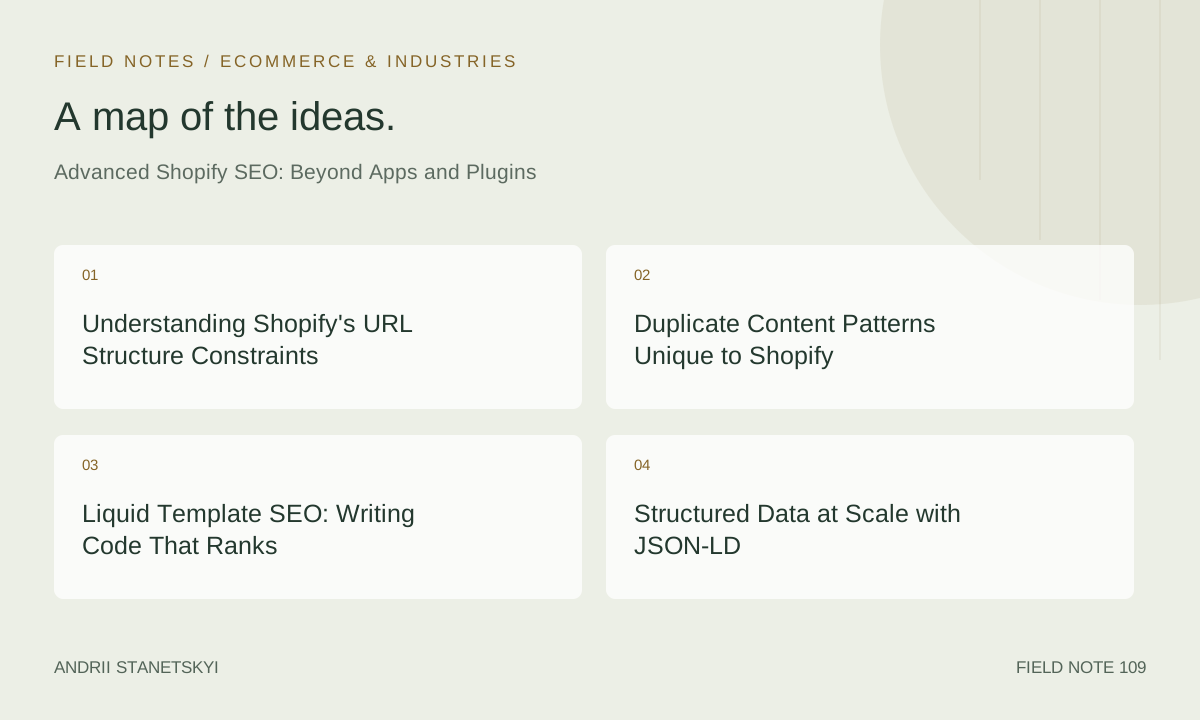
Most Shopify SEO guides stop at meta titles, alt text, and installing an app. If you have already done that work and are looking for the next lever to pull, this is the article for you. What follows is a practitioner-level breakdown of the structural, technical, and programmatic SEO decisions that separate high-performing Shopify stores from the pack in 2026. We will cover Liquid template architecture, JSON-LD at scale, URL structure constraints baked into the platform, duplicate content patterns that silently erode crawl equity, and how Shopify Plus and Hydrogen change the calculus entirely.
No fluff. No app recommendations. Just the hard stuff.
Understanding Shopify's URL Structure Constraints
Shopify enforces a rigid URL taxonomy. Unlike WordPress or custom stacks, you cannot freely nest paths. The platform reserves these prefixes and they are non-negotiable:
/products/— all product detail pages/collections/— collection indexes and filtered variants/blogs/and/blogs/[handle]/[article-handle]— blog content/cart,/account,/checkout— transactional paths
/pages/ — static content pages
This matters for SEO because keyword-rich URL hierarchies you might build on another platform are simply not available. You cannot create /mens/shoes/running/ as a true directory; the closest approximation is /collections/mens-running-shoes. The implication: your collection handle is your keyword slug. Name it intentionally from day one because Shopify does preserve old URLs via 301 when you change a handle, but redirect chains accumulate and PageRank dilution is real.
One underused tactic: the /collections/[collection]/[product] URL variant. When a user navigates to a product from within a collection, Shopify serves the product at a collection-scoped URL. Googlebot indexes both. This is a primary source of crawl budget waste and canonical confusion for large catalogs. See the duplicate content section below for the fix.
Duplicate Content Patterns Unique to Shopify
Shopify generates duplicate content in four distinct ways that are not immediately obvious:
1. The Collection-Scoped Product URL Problem
A product in three collections generates four crawlable URLs:
/products/blue-running-shoe/collections/mens-shoes/products/blue-running-shoe/collections/running/products/blue-running-shoe/collections/sale/products/blue-running-shoe
Shopify adds a rel="canonical" pointing to /products/blue-running-shoe by default in most themes, but that canonical only works if Googlebot respects it. If these URLs are linked internally (e.g., from breadcrumbs or navigation), Google may treat them as first-class URLs regardless of the canonical signal. The fix is twofold: ensure your canonical tag is correct in Liquid (verified, not assumed) and avoid linking to collection-scoped product URLs from any navigational element.
2. Variant URLs and Canonical Mismatches
Shopify product variants append query parameters: ?variant=12345678. These are typically handled correctly by the default canonical (which strips the variant parameter), but theme customizations sometimes break this. Always audit the rendered <head> of variant URLs in production, not just in theme preview.
3. Collection Pagination
Paginated collection pages (/collections/mens-shoes?page=2) are separate crawlable URLs. Google no longer uses rel="prev/next". The correct approach in 2026 is to ensure page 2+ have unique, valuable content (enough distinct products) and avoid thin pages. For collections under 48 products, consider setting ?page=2 to noindex via robots.txt.liquid or a conditional Liquid tag.
4. Tag-Filtered Collection URLs
Shopify's native tag filtering creates URLs like /collections/mens-shoes/blue and /collections/mens-shoes/blue+waterproof. These are indexable by default and multiply your collection URLs combinatorially. For a collection with 10 tags, you could have hundreds of crawlable permutations. This is the faceted navigation problem, addressed in detail later in this article.
Liquid Template SEO: Writing Code That Ranks
Liquid is Shopify's templating language and it has real limitations you must design around, not against.
Dynamic Canonical Tags
Do not trust your theme's canonical implementation. Audit it and, if needed, replace it. Here is a robust canonical snippet for theme.liquid:
{% comment %} Canonical URL Logic {% endcomment %}
{% if template == 'product' %}
  {% assign canonical_url = shop.url | append: product.url %}
{% elsif template == 'collection' %}
  {% if current_tags %}
    {% assign canonical_url = shop.url | append: collection.url %}
  {% else %}
    {% assign canonical_url = shop.url | append: collection.url %}
  {% endif %}
{% elsif template == 'article' %}
  {% assign canonical_url = shop.url | append: article.url %}
{% elsif template == 'page' %}
  {% assign canonical_url = shop.url | append: page.url %}
{% elsif template == 'index' %}
  {% assign canonical_url = shop.url %}
{% else %}
  {% assign canonical_url = canonical_url | default: shop.url %}
{% endif %}
Note the critical nuance: for tag-filtered collection URLs, the above code canonicalizes to the base collection URL. That is intentional. Tag-filtered pages should not self-canonicalize unless you have made a deliberate decision to index them (see the decision table below).
Dynamic Meta Title and Description
Most themes expose a simple {{ page_title }} variable. Senior practitioners override this with context-aware logic:
{% comment %} Context-aware title tag {% endcomment %}
{% if template == 'collection' %}
  {% if current_tags %}
    {% assign tag_label = current_tags | join: ' ' | capitalize %}
    {% assign page_title = tag_label | append: ' ' | append: collection.title | append: ' | ' | append: shop.name %}
  {% elsif collection.metafields.seo.title != blank %}
    {% assign page_title = collection.metafields.seo.title %}
  {% else %}
    {% assign page_title = collection.title | append: ' | ' | append: shop.name %}
  {% endif %}
{% elsif template == 'product' %}
  {% if product.metafields.seo.title != blank %}
    {% assign page_title = product.metafields.seo.title %}
  {% else %}
    {% assign page_title = product.title | append: ' | ' | append: shop.name %}
  {% endif %}
{% endif %}

{{ page_title | escape }}
Leverage metafields aggressively. The seo namespace with title and description keys is the correct place to store per-object SEO overrides that survive theme updates. Learn more about using Shopify metafields for SEO.
Liquid Performance and Rendering Limits
Shopify imposes a Liquid render limit of approximately 500ms of server-side processing per request. Complex Liquid loops iterating over large product arrays can hit this ceiling, resulting in incomplete page renders. The SEO consequence: if your structured data or canonical tag is rendered late in the template and the limit is hit, Google may receive a malformed or empty <head>. Audit your template using Shopify's Theme Inspector and move SEO-critical Liquid outside of loops wherever possible.
Structured Data at Scale with JSON-LD
Inline schema markup via Liquid is the correct approach for Shopify — not third-party apps that inject via JavaScript after DOM load, which Googlebot may or may not execute on first crawl.
Product + Offer JSON-LD
<script type="application/ld+json">
{
  "@context": "https://schema.org",
  "@type": "Product",
  "name": "{{ product.title | json }}",
  "description": "{{ product.description | strip_html | truncate: 500 | json }}",
  "image": [
    {% for image in product.images limit: 5 %}
      "{{ image.src | img_url: '1200x' }}"{% unless forloop.last %},{% endunless %}
    {% endfor %}
  ],
  "sku": "{{ product.selected_or_first_available_variant.sku | json }}",
  "brand": {
    "@type": "Brand",
    "name": "{{ product.vendor | json }}"
  },
  "offers": {
    "@type": "AggregateOffer",
    "priceCurrency": "{{ cart.currency.iso_code }}",
    "lowPrice": "{{ product.price_min | money_without_currency }}",
    "highPrice": "{{ product.price_max | money_without_currency }}",
    "offerCount": {{ product.variants.size }},
    "availability": "{% if product.available %}https://schema.org/InStock{% else %}https://schema.org/OutOfStock{% endif %}",
    "url": "{{ shop.url }}{{ product.url }}"
  }
  {% if product.metafields.reviews.rating != blank %},
  "aggregateRating": {
    "@type": "AggregateRating",
    "ratingValue": "{{ product.metafields.reviews.rating }}",
    "reviewCount": "{{ product.metafields.reviews.rating_count }}"
  }
  {% endif %}
}
</script>
A few implementation notes. First, use | json filter on string values — it handles escaping for you and prevents malformed JSON when product titles contain apostrophes or quotes. Second, money_without_currency outputs a plain decimal which schema.org expects; money would prepend a currency symbol and break validation. Third, ratings should only be emitted when they exist; an empty aggregateRating block will cause Rich Results Test failures.
BreadcrumbList JSON-LD
Breadcrumbs in search results are a significant CTR driver. Emit them on every product and collection page:
<script type="application/ld+json">
{
  "@context": "https://schema.org",
  "@type": "BreadcrumbList",
  "itemListElement": [
    {
      "@type": "ListItem",
      "position": 1,
      "name": "Home",
      "item": "{{ shop.url }}"
    }
    {% if template == 'product' and collection %}
    ,{
      "@type": "ListItem",
      "position": 2,
      "name": "{{ collection.title | json }}",
      "item": "{{ shop.url }}{{ collection.url }}"
    },
    {
      "@type": "ListItem",
      "position": 3,
      "name": "{{ product.title | json }}",
      "item": "{{ shop.url }}{{ product.url }}"
    }
    {% elsif template == 'collection' %}
    ,{
      "@type": "ListItem",
      "position": 2,
      "name": "{{ collection.title | json }}",
      "item": "{{ shop.url }}{{ collection.url }}"
    }
    {% endif %}
  ]
}
</script>
Controlling Crawlers: robots.txt.liquid and Sitemap Edge Cases
Since Shopify 2021, stores on Online Store 2.0 can edit robots.txt via a Liquid file at config/robots.txt.liquid. This is one of the most powerful SEO controls available at the platform level.
robots.txt.liquid Template
{% comment %}
  robots.txt.liquid
  Customize Shopify's default robots.txt output.
  Default rules are rendered via {{ default_groups }}.
{% endcomment %}

{{ default_groups }}

User-agent: *
Disallow: /collections/*+*
Disallow: /search?*
Disallow: /account
Disallow: /cart
Disallow: /checkout
Disallow: /collections/?sort_by*
Disallow: /collections/?page*
Allow: /collections/

User-agent: GPTBot
Disallow: /

User-agent: CCBot
Disallow: /

Sitemap: {{ shop.url }}/sitemap.xml
The critical directive here is Disallow: /collections/*+* — this blocks combinatorial tag URLs (which use + as the AND separator) while allowing single-tag collection URLs if you want them indexed. The ?sort_by and ?page disallows prevent crawl budget waste on parameterized duplicates. Adjust the AI-crawler blocks (GPTBot, CCBot) per your content licensing policy.
Sitemap Edge Cases
Shopify auto-generates a sitemap at /sitemap.xml which aggregates sub-sitemaps for products, collections, pages, and blogs. What it does not do:
- Exclude out-of-stock or archived products
- Exclude collection-scoped product URLs (they do not appear in the sitemap, but may be indexed via crawl)
- Include lastmod dates that reflect actual content changes (timestamps are sometimes stale)
- Respect your noindex decisions — a noindex page may still appear in the sitemap
For Shopify Plus merchants, you can generate a custom sitemap via a dedicated page template that outputs XML. This allows you to filter products by availability, metafield values, or publication status. See our guide to building a custom Shopify sitemap.
For standard Shopify, the practical workaround is to submit the auto-generated sitemap to Google Search Console and use the URL Inspection tool to manually request re-crawl after significant changes. Monitor for coverage errors monthly — particularly "Submitted URL not found (404)" after collection handle changes.
Faceted Navigation and URL Handling
Faceted navigation is the single largest source of crawl budget leakage in Shopify stores with more than 500 SKUs. Shopify's native tag system creates indexable URLs by default, and most filter apps compound the problem by appending query parameters.
The Three-Path Approach
You have three architectural choices for faceted URLs. The decision depends on search volume for the filtered combination and your ability to create unique content for it:
- Index and optimize: For high-volume, commercially relevant tag combinations (e.g.,
/collections/mens-shoes/runningwhere "mens running shoes" has significant search volume), create a unique collection description, set a custom meta title and description via metafields, and build internal links to it. - Canonicalize to parent: For medium-volume tags or tags that are store-navigation conveniences rather than search-intent mirrors, allow the tag URL to exist but canonical it to the parent collection.
- Block in robots.txt: For combinatorial multi-tag URLs or sort/pagination parameters, block at robots.txt level. This is the bluntest but most reliable tool.
The Liquid implementation for path 2 (canonical to parent) is shown in the canonical snippet above. For path 1, you need per-tag metafields — Shopify does not natively support metafields on tags, so the workaround is a page or metaobject that maps tag handles to SEO content, queried via Liquid.
Shopify Plus and Hydrogen: Advanced Architecture Decisions
Shopify Plus-Specific Capabilities
Shopify Plus unlocks several SEO-relevant features not available on standard plans:
- Checkout extensibility: You can add structured data to the order confirmation page, enabling conversion-event signals that feed back into Smart Bidding — not directly an SEO function, but influences the full-funnel data you are optimizing for.
- Scripts and Functions: Shopify Functions allow server-side customization of discount and shipping logic. Relevant to SEO only indirectly, but Plus stores can also use custom domain configurations for international stores (hreflang at scale).
- Expansion stores: International expansion stores on Plus enable proper ccTLD or subdirectory-based international SEO. Subdomains (
fr.store.com) vs. subdirectories (store.com/fr/) is a settled debate in 2026 — subdirectories perform better for international SEO because they consolidate domain authority. Plus expansion stores support both. - Custom robots.txt per market: With Shopify Markets on Plus, you can configure separate crawl directives per market storefront.
Hydrogen: Headless Shopify SEO
Hydrogen is Shopify's React-based headless framework built on Remix. From an SEO perspective, it solves the JavaScript rendering problem that plagues many headless implementations because Remix is server-side rendered by default. Key considerations:
- Meta tags in loaders: In Hydrogen/Remix, meta tags are exported from route loaders using the
metaexport function. This guarantees they are server-rendered and available on first byte — no JavaScript execution required by Googlebot. - Structured data placement: JSON-LD should be injected via the
<Script>component withtype="application/ld+json"inside the route's loader, not in a client-side effect. - URL flexibility: Hydrogen removes Shopify's URL prefix constraints. You can implement
/p/product-handleor any URL structure. This freedom requires discipline — define your URL taxonomy before go-live and enforce it via redirect rules inoxygen.toml. - Sitemap generation: Hydrogen stores must build their own sitemap. Use the Storefront API to query all published products, collections, and pages and output an XML sitemap from a dedicated route. Automate regeneration on publish events via webhooks. Shopify's Hydrogen documentation covers the Storefront API pagination needed for large catalogs.
For a standard Shopify store doing under $10M revenue, Hydrogen adds architectural complexity without proportional SEO benefit. The calculus changes for enterprise catalogs where URL control, Core Web Vitals optimization, and custom caching logic are material ranking factors. Read our comparison of Hydrogen vs. Liquid for SEO.
Decision Table: When to Canonicalize vs. Noindex vs. Consolidate
| URL Type | Search Volume for Filter Combo | Unique Content Available | Recommended Action | Liquid/Config Implementation |
|---|---|---|---|---|
| Single-tag collection URL | High (>500/mo) | Yes | Index and optimize | Self-canonical, custom meta via metafields |
| Single-tag collection URL | Low (<100/mo) | No | Canonical to parent collection | Set canonical to collection.url without tags |
| Multi-tag combined URL (e.g., /blue+running) | Any | No | Block in robots.txt | Disallow: /collections/*+* |
| Collection-scoped product URL | N/A (duplicate) | No | Canonical to /products/ URL |
Default Shopify behavior; verify in theme |
| Sort parameter URL (?sort_by=price) | None | No | Block in robots.txt | Disallow: /collections/?sort_by* |
| Pagination page 2+ (small collection) | None | No | Noindex or block | Conditional Liquid noindex or robots.txt disallow |
| Pagination page 2+ (large collection) | Low | Partial | Allow indexing, no special action | Ensure enough unique products per page |
| Variant parameter URL (?variant=123) | None | No | Canonical to base product URL | Verify theme canonical strips variant param |
Use this table as a recurring audit checklist. Shopify's URL landscape changes as you add collections, tags, and variants — a decision made at launch may need revisiting at 1,000 SKUs. See our Shopify crawl audit checklist.
FAQ
Does Shopify automatically handle canonical tags for collection-scoped product URLs?
Shopify's default themes (Dawn and its derivatives) do emit a canonical tag pointing to the /products/ URL on collection-scoped product pages, but this behavior depends on the theme. Custom themes may omit or incorrectly implement the canonical. Always audit rendered HTML in production using a tool like Screaming Frog or a headless browser check — do not assume the theme does the right thing. The canonical tag is only effective if it is in the <head> and Google chooses to honor it, which it typically does when there are no conflicting signals (i.e., when you are not linking to collection-scoped URLs from navigation).
Can I change the /products/ or /collections/ URL prefix in Shopify?
No. These prefixes are hardcoded in the Shopify platform for standard Liquid storefronts. There is no theme or admin setting that removes them. The only way to use a different URL structure is to use Shopify's Headless (Hydrogen) or a third-party headless framework proxied in front of the Shopify Storefront API. If URL structure is a priority (e.g., migrating from a platform with cleaner URLs), Hydrogen is the correct path, paired with a comprehensive redirect mapping from old URLs.
How do I handle hreflang at scale on Shopify Plus?
Shopify Markets with expansion stores is the supported approach. Each market can have its own domain or subdirectory. Hreflang tags should be emitted in the <head> via Liquid using the localization object. For stores with many market combinations, generating hreflang programmatically from a metaobject that maps locale codes to URLs is more maintainable than hardcoding. Validate hreflang implementation using Google Search Console's International Targeting report and Ahrefs' hreflang checker. The most common error is missing the x-default annotation — always include it pointing to your primary-language storefront. Google's hreflang documentation is the authoritative reference.
What is the right way to add structured data to Shopify blog articles?
Blog articles should carry Article (or BlogPosting) schema with at minimum: headline, datePublished, dateModified, author (with Person type), publisher (with Organization type including logo), and image. In Liquid, use article.published_at | date: '%Y-%m-%dT%H:%M:%S%z' for ISO 8601 date formatting. Note that Shopify does not natively expose a updated_at field for articles in a consistently reliable way — if using an app that updates articles, verify the timestamp reflects the content change, not a metadata change.
How does Shopify's CDN affect SEO and Core Web Vitals?
Shopify uses Fastly as its CDN, which provides globally distributed edge caching. Image assets served from cdn.shopify.com benefit from this automatically. For Core Web Vitals, the main opportunities are: using the img_url Liquid filter with appropriate size parameters to avoid serving oversized images, adding loading="lazy" to below-fold images while ensuring the LCP image does NOT have lazy loading, and using the srcset attribute for responsive images. Shopify's image_tag Liquid helper generates srcset automatically in OS 2.0 themes. LCP on Shopify stores is almost always caused by the hero image — preload it with a <link rel="preload"> tag in the <head> for a material improvement.
Should I noindex Shopify search result pages?
Yes, in almost all cases. Shopify search results at /search?q=term are thin, query-dependent pages that provide no long-term SEO value and consume crawl budget. The ?q parameter can generate infinite URL variations. Block search result pages via Disallow: /search in robots.txt.liquid. The exception would be a highly curated search experience with significant search volume for specific queries — in that case, consider creating a dedicated landing page (as a /pages/ or /collections/ URL) instead of relying on the search result URL.
What happens to SEO when I migrate from standard Shopify to Hydrogen?
Migration to Hydrogen is a full URL migration if you change your URL structure. Plan for: a comprehensive redirect map from all existing URLs to new URLs, re-submission of the sitemap in Google Search Console, and monitoring of the Coverage report for crawl errors in the weeks post-launch. The SEO upside — URL flexibility, improved Core Web Vitals from SSR performance, and granular control over structured data — typically materializes over 3–6 months. Maintain the old theme as a fallback and use a phased rollout (e.g., product pages first, then collections) to limit risk exposure. Our Hydrogen migration SEO checklist covers the full pre/post-launch process.
Key Takeaways
- Shopify's fixed URL prefixes (
/products/,/collections/) are non-negotiable on standard Liquid; Hydrogen removes this constraint at the cost of architecture complexity. - Collection-scoped product URLs are the most pervasive duplicate content issue in Shopify — audit your canonical tags and internal link patterns before anything else.
- Use
robots.txt.liquidto block combinatorial tag URLs (/collections/*+*), sort parameters, and search result pages from crawl. - Emit JSON-LD structured data server-side via Liquid using the
| jsonfilter for safe escaping; never rely on JavaScript-injected schema for critical product data. - The correct faceted URL strategy depends on search volume and content uniqueness — use the decision table above to make consistent, auditable decisions rather than blanket policies.
- Shopify Plus unlocks hreflang at scale via Markets, custom checkout extensibility, and per-market robots.txt configurations — plan for these before enterprise migration, not after.
- Core Web Vitals on Shopify are primarily an image optimization problem; use srcset via
image_tag, preload your LCP image, and never lazy-load above-fold hero images.
Conclusion
Advanced Shopify SEO is less about finding a new app and more about understanding the constraints the platform imposes and making deliberate architectural decisions within them. The practitioners who outperform on Shopify in 2026 are the ones who audit their Liquid templates rather than assuming themes work correctly, who make explicit decisions about every URL pattern rather than leaving them to defaults, and who treat structured data as a development deliverable rather than an afterthought.
The platform is mature and well-indexed by Google. That means your competitors are not winning on platform fundamentals anymore — they are winning on execution quality at the template level, on structured data completeness, and on crawl budget discipline. The guidance in this article gives you the technical vocabulary and implementation patterns to compete at that level.
Start with a crawl audit using the decision table above. Verify your canonical implementation in production. Then work outward from there.