Google Search Console's Index Coverage report is simultaneously one of the most useful and most misread tools in technical SEO. Most practitioners treat it as a status dashboard — look at the error count, panic or relax accordingly. That approach misses the diagnostic depth the report offers. The real value is in understanding what each status combination means, why Google assigns URLs to each category, and how to systematically resolve issues rather than playing whack-a-mole with individual URLs. This guide treats the Coverage report as a diagnostic instrument and walks through the interpretation and remediation workflow that actually moves the needle.
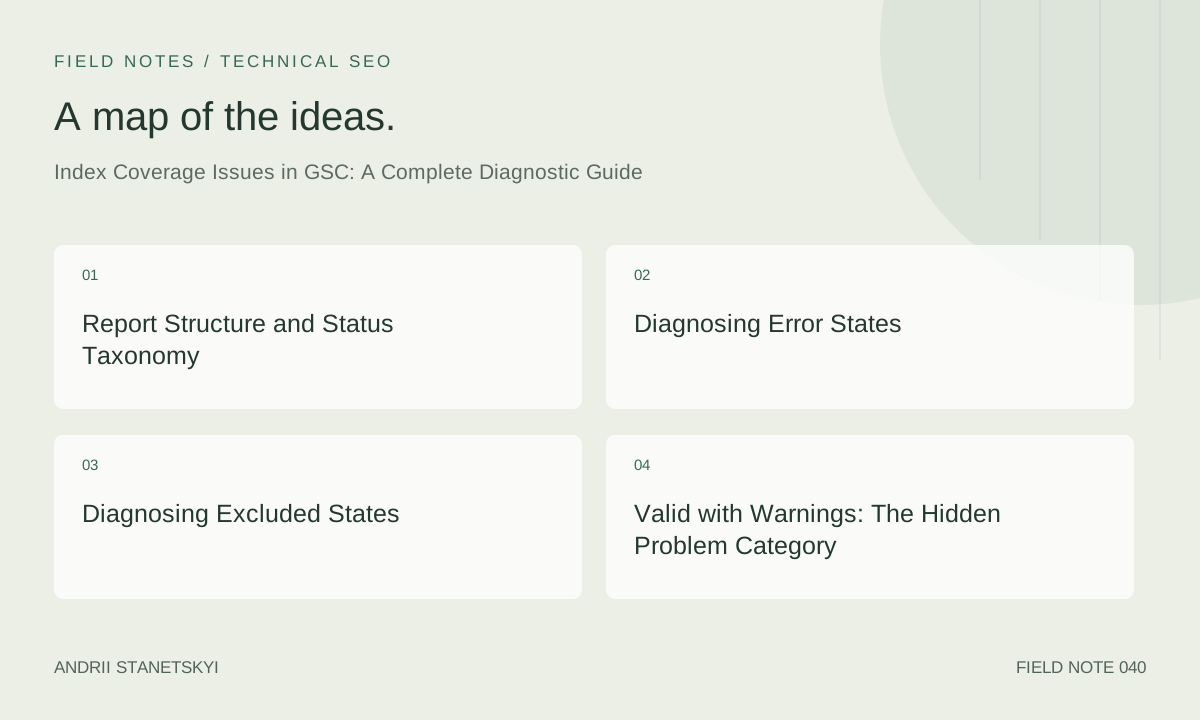
Report Structure and Status Taxonomy
The Coverage report presents four top-level statuses: Error, Valid with Warnings, Valid, and Excluded. Within each, specific reasons indicate why Google assigned that status. Understanding the taxonomy is prerequisite to diagnosing correctly.
| Status | Sub-status | What It Means | Priority |
|---|---|---|---|
| Error | Server error (5xx) | Googlebot received a 5xx response | Critical |
| Error | Redirect error | Redirect chain too long, loop, or bad destination | Critical |
| Error | URL blocked by robots.txt | Submitted in sitemap but blocked by robots.txt | High |
| Error | URL marked 'noindex' | Submitted in sitemap but has noindex directive | High |
| Error | Not found (404) | Submitted URL returns 404 | High |
| Error | Soft 404 | Returns 200 but Google determines content is 404-like | Medium |
| Valid with Warning | Indexed, though blocked by robots.txt | Google indexed despite robots.txt block (from other discovery) | Medium |
| Excluded | Excluded by 'noindex' tag | noindex respected; URL not in index | Intentional or bug |
| Excluded | Excluded by canonical tag | Canonical points elsewhere; this URL not indexed | Intentional or bug |
| Excluded | Duplicate without canonical selected | Google found duplicate; no canonical declared; Google picked another URL | Medium |
| Excluded | Crawled, currently not indexed | Google crawled but chose not to index; quality or relevance judgment | High |
| Excluded | Discovered, currently not indexed | URL in crawl queue but not yet crawled | Monitor |
| Excluded | Alternate page with proper canonical tag | This URL has a canonical pointing elsewhere; Google agrees with it | Expected |
| Valid | Submitted and indexed | In sitemap and indexed | Target state |
| Valid | Indexed, not submitted in sitemap | Google indexed but URL not in sitemap | Review |
Diagnosing Error States
Server Errors (5xx)
When Google reports 5xx errors, it means Googlebot received that response at crawl time. This may or may not reflect current server state — GSC data lags by days to weeks. First step: verify the URLs reported are currently returning 5xx or have been fixed.
# Check current status of URLs reported as 5xx in GSC
while IFS= read -r url; do
  status=$(curl -s -o /dev/null -w "%{http_code}" --max-time 10 "$url")
  echo "$status $url"
done < gsc_5xx_urls.txt | grep "^5"

# If the 5xx is resolved, request recrawl via URL Inspection API or wait for recrawl cycle
Intermittent 5xx errors (server timeouts under load) are particularly insidious — they appear in GSC but the URL serves fine when you check manually. Look at your server logs around Googlebot's known crawl windows. If Googlebot consistently hits during high-load periods and triggers 5xx, implement crawl rate limiting in GSC (Settings → Crawl rate) or stagger your deployments.
# Check nginx logs for Googlebot 5xx responses specifically
grep "Googlebot" /var/log/nginx/access.log | \
  awk '$9 ~ /^5/' | \
  awk '{print $7}' | sort | uniq -c | sort -rn | head -20
Redirect Errors
Google reports redirect errors when: the redirect chain exceeds a threshold (typically 5+ hops), there's a redirect loop, or the final redirect destination returns an error. Diagnosis:
# Trace full redirect chain for a reported URL
curl -sI -L --max-redirs 10 https://example.com/old-page 2>&1 | \
  grep -E "^(HTTP|Location)"

# Identify redirect loops (curl will fail with "too many redirects")
curl -sI -L --max-redirs 5 https://example.com/looping-page | tail -5
Common root causes: CMS URL rewrites conflicting with .htaccess rules; HTTPS and www redirect rules that compound; old redirects in a redirect table that chain into newer ones.
# .htaccess: check for conflicting rewrite rules that create chains
# Bad: redirect A->B defined, later redirect B->C defined separately
# Good: A->C directly (or maintain a redirect map that chains are resolved)

# Apache: check all active RewriteRule and Redirect directives
grep -rn "RewriteRule\|Redirect" /etc/apache2/sites-enabled/ | \
  grep -v "^#"
URL Blocked by robots.txt (Error State)
This error appears specifically when a URL is submitted in your sitemap but also blocked by robots.txt. This is a contradiction — you're telling Google to crawl it via the sitemap and telling it not to crawl it via robots.txt. Google flags this as an error, not as an expected exclusion.
# Identify URLs in sitemap that are also robots.txt blocked
# First extract sitemap URLs
curl -s https://example.com/sitemap.xml | \
  grep -oP '<loc>\K[^<]+' > sitemap_urls.txt

# Then test each against robots.txt using Screaming Frog's robots.txt tester
# Or use the Google Search Console robots.txt Tester for spot checks

# Manual test for a specific URL
curl -s https://example.com/robots.txt | \
  python3 -c "
import sys, urllib.robotparser
rp = urllib.robotparser.RobotFileParser()
rp.parse(sys.stdin.read().splitlines())
print(rp.can_fetch('Googlebot', 'https://example.com/specific-url'))
"
Soft 404s
Soft 404s are pages that return HTTP 200 but have minimal or template-only content that Google's quality algorithms classify as "not found" equivalent. Common sources:
- Out-of-stock product pages with a single line of text: "This product is no longer available"
- Search result pages with no results: "No products found for your search"
- User profile pages for deleted accounts that return a 200 with a sparse template
- CMS pages where content was deleted but the URL still resolves
# Identify soft 404s by checking content length of suspected URLs
for url in $(cat soft_404_candidates.txt); do
  content_length=$(curl -s "$url" | wc -c)
  echo "$content_length $url"
done | sort -n | head -20
# Very short responses for pages that should have content = soft 404 candidates
Remediation: genuinely empty pages should return 404 or 410. Out-of-stock product pages should either be kept live with related product recommendations (preventing soft 404 classification) or redirected to the category page. Never return a sparse template with HTTP 200 for URLs that have no meaningful content.
Diagnosing Excluded States
Crawled, Currently Not Indexed
This is one of the most frustrating GSC statuses and the most misunderstood. "Crawled, currently not indexed" means Google has crawled the page and decided not to index it. The most common reasons:
- Thin content: The page has insufficient unique, valuable content to warrant inclusion in the index
- Low quality signals: Few or no internal links; no external links; no engagement signals (clicks, dwell time data)
- Near-duplicate of an indexed page: Content is too similar to a page already in the index
- Freshness assessment: Google doesn't believe the page is stable enough to index yet (newly published or frequently changed)
- Core Web Vitals: Pages with extremely poor performance signals may be deprioritized for indexing
# Use URL Inspection for specific URLs in this state
# GSC URL Inspection → "Test Live URL" → check:
# - Last crawl date
# - Crawled as: desktop or mobile
# - Indexing allowed: yes/no
# - Coverage: "Crawled, currently not indexed"
# - Enhancements section: check for rich result errors
The diagnostic question for "Crawled, currently not indexed" is always: "Why would Google choose to index this page?" If you can't articulate a clear answer, the page probably shouldn't be indexed. Add substance, internal links, and relevance before re-requesting indexing.
Discovered, Currently Not Indexed
Google knows about the URL (from sitemap, internal links, or external links) but hasn't crawled it yet. This is usually a crawl budget symptom, not a content quality issue. It means Googlebot has more URLs to crawl than it's currently processing.
# Identify "Discovered, currently not indexed" patterns
# If this status clusters on specific URL patterns, those patterns
# may be getting lower crawl priority

# Check if affected URLs have internal links
# Using Screaming Frog: filter URLs by this status, check Inlinks column
# Low inlink count = low crawl priority
Remediation: improve internal linking to affected URLs. Add them to a sitemap submitted to GSC. For critical pages, use GSC URL Inspection "Request Indexing" to manually queue them. For systematic coverage, examine whether deep pages in your site architecture are too many clicks from the homepage.
Duplicate Without User-Selected Canonical
Google found duplicate or near-duplicate content across multiple URLs and chose a canonical itself, because no canonical tag was declared. The "user-selected canonical" reference in the status name means you didn't specify one — Google did. This is Google asking you to take a position on which URL is canonical.
Remediation: declare canonical tags on all affected URLs pointing to your preferred version. Ensure internal links point to the canonical version. Add the canonical URL to your sitemap; remove non-canonical variants.
Alternate Page with Proper Canonical Tag
This is an expected, healthy state for non-canonical variant URLs (faceted pages, parameter variants, locale alternates pointing to canonical locales). The presence of these URLs in the Excluded report is not a problem unless you intended them to be indexed.
Verify against intent: pull a sample of these URLs. Do they have canonical tags pointing to URLs that should be indexed? If yes, this is working correctly. If some of these were intended to be indexed but have incorrect canonical tags pointing away from themselves, that's a canonicalization bug requiring investigation.
Valid with Warnings: The Hidden Problem Category
Indexed, Though Blocked by robots.txt
This is one of the most misunderstood statuses. Google has indexed this URL despite it being blocked by robots.txt. How is this possible? Google can index URLs it hasn't crawled if it has enough signal from external sources: anchor text in backlinks, citations in other indexed pages, data from previous crawls before the block was added.
This status means: Google knows this URL exists and has indexed a representation of it (possibly title-only from link anchor text), but cannot crawl the current content. The URL appears in search results without a description snippet.
# This situation occurs when:
# 1. The URL was indexed before robots.txt blocking was added
# 2. External sites link to this URL with descriptive anchor text
# 3. Google indexes the URL based on link signals alone

# If you WANT this URL indexed: remove from robots.txt
# If you DON'T want this URL indexed: noindex is not enough (can't crawl to read it)
# Solution for blocking indexed-but-blocked URLs:
# Option A: Remove robots.txt block, add noindex meta tag, wait for crawl, re-add block
# Option B: Return 404 or 410 for the URL
Systematic Diagnostic Approach
Step 1: Baseline Measurement
# Export all Coverage data from GSC API or UI
# Calculate ratios:
total_submitted=$(wc -l < sitemap_urls.txt)
valid_indexed=$(grep "Submitted and indexed" gsc_coverage_export.csv | wc -l)
indexing_rate=$(echo "scale=2; $valid_indexed / $total_submitted * 100" | bc)
echo "Indexing rate: $indexing_rate%"

# Healthy e-commerce site: 70-85% of submitted URLs indexed
# News site: 85-95% (higher turnover, higher expectations)
# Blog: 60-80% (varies heavily by content quality)
Step 2: Categorize by Business Impact
Not all excluded or errored URLs are equal. Triage by URL type:
- Product pages not indexed = direct revenue impact
- Category pages not indexed = organic entry point loss
- Blog content not indexed = topical authority loss
- Faceted navigation not indexed = often intentional; verify intent
Step 3: Root Cause Analysis per URL Pattern
# Group Coverage issues by URL pattern to identify systemic vs. isolated issues
# Screaming Frog: import GSC Coverage export, filter by status, look for URL patterns

# Example: if 80% of "Crawled, not indexed" URLs match /blog/2019/*
# → Old content quality issue, not a technical problem
# Example: if all 404 errors match /old-product-*/
# → Migration residue, needs redirect mapping
Step 4: Verify Technical Implementation
# For each identified URL pattern with issues:
# 1. Fetch live to confirm current HTTP status
curl -I https://example.com/affected-url

# 2. Check rendered HTML for canonicals, noindex
curl -s https://example.com/affected-url | \
  grep -E 'canonical|noindex|robots'

# 3. Verify robots.txt behavior
curl -s https://example.com/robots.txt

# 4. Use GSC URL Inspection for Google's view (may differ from direct fetch)
Tooling: Beyond GSC
Screaming Frog + GSC Integration
Screaming Frog can import GSC Coverage data directly (Configuration → API Access → Google Search Console). After crawl, you can cross-reference Screaming Frog's live crawl data (canonical tags, response codes, noindex status) with GSC's reported status. Mismatches reveal where Google's view of your site diverges from the current live state — which is often where bugs hide.
Sitebulb for "Hints" on Indexation
Sitebulb's indexability report categorizes issues with explanations and priority scores. Its "URL Structure" and "Directives" sections often surface canonicalization and robots issues that GSC's aggregate view obscures. Particularly useful for identifying canonical chains and noindex/canonical conflicts at scale.
OnCrawl for Historical Tracking
OnCrawl connects crawl data with GSC data and log file data in a unified interface. Its key capability for Coverage diagnostics: tracking the transition of URLs between states over time. A URL moving from "Indexed" to "Crawled, not indexed" 30 days after a content change is a different problem than a URL that's been in "Crawled, not indexed" for 12 months. See our OnCrawl setup guide for log file integration.
Botify for Enterprise-Scale Coverage Analysis
Botify's SiteCrawler + RealKeywords + LogAnalyzer integration enables URL-level correlation between: whether a URL was crawled by Googlebot (log data), whether it's indexed (GSC Coverage), and whether it receives organic clicks (GSC Performance). URLs that Googlebot crawls frequently but never indexes are your most actionable "Crawled, not indexed" candidates — Google clearly considers them important enough to revisit but not quality enough to index.
# Botify API query example: find URLs crawled by Googlebot but not indexed
# (conceptual — actual syntax varies by Botify version)
{
  "filters": {
    "field": "search_engines.google.crawl.count",
    "predicate": "gte",
    "value": 3
  },
  "and": {
    "field": "search_engines.google.index.status",
    "predicate": "eq",
    "value": "not_indexed"
  }
}
IndexNow for Faster Discovery
IndexNow is the protocol supported by Bing and other search engines (not Google as of 2026) for immediate URL submission on publish or update. For Bing indexing coverage, IndexNow significantly reduces "Discovered, not yet indexed" lag. Implementing it for Bing Coverage improvements is straightforward:
# IndexNow API call on page publish
curl -X POST "https://api.indexnow.org/indexnow" \
  -H "Content-Type: application/json; charset=utf-8" \
  -d '{
    "host": "example.com",
    "key": "your-indexnow-key",
    "keyLocation": "https://example.com/your-indexnow-key.txt",
    "urlList": [
      "https://example.com/new-page",
      "https://example.com/updated-page"
    ]
  }'
Common Patterns and Root Cause Analysis
Pattern: Sudden Drop in "Submitted and Indexed" Count
Likely causes in order of frequency: sitemap error (malformed XML, wrong URL format), CMS change that added noindex to a template, robots.txt change blocking indexable URLs, mass canonical tag change pointing to wrong URL, or Google quality update downgrading page quality.
# Quick triage: check if sitemap is valid
curl -s https://example.com/sitemap.xml | \
  python3 -c "import sys; import xml.etree.ElementTree as ET; ET.parse(sys.stdin); print('Valid XML')"

# Check for recently added noindex tags (using git blame or CMS audit trail)
# Check robots.txt change history (if version controlled)
git log --oneline -- robots.txt
Pattern: High "Crawled, Not Indexed" with No Technical Issues
This pattern usually indicates a content quality issue, not a technical one. Googlebot is successfully crawling and the pages have no technical barriers to indexing — Google just doesn't consider them worth indexing.
Diagnosis: sample 20–30 affected URLs. Assess content depth, internal link count, external links, uniqueness vs. existing indexed pages, and user engagement metrics if available. If the common thread is thin content, the fix is content improvement, not technical remediation.
Pattern: Large "Excluded by Canonical Tag" with Wrong Target
Bulk canonical misconfiguration — often from a CMS plugin update, theme change, or developer error. Symptoms: GSC shows thousands of URLs excluded by canonical tag, all pointing to an incorrect URL (e.g., all pointing to homepage). See our canonical tag deep dive for the full audit process.
# Rapid check: what URL are most canonicals pointing to?
curl -s https://example.com/page1 | grep canonical
curl -s https://example.com/page2 | grep canonical
curl -s https://example.com/page3 | grep canonical
# If all three return the same unexpected URL, you have bulk misconfiguration
Pattern: "Indexed, Not Submitted in Sitemap" Exceeds Submitted Count
Google has indexed more URLs than you've submitted. This often means: faceted navigation is being indexed despite intent to block it; old URLs that were removed from the sitemap but not redirected are still indexed; or the sitemap is incomplete and doesn't cover all indexable URL patterns.
Pull the "Indexed, not submitted in sitemap" URL list from GSC (requires API access or manual export). Analyze the URL patterns. Determine if each pattern is: (a) intentionally indexed but missing from sitemap — add to sitemap; (b) unintentionally indexed — add canonical tags pointing to preferred URL and/or block future crawling.
FAQ
How quickly does GSC Coverage data update after I fix an issue?
GSC Coverage data typically reflects Google's index state with a lag of 3–14 days. After fixing an issue, request recrawl via URL Inspection for critical URLs. For bulk changes, resubmit the sitemap and monitor Coverage weekly. Don't expect same-day updates — the data pipeline has inherent latency and requires Googlebot to recrawl the affected URLs.
A URL is in "Crawled, not indexed" but its content is high quality. What else could cause this?
Several non-obvious causes: the URL was recently published and Google hasn't yet made a final indexing decision (common for new domains); the URL is in a site section with overall low quality (quality assessment is site-section sensitive, not just per-page); the URL has no external links and minimal internal links; the URL has a slow TTFB or Core Web Vitals issues that affect Google's quality assessment; or the URL competes too closely with an already-indexed page on the same site.
Should I request indexing via URL Inspection for all "Crawled, not indexed" URLs?
No. URL Inspection's "Request Indexing" is not a guarantee of indexing — it's a crawl priority bump. Using it en masse for low-quality pages wastes the manual review queue. Use it for high-value pages (new product launches, important content updates) where you have clear evidence the page deserves indexing. For bulk "Crawled, not indexed" issues, fix the root cause (content quality, internal links) and let normal recrawl cycles handle it.
What does "Indexed, not submitted in sitemap" mean for my SEO?
Google found and indexed these URLs through other means (crawling, external links). The status itself isn't negative, but it's a diagnostic flag: either your sitemap is incomplete (fix it), or Google is indexing URLs you didn't intend to be indexed (investigate and add canonical tags or exclusions). Don't ignore this category.
How do I reconcile GSC Coverage data with Screaming Frog crawl data?
Export both. GSC Coverage export gives you URL + status. Screaming Frog export gives you URL + HTTP status + canonical + noindex + title. Join on URL (VLOOKUP in Excel or a pandas merge in Python). Mismatches where Screaming Frog shows "indexable" but GSC shows "Excluded" reveal timing differences (live state vs. last crawled state) or JavaScript rendering differences. Use GSC URL Inspection "Test Live URL" for specific mismatches to get Googlebot's current view.
My site has 50,000 "Discovered, currently not indexed" URLs. Is this a crawl budget problem?
Likely yes. 50,000 URLs in the queue suggests Googlebot is discovering URLs faster than it's processing them. Prioritize: audit your internal linking to reduce links to low-priority URLs; tighten robots.txt to block non-indexable patterns; use priority ordering in sitemaps; and check crawl rate settings in GSC. If this pattern is stable over months, Google may have a lower crawl allocation for your site than your URL volume requires — improving site speed and Core Web Vitals can increase Googlebot's crawl rate over time.
Can I use the Coverage report to audit hreflang implementation?
Partially. The Coverage report shows indexing status per URL. For hreflang auditing, you need the International Targeting report in GSC's legacy interface. The Coverage report can surface hreflang-adjacent issues: locale URLs in "Excluded by canonical tag" (wrong self-canonical), locale URLs in "Crawled, not indexed" (possible quality or duplication issue with locale content), and locale URLs returning 404 or 5xx. See our hreflang implementation guide for the dedicated hreflang diagnostic workflow.
Key Takeaways
- Treat each GSC Coverage sub-status as a distinct diagnostic category, not a variation of "problem" or "not problem."
- "Crawled, currently not indexed" is almost always a content quality or relevance signal, not a technical error. Fix the content; don't just request re-indexing.
- "Indexed, though blocked by robots.txt" is the most counterintuitive status: you can't resolve it by adding noindex (can't crawl to read it). You need to either remove the robots.txt block and add noindex, or return a 404/410.
- Sitemap submissions should only contain canonical, indexable URLs. Contradictions between sitemaps and canonical/noindex tags are flagged as errors.
- "Discovered, currently not indexed" at scale is a crawl budget indicator, not a quality indicator.
- GSC Coverage data lags real state by days to weeks. Use URL Inspection "Test Live URL" for current Googlebot view.
- Botify and OnCrawl's log file integration is essential for diagnosing why specific URL patterns cycle between Coverage statuses over time.
- IndexNow accelerates Bing Coverage for new/updated URLs; it doesn't affect Google Coverage.
Conclusion
The Index Coverage report is a window into how Google's indexing pipeline assesses your site. Reading it correctly requires understanding not just what each status means, but what signals drove Google to assign it. The practitioners who get the most out of this tool are those who correlate it with live crawl data, log file analysis, and content quality assessment — treating it as one layer in a multi-layer diagnostic stack rather than a standalone dashboard. Build the habit of weekly Coverage monitoring, triage by business impact, and root-cause investigation before remediation. Most Coverage issues have patterns; finding the pattern is 80% of the fix.