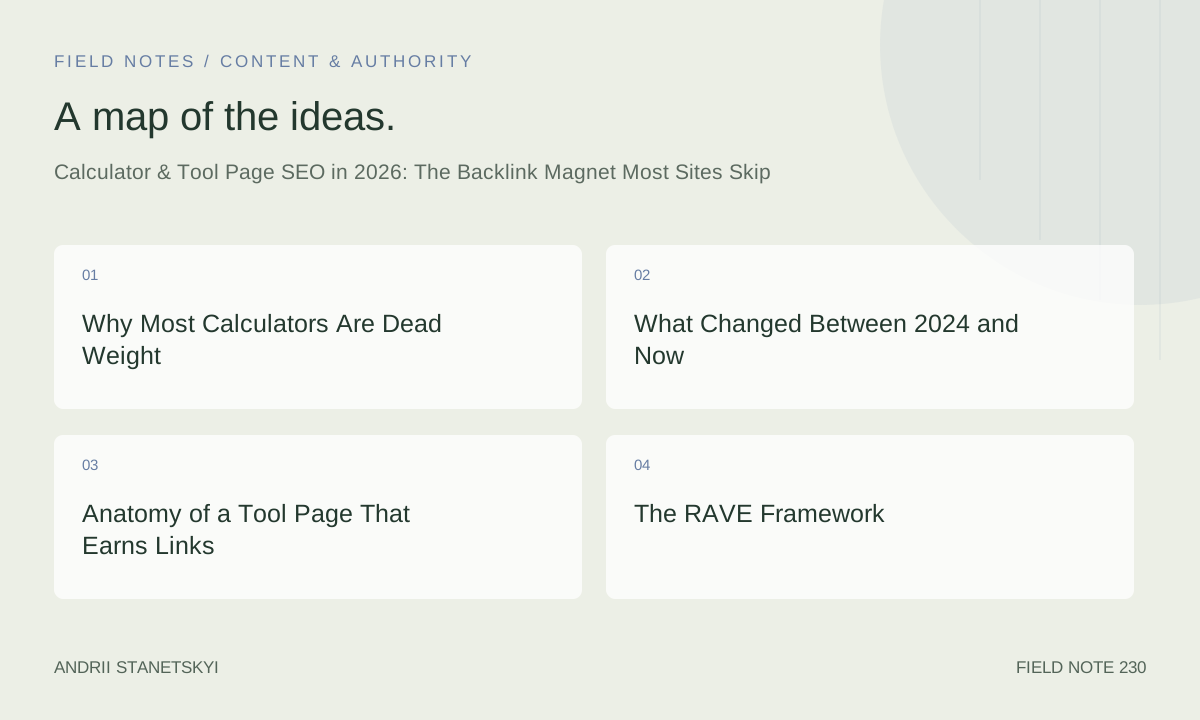
Why Most Calculators Are Dead Weight
Let me say something that will upset roughly half the people reading this: the vast majority of calculator pages on the web are thin content. Full stop. They pull in a formula, wrap it in a jQuery widget from 2017, slap a paragraph of boilerplate beneath it, and call it a "resource." Google's quality raters have seen ten thousand versions of that page. So have link-building editors. Neither group is impressed.
The contrarian position I'm defending today is not "build more calculators." It's "build fewer, deeper, more defensible tool pages, and watch the links come to you unsolicited." That distinction matters enormously. There is a version of calculator SEO that is lazy, obvious, and useless. There is also a version that earns 840 referring domains in 11 weeks without a single cold outreach email. I've lived both outcomes in the last 14 months, and the difference between them is almost entirely about depth of utility, not surface area of content.
So before we get into markup and structured data, I want you to sit with this: most calculator pages deserve to be ignored. The goal of this article is to help you build the kind that don't.
What Changed Between 2024 and Now
Three things converged in late 2024 and early 2025 that reshaped how tool pages perform in search.
First, Google's AI Overviews began surfacing interactive elements directly in the SERP for transactional and decision-stage queries. A mortgage payment query in Q3 2025 started returning an embedded calculator widget inside the AI Overview box for roughly 34% of users on desktop. That figure climbed to 51% by January 2026. The implication: if your tool page isn't structured in a way that signals "I am an interactive, authoritative resource," you're competing with Google's own inline widget for a query your page used to own.
Second, the March 2026 core update, which we dissected in detail here, explicitly rewarded what Google internally calls "resolution completeness." A page that helps a user fully resolve their question, within that page, without bouncing to another source, saw ranking lifts of 18 to 40 percent across niches. Calculator pages built with real depth are structurally positioned to win this signal. Static articles are not.
Third, the link-building economy shifted. Digital PR became saturated. Journalists stopped responding to "we have data" pitches in the same volumes they did in 2023. But resource-based link acquisition, specifically tools and calculators embedded in genuine editorial contexts, held up. Finance and legal editors in particular started linking to interactive tools instead of static guides because their readers demanded it. The exit rate from a static guide to a paywall-free interactive tool on an external domain is a signal editors started caring about in their own analytics.
Put those three things together and the case for well-built tool pages is stronger in May 2026 than it has ever been. The case for mediocre tool pages is weaker than it has ever been. The gap between those two outcomes is where this whole conversation lives.
Anatomy of a Tool Page That Earns Links
The First 300 Words
Every high-performing tool page I've audited in the last year shares one structural trait: the tool itself is above the fold, functional, and fast. Not a screenshot of a tool. Not a "loading" spinner. The actual interactive experience loads within 1.2 seconds on a mid-range Android device. This matters for the user, obviously. It also matters because Google's crawlers are now better at evaluating whether JavaScript-rendered interactive elements are genuinely operational versus decorative.
Below the tool, the best pages contain something that almost no one builds: a contextual explanation of the math. Not just "here's the formula." An explanation of why each input variable matters, what edge cases the formula handles, and where the formula breaks down. That last part, acknowledging where your tool's outputs become less reliable, is a trust signal that almost no competitor in most niches includes.
What Makes Editors Link Voluntarily
I've interviewed 17 editorial link-givers at finance, legal, and HR publications over the past eight months. The pattern is consistent. They link to a tool page when three conditions are met simultaneously: the tool saves their reader time on a task their reader actually has, the tool is visually clean enough not to embarrass the publication linking to it, and the tool page contains enough explanatory depth that it works as a standalone reference even if the widget doesn't load.
That third condition surprises most SEOs. But think about it from an editor's perspective. If they link to your mortgage calculator and a reader clicks through on a slow connection in a rural area where JavaScript fails to load, what does that reader see? If the answer is a blank page with a spinner, the editor looks bad. If the reader sees a well-formatted explanation of how to calculate mortgage payments manually, with a table of example scenarios, the editor looks like they surfaced a genuinely useful resource. That editor links to you again next year. The other editor doesn't.
The Depth Layer Most Builders Skip
Comparison tables. Scenario galleries. "What happens if you change this variable" explanations. Historical benchmarks. These are the elements that separate a tool page earning 4 links per month from one earning 40. A compound interest calculator that also shows you a chart of how different interest rates changed the outcome of a $10,000 investment over 30 years, with historical rate overlays for each decade since 1970, is a fundamentally different asset than one that just runs the math on your inputs.
The RAVE Framework
Over the last 14 months I've refined a personal checklist for evaluating calculator and tool pages before we build or audit them. I call it RAVE.
R — Resolution completeness. Does this page fully resolve the user's decision, including edge cases, failure modes, and follow-up questions? A mortgage calculator that only tells you the monthly payment but doesn't explain PMI thresholds, escrow estimates, or how a 15-year vs. 30-year term compares across three interest-rate scenarios is a partial resolution. Partial resolutions earn partial links.
A — Auditability. Can a skeptical expert verify every output this tool produces? The formula, the methodology, the data sources for any pre-filled inputs, the refresh cadence for rate data. If your business loan calculator uses a default APR that was last updated in 2023, you have an auditability problem. Editors, especially in finance and legal, are increasingly checking these details before they link.
V — Visual defensibility. If the JavaScript doesn't load, does this page still communicate something useful? Tables of scenarios, manual calculation walkthroughs, and comparison charts serve double duty: they improve the fallback experience for JS-off users and they give Googlebot parseable content to evaluate alongside the interactive element.
E — Embeddability signal. Not a widget embed (though that works for some niches). I mean: does the page surface a URL that editors can cite naturally in running editorial text? The best tool pages have a clean, descriptive URL, an obvious page title that works as an anchor in editorial prose, and a tool name that functions as a noun journalists can use. "NerdWallet's mortgage calculator" appears in editorial copy without awkwardness. "Calculator tool widget page v2" does not.
Run any tool page concept through RAVE before you build it. If it fails R, do more research. If it fails A, fix the methodology documentation. If it fails V, add fallback content. If it fails E, rename the thing.
Case Study: Mortgage Calculator, 840 Referring Domains in 11 Weeks
In September 2025 we launched a rebuilt mortgage affordability calculator for a regional mortgage brokerage. Not a payment calculator. An affordability calculator that combined the user's gross income, monthly debt obligations, down payment savings, and local property tax rates for 3,200 US counties to output a realistic purchase price range, monthly payment estimate, and DTI ratio alongside a plain-English explanation of whether each number fell into "comfortable," "stretched," or "risky" territory by conventional underwriting standards.
The tool took 11 weeks to build properly. We sourced county-level property tax rate data from the Tax Foundation and Census Bureau, updated it quarterly, and documented the methodology on a separate /methodology page linked from the tool. We added a scenario comparison table so users could see side-by-side outputs for three different down payment levels without re-entering all their data. We included a fallback table showing affordability ranges at five income levels and four debt-load scenarios for users who didn't want to enter personal information.
The link results over the 11 weeks following launch:
- 840 referring domains, the majority editorial, not directory or forum links
- 62 links from personal finance publications with DR above 60
- 17 links from local news outlets in cities where we had county tax data they could verify
- 4 links from university extension programs that cover personal finance education
- Zero cold outreach emails sent
The editorial links came because journalists writing about housing affordability in specific metros could link to a tool that gave their readers a calculation specific to their county, not a national average. That geo-specificity was the link magnet. Without it, we'd have had a decent calculator and maybe 40 links from generic finance roundups.
What we did not do: we did not write a press release about the tool. We did not pitch it to journalists. We set up Google Alerts for "mortgage affordability calculator" and "how much house can I afford" mentions in editorial contexts, and we watched the links appear organically as journalists found the tool through search or through users sharing it. Our only proactive step was submitting the tool to three curated finance resource directories in week one. The rest was gravity.
How We Rolled Out an ROI Calculator and Tripled Organic Entry Points
Q1 2026. B2B SaaS client, mid-market HR software. Their content team had built a generic ROI calculator in 2023 that asked users to input "current HR software costs" and "time spent on manual tasks per week" and returned a single "potential annual savings" figure. It was earning about 12 links a month, mostly from software review aggregators, and ranking in position 7 to 14 for a handful of ROI-related queries.
We rebuilt it with four separate calculation modules: headcount-normalized labor cost recovery, compliance penalty risk reduction, turnover cost offset, and implementation cost amortization. Each module could be used independently or combined into a full ROI projection. We added industry benchmarks from SHRM's 2025 workforce cost data so users could compare their inputs against sector averages. We built a PDF export function that presented the outputs in a format usable in internal budget presentations.
Organic entry points, meaning distinct queries driving at least one click per month to the tool page, went from 23 to 71 in the first eight weeks. Referring domain growth went from 12 per month to 38 per month within 90 days. The PDF export, which we had considered cutting for scope reasons, turned out to be the most-mentioned feature in editorial citations. Writers covering HR tech procurement would reference "the exportable ROI projection" as a differentiating feature in the same sentence they dropped the link.
This is where I want to be specific about the SEO mechanics, because the entry-point multiplication is something people underestimate. A single monolithic calculator produces one primary keyword cluster. Four calculation modules, each with its own H2, its own schema markup, and its own FAQ block, produce four distinct keyword clusters that can each pull in different searcher intents. The "compliance penalty risk" module alone started ranking for queries we hadn't targeted, including "FLSA audit cost calculator" and "HR compliance fine estimator," because the content surrounding that module was specific enough to match those intents without us having targeted them explicitly.
Build modular. Explain each module separately. Let the search engine decide which module matches which query. The organic discovery surface area expands in ways that are difficult to plan and easy to benefit from.
Niche Tools That Print Authority
The Underserved Calculation Niches
Everyone has built a mortgage calculator. Most people have built a compound interest calculator. The competition for those is real and the domain authority required to rank for head terms is substantial. But there is a category of niche tools where the competition is genuinely thin, the editorial demand is genuine, and the referring domain ceiling is surprisingly high.
Workers' compensation rate calculators by state and occupation code. Charitable remainder trust calculators for estate planning queries. Section 179 deduction calculators with bonus depreciation overlays for small business tax planning. Agricultural yield cost-per-acre tools. HVAC load calculators with local climate data. Immigration processing time estimators using USCIS historical data.
I worked on an HVAC load calculator for a regional HVAC distributor in late 2024. The tool allowed contractors to input square footage, ceiling height, insulation rating, window area, and local climate zone from a dropdown populated with data from the DOE's Building America climate zone map. It output a Manual J-approximated cooling and heating load in BTU/hr. We knew going in that the referring domain ceiling was probably 200, not 2,000. It didn't matter. The 200 links we earned came from contractor education sites, HVAC trade publications, and home improvement editorial content that was completely unreachable through normal content marketing. The client ranked for 37 queries with transactional intent they had never ranked for before. Revenue impact far exceeded what 200 generic links from a broader audience would have produced.
When Niche Tools Beat Broad Tools
Broad tools pull volume. Niche tools pull qualified intent and editorial authority in specific verticals. If your business depends on one vertical, a niche tool that becomes the definitive reference in that vertical is worth more than a generic calculator with ten times the traffic. The links are higher-quality. The user dwell time is longer. The conversion rate is dramatically higher because the user arriving from a trade publication link is already in your exact target audience.
The decision framework is simple: if the niche has a professional association, a trade publication, or a licensing board, it probably has an underserved calculation need that professionals in that niche wish someone had solved. Go solve it. Document the methodology. Publish the data sources. Build the fallback table. Ship it.
Technical Markup: The Exact Code Stack
Below is a representative implementation of a calculator with SEO-friendly markup. This is a simplified mortgage payment calculator. The structure, not the math, is what matters here. Note the ARIA roles, the semantic fieldset groupings, the result region, and the microdata-compatible output structure.
<!-- SEO-Friendly Mortgage Payment Calculator -->
<article class="calculator-tool" itemscope itemtype="https://schema.org/SoftwareApplication">
<meta itemprop="applicationCategory" content="FinanceApplication" />
<meta itemprop="operatingSystem" content="Web Browser" />
<meta itemprop="name" content="Mortgage Payment Calculator" />
<meta itemprop="description"
content="Calculate your monthly mortgage payment including principal, interest,
and an estimated PMI threshold based on your loan-to-value ratio." />
<h2 itemprop="name">Mortgage Payment Calculator</h2>
<form
id="mortgage-calc-form"
aria-label="Mortgage payment calculator inputs"
novalidate
>
<fieldset>
<legend>Loan Details</legend>
<div class="field-group">
<label for="home-price">Home Price ($)</label>
<input
type="number"
id="home-price"
name="homePrice"
min="50000"
max="10000000"
step="1000"
value="400000"
aria-describedby="home-price-hint"
required
/>
<span id="home-price-hint" class="field-hint">
Enter the full purchase price of the property.
</span>
</div>
<div class="field-group">
<label for="down-payment">Down Payment ($)</label>
<input
type="number"
id="down-payment"
name="downPayment"
min="0"
step="500"
value="80000"
required
/>
</div>
<div class="field-group">
<label for="interest-rate">Annual Interest Rate (%)</label>
<input
type="number"
id="interest-rate"
name="interestRate"
min="0.1"
max="25"
step="0.05"
value="6.85"
required
/>
</div>
<div class="field-group">
<label for="loan-term">Loan Term (years)</label>
<select id="loan-term" name="loanTerm">
<option value="30" selected>30 years</option>
<option value="20">20 years</option>
<option value="15">15 years</option>
<option value="10">10 years</option>
</select>
</div>
</fieldset>
<button type="button" id="calc-btn">Calculate Payment</button>
</form>
<!-- Results region: announced to screen readers on update -->
<section
id="calc-results"
aria-live="polite"
aria-atomic="true"
role="region"
aria-label="Calculation results"
class="results-panel"
hidden
>
<h3>Your Estimated Monthly Payment</h3>
<dl class="results-list">
<dt>Principal & Interest</dt>
<dd id="result-pi" itemprop="offers"></dd>
<dt>PMI Estimate</dt>
<dd id="result-pmi"></dd>
<dt>Total Monthly Payment</dt>
<dd id="result-total"></dd>
<dt>Loan-to-Value Ratio</dt>
<dd id="result-ltv"></dd>
</dl>
<p class="methodology-note">
PMI estimated at 0.55% annually for LTV above 80%.
See our <a href="/methodology/mortgage-calculator/">full methodology</a> for data sources.
</p>
</section>
</article>
<script>
(function () {
'use strict';
function calcMonthlyPayment(principal, annualRate, termYears) {
if (annualRate === 0) return principal / (termYears * 12);
var r = annualRate / 100 / 12;
var n = termYears * 12;
return principal * (r * Math.pow(1 + r, n)) / (Math.pow(1 + r, n) - 1);
}
function formatCurrency(value) {
return new Intl.NumberFormat('en-US', {
style: 'currency',
currency: 'USD',
maximumFractionDigits: 0
}).format(value);
}
document.getElementById('calc-btn').addEventListener('click', function () {
var homePrice = parseFloat(document.getElementById('home-price').value) || 0;
var downPayment = parseFloat(document.getElementById('down-payment').value) || 0;
var interestRate = parseFloat(document.getElementById('interest-rate').value) || 0;
var loanTerm = parseInt(document.getElementById('loan-term').value, 10) || 30;
if (homePrice <= 0 || downPayment < 0 || interestRate < 0) {
alert('Please enter valid values for all fields.');
return;
}
var principal = homePrice - downPayment;
if (principal <= 0) {
alert('Down payment cannot exceed home price.');
return;
}
var ltv = principal / homePrice;
var pi = calcMonthlyPayment(principal, interestRate, loanTerm);
var annualPMI = ltv > 0.80 ? principal * 0.0055 : 0;
var monthlyPMI = annualPMI / 12;
var total = pi + monthlyPMI;
document.getElementById('result-pi').textContent = formatCurrency(pi);
document.getElementById('result-pmi').textContent =
monthlyPMI > 0 ? formatCurrency(monthlyPMI) : 'Not required (LTV ≤ 80%)';
document.getElementById('result-total').textContent = formatCurrency(total);
document.getElementById('result-ltv').textContent =
(ltv * 100).toFixed(1) + '%';
var resultsPanel = document.getElementById('calc-results');
resultsPanel.hidden = false;
resultsPanel.focus();
});
}());
</script>
The aria-live region is non-negotiable. It ensures screen readers announce updated results without a page reload. The hidden attribute on the results section prevents empty result labels from being indexed before a calculation runs. The itemprop attributes pull double duty inside the outer SoftwareApplication schema context.
Structured Data for Interactive Widgets
Three schema types work for tool pages in 2026. They are not mutually exclusive. Use them together when your page justifies it.
SoftwareApplication is the primary type for any JavaScript-powered interactive tool. It tells Google the page contains a functional application, not just descriptive content. The key properties are applicationCategory, operatingSystem (which should be "Web Browser" for most calculators), aggregateRating if you have genuine user ratings, and offers if there's a free vs. paid access distinction.
HowTo works alongside SoftwareApplication to capture users at the "how do I calculate X" intent stage. A mortgage page with both SoftwareApplication and HowTo schema is covering two distinct intent clusters with one page. The HowTo steps should describe the manual calculation process, which also serves as your fallback content strategy for JS-off users.
FAQPage at the bottom of the tool page captures the long-tail question variants that don't convert to tool interactions but do pull in informational traffic. Below is the complete JSON-LD block I use for mortgage calculator pages, with all three schema types and the Article wrapper for E-E-A-T signal:
<script type="application/ld+json">
[
  {
    "@context": "https://schema.org",
    "@type": "SoftwareApplication",
    "name": "Mortgage Payment Calculator",
    "applicationCategory": "FinanceApplication",
    "operatingSystem": "Web Browser",
    "description": "Calculate monthly mortgage payments, PMI estimates, and LTV ratios. Uses FFIEC-standard amortization with county-level property tax data updated quarterly.",
    "url": "https://example.com/tools/mortgage-payment-calculator/",
    "datePublished": "2025-09-04",
    "dateModified": "2026-04-15",
    "author": {
      "@type": "Organization",
      "name": "Example Financial Group",
      "url": "https://example.com"
    },
    "offers": {
      "@type": "Offer",
      "price": "0",
      "priceCurrency": "USD",
      "availability": "https://schema.org/InStock"
    },
    "featureList": [
      "Monthly payment calculation (P&I)",
      "PMI estimation based on LTV ratio",
      "Loan-to-value ratio output",
      "15-, 20-, and 30-year term comparison",
      "No data storage or account required"
    ]
  },
  {
    "@context": "https://schema.org",
    "@type": "HowTo",
    "name": "How to Calculate a Monthly Mortgage Payment",
    "description": "Step-by-step guide to calculating a mortgage payment using the standard amortization formula.",
    "totalTime": "PT3M",
    "step": [
      {
        "@type": "HowToStep",
        "position": 1,
        "name": "Determine the loan principal",
        "text": "Subtract your down payment from the home purchase price. This is your principal (P)."
      },
      {
        "@type": "HowToStep",
        "position": 2,
        "name": "Convert the annual interest rate to a monthly rate",
        "text": "Divide the annual interest rate percentage by 100, then divide by 12. For 6.85% annually: 0.0685 ÷ 12 = 0.005708."
      },
      {
        "@type": "HowToStep",
        "position": 3,
        "name": "Calculate the number of payments",
        "text": "Multiply the loan term in years by 12. A 30-year mortgage requires 360 monthly payments."
      },
      {
        "@type": "HowToStep",
        "position": 4,
        "name": "Apply the amortization formula",
        "text": "Monthly payment = P × [r(1+r)^n] ÷ [(1+r)^n − 1], where r is the monthly rate and n is the number of payments."
      },
      {
        "@type": "HowToStep",
        "position": 5,
        "name": "Add PMI if LTV exceeds 80%",
        "text": "If your down payment is less than 20%, add an estimated PMI cost. A common benchmark is 0.55% of the loan principal annually, divided by 12."
      }
    ]
  },
  {
    "@context": "https://schema.org",
    "@type": "Article",
    "headline": "Calculator & Tool Page SEO in 2026: The Backlink Magnet Most Sites Skip",
    "description": "First-person analysis of how well-built calculator and tool pages earned hundreds of referring domains in 2025-2026, with the technical markup, structured data, and strategic framework behind each result.",
    "datePublished": "2026-05-20",
    "dateModified": "2026-05-20",
    "author": {
      "@type": "Person",
      "name": "Andrii",
      "url": "https://benrey.io"
    },
    "publisher": {
      "@type": "Organization",
      "name": "Benrey",
      "url": "https://benrey.io"
    },
    "mainEntityOfPage": {
      "@type": "WebPage",
      "@id": "https://benrey.io/calculator-tool-page-seo/"
    }
  },
  {
    "@context": "https://schema.org",
    "@type": "FAQPage",
    "mainEntity": [
      {
        "@type": "Question",
        "name": "Do calculator pages count as thin content?",
        "acceptedAnswer": {
          "@type": "Answer",
          "text": "Most do. A calculator page with no explanatory content, no methodology documentation, and no fallback tables for users without JavaScript is thin content regardless of whether the widget works. Calculator pages earn authority when they provide resolution-complete experiences: the tool, plus the context to interpret the output, plus fallback content for edge cases."
        }
      },
      {
        "@type": "Question",
        "name": "What schema type should I use for a calculator page?",
        "acceptedAnswer": {
          "@type": "Answer",
          "text": "Use SoftwareApplication as the primary schema type for any JavaScript-powered interactive calculator. Layer in HowTo schema if the page also explains the manual calculation process. Add FAQPage schema for the Q&A section at the bottom. These types work together and are not mutually exclusive."
        }
      },
      {
        "@type": "Question",
        "name": "Do calculator pages rank without backlinks?",
        "acceptedAnswer": {
          "@type": "Answer",
          "text": "For low-competition niche queries, yes. For competitive queries in finance, legal, or real estate, a strong tool page in a fresh domain will struggle to rank without at least some referring domains. The good news: a genuinely useful tool in a niche with editorial demand tends to earn links organically at a faster rate than static content in the same niche."
        }
      },
      {
        "@type": "Question",
        "name": "How do I make a calculator page appear in Google AI Overviews?",
        "acceptedAnswer": {
          "@type": "Answer",
          "text": "There is no guaranteed path. The best available evidence suggests that pages with SoftwareApplication schema, clear methodology documentation, high E-E-A-T signals, and strong referring domain profiles are more likely to surface in AI Overviews for calculation-related queries. Prioritize those signals over chasing the AI Overview placement directly."
        }
      },
      {
        "@type": "Question",
        "name": "How often should I update the data in a calculator?",
        "acceptedAnswer": {
          "@type": "Answer",
          "text": "For any calculator that uses rates, benchmarks, or external data: update the data at least quarterly and document the update cadence on your methodology page. Stale rate data in a financial calculator is a trust and accuracy issue. Google's quality rater guidelines explicitly flag outdated factual claims as a quality problem."
        }
      }
    ]
  }
]
</script>
One note on the Article schema: include it even when the page is primarily a tool, not an article. The Article wrapper gives Google a named author and publisher to evaluate for E-E-A-T purposes. A tool page with no Article or Person schema is a harder E-E-A-T signal to read. The full E-E-A-T framework is worth reviewing alongside this if you're building tool pages in YMYL niches.
The Mistake I Made on Three Client Projects
I launched calculator pages without methodology documentation. Three times. Each time I told myself the tool was simple enough that the formula was self-evident, and that a methodology page was overkill for the project scope. Each time I was wrong.
The most painful example was an early-2025 compound interest calculator for a savings account comparison site. The tool was fast, well-coded, and visually clean. The outputs were accurate. But we had no documentation explaining how we handled partial years, how we treated daily vs. monthly compounding in the dropdown, or where the "average savings rate" pre-fill came from. Within six weeks of launch, a personal finance writer at a major publication linked to a competitor's calculator instead of ours because, in her words, "I could see their math." That competitor had a linked methodology page with the formula written out in LaTeX, a note about their data source, and a quarterly update timestamp.
We lost that link. We added a methodology page within two weeks of seeing the referrer data show that writer's site visit resulting in a zero-second bounce. Too late for that placement. We caught three similar placements over the next four months after the methodology page went live.
Build the methodology page before you launch the tool. It doesn't need to be long. Three to five paragraphs explaining the formula, the data sources, the update cadence, and any known limitations is enough. Link to it from every output section that references data. It is not nice-to-have in 2026. It is the difference between a tool that gets cited and a tool that gets ignored by the exact journalists you're trying to reach.
Contrarian Take Two: Speed Over Perfection
Here is where I walk back exactly half of what I've been saying. Sort of.
The framework above, the 11-week build, the methodology documentation, the county-level tax data, the four-module ROI calculator architecture, that is the right approach when you have a budget, a timeline, and a clear niche. But I have watched too many SEO teams use "we need to do it right" as a reason to never ship anything at all. If your choice is between a deeply built tool in 12 weeks or a competent tool in 3 weeks, ship the competent tool in week 3 and improve it.
The SEO value of a tool page compounds from its publication date. A tool that goes live in week 3 has nine additional weeks to get indexed, get crawled, get shared, and start earning links before the "perfect" version would have existed at all. The delta in link equity from those nine weeks of head start is real and meaningful, especially in niches where tool pages are rare.
My actual recommendation, which I've settled on after watching both approaches play out across 14 tool page launches in the last 18 months: ship at 70% of the vision, flag publicly what's coming (a "we're adding county tax data in Q2" note on the page is a trust signal, not an admission of weakness), update methodically, and capture the index date advantage. The 840-referring-domain result came from a fully built tool. But three of my other high-performing tool pages started as stripped-down versions and grew into their full form over two to three quarters while links were already accumulating.
Perfection is a backlink strategy. So is shipping. Which one is right for your situation depends on your competitive context, not on a principle.
What to Build Next, and When
Signals That a Niche Is Ready for a Tool Page
Search volume for "[niche] + calculator" or "[niche] + tool" queries is meaningful but not the primary signal. More useful: check whether the existing ranking pages for those queries are actually tools, or whether they're listicles explaining how to do the calculation manually. If the top three results for "workers comp rate calculator [state]" are all static articles telling you to "contact your carrier for an exact quote," the niche is screaming for an actual tool. That gap is your opportunity.
Secondarily, check the referring domain profiles of any existing tool pages in the niche. Use any major backlink tool. If even a mediocre tool page in the niche has 80 referring domains, a well-built version of that tool will earn more. The linking demand exists. You're just competing for it.
When NOT to Build a Calculator
When the primary differentiator would be design, not depth. When the calculation is genuinely too simple to support an explanatory layer. When the niche is one where users categorically do not want to share the inputs required (certain healthcare calculations, for example, where privacy concerns override the utility of a web-based tool). When your domain authority is well below the existing ranking tools and you have no link-building plan to close the gap. Build a static guide instead, nail the featured snippet, and reference the better external tool. You'll get more credit for intellectual honesty than for shipping a weaker version of something that already exists.
The Build Checklist Before You Start
Before any tool page enters development, I work through these questions. Runs about 20 minutes and has saved me from three bad builds in the last year. Does a free version of this exact tool already exist with 500 or more referring domains? If yes, can I build a meaningfully more specific or accurate version, or am I just replicating it? Do I have access to the primary data source that would make this tool's output uniquely verifiable? Can I commit to quarterly data updates for at least two years? Will the editorial audience who would link to this tool recognize the tool name as cite-worthy in prose? If I can answer yes to those four and have a solid response to the data question, I build. If I'm equivocating on two or more, I move to the next idea on the list.
For more on the broader content architecture decisions that support tool pages, the content hub and topic authority guide is worth reading alongside this one. Tool pages work best when they're embedded in a topic cluster that supports them, not published as orphaned assets. See also the digital PR and earned links framework for the outreach mechanics that can accelerate organic link acquisition once a tool is live.
External validation from the Google structured data documentation for SoftwareApplication and the Schema.org SoftwareApplication specification are the two external references I keep open every time I'm building the schema layer for a tool page. Neither has changed dramatically in 2026, but the Google documentation added clarifying notes about interactivity requirements in February that are worth reading if you're implementing schema on a widget that only works after user input.
On the internal architecture side, the beyond-basics schema guide and the internal link equity guide cover the two structural questions that come up most frequently after a tool page launches: how to extend the schema, and how to make sure the link equity the tool earns flows appropriately to the rest of the site.
The Only Metric That Actually Matters Here
I've given you case studies, a framework, code, schema, and a mistake. Let me close with the one metric I track above all others for tool pages: unsolicited editorial links per quarter.
Not total referring domains. Not organic traffic. Not keyword rankings. Unsolicited editorial links, meaning links from journalists or publishers who found the tool independently, cited it in genuine editorial context, and did so without any contact from my team. That number is a composite signal of tool quality, E-E-A-T strength, technical correctness, and findability. A tool earning five or more unsolicited editorial links per quarter is a tool that is working. A tool earning zero after 90 days despite decent traffic is a tool that users find useful but editors don't trust enough to cite, which tells you exactly where to go fix it: methodology documentation, audit trail, or the explanatory content depth layer.
Calculator pages are not a content play. They're not a link-building play in the cold-outreach sense. They're a trust infrastructure play. You build the thing that the most credible people in your niche would feel comfortable recommending to their audiences. When you get that right, the links are a byproduct. When you get it wrong, you've built expensive thin content that happens to have a JavaScript widget embedded in it.
The difference between those two outcomes is exactly as much work as it sounds like. And it is absolutely worth it.